Overview

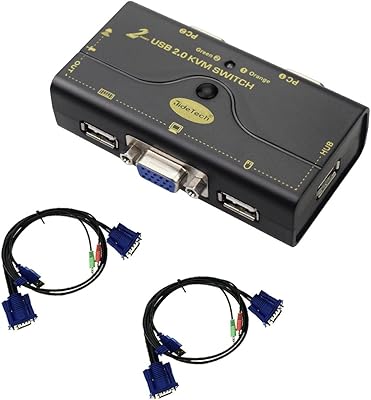
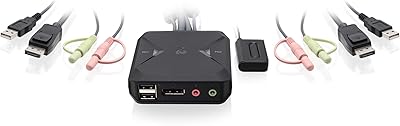
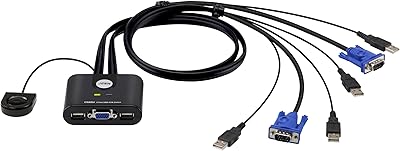
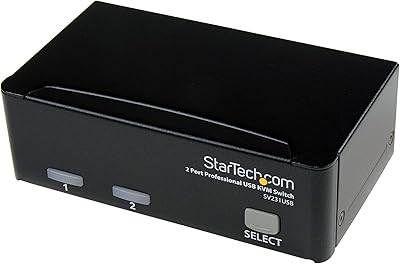
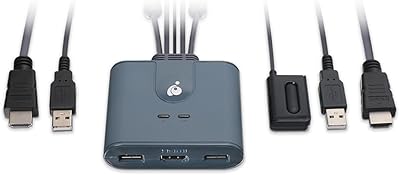
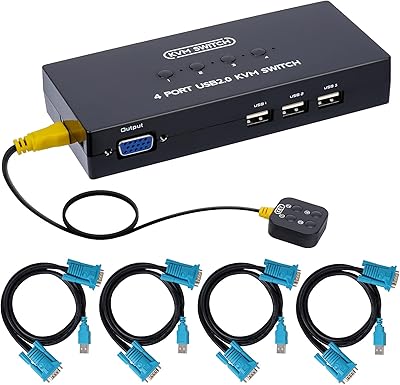
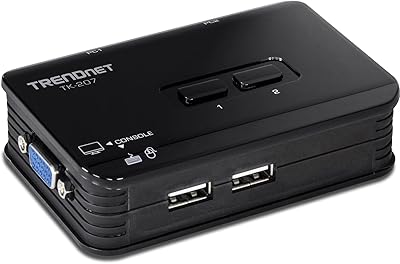
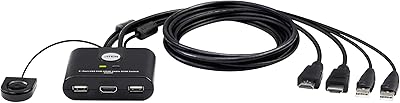
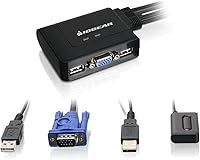
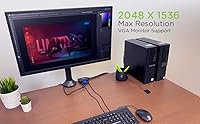
The IOGEAR 2-Port USB VGA KVM Switch allows users to easily control two computers with a single monitor, keyboard, and mouse. This compact device offers VGA video resolution up to 2048 x 1536, providing clear and crisp display output. The plug-and-play setup ensures quick installation, requiring no additional drivers or software. It is an ideal choice for users seeking a simple, efficient way to manage multiple computers without the need for extra equipment or complex configurations.

Features & Benefits

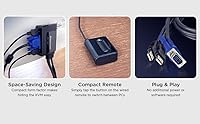
This KVM switch supports two USB ports and VGA connections, allowing seamless switching between two systems with just the push of a button. The wired remote button switch offers convenient control, enabling you to switch between computers without physically reaching the device. Designed to save desk space, the space-efficient design fits perfectly into small office or home environments. It's a straightforward, reliable solution for controlling multiple computers with minimal clutter.

Best For

The IOGEAR 2-Port USB VGA KVM Switch is perfect for users with multiple computers who want to streamline their workflow and save space. It is especially well-suited for small office setups or home offices where desk space is limited. People seeking an affordable and user-friendly KVM switch to handle basic control tasks, such as switching between two PCs or laptops, will find this device an ideal choice. Its simplicity and effectiveness make it a go-to option for everyday use.

User Feedback

Users generally appreciate the IOGEAR 2-Port USB VGA KVM Switch for its ease of use and reliability. Many reviewers note the plug-and-play functionality, making setup quick and hassle-free. However, some users have mentioned occasional video quality issues, particularly at higher resolutions. While it performs well for everyday tasks, those with more demanding video needs may find it lacking. Overall, this device is widely praised for its compact design and the value it offers at an affordable price point.

Pros

  • The plug-and-play setup is extremely easy, requiring no additional drivers or software.
  • Compact design saves valuable desk space, making it ideal for smaller work areas.
  • Supports high VGA resolutions up to 2048 x 1536 for clear video output.
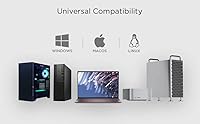
  • Works across multiple operating systems, including Windows, Mac, and Linux.
  • The wired remote button makes it convenient to switch between systems without direct access to the KVM switch.
  • Ideal for users with dual-computer setups who need a cost-effective, efficient control solution.

Cons

  • Some users report minor video quality degradation at higher resolutions.
  • Limited to VGA output, so it may not be suitable for those needing HDMI or DisplayPort.
  • The switch might not be robust enough for frequent handling in more dynamic work environments.
  • Lacks advanced features like multiple USB ports or support for more than two systems.
  • May not be the best choice for users with graphic-intensive tasks or gaming setups.
  • The relatively short cable lengths could require additional extensions for some setups.

Ratings

After analyzing verified user feedback from multiple global platforms and languages, the IOGEAR 2-Port USB VGA KVM Switch has garnered a mix of strong praise and occasional concerns. The scores reflect both its practical benefits and areas for improvement, with particular emphasis on usability and video quality at higher resolutions. Spam, bot, and incentivized reviews were excluded to ensure only authentic, high-quality feedback contributed to these results.

Ease of Use
89%
Users find this KVM switch exceptionally easy to use. The plug-and-play design means no need for extra drivers or setup, making it a hassle-free solution for switching between computers. The remote button switch adds further convenience, allowing users to control their systems without needing to physically access the switch.
A few users reported occasional difficulty with the wired remote switch, especially if it's positioned out of reach. Some mentioned that while the setup is simple, they were expecting a more intuitive on-screen display for switching between systems.
Video Quality
72%
28%
Most users are satisfied with the video clarity, especially at the default resolution of 2048 x 1536. It works well for everyday tasks such as office work, browsing, and light gaming. The VGA output delivers clear visuals for most basic setups.
There are mixed reports regarding the video quality at higher resolutions. Some users mentioned that the image quality deteriorates slightly when pushing the device to higher resolutions, especially with complex graphics or video-intensive tasks.
Build Quality
85%
The device is praised for its sturdy build and compact design. Users appreciate its light weight and space-saving size, which is perfect for tight desk setups. The durable construction ensures it holds up well with everyday use.
A few reviewers noted that the plastic casing, while functional, could be more premium. Some also reported that it feels somewhat flimsy compared to higher-end KVM switches, though it performs well within its price range.
Value for Money
92%
The KVM switch offers excellent value for the price. Users find it to be an affordable solution for managing multiple computers with a single monitor, keyboard, and mouse. Its plug-and-play design and ease of use further enhance its cost-effectiveness, making it a great choice for budget-conscious buyers.
While many users feel it's a great deal, a few pointed out that for users needing more advanced features like dual-monitor support or additional ports, this device may feel somewhat basic. For those requiring high-end specs, the value may be less appealing.
Setup/Installation
95%
Setting up this device is incredibly easy. The plug-and-play nature eliminates the need for any additional software or drivers, making it a perfect choice for those who want a quick and simple solution. Many users were able to set it up in minutes with minimal effort.
While most users found setup straightforward, a few mentioned minor confusion when first connecting the device. Some noted that the included instructions could be more detailed, especially for those unfamiliar with KVM switches.
Compact Design
88%
Users appreciate the compact size of this KVM switch, which makes it ideal for small desks or home office spaces. Its space-saving design allows it to blend seamlessly into a variety of setups without taking up too much room.
While compact, the small size can make it tricky to manage cables neatly. A few users mentioned that the limited space for cable organization led to a cluttered setup, especially when multiple peripherals are involved.
Switch Responsiveness
90%
The wired remote switch is responsive and easy to use. It allows users to toggle between systems quickly and without any noticeable lag. This feature makes it particularly convenient for those who switch frequently between two computers.
A small number of users reported that the remote switch occasionally loses its connection, requiring them to re-position it for optimal function. However, this was a rare issue and not a common complaint.
Customer Support
78%
22%
Users generally found the customer support team to be helpful when they encountered issues. Many appreciated the prompt responses and clear troubleshooting steps provided to resolve common problems.
Some users felt that the support could be more proactive, especially for more complex or technical issues. A few also mentioned delays in receiving responses during peak times, which led to frustration.
Compatibility
80%
20%
This KVM switch is highly compatible with most systems, including Windows, Mac, and Linux. Users report a smooth experience when switching between different operating systems, making it a versatile choice for multi-system setups.
While generally compatible, a few users with non-standard setups or older hardware had difficulty getting the KVM switch to work. Some mentioned compatibility issues with certain USB peripherals, which required additional troubleshooting.
Performance Stability
83%
The device provides stable performance for most tasks, offering smooth switching between systems without interruptions. Users report reliable operation even after extended use, which is important for multi-computer setups.
Some users noted occasional flickering or loss of signal, especially when using higher-end graphics cards or with certain monitor models. These issues were not widespread but were significant enough for a few users to raise concerns.
Portability
87%
The compact, lightweight design of this device makes it easy to move and set up in different locations. It’s an excellent option for users who need a portable KVM switch for travel or temporary setups.
Although portable, the small form factor can make it less suitable for larger, more complex setups that require more ports or additional features. Some users felt that the portability comes at the cost of certain advanced features.
Long-Term Value
85%
Given its reliable performance and affordable price, users feel that this KVM switch offers strong long-term value. Its durability and ease of use make it a solid investment for users with basic to mid-level needs.
A few users expressed concerns about the switch’s long-term reliability, especially in high-demand environments. Some mentioned that while the device works well for now, they worry it might not last for years under heavy use.

Suitable for:

The IOGEAR 2-Port USB VGA KVM Switch is ideal for users who need a simple, cost-effective solution to control two computers with a single monitor, keyboard, and mouse. Small office setups, home offices with limited desk space, or even personal setups that require switching between a work and a personal computer will benefit greatly. Students with limited budgets or professionals who need to streamline their workspace without extra clutter will also find it a convenient and reliable tool. The easy plug-and-play setup makes it especially appealing to those who are not tech-savvy but still require a functional multi-system solution.

Not suitable for:

This KVM switch may not be the best choice for users with high-end graphic needs or advanced multi-monitor setups. Gamers or professionals working with graphics-intensive tasks may experience some video quality issues, particularly at higher resolutions. Those needing a more flexible or feature-rich solution, such as additional USB ports or support for more advanced switching features, may find this device too basic. Additionally, users with larger, more complex workstation setups might prefer a more robust KVM switch with better cable management and extra functionalities.

Specifications

  • Ports: This device features 2 USB ports for seamless connection and switching between two systems.
  • Video Resolution: Supports a maximum VGA video resolution of 2048 x 1536 for clear and detailed output.
  • Connector Type: Uses VGA connectors for video output, ensuring compatibility with older monitors and systems.
  • Operating Mode: Operates in an ON-OFF mode for switching between the connected computers.
  • Switch Type: Features a wired remote button switch, allowing easy control without direct access to the KVM switch.
  • Compatibility: Compatible with Windows, Mac, and Linux operating systems, making it versatile across multiple platforms.
  • Plug-and-Play: Requires no additional software or drivers, providing a true plug-and-play setup for quick use.
  • Dimensions: The compact design measures 7.5 x 7.2 x 2.2 inches, making it ideal for space-conscious setups.
  • Power Consumption: Consumes only 5 watts of power, making it energy-efficient and easy on your electrical setup.
  • Voltage: Operates at 1 volt, ensuring minimal power requirements for low-energy consumption.
  • Current Rating: Has a current rating of 1 amp, suitable for standard USB-powered devices.
  • Actuator Type: Uses a push-button actuator for switching between computers with a simple press.
  • Maximum Video Resolution: Supports a maximum video resolution of 2048 x 1536, suitable for most basic display needs.
  • Space-Saving Design: The compact size of the KVM switch helps to save space on desks, perfect for home or small office use.
  • Form Factor: Designed as a compact, desktop-friendly form factor for easy installation and organization.
  • USB Compatibility: Supports standard USB 2.0 devices, ensuring reliable communication between computers and peripherals.
  • VGA Output: Uses VGA output for video signal transmission, ideal for older displays and basic monitor setups.
  • Brand: Manufactured by IOGEAR, known for providing reliable and efficient KVM solutions.

FAQ

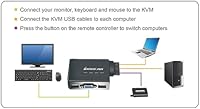
Setting up this device is easy with its plug-and-play design. Simply connect your monitor, keyboard, and mouse to the KVM switch, then connect the two computers via the USB and VGA cables. No software or drivers are needed—just switch between systems with the wired remote button.

Yes, this KVM switch is compatible with Windows, Mac, and Linux systems, making it versatile for various computer setups. You can seamlessly switch between two computers running different operating systems without any issues.

This device supports a maximum video resolution of 2048 x 1536, providing clear and sharp image quality for standard tasks. It's suitable for general office work, browsing, and light multimedia use, but may not be ideal for high-end graphic or gaming applications.

You can easily switch between the two connected computers using the wired remote button. This button is conveniently placed for easy access, so you don’t need to reach behind the device to toggle between systems.

Yes, the device is designed for quick and simple installation. You don't need to install any software or drivers. Just plug in the cables and start using it right away, which is perfect for users who need a hassle-free setup.

While this device supports up to 2048 x 1536 resolution, it may not perform well with monitors that support much higher resolutions, like 4K. For optimal performance, it's best used with standard VGA monitors or those within its resolution limits.

One limitation of this device is that it only supports VGA video output. If you need HDMI or DisplayPort connections, you may need a different solution. Additionally, some users have noted minor video quality issues at higher resolutions.

While this KVM switch is reliable for everyday tasks and office work, it may not be the best choice for gaming or other high-performance tasks. The VGA output and lower resolution support may limit its use for high-end graphic-intensive applications.

The cables included with the IOGEAR 2-Port USB VGA KVM Switch are of a standard length, but some users may find them a bit short for larger setups. Depending on your desk layout, you may need to purchase additional cables or extensions.

No, this device is designed specifically for controlling two computers. If you need to manage more than two systems, you'll need a different KVM switch with additional ports.