
Overview

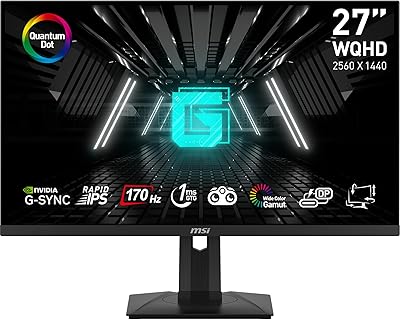
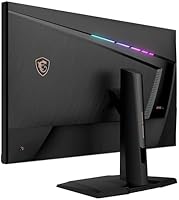
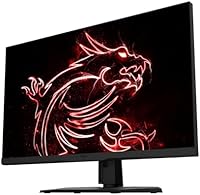
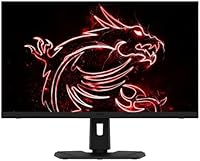
The MSI MPG321UR QD 32-inch Gaming Monitor arrived in late 2021 at a moment when the market was finally taking 4K high-refresh gaming seriously, and it carved out a strong position by pairing a Quantum Dot layer with an IPS panel — something most competitors at the time weren't offering. Standard IPS displays are decent, but Quantum Dot pushes color volume noticeably wider, making saturated greens and reds feel more alive without the accuracy trade-offs of VA panels. The stand adds tilt, swivel, and height adjustment, and the port selection covers HDMI, DisplayPort, and USB-C — a combination that genuinely supports multi-device desk setups without requiring a separate dock.

Features & Benefits

The Quantum Dot IPS panel is the headline here — it delivers broader color coverage than conventional IPS while holding onto the fast pixel response that gamers need. Running 3840×2160 at 144Hz is demanding; you'll need a capable GPU to sustain those frame rates in modern titles, so factor that into the total cost. HDR 600 certification brings useful peak brightness and some local dimming, though it won't rival OLED contrast — treat it as a meaningful upgrade over SDR rather than a cinematic HDR experience. G-Sync Compatible adaptive sync works reliably without requiring proprietary hardware. The USB-C input is a quiet but practical win for anyone connecting a laptop alongside a desktop rig.

Best For

This 32-inch Quantum Dot display suits PC gamers who refuse to choose between resolution and frame rate — 4K at 144Hz is genuinely achievable here if your GPU is up to the task. It works equally well as a dual-purpose workstation monitor, with color accuracy and screen real estate that support photo editing, video work, and graphic design alongside evening gaming sessions. The ergonomic stand makes long hours more manageable, and the USB-C port keeps cable clutter down for multi-device users. Buyers who want a single large monitor that handles everything without obvious compromises will find the MPG321UR QD a well-rounded option.

User Feedback

Across roughly 410 ratings, the MPG321UR QD holds a 4.1-star average, which reflects genuine satisfaction with some honest caveats. Owners consistently praise color vibrancy, panel uniformity, and the solid build quality of the stand. The criticism that surfaces most often centers on the OSD controls — navigating the on-screen menu feels clunky to multiple reviewers, and a few note that the HDR implementation, while functional, doesn't fully justify the HDR 600 badge in real-world use. There are occasional reports of backlight bleed on units at the panel edges, suggesting some QC variability. Gamers tend to rate it higher than creative professionals, who sometimes find competing panels offer better factory calibration at similar price points.

Pros

  • Quantum Dot IPS panel delivers noticeably richer, wider color than conventional IPS at this price tier.
  • 4K at 144Hz is a genuinely capable combination for both high-fidelity gaming and detailed creative work.
  • G-Sync Compatible adaptive sync works reliably without requiring an expensive proprietary module.
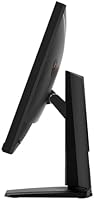
  • The ergonomic stand offers real tilt, swivel, and height adjustment — not just a tilt-only base.
  • USB-C connectivity makes this MSI QD monitor practical for laptop users without a separate docking station.
  • HDR 600 certification provides useful peak brightness improvement over standard SDR panels.
  • Build quality is consistently praised by long-term owners — the stand feels solid and doesn't wobble.
  • Panel uniformity is strong across most units, with owners reporting even brightness across the screen.
  • At 31.5 inches, the screen size hits a sweet spot between immersive and desk-practical for most setups.

Cons

  • The on-screen display (OSD) controls are clunky and poorly laid out compared to rivals at this price.
  • HDR 600 performance is functional but falls well short of mini-LED or OLED HDR contrast levels.
  • Driving 4K at 144Hz demands a high-end GPU, adding significant hidden cost to the total setup price.
  • Some units show backlight bleed at panel edges, pointing to inconsistent quality control across production batches.
  • Factory color calibration is not always accurate out of the box, requiring manual adjustment for precision work.
  • The monitor weighs over 30 pounds, making it cumbersome to reposition or move between setups.
  • Professional creative users may find competing panels offer better out-of-box calibration at a comparable cost.
  • No built-in USB hub beyond the Type-C port limits peripheral connectivity directly through the display.

Ratings

The scores below for the MSI MPG321UR QD 32-inch Gaming Monitor were generated by our AI system after analyzing verified global user reviews, with spam, bot activity, and incentivized submissions actively filtered out before scoring. Each category reflects both the genuine strengths buyers consistently highlight and the real frustrations that surface across long-term ownership. Nothing has been smoothed over — if a category underperforms, the score shows it.

Image Quality
91%
The Quantum Dot layer makes a tangible difference in everyday use — colors in open-world games and HDR-graded films look richer and more saturated than most IPS panels at this size. Owners working in photo editing consistently note that greens and reds feel more true-to-life without the yellow shift common on VA alternatives.
A small number of users with calibrated reference monitors note that factory accuracy isn't perfect out of the box, requiring a manual calibration pass to hit professional-grade Delta-E numbers. It's a minor gripe for most, but relevant for color-critical workflows.
Refresh Rate & Smoothness
88%
Running at 144Hz at 4K makes a noticeable difference over 60Hz panels, particularly in fast competitive titles and open-world games with fluid camera movement. Gamers who upgraded from lower-refresh 4K displays consistently describe the difference as immediately obvious and hard to go back from.
Realizing the full 144Hz potential requires serious GPU horsepower, and buyers without a top-tier graphics card often find themselves running the panel well below its ceiling. This is a system-level constraint rather than a monitor flaw, but it catches some buyers off guard after purchase.
HDR Performance
63%
37%
HDR 600 certification delivers a visible brightness advantage over basic HDR 400 panels, and in well-mastered gaming titles the highlights pop noticeably more than on SDR displays. For buyers stepping up from non-HDR monitors, the improvement in bright scene rendering is real and appreciated.
Long-term owners who have experience with OLED or mini-LED panels find the local dimming underwhelming — dark scenes lack true depth, and blooming around bright objects is visible in high-contrast content. The HDR 600 badge sets expectations that the underlying panel technology doesn't fully meet in practice.
Panel Uniformity
82%
18%
The majority of owners report clean, even brightness distribution across the full 31.5-inch surface, with no obvious hot spots or clouding during normal desktop use and gaming. This consistency is particularly valued by users doing multi-window productivity work where uneven brightness would be distracting.
A recurring minority of buyers report edge glow or backlight bleed, especially noticeable during dark loading screens or black-background content. This points to production variability rather than a universal defect, but the inconsistency across units is a known risk worth checking for on delivery.
Adaptive Sync
86%
G-Sync Compatible certification works reliably across a wide range of frame rates, and owners using NVIDIA GPUs report essentially tear-free gameplay without the cost premium of a full G-Sync module. AMD GPU users confirm FreeSync support also functions without issues across DisplayPort and HDMI connections.
A small number of users report occasional flicker at very low frame rates near the bottom of the VRR range, which can occur during GPU-heavy scenes in unoptimized titles. It's not a constant issue, but users who frequently dip below 40fps in demanding games may notice it.
Response Time
84%
The 1ms MPRT response time keeps ghosting well controlled in fast-paced shooters and racing games, where trailing artifacts on fast-moving objects are a common complaint on slower IPS panels. Gamers switching from older 4–5ms IPS displays notice the improvement in motion clarity during high-speed sequences.
Achieving the advertised 1ms requires enabling the fastest overdrive setting in the OSD, which some users report introduces slight inverse ghosting (a bright halo ahead of moving objects) at that setting. Dialing back to a medium overdrive preset eliminates the artifact but raises effective response time slightly.
Build Quality
87%
The stand feels solid and premium — there's no wobble during typing or desk vibrations, which matters for a 31.5-inch panel that carries real weight. Owners frequently mention that the all-black finish looks clean and professional in both gaming and office environments.
At just over 30 pounds, the assembled unit is heavy enough that repositioning it solo requires care, and the stand base takes up meaningful desk depth. A few users note the plastic rear panel feels slightly cheaper relative to the overall build, which is a minor but noticeable inconsistency in fit and finish.
Ergonomics
89%
Full tilt, swivel, and height adjustment is genuinely useful for this panel size, allowing users to dial in comfortable viewing angles for both upright office work and reclined gaming sessions. Content creators who split time between sitting upright for editing and leaning back for media consumption particularly appreciate the flexibility.
The height adjustment range, while functional, reaches its limits for users at the taller end of the spectrum who prefer the monitor closer to eye level when standing at an adjustable desk. VESA compatibility means an aftermarket arm solves this, but it's an added cost and step.
Connectivity
83%
The combination of HDMI, DisplayPort, and USB-C inputs covers virtually every modern source device, and the USB-C port is a genuine quality-of-life addition for laptop users who want a clean single-cable desk setup. Switching between a gaming desktop and a work laptop is straightforward without needing an external switch.
The monitor lacks a built-in USB hub beyond the Type-C port, which limits how many peripherals can be connected directly through the display. Users who want to run a keyboard, mouse, and other accessories through the monitor will still need a separate hub or dock.
OSD Usability
47%
53%
The OSD does cover all the essential settings — color profiles, refresh rate modes, HDR toggle, and overdrive — so the functionality required to tune the monitor is technically present. Users who configure their preferred settings once and rarely revisit them can largely ignore the interface after initial setup.
Navigating the on-screen menu is one of the most consistently criticized aspects across all user reviews, with multiple owners describing the button layout as unintuitive and the menu hierarchy as unnecessarily deep. Tasks that should take two button presses often require five or six, and there is no joystick control to simplify navigation.
Value for Money
71%
29%
For buyers who fully utilize the 4K 144Hz Quantum Dot combination and have the GPU to support it, the feature-per-dollar ratio holds up reasonably well compared to similarly specced alternatives. The ergonomic stand and USB-C input add practical value that some competing panels charge extra for via premium stand upgrades.
The price-to-value debate is real at this tier — the HDR implementation and OSD experience don't feel premium relative to the cost, and some buyers feel competing panels offer better factory calibration or HDR hardware for a similar or slightly higher investment. It's a fair buy when discounted, but harder to justify at full retail.
Gaming Performance
86%
In actual gaming use, the combination of 4K sharpness, 144Hz fluidity, and adaptive sync makes for an experience that's difficult to replicate on lower-spec displays — open worlds look exceptional at this resolution and panel size. Competitive gamers and immersive single-player players both find it hits the right balance.
The panel's gaming performance is inherently GPU-limited, and players on mid-tier hardware may spend most of their time at 60–90fps rather than the full 144Hz, reducing the premium feel. Dark scene performance also lags behind what OLED-based gaming monitors now offer at a higher price point.
Color Accuracy
78%
22%
The Quantum Dot gamut expansion delivers noticeably vibrant colors straight out of the box, covering a wide enough color volume that casual photo editors and video editors find it more than adequate for everyday work. Skin tones and natural landscapes in particular benefit from the expanded color coverage.
Without factory calibration documentation, achieving tight accuracy for professional color-critical work requires a hardware colorimeter and software calibration, adding cost and effort. A handful of professional creative users report that competing monitors offer tighter out-of-box accuracy at a comparable price point.
Setup & Installation
79%
21%
Stand assembly is straightforward and tool-free, with the column and base snapping together intuitively before mounting the panel — most owners report being up and running within 15 minutes of unboxing. Cable routing channels in the stand keep the desk looking tidy once everything is connected.
The sheer weight of the assembled unit makes initial placement on a desk awkward for solo setups, and the packaging, while protective, is bulky enough to require extra disposal effort. First-time monitor setup users also note the manual could be more explicit about optimal cable routing through the stand.

Suitable for:

The MSI MPG321UR QD 32-inch Gaming Monitor is a strong fit for PC gamers who have invested in a capable GPU and want to push 4K resolution without accepting a 60Hz ceiling — that combination is genuinely rare at this panel size and price tier. Content creators who spend serious time in photo editing or video grading will appreciate the Quantum Dot color volume, which expands the gamut meaningfully beyond what a standard IPS panel delivers. The 31.5-inch screen size is large enough to split into a practical dual-monitor-in-one workspace, making it attractive for professionals who need real estate alongside accurate color. Dual-purpose users — those gaming at night and designing or editing during the day — will find this MSI QD monitor adapts naturally to both workflows without feeling like a compromise in either direction. The USB-C input is a genuine convenience for anyone juggling a laptop and a desktop, and the full ergonomic stand means long working sessions don't have to come with neck or back strain.

Not suitable for:

The MSI MPG321UR QD 32-inch Gaming Monitor is likely the wrong choice for buyers working with mid-range or older GPUs — sustaining meaningful frame rates at 4K 144Hz puts serious demand on your graphics card, and without the hardware to back it up, you're paying a premium for headroom you can't actually use. Console gamers will also find limited value here, since current-generation consoles cap out well below 4K 144Hz in most titles and don't take full advantage of the adaptive sync implementation. Buyers chasing top-tier HDR performance should look elsewhere; the HDR 600 certification is a step above basic HDR, but it doesn't approach the contrast or black levels you'd get from a mini-LED or OLED alternative. Those who prefer factory-calibrated panels out of the box may find this 32-inch Quantum Dot display requires some manual tuning to hit professional-grade accuracy. And anyone sensitive to on-screen menu navigation will find the OSD experience on this monitor frustrating compared to competitors with more intuitive controls.

Specifications

  • Panel Type: IPS panel with Quantum Dot enhancement for wider color gamut coverage compared to standard IPS displays.
  • Screen Size: 31.5 inches measured diagonally, offering a large viewing area suited to both gaming immersion and productivity multitasking.
  • Resolution: 3840×2160 (4K UHD), delivering sharp pixel density at 31.5 inches for detailed visuals in games and creative applications.
  • Refresh Rate: 144Hz maximum refresh rate, enabling noticeably smoother motion compared to standard 60Hz or 75Hz panels at this resolution.
  • Response Time: 1ms MPRT response time, reducing visible ghosting and motion blur during fast-paced gaming sequences.
  • HDR Support: VESA DisplayHDR 600 certified, providing a peak brightness level and basic local dimming above entry-level HDR standards.
  • Adaptive Sync: G-Sync Compatible certified, supporting variable refresh rate over DisplayPort and HDMI to reduce screen tearing without proprietary hardware.
  • Connectivity: Inputs include HDMI, DisplayPort, and USB Type-C, covering a broad range of desktop, laptop, and console source devices.
  • Ergonomics: Stand supports tilt, swivel, and height adjustment, allowing users to fine-tune monitor positioning for extended work or gaming sessions.
  • Dimensions: Assembled unit measures 9.95 × 28.6 × 22.5 inches (D×W×H) with the stand attached.
  • Weight: Complete unit with stand weighs 30.1 pounds, which should be factored in when planning desk load capacity or wall-mount alternatives.
  • Aspect Ratio: Standard 16:9 widescreen aspect ratio, compatible with all native PC resolutions and console output formats.
  • Color: Matte black finish throughout the chassis and stand, keeping the aesthetic neutral and desk-agnostic.
  • Voltage: Rated at 240 volts, compatible with standard power supplies across most regions with appropriate adapters.
  • Release Date: First made available in September 2021, positioning it within the early wave of mainstream 4K 144Hz IPS monitors.
  • Brand & Series: Manufactured by MSI under the MPG (Gaming) product line, sitting above the MAG entry tier in MSI's monitor hierarchy.
  • Model Number: Official model designation is Optix MPG321UR QD, used for firmware updates, warranty registration, and driver identification.

Related Reviews
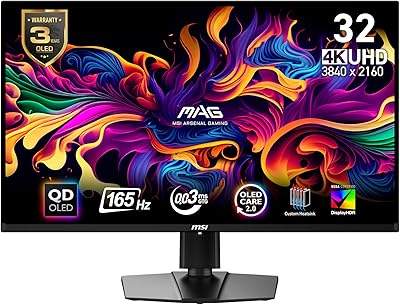
MSI MAG321CUP 32-inch 4K Gaming Monitor
76%
88%
Image Quality
83%
Refresh Rate Performance
86%
Value for Money
91%
Console Compatibility
74%
Motion Clarity
More
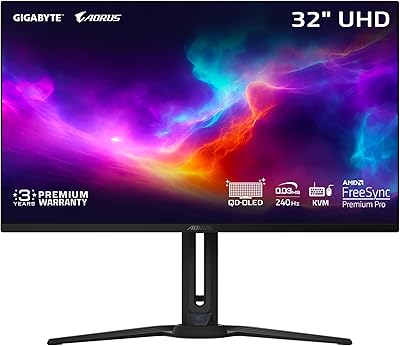
MSI MAG 321UP QD-OLED 32-inch Gaming Monitor
80%
96%
Image Quality
97%
Contrast & Black Levels
93%
Gaming Performance
88%
Color Accuracy
91%
Refresh Rate & Smoothness
More
MSI MAG 271QPX 27-inch QD-OLED Gaming Monitor
80%
94%
Image Quality
96%
Motion Clarity
88%
HDR Performance
93%
Refresh Rate & Smoothness
81%
Connectivity & Ports
More
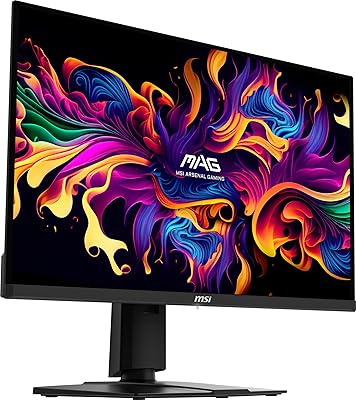
GIGABYTE AORUS FO32U2 32-inch Gaming Monitor
80%
96%
Panel Image Quality
93%
Motion & Response Performance
91%
HDR Performance
92%
Color Accuracy
67%
Burn-in & Longevity Risk
More
MSI G274QPF-QD 27″ Gaming Monitor
86%
92%
Performance for Gaming
89%
Color Accuracy
83%
Build Quality
91%
Response Time
80%
Design & Ergonomics
More
Gawfolk GF320D 32-inch Curved Gaming Monitor

72%
83%
Value for Money
76%
Image Quality
81%
Refresh Rate Performance
54%
Brightness & Visibility
79%
Contrast & Black Levels
More
KOORUI G3221SC 32″ Curved QHD Gaming Monitor

69%
83%
Picture Quality
81%
Gaming Performance
86%
Value for Money
41%
HDR Performance
67%
Color Accuracy
More
AOC C32G2 32″ Curved Gaming Monitor
76%
91%
Value for Money
84%
Gaming Performance
73%
Image Quality
88%
Refresh Rate & Smoothness
83%
Curvature & Immersion
More
KTC H32S17C 32-inch Curved Gaming Monitor
72%
91%
Value for Money
84%
Gaming Performance
76%
Picture Quality
52%
HDR Experience
67%
Color Accuracy
More
CUNPU 32-Inch Gaming Monitor QHD 165Hz
86%
93%
Display Quality
91%
Gaming Performance
85%
Build Quality
88%
Ergonomics and Adjustability
90%
Ease of Setup
More

FAQ

Yes, and this is worth thinking through carefully before buying. To consistently push 4K at 144Hz in demanding modern titles, you realistically need an RTX 3080 or RX 6800 XT class GPU or better. Older or mid-range cards will still work fine at 4K, but you may end up running at lower frame rates than the panel is capable of.

Not exactly. G-Sync Compatible means the monitor has passed NVIDIA's validation for adaptive sync over DisplayPort, so it works reliably without tearing or stuttering. You don't need a G-Sync module inside the monitor, which keeps costs down. AMD FreeSync is also supported, so this works with Radeon GPUs too.

It's a genuine step above basic HDR 400 monitors — brighter highlights and better contrast in supported content — but don't expect the deep blacks or vivid pop of OLED or mini-LED panels. Think of it as a solid SDR-to-HDR upgrade rather than a premium HDR experience. For gaming, it adds visible impact in well-mastered titles; for movie watching, results are more mixed.

Yes, the USB-C port supports video signal input, so you can connect a compatible MacBook or laptop with a single cable and get display output. Check that your laptop's USB-C port supports DisplayPort Alt Mode, as not all USB-C ports carry video signal — this is a laptop-side requirement, not a monitor limitation.

It will work as a display for both consoles via HDMI, but you won't be able to take advantage of the full 4K 144Hz capability — current consoles top out at 4K 120Hz in supported titles, and HDMI 2.1 bandwidth limitations may apply depending on the HDMI version on this panel. It's a functional pairing, but the monitor's strengths are better matched to a high-end PC.

This is one of the more common complaints from owners, and it's fair. The physical buttons used to navigate the on-screen menu are not intuitive, and accessing settings like brightness, refresh rate, or color profiles takes more steps than it should. If you plan to set it once and leave it, it's manageable; if you switch between presets frequently, it gets tedious.

Some units do, particularly at the panel edges, and this appears to be a quality control variability rather than a universal design problem. Many owners report clean, even panels with no noticeable bleed; others have flagged edge glow in dark scenes. If you receive a unit with significant bleed, it's worth contacting the retailer for a replacement within the return window.

The stand covers tilt, swivel, and height adjustment, which is a full ergonomic range that most monitors at this size don't include without an aftermarket arm. VESA mount compatibility is supported, so you can remove the stand and attach a third-party monitor arm if you prefer — just confirm the VESA pattern in the manual before purchasing an arm.

The listing references a glossy screen surface, though in practice this QD-IPS panel has a light anti-glare coating rather than a fully glossy finish. Reflections in bright rooms are worth considering, but it's not a mirror-like surface. If your desk faces a window, some glare management — like adjusting monitor angle — will help.

The Quantum Dot color gamut makes it a capable creative display, covering a wide color volume that benefits photo grading and video work. That said, it doesn't ship with a factory calibration report, so professionals who need tight Delta-E accuracy out of the box may want to run a hardware calibration pass or compare it against monitors that include certified factory calibration at a similar price.