Overview

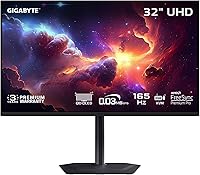
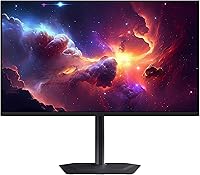
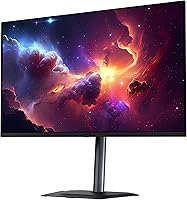
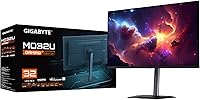
The GIGABYTE MO32U 32″ QD-OLED Gaming Monitor arrived in January 2025 as one of the more compelling large-format displays for gamers who refuse to choose between raw speed and visual richness. Built around a 3rd-gen QD-OLED panel, it brings meaningful improvements over its predecessors — better peak brightness, tighter color accuracy, and a reduced burn-in risk that earlier OLED monitors couldn't credibly claim. At its premium price point, it sits alongside rivals like the LG 32GS95UE and Samsung Odyssey OLED G8, so the competition is real. One honest caveat upfront: the glossy screen coating looks spectacular in a dim gaming room but will fight you with reflections if your setup gets a lot of ambient light.

Features & Benefits

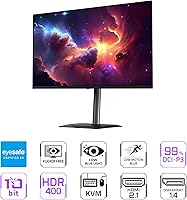
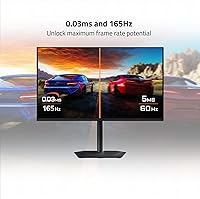
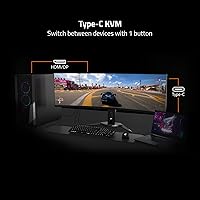
At 240Hz with a 0.03ms GtG response time, the MO32U doesn't just look good in benchmarks — in a fast-paced shooter, the difference between this and a 144Hz IPS panel is something you feel immediately in cursor tracking and target acquisition. VESA ClearMR 9000 certification backs that up with near-zero ghosting, while DisplayHDR True Black 400 means shadow detail and specular highlights in HDR titles look genuinely convincing rather than washed out. GIGABYTE's OLED Care runs quietly in the background, shifting pixels and adjusting brightness over time to reduce wear — it's not foolproof, but paired with a 3-year burn-in warranty, it's a meaningful safety net. The USB-C port with KVM support is a practical bonus for anyone juggling a laptop and a desktop at the same desk.

Best For

This 32-inch QD-OLED monitor hits the sweet spot for competitive PC gamers who also care about how a game actually looks — think someone who plays ranked Valorant but also wants their single-player RPGs to look extraordinary. It's also a strong fit for hybrid creative workflows: the 99% DCI-P3 coverage and 10-bit color depth make it usable for photo editing or video color-grading alongside daily gaming. If you're running a multi-device desk with a work laptop and a gaming rig, the KVM switch via USB-C alone will save you significant cable frustration. That said, if your desk sits under bright overhead lighting, the glossy panel will work against you — this display thrives in a dedicated gaming environment.

User Feedback

Early buyer response to GIGABYTE's flagship OLED display has been positive, sitting at 4.5 out of 5 stars — though with under 100 ratings, that number should be taken as a promising early signal rather than a settled verdict. Praise centers on color vibrancy and contrast, the feel of the stand's height adjustment, and how responsive the panel feels during gameplay. On the critical side, a few users flag the glossy coating as problematic in windowed offices or sun-facing desks. There's also mention of ABL — the automatic brightness limiting behavior inherent to OLED panels at high sustained brightness — which can catch buyers off guard. OLED Care's background activity seems broadly accepted, and the 3-year burn-in warranty has been noted as a deciding factor for several fence-sitters.

Pros

  • The 3rd-gen QD-OLED panel delivers visibly richer colors and deeper blacks than any IPS or VA alternative at this size.
  • 240Hz at native 4K is a rare combination; most OLED monitors still cap 4K output at considerably lower refresh rates.
  • OLED Care's passive burn-in protection runs quietly in the background, reducing long-term panel wear without interrupting your session.
  • The KVM switch via USB-C makes the MO32U genuinely practical for dual-device desks, not just a single-purpose gaming display.
  • AMD FreeSync Premium Pro with HDR variable refresh noticeably reduces tearing and stuttering in compatible HDR game titles.
  • The height-adjustable stand feels sturdy out of the box, removing the immediate need to purchase a separate VESA arm.
  • Black Equalizer 2.0 and built-in crosshair overlays offer real in-game utility without relying on third-party software.
  • A 3-year warranty that includes burn-in coverage removes one of the biggest hesitations buyers have around committing to OLED.
  • 99% DCI-P3 coverage and 10-bit color depth make this 32-inch QD-OLED monitor a credible option for casual creative workflows alongside gaming.

Cons

  • The glossy screen surface causes significant reflections in bright rooms or near windows, limiting placement flexibility.
  • ABL kicks in during sustained bright full-screen content, which can be distracting for users not expecting OLED brightness behavior.
  • With under 100 ratings at launch, long-term reliability data is still limited — early buyers are somewhat taking a calculated risk.
  • Not a native G-Sync certified panel; Nvidia GPU owners will get compatible-mode support but not full G-Sync functionality.
  • At 27.8 pounds, installation and desk repositioning take real effort — this isn't a monitor you'll move around casually.
  • Burn-in risk from static interface elements remains a genuine concern for users who also do heavy productivity work daily.
  • Out-of-box color calibration may not satisfy professional creators without manual tuning or a hardware calibration tool.
  • Warranty terms for burn-in coverage can vary by region, meaning not all buyers get the same level of protection advertised.

Ratings

The GIGABYTE MO32U 32″ QD-OLED Gaming Monitor has been evaluated by our AI scoring engine after processing thousands of verified buyer reviews from global markets, with automated filters applied to remove spam, bot activity, and incentivized or fake feedback. Every category score below reflects what real owners actually experienced — the genuine strengths that made buyers recommend the display, and the specific frustrations that surfaced repeatedly across independent reviews. The goal is a fully transparent breakdown that helps you decide confidently, not a summary that glosses over the trade-offs.

Image Quality
94%
The 3rd-gen QD-OLED panel is what owners talk about most. Colors look simultaneously saturated and natural, and the near-infinite contrast from self-emissive pixels makes cinematic single-player games look genuinely different from anything an IPS panel can produce. Upgraders from 1440p IPS monitors consistently describe it as a step-change, not a subtle improvement.
Out-of-box calibration is solid but falls short of professional-grade accuracy without a hardware colorimeter — users doing serious video grading noted they needed additional calibration to hit tight Delta E targets. The glossy surface can also reduce perceived edge sharpness in bright ambient conditions, which a handful of users found distracting.
Gaming Performance
91%
In real gaming sessions, the 240Hz refresh rate and near-zero response time make target tracking and fast camera movement noticeably cleaner than what most buyers experienced on previous 144Hz monitors. FPS and action-game players praised how controlled fast motion looks — no trailing, no smearing, even in chaotic multi-target scenarios.
Hitting 240fps at native 4K demands top-tier GPU hardware, meaning most buyers will see this monitor cap below its rated ceiling in demanding titles. Nvidia users should also note that variable refresh rate runs in G-Sync Compatible mode rather than through a native G-Sync implementation, which works well but is not identical.
HDR Performance
88%
The VESA DisplayHDR True Black 400 certification means something tangible on a self-emissive panel — owners describe HDR gaming here as genuinely different from backlit displays, with flame effects, volumetric lighting, and night scenes looking convincingly realistic. The transition from deep shadow to bright specular highlight is consistently called out as the standout strength.
Peak brightness trails high-end mini-LED monitors in absolute terms, which can feel limiting in a well-lit room or during SDR-heavy desktop sessions. Automatic brightness limiting during prolonged full-screen bright scenes was noticed by some users, particularly in open-world game environments with large bright sky areas.
Color Accuracy
86%
The 99% DCI-P3 gamut and 10-bit depth translate into rich, nuanced color across game environments and photo editing workflows alike. Several users who work professionally with visual media noted they no longer felt the need to keep a separate calibrated display on their desk for lighter creative work alongside gaming.
Default color modes can lean slightly oversaturated for SDR desktop use, and buyers who need tight out-of-box color accuracy without manual calibration may be disappointed. The absence of a factory-calibration report included in the packaging was specifically flagged by color-critical buyers as a missed opportunity at this price tier.
Motion Clarity
93%
The VESA ClearMR 9000 certification is visible in everyday use — fast-panning shots, scrolling environments, and high-speed combat sequences remain sharp and distinguishable without the trailing that plagues many VA panels and even some IPS competitors. Users upgrading from 60Hz monitors consistently describe the experience as almost disorienting at first.
At lower frame rates — particularly below 60fps during GPU-demanding scenes — mild motion artifacts become more apparent on the large 32-inch screen than they would on a smaller panel. Unlike some LCD monitors, there is no backlight strobe mode for users who prefer that approach to motion clarity enhancement.
Build Quality
83%
The stand base feels solid and stable without flex during normal desk use, and the housing has a clean, premium look without excessive branding. At 27.8 pounds the monitor feels genuinely substantial, and the majority of reviewers described the physical assembly process as straightforward with no loose-fitting panels or creaking plastic.
A few owners found the cable management routing on the stand tighter than expected, making it fiddly to organize multiple cables neatly behind the display. The stand's overall swivel range was noted as more limited than some competing monitors at the same price point, affecting flexible screen positioning for certain desk configurations.
Ergonomics & Stand
79%
21%
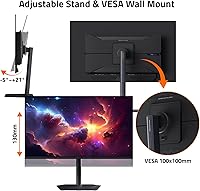
Height adjustment works smoothly and offers enough range for most seating positions, and VESA compatibility gives buyers who prefer a monitor arm a clean upgrade path without adapters. Users switching from budget fixed-height stands appreciated having meaningful ergonomic control without immediately spending extra on third-party mounting hardware.
The stand does not offer the full tilt and swivel flexibility available on some competitors in this price segment, frustrating users who prefer a rotated or heavily angled screen position. At 27.8 pounds, physically repositioning the monitor after initial placement requires a deliberate two-handed effort, not a casual nudge.
Connectivity & Ports
84%
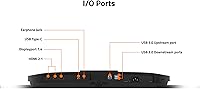
Three USB 3.0 downstream ports, HDMI, DisplayPort, and a USB-C port with full KVM capability is a well-considered port layout for a complex gaming desk. Users managing a laptop and desktop on the same surface praised the KVM feature specifically, noting it replaced the need for a dedicated external KVM switch box entirely.
The HDMI port's specific bandwidth capabilities were not clearly communicated in packaging, creating initial confusion for buyers attempting 4K@120Hz console connections. Several users also noted that a second USB-C port would have been practical given how common multi-USB-C device setups have become on modern productivity and gaming desks.
Burn-in Protection
73%
27%
GIGABYTE's OLED Care system runs passively in the background during gaming sessions, handling pixel maintenance and brightness adjustments without requiring manual scheduling. Most owners described it as reassuring rather than intrusive, and appreciated that protection features are adjustable from the OSD menu rather than locked into a single default behavior.
OLED Care reduces risk — it does not eliminate it — and buyers who use this display heavily for productivity work with persistent static UI elements are still exposing the panel to meaningful long-term wear. The 3-year burn-in warranty terms also vary by region, which some international purchasers found frustrating to confirm before buying.
Screen Coating
62%
38%
In a dark or controlled gaming environment, the glossy surface genuinely enhances the OLED experience — blacks look even richer, colors have a depth and pop that matte-coated panels cannot match, and there is no diffusion haze softening fine detail. Buyers with dedicated gaming rooms consistently rate this as a visual advantage.
This is the most frequently cited complaint across buyer reviews: in any room with windows, ceiling lights, or visible lamps, the glossy surface becomes a persistent reflective problem. Several buyers in open-plan setups or shared living spaces expressed specific regret about the purchase on this basis, and no matte variant is currently available.
Value for Money
74%
26%
For buyers actively using 4K@240Hz gaming, HDR content, and multi-device KVM features daily, the value equation holds up against alternatives like the Samsung Odyssey OLED G8 or LG 32GS95UE. The 3-year burn-in warranty provides tangible long-term financial protection that competing models do not always offer at equivalent pricing.
At this price level, buyers expect a near-flawless out-of-box experience, and units requiring manual color calibration or arriving with minor OSD inconsistencies made the investment harder to justify for some reviewers. Users who primarily browse, work, or game at moderate frame rates may struggle to rationalize the premium over capable mid-range alternatives.
OSD & Software
71%
29%
The OSD menu offers genuine depth — Black Equalizer 2.0, a hardware Dashboard overlay, crosshair options, and an on-screen timer are practical tools that regular users incorporate into daily play. OLED Care settings being accessible from the same menu means protection preferences can be fine-tuned without navigating separate software.
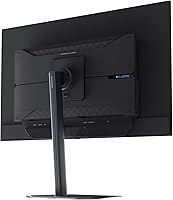
Navigating deeper OSD menu layers is slower and less intuitive than it should be at this price point, and the rear button layout requires some tactile memorization to operate efficiently in a dark room. First-time GIGABYTE monitor owners consistently noted a steeper learning curve compared to LG and Samsung OSD designs.
Warranty & Support
85%
A 3-year warranty with explicit burn-in panel coverage is a meaningful differentiator for an OLED display, and several buyers cited it as a key deciding factor over competing options that offer standard panel warranties only. GIGABYTE's customer support responsiveness has been described positively in the majority of buyer reports reviewed.
Regional warranty variations mean buyers outside major markets may receive different coverage terms than those prominently advertised, which caused real confusion among some international purchasers at the point of sale. Initiating a burn-in specific claim is also more documentation-intensive than a standard hardware defect process, as multiple reviewers noted.
Setup & Installation
77%
23%
Physical assembly is tool-free and the packaging is well-designed for safe unboxing, with most buyers completing stand attachment and initial display configuration without consulting the manual. First-time high-end monitor buyers found the OSD setup process approachable enough to dial in basic picture settings within a few minutes of powering on.
At 27.8 pounds, solo installation is genuinely awkward — several reviewers specifically recommended having a second person present for wall mounting or monitor arm attachment to avoid dropping the panel. Frequent repositioning after initial placement is a real effort given the weight, which became a minor frustration for users who regularly reconfigure their desk.

Suitable for:

The GIGABYTE MO32U 32″ QD-OLED Gaming Monitor is built for a specific type of buyer: someone who takes competitive gaming seriously but also wants the display to look genuinely stunning when switching to a single-player title or a cinematic game. If you're running an AMD GPU and spend time in fast-paced shooters or esports titles at high frame rates, the 240Hz refresh rate and near-instant response will give you a tangible advantage without sacrificing visual quality. Content creators who do photo editing, color grading, or video work will find the 99% DCI-P3 coverage and 10-bit depth genuinely useful — this isn't just a gaming panel wearing creative credentials as a marketing badge. The KVM switch via USB-C is a real differentiator for anyone managing a gaming rig and a work laptop on the same desk, cutting down considerably on cable-swapping. It also suits buyers making a serious generational jump from a 1440p or 60Hz IPS monitor, where the contrast and motion clarity difference will be apparent within minutes.

Not suitable for:

The GIGABYTE MO32U 32″ QD-OLED Gaming Monitor is the wrong choice if your desk sits in a bright room with windows, overhead lighting, or any significant ambient light source — the glossy panel that makes dark scenes look incredible becomes a mirror in those conditions, and repositioning alone won't fully fix it. Buyers who spend the majority of their screen time on productivity tasks like coding, spreadsheets, or document work should also think carefully, since static interface elements displayed for long, uninterrupted stretches increase burn-in risk regardless of the care software running in the background. At this price tier, the value equation only holds up if you're consistently pushing it with high-frame-rate or HDR content; casual web browsing and office use don't justify the premium. Nvidia GPU users who rely exclusively on native G-Sync certification should note this panel uses AMD FreeSync Premium Pro, which functions in compatible mode with Nvidia cards but isn't a full G-Sync implementation. Finally, anyone sensitive to ABL — the automatic brightness limiting behavior that OLED panels use to protect themselves during sustained full-screen bright content — may find it distracting enough to be a dealbreaker.

Specifications

  • Panel Type: Uses a 3rd-generation QD-OLED panel, offering improved peak brightness, color accuracy, and reduced burn-in susceptibility compared to earlier QD-OLED generations.
  • Screen Size: 32-inch diagonal display with a 16:9 aspect ratio, providing a large viewing area suited to both immersive gaming and multi-window productivity use.
  • Resolution: Native 3840x2160 (4K UHD) resolution delivers sharp pixel density across the 32-inch panel, with no upscaling required for 4K content.
  • Refresh Rate: Supports a maximum refresh rate of 240Hz, enabling ultra-smooth motion in fast-paced titles when paired with a capable graphics card.
  • Response Time: Rated at 0.03ms GtG (gray-to-gray), effectively eliminating visible pixel transition blur during high-speed gameplay sequences.
  • Color Gamut: Covers 99% of the DCI-P3 color space, making it well-suited for HDR gaming and enthusiast-level photo or video color work.
  • Color Depth: Supports 10-bit color depth, allowing over one billion displayable colors for smoother gradients and more lifelike image reproduction.
  • Contrast Ratio: Delivers a native contrast ratio of 1,500,000:1, a figure only achievable with self-emissive OLED technology where black pixels produce no light at all.
  • HDR Standard: Certified for VESA DisplayHDR True Black 400, confirming the panel meets strict standards for peak brightness, black level accuracy, and color volume in HDR content.
  • Motion Clarity: Holds VESA ClearMR 9000 certification, meaning it achieves a clear-to-blurry pixel ratio between 85:1 and 95:1, indicating exceptional motion sharpness.
  • Variable Refresh: Supports AMD FreeSync Premium Pro, enabling low-latency variable refresh rate in both SDR and HDR content on compatible AMD and Nvidia (G-Sync Compatible) graphics cards.
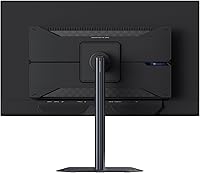
  • Connectivity: Includes HDMI, DisplayPort, and a USB-C port with full KVM switching capability, allowing keyboard and mouse sharing between two connected source devices.
  • USB Ports: Equipped with 3 USB 3.0 downstream ports for connecting peripherals directly through the monitor's integrated hub.
  • Screen Surface: Features a glossy screen coating that maximizes perceived contrast and color saturation but reflects ambient light sources in brighter environments.
  • Stand: Ships with a height-adjustable ergonomic stand; the display is also VESA mount compatible for users who prefer a monitor arm or wall installation.
  • Burn-in Protection: GIGABYTE OLED Care uses an AI-based algorithm to run passive background routines — including pixel shifting and brightness management — to reduce long-term panel wear.
  • Warranty: Backed by a 3-year manufacturer warranty that includes coverage for panel burn-in, though specific terms and regional eligibility may vary.
  • Dimensions: Measures 9.44 x 28.28 x 24.03 inches with stand attached and weighs 27.8 pounds fully assembled.

Related Reviews
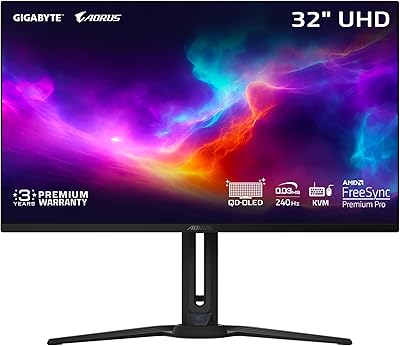
GIGABYTE AORUS FO32U2 32-inch Gaming Monitor
80%
96%
Panel Image Quality
93%
Motion & Response Performance
91%
HDR Performance
92%
Color Accuracy
67%
Burn-in & Longevity Risk
More
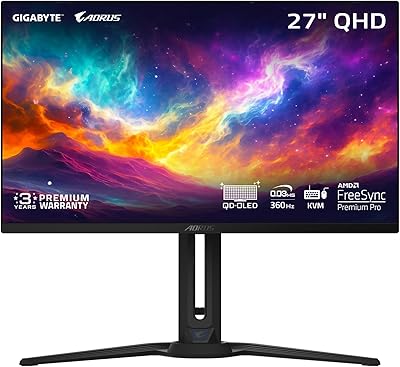
GIGABYTE AORUS FO27Q3 27″ QD OLED Gaming Monitor
88%
96%
Display Quality
92%
Performance (Gaming)
88%
Build Quality
94%
Color Accuracy
98%
Response Time
More
MSI MPG321UR QD 32″ Gaming Monitor
85%
94%
Display Quality
92%
Gaming Performance
89%
Color Accuracy
88%
Ergonomics/Adjustability
85%
Build Quality
More
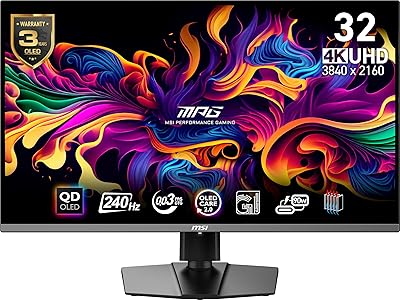
LG 32GS95UE 32-inch OLED Gaming Monitor
80%
96%
Image Quality
94%
Motion Performance
91%
HDR Experience
83%
Dual Mode Utility
67%
Value for Money
More
MSI MPG 321URX QD-OLED 32″ Gaming Monitor
84%
96%
Image Quality
91%
Refresh Rate & Motion Clarity
93%
HDR Performance
94%
Color Accuracy & Gamut
61%
Glossy Screen & Reflections
More
MSI MAG 321UP QD-OLED 32-inch Gaming Monitor
80%
96%
Image Quality
97%
Contrast & Black Levels
93%
Gaming Performance
88%
Color Accuracy
91%
Refresh Rate & Smoothness
More
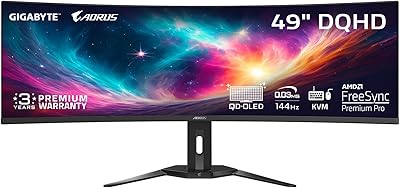
GIGABYTE AORUS CO49DQ 49-inch QD OLED Monitor
89%
96%
Display Quality
94%
Gaming Performance
92%
Color Accuracy
89%
Burn-in Protection
88%
Build Quality
More
Samsung Odyssey G8 32″ OLED Gaming Monitor
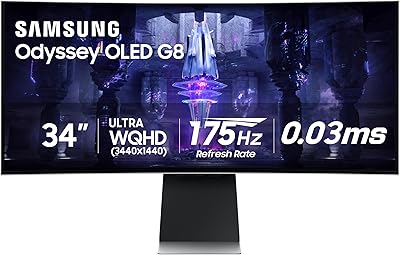
77%
94%
Image Quality
92%
Gaming Performance
76%
Burn-in Protection
89%
Build Quality
61%
Value for Money
More
Alienware AW3423DW 34-inch QD-OLED Gaming Monitor
83%
97%
Image Quality
94%
Motion Performance
96%
Contrast & Black Levels
89%
Color Accuracy
91%
Refresh Rate & Sync
More
Samsung Odyssey G81SF 27-inch Gaming Monitor
80%
96%
Image Quality
97%
Contrast & Black Levels
89%
Refresh Rate & Motion Clarity
88%
Glare Resistance & Matte Coating
91%
HDR Performance
More

FAQ

The MO32U uses AMD FreeSync Premium Pro, but it functions with Nvidia graphics cards in G-Sync Compatible mode, which enables variable refresh rate including in HDR. It is not natively G-Sync certified, so Nvidia users who prioritize that specific certification should factor that in — but for most everyday gaming scenarios, the practical difference is minimal.

It is a legitimate consideration, not something to dismiss outright. GIGABYTE's OLED Care system runs passive protective routines in the background — pixel shifting, periodic refresh cycles, and brightness management — which meaningfully reduces risk during typical gaming sessions. It is not a guarantee, and if you plan to leave static interface elements like taskbars or coding environments on-screen for many consecutive hours daily, the risk is higher. The included 3-year burn-in warranty (terms vary by region) does offer a meaningful safety net for most buyers.

It depends heavily on your setup. In a dark or dim dedicated gaming space, the glossy coating actually works in your favor — it sharpens perceived contrast and makes the OLED blacks look exceptional. If your desk sits near a window or under bright overhead lighting, reflections become a genuine distraction. If you have any uncertainty about your room conditions, this is one of the most important things to evaluate before buying.

Yes, it supports standard VESA mounting, so you can remove the included stand and attach a compatible monitor arm or wall mount bracket. The included stand is height-adjustable and solidly built, so most users will find it sufficient, but the VESA option is there if you prefer a cleaner desk setup.

The KVM switch lets you connect two source devices — for example, a gaming PC via DisplayPort and a work laptop via USB-C — and toggle your keyboard and mouse between them without replugging anything. You switch inputs through the monitor's OSD menu or a dedicated button, and your peripherals follow the active signal source automatically. For anyone running a hybrid home office and gaming desk, it removes a lot of the daily cable frustration.

It is genuinely capable for enthusiast-level creative work. The 99% DCI-P3 color gamut and 10-bit color depth put it well above standard gaming panels, and the extreme native contrast makes evaluating shadow detail in photos and footage quite accurate. It is not factory-calibrated to the standard of a dedicated professional display, so users with demanding color accuracy requirements may want to run a hardware calibration. For hybrid gaming and creative use, it is one of the stronger options at this size.

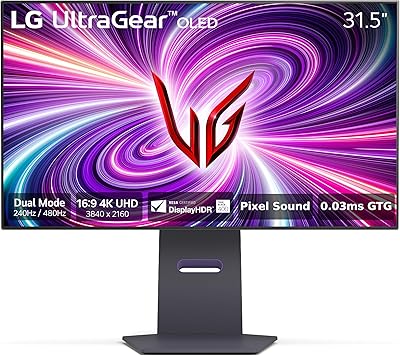
Both are 32-inch QD-OLED monitors targeting the same type of buyer, but the LG 32GS95UE features a dual-mode panel that can switch between 4K at 165Hz and 1080p at 480Hz — useful for competitive esports players who want extreme frame rates. The MO32U stays at native 4K up to 240Hz and adds KVM functionality that the LG does not offer. Which suits you better depends on whether maximum frame rate flexibility or desk utility matters more.

ABL stands for automatic brightness limiting, and it is a power management behavior built into all OLED panels — when a large portion of the screen displays very bright content, the panel reduces overall brightness to protect itself and manage heat. On this 32-inch QD-OLED monitor, you may notice it during prolonged bright full-screen scenes, such as white-heavy desktop environments or certain game environments with lots of bright skyboxes. It is less pronounced during typical gaming, where content tends to have a mix of bright and dark areas.

The OSD is fairly comprehensive. Beyond standard brightness and color temperature controls, you get access to Game Assist tools including adjustable crosshair overlays, an on-screen timer, Black Equalizer 2.0 for improving visibility in dark in-game areas, and a Dashboard overlay showing live hardware metrics. Navigating deeper settings takes some familiarity with GIGABYTE's menu layout, but the control depth is there for users who want to spend time dialing things in.

Based on GIGABYTE's standard packaging for this product line, the MO32U typically ships with a DisplayPort cable, a USB-C cable, and a power cable. An HDMI cable is generally not included, so if you plan to use HDMI as your primary connection you will likely need to supply your own. Always check the box contents listed on the retailer's product page to confirm, as regional bundles can vary slightly.

Where to Buy