Overview

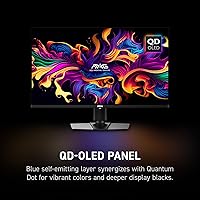
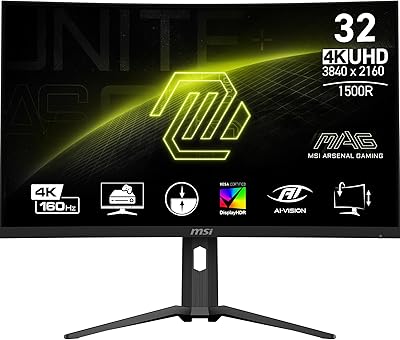
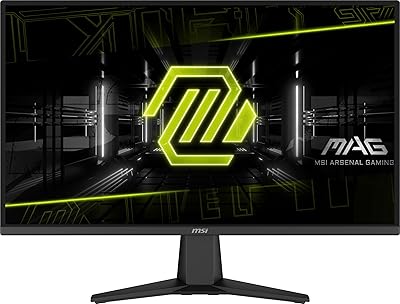
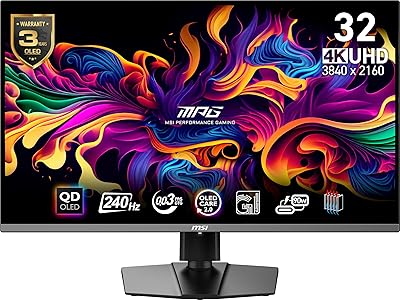
The MSI MAG 321UP QD-OLED 32-inch Gaming Monitor sits in a crowded but still relatively small category: large-format 4K panels that genuinely work for both serious gaming and professional creative use. What separates QD-OLED technology from conventional IPS or VA at this size is the combination of true per-pixel lighting and quantum dot color enhancement — blacks that are actually black, and colors that punch well beyond what a backlit panel can manage. One thing to address upfront: the glossy surface is a deliberate tradeoff. It rewards you with richer contrast and punchier colors, but it will reflect ambient light in bright rooms. For buyers who know what they want, this 32-inch 4K panel delivers real value at its tier.
Features & Benefits

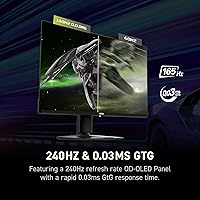
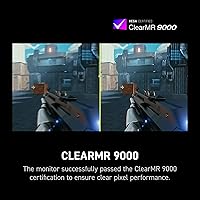
At its core, what makes this QD-OLED monitor worth the investment is how well its specs complement each other. A 4K resolution at 165Hz sounds contradictory — high pixel count usually demands GPU headroom that hurts frame rates — but for strategy games, slower-paced titles, or anyone pairing it with a high-end GPU, it works beautifully. The 0.03ms response time is fast enough that motion blur essentially disappears. Adaptive-Sync support means both AMD and NVIDIA users can run tear-free without being locked into a specific GPU ecosystem. The height-adjustable stand is genuinely useful rather than a checkbox feature, and the narrow bezel keeps the focus where it belongs — on the screen.

Best For

The MSI MAG 321UP is a strong fit for PC gamers upgrading from a 27-inch 1440p setup who want a meaningful visual jump — more screen real estate, dramatically better contrast, and pixel density that still holds at normal desk distances. Content creators and photo editors will appreciate the color accuracy and HDR performance that QD-OLED brings, especially compared to budget IPS alternatives. It also suits dual-use buyers who want a productive daytime screen that doubles as an immersive gaming display at night. That said, if your workspace gets direct sunlight, the glossy coating is worth factoring in carefully before committing to this panel.

User Feedback

Verified buyers have settled around a 4.5-star average, and that rating feels earned. Picture quality and black levels come up repeatedly as standout strengths, and several users specifically praised the stand's build quality, which feels more substantial than what you typically get on monitors in this category. The glossy surface draws the most consistent criticism — manageable with controlled lighting, but buyers in bright offices have flagged it as a real issue. Burn-in concerns appear occasionally in reviews; most users report no problems with normal use, though enabling the built-in pixel refresh routine is a sensible precaution. On balance, the majority of buyers feel the QD-OLED experience justifies the premium over competing 4K options.

Pros

  • QD-OLED panel produces genuine true blacks and vivid colors that backlit panels simply cannot match.
  • The 165Hz refresh rate at 4K resolution is a rare and practical combination for high-end gaming rigs.
  • A 0.03ms response time makes motion blur virtually invisible, even in fast-paced action sequences.
  • Adaptive-Sync works with both AMD and NVIDIA GPUs, so you are not locked into one ecosystem.
  • The height-adjustable stand feels solid and handles ergonomic adjustments without any wobble.
  • Super-narrow bezels make this 32-inch 4K panel an excellent candidate for multi-monitor setups.
  • HDR performance is meaningfully better here than on edge-lit IPS panels in the same category.
  • Built-in speakers are a convenient bonus for users who do not want a separate audio setup.
  • VESA mount compatibility gives buyers the freedom to use their preferred third-party arm.
  • Verified buyers consistently report strong satisfaction with overall picture quality and build quality.

Cons

  • The glossy screen surface causes real glare issues in bright or uncontrolled lighting environments.
  • Driving 4K at high frame rates demands a powerful GPU, which adds significant cost to the overall setup.
  • At 25 pounds, this is a heavy panel that may strain lighter or older monitor arms.
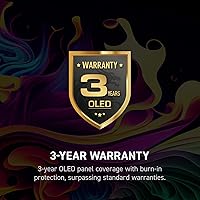
  • OLED burn-in is an uncommon but real long-term risk, especially with static on-screen elements.
  • The VGA port inclusion feels outdated and does little for the target audience of this monitor.
  • Built-in speakers, while convenient, lack the audio quality that serious gamers or creators expect.
  • The glossy coating may not suit professional print or color-grading workflows that require matte surfaces.
  • At this price tier, buyers are paying a premium that requires a matching GPU investment to fully justify.

Ratings

The scores below reflect AI-assisted analysis of verified buyer reviews worldwide for the MSI MAG 321UP QD-OLED 32-inch Gaming Monitor, with spam, bot-generated, and incentivized feedback actively filtered out before scoring. Each category is rated on real usage patterns — not spec sheets — so both the standout strengths and the genuine frustrations are represented honestly. Buyers who found this panel transformative and those who ran into real-world limitations both shaped these numbers.

Image Quality
96%
Verified buyers consistently describe the picture quality as the single biggest reason they kept this monitor. The QD-OLED panel's true blacks and saturated colors make HDR gaming and high-contrast media look distinctly better than IPS alternatives — several users specifically noted they could not go back after a week of use.
A small number of buyers reported that the glossy surface slightly distorts perceived color accuracy under certain lighting conditions, and a few noted that out-of-box calibration was not perfectly neutral for color-critical professional work without manual adjustment.
Contrast & Black Levels
97%
Users who upgraded from IPS or VA panels were consistently struck by how different true OLED blacks look in practice — dark game environments, cinematic content, and even desktop wallpapers appear noticeably richer. This is the category where the QD-OLED technology most clearly justifies the premium.
There are no real weaknesses here from a technical standpoint, though buyers in very bright rooms noted that the glossy surface creates reflections that partially undermine the perceived contrast advantage, which is an environment issue rather than a panel issue.
Gaming Performance
93%
At 165Hz and 0.03ms response time, fast-paced games feel exceptionally smooth and responsive. Buyers running Adaptive-Sync-compatible GPUs from both AMD and NVIDIA reported tear-free sessions without any configuration headaches, and motion clarity in competitive titles was consistently praised.
A handful of users noted that reaching the full 165Hz at native 4K resolution demands serious GPU investment, and those pairing this panel with mid-range cards found themselves either dropping resolution or accepting lower frame rates to get full use of the refresh rate.
Color Accuracy
88%
Content creators and photo editors using this panel for professional work noted that the QD-OLED color volume covers a wide gamut that IPS displays at this price typically cannot match. Colors appear vivid and consistent across most of the screen, making it a genuinely capable creative display.
The monitor does not ship with a factory calibration report, and a few professional users found they needed to run a hardware calibration to meet strict color accuracy standards for print or broadcast work. For general creative use this is a minor issue, but for precision workflows it matters.
Refresh Rate & Smoothness
91%
Gaming at high frame rates on a 32-inch 4K panel feels noticeably different from the same experience on a smaller or lower-resolution screen. Buyers described scrolling, animation, and fast gameplay as exceptionally fluid, and the Adaptive-Sync implementation received consistent praise for eliminating stutter across different game engines.
The 165Hz ceiling, while excellent for most use cases, sits below the 240Hz offerings that some competitive players prioritize, and users who game exclusively at high frame rates in less GPU-demanding titles may feel the specification is slightly conservative compared to some rival panels.
Build Quality
84%
The stand earned specific praise from buyers who noted it feels substantially more rigid than what typically ships with monitors at this size. Height adjustment operates smoothly, and the overall construction gives the impression of a premium product rather than a budget accessory bundled with an expensive panel.
A few buyers found the monitor heavier than expected at 25 pounds, which caused compatibility issues with lighter third-party arms they already owned. The cable management on the stand was also noted as basic, with limited routing options compared to some competing designs.
Glare & Reflections
58%
42%
In controlled lighting environments — offices with overhead lighting and no direct window exposure — buyers reported the glossy surface as entirely manageable, and many felt the contrast benefits outweighed the tradeoff. Users with dedicated gaming rooms or light-controlled workspaces had virtually no complaints.
This is the most commonly cited frustration in buyer reviews. Users in bright living rooms or offices with windows nearby found the reflections genuinely distracting during daytime use, and several buyers specifically wished MSI offered a matte coating option. This is the single area most likely to cause buyer regret in the wrong environment.
HDR Experience
89%
HDR content on this panel is a meaningful upgrade over edge-lit LCD monitors because the OLED panel can produce true local dimming at the pixel level. Movies and HDR-enabled games showed noticeably improved highlight and shadow detail that buyers described as closer to a TV HDR experience than a typical monitor.
Some users noted that HDR mode required manual fine-tuning through the OSD to avoid over-saturation in certain content, and a few reported that SDR-to-HDR tone mapping was inconsistent depending on the source. HDR implementation is strong but not entirely hands-off.
Ergonomics & Stand
79%
21%
Height adjustment and tilt cover the needs of most users, and buyers doing long work or gaming sessions appreciated being able to reposition the screen without buying additional accessories. The narrow bezel also makes it easier to position the monitor closer to ideal viewing distance without losing peripheral screen space.
The stand lacks swivel and pivot rotation, which limits flexibility for users who occasionally want to shift the monitor's angle or use it in portrait orientation. For the price, buyers reasonably expected a more fully adjustable stand with swivel as standard.
Connectivity
72%
28%
Having both HDMI and DisplayPort available covers the majority of real-world use cases, and buyers appreciated being able to connect a console via HDMI alongside a PC via DisplayPort simultaneously without switching cables.
The inclusion of a VGA port struck many buyers as an odd choice for a premium 4K display, taking up space that could have been used for an additional modern port. The overall port count is functional but not generous, and the absence of a USB hub was a recurring point of disappointment.
Burn-in Risk
69%
31%
The vast majority of buyers reported zero visible burn-in with normal mixed-content usage, and MSI's built-in pixel refresh routine appears to be doing its job for the current ownership period reflected in reviews. Buyers using the monitor for diverse content — gaming, browsing, video — have had no reported issues.
Long-term OLED burn-in remains a valid concern that buyers with specific use cases — static game overlays, persistent desktop widgets, or HUD-heavy simulations — should take seriously. Several reviewers acknowledged they changed their usage habits specifically to manage the risk, which adds a maintenance consideration not present with IPS displays.
Setup Experience
81%
19%
Most buyers described assembly as straightforward, with the stand attaching securely and the initial display setup requiring minimal configuration to produce a solid image out of the box. Adaptive-Sync detection worked automatically for the majority of users without driver-level intervention.
The OSD menu received mixed reviews — functional but not particularly intuitive, with some buyers needing to dig through multiple layers to find HDR or refresh rate settings. A small number of users also reported that the included cable selection was sparse for a monitor at this price point.
Value for Money
77%
23%
Buyers who evaluated this panel against competing 32-inch 4K OLED options generally felt the MSI MAG 321UP delivered competitive specifications and build quality at its price tier. For users who fully utilize the panel's capabilities — 4K gaming, creative work, HDR content — the value proposition holds up well.
For buyers who cannot drive 4K at meaningful frame rates with their current GPU, a significant portion of what they are paying for goes unused, which makes the value equation considerably weaker. A few buyers also noted that occasional price drops on competing models made the decision harder to justify at full price.
Speaker Quality
44%
56%
The built-in speakers are adequate for background audio during casual use, video calls, or situations where convenience matters more than fidelity. Buyers who used them purely as a fallback option rather than a primary audio solution reported acceptable results for voice and simple media.
Buyers who expected usable audio quality from a monitor at this price were consistently disappointed. Sound is described as thin and lacking low-frequency presence, and multiple reviewers strongly recommended budgeting for separate desktop speakers or a headset rather than relying on the built-in solution.

Suitable for:

The MSI MAG 321UP QD-OLED 32-inch Gaming Monitor is built for buyers who refuse to choose between a great gaming display and a capable work monitor. PC gamers running a high-end GPU will get the most out of the 4K resolution and 165Hz refresh rate combination, particularly in visually rich titles where contrast and color depth genuinely change how the game looks and feels. Creative professionals — photo editors, video colorists, and digital illustrators — will find the QD-OLED panel's wide color volume and true blacks far more useful than a typical IPS alternative at this price point. It also suits anyone upgrading from a 27-inch 1440p setup who wants a step up that actually feels like one, rather than a marginal improvement. Dual-use buyers who work at their desk during the day and game in the evening will appreciate how well this 32-inch 4K panel handles both contexts without major compromises.
Not suitable for:

The MSI MAG 321UP QD-OLED 32-inch Gaming Monitor is not the right choice for every buyer, and it is worth being direct about that. If your workspace gets consistent direct sunlight or you cannot easily control ambient light, the glossy panel surface will cause noticeable reflections that no picture quality advantage can fully offset. Buyers on a tighter budget who would need to pair this monitor with a mid-range GPU will likely struggle to push meaningful frame rates at 4K, leaving much of the display's capability unused. Competitive FPS players who prioritize the absolute highest refresh rates above all else will find better-suited options at 240Hz or beyond, even if they sacrifice some image quality. Those with a history of leaving static content on screen for extended periods — such as dashboards, spreadsheets, or HUD-heavy games — should be aware that OLED panels carry some burn-in risk over the long term, even if real-world incidents remain uncommon with sensible usage habits. Finally, buyers who need a matte screen for clinical color accuracy in a professional print environment may prefer a purpose-built IPS display instead.
Specifications

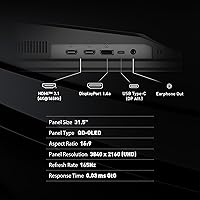
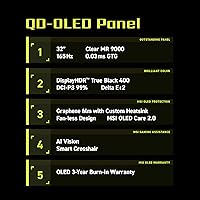
  • Panel Type: Uses a QD-OLED (Quantum Dot OLED) panel, which combines per-pixel self-emissive OLED lighting with a quantum dot color filter for wider color volume than standard OLED.
  • Screen Size: 32-inch diagonal display area with a super-narrow bezel design that maximizes the visible screen surface.
  • Resolution: Native resolution of 3840x2160 (4K UHD), delivering approximately 138 pixels per inch at this screen size.
  • Refresh Rate: Maximum refresh rate of 165Hz, allowing up to 165 frames per second to be displayed for smoother motion in supported content.
  • Response Time: Rated at 0.03ms (GtG), which effectively eliminates perceivable motion blur and pixel ghosting during fast-moving content.
  • Aspect Ratio: Standard 16:9 widescreen aspect ratio, compatible with virtually all gaming, streaming, and productivity content without letterboxing.
  • HDR Support: Supports high HDR performance enabled by the OLED panel's infinite contrast ratio and per-pixel brightness control.
  • Adaptive Sync: Compatible with both AMD FreeSync and NVIDIA G-Sync Compatible standards for tear-free, stutter-free gameplay.
  • Connectivity: Includes HDMI, DisplayPort, and VGA ports, providing broad compatibility with modern and legacy source devices.
  • Screen Surface: Glossy panel coating that enhances contrast and color saturation but reflects ambient light more than a matte alternative.
  • Stand Adjustments: The included stand supports height adjustment and tilt, allowing ergonomic positioning for extended work or gaming sessions.
  • VESA Compatibility: VESA mount-compatible, enabling use with third-party monitor arms or wall mounts for flexible placement options.
  • Built-in Audio: Integrated speakers are included, providing basic audio output without requiring a separate sound device for casual use.
  • Dimensions: Overall product dimensions measure 9.53 x 28.27 x 19.02 inches (depth x width x height) with the stand attached.
  • Weight: Total weight is 25 pounds including the stand, which should be factored in when selecting a compatible monitor arm.
  • Color Finish: Available in a black finish with a minimal aesthetic design suited to most desktop setups.
  • Release Date: First made available in July 2024, positioning it as a relatively recent entry in the 32-inch 4K OLED monitor segment.

Related Reviews
MSI MAG 271QPX 27-inch QD-OLED Gaming Monitor
80%
94%
Image Quality
96%
Motion Clarity
88%
HDR Performance
93%
Refresh Rate & Smoothness
81%
Connectivity & Ports
More
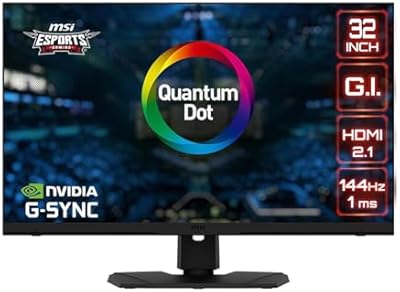
MSI MAG 275F 27″ Gaming Monitor
78%
93%
Refresh Rate Performance
86%
Panel Color Quality
88%
Response Time & Ghosting
84%
Console Compatibility
52%
HDR Implementation
More
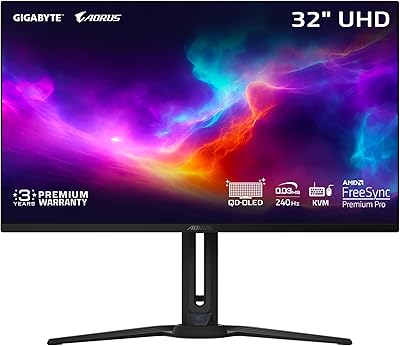
GIGABYTE AORUS FO32U2 32-inch Gaming Monitor
80%
96%
Panel Image Quality
93%
Motion & Response Performance
91%
HDR Performance
92%
Color Accuracy
67%
Burn-in & Longevity Risk
More
MSI MPG321UR QD 32″ Gaming Monitor
85%
94%
Display Quality
92%
Gaming Performance
89%
Color Accuracy
88%
Ergonomics/Adjustability
85%
Build Quality
More
GIGABYTE MO32U 32″ QD-OLED Gaming Monitor
81%
94%
Image Quality
91%
Gaming Performance
88%
HDR Performance
86%
Color Accuracy
93%
Motion Clarity
More
MSI MAG321CUP 32-inch 4K Gaming Monitor
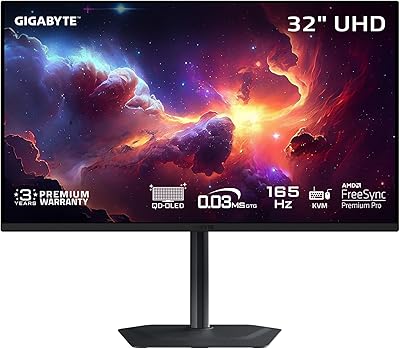
76%
88%
Image Quality
83%
Refresh Rate Performance
86%
Value for Money
91%
Console Compatibility
74%
Motion Clarity
More
MSI MPG 321URX QD-OLED 32″ Gaming Monitor
84%
96%
Image Quality
91%
Refresh Rate & Motion Clarity
93%
HDR Performance
94%
Color Accuracy & Gamut
61%
Glossy Screen & Reflections
More
MSI MPG 491CQPX 49-inch QD-OLED Monitor
76%
96%
Image Quality
93%
HDR Performance
91%
Gaming Performance
88%
Color Accuracy
94%
Ultrawide Immersion
More
LG 32GS95UE 32-inch OLED Gaming Monitor
80%
96%
Image Quality
94%
Motion Performance
91%
HDR Experience
83%
Dual Mode Utility
67%
Value for Money
More
MSI MAG 275QF 27-inch Gaming Monitor
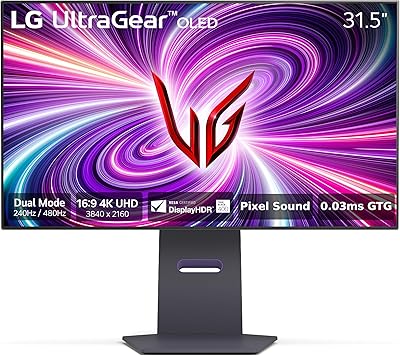
76%
93%
Refresh Rate Performance
88%
Response Time & Motion Clarity
91%
Image Sharpness & Resolution
82%
Color Accuracy & Vibrancy
47%
HDR Implementation
More

FAQ

It works with both. The MSI MAG 321UP supports Adaptive-Sync, which covers AMD FreeSync natively and is also certified as NVIDIA G-Sync Compatible, so you get tear-free gaming regardless of which GPU brand you are running.

It depends heavily on your lighting situation. In a room where you can control the light sources — no windows directly behind or in front of you, for instance — the glare is very manageable. The tradeoff is that the glossy surface genuinely improves contrast and color depth compared to a matte coating. If your desk sits next to a bright window with no blinds, it will be a real issue worth taking seriously before buying.

Burn-in is a real characteristic of OLED technology, but it is not something most users encounter under normal conditions. The risk increases if you regularly leave high-contrast static elements — like a taskbar, a game HUD, or a news ticker — on screen for many hours a day over months or years. Enabling the built-in pixel refresh cycle, varying your content, and using a screensaver for idle periods are all sensible habits that significantly reduce any long-term risk.

To consistently hit 165fps at native 4K resolution in demanding games, you would need a high-end GPU such as an NVIDIA RTX 4080 or better, or an AMD RX 7900 XTX. For less demanding titles, or if you are comfortable with frame rates in the 60 to 100fps range at 4K, a mid-to-high-end card works fine. The monitor does not require maximum frame rates to look excellent — 4K at 60fps on an OLED panel still looks significantly better than 1080p at higher rates.

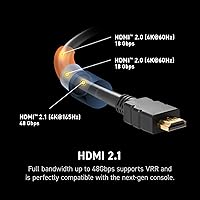
Yes, the HDMI port supports connection to current-generation consoles. Keep in mind that consoles currently cap output at 4K 120Hz at best, so you will not reach the full 165Hz through a console — but the image quality at 4K on this panel will still be noticeably impressive for console gaming.

The included stand is genuinely solid and supports height adjustment and tilt, which puts it ahead of many competitors that only offer tilt. For most desk setups it is perfectly adequate. That said, if you want swivel, portrait mode rotation, or a very specific depth position, a third-party VESA arm is a worthwhile upgrade — the monitor is VESA compatible so the swap is straightforward.

The jump is substantial. Going from 27-inch 1440p to this 32-inch 4K panel means more screen real estate, a meaningfully higher pixel density, and a completely different contrast experience thanks to OLED. Colors and blacks on a QD-OLED panel look noticeably richer than even the best IPS displays. If you have been on 1440p for a while and have a GPU that can handle 4K, this is the kind of upgrade that genuinely changes how you perceive your setup.

They are fine for casual background audio, video calls, or situations where you just need sound without setting up external speakers. For music listening, gaming with spatial audio, or any serious media consumption, a dedicated speaker or headset will sound noticeably better. Think of the built-in speakers as a convenience feature rather than a selling point.

OLED panels, including this one, typically include a pixel refresh or panel care routine that runs automatically when the monitor is powered off or on a set schedule. It helps maintain long-term uniformity by cycling the panel. You generally do not need to manually manage it — just make sure you are not forcing the monitor to stay off during its refresh cycle by pulling power. Check the OSD menu settings to confirm it is enabled, which it typically is by default.

It performs well for photography and general creative work, with QD-OLED delivering excellent color volume and contrast that makes images pop in a way IPS panels cannot replicate. The glossy surface enhances color perception in controlled lighting. One caveat: the panel is not factory-calibrated to a strict ICC profile out of the box, so professional print colorists who need precise Delta-E accuracy may want to calibrate it or consider a purpose-built studio display instead. For most creative users, though, it is a strong performer.

Where to Buy