Overview

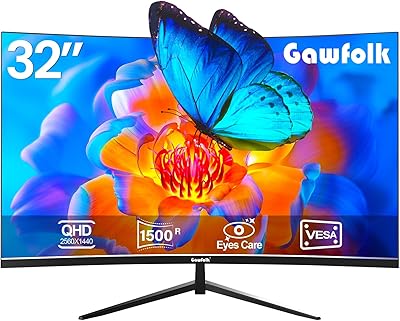
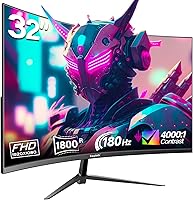
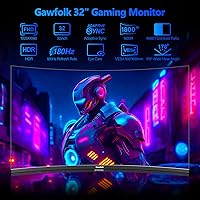
The Gawfolk GF320D 32-inch Curved Gaming Monitor is a budget-oriented curved display that entered the market in early 2024, targeting entry-level gamers, dorm setups, and home offices. Its headline specs — an 1800R VA panel and 180Hz refresh rate — are genuinely competitive at this price tier. One trade-off worth knowing upfront: squeezing 1080p across a 31.5-inch screen results in noticeably lower pixel density than QHD alternatives. Text and fine details look softer up close. If you sit at a normal desk distance and prioritize screen size and smoothness over pixel sharpness, that trade-off is manageable — but it is worth factoring in before committing to a purchase.
Features & Benefits

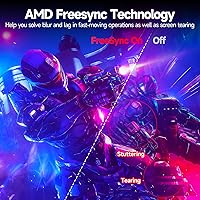
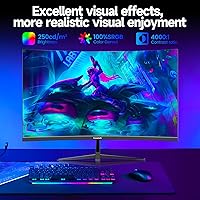
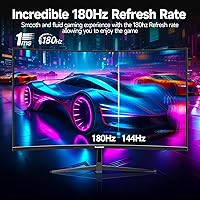
The 180Hz refresh rate is genuinely smooth for fast-paced gaming, though there is a catch: you only reach the full 180Hz through DisplayPort. Connect via HDMI and you are capped at 144Hz — still excellent, but console users should set expectations accordingly. AMD FreeSync handles tearing cleanly without locking you into a specific GPU brand. The VA panel's 4000:1 contrast ratio produces richer blacks than IPS panels at this price, which genuinely helps in darker game environments. Color coverage hits 100% sRGB, making it acceptable for casual photo work. Flicker-free and low blue light certification adds real comfort during longer sessions, and VESA mount support gives you wall-mounting flexibility if needed.

Best For

This curved gaming monitor makes the most sense for buyers who want a large, immersive screen without stepping up to a QHD or OLED price tag. Students furnishing a dorm or small apartment will appreciate the size-to-value ratio. If you are running a mid-range GPU or an Xbox console and gaming at 1080p anyway, there is little reason to pay more for resolution you would not fully use. It also works well as a secondary display for media or light gaming alongside a primary workstation monitor. Anyone still on a 60Hz or 75Hz flat screen will find the jump to faster refresh rates immediately noticeable — that smoothness difference is hard to ignore once experienced.

User Feedback

With a 4.3-star average, the Gawfolk 32-inch display lands in well-received territory for its category. Buyers consistently praise the image quality for the price and how immersive the curved panel feels for both gaming and movie watching. The smooth refresh rate earns positive comments from users upgrading from slower monitors. On the flip side, the stand draws criticism for feeling flimsy, and the 250-nit brightness is a real limitation — in a bright room or near a window, the image can look washed out. A handful of buyers note the pixel density softness at this screen size. Setup is generally described as straightforward, and Gawfolk's customer support appears adequate for a relatively new brand.

Pros

  • The 180Hz refresh rate makes fast-paced gaming feel noticeably smoother compared to standard 60Hz or 75Hz monitors.
  • AMD FreeSync support keeps tearing under control across a wide range of GPU brands without extra configuration.
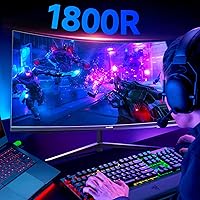
  • The 1800R curve adds genuine immersion on a 32-inch screen, especially during cinematic games or movie watching.
  • VA panel contrast produces deep, rich blacks that make dark game scenes look far better than budget IPS alternatives.
  • 100% sRGB coverage is adequate for casual creative tasks and gives colors a natural, well-saturated look.
  • Flicker-free and low blue light certification reduces eye fatigue during long sessions — a real plus for daily use.
  • VESA mount compatibility gives you flexible installation options beyond the included stand.
  • At this price tier, the size-to-feature ratio is difficult to beat for entry-level and casual gaming setups.
  • Out-of-box setup is straightforward, with no complicated calibration needed to get a decent picture immediately.

Cons

  • At 1080p on a 31.5-inch panel, pixel density is low enough that text and fine details look noticeably soft up close.
  • Peak brightness of 250 nits is below average and the image washes out in rooms with strong ambient or natural light.
  • Full 180Hz refresh rate requires a DisplayPort connection; HDMI users are limited to 144Hz, which can mislead buyers.
  • The stand feels flimsy and lacks height adjustment, which limits ergonomic comfort for extended desk use.
  • Gawfolk is a relatively new brand with limited long-term reliability data, which may concern buyers who prioritize durability.
  • The 12-month warranty is shorter than what established monitor brands typically offer at a comparable price point.
  • No USB hub or KVM functionality means fewer connectivity options for users managing multiple devices.
  • Dynamic contrast figures can be misleading — real-world static contrast, while good for VA, varies by scene conditions.

Ratings

The Gawfolk GF320D 32-inch Curved Gaming Monitor earns a 4.3-star average across verified global buyers, and our AI-driven scoring system has analyzed that feedback in depth — filtering out incentivized reviews and bot patterns to surface what real users consistently experience. The scores below reflect both the genuine strengths that make this budget curved screen a popular pick and the recurring pain points that cause hesitation. Nothing is glossed over.
Value for Money
83%
For buyers on a tight budget, the sheer amount of screen real estate and feature set — 180Hz, VA panel, FreeSync, 32-inch curve — at this price point is genuinely hard to match. Most users upgrading from older entry-level monitors feel they got more than they paid for.
When compared directly to established brands offering similar specs, some buyers question whether the Gawfolk name carries enough long-term reliability to justify equal confidence. The shorter 12-month warranty also nudges the value equation slightly downward for cautious shoppers.
Image Quality
76%
24%
The VA panel's contrast performance stands out in dimly lit gaming sessions, producing blacks that look genuinely deep rather than washed-out grey. Colors are vibrant and well-saturated across the full sRGB range, which makes games and streamed content look lively without any manual calibration.
At 1080p across a 31.5-inch panel, pixel density is low enough that text-heavy applications and fine in-game details show visible softness. Users who sit close to the screen or work with detailed UI elements regularly will notice this limitation more than casual gamers will.
Refresh Rate Performance
81%
19%
The jump to 180Hz via DisplayPort is immediately noticeable for anyone coming from a standard 60Hz or 75Hz flat monitor — mouse movements feel tighter and fast-paced games run with a smoothness that budget displays rarely deliver. AMD FreeSync keeps things tear-free across a wide GPU range.
The 180Hz cap only applies over DisplayPort, and HDMI users are silently limited to 144Hz, which has caught several buyers off guard. The lack of clear labeling on the monitor itself means some users never realize they are not running at the advertised top speed.
Brightness & Visibility
54%
46%
In a controlled environment — a dorm room, a dim home office, or a setup with blackout curtains — the display holds up reasonably well and does not feel unpleasantly dark during typical use sessions.
At 250 nits peak brightness, this monitor genuinely struggles in any room with natural light or overhead fluorescent lighting. Multiple buyers flagged washed-out images when gaming near windows, and this is not a calibration fix — it is a hardware ceiling that affects daily usability in bright spaces.
Contrast & Black Levels
79%
21%
The 4000:1 dynamic contrast ratio gives this VA panel a clear edge over budget IPS options when it comes to dark scenes in games or cinematic content. Shadow detail in horror games and night driving sequences in racing titles looks noticeably richer than on similarly priced flat panels.
Dynamic contrast figures can behave inconsistently across different content types, and some users notice a slight halo or blooming effect around bright objects on dark backgrounds — a known VA characteristic that becomes visible in mixed-content scenarios.
Gaming Smoothness
78%
22%
For casual and entry-level gaming, the combination of high refresh rate and FreeSync delivers a smooth, responsive experience that feels punchy and fluid in shooters, racing games, and open-world titles. The curve adds to the sense of immersion in fast-paced environments.
Enthusiast gamers have noted some motion ghosting in very fast-moving scenes, which is a typical VA panel trait and is more noticeable at higher refresh rates. Competitive players who prioritize pixel-perfect clarity in rapid motion may find this distracting over time.
Build Quality
61%
39%
The panel itself feels solid and the bezels are thin enough to look clean on a desk. Assembly is straightforward and most buyers report getting the monitor up and running in under ten minutes without needing instructions.
The stand is consistently called out as the weakest physical element — it feels lightweight, has a tendency to flex when adjusting tilt, and lacks the solidity expected even at this price tier. Several buyers recommend pairing the display with a third-party VESA arm to compensate.
Ergonomics
57%
43%
Tilt adjustment between -5° and +15° covers the basics for most seated desk setups, and VESA compatibility means users who want more flexibility can invest in an aftermarket arm without any compatibility issues.
There is no height adjustment, no swivel, and no pivot — which is a real limitation for users who share the monitor between multiple people or who need precise positioning for comfort during long work sessions. The ergonomic range is noticeably narrower than competing options at similar prices.
Connectivity
72%
28%
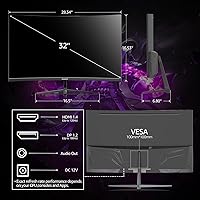
Having both HDMI 2.0 and DisplayPort 1.4 on a budget monitor covers the most common connection scenarios, and the audio output jack is a convenient touch for users who do not have a dedicated sound card or wireless headset. Switching between a PC and a console is painless.
There is no USB hub, no USB-C, and no KVM functionality, which feels limiting for users managing multiple devices at a modern workstation. Buyers expecting a more connected hub experience will need to look at higher-tier options.
Eye Comfort
77%
23%
Flicker-free operation and low blue light output make a genuine difference during long study or gaming sessions — several buyers specifically mentioned less eye fatigue compared to their previous displays, particularly during late-night use in dark rooms.
Low blue light mode shifts the color temperature noticeably warm, which affects color accuracy enough to bother users who switch between gaming and color-sensitive tasks without manually toggling settings. It is not a dealbreaker but does require occasional adjustment.
Curve & Immersion
80%
20%
The 1800R curve is well-suited for a single-viewer desktop setup at normal seating distances, and buyers consistently describe it as one of the most satisfying aspects of the purchase — particularly for racing games, RPGs, and widescreen film content.
For users who share the screen with others seated at an angle, the curve can introduce distortion and uneven brightness perception. It also makes the monitor impractical as part of a flat multi-monitor array without noticeable visual inconsistency at the seams.
Setup & Out-of-Box Experience
74%
26%
Physical assembly is quick and intuitive, and the monitor arrives with a usable default picture mode that does not require immediate calibration for casual use. Most buyers were up and running within minutes of unboxing.
Some units have arrived with inconsistent cable inclusions, and a handful of buyers noted they had to source their own DisplayPort cable to unlock the full 180Hz — a frustrating surprise that the packaging does not clearly communicate upfront.
Brand Reliability
59%
41%
Gawfolk's customer support appears reachable and responsive based on available buyer feedback, and the 12-month warranty at least provides a baseline safety net for early defects or accessory issues.
As a brand that only entered the market in early 2024, there is simply not enough long-term ownership data to assess durability with confidence. Buyers who have owned established monitor brands may feel uncertain committing to a name with no multi-year track record yet.

Suitable for:

The Gawfolk GF320D 32-inch Curved Gaming Monitor is a strong fit for budget-conscious buyers who want a large, immersive screen without the cost of a QHD or OLED upgrade. College students furnishing a dorm room will find the size and curved design genuinely satisfying for both gaming sessions and casual media watching. PC gamers running mid-range GPUs and console players on Xbox who game at 1080p anyway have no practical reason to pay more for resolution headroom they would rarely use. The 180Hz refresh rate via DisplayPort delivers noticeably smoother motion than the 60Hz or 75Hz monitors many buyers are upgrading from, making that jump feel meaningful. For anyone who wants a secondary display for movies, light gaming, or general browsing without spending heavily, this budget curved screen delivers solid value for the money.
Not suitable for:

The Gawfolk GF320D 32-inch Curved Gaming Monitor is not the right call for buyers who prioritize sharp, crisp visuals at close viewing distances — 1080p spread across a 31.5-inch panel produces a lower pixel density that becomes apparent in text-heavy work or detailed game environments. Professional content creators or anyone doing serious photo and video editing should look elsewhere, as 250 nits of peak brightness falls well below the standard needed for accurate color grading or use near bright windows. Competitive esports players who demand the tightest possible response times and panel consistency would be better served by a higher-spec IPS or fast-TN display. Buyers who connect primarily through HDMI — particularly console users expecting the full refresh rate — need to understand that 180Hz is only achievable over DisplayPort; HDMI tops out at 144Hz. If stand build quality matters to you or you prefer a monitor with robust height and swivel adjustments, the limited ergonomic range here will likely frustrate.
Specifications

  • Screen Size: The panel measures 31.5 inches diagonally, though it is marketed under the 32-inch designation.
  • Panel Type: Uses a VA (Vertical Alignment) panel, which offers stronger contrast ratios than IPS panels at a comparable price.
  • Curvature: The screen has an 1800R curvature radius, designed to wrap gently around a single viewer's field of vision.
  • Resolution: Native resolution is 1920x1080 pixels (Full HD), displayed at a 16:9 aspect ratio.
  • Refresh Rate: Supports up to 180Hz via DisplayPort 1.4 and up to 144Hz via HDMI 2.0.
  • Brightness: Peak brightness is rated at 250 cd/m², which is below average for monitors used in well-lit environments.
  • Contrast Ratio: Dynamic contrast ratio is rated at 4000:1, enabling noticeably deeper blacks than typical IPS displays at this price tier.
  • Color Depth: Supports 8-bit color depth, reproducing up to 16.7 million colors across the full sRGB spectrum.
  • Color Gamut: Covers 100% of the sRGB color space, making it adequate for general use and casual creative work.
  • Connectivity: Includes one HDMI 2.0 port, one DisplayPort 1.4 port, and a 3.5mm audio output jack.
  • Sync Technology: AMD FreeSync is supported, reducing screen tearing and stuttering across a range of compatible AMD and some NVIDIA GPUs.
  • Eye Care: Certified flicker-free and equipped with low blue light output to reduce eye strain during extended use.
  • Tilt Adjustment: The stand supports tilt adjustment between -5° and +15°, but does not offer height, swivel, or pivot adjustments.
  • VESA Mount: VESA wall-mount compatible, allowing the monitor to be mounted using a standard third-party arm or wall bracket.
  • Dimensions: With the stand attached, the monitor measures approximately 31 x 19.6 x 4.7 inches (W x H x D).
  • Weight: Total unit weight with stand is 12.92 pounds (approximately 5.86 kg).
  • Power Input: Operates at 12 volts DC input via the included power adapter.
  • Warranty: Covered by a 12-month manufacturer warranty from Gawfolk, covering defects and missing accessories.
  • Availability: First made available for purchase in March 2024, positioning it as a relatively new entry in the budget curved monitor segment.
  • Model Number: The official model identifier for this unit is GF320D, as listed by the manufacturer Gawfolk.

Related Reviews

Gawfolk GF320C 32-Inch Curved Gaming Monitor
75%
88%
Refresh Rate Performance
83%
Image Quality
76%
Motion Clarity
86%
Curvature & Immersion
91%
Value for Money
More
KOORUI G3221SC 32″ Curved QHD Gaming Monitor
69%
83%
Picture Quality
81%
Gaming Performance
86%
Value for Money
41%
HDR Performance
67%
Color Accuracy
More
Samsung 32-Inch S39C Curved Gaming Monitor
83%
88%
Display Quality
91%
Value for Money
86%
Eye Comfort
89%
Ease of Setup
85%
Build Quality
More
AOC C32G2 32″ Curved Gaming Monitor
76%
91%
Value for Money
84%
Gaming Performance
73%
Image Quality
88%
Refresh Rate & Smoothness
83%
Curvature & Immersion
More
Gawfolk GF270C 27-Inch Curved Gaming Monitor
72%
83%
Value for Money
78%
Image Quality
81%
Refresh Rate Performance
74%
Response Time & Motion Clarity
62%
Build Quality
More
KTC H32S17C 32-inch Curved Gaming Monitor


72%
91%
Value for Money
84%
Gaming Performance
76%
Picture Quality
52%
HDR Experience
67%
Color Accuracy
More
Gawfolk GF320E 32-inch Curved Monitor
73%
88%
Image Sharpness & Resolution
83%
Contrast & Color Depth
86%
Curvature & Immersion
84%
Value for Money
52%
Stand Stability
More
Z-Edge UG32 32-inch Curved Gaming Monitor


84%
91%
Gaming Performance
88%
Display Quality
85%
Design and Build Quality
84%
Ease of Setup
90%
Refresh Rate and Responsiveness
More
Gawfolk GF245A 24.5-Inch Curved Gaming Monitor
72%
88%
Value for Money
79%
Image Quality
83%
Refresh Rate Performance
81%
Response Time
63%
Build Quality
More
KTC H32S17F 32-inch Curved Gaming Monitor
73%
91%
Refresh Rate Performance
88%
Value for Money
86%
Motion Clarity
74%
Color & Visual Quality
61%
Resolution & Sharpness
More

FAQ

It does reach 180Hz, but only when connected via DisplayPort 1.4. If you use an HDMI cable, the maximum refresh rate is capped at 144Hz. Both are smooth for everyday gaming, but if hitting the full 180Hz matters to you, make sure your PC has a DisplayPort output and you use the right cable.

This is the most important question to ask before buying. At 31.5 inches, the pixel density is lower than smaller 1080p monitors, and if you sit close to the screen you will notice that text and fine details are not as sharp. At a normal desk distance of two to three feet it is acceptable for gaming and video, but if you do a lot of reading or detailed work, the softness can become annoying over time. Buyers who prioritize sharpness should consider a 27-inch 1080p or a 32-inch QHD panel instead.

Yes, both consoles connect via HDMI and the monitor handles that without any issues. Just keep in mind that the HDMI connection caps out at 144Hz on this display, so you will not be using the full 180Hz from a console. Most consoles currently max out at 120Hz for gaming anyway, so in practice this is not a meaningful limitation.

Honestly, 250 nits is on the lower end for a gaming monitor, and it shows in well-lit rooms. If your desk gets direct sunlight or you game with overhead lighting, the image can look washed out. This monitor is best suited for rooms where you have reasonable control over ambient light, such as a dorm room or a darker home office setup.

Yes, NVIDIA has supported AMD FreeSync displays through its G-Sync Compatible program since 2019. Most modern NVIDIA cards will work with FreeSync on this monitor, though the experience may not be as finely tuned as on a certified G-Sync panel. You may need to enable it manually in the NVIDIA Control Panel.

Gawfolk typically includes basic cables in the box, but bundled cable quality and selection can vary. It is worth checking recent buyer feedback to confirm whether a DisplayPort cable is included, since you will need one to unlock the full 180Hz. Having a spare DisplayPort cable on hand before setup is a smart precaution.

The stand is functional but not a highlight of this monitor. Multiple buyers have noted it feels on the lighter and flimsier side, and it does not offer height or swivel adjustments — only tilt between -5° and +15°. If stand rigidity matters to you, investing in a third-party VESA monitor arm is a worthwhile upgrade, since the display is VESA mount compatible.

Yes, the monitor supports VESA mounting, which means you can attach it to any standard compatible wall bracket or monitor arm. This is actually a good option if the included stand does not suit your setup or desk height requirements.

VA panels tend to produce deeper blacks and higher contrast than IPS panels in this price range, which is a genuine advantage in darker game environments and cinematic content. The trade-off is that VA panels can exhibit some ghosting in fast motion compared to faster IPS displays. For casual gaming and mixed use, the contrast benefit is usually worth it at this tier.

Gawfolk offers a 12-month warranty, which covers defects and missing accessories. As a newer brand, long-term reliability data is limited, but buyer feedback suggests their support team is reachable and responsive for basic issues. The 12-month window is shorter than what some established brands offer, so it is worth factoring that into your decision if long-term peace of mind is a priority.