Overview

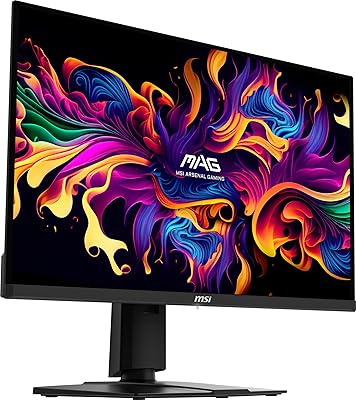
The MSI MPG 321URX QD-OLED 32″ Gaming Monitor sits firmly in the upper tier of the gaming display market, targeting PC gamers and creators who refuse to compromise between resolution and speed. Hitting both 4K UHD and 240Hz simultaneously is rare — most displays force you to choose one or the other. This QD-OLED monitor doesn't. The glossy panel is worth acknowledging upfront: in a bright room with windows behind you, reflections can distract, so your lighting setup matters as much as your GPU. The four-way adjustable stand and understated black aesthetic round out a package that feels considered rather than flashy.
Features & Benefits

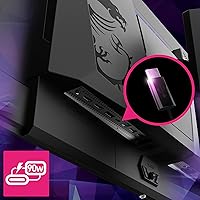
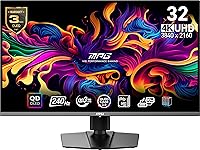
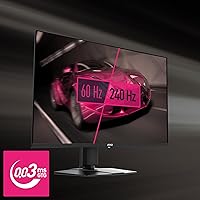
Quantum Dot layering on top of OLED gives this 32-inch gaming display a meaningful advantage over plain OLED — colors are richer and more saturated, covering 99% of DCI-P3 with 10-bit depth that totals 1.07 billion distinct shades. The 240Hz refresh rate at 4K is genuinely impressive, though you'll need a GPU in the RTX 4080 range or better to push it consistently in demanding titles. At 0.03ms GtG, motion clarity is exceptional for fast-paced games. True Black HDR 400 certification means each pixel switches off individually, producing blacks with real depth rather than the faint glow typical of LED panels. MSI's OLED Care 2.0 handles pixel maintenance in the background, and the 90W USB-C with KVM lets you control two machines from a single set of peripherals.

Best For

The MSI MPG 321URX is genuinely built for a specific kind of buyer. If you're running an RTX 4080 or above, you'll actually tap into that 240Hz ceiling in current titles — with anything less powerful, you're essentially paying for headroom you won't reach. Content creators who edit photos or video alongside gaming will appreciate the near-perfect color accuracy. The HDMI 2.1 port makes it a strong choice for PS5 or Xbox Series X owners who want 4K at high frame rates on a single screen. The KVM switch and 90W USB-C are genuinely useful if you regularly alternate between a work laptop and a gaming desktop. Less ideal for buyers in sun-drenched rooms — the glossy surface demands controlled lighting.

User Feedback

Most owners are quick to single out image quality as the standout element — specifically how dark scenes look in games like Elden Ring or Cyberpunk 2077, where the blacks genuinely disappear into nothing. Stand ergonomics get consistent praise; the four-way adjustment makes it easy to dial in a comfortable position, which matters on a monitor you'll be looking at for hours. The recurring criticism, though, centers on glossy coating reflections. Buyers in brighter setups report it picks up ambient light noticeably. A handful of users note the default color profile runs slightly warm and recommend spending a few minutes in the OSD before settling in. Overall sentiment leans very positive, with most treating competing QD-OLED alternatives as clear runner-ups.

Pros

  • True blacks and 99% DCI-P3 color coverage make this QD-OLED monitor genuinely useful for creative professionals, not just gamers.
  • 240Hz at 4K is a rare combination that delivers a tangible fluidity upgrade for buyers with capable hardware.
  • 0.03ms GtG response time eliminates ghosting even in the fastest-paced competitive titles.
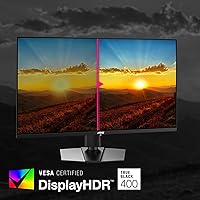
  • VESA DisplayHDR True Black 400 produces HDR highlights with zero blooming — something LED panels simply cannot match.
  • The 90W USB-C port charges a laptop while handling display output, reducing cable clutter significantly.
  • Built-in KVM switch lets you control two machines from one set of peripherals without any extra hardware.
  • HDMI 2.1 makes this 32-inch gaming display a legitimate single-screen solution for console and PC gaming.
  • The four-way adjustable stand is genuinely ergonomic and holds its position firmly during long sessions.
  • OLED Care 2.0 manages pixel maintenance automatically, requiring no manual intervention from the user.
  • Out-of-box color accuracy is close enough that most buyers need only minor OSD tweaks before it is ready for real work.

Cons

  • The glossy panel picks up reflections aggressively in any room with uncontrolled ambient light.
  • Buyers without a top-tier GPU will not realistically hit 240fps at 4K in demanding modern titles.
  • The OSD menu is feature-rich but unintuitive, with a learning curve that slows down initial configuration.
  • MSI Gaming Intelligence software feels underpolished relative to what the price point implies.
  • The stand footprint is large enough to crowd smaller or shallower desks noticeably.
  • KVM input switching introduces a brief black screen that becomes mildly irritating during frequent toggling.
  • Default color temperature runs slightly warm out of the box and needs manual correction for accurate work.
  • Peak brightness, while strong for OLED, falls short of what high-nit Mini-LED panels achieve in very bright HDR scenes.
  • At this price, competing 34-inch ultrawide QD-OLED options present a legitimate alternative that some buyers will prefer.
  • USB hub transfer speeds are adequate rather than fast, limiting its usefulness for large file workflows.

Ratings

The MSI MPG 321URX QD-OLED 32″ Gaming Monitor earned its scores through AI analysis of verified global buyer reviews, with spam, bot submissions, and incentivized feedback actively filtered out before scoring. Across hundreds of real-world accounts — from competitive gamers to dual-monitor creative professionals — both the standout strengths and the honest frustrations shaped every number you see below. Nothing is averaged into comfortable mediocrity; if buyers had a consistent gripe, it shows up in the score.
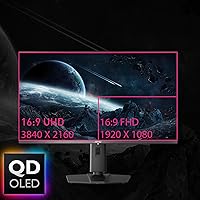
Image Quality
96%
Owners consistently describe the visual experience as a genuine step-change — particularly in dark, atmospheric games where the self-emissive pixels produce blacks that simply vanish into the panel. Color accuracy out of the box is praised by photographers and video editors who drop the monitor into their creative workflow without lengthy calibration sessions.
A small number of users shooting in very high ambient brightness notice that the glossy surface competes with the image, slightly undermining the otherwise spectacular contrast. It is a narrow criticism, but real enough that room lighting genuinely affects how much of the panel quality you can appreciate.
Refresh Rate & Motion Clarity
91%
At 240Hz the panel handles fast-paced shooters and racing games with a fluidity that buyers upgrading from 144Hz panels describe as immediately noticeable. The 0.03ms GtG response time means ghosting is essentially absent even in the most chaotic scenes, which competitive players flag as a meaningful advantage.
The catch that buyers keep raising is GPU dependency — without a top-tier graphics card, hitting 240fps at 4K in demanding titles is unrealistic, so the refresh rate becomes partially wasted headroom for mid-range GPU owners. A handful of buyers feel this context should be clearer before purchase.
HDR Performance
93%
VESA DisplayHDR True Black 400 certification lands differently on an OLED panel than on backlit alternatives — there is no blooming around bright highlights, and specular lighting in games and films looks genuinely three-dimensional. Buyers who previously owned FALD monitors describe the OLED HDR as the first implementation that matched what they expected HDR to look like.
Peak brightness, while impressive for OLED, does not match what Mini-LED panels achieve in very bright scenes, which a small group of buyers — especially those coming from high-nit LCD monitors — occasionally notice in full-screen sunlit content. HDR in poorly mastered content also exposes the limitation more readily.
Color Accuracy & Gamut
94%
Covering 99% of DCI-P3 with 10-bit color depth, this 32-inch gaming display satisfies creative professionals who need trustworthy color for photo retouching and video grading alongside gaming. Multiple reviewers note they retired a separate calibration monitor after adding this panel to their setup, which speaks to the consistency they found in real work.
The default color temperature skews slightly warm out of the box, and a meaningful subset of users recommend spending time in the OSD before relying on it for color-critical work. It is a minor tuning issue rather than a hardware flaw, but buyers expecting plug-and-play accuracy may be briefly disappointed.
Glossy Screen & Reflections
61%
39%
The glossy coating delivers an image depth and vibrancy that matte panels genuinely cannot match — colors feel more saturated and blacks look purer, which is a deliberate optical tradeoff MSI has made in favor of image quality in controlled environments. Buyers in dedicated gaming rooms or offices with managed lighting consistently report zero regrets about the finish.
This is the most reliably negative talking point in user feedback. Buyers in living rooms, home offices with windows, or under overhead lighting report distracting reflections that break immersion. Several users explicitly warn prospective buyers to audit their room before purchasing, and a few returned the monitor for a matte-coated alternative solely because of this issue.
Build Quality & Materials
88%
The stand feels solid and inspires confidence during height and tilt adjustments — buyers note there is no wobble during routine desk use, which matters on a 27-pound panel. The overall construction reads as premium without leaning into gaming excess, which creative professionals in particular appreciate.
The plastic finish on certain parts of the chassis feels slightly mismatched relative to the price point, with a few buyers noting minor flex in the rear panel when applying pressure. Nothing that affects function, but it is a detail that registers for buyers comparing it to competing monitors.
Stand Ergonomics
86%
The four-way adjustable stand — covering height, tilt, swivel, and pivot — gets consistent praise from users who work long sessions at varied desk configurations. Buyers who rotate the monitor to portrait mode for coding or document review report the mechanism is smooth and holds position firmly.
Assembly instructions receive scattered criticism for being unclear, with some buyers spending more time than expected getting the stand attached correctly out of the box. The stand footprint is also on the larger side, which can crowd smaller desks.
USB-C & Connectivity
89%
The 90W USB-C port is a genuine productivity feature — buyers with MacBooks or thin-and-light laptops connect a single cable and get display output plus enough charging power to keep their laptop topped up through a full workday. The KVM switch functionality is praised by users who toggle between a work laptop and a gaming desktop without reaching for two keyboard setups.
A few buyers note the KVM setup requires navigating the OSD more than expected, and the initial configuration is not intuitive for non-technical users. The USB hub's transfer speeds have also been described as adequate rather than impressive for large file transfers.
KVM & Multi-Device Workflow
82%
18%
For buyers running two machines — a common setup among hybrid workers who game in the evening — the KVM functionality removes a layer of peripheral clutter that used to require a separate switch box. PiP and PbP modes let users monitor a console feed while working on their PC, which streamlines setups that used to require two monitors.
The KVM switching speed is not instantaneous, and some users report a brief black screen during input transitions that becomes mildly annoying when toggling frequently throughout the day. It functions well but does not feel as polished as a dedicated hardware KVM solution.
OLED Burn-In Protection
78%
22%
OLED Care 2.0 runs pixel-refresh cycles and applies static element protection in the background without requiring manual intervention, which reassures buyers who leave the monitor on for extended desktop sessions. Most owners report no noticeable retention issues after months of daily use when following basic usage guidelines.
Burn-in anxiety is real among first-time OLED monitor buyers, and while the protection features are competent, the peace of mind they provide varies by user. Those who run static HUD-heavy games for very long sessions without breaks remain understandably cautious, and MSI's documentation on the feature could be clearer about what it does and does not prevent.
Gaming Performance (Competitive)
87%
In fast-paced titles like Valorant or Counter-Strike 2, the combination of response time and refresh rate gives this QD-OLED monitor a measurable edge over most IPS alternatives. Buyers who compete seriously online describe the motion rendering as the cleanest they have experienced on a 32-inch panel at this resolution.
At 4K, even with a capable GPU, some competitive players prefer running at a lower resolution to maximize frame rates beyond 240fps, which slightly undercuts the case for the resolution and refresh rate combination in a purely competitive context. A 27-inch 1440p panel can offer a better pixels-per-inch density for competitive play.
Console Gaming Experience
84%
HDMI 2.1 support makes this display a strong companion for PS5 and Xbox Series X, delivering 4K at high frame rates on a panel whose true black contrast dramatically improves cinematic and dark-scene gaming. Several console-focused buyers mention it replaced both their TV and PC monitor in a single purchase.
Console gamers who are accustomed to VRR on TVs may notice the experience is comparable but the glossy panel again becomes a factor in living room environments where TVs typically hang opposite windows. Auto low latency mode behavior has also received mixed feedback depending on the connected console.
Value for Money
74%
26%
Buyers who prioritize image quality and feature density view this 32-inch gaming display as competitive against other premium QD-OLED monitors in the same bracket, particularly given the USB-C power delivery, KVM, and HDMI 2.1 combination in a single unit. Those who needed all those features simultaneously feel the price is justified without much debate.
Buyers who primarily care about gaming rather than productivity features feel they are paying a premium for connectivity they will rarely use. The pricing also sits close enough to competing 34-inch ultrawide QD-OLED options that some buyers feel the 16:9 aspect ratio requires more justification at this tier.
Out-of-Box Setup Experience
79%
21%
Most users report the monitor is close to display-ready out of the box, with color accuracy that requires only minor OSD adjustments to satisfy casual and enthusiast users alike. The physical setup — unboxing, stand attachment, cable routing — is rated positively by the majority of buyers who found it straightforward once they located the instructions.
A recurring thread in user feedback is that the OSD menu, while feature-rich, has a learning curve that frustrates buyers who want to get gaming quickly. The MSI Gaming Intelligence software has also received criticism for feeling unpolished relative to what buyers expect given the monitor's position in the market.
Mystic Light RGB & Aesthetics
71%
29%
Buyers who use Mystic Light to sync the monitor's ambient lighting with their broader RGB ecosystem report the integration works reliably, and the understated front design means it fits into both gaming battlestations and minimalist creative workspaces without clashing. The dark colorway ages well aesthetically.
Buyers with no interest in RGB lighting view the Mystic Light software as unnecessary overhead, and a few report it caused minor driver conflicts on their systems. The lighting effect itself is described as subtle to the point of being barely visible in normal room lighting, which reduces its visual impact for those who wanted it.

Suitable for:

The MSI MPG 321URX QD-OLED 32″ Gaming Monitor is built for buyers who are serious about both image fidelity and gaming performance — and critically, who have the hardware to back it up. If you are running an RTX 4080 or better and want to actually experience 4K at high frame rates rather than just own the capability, this is one of the few displays that delivers on both axes without compromise. Content creators who split their time between editing work and gaming sessions will find the near-perfect DCI-P3 coverage genuinely useful in a professional context, not just as a marketing bullet point. The 90W USB-C with KVM is a real quality-of-life upgrade for hybrid workers who bounce between a gaming desktop and a work laptop throughout the day — one cable, one keyboard, one mouse. Console players with a PS5 or Xbox Series X looking to consolidate their gaming and PC display into a single panel will also find the HDMI 2.1 implementation and true black contrast a strong match for that use case. Anyone upgrading from a 1440p or 60Hz monitor in a light-controlled environment will likely find the jump in visual quality immediately and permanently obvious.
Not suitable for:

The MSI MPG 321URX QD-OLED 32″ Gaming Monitor is a poor fit for anyone whose gaming setup sits in a bright room with natural light or overhead glare — the glossy panel is not a minor footnote, it is a defining characteristic that will erode your enjoyment daily if your environment is not controlled. Buyers running a mid-range GPU like an RTX 3070 or RX 7700 XT should think carefully before committing: at 4K, those cards will not sustain frame rates that justify a 240Hz panel in graphically demanding titles, meaning you will be paying a premium for refresh rate headroom you cannot practically use. Purely competitive players who prioritize pixel density and frame rate above all else may find a 27-inch 1440p display with higher pixel density offers a better fit for titles like Valorant or Counter-Strike 2. First-time OLED buyers who run the same game for eight or more hours daily without breaks may find the burn-in anxiety stressful, even with OLED Care 2.0 running — the protection is real but not unconditional. Finally, buyers on a strict budget who primarily want great visuals for casual gaming will find the price difficult to justify when more affordable IPS alternatives close a meaningful portion of the gap for everyday use.
Specifications

  • Panel Type: The display uses a Quantum Dot OLED (QD-OLED) panel, which layers Quantum Dot material over a blue OLED backplane to produce significantly higher color volume than standard white-OLED designs.
  • Screen Size: The visible screen area measures 31.5 inches diagonally, housed in a form factor that occupies 28 x 9.5 x 19 inches of physical desk space including the stand.
  • Resolution: Native resolution is 3840 x 2160 pixels (4K UHD), delivering approximately 140 pixels per inch at this screen size for sharp text and fine image detail.
  • Refresh Rate: The panel supports a maximum refresh rate of 240Hz, enabling up to 240 distinct frames per second when connected to a sufficiently powerful GPU via DisplayPort 1.4a or HDMI 2.1.
  • Response Time: Rated at 0.03ms gray-to-gray (GtG), the panel transitions between pixel states fast enough to eliminate visible ghosting in virtually all gaming scenarios.
  • Color Gamut: Color coverage reaches 99% of the DCI-P3 color space with 10-bit depth, rendering 1.07 billion distinct colors for accurate representation across both creative and entertainment content.
  • HDR Certification: The monitor carries VESA DisplayHDR True Black 400 certification, reflecting its ability to produce absolute black levels through per-pixel OLED self-emission rather than local dimming zones.
  • Aspect Ratio: The display uses a standard 16:9 widescreen aspect ratio, making it natively compatible with all major gaming resolutions, console outputs, and video production formats.
  • Screen Surface: The panel features a glossy screen coating, which maximizes color saturation and contrast depth but increases susceptibility to reflections in brightly lit environments.
  • Video Inputs: Connectivity includes one HDMI 2.1 port, one DisplayPort 1.4a port, and one USB Type-C port with full DisplayPort Alternate Mode support for display signal input.
  • USB-C Power: The USB Type-C port delivers up to 90W of upstream power delivery, sufficient to charge most ultrabooks and thin-and-light laptops while simultaneously transmitting a 4K display signal.
  • USB Ports: The integrated USB hub provides three USB 2.0 ports and three USB 3.0 ports for connecting peripherals, storage devices, and other accessories directly to the monitor.
  • KVM Support: A built-in KVM switch allows a single keyboard and mouse set to control two connected source devices, with Picture-in-Picture and Picture-by-Picture multi-source display modes also supported.
  • Stand Adjustment: The included stand offers four-way ergonomic adjustment covering height, tilt, swivel, and pivot (portrait rotation), accommodating a wide range of desk heights and viewing preferences.
  • Burn-In Protection: OLED Care 2.0 is MSI's suite of burn-in mitigation tools, running automated pixel refresh cycles and applying protective measures for static interface elements during extended use sessions.
  • RGB Lighting: Mystic Light RGB illumination is integrated into the rear of the monitor and supports synchronization with other MSI and compatible third-party RGB ecosystem components via MSI Center software.
  • Weight: The monitor weighs 27.2 pounds fully assembled with the stand attached, which is typical for a 32-inch panel of this construction and should be factored into desk stability planning.
  • Power Input: The unit is rated for 240-volt operation and ships with the appropriate power adapter; buyers in 110-120V regions will require the correct regional power cable supplied in the box.
  • Warranty: MSI covers this monitor under a standard limited hardware warranty; buyers should verify the exact term and burn-in coverage conditions with MSI directly for their region at time of purchase.
  • Release Date: The monitor was first made available in February 2024, positioning it among the early second-generation QD-OLED gaming displays to reach the consumer market at the 32-inch 4K 240Hz specification.

Related Reviews
MSI MPG321UR QD 32″ Gaming Monitor
85%
94%
Display Quality
92%
Gaming Performance
89%
Color Accuracy
88%
Ergonomics/Adjustability
85%
Build Quality
More
GIGABYTE MO32U 32″ QD-OLED Gaming Monitor
88%
93%
Gaming Performance
91%
Color Accuracy
96%
Response Time
88%
Build Quality
89%
Ease of Setup
More
MSI MPG 491CQPX 49-inch QD-OLED Monitor
76%
96%
Image Quality
93%
HDR Performance
91%
Gaming Performance
88%
Color Accuracy
94%
Ultrawide Immersion
More
MSI MAG 321UP QD-OLED 32-inch Monitor
84%
94%
Gaming Performance
90%
Display Quality
88%
Color Accuracy
85%
Ergonomics and Adjustability
91%
Build Quality
More
MSI MPG 341CQPX 34-inch Curved OLED Gaming Monitor
83%
94%
Display Quality
92%
Gaming Performance (240Hz)
89%
Color Accuracy
85%
Ease of Setup
80%
Software (Gaming Intelligence App)
More
GIGABYTE AORUS FO32U2 32-inch QD OLED Gaming Monitor
88%
95%
Display Quality
92%
Gaming Performance (Refresh Rate & Response Time)
88%
OLED Burn-In Protection
94%
Color Accuracy & Gamut
89%
Ergonomics & Stand Adjustability
More
MSI MAG 271QPX 27-inch QD-OLED Gaming Monitor
80%
94%
Image Quality
96%
Motion Clarity
88%
HDR Performance
93%
Refresh Rate & Smoothness
81%
Connectivity & Ports
More
MSI G274QPF-QD 27″ Gaming Monitor
86%
92%
Performance for Gaming
89%
Color Accuracy
83%
Build Quality
91%
Response Time
80%
Design & Ergonomics
More
MSI MAG321CUP 32-inch 4K Gaming Monitor
86%
93%
Performance
91%
Display Quality
88%
Ergonomics
85%
Ease of Setup
60%
HDR Performance
More
MSI MPG ARTYMIS 273CQR 27″ Gaming Monitor
86%
93%
Gaming Performance
88%
Display Quality
90%
Ergonomics/Adjustability
85%
Ease of Setup
86%
Build Quality
More

FAQ

Not to use it — but to fully exploit the 240Hz refresh rate at 4K in demanding games, yes, you realistically need hardware at that level or above. With a mid-range GPU you will still get a stunning 4K image, and you can always lower resolution or settings to hit higher frame rates, but the panel's ceiling will remain out of reach in graphically intensive titles. If your GPU is an RTX 3080 or equivalent, you will still have an excellent experience — just not a consistently 240fps one.

It depends almost entirely on your room setup. In a dedicated gaming space or a room where you control the lighting, most owners barely notice it. But if you sit facing a window or work under bright overhead lights, the reflections are persistent and distracting enough that several buyers have returned the panel for that reason alone. Honestly assess your environment before purchasing — this is the single most common source of post-purchase regret with this display.

It is worth taking seriously but not losing sleep over if you use the monitor responsibly. OLED Care 2.0 runs pixel-refresh routines automatically and applies protection for static interface elements, which meaningfully reduces retention risk during normal gaming and desktop use. Where it gets more nuanced is extended sessions with static HUD elements — things like strategy game interfaces or taskbars left on screen for many consecutive hours. Following basic OLED usage habits, such as using screen savers and not running at maximum brightness constantly, keeps the risk low for the vast majority of users.

Yes, the HDMI 2.1 port supports 4K at high frame rates, making it a capable console gaming display. You will get the benefit of the true black contrast and color vibrancy for games that support HDR output, and VRR is supported through HDMI for compatible titles. Just keep in mind the glossy panel situation — if your console is in a living room with ambient light, that factor applies here too.

To sustain 240fps at native 4K in modern AAA titles, you are realistically looking at an RTX 4080 Super or RTX 4090. In less demanding or older titles, or with upscaling technologies like DLSS 3 or FSR 3 enabled, a slightly lower-tier card can approach those numbers. The honest answer is that true native 4K 240fps gaming is still at the edge of what current consumer hardware can deliver, so plan your GPU accordingly.

Yes, it delivers 90W of power delivery over USB-C simultaneously with the display signal, which is enough to charge most MacBook Pro models and the majority of thin-and-light Windows laptops under normal workloads. If your laptop has particularly high peak power consumption under heavy CPU and GPU load, it may draw down the battery slightly during intense tasks, but for typical work use it functions as a full single-cable docking solution.

The Quantum Dot layer makes a meaningful difference in color volume — standard OLED panels (typically white-OLED designs) can struggle with highly saturated colors at peak brightness, whereas QD-OLED maintains much stronger color intensity as brightness increases. In practical terms, reds and greens in particular look significantly more vibrant on this panel than on comparable white-OLED displays. For HDR content and gaming with rich color palettes, the QD-OLED design is a genuine advantage.

It is genuinely capable for creative work, covering 99% of DCI-P3 with 10-bit color depth and delivering accuracy within deltaE 2, which meets professional color work standards for most workflows short of broadcast mastering. The main caveat is the glossy screen — color work typically requires accurate ambient viewing conditions, and glare can interfere with neutral color assessment. In a well-controlled environment, several users report replacing a dedicated calibration display with this monitor, which is a strong endorsement.

There is no cooling fan in this monitor, so it operates silently during normal use. OLED panels do not generate the same heat as high-brightness LED monitors and do not require active cooling. The only sounds you may notice are the occasional automated pixel-refresh cycle that OLED Care 2.0 runs, typically at display startup or shutdown, which is a brief and quiet process.

For casual gaming and general use, most buyers find it acceptable straight out of the box without any adjustment. For color-critical work or if you prefer a neutral white point, the default profile runs slightly warm, and spending a few minutes in the OSD to adjust color temperature and brightness will get you to a noticeably better result. A hardware colorimeter calibration is not strictly necessary for most users, but those doing professional photo or video work will likely want one to confirm accuracy for their specific workflow.

Where to Buy