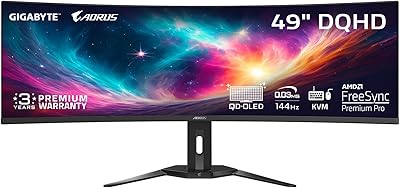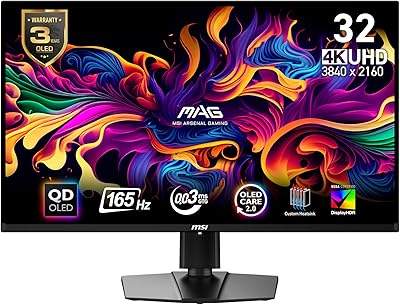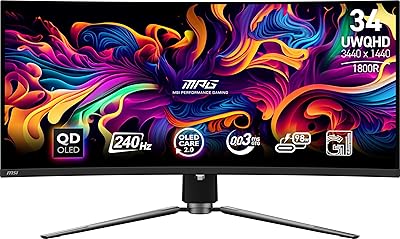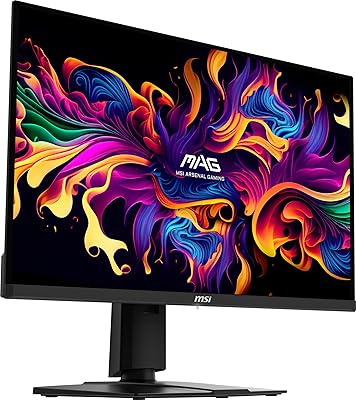

Overview

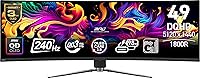
The MSI MPG 491CQPX 49-inch QD-OLED Monitor arrived in late 2024 as one of the most ambitious ultrawide displays on the market — a single panel designed to replace the cluttered two-monitor setups that many power users have tolerated for years. Sitting in front of this 49-inch QD-OLED is an adjustment; the 32:9 aspect ratio wraps noticeably into your peripheral vision, and the sheer desk footprint demands serious planning before purchase. Unlike VA ultrawides, which struggle with bloom and muddy blacks, QD-OLED technology brings genuinely deep contrast and punchy colors to the format. One practical caveat worth flagging upfront: the glossy panel surface picks up ambient light aggressively, so room lighting conditions will matter more here than with most matte-coated competitors.

Features & Benefits

What makes the MPG 491CQPX genuinely compelling is how well its core specs translate into real-world use. The per-pixel OLED dimming means black levels are not merely dark — they are the absence of light, which makes HDR content look unlike anything a backlit panel can reproduce. The VESA DisplayHDR True Black 400 certification is meaningfully different from generic HDR400; it guarantees true zero-black rather than a dimmed backlight zone. Cursor movement and fast gameplay feel unusually sharp and immediate at 240Hz, though driving DQHD at 240Hz is genuinely demanding on hardware — expect to need a flagship-class GPU just to keep framerates competitive in modern titles. MSI OLED Care 2.0 handles pixel maintenance automatically, reducing long-term burn-in risk without requiring constant manual input from the user.

Best For

This ultrawide monitor makes the most sense for a specific kind of buyer — not everyone. Sim racers, flight sim enthusiasts, and open-world gamers will find the 32:9 field of view uniquely immersive in a way that standard widescreens simply cannot match. Creative professionals doing photo retouching or color grading will appreciate the quantum dot color accuracy and near-perfect blacks. Productivity users who have long managed two monitors side-by-side will find the unified canvas a real improvement for multitasking workflows. But this is not a budget-neutral upgrade. You will need a high-end GPU — something in the RTX 4080 or RX 7900 XT tier — to push this panel at refresh rates that make the 240Hz capability worthwhile rather than just theoretical.

User Feedback

With around 165 ratings and a 4.3-star average, the early owner consensus on this ultrawide monitor leans positive — though the sample size is modest enough that a few vocal reviews carry real weight. Buyers consistently praise the image quality and contrast, with several noting HDR content looks noticeably better than on their previous VA or IPS ultrawides. The most common friction points involve the glossy screen in bright rooms and occasional complaints about the OSD interface feeling clunky to navigate. Burn-in is a recurring anxiety in the comments, though most owners report that OLED Care 2.0 provides enough reassurance once they understand how it operates. Built-in speaker quality is generally described as functional but not a deciding factor for this panel.

Pros

  • True per-pixel OLED blacks make HDR content look dramatically better than on any backlit panel at this size.
  • The 32:9 aspect ratio effectively replaces a dual-monitor setup with no distracting center bezel.
  • 240Hz at this screen size gives fast-paced gaming a fluidity that most large ultrawides cannot match.
  • Quantum dot color coverage is wide and accurate enough to satisfy photo editors and video professionals.
  • VESA DisplayHDR True Black 400 is a meaningful certification — it guarantees genuine zero-black, not just dimmed zones.
  • Response times are fast enough that cursor movement and motion clarity feel sharp and immediate in daily use.
  • Adaptive-Sync support covers both major GPU ecosystems without requiring a specific vendor lock-in.
  • The stand offers real ergonomic flexibility with both height and tilt adjustment built in.
  • VESA mount compatibility gives buyers the option to use a premium arm if the stock stand does not suit their setup.
  • MSI OLED Care 2.0 runs maintenance routines automatically, reducing the management burden for burn-in prevention.

Cons

  • The glossy panel surface is a genuine daily frustration in any room with windows or overhead lighting behind you.
  • Driving DQHD at 240Hz demands flagship GPU hardware — budget or mid-range cards will bottleneck this panel badly.
  • The OSD interface has been criticized by multiple owners for feeling clunky and slow to navigate.
  • At over 47 inches wide and 22 pounds, this ultrawide monitor requires a large, sturdy desk that not every workspace can accommodate.
  • Burn-in anxiety is a real and recurring concern among owners, even with OLED Care 2.0 active.
  • The built-in speakers are functional at best and will disappoint anyone expecting usable audio quality from a monitor at this price tier.
  • The glossy coating makes screen cleaning more frequent and noticeable compared to matte alternatives.
  • Early owner sample size is still relatively small, meaning long-term reliability patterns are not yet well established.
  • Some users report that static interface elements — taskbars, docked app icons — require deliberate management to minimize retention risk.
  • The VGA port inclusion feels out of place and adds no practical value for the target audience this panel is designed for.

Ratings

The scores below were generated by our AI rating engine after analyzing verified owner feedback for the MSI MPG 491CQPX 49-inch QD-OLED Monitor from global retail platforms, actively filtering out incentivized, bot-generated, and duplicate submissions to surface only genuine user experiences. With a modest but growing pool of real-world reviewers, patterns around image quality, daily usability, and hardware demands emerged clearly. Both the standout strengths and the recurring frustrations are reflected transparently in each category score.

Image Quality
96%
Owners consistently describe the picture as the most visually impactful display they have used at any price point. The per-pixel OLED control produces blacks that genuinely disappear rather than glow faintly grey, and colors in HDR content — particularly in games and film — land with a vibrancy that backlit panels at this size cannot replicate.
A small number of users noted micro-uniformity irregularities near panel edges under specific solid-color test patterns, though this was rarely visible in real content. The glossy surface can also reduce perceived image clarity in high-ambient-light environments, undercutting the otherwise exceptional panel performance.
HDR Performance
93%
The DisplayHDR True Black 400 certification is not just a badge here — owners who upgraded from standard HDR400 backlit monitors describe the difference as immediately obvious in dark scenes, where shadow detail is preserved rather than crushed. Cinematic content and HDR-enabled games benefit most, with highlight and shadow rendering that feels closer to a high-end TV than a typical desktop monitor.
Peak brightness, while sufficient for the True Black certification, does not reach the extreme luminance of some mini-LED competitors, meaning very bright specular highlights in HDR are less dramatic than on panels with higher peak nits. Users in brighter rooms also reported that the glossy screen reduced the perceived HDR contrast advantage compared to viewing in a darkened environment.
Gaming Performance
91%
Competitive gamers running high-end GPUs describe movement and response as feeling sharper and more immediate than any VA ultrawide they previously used. Adaptive-Sync keeps tearing absent even when framerates fluctuate, and the combination of fast pixel transitions and high refresh rate makes fast-paced shooters and racing titles feel particularly fluid across the full ultrawide canvas.
The GPU demand is a real ceiling — owners with mid-range or upper-mid-range cards report that they cannot sustain the framerates needed to take full advantage of the 240Hz ceiling in demanding titles. A handful of users also flagged minor halo artifacts around bright objects in very dark scenes, which is an inherent QD-OLED characteristic rather than a defect specific to this panel.
Color Accuracy
88%
Creative professionals using this ultrawide for photo retouching and video grading noted that out-of-box color performance was surprisingly close to calibrated, requiring minimal adjustment for most color-critical workflows. The quantum dot layer pushes the color gamut well beyond what standard OLED or IPS can achieve, which translates into richer, more saturated gradients in both creative and entertainment contexts.
Factory calibration consistency varied slightly between units according to some professional users, meaning a colorimeter calibration is still advisable for work requiring strict color standards. A few owners also noted that the wide gamut requires proper color management in applications that do not handle wide-gamut profiles correctly, leading to oversaturated output in older or unmanaged software.
Ultrawide Immersion
94%
Sim racers and open-world gamers described the 32:9 field of view as transformative — peripheral content that was simply absent on a standard widescreen becomes part of the scene, adding spatial awareness that is genuinely meaningful in racing, flight simulation, and exploration-heavy games. Productivity users moving from a two-monitor setup also praised the single unified canvas for eliminating the visual and physical interruption of a center bezel.
Not all games handle the 32:9 aspect ratio natively, and some titles either stretch the image incorrectly or default to pillarboxed output with black bars on the sides, requiring manual workarounds or third-party patches. Movies and streaming content encoded in 21:9 or narrower ratios will also display with permanent side bars, which some users found distracting given how large the unused panel area appears.
Glare & Reflections
47%
53%
Users in controlled or dim environments — dedicated gaming rooms, basement setups, or rooms with blackout blinds — reported that the glossy surface enhanced perceived contrast and color saturation in a way that a matte coating would have partially obscured. In the right conditions, the finish makes the image feel more vivid and direct.
This is the most consistently cited pain point across owner reviews. In typical home office or living room setups with windows or ceiling lights, the reflections are persistent and distracting, particularly during dark game scenes or video content. Buyers accustomed to matte-coated ultrawides often describe the adjustment as difficult, and some regretted not factoring room lighting into their purchase decision more carefully.
Build Quality
74%
26%
The overall construction feels solid and appropriately premium for a monitor at this tier, with no significant flex or creak reported along the panel itself. The stand base is wide enough to be stable under normal desk conditions, and the cable management routing built into the arm works well for keeping the back of the setup tidy.
Several owners noted that the stand wobbles noticeably when the desk receives any vibration — from a subwoofer, heavy typing, or even footsteps on a wooden floor — which is concerning given the weight and width of the panel. The plastic finish on the rear housing attracted fingerprints easily, and a few users reported that the stand mechanism felt less refined than expected at this price point.
Ergonomics & Adjustability
71%
29%
Height and tilt adjustment are both present and functional, covering enough range for most seated viewing positions without requiring an aftermarket arm immediately. Users who set it up at a standard desk height found the adjustment range adequate for achieving a comfortable sightline to the center of the panel.
There is no swivel adjustment, which matters for a panel this wide if you need to angle it slightly toward one side of a shared workspace. The adjustment mechanism also drew mild criticism for not locking as firmly as some competitors, with a small amount of unintended tilt drift reported after extended use at certain height positions.
OSD & Software
58%
42%
The on-screen display covers all the essential settings — refresh rate switching, HDR toggles, input selection, and OLED Care scheduling — giving users access to the controls they need without requiring a separate app for basic configuration. Once initial settings are dialed in, most users report not needing to return to the OSD frequently.
Navigation through the OSD menus was one of the more commonly criticized aspects, with owners describing the interface as slow to respond and unintuitive to traverse, particularly when trying to access nested picture settings. MSI's companion software was flagged by several users as unstable or redundant, and the lack of a joystick-style navigator on the physical controls made menu cycling feel clumsier than it should be on a monitor at this level.
Burn-in Risk Management
69%
31%
MSI OLED Care 2.0 runs automated pixel refresh cycles and idle screen protections that operate largely in the background without requiring ongoing user involvement. Owners who understood how OLED aging works generally felt the system provided adequate safeguards for typical mixed-use sessions involving gaming, creative work, and media consumption.
Burn-in anxiety remains a persistent theme in owner discussions, and OLED Care 2.0 does not fully eliminate the concern for users with static-heavy workflows — those who keep persistent taskbars, locked-position chat windows, or long-running game HUDs on screen for eight or more hours daily. A few owners reported visible retention after extended static-content sessions, though it resolved after running a pixel refresh cycle.
Connectivity
77%
23%
Having both HDMI and DisplayPort available covers the connection needs of virtually all modern PC and console setups without requiring adapters, and the inclusion of a VGA port ensures compatibility with older secondary devices if needed. Users running multi-device workstations appreciated being able to switch inputs without changing cables.
The VGA port struck many buyers as an odd inclusion that added no practical value for the target audience this panel is designed to serve. There is no USB hub integrated into the monitor, which is a notable absence at this price tier and was raised by multiple productivity-focused users who expected pass-through USB-A ports for peripheral convenience.
Audio
51%
49%
The built-in speakers handle video calls and low-volume background audio without distortion, which is enough for users who simply want a fallback option when a headset is not in use. Having any onboard audio is appreciated in minimalist desktop setups where a dedicated speaker system is not practical.
No owner mentioned the speakers as a genuine strength, and several described them as thin and lacking any meaningful bass response. For a panel positioned at a premium tier, the audio output feels like an afterthought — anyone who cares about sound quality in gaming, music, or film will need an external speaker or headphone solution regardless.
Setup & Installation
82%
18%
Most owners reported that physical assembly — attaching the stand, routing cables, and powering on for the first time — was straightforward and completed in under twenty minutes. The packaging was well-regarded for keeping the panel protected during shipping, with no significant reports of transit damage in early owner feedback.
The sheer size and weight of the panel make solo unboxing genuinely awkward, and a few users strongly recommended having a second person present for the initial setup, particularly when lifting the monitor onto the stand and positioning it on the desk without scratching the glossy surface.
Value for Money
78%
22%
For buyers who are fully equipped — with the desk space, the GPU headroom, and a controlled lighting environment — owners describe the panel as delivering a genuinely premium experience that justifies the investment relative to owning two separate high-quality monitors. The combination of OLED image quality, high refresh rate, and ultrawide format in a single display is still relatively rare at this screen size.
The value equation falls apart quickly for buyers who lack a flagship GPU or who have to contend with a bright room, since two of the panel's defining advantages become inaccessible in those conditions. A small number of dissatisfied buyers felt the glossy coating and OSD quality did not match what they expected at this price point, particularly compared to competing ultrawide displays with more refined software and anti-glare finishes.

Suitable for:

The MSI MPG 491CQPX 49-inch QD-OLED Monitor is built for buyers who are ready to commit fully to a single-panel workstation and have the desk space and GPU budget to support it. Sim racers, flight sim pilots, and open-world gamers will get the most out of the sweeping 32:9 field of view — it is the kind of immersion that a standard widescreen simply cannot replicate. Creative professionals who work in photo editing, color grading, or video production will find the quantum dot color accuracy and true black levels genuinely useful rather than cosmetic. Productivity-focused users who have long juggled two monitors side-by-side will appreciate having a single unified display surface without the bezel gap in the middle. If your workflow or hobby demands both speed and visual fidelity — and your GPU can actually deliver at this resolution — this ultrawide monitor makes a compelling case for itself.

Not suitable for:

The MPG 491CQPX is not the right choice for buyers who work in brightly lit rooms and are sensitive to glare, since the glossy panel surface reflects ambient light noticeably and there is no matte coating option. Anyone running a mid-range GPU should also think carefully before purchasing — pushing 5120x1440 pixels at high framerates is genuinely taxing, and without flagship-tier hardware, much of what makes this ultrawide monitor special goes underutilized. Buyers who are already anxious about OLED longevity may find that concern does not fully go away even with MSI OLED Care 2.0 in place, particularly if they display static elements like taskbars or HUD overlays for long hours daily. Those with smaller desks will also struggle — at over 47 inches wide, this panel physically dominates most standard setups. Finally, casual users who watch content occasionally and do not game or color-correct professionally will likely find the premium hard to justify against a quality IPS ultrawide at a lower price point.

Specifications

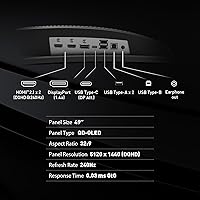
  • Panel Type: Uses a QD-OLED panel, combining quantum dot color technology with per-pixel OLED illumination for deep blacks and wide color coverage.
  • Screen Size: 49-inch diagonal display with a 32:9 ultrawide aspect ratio, designed to span the equivalent of two standard 27-inch monitors side by side.
  • Resolution: Native resolution of 5120x1440 (DQHD), delivering a high pixel density across the full ultrawide canvas.
  • Refresh Rate: Runs at up to 240Hz, enabling noticeably smooth motion in fast-paced games and fluid cursor movement during everyday productivity tasks.
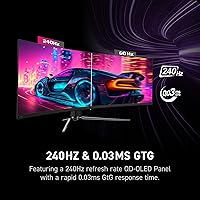
  • Response Time: Rated at 0.03ms GtG, which represents the fastest pixel transition speed available in this panel category at time of release.
  • HDR Support: Certified VESA DisplayHDR True Black 400, which guarantees genuine zero-black output rather than relying on dimmed backlight zones to approximate deep shadows.
  • Sync Technology: Supports Adaptive-Sync, providing variable refresh rate compatibility across both AMD and NVIDIA GPU ecosystems to reduce screen tearing.
  • Screen Surface: Finished with a glossy coating that maximizes color vibrancy and contrast but reflects ambient light more visibly than matte alternatives.
  • Connectivity: Equipped with HDMI, DisplayPort, and VGA ports, offering connectivity options for a range of devices including modern PCs and legacy hardware.
  • Audio: Includes integrated speakers for basic audio output, suitable for casual use but not intended as a replacement for a dedicated speaker setup.
  • Ergonomics: Stand supports both height and tilt adjustment, allowing users to position the panel for comfortable long-session viewing without a third-party arm.
  • VESA Mounting: VESA mount compatible, enabling the use of aftermarket monitor arms for users who need more flexible positioning or want to reclaim desk space.
  • Burn-in Protection: MSI OLED Care 2.0 runs automated pixel refresh cycles and includes screen saver triggers to reduce the risk of permanent image retention over time.
  • Dimensions: Measures approximately 47.05 x 16.15 x 12.92 inches with the stand attached, requiring a wide and deep desk surface for stable placement.
  • Weight: Weighs 22.2 pounds with the stand, which is typical for a 49-inch ultrawide and should be factored into desk load capacity and VESA arm ratings.
  • Release Date: First made available in November 2024, positioning it as a current-generation display built on the latest QD-OLED panel technology available at launch.

Related Reviews
MSI MPG 321URX QD-OLED 32″ Gaming Monitor
84%
96%
Image Quality
91%
Refresh Rate & Motion Clarity
93%
HDR Performance
94%
Color Accuracy & Gamut
61%
Glossy Screen & Reflections
More
MSI MAG 275F 27″ Gaming Monitor
78%
93%
Refresh Rate Performance
86%
Panel Color Quality
88%
Response Time & Ghosting
84%
Console Compatibility
52%
HDR Implementation
More
GIGABYTE AORUS CO49DQ 49-inch QD OLED Monitor
89%
96%
Display Quality
94%
Gaming Performance
92%
Color Accuracy
89%
Burn-in Protection
88%
Build Quality
More
MSI MAG 321UP QD-OLED 32-inch Monitor
84%
94%
Gaming Performance
90%
Display Quality
88%
Color Accuracy
85%
Ergonomics and Adjustability
91%
Build Quality
More
MSI MPG 341CQPX 34-inch Curved OLED Gaming Monitor
83%
94%
Display Quality
92%
Gaming Performance (240Hz)
89%
Color Accuracy
85%
Ease of Setup
80%
Software (Gaming Intelligence App)
More
MSI MAG 271QPX 27-inch QD-OLED Gaming Monitor
80%
94%
Image Quality
96%
Motion Clarity
88%
HDR Performance
93%
Refresh Rate & Smoothness
81%
Connectivity & Ports
More
ASUS ROG Swift PG49WCD 49″ QD-OLED Monitor
87%
96%
Display Quality
94%
Color Accuracy
91%
HDR Performance
97%
Refresh Rate & Responsiveness
88%
Build Quality
More
Alienware AW3423DW 34-inch QD-OLED Gaming Monitor
83%
97%
Image Quality
94%
Motion Performance
96%
Contrast & Black Levels
89%
Color Accuracy
91%
Refresh Rate & Sync
More
Samsung Odyssey G81SF 27-inch Gaming Monitor
80%
96%
Image Quality
97%
Contrast & Black Levels
89%
Refresh Rate & Motion Clarity
88%
Glare Resistance & Matte Coating
91%
HDR Performance
More
GIGABYTE AORUS FO32U2 32-inch QD OLED Gaming Monitor
88%
95%
Display Quality
92%
Gaming Performance (Refresh Rate & Response Time)
88%
OLED Burn-In Protection
94%
Color Accuracy & Gamut
89%
Ergonomics & Stand Adjustability
More

FAQ

Honestly, yes — more than most people realize before buying. Running 5120x1440 at high framerates in modern titles puts serious strain on a GPU, and a mid-range card will struggle to push the panel at the refresh rates that make it worthwhile. If you are not working with something in the RTX 4080 or RX 7900 XT tier or above, you may find yourself capping framerates significantly lower than the display is capable of.

It depends heavily on where your light sources are. If you have windows behind you or strong overhead lighting, the reflections are noticeable and can become distracting during darker scenes or productivity work. Users with controlled or dimmer lighting conditions report far fewer issues. If you are used to a matte monitor and your room has significant ambient light, this is worth thinking through carefully before committing.

It is a legitimate question, and one that comes up frequently among owners. The risk with OLED panels is real, particularly for people who leave static elements — taskbars, browser toolbars, game HUDs — on screen for many hours each day. MSI OLED Care 2.0 helps by running pixel refresh cycles automatically and activating screen savers after idle periods, which meaningfully reduces the risk. That said, if you are the type who leaves a static layout on screen for eight-plus hours a day without breaks, OLED requires more mindfulness than a backlit panel would.

That is actually one of the strongest use cases for the MPG 491CQPX. The 32:9 format gives you horizontal screen real estate equivalent to two 27-inch monitors without a bezel gap in the middle. Window management tools — either built into the OS or via MSI's software — help divide the space into logical zones for multitasking. The transition feels natural once you adjust to the width, and most productivity users who switch do not go back.

Standard HDR400 just means a display can hit 400 nits of peak brightness — it says nothing about how deep the blacks go, and many HDR400 panels still produce washed-out shadow detail because the backlight never fully turns off. True Black 400 is a stricter certification that specifically requires black levels near absolute zero, which is where OLED panels shine. In practice, the difference in HDR content is visible immediately — shadow detail is preserved rather than crushed into a murky grey.

It will connect via HDMI, but consoles currently cap out at 4K 120Hz, so you will not be using the full resolution or refresh rate this panel offers. The display will still work, but it is not the ideal use case for a DQHD ultrawide at this price. This monitor is really built around PC gaming and PC-connected creative workflows.

At 22 pounds, the panel is heavy, and a few early owners have noted the stand feels adequate rather than exceptional. It handles height and tilt adjustment without much issue in typical use, but if you have a desk with any vibration — from a subwoofer, a mechanical keyboard, or even footsteps — you may notice some wobble. Users who want rock-solid stability often opt for a quality VESA arm instead, which this panel fully supports.

VA panels at 49 inches are generally cheaper and offer decent contrast for the price, but they struggle with blooming around bright objects on dark backgrounds and often show uniformity issues across such a wide surface. QD-OLED eliminates backlight blooming entirely since each pixel controls its own light, and color accuracy is considerably wider and more consistent. The tradeoff is the glossy surface and the burn-in management that comes with any OLED-based display.

They are functional for video calls and casual background content, but anyone who cares about audio quality will want a dedicated solution. This is not unusual for a monitor at this size and category — the speakers are there as a convenience, not a feature to lean on. A basic desktop speaker setup or a good headset will be a noticeable improvement.

Most users find a desk depth of at least 30 to 32 inches is needed to sit at a comfortable distance from a 49-inch ultrawide. Too close and the curve can feel overwhelming; too far and you lose the immersive effect. The monitor itself is about 13 inches deep with the stand, so factor that into your available space. A deeper desk also helps because you can push the monitor back and position yourself at a distance where the edges of the panel stay within comfortable sightlines without excessive head movement.

Where to Buy