Overview

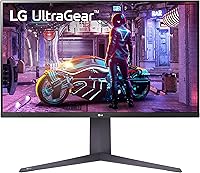
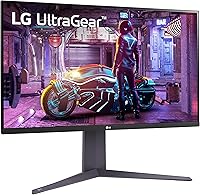
The LG 32GQ750-B 32-inch 4K Gaming Monitor sits in a practical sweet spot — large enough to make 4K resolution genuinely impactful, fast enough for competitive gaming, and priced where real buyers actually shop. Released in early 2023 as part of LG's UltraGear lineup, it pairs a 31.5-inch VA panel running at 3840x2160 with a 144Hz refresh rate, a combination that was hard to find at this price not long ago. The design is clean and purposeful: slim bezels, a matte finish that cuts glare, and an ergonomic stand offering tilt, height, and pivot adjustments so you can dial in a genuinely comfortable position without buying a separate arm.
Features & Benefits

The HDMI 2.1 connection is arguably the most compelling spec here — it lets PC gamers run full 4K at 144Hz, and console players on a PS5 or Xbox Series X get a solid 120Hz at 4K, which most competing monitors still cannot offer at this price. The VA panel delivers punchy contrast and rich colors, covering 90% of the DCI-P3 color space, though fast-moving dark scenes can show some trailing — a known characteristic of VA technology compared to IPS. HDR10 is present, but treat it as a checkbox rather than a premium experience. AMD FreeSync Premium handles variable refresh smoothly, keeping gameplay fluid when frame rates fluctuate.

Best For

This 32-inch 4K display makes the most sense for console gamers wanting to squeeze full potential from a PS5 or Xbox Series X — the HDMI 2.1 port makes 4K 120Hz a reality without hunting for a pricier screen. PC gamers on a budget seeking a meaningful jump from 1080p will also appreciate it, since 4K at 31.5 inches is noticeably sharper without demanding a flagship GPU. The built-in speakers and reader mode make it a reasonable pick for hybrid work-and-gaming setups, and anyone tight on desk space will find the included stand more than adequate — no separate monitor arm required.

User Feedback

Across roughly 179 ratings, the 32GQ750-B holds a 4.0-star average, and the comments paint a consistent picture. Buyers regularly praise the sharp 4K image quality and color depth, with specific callouts for the stand's flexibility from people who care about ergonomics. On the flip side, some users flag motion blur in dark, fast-paced scenes — a realistic limitation of VA panel technology worth knowing upfront. HDR performance draws the most measured criticism, with most agreeing it adds little visible punch in practice. The speakers are seen as a convenient bonus rather than a serious audio solution. Overall, value-for-money sentiment runs notably positive.

Pros

  • HDMI 2.1 enables true 4K at 120Hz on PS5 and Xbox Series X, a rare advantage at this price.
  • The 31.5-inch 4K panel delivers genuinely crisp detail that makes the upgrade from 1080p feel substantial.
  • VA panel contrast produces deep blacks that make dark game environments look rich and immersive.
  • AMD FreeSync Premium keeps gameplay smooth and tear-free even when frame rates dip.
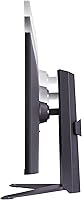
  • The ergonomic stand offers tilt, height, and pivot adjustments most monitors at this tier lack.
  • DCI-P3 90% color coverage gives the 32GQ750-B noticeably vibrant, accurate color out of the box.
  • Matte anti-glare coating makes the screen usable in bright rooms without distracting reflections.
  • Built-in gaming tools like Black Stabilizer and a crosshair overlay add practical value without extra hardware.
  • Reader mode and a comfortable stand make this display pull double duty as a capable work monitor.
  • Overall buyer sentiment skews positive, with most owners citing strong value relative to competing options.

Cons

  • VA panel ghosting in fast, dark scenes is a real limitation that some competitive players will notice.
  • HDR10 support exists in name, but the real-world visual improvement over SDR is minimal for most content.
  • Viewing angles are narrower than IPS displays, causing color shifts when viewed from the side.
  • The built-in speakers are adequate for casual use but fall short for anyone who cares about audio quality.
  • Some units have shown backlight bleed near the panel edges, a known risk with VA technology.
  • At 20.1 pounds, the monitor is heavier than average and less convenient to reposition frequently.
  • No USB hub is included, limiting desk connectivity options compared to similarly priced competitors.
  • The 144Hz ceiling, while solid, is below the 165Hz or 180Hz now offered by some rival panels at similar prices.

Ratings

Our AI scoring for the LG 32GQ750-B 32-inch 4K Gaming Monitor was built by processing verified buyer reviews from multiple global markets, with spam, incentivized posts, and bot activity actively filtered out before any scoring was applied. The result is a transparent breakdown that reflects both the genuine strengths buyers celebrate and the recurring frustrations that show up consistently across ownership experiences. Every score below — high or low — is grounded in what real users actually reported after living with this display.
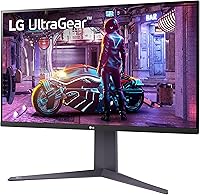
Image Clarity
91%
The jump to 4K at 31.5 inches produces a pixel density that buyers consistently describe as a revelation, especially those upgrading from 1080p setups. Text in productivity apps looks crisp, game environments show fine texture detail, and the overall sharpness is one of the most frequently praised aspects across all verified reviews.
A small number of users noted that scaling in Windows requires some configuration to look right at 4K on a 32-inch screen, which can trip up less experienced users during initial setup. This is a software setup issue rather than a panel flaw, but it does create a friction point for first-time 4K monitor owners.
Refresh Rate & Smoothness
86%
At 144Hz the 32GQ750-B delivers genuinely fluid motion in games, and AMD FreeSync Premium keeps things tear-free even when frame rates fluctuate. Console owners in particular responded positively to the 120Hz experience via HDMI 2.1, describing it as a clear upgrade over the 60Hz displays they replaced.
Reaching 144Hz at full 4K resolution demands a high-end PC GPU, meaning many buyers running mid-range graphics hardware will realistically operate closer to 60–100Hz in demanding titles. The 144Hz ceiling is also slightly below the 165Hz now offered by some competing panels at a similar price point.
HDMI 2.1 Compatibility
88%
The presence of a full-bandwidth HDMI 2.1 port is a genuine differentiator at this price, and PS5 and Xbox Series X owners specifically call it out as the deciding factor in their purchase. Getting 4K at 120Hz on a console without spending significantly more is something buyers consistently describe as excellent value.
There is only one HDMI 2.1 port, which means users with both a console and a PC connected simultaneously must use DisplayPort for one source and lose the flexibility of a second high-bandwidth HDMI connection. A few buyers also flagged cable compatibility confusion when their existing HDMI cables could not deliver full bandwidth.
Contrast & Black Levels
83%
The VA panel's native contrast ratio produces noticeably deeper blacks than typical IPS displays, which translates to more dramatic-looking dark scenes in games and films. Users who primarily game in genres like horror, sci-fi, or space exploration noted that the panel's depth adds genuine atmosphere that they had not experienced on previous IPS monitors.
Contrast uniformity across the panel is not always consistent, and several reviewers reported that dark areas near screen edges can look slightly lighter than the center in very dark scenes — a characteristic backlight bleed issue associated with VA technology. It is not universal, but it is common enough to appear repeatedly in buyer feedback.
Motion Clarity
67%
33%
In well-lit, high-contrast scenes the 1ms GtG rating holds up and motion looks sharp. Casual gamers playing RPGs, strategy games, or open-world titles in standard lighting conditions generally reported no issues with trailing or smearing during normal gameplay sessions.
In dark, fast-moving sequences — particularly common in shooters and action games — VA-specific ghosting becomes visible, with objects leaving a faint trail behind them. This is the most consistently cited complaint across all negative reviews, and buyers who primarily play competitive shooters in dimly lit game environments will likely find it genuinely bothersome.
Color Accuracy & Vibrancy
84%
Covering 90% of the DCI-P3 color space delivers noticeably rich, saturated color that makes games and streaming content look vivid and engaging straight out of the box. Multiple buyers praised how vibrant open-world environments and animated films appeared without any manual calibration required.
Factory calibration accuracy varies by unit, and some buyers found the default color temperature slightly warm, requiring manual adjustment to achieve neutral whites. Without a colorimeter, achieving precise calibration is mostly trial and error, which may not matter for gamers but will frustrate anyone using this panel for light creative work.
HDR Performance
54%
46%
HDR10 support means the monitor will accept and display an HDR signal from any compatible source without requiring manual switching, which is a minor convenience. Some buyers noted that HDR mode does add a subtle bump in highlight intensity in bright outdoor game scenes compared to SDR.
The honest consensus in user feedback is that HDR makes very little practical difference on this display. Without sufficient peak brightness or any form of local dimming, the effect is subtle at best, and several buyers reported that they simply leave HDR off because it can oversaturate certain game palettes without delivering meaningful contrast improvement.
Build Quality & Design
79%
21%
The slim bezels and clean matte finish give the 32GQ750-B a professional appearance that works outside of a dedicated gaming setup, and buyers consistently noted that it looks better in person than in product photos. The materials feel solid for the price, with no significant reports of creaking or structural weakness in the panel or housing.
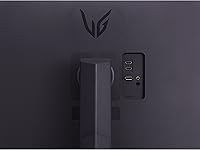
The rear of the monitor has a more utilitarian, budget-conscious aesthetic compared to some rivals with RGB accents or textured finishes, which matters to buyers building a themed battlestation. Cable management through the stand is functional but not elegant, leaving cable runs visible unless managed with aftermarket solutions.
Ergonomics & Stand
82%
18%
The stand's tilt, height, and pivot range is genuinely practical, covering most sitting positions and dual-use work-and-gaming configurations without needing a separate arm. Buyers who use the monitor for long work sessions specifically appreciated being able to fine-tune height to reduce neck strain.
The stand base has a moderately large footprint that some users found intrusive on compact desks, and swivel range is more limited than what dedicated ergonomic monitor arms provide. A few buyers also noted that the height adjustment mechanism has a slightly stiff action that requires deliberate effort to reposition smoothly.
Built-in Speakers
58%
42%
For users who want zero extra clutter on their desk, the built-in 5W stereo speakers handle video calls, background music, and casual gaming audio adequately. The Waves MaxxAudio processing does give them slightly more body than typical built-in monitor audio at this tier.
Anyone who uses audio as part of their gaming or entertainment experience will find the speakers fall short quickly — thin bass, limited volume ceiling, and a compressed soundstage make them a fallback option at best. Audiophiles and even casual headphone users will notice the gap in quality immediately compared to any dedicated external speaker.
Gaming OSD & Features
77%
23%
The on-screen display includes genuinely useful tools like Black Stabilizer, a customizable crosshair overlay, and FPS counter, which are functional additions that some players will use regularly without needing third-party software. Switching between game presets like FPS and RTS modes is intuitive once you learn the joystick-based menu navigation.
The OSD menu system takes some initial learning, and a handful of buyers found the joystick button placement slightly awkward to reach behind the panel without looking. Some advanced calibration options are buried several layers deep in the menu, which creates friction for users who want to fine-tune settings quickly.
Value for Money
85%
Across the verified review base, value-for-money sentiment is consistently one of the most positive data points. Buyers repeatedly note that the combination of 4K resolution, 144Hz refresh rate, and HDMI 2.1 in a single package at this price tier is difficult to match from other mainstream brands without paying noticeably more.
The value perception weakens slightly for buyers who discover post-purchase that HDR performance is underwhelming and that VA motion clarity limits the monitor's suitability for their game genre. Those who expected a more premium all-round experience based on the feature list alone occasionally express mild disappointment in post-purchase reviews.
Setup & Connectivity
74%
26%
Physical setup is straightforward — the stand attaches without tools in most configurations, and the port selection covers the essential inputs for both PC and console users without requiring adapters in standard use cases. Most buyers reported being up and running within fifteen minutes of unboxing.
The port count is lean: one HDMI 2.1 and one DisplayPort with no USB hub leaves multi-device users swapping cables more often than they would like. There is no USB-C input, which is an increasingly expected feature on displays competing in this segment, particularly for users with modern laptops.
Eye Comfort & Long Sessions
76%
24%
The matte anti-glare coating reduces reflective fatigue during daytime use, and the reader mode option is a practical addition for users who spend several hours a day on productivity tasks before switching to gaming in the evening. Several buyers who work from home mentioned the panel causes less strain than the glossy displays they previously used.
There is no factory-certified flicker-free or low blue light certification prominently communicated, which matters to a growing segment of buyers with light sensitivity. Some users reported mild eye fatigue during extended dark-room gaming sessions, which may relate to the VA panel's brightness uniformity rather than any single correctable setting.

Suitable for:

The LG 32GQ750-B 32-inch 4K Gaming Monitor is a strong fit for console gamers who want to get the most out of a PS5 or Xbox Series X — the HDMI 2.1 port delivers genuine 4K at 120Hz, a capability that remains rare at this price tier. PC gamers making the jump from a 1080p display will notice an immediate and meaningful sharpness improvement, especially at 31.5 inches where 4K pixel density pays off without demanding an ultra-high-end GPU. It also works well for hybrid users who split their screen time between work and gaming, since the ergonomic stand, reader mode, and matte panel make extended daytime use comfortable. Anyone short on desk space will appreciate the built-in speakers handling casual audio duty without requiring extra room for external units.
Not suitable for:

Competitive esports players who prioritize raw motion clarity above all else may find the VA panel's dark-scene trailing frustrating, particularly in fast-paced shooters where shadow detail and motion sharpness are critical — an IPS panel would serve them better. HDR enthusiasts should also look elsewhere: the LG 32GQ750-B 32-inch 4K Gaming Monitor supports HDR10 on paper, but without high peak brightness or local dimming, the practical HDR impact is modest at best. Color-critical professionals such as photographers or video editors need a factory-calibrated, wide-gamut IPS display rather than a gaming-focused VA panel. Finally, anyone expecting serious audio output from a monitor should budget separately for speakers or headphones, as the built-in 5W units are adequate only for background sound.
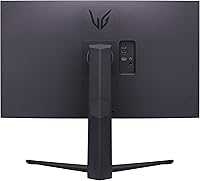
Specifications

  • Panel Type: This monitor uses a VA (Vertical Alignment) panel, which provides deeper contrast ratios and richer blacks compared to IPS, though with somewhat narrower off-axis viewing angles.
  • Screen Size: The active display area measures 31.5 inches diagonally, marketed as a 32-inch class screen.
  • Resolution: Native resolution is 3840x2160 (4K UHD), delivering approximately 140 pixels per inch at this screen size for noticeably sharp detail.
  • Refresh Rate: Supports up to 144Hz over DisplayPort and via HDMI 2.1, and up to 120Hz on next-gen consoles connected through HDMI 2.1.
  • Response Time: Rated at 1ms GtG (Gray-to-Gray), representing the fastest pixel transition setting available in the OSD, typically achieved in overdrive mode.
  • Connectivity: Includes one HDMI 2.1 port and one DisplayPort input for video signal, with a headphone output jack for audio passthrough.
  • Adaptive Sync: Certified for AMD FreeSync Premium, requiring a minimum 120Hz at FHD resolution and supporting low framerate compensation for fluid variable refresh gameplay.
  • HDR Support: Supports the HDR10 standard; peak brightness and local dimming capabilities are modest, so HDR results are more subtle than on dedicated high-brightness HDR displays.
  • Color Coverage: Covers approximately 90% of the DCI-P3 color space (typical), producing vivid, saturated colors suitable for gaming and general media consumption.
  • Speakers: Equipped with dual 5W stereo speakers powered by Waves MaxxAudio processing for enhanced virtual sound staging in a compact driver configuration.
  • Screen Surface: Matte anti-glare coating reduces reflections from ambient light sources, making the panel more comfortable to use in mixed or bright lighting environments.
  • Aspect Ratio: Standard 16:9 widescreen aspect ratio, fully compatible with all modern gaming consoles, PC games, and streaming content without letterboxing.
  • Stand Adjustments: The included stand supports tilt, height, and pivot (portrait mode rotation) adjustments, providing a solid range of ergonomic positioning without requiring a third-party arm.
  • Dimensions: With the stand attached, the monitor measures approximately 28.1 inches wide, 19.6 inches tall, and 10.9 inches deep.
  • Weight: Total weight with stand is 20.1 pounds, which is typical for a 32-inch panel and makes repositioning manageable for most users.
  • Power Source: Powered via AC mains connection; no external power brick is required as the power supply is integrated into the monitor chassis.
  • Gaming OSD Tools: On-screen display includes gamer-focused modes such as FPS, RTS, Black Stabilizer, Dynamic Action Sync, FPS Counter, and a customizable crosshair overlay.
  • Availability Date: This monitor was first made available in February 2023 as part of LG's UltraGear gaming display lineup.

Related Reviews
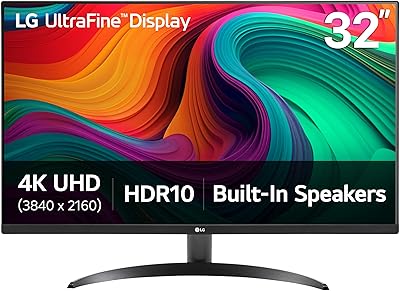
LG 32UR500K-B 32-inch 4K UHD Monitor
74%
91%
Image Clarity & Sharpness
88%
Color Accuracy & Gamut
58%
HDR Performance
47%
Stand & Ergonomics
82%
Build Quality & Design
More
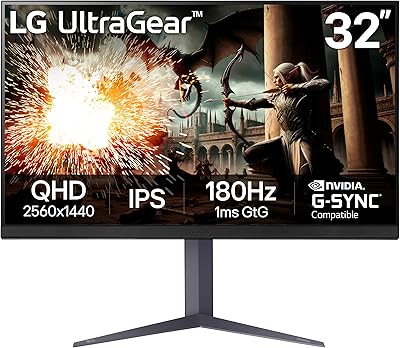
LG UltraGear 32″ QHD Gaming Monitor
80%
91%
Gaming Performance
84%
Image Quality
54%
HDR Experience
88%
Ergonomics & Stand
79%
Build Quality
More
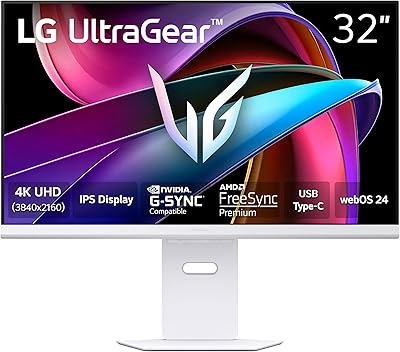
LG 32G810SA-W 32-inch UltraGear Gaming Monitor
77%
88%
Color Accuracy
84%
Gaming Performance
58%
HDR Quality
81%
Smart Platform (webOS)
91%
Design & Aesthetics
More
LG 32SQ780S 32-Inch 4K UHD Monitor
82%
91%
Display Quality
87%
Ergonomics and Adjustability
83%
Smart Features (webOS & ThinQ)
89%
Connectivity Options
78%
Ease of Setup
More
MSI MAG321CUP 32-inch 4K Gaming Monitor
86%
93%
Performance
91%
Display Quality
88%
Ergonomics
85%
Ease of Setup
60%
HDR Performance
More
LG 24GQ50F-B 24-Inch Gaming Monitor
86%
91%
Gaming Performance
92%
Value for Money
88%
Visual Clarity
84%
Build Quality
61%
Ergonomics & Adjustability
More
LG 32MR50C-B 32-Inch Curved Monitor
75%
91%
Value for Money
78%
Picture Quality
83%
Refresh Rate & Motion Handling
52%
Ergonomics & Stand
84%
Curvature & Immersion
More
LG 32UP83A-W 32-inch 4K UHD Monitor
86%
94%
Display Quality
91%
Color Accuracy
88%
Build Quality
89%
Ergonomics/Adjustability
90%
Connectivity Options
More
ViewSonic XG320U 32-Inch 4K UHD Gaming Monitor
87%
93%
Display Quality
91%
Gaming Performance
95%
Color Accuracy
88%
Build Quality
89%
Ergonomics
More
LG 27GS75Q-B 27-inch QHD Gaming Monitor
82%
91%
Refresh Rate & Motion Performance
88%
Image Sharpness & Resolution
83%
Color Accuracy & Gamut
57%
HDR Performance
86%
Response Time & Ghosting
More

FAQ

Yes, and this is one of the stronger selling points of the 32GQ750-B. The HDMI 2.1 port has the bandwidth to support 4K at 120Hz from a PS5 or Xbox Series X, which is something many monitors at this price tier still cannot do. Just make sure your console settings have 4K and 120Hz both enabled, and use a high-speed HDMI 2.1 cable.

It depends on the type of game. In brightly lit, fast-moving scenes the panel performs well. Where you may notice some trailing is in dark environments with quick motion — a known characteristic of VA panels. It is not severe enough to bother most casual or even mid-level competitive players, but dedicated esports players who prioritize absolute clarity in dark scenes may find it worth considering an IPS alternative.

Honestly, only in a limited sense. The monitor supports HDR10 and will accept an HDR signal, but it lacks the high peak brightness and local dimming needed to produce a dramatic HDR effect. You will see slightly more vivid highlights in compatible content, but do not expect the kind of HDR pop you get from an OLED or a dedicated high-brightness display. Many users keep it in SDR mode for everyday use.

It works at 144Hz over both connections, but with an important distinction. You need an HDMI 2.1 cable and a source device with HDMI 2.1 output to hit 144Hz via HDMI. Older HDMI 2.0 connections top out at lower bandwidth and will not support 4K at 144Hz. DisplayPort will also deliver 144Hz without that cable compatibility concern.

The included stand is genuinely better than what you get on most monitors at this price. It handles height adjustment, tilt, and pivot (rotation into portrait mode), which covers the ergonomic needs of most users. A separate arm is not necessary unless you have specific VESA mounting needs or want to free up desk space — the stand footprint is moderate but not excessive.

They are fine for background audio, video calls, or casual YouTube watching. The Waves MaxxAudio processing does help them sound fuller than typical thin monitor speakers. That said, if you watch movies regularly or care about gaming audio immersion, a dedicated speaker set or headphones will be noticeably better. Think of the built-in speakers as a convenience feature, not a selling point.

Yes. Nvidia has supported FreeSync monitors through its G-Sync Compatible program for several years. While this monitor is not officially G-Sync certified, most users with Nvidia cards report that variable refresh rate works correctly when G-Sync Compatible mode is enabled in the Nvidia control panel. Performance is generally on par with certified displays at this tier.

A small number of owners have reported backlight bleed around the panel edges, which is a fairly typical risk with VA panels — especially in dark or near-black scenes. It is not a universal issue, and many units show minimal bleed. If you receive a unit with obvious bleed in normal viewing conditions, that would generally qualify for a return or exchange under standard retail policy.

The 32GQ750-B supports a 100x100mm VESA mount pattern, which is the most common standard and compatible with the vast majority of monitor arms and wall mounts available on the market. Removing the stand is straightforward and requires only a screwdriver.

It holds up well for both use cases. The matte screen surface cuts glare during daytime work, the ergonomic stand lets you adjust height and tilt for long sessions, and the reader mode reduces blue light for extended use. Switching into a gaming mode via the OSD takes only a few button presses, so toggling between work and gaming setups is not cumbersome.

Where to Buy