Overview

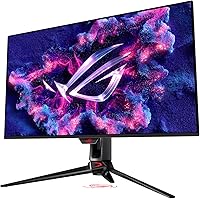
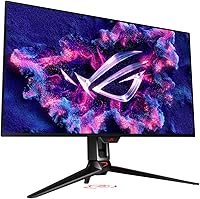
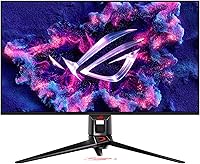
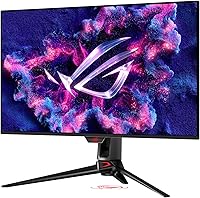
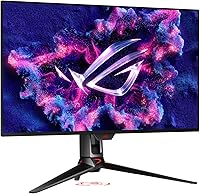
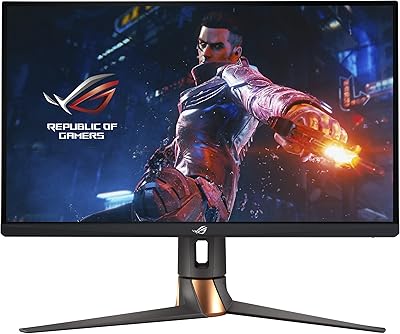
The ASUS ROG Swift PG32UCDM 32-inch OLED Monitor arrives at a point where the premium gaming monitor market is genuinely crowded, yet it still carves out a distinct position. Combining 4K resolution with a 240Hz refresh rate on a 32-inch panel was, until recently, a hardware pipe dream — you had to choose one or the other. ASUS ROG's Swift line has long been their flagship performance tier, and this model sits firmly at the top of it. The price reflects that reality. This is not a casual purchase; it targets enthusiasts and creative professionals who refuse to compromise between visual fidelity and raw responsiveness.
Features & Benefits

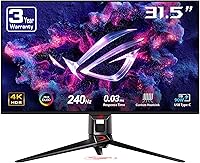
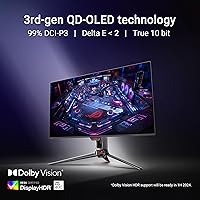
What makes this QD-OLED monitor genuinely interesting starts with the panel itself. QD-OLED layers quantum dot technology over an OLED base, delivering perfect blacks alongside significantly more color volume than standard OLED — especially noticeable in bright HDR scenes. The 240Hz refresh rate paired with a 0.03ms GTG response time keeps motion razor-clean, and G-SYNC compatibility eliminates tearing without much overhead. Burn-in is the honest concern with any OLED, and ASUS addresses it through a custom heatsink, dedicated airflow, and a graphene film layer that draws heat away efficiently. For color work, 99% DCI-P3 coverage and true 10-bit depth are professional-grade. The 90W USB-C port rounds things out — one cable can drive the display and charge a laptop simultaneously.

Best For

The ROG Swift PG32UCDM suits PC gamers running RTX 4080 or 4090-class hardware best — anything less and you will rarely see the full 240Hz benefit at native 4K. Console players on PS5 or Xbox Series X will still appreciate the low-latency 4K experience, even capped at 120Hz. Creative professionals — colorists, photographers, retouchers — will find the color accuracy genuinely useful rather than just impressive on paper. If you want a single display that handles both demanding games and color-critical work without switching setups, this 32-inch gaming display makes a strong case. Where it makes less sense is for pure esports players who prioritize maximum frame rates above all else.

User Feedback

Across nearly 6,000 ratings, this 32-inch gaming display holds a 4.4-star average — suggesting most buyers feel they got what they paid for at this premium tier. Praise consistently centers on color vibrancy, black depth, and motion clarity, especially from buyers upgrading from IPS or VA panels. Honest criticisms are worth noting: peak brightness, while respectable under DisplayHDR 400 True Black certification, falls short of competing Mini LED rivals in sheer luminance. Some users flag DisplayWidget Center as feeling less polished than the hardware deserves, with occasional calibration quirks. Burn-in concern surfaces regularly, though long-term owners generally report that the active mitigation features ease that anxiety over time.

Pros

  • QD-OLED technology delivers absolute blacks and color depth that IPS and VA panels cannot come close to matching.
  • 240Hz at native 4K is a combination that very few displays on the market can offer at any price.
  • Motion clarity is exceptional — ghosting is essentially absent even in fast, chaotic game scenes.
  • Color accuracy out of the box is production-worthy, making it a genuine dual-use tool for creative work.
  • The 90W USB-C port lets laptop users run a single-cable setup for both display and charging simultaneously.
  • G-SYNC compatibility keeps gameplay tear-free without the overhead penalty of older sync implementations.
  • The graphene film and heatsink design represent a meaningful engineering effort to extend OLED panel life.
  • Console performance on PS5 and Xbox Series X is strong, with low latency and excellent contrast for 4K HDR gaming.
  • The matte screen surface handles ambient light well enough for mixed-lighting workspaces without heavy glare.
  • Build quality and ergonomic adjustability are consistent with what buyers expect at this price tier.

Cons

  • DisplayWidget Center software is buggy and inconsistent — a frustrating weak point on otherwise premium hardware.
  • Reaching 240Hz at 4K requires an RTX 4080 or 4090; most mid-range GPU owners will never see that refresh rate.
  • Peak brightness falls short of high-end Mini LED rivals, which limits HDR impact in bright or specular-heavy content.
  • Burn-in risk is genuinely reduced but not eliminated — static overlays and HUD elements still carry long-term concern.
  • Pre-calibration choices from the factory do not suit every user, and manual tweaking is often needed out of the box.
  • The matte coating softens some of the panel's native visual pop compared to glossy OLED alternatives.
  • At 19.4 pounds, repositioning or mounting on an arm is more effort than buyers might expect.
  • The price is difficult to justify for anyone who will not regularly use both the high refresh rate and the color accuracy features.
  • VESA arm installation requires more effort than expected for a monitor at this price point.
  • There is no burn-in warranty that meaningfully protects buyers against worst-case long-term panel damage.

Ratings

The ASUS ROG Swift PG32UCDM 32-inch OLED Monitor earns its reputation as one of the most technically ambitious displays in its class, and the scores below reflect exactly that — backed by AI analysis of thousands of verified global buyer reviews, with spam, bot activity, and incentivized feedback actively filtered out. What emerges is a picture that is genuinely impressive in most areas, but honest about where real-world trade-offs exist. Both the highs and the friction points are represented here without sugarcoating.
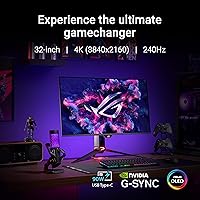
Image Quality
96%
The QD-OLED panel produces colors and contrast that consistently stop users mid-session. Buyers upgrading from IPS or VA panels describe the difference as immediately apparent — blacks are absolute, colors pop without oversaturation, and the image holds up across wide viewing angles without the color shift IPS users are used to tolerating.
A small number of users note that the pre-calibration from ASUS can slightly shift white balance, requiring manual adjustment out of the box. The matte coating, while reducing glare, mutes some of the panel's native vibrancy compared to glossy OLED alternatives.
Motion Performance
93%
At 0.03ms GTG response time, motion in fast-paced games like Valorant or Cyberpunk is exceptionally clean. Users consistently praise the absence of ghosting, and G-SYNC compatibility means screen tearing is effectively a non-issue even in GPU-intensive scenes.
Fully realizing the 240Hz ceiling at 4K demands an RTX 4080 or 4090 — hardware that many buyers do not yet own. Several reviewers mention running the display at 120Hz or 144Hz in practice, which is still excellent but undercuts the premium paid for the top refresh rate.
Color Accuracy
94%
Creative professionals — colorists, photographers, retouchers — frequently call out the 99% DCI-P3 coverage and Delta E below 2 as genuinely production-worthy. Working in Lightroom or DaVinci Resolve on this display feels confident rather than approximate, which is rare for a monitor marketed primarily toward gamers.
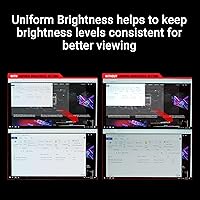
A handful of buyers note that the optional uniform brightness mode, while useful for color work, visibly reduces peak luminance. Choosing between consistency and brightness is a real trade-off professionals will need to make depending on their workflow.
HDR Performance
78%
22%
DisplayHDR 400 True Black certification means the panel genuinely benefits from its infinite contrast ratio — HDR content in games and streaming looks dramatically better than on standard HDR400 displays, particularly in shadow detail and dark scene rendering.
Buyers who came from high-brightness Mini LED monitors are often surprised by the peak nit ceiling here. Specular highlights in daylight scenes or very bright HDR content cannot match what competing panels from Samsung or LG push in the 1000+ nit range, which is a legitimate limitation.
Burn-In Risk & Longevity
74%
26%
ASUS has clearly invested in the burn-in problem — the graphene film and custom airflow heatsink do measurably lower panel temperatures during extended sessions. Buyers who have owned the display for six months or more generally report no visible burn-in, and the OLED Care tools in DisplayWidget Center add another layer of confidence.
Burn-in anxiety remains real among buyers, and rightly so — OLED technology carries inherent long-term risk regardless of mitigation. Users who run static HUD elements for hours daily (spreadsheets, static game overlays) are right to remain cautious, and ASUS does not offer a burn-in warranty that meaningfully addresses worst-case scenarios.
Build Quality & Design
88%
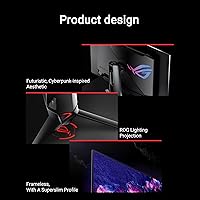
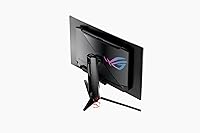
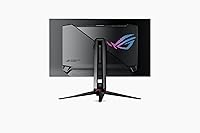
The monitor feels premium in hand and on the desk. The stand is sturdy with full ergonomic adjustment — height, tilt, and swivel — and the overall industrial design fits the ROG aesthetic without being garish. Cable management is thoughtfully integrated.
At 19.4 pounds, it is not a monitor you will be repositioning frequently. A few buyers also note that the ROG branding and aggressive aesthetic may not suit minimalist desk setups or professional office environments where subtlety is preferred.
Connectivity & I/O
82%
18%
The 90W USB-C port is a genuine convenience win — connecting a MacBook or a high-end laptop with a single cable while keeping the display powered is the kind of practical detail that earns loyalty. Users who run multi-device setups appreciate having one cable handle both video and charging.
The overall port selection is functional but not expansive by current standards. Buyers expecting a full USB hub experience or multiple high-bandwidth inputs may find themselves reaching for an external dock more often than expected.
Software & OSD Experience
63%
37%
DisplayWidget Center allows full monitor control — including OLED Care scheduling, brightness modes, and input switching — directly from the desktop without touching the physical controls. For users who tweak settings regularly, this is a genuinely useful addition.
DisplayWidget Center is the most consistently criticized aspect in user reviews. Crashes, delayed response, and a UI that feels unpolished relative to the hardware's price tag are common complaints. Several buyers default to using the physical joystick control entirely and ignore the software.
Ergonomics & Adjustability
85%
Height, tilt, and swivel adjustments cover the range most users need for comfortable all-day positioning. The stand base is stable without being a desk-space hog, and the monitor does not wobble when typing nearby — important for dual-use work-and-gaming setups.
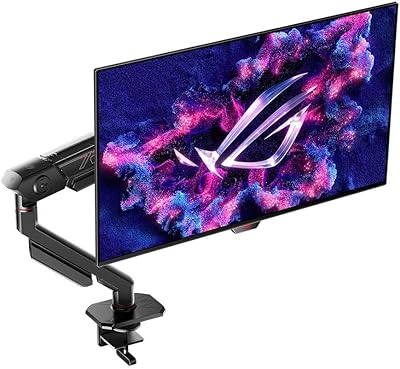
VESA mounting compatibility is present, but removing the default stand requires some effort. Buyers who use arm mounts report the process is manageable but not as tool-free as they would prefer at this price point.
Gaming Experience
92%
Between the near-zero response time, G-SYNC support, and the sheer visual clarity of a 4K QD-OLED panel, gaming on this display is a top-tier experience. Titles with rich lighting or particle effects — like Elden Ring or Alan Wake 2 — look genuinely cinematic in ways that IPS panels cannot replicate.
Competitive esports players who prioritize maximum frame rates may find 4K resolution a GPU bottleneck that costs them frames compared to a 1440p or 1080p setup. For pure reflex-based gaming, this display is more than enough — but it is not optimally tuned for the frame-rate-above-all crowd.
Value for Money
71%
29%
For buyers who will use every inch of what this panel offers — color-accurate creative work during the day, high-fidelity gaming in the evening — the price is justifiable as a single-display investment that eliminates the need for two specialized monitors.
For buyers who primarily game at mid-range GPU levels or who will not benefit from the color accuracy features, the cost is genuinely hard to rationalize against capable alternatives at a lower price point. The value equation depends almost entirely on how fully you can exploit the hardware.
Console Compatibility
79%
21%
PS5 and Xbox Series X owners get a rock-solid 4K experience at 120Hz with excellent low-latency input handling. The display handles console HDR content well given its true black contrast, making games with strong contrast design — horror titles, night-heavy open worlds — visually rewarding.
Console users cannot access 240Hz, so a meaningful portion of the display's headline spec goes unused. HDMI 2.1 bandwidth is present, but the full feature set is clearly optimized around PC gaming, and some console-specific display features are not as finely tuned as on monitors built with console use as the primary audience.
Glare & Visibility
81%
19%
The matte screen surface handles ambient light in bright rooms far better than glossy OLED panels. Working near windows or in mixed-lighting environments does not produce the distracting reflections that have frustrated glossy display owners, which matters for all-day productivity use.
The matte coating comes at a cost — it softens the absolute peak of the panel's visual pop compared to what a semi-glossy or glossy finish would show. In controlled or dim lighting, a glossy variant of the same panel would look noticeably more vivid, and some buyers feel the trade-off leans too conservative.
Out-of-Box Calibration
76%
24%
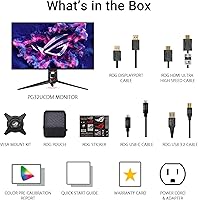
Most buyers report that the display is very usable straight out of the box — colors are punchy and accurate enough for general use without immediately reaching for calibration tools. The inclusion of factory calibration data and a Delta E below 2 means less setup friction than many competing panels.
Pre-calibration choices from ASUS — particularly around color temperature and brightness — do not suit every user's preference or environment. Buyers with colorimeters frequently adjust several settings before settling, and the lack of a consistent out-of-box target across units has been flagged by a notable subset of reviewers.

Suitable for:

The ASUS ROG Swift PG32UCDM 32-inch OLED Monitor was clearly built for two kinds of buyers, and both groups will feel like it was made specifically for them. PC gamers running RTX 4080 or 4090-class hardware get the full package — 4K clarity, 240Hz fluidity, and near-instant response time in a single display that does not force any compromises. Creative professionals — colorists, photographers, and video editors who are tired of keeping a separate reference monitor on their desk — will find the 99% DCI-P3 coverage and Delta E below 2 accurate enough for real production work. Console gamers on PS5 or Xbox Series X also land comfortably here; 4K at 120Hz with genuine OLED contrast is a strong experience even if the 240Hz ceiling goes unused. The burn-in mitigation engineering makes this QD-OLED monitor a more realistic long-term investment than earlier OLED displays, particularly for buyers who game daily and worried about static UI elements causing permanent damage over time.
Not suitable for:

There are real scenarios where the ROG Swift PG32UCDM is the wrong call, and being honest about that matters more than a clean sales pitch. If your GPU is anything below an RTX 4080 — a 4070, a 3080, or an AMD equivalent — you will almost certainly spend most of your time at 120Hz or 144Hz, which means paying a steep premium for a headline spec you cannot realistically access. Buyers who prioritize raw peak brightness, particularly those who game in very bright rooms or who work with HDR content that relies on specular highlight intensity, should know that competing Mini LED panels from other brands push significantly higher nit levels. The ASUS ROG Swift PG32UCDM 32-inch OLED Monitor is also a tough recommendation for pure esports players whose entire workflow revolves around maximizing frame rates — at 4K, the resolution itself becomes the bottleneck, and a 1440p or 1080p setup would serve that use case better. Finally, buyers who are uncomfortable with OLED burn-in risk on principle, regardless of mitigation features, may sleep easier with a premium IPS or Mini LED alternative where the long-term panel longevity conversation simply does not exist.

Specifications

  • Panel Type: The display uses a QD-OLED panel, which combines quantum dot color enhancement with OLED's per-pixel light control for superior color volume compared to standard OLED.
  • Screen Size: The viewable screen area measures 32 inches diagonally, offering a large desktop footprint well-suited to both immersive gaming and multi-window productivity.
  • Resolution: Native resolution is 3840 x 2160 pixels (4K UHD), delivering sharp detail at normal desktop viewing distances without requiring upscaling.
  • Refresh Rate: The panel supports a maximum refresh rate of 240Hz, enabling exceptionally smooth motion in fast-paced games when paired with sufficient GPU hardware.
  • Response Time: Rated at 0.03ms GTG (gray-to-gray), the panel transitions between pixel states fast enough to eliminate visible ghosting in virtually all gaming scenarios.
  • Color Gamut: The display covers 99% of the DCI-P3 color space, a standard used in professional film and photo production, making it suitable for color-critical creative work.
  • Color Depth: True 10-bit color output enables over one billion distinct colors, allowing smooth gradients and accurate tonal rendering without visible banding.
  • HDR Certification: The monitor carries VESA DisplayHDR 400 True Black certification, which validates its ability to display genuine black levels alongside HDR highlights rather than relying solely on peak brightness.
  • Adaptive Sync: G-SYNC Compatible certification means the display works with NVIDIA adaptive sync to eliminate screen tearing without requiring a dedicated G-SYNC module.
  • Aspect Ratio: The 16:9 widescreen aspect ratio is standard for gaming and general computing, ensuring compatibility with virtually all content and game rendering pipelines.
  • Screen Surface: A matte anti-glare coating reduces reflections from ambient light sources, making the display more usable in mixed or bright lighting environments compared to glossy alternatives.
  • USB-C Power: The USB-C port delivers up to 90W of power delivery, allowing a single cable to simultaneously drive the display and charge a connected laptop.
  • Burn-In Protection: ASUS integrates a custom heatsink, engineered airflow channels, and a graphene film layer to reduce panel operating temperatures and lower long-term burn-in risk.
  • Color Accuracy: Factory calibration targets a Delta E value below 2, which represents the threshold at which color errors become imperceptible to the human eye under standard viewing conditions.
  • Software: DisplayWidget Center provides desktop-level access to monitor settings and OLED Care functions, including pixel refresh scheduling and brightness management tools.
  • Weight: The monitor weighs 19.4 pounds with the stand attached, which is typical for a 32-inch display but worth accounting for when planning desk or arm-mount setups.
  • Voltage: The display operates at 20V DC, supplied through the included power adapter compatible with standard consumer electrical infrastructure.
  • Product Dimensions: Overall dimensions with stand measure approximately 21 x 38 x 49 inches (depth x width x height), so measuring desk space before purchase is advisable.

Related Reviews
ASUS ROG Swift PG27AQDM-R 27-inch OLED Gaming Monitor

88%
94%
Display Quality
92%
Color Accuracy
91%
Refresh Rate and Response Time
88%
Build Quality
89%
Ease of Setup
More
ASUS ROG Swift PG32UQ 32-inch 4K HDR Gaming Monitor
89%
93%
Display Quality
90%
Gaming Performance
88%
Build Quality
92%
Color Accuracy
86%
Ease of Use/Ergonomics
More
ASUS ROG Swift PG27UCDM 27-inch Gaming Monitor
82%
96%
Image Quality
97%
Black Levels & Contrast
93%
Gaming Performance
91%
Color Accuracy
88%
Text Clarity
More
ASUS ROG Swift PG49WCD 49″ QD-OLED Monitor
87%
96%
Display Quality
94%
Color Accuracy
91%
HDR Performance
97%
Refresh Rate & Responsiveness
88%
Build Quality
More
ASUS ROG Swift PG279QM 27-inch 1440p Gaming Monitor
86%
93%
Display Quality
95%
Performance for Gaming
89%
Build Quality
91%
Color Accuracy
72%
Ease of Setup
More
ASUS ROG PG27AQDP 27-inch OLED Gaming Monitor
81%
97%
Refresh Rate Performance
96%
Panel Contrast & Black Levels
94%
Response Time & Motion Clarity
91%
Color Accuracy
63%
HDR Performance
More
ASUS ROG Swift PG38UQ 38-inch Gaming Monitor
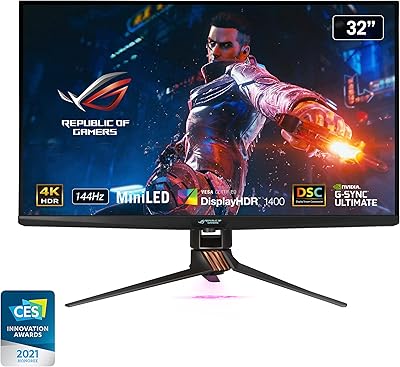
80%
93%
Image Quality
81%
HDR Performance
94%
Console Compatibility
88%
Motion Clarity
91%
Color Accuracy
More
ASUS ROG Swift PG32UQX 32″ Gaming Monitor
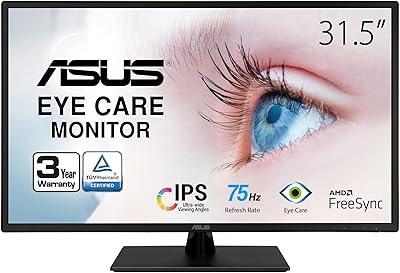
79%
93%
HDR Performance
91%
Peak Brightness
89%
Color Accuracy
88%
Build Quality
84%
Local Dimming & Contrast
More
ASUS VA329HE 32-inch IPS Monitor
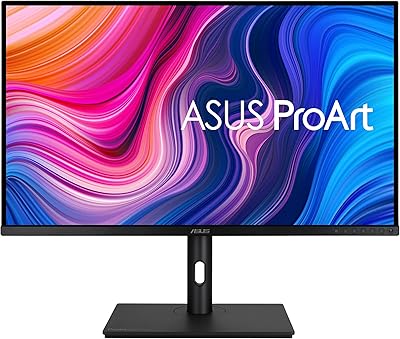
76%
88%
Value for Money
61%
Image Sharpness
84%
Eye Comfort
91%
Screen Size & Real Estate
67%
Gaming Performance
More
ASUS ProArt Display PA328CGV 32-inch Monitor
87%
94%
Color Accuracy
88%
Build Quality
90%
Refresh Rate Performance
92%
Connectivity Options
77%
Ergonomics and Adjustability
More

FAQ

Not necessarily, but you do need something close to it to consistently hit 240Hz at native 4K in demanding games. An RTX 4080 can get you there in many titles, but if you are running a 4070 or older card, you will likely spend most of your time at 120Hz or 144Hz. That is still a great experience on this panel — just not the full headline spec.

It is a fair question and worth taking seriously rather than dismissing. ASUS has put genuine engineering effort into reducing panel temperatures through the heatsink and graphene film, which does help. That said, OLED burn-in risk is inherently tied to usage patterns — if you leave static elements like taskbars, game HUDs, or browser chrome on screen for many hours daily without running pixel refresh cycles, risk increases over time. Using the OLED Care tools in DisplayWidget Center consistently is advisable.

Yes — the 90W USB-C port supports video input and power delivery simultaneously, so a single cable from a compatible MacBook will drive the display and charge the laptop at the same time. Keep in mind that macOS GPU drivers handle high refresh rates differently, so verify your specific MacBook model can output 4K at the refresh rate you want before assuming full compatibility.

Honestly, Mini LED panels from Samsung, LG, and others push significantly higher peak nit levels — often 1000 nits or more — which makes bright HDR highlights and specular reflections in sunlit scenes more impactful. This QD-OLED monitor excels in contrast and black depth rather than raw peak luminance. If you watch a lot of HDR content in a bright room and prioritize maximum highlight intensity, a high-brightness Mini LED is worth considering alongside this display.

It works very well for both consoles. You get 4K at up to 120Hz with low input latency, and the OLED contrast makes dark and atmospheric games look genuinely stunning. The 240Hz ceiling goes unused on console since neither system outputs above 120Hz, but everything else about the display translates directly into a premium console gaming experience.

It does take a slight edge off the panel's peak vibrancy compared to what a glossy finish would show, particularly in dark, controlled environments. In exchange, you get dramatically better usability in rooms with windows or overhead lighting. For most people the trade-off is worth it, but if you game exclusively in a dark room and want the most visually punchy OLED experience possible, a glossy panel alternative would look marginally more vivid.

This is probably the most consistent complaint across buyer reviews of the ASUS ROG Swift PG32UCDM 32-inch OLED Monitor. The software crashes occasionally, can be slow to respond, and feels less refined than the hardware it controls. Many users end up using the physical joystick control on the monitor instead and only open DisplayWidget Center to schedule OLED pixel refresh cycles. It works, but do not expect a polished desktop app experience.

Absolutely — and this is one of the more underappreciated use cases for this display. The 99% DCI-P3 coverage and factory Delta E below 2 put it firmly in production-capable territory. Photographers editing in Lightroom and colorists working in DaVinci Resolve have specifically called out the color accuracy as genuinely useful rather than just impressive on paper. If you want a single display for both creative work and gaming, this is one of the few panels that handles both without meaningful compromise.

The monitor does support resolutions below native 4K, and running at 1440p can push frame rates higher while keeping the display at 240Hz. Image quality will not look as sharp as on a native 1440p panel due to how downscaling works on OLED, but it is a usable option for competitive gaming. Mid-range cards like the RTX 4070 or AMD RX 7800 XT can handle 1440p at high frame rates on this display reasonably well.

The included stand is solid — it does not wobble when typing nearby and offers full height, tilt, and swivel adjustment, which covers most ergonomic needs. A monitor arm is not necessary unless you have specific desk space constraints or prefer a floating aesthetic. If you do want to use an arm, VESA mounting is supported, though removing the default stand takes a bit more effort than on some competing displays at this tier.

Where to Buy