Overview

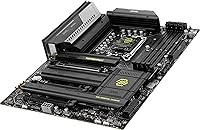
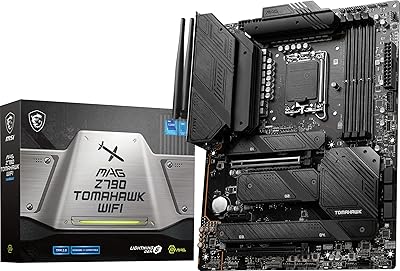
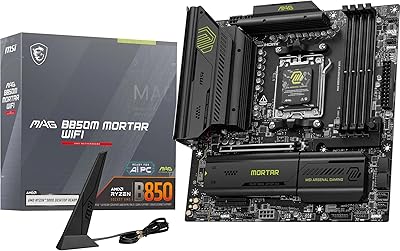
The MSI MAG Z890 Tomahawk WiFi Gaming Motherboard arrived in October 2024 alongside Intel's Arrow Lake platform launch, quickly carving out a strong position among builders who want a feature-rich Z890 board without spending flagship money. Built around the LGA 1851 socket in a standard ATX layout, this Z890 board targets the sweet spot where modern connectivity meets approachable pricing. Arrow Lake is still a relatively young platform — long-term stability data is still accumulating — but early adoption numbers and a strong sales rank suggest builders are committing with real confidence. The value-per-feature ratio here is genuinely hard to argue with.
Features & Benefits

The Tomahawk WiFi packs connectivity that punches well above its price tier. Wi-Fi 7 support with a 320MHz channel delivers wireless throughput that rivals wired connections for gaming — though you will need a compatible Wi-Fi 7 router to actually realize those speeds at home. Four onboard M.2 slots let you stack NVMe drives without juggling adapter cards, and PCIe 5.0 readiness keeps the platform relevant as next-gen GPUs and storage arrive. The extended VRM heatsink helps the CPU hold its boost clocks under sustained loads, not just brief bursts. Finding Thunderbolt 4 at this price point is genuinely unusual and worth calling out.

Best For

This Z890 board makes the most sense for builders stepping into Intel's Arrow Lake ecosystem who do not want to overpay for features they will actually use. Content creators in particular will appreciate having four fast M.2 slots alongside a Thunderbolt 4 port for external drives or high-bandwidth displays. Gamers building a long-term rig will find real room to grow — PCIe 5.0, generous DDR5 capacity, and strong wireless headroom keep the platform from feeling dated quickly. It is also a smart pick for compact builds where sustained CPU thermals matter. Less ideal if heavy overclocking with extensive power delivery stages is the priority.

User Feedback

With a 4.3-star average across nearly 100 ratings, MSI's mid-range Z890 offering has earned a solid reputation among early adopters. BIOS accessibility and stable DDR5 performance at XMP profiles are the most consistently praised qualities — buyers report that memory configuration is straightforward compared to other Z890 launches. On the critical side, some users noted a learning curve with initial driver setup and occasional compatibility questions with specific DDR5 kits. A few coming from Wi-Fi 6E setups say the wireless improvement is real but incremental without a matching router. Against ASUS and Gigabyte alternatives in this segment, most reviewers feel the overall value balance tips clearly in MSI's favor.

Pros

  • Thunderbolt 4 support is rare at this price tier and genuinely useful for creators and power users.
  • Four M.2 slots mean you can run multiple NVMe drives without any adapter workarounds.
  • Wi-Fi 7 on this Z890 board positions your build for next-gen wireless without a board upgrade later.
  • DDR5 support up to 256GB gives both gamers and workstation users serious long-term headroom.
  • The extended VRM heatsink helps maintain sustained CPU performance during demanding, prolonged tasks.
  • PCIe 5.0 readiness keeps the platform relevant as faster GPUs and storage devices roll out.
  • BIOS setup is consistently praised by buyers for being approachable, even for first-time builders.
  • 5Gbps LAN provides fast wired networking well above standard gigabit for local file transfers and low-latency gaming.
  • Strong sales rank and early user adoption suggest broad real-world compatibility with Arrow Lake CPUs.
  • Bluetooth 5.4 support covers modern peripherals without needing a separate USB dongle.

Cons

  • Arrow Lake is still a young platform, so BIOS maturity and long-term stability data are still catching up.
  • Wi-Fi 7 speeds are only achievable if you also own a Wi-Fi 7 router, which most households do not yet have.
  • Some users report a noticeable learning curve getting DDR5 XMP profiles to run stably out of the box.
  • Not every DDR5 kit is confirmed compatible, so memory QVL verification is worth doing before buying.
  • Initial driver installation has drawn occasional complaints, particularly on fresh Windows 11 installs.
  • Power delivery depth is not on par with flagship Z890 boards, limiting extreme overclocking headroom.
  • The Tomahawk WiFi carries a premium over basic Z890 options, which may be hard to justify for light users.
  • Limited SATA ports could be a constraint for builders migrating large libraries of older hard drives.
  • Thunderbolt 4 device compatibility can be inconsistent depending on cable quality and peripheral firmware.

Ratings

Our AI rating engine analyzed verified global user reviews for the MSI MAG Z890 Tomahawk WiFi Gaming Motherboard, actively filtering out incentivized, bot-generated, and low-effort submissions to surface what real builders actually experienced. Scores across categories reflect both the genuine strengths that earned this board its following and the friction points that came up repeatedly — nothing has been smoothed over.

Value for Money
88%
Builders consistently flag that getting Thunderbolt 4 and Wi-Fi 7 together at this price tier is unusual — most competing boards make you pay significantly more for that combination. Users who priced out alternatives from ASUS and Gigabyte frequently concluded the Tomahawk WiFi offered the most tangible features per dollar in the Z890 mid-range.
A smaller group of buyers felt the price was harder to justify if they had no immediate use for Wi-Fi 7 or Thunderbolt 4, arguing that stripped-down Z890 boards exist for less. Those upgrading from Z690 with a full DDR5 kit already in hand reported a smoother value story than buyers starting from scratch.
Build Quality
84%
Most users described the board as feeling solid and well-constructed out of the box, with reinforced M.2 slots and a heatsink assembly that feels purposefully engineered rather than decorative. Several builders noted that physical installation was clean and the PCIe slot retention mechanism worked reliably across multiple GPU swaps.
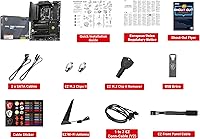
A handful of reviewers found the VRM heatsink mounting pressure to be uneven, leading to minor cosmetic concerns after installation. A few noted that the included I/O shield required more force than expected to seat, which is a small but recurring irritation during first builds.
BIOS Experience
86%
The MSI Click BIOS interface drew consistent praise for its straightforward layout, particularly from builders setting up XMP profiles for the first time — most reported hitting stable DDR5 speeds on the first boot without manual tuning. Experienced overclockers also appreciated that the advanced menu layers do not clutter the basic setup flow.
Early firmware versions shipped with some bugs affecting memory compatibility and fan curve precision, requiring BIOS updates shortly after initial setup. A few users found that updating the BIOS itself was less intuitive than expected, particularly those unfamiliar with MSI's flash utility workflow.
DDR5 Compatibility
79%
21%
When using kits confirmed on MSI's QVL list, DDR5 memory initialized cleanly and held XMP speeds reliably across extended workloads and gaming sessions. Builders running 32GB and 64GB kits at 6400MHz to 7200MHz reported virtually no instability issues after a BIOS update to a recent firmware version.
Off-QVL DDR5 kits — particularly high-speed 7600MHz and above modules from less common brands — caused training failures and boot loops for a noticeable subset of users. The platform's DDR5 training times are also longer than previous-gen boards, which can feel alarming to first-time builders who are not expecting a 30-second black screen on cold boots.
Wireless Performance
77%
23%
Buyers who had already upgraded to Wi-Fi 7 routers reported noticeably lower latency and more consistent speeds compared to their prior Wi-Fi 6E setups, particularly in dense wireless environments with lots of neighboring networks. Bluetooth 5.4 connectivity also drew praise for stable pairing with wireless headsets and controllers simultaneously.
For the majority of users still on Wi-Fi 6 or Wi-Fi 6E routers, real-world wireless performance was indistinguishable from cheaper boards with older adapters — the Wi-Fi 7 headroom simply had nowhere to go. A small number of users also reported intermittent driver-related dropouts on early firmware that required a reinstall to resolve.
Thermal Management
81%
19%
Under sustained productivity workloads — long rendering jobs, extended gaming sessions at high CPU utilization — users found that the extended VRM heatsink kept temperatures predictable and boost clocks stable without relying on aggressive fan curves. Builders running Arrow Lake CPUs at stock settings reported VRM temps well within comfortable margins.
In smaller mid-tower cases with limited airflow, a few users noted that VRM temperatures climbed higher than expected during prolonged all-core loads, suggesting the heatsink design benefits from at least moderate case ventilation. It is not a dealbreaker, but builders planning compact or near-passively-cooled systems should factor in chassis airflow carefully.
Storage Expansion
91%
Having four M.2 slots without needing any expansion cards is a practical win that users called out repeatedly — video editors and gamers with large game libraries could populate all four slots and still have the primary PCIe x16 lane free for the GPU. The top-slot PCIe 5.0 NVMe performance also impressed users who benchmarked with compatible drives.
The number of available SATA ports is limited, which frustrated builders migrating older hard drive arrays from previous systems. Users who expected more SATA connectivity found themselves needing add-in cards, which partially offsets the storage flexibility advantage the M.2 slots provide.
Thunderbolt 4 Utility
83%
Content creators who regularly connect external NVMe enclosures or Thunderbolt docks described the port as one of the most used on the board, enabling near-internal-drive speeds for external workflows. Video professionals noted that driving a 4K Thunderbolt display while simultaneously transferring footage worked without bandwidth conflicts.
Compatibility with certain third-party Thunderbolt 4 cables and hubs was inconsistent for some users, requiring specific certified cables to achieve full 40Gbps throughput. Buyers who had no Thunderbolt peripherals in their existing setup also found the port largely irrelevant, noting it did not compensate for the limited SATA availability.
Initial Setup Ease
72%
28%
For builders with prior Intel platform experience, the physical installation was described as clean and predictable, with no unusual mounting requirements or compatibility surprises when pairing with mainstream Arrow Lake CPUs and air coolers. The included manual covers the BIOS basics adequately for standard configurations.
First-time builders and those switching from AMD platforms reported a steeper initial learning curve, particularly around DDR5 training behavior and BIOS navigation for enabling XMP. Driver installation also caused friction for some users, with the MSI software bundle being described as cluttered and harder to navigate than expected.
PCIe 5.0 Readiness
78%
22%
The primary x16 PCIe 5.0 slot provides genuine forward compatibility for builders who plan to upgrade to next-gen GPUs or PCIe 5.0 NVMe drives over the next few years without needing a new board. Early adopters running current-gen RTX 40 and RX 7000 series GPUs reported no bandwidth bottlenecks at PCIe 5.0 lane speeds.
Since most current GPUs do not require PCIe 5.0 bandwidth, the practical benefit today is limited, and some buyers felt it was more of a marketing point than an immediate performance driver. The real payoff on this feature is 12 to 24 months away for most users.
Software Ecosystem
67%
33%
MSI Center provides a unified hub for fan control, RGB lighting, and system monitoring that most users found functional enough for day-to-day use, with the hardware monitoring tools being specifically praised for their clarity during stress testing and overclocking sessions.
A recurring complaint across reviews was that MSI Center felt bloated and occasionally installed unwanted background services, with some users opting to uninstall it entirely in favor of third-party alternatives. The RGB software integration also drew criticism for being less polished than ASUS Aura or Gigabyte RGB Fusion at this tier.
LAN Performance
87%
The 5Gbps wired Ethernet port delivered noticeably faster local network transfers for users with compatible switches and NAS setups, making large file moves between machines significantly quicker in home lab and content creation environments. Gamers using wired connections also reported stable, low-jitter performance throughout extended online sessions.
Realizing the full 5Gbps benefit requires a 5GbE-capable router or switch, which many households do not own, effectively limiting most wired users to standard gigabit throughput until their networking hardware catches up. The practical impact for average home users is therefore minimal without a network infrastructure upgrade.
Platform Maturity
63%
37%
For builders willing to stay current on BIOS updates, the Arrow Lake platform has shown steady improvement in stability and memory compatibility since its October 2024 launch, with MSI releasing multiple meaningful firmware revisions. Users who updated to the latest BIOS shortly after purchase reported a notably smoother experience than early launch-day buyers.
Arrow Lake is still a young platform, and this showed in early reviews — launch-window buyers encountered more instability and compatibility quirks than they would have on a mature Z790 or AM5 build. Long-term reliability data is still limited, and buyers who prioritize proven stability over cutting-edge features should weigh this honestly.

Suitable for:

The MSI MAG Z890 Tomahawk WiFi Gaming Motherboard is the right call for builders who want to step into Intel's Arrow Lake platform with a board that covers all the modern connectivity bases without paying premium-tier prices. It is especially well-matched for gamers who plan to grow their rig over time — four M.2 slots and DDR5 support up to 256GB mean you are unlikely to hit a wall anytime soon. Content creators who rely on fast external storage or high-resolution displays will get real value from the Thunderbolt 4 port, which is genuinely uncommon at this price point. Builders replacing an older Wi-Fi 5 or Wi-Fi 6 setup will notice a meaningful wireless improvement, provided they have or plan to upgrade to a compatible router. This board also suits anyone running sustained workloads — video encoding, 3D rendering, long gaming sessions — where steady CPU thermal headroom matters more than raw peak numbers.
Not suitable for:

The MSI MAG Z890 Tomahawk WiFi Gaming Motherboard is not the right fit for hardcore overclockers who need the most robust power delivery stages and granular VRM controls available on flagship Z890 boards. Builders who already own a well-specced Wi-Fi 6E router and have no plans to upgrade will see little practical wireless benefit in the near term, making that particular selling point less compelling. If your workload demands more than four SATA ports or highly specific legacy connectivity, you will want to verify the I/O layout carefully before committing. The platform itself — Intel Arrow Lake — is still relatively young, and buyers who prefer a mature, thoroughly validated ecosystem with years of BIOS refinement behind it may want to wait another cycle. Budget-focused builders who simply need a stable everyday PC and have no use for Thunderbolt 4, Wi-Fi 7, or PCIe 5.0 are paying for features that will sit idle.
Specifications

  • CPU Socket: Uses the LGA 1851 socket, compatible exclusively with Intel Core Ultra Series 2 (Arrow Lake) processors.
  • Chipset: Built on the Intel Z890 chipset, enabling full PCIe 5.0 lane allocation and advanced overclocking controls.
  • Form Factor: Standard ATX layout measuring 13.46 x 10.55 inches, fitting any full-size or mid-tower ATX case.
  • Memory Type: Supports DDR5 RAM in dual-channel configuration with a maximum total capacity of 256GB across four DIMM slots.
  • Memory Speed: Rated for DDR5 speeds up to 7800MHz via XMP or EXPO profiles for performance memory kits.
  • Storage Slots: Provides four onboard M.2 connectors for NVMe SSDs, supporting PCIe 5.0 and PCIe 4.0 form factors depending on slot position.
  • PCIe Version: Full PCIe 5.0 support on the primary x16 slot ensures compatibility with current and next-generation discrete graphics cards.
  • Wireless: Integrated Wi-Fi 7 (802.11be) adapter with 320MHz channel bandwidth supports theoretical wireless throughput up to 5.8Gbps.
  • Bluetooth: Bluetooth 5.4 is included alongside Wi-Fi 7, supporting modern peripherals with improved connection stability over prior generations.
  • Wired LAN: Onboard 5Gbps Ethernet port delivers wired network speeds five times faster than standard gigabit for local transfers and low-latency gaming.
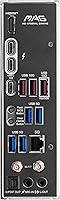
  • Thunderbolt: A single Thunderbolt 4 port supports up to 40Gbps data transfer and can drive compatible external displays or high-speed storage enclosures.
  • USB Connectivity: Rear I/O includes USB Type-C output alongside multiple USB Type-A ports for standard peripheral connectivity.
  • VRM Cooling: An extended PWM heatsink covers the voltage regulator modules to dissipate heat during sustained CPU loads and maintain stable boost clocks.
  • Platform: Officially compatible with Windows 11, which is required to access Intel core-scheduling features on Arrow Lake processors.
  • Dimensions: Physical board dimensions are 13.46 x 10.55 x 2.76 inches (L x W x H), with the height accounting for heatsink and port stack.
  • Weight: The board weighs 4.56 pounds, which is typical for a full ATX motherboard with integrated heatsink structures.
  • Launch Date: First made available in October 2024, coinciding with Intel's official Arrow Lake platform launch window.
  • Market Position: Positioned as a mid-range Z890 option, offering premium connectivity features at a price point below flagship MSI MEG or GODLIKE tier boards.

Related Reviews

MSI MAG X670E Tomahawk WiFi Gaming Motherboard
89%
94%
Performance
90%
Power Delivery and Overclocking Stability
88%
Wi-Fi and Connectivity
93%
Build Quality and Durability
89%
Thermal Management
More
MSI MAG B650 Tomahawk WiFi ATX Motherboard
81%
88%
VRM & Power Delivery
82%
Memory Compatibility
91%
Storage Versatility
86%
Wireless Performance
89%
Wired Networking
More
MSI MAG X870 Tomahawk WiFi
87%
89%
Build Quality
94%
External Connectivity
91%
Networking Performance
87%
Ease of Installation
83%
Value for Money
More
MSI MAG Z790 Tomahawk WiFi Gaming Motherboard
86%
94%
Performance
88%
Cooling Efficiency
90%
Wi-Fi and Networking
85%
Overclocking Stability
70%
Ease of Setup
More
MSI MAG B550 Tomahawk MAX WiFi
88%
93%
Build Quality
91%
Thermal Management
94%
Wireless Connectivity
88%
Installation Ease
87%
Value for Money
More
MSI MAG B650M Mortar WiFi Gaming Motherboard
86%
91%
Overall Performance
88%
Ease of Installation
93%
Networking Capabilities (Wi-Fi 6E & LAN)
87%
Build Quality
90%
Compatibility with AMD Ryzen 7000 Series
More
MSI MAG B850 Tomahawk MAX WiFi
86%
92%
VRM & Power Delivery
88%
DDR5 Memory Compatibility & OC Stability
91%
M.2 Storage Performance
86%
BIOS Experience
83%
Wireless Connectivity (Wi-Fi 7 & Bluetooth)
More
MSI B650 Gaming Plus WiFi
80%
83%
Value for Money
88%
BIOS & Software Experience
91%
Power Delivery & Stability
84%
Wireless Connectivity
79%
Memory Performance & Overclocking
More
MSI X670E Gaming Plus WiFi AM5 Motherboard
80%
86%
Build Quality
89%
Power Delivery
91%
PCIe 5.0 & Storage Support
71%
DDR5 Memory Compatibility
78%
BIOS Experience
More
MSI MAG B850M Mortar WiFi Motherboard
84%
91%
Build Quality
83%
VRM & Power Delivery
78%
DDR5 Memory Compatibility
86%
BIOS Experience
93%
Storage Performance
More

FAQ

No, it will not. The LGA 1851 socket used here is physically incompatible with 12th, 13th, and 14th Gen Intel processors, which use LGA 1700. This board is built exclusively for Intel Core Ultra Series 2 (Arrow Lake) chips.

Technically no — the card is backward compatible with Wi-Fi 6E and older standards. But to actually reach the faster speeds Wi-Fi 7 promises, you will need a Wi-Fi 7 router. If your current router is Wi-Fi 6 or older, you will not see a meaningful difference until you upgrade the router as well.

Unfortunately not. The MSI MAG Z890 Tomahawk WiFi Gaming Motherboard only supports DDR5 memory. DDR4 modules are physically different and will not fit the DIMM slots, so you will need to budget for new DDR5 RAM when building with this board.
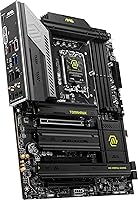
Not all of them. Typically on Z890 boards, the primary M.2 slot connected directly to the CPU runs at PCIe 5.0 speeds, while the remaining slots operate at PCIe 4.0. For most users the difference is minimal day-to-day, but if you are planning to use a PCIe 5.0 NVMe drive, verify which slot to install it in from the manual.

Quite a lot, honestly. Thunderbolt 4 supports external SSDs and RAID enclosures at up to 40Gbps, daisy-chained monitors, docking stations, and high-speed capture cards. For video editors or anyone who moves large files to external drives regularly, it is one of the most practical ports on this board.

Most buyers find it approachable. MSI's Click BIOS interface has a simple mode that covers the basics — enabling XMP for your RAM, checking fan speeds, and setting the boot drive — without overwhelming you. Advanced tuning options are still there if you want them, but they stay out of the way for straightforward builds.

It supports up to 256GB across four DIMM slots as a rated specification. In practice, 128GB and 256GB DDR5 kits are expensive and niche, but the capacity ceiling is legitimate for workstation users who need it.

That is a fair question to ask. Arrow Lake launched in late 2024 and BIOS updates have been steadily improving performance and stability since then. If you need a new build now, the Tomahawk WiFi is a solid platform to start on. If you are not in a rush, waiting another six months will give Intel and MSI time to refine things further.

All three brands offer capable boards in this tier, and the differences are often minor. MSI's advantage here is the combination of Thunderbolt 4 and Wi-Fi 7 at this price point, which not every competitor matches. ASUS tends to offer slightly more refined overclocking tools, while Gigabyte boards sometimes edge ahead on SATA port count. For most builders, personal preference on BIOS and software ecosystem will matter as much as raw specs.

Yes, it should fit in any case that lists ATX motherboard support. The standard ATX form factor is one of the most widely supported sizes, so compatibility issues with mid-tower and full-tower cases are rare. Just make sure your case manual confirms ATX support before buying.

Where to Buy