Overview

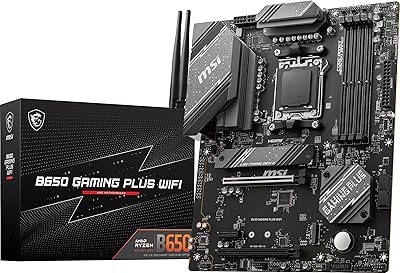
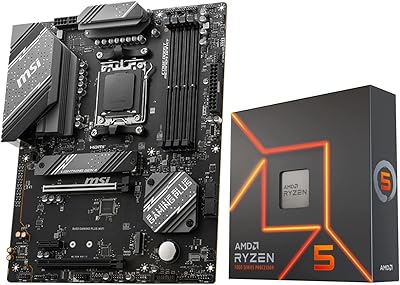
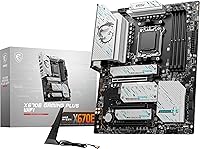
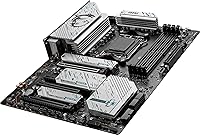
The MSI X670E Gaming Plus WiFi AM5 Motherboard lands in a competitive but sensible spot — not the cheapest AM5 option, but well below the flagship tier. What separates it from the more common X670 and B650E boards is the X670E chipset, which delivers full PCIe 5.0 coverage across both CPU and chipset lanes. That distinction matters if you are planning around next-gen GPUs or high-end NVMe drives. Released in early 2024, it slots into a now-mature AM5 ecosystem with solid driver and BIOS support. The standard ATX footprint and clean black design make it compatible with the vast majority of mid-tower and full-tower cases.
Features & Benefits

The power delivery setup here is serious. A 14+2+1 Duet Rail configuration backed by dual 8-pin CPU connectors gives high-TDP Ryzen chips — think the Ryzen 9 7950X or 9000-series flagships — the stable power they need to run hard without throttling. The primary PCIe 5.0 x16 slot and a Gen5 M.2 slot mean you are not leaving performance on the table with current or upcoming hardware. DDR5 support stretching to 7800+ MHz via EXPO and XMP profiles translates to real gains in memory-bandwidth-sensitive workloads like video editing. Onboard Wi-Fi 6E and Bluetooth 5.3 are practical additions, and the 2.5Gbps LAN port serves anyone running a fast home network or NAS setup well.

Best For

This X670E board hits a sweet spot for builders who want PCIe 5.0 readiness without paying flagship prices. It is a natural pick if you are building around a Ryzen 7000 or 9000 processor and want a platform that can stretch with your hardware over several years. Content creators who need fast M.2 storage and solid memory bandwidth will find it capable. The integrated wireless stack is particularly convenient for anyone setting up in a room without easy Ethernet access. It is less ideal for networking enthusiasts chasing 10GbE or those wanting extensive USB4 ports — that audience should look at higher-tier options. For most serious builders, though, this AM5 motherboard covers the practical bases without unnecessary excess.

User Feedback

With 320 ratings averaging 4.2 out of 5 and a top-60 Best Seller rank in computer motherboards, the MSI Gaming Plus WiFi has clearly found a real audience. Buyers frequently highlight the approachable BIOS experience and how well the board handles RAM kits at their rated EXPO speeds — a historically frustrating area for DDR5 platforms. Build quality gets consistent praise. On the critical side, some users report needing a BIOS update before a new CPU is recognized, which can be tricky without a compatible spare chip on hand. A minority have encountered RAM compatibility hiccups with certain kits above 6000 MHz. Overall, the feedback reflects a board that performs reliably for its target use case, with the usual caveats around platform maturity.

Pros

  • Full PCIe 5.0 support on both CPU and chipset lanes is rare at this price tier.
  • The 14+2+1 power stage handles high-TDP Ryzen chips under sustained all-core loads without throttling.
  • Wi-Fi 6E and Bluetooth 5.3 are built in, so there is no need to spend extra on a wireless card.
  • DDR5 memory scales to 7800+ MHz with EXPO, giving real bandwidth headroom for demanding workloads.
  • The Lightning Gen5 M.2 slot future-proofs the build for the fastest current and upcoming NVMe drives.
  • 2.5Gbps LAN is a practical upgrade over gigabit for NAS users and multi-gig internet subscribers.
  • The BIOS is approachable enough for first-time builders while still offering depth for experienced tuners.
  • M.2 Shield Frozr thermal covers keep NVMe drives from throttling during extended write sessions.
  • Standard ATX form factor fits virtually any mid-tower or full-tower case without compatibility concerns.
  • Strong real-world buyer confidence reflected in a top-60 Best Seller rank across all computer motherboards.

Cons

  • Some DDR5 kits above 6400 MHz require manual tuning to stabilize — not a plug-and-play experience.
  • Out-of-box BIOS may not support newer Ryzen CPUs without a prior flash, which needs a compatible spare chip.
  • No USB4 ports limits compatibility with Thunderbolt docks and high-bandwidth external devices.
  • Wired networking tops out at 2.5Gbps — a real limitation for 10GbE NAS or professional studio setups.
  • MSI Center software draws consistent criticism for background resource usage and unnecessary notifications.
  • The single Gen5 M.2 slot runs hot under sustained writes even with the Shield Frozr cover installed.
  • RGB lighting options are minimal, which may disappoint builders with heavily illuminated setups.
  • No heatpipe connecting VRM and chipset heatsinks limits thermal headroom in warm or restricted airflow cases.
  • Manual CPU overclocking results vary significantly by individual chip quality and cooling configuration.
  • The board offers limited appeal if you do not actively use PCIe 5.0, Wi-Fi 6E, or high-frequency DDR5.

Ratings

The MSI X670E Gaming Plus WiFi AM5 Motherboard earns an overall positive reception from the builder community, and the scores below reflect what our AI found after processing hundreds of verified global purchases — filtering out incentivized and bot-driven reviews to surface genuine sentiment. Strengths around feature density and platform readiness come through clearly, but real pain points around RAM compatibility and BIOS onboarding are just as honestly represented.
Build Quality
86%
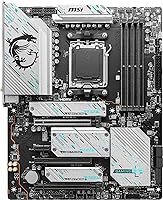
Most buyers comment on how solid the board feels out of the box — the PCIe slot reinforcement, M.2 Shield Frozr covers, and heatsink mass all suggest a board built to last under sustained load. For builders running a high-wattage Ryzen chip in a warm case, the component density and finish inspire confidence.
A handful of users noted that the aesthetic, while clean, is fairly plain compared to competitors at this price point. Those building in glass-panel cases with RGB-heavy setups may find the understated look does not match the rest of their build.
Power Delivery
89%
The 14+2+1 Duet Rail design with dual 8-pin connectors handles even the most demanding Ryzen 9 processors without flinching. Builders running a Ryzen 9 7950X or a 9000-series flagship under all-core loads report stable voltage and no thermal throttling from the VRM area.
Enthusiasts chasing extreme manual overclocks on binned chips may eventually find this delivery slightly behind what dedicated overclocking boards offer. Results are also genuinely dependent on cooling — running the board in a poorly ventilated case will narrow that headroom noticeably.
PCIe 5.0 & Storage Support
91%
Having a full-bandwidth PCIe 5.0 x16 slot and a Gen5 M.2 slot on a board at this price tier is a genuine differentiator from X670 and B650E options. Early adopters of Gen5 NVMe drives report no bottlenecking, and the multiple M.2 slots give content creators meaningful room to configure fast scratch and archive storage simultaneously.
The Gen5 M.2 slot runs hot with sustained write workloads on current drives, and while the Shield Frozr helps, a few users recommend additional airflow in that area. Only one slot is Gen5-capable; the remaining slots top out at Gen4, which is still fast but worth noting for multi-drive power users.
DDR5 Memory Compatibility
71%
29%
When paired with kits from MSI's tested compatibility list — particularly Samsung B-die or Hynix A-die modules — the board reaches rated EXPO speeds reliably. Users running 6000 MHz DDR5 kits for gaming report clean boots and stable operation after a single BIOS profile load.
This is where the most consistent friction appears in user reviews. Kits above 6400 MHz from less common vendors frequently require manual sub-timing adjustments to stabilize, and some users report persistent boot loops until they drop to JEDEC speeds. DDR5 platform maturity is still a real variable here.
BIOS Experience
78%
22%
MSI's Click BIOS 5 interface is widely praised for being navigable even by first-time builders. The layout is logical, EXPO profile loading is a one-click process for supported kits, and fan curve controls are granular enough for proper thermal tuning without needing third-party software.
The recurring complaint is that out-of-box BIOS versions do not always support newer Ryzen CPUs without a prior update — and flashing BIOS without a compatible CPU already installed requires either a CPU-less flash feature or borrowing a supported chip. This catches some builders off guard during initial setup.
Wireless Performance
84%
The onboard Wi-Fi 6E delivers real-world throughput that satisfies both competitive gamers and users streaming or uploading large files. Buyers who moved from older 802.11ac boards report noticeably more consistent latency, particularly in crowded 5 GHz environments where 6 GHz band access makes a practical difference.
A small group of users reported weaker signal penetration through thick walls compared to a dedicated PCIe wireless card with a larger antenna setup. The included antenna is functional but not optimal for installations where the PC is positioned far from the router.
Wired Networking
77%
23%
The 2.5Gbps LAN port is a meaningful step up from the 1Gbps standard still found on many competing boards. Home NAS users and anyone on a multi-gig ISP plan will actually see real throughput gains without adding an expansion card.
Networking power users looking for 10GbE connectivity will need to add a separate card, which somewhat defeats the convenience argument at this price point. For most buyers this is not a dealbreaker, but it is a gap compared to a few higher-end X670E competitors.
USB Connectivity
73%
27%
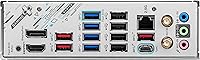
Having USB 3.2 Gen 2x2 at 20Gbps on the rear I/O is genuinely useful for fast external SSDs and high-bandwidth peripherals. The mix of Gen 2 and Gen 1 ports across front-panel headers and the rear panel covers a wide variety of modern builds without requiring hubs.
The absence of USB4 is noticeable for buyers who want Thunderbolt-compatible device support or are future-proofing for high-bandwidth docks. At this chipset tier, some competing boards have begun including at least one USB4 port, making this omission feel like a cost trade-off.
Thermal Management
83%
The extended VRM heatsink and M.2 Shield Frozr combination handles sustained workloads well. Builders running Cinebench loops or extended video renders report VRM temperatures staying in a safe range even in relatively warm mid-tower cases with moderate airflow.
The heatsink design does not include a heatpipe connecting the VRM and chipset blocks, which some competing boards use to further reduce peak temperatures. In very compact or high-ambient-temperature environments, the thermal ceiling is tighter than on flagship-tier boards.
Overclocking Headroom
74%
26%
For memory overclocking specifically, the board responds well to EXPO profiles and modest manual tuning, with many builders achieving stable 6000–6400 MHz kits on their first attempt. CPU overclocking via PBO and curve optimizer works as expected for a capable X670E board.
Hard manual CPU overclocking yields vary considerably depending on the individual chip and cooling setup — this is a platform-level reality, not a board flaw, but the MSI Gaming Plus WiFi is not positioned as an extreme overclocking tool. Buyers expecting guaranteed high-frequency results may be disappointed.
Value for Money
82%
18%
Compared to other X670E boards, this one offers a strong feature-to-cost ratio — especially given the inclusion of Wi-Fi 6E, PCIe 5.0 storage, and a robust power stage. Buyers migrating from AM4 frequently note that they get substantially more platform capability per dollar than their previous build.
Buyers who do not need PCIe 5.0 and could live without Wi-Fi may find a B650E option more cost-efficient. The value argument depends heavily on actually using the advanced features — if your GPU, drives, and network setup do not push the high-end specs, the extra spend is harder to justify.
Installation & Setup
79%
21%
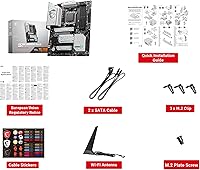
Physical installation is straightforward, with clearly labeled headers and enough spacing between major components to avoid cramped cable routing in most ATX cases. The included documentation is clearer than many competing brands at this tier.
The potential BIOS update requirement before new CPU compatibility is the single biggest friction point in the setup experience. Builders without a backup CPU or access to the CPU-less flash process may face a frustrating first boot situation that feels avoidable.
Software & Ecosystem
67%
33%
MSI Center provides a workable hub for monitoring temps, fan control, and enabling performance profiles. For builders who prefer a Windows-side interface to complement BIOS adjustments, it covers the basics without being bloated.
MSI Center is consistently criticized as the weakest link — occasional background resource usage, redundant notifications, and less polish than some rival software suites frustrate more experienced users. Several builders report simply uninstalling it and managing everything through BIOS and third-party tools instead.
Form Factor & Case Compatibility
88%
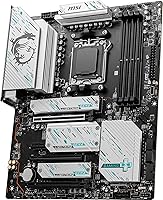
The standard ATX footprint means this board drops into virtually any mid-tower or full-tower case without fitment concerns. The clean black PCB works well in both windowed and opaque builds, and the rear I/O shield is pre-installed — a small but appreciated convenience during assembly.
The ATX size rules it out for compact mini-ITX or even micro-ATX builds, which limits placement options for users working in tighter spaces. There is no smaller-form-factor variant of the X670E Gaming Plus WiFi available for those who want the same chipset in a smaller footprint.

Suitable for:

The MSI X670E Gaming Plus WiFi AM5 Motherboard is the right call for builders who want a capable, feature-complete AM5 platform without stretching to an expensive flagship board. If you are pairing a Ryzen 7000 or 9000 series processor with a current or next-gen GPU, the full PCIe 5.0 support across both CPU and chipset lanes means you are not leaving bandwidth on the table. Content creators who juggle fast NVMe scratch drives alongside large project storage will appreciate having both a Gen5 M.2 slot and additional Gen4 slots available simultaneously. The onboard Wi-Fi 6E and 2.5Gbps LAN make it particularly practical for home office or small studio setups where running a dedicated Ethernet cable is inconvenient. AM4 veterans ready to move to DDR5 and a modern platform will find this board offers a thorough upgrade in every meaningful area without demanding a premium price for features they may never use.
Not suitable for:

The MSI X670E Gaming Plus WiFi AM5 Motherboard is not the right fit for every type of buyer, and it is worth being honest about where it falls short. Networking enthusiasts who rely on 10GbE for high-speed NAS transfers or professional video workflows will need to budget for an add-in card, since this board tops out at 2.5Gbps wired. Users who want USB4 or Thunderbolt compatibility for high-bandwidth docks or eGPU setups will find those ports absent, which is a real gap at this chipset tier. Extreme overclockers chasing maximum manual CPU frequencies on binned silicon may find the VRM headroom sufficient but not best-in-class compared to dedicated overclocking-focused boards. Compact build enthusiasts are simply out of luck here — the standard ATX footprint rules out mini-ITX and micro-ATX cases entirely. Finally, buyers who do not intend to use PCIe 5.0 hardware, wireless connectivity, or high-frequency DDR5 would likely get equivalent real-world performance from a less expensive B650E board.
Specifications

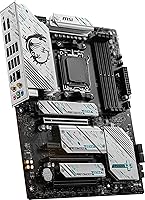
  • Chipset: Uses the AMD X670E chipset, which enables full PCIe 5.0 connectivity on both CPU and chipset lanes — a step above the standard X670.
  • CPU Socket: Built on the AM5 socket, supporting AMD Ryzen 7000, 8000, and 9000 series desktop processors.
  • Form Factor: Standard ATX layout measuring 13.65 × 10.75 inches, compatible with the vast majority of mid-tower and full-tower cases.
  • Memory Type: Supports DDR5 RAM only, with overclocked speeds reaching up to 7800+ MHz via EXPO and XMP profiles.
  • Memory Slots: Four DIMM slots supporting dual-channel DDR5 configuration for maximum memory bandwidth.
  • Primary PCIe Slot: One reinforced PCIe 5.0 x16 slot for the primary GPU, delivering full-bandwidth connectivity for current and next-gen graphics cards.
  • M.2 Storage: Includes a Lightning Gen5 M.2 slot alongside additional PCIe Gen4 M.2 slots for flexible, high-speed NVMe storage configurations.
  • SATA Ports: Multiple SATA 6Gb/s ports are provided for traditional SSDs, HDDs, or optical drives where needed.
  • Power Design: Features a 14+2+1 Duet Rail Power System with dual 8-pin CPU power connectors, designed for stable delivery under high-TDP processor loads.
  • Wireless: Onboard Wi-Fi 6E (802.11ax) supports the 6 GHz band for lower congestion and higher throughput in dense wireless environments.
  • Bluetooth: Bluetooth 5.3 is integrated, supporting low-latency peripherals, headsets, and other wireless devices without a separate adapter.
  • Wired LAN: A single 2.5Gbps Ethernet port is included, suitable for multi-gig internet plans and fast local network transfers.
  • USB Rear I/O: Rear panel includes USB 3.2 Gen 2x2 (20Gbps), USB 3.2 Gen 2 (10Gbps), and USB 2.0 ports covering a wide range of peripheral needs.
  • Display Output: Provides both HDMI and DisplayPort outputs for use with integrated Ryzen graphics, useful during initial setup or iGPU-only configurations.
  • Thermal Design: Extended VRM heatsinks and M.2 Shield Frozr covers manage heat across both the power delivery section and NVMe storage slots during sustained workloads.
  • Audio: Onboard audio solution supports multi-channel output via rear analog jacks and front-panel audio header for headsets and speaker systems.
  • Fan Headers: Multiple 4-pin PWM fan headers are distributed across the board, enabling full system cooling control through BIOS fan curves.
  • Weight: The board weighs 3.91 pounds, which is within the normal range for a fully featured ATX motherboard with heatsink coverage.
  • Platform: Officially compatible with Windows 11, aligning with AMD AM5 platform requirements and driver support timelines.
  • Color: Features a black PCB and component color scheme, making it visually neutral and compatible with most build aesthetics.

Related Reviews

MSI B650 Gaming Plus WiFi
80%
83%
Value for Money
88%
BIOS & Software Experience
91%
Power Delivery & Stability
84%
Wireless Connectivity
79%
Memory Performance & Overclocking
More
MSI B850 Gaming Plus WiFi Motherboard
86%
92%
Performance
90%
Cooling Efficiency
88%
Connectivity Options
85%
Build Quality
80%
Ease of Installation
More
MSI B760 Gaming Plus WiFi Motherboard
87%
92%
Performance
88%
Stability during Gaming
90%
Connectivity (Wi-Fi 6E & LAN)
85%
Thermal Performance
87%
Build Quality
More
MSI MAG X670E Tomahawk WiFi Gaming Motherboard
89%
94%
Performance
90%
Power Delivery and Overclocking Stability
88%
Wi-Fi and Connectivity
93%
Build Quality and Durability
89%
Thermal Management
More
MSI MPG X670E Carbon WiFi ATX Motherboard
78%
91%
Build Quality
88%
VRM & Thermal Performance
63%
BIOS Experience
67%
DDR5 Compatibility & Memory Tuning
86%
PCIe 5.0 & Storage Expandability
More
ASUS TUF Gaming B650-Plus WiFi ATX Motherboard
81%
91%
Out-of-Box Stability
88%
BIOS Experience
89%
Power Delivery
71%
DDR5 Memory Compatibility
86%
Networking Performance
More
INLAND AMD Ryzen 9 7900X CPU Processor with MSI X670E Gaming Plus Motherboard
87%
94%
Gaming Performance
89%
Overclocking Potential
82%
Thermal Management
91%
Ease of Installation
88%
Connectivity & Features
More
ASUS TUF Gaming X670E-PLUS ATX Motherboard
81%
91%
Build Quality
88%
BIOS & Software Experience
83%
VRM Performance
67%
DDR5 Compatibility
93%
Storage Expandability
More
MSI MEG X670E ACE Gaming Motherboard
87%
94%
Overall Performance
89%
Build Quality
92%
Compatibility with Ryzen 7000
90%
Cooling Performance
91%
Connectivity (Wi-Fi 6E, Bluetooth 5.3)
More
MSI MPG B550 GAMING PLUS Motherboard
86%
92%
Performance with Ryzen CPUs
90%
PCIe 4.0 Support
85%
Cooling Efficiency
88%
Ease of Installation
87%
Wireless Connectivity (Wi-Fi and Bluetooth)
More

FAQ

Not always. The MSI X670E Gaming Plus WiFi AM5 Motherboard may ship with a BIOS version that predates Ryzen 9000 series support, meaning you might need to flash a BIOS update first. If you do not have an older compatible Ryzen 7000 chip to do the update, check whether your board ships with a recent enough BIOS version or use MSI's Flash BIOS button feature if available to update without a CPU installed.
For most popular kits in the 6000–6400 MHz range, yes — loading the EXPO or XMP profile in BIOS is usually enough to hit rated speeds on boot. Kits from well-known brands using Samsung or Hynix A-die modules tend to cooperate most reliably. Above 6400 MHz, results get more variable and you may need to dial in some manual timings to fully stabilize things.

The onboard Wi-Fi 6E is fully functional without any extra hardware — just connect the included antenna to the rear I/O ports, install the driver if Windows does not handle it automatically, and you are good to go. Most users report it works reliably for everyday gaming and streaming, though very long distances through multiple walls may favor a dedicated card with larger antennas.

Practically speaking, no — the LAN port will negotiate down to 1Gbps to match your router, so you will not see any difference on your current setup. Where it pays off is if you upgrade to a multi-gig router, connect directly to a NAS with a 2.5Gbps port, or your ISP offers a plan above 1Gbps. It is a useful feature to have available even if you are not using it today.

The key difference is scope of PCIe 5.0 coverage. X670E guarantees PCIe 5.0 on both the primary GPU slot and at least one M.2 slot via the CPU lanes, whereas standard X670 only requires PCIe 5.0 on the M.2 side. B650E sits a tier lower, offering PCIe 5.0 on M.2 but typically not on the GPU slot. If you want a Gen5 GPU or GPU slot bandwidth for the future, X670E is the chipset that covers it properly.

Yes, in practical terms. The 14+2+1 stage configuration with dual 8-pin connectors is designed to handle high-TDP processors under sustained all-core loads. Enthusiasts doing extreme manual overclocking on fully binned chips may want a purpose-built overclocking board, but for standard PBO-tuned workloads and gaming, this board handles flagship Ryzen CPUs without breaking a sweat.

Unfortunately, no. The AM5 socket uses a different mounting system than AM4, so most older AM4 coolers are not directly compatible. That said, many cooler manufacturers — including Noctua, Cooler Master, and be quiet! — have released free or low-cost AM5 mounting kits for their existing coolers. Check your cooler manufacturer's site before assuming you need a replacement.

The board itself does not generate noise — that comes entirely from the fans connected to it. The VRM and chipset use passive heatsinks with no active cooling of their own. Fan curve management through the BIOS is straightforward, so with a decent case and fans, you can tune the system to be very quiet under light loads and ramp up only when temperatures demand it.

It is optional. The board runs completely fine without MSI Center installed — all essential functions like fan curves, overclocking profiles, and memory settings are fully manageable through the BIOS. MSI Center is mainly useful if you want Windows-side monitoring or quick access to performance modes. Many experienced builders skip it entirely and use third-party tools like HWiNFO or Fan Control instead.

AMD Ryzen processors on AM5 do technically support ECC DDR5 at the CPU level, and this board should pass that capability through. However, official ECC support on consumer AM5 boards is not always guaranteed or advertised, and MSI does not explicitly market this board for workstation ECC use cases. If ECC is a hard requirement for your workflow, you would be safer choosing a platform specifically validated for it.

Where to Buy