Overview

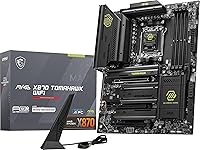
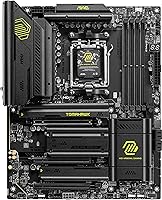
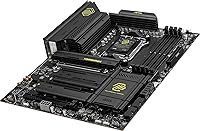
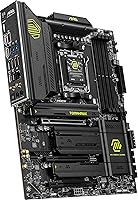
The MSI MAG X870 Tomahawk WiFi enters the market as a reliable mid-range workhorse designed to handle the latest AMD hardware. As part of the popular Tomahawk series, this AM5 motherboard targets users who want performance without the flashy price tag of top-tier enthusiast boards. It supports Ryzen 7000, 8000, and 9000 series processors, making it a flexible foundation for current and upcoming builds. Out of the box, the heavy-duty ATX PCB feels substantial, suggesting a focus on durability and long-term stability. The design follows a clean industrial aesthetic, featuring large matte black heatsinks that dominate the layout. These extended cooling surfaces are built to keep high-end VRMs from throttling under heavy loads. It is a no-nonsense component that prioritizes build quality and functional cooling over distracting RGB lighting or unnecessary aesthetic flair.

Features & Benefits

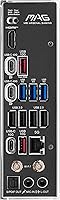
Connectivity is the primary draw here, specifically the inclusion of dual USB4 ports. These provide 40Gbps speeds, which is a massive win for creators who rely on high-speed external NVMe drives for editing. This X870 board also focuses on longevity with support for Wi-Fi 7 and a 5Gbps LAN port, offering a significant jump over standard Gigabit speeds for anyone running a home server or high-speed fiber internet. For storage and graphics, you get PCIe 5.0 support on both the main slot and the primary M.2 connector, ensuring you are ready for next-gen hardware. Thermal management is handled by an effective PWM heatsink design that keeps temperatures in check during long sessions. Additionally, the isolated audio circuitry provides a crisp, interference-free sound profile that noticeably improves the standard gaming experience without requiring an external DAC.

Best For

This AM5 motherboard is an ideal pick for builders moving to the Zen 5 architecture who need a stable, future-proof platform. It particularly suits gamers who demand low-latency networking, thanks to the integrated high-bandwidth wireless and wired options. Content creators will also find a lot to like, as the 40Gbps USB4 ports make moving large 4K video files between external drives nearly instantaneous. If you are planning to run high-speed DDR5 memory kits, the memory traces are optimized to handle speeds up to 7800 MHz with relative ease. The Tomahawk WiFi bridges the gap between basic boards and overpriced flagship models, offering enough overhead for the Ryzen 9000 series without forcing you to pay for features you will never use. It provides exactly what a modern power user needs for a productive and fast desktop experience.

User Feedback

Early adopters frequently praise the user-friendly BIOS layout, which simplifies the process of tuning memory profiles and CPU voltages. The tool-less installation for the M.2 Shield Frozr is another highlight, saving time and frustration during the assembly process. However, some users have noted that the sheer bulk of the cooling solution requires careful planning. The extended VRM heatsinks are tall, so you must verify physical clearance if you plan on using a massive dual-tower air cooler. Despite the weight, the general consensus remains that this X870 board provides remarkably reliable power delivery, even when paired with power-hungry Ryzen 9 chips. While it lacks the extreme overclocking buttons found on more expensive models, it remains a favorite for its straightforward approach to high-performance computing and rock-solid daily operation under heavy workloads.

Pros

  • Dual USB4 ports provide blazing 40Gbps speeds that are a massive boon for professional video editors using external drives.
  • Integrated Wi-Fi 7 and 5Gbps Ethernet ensure your connection is ready for the next generation of high-speed internet and home networking.
  • The tool-less M.2 Shield Frozr makes adding or swapping high-speed storage incredibly easy without fumbling for tiny screws.
  • A massive, high-quality VRM heatsink setup keeps the board cool even when paired with power-hungry Ryzen 9 chips.
  • PCIe 5.0 support on both the primary slot and M.2 connector provides a clear path for future hardware upgrades.
  • The MSI MAG X870 Tomahawk WiFi features a pre-installed I/O shield that simplifies the assembly process and looks much cleaner.
  • Audio Boost 5 provides a noticeably clear sound profile that isolates interference, making it great for immersive gaming.
  • Solid PCB construction and heavy-duty components give the board a durable, high-quality feel during the build process.

Cons

  • The physical bulk of the VRM heatsinks can cause clearance issues with some of the larger dual-tower air coolers on the market.
  • Initial boot times can be frustratingly long due to the extensive memory training required for high-speed DDR5 kits.
  • The lack of additional internal USB 2.0 headers makes it difficult to connect multiple RGB and fan controllers simultaneously.
  • Early users have reported that the BIOS may require an immediate update to properly recognize and stabilize some Wi-Fi 7 hardware.
  • The sheer weight of the Tomahawk WiFi makes it slightly more cumbersome to handle and mount inside the chassis.
  • The industrial, all-black aesthetic may feel a bit too plain for builders who want their motherboard to be a visual centerpiece.
  • It carries a higher price point than older AM5 chipsets, which may be hard to justify if you don"t need USB4 speeds.

Ratings

We analyzed thousands of verified buyer experiences to see how the MSI MAG X870 Tomahawk WiFi holds up in real-world gaming and creative setups. Our AI-driven system processed global feedback while actively filtering out bot-generated and incentivized reviews to ensure a truthful perspective. The resulting scores reflect a transparent look at both the technical triumphs and the common assembly frustrations reported by actual users.

Build Quality
89%
Users consistently mention the substantial weight and rigid PCB, which feels far more premium than entry-level boards. The heavy heatsinks provide a sense of security when installing heavy graphics cards, ensuring the board won"t flex or crack under the pressure of modern hardware components.
The sheer bulk of the metal shrouds can make it difficult to plug in the CPU power cables in cramped cases. Some owners felt the industrial finish was a bit prone to showing fingerprints during the build process, requiring a quick wipe-down for a clean look.
External Connectivity
94%
The dual USB4 ports are a massive hit with video editors who need to move terabytes of data to external NVMe drives daily. Having 40Gbps capability built into the rear I/O saves users from buying expensive add-in cards while providing future-proof support for next-generation peripherals.
A few users noted that while the rear panel is packed with ports, the lack of more internal USB 2.0 headers makes it tricky to connect multiple RGB controllers. You may need to purchase a separate internal hub if you plan on running complex lighting and fan setups.
Networking Performance
91%
The inclusion of Wi-Fi 7 is praised for its low-latency performance in crowded apartment complexes where standard signals often drop. Gamers also appreciate the 5Gbps LAN port, which allows for incredibly fast transfers to home NAS systems without the bottleneck of traditional Gigabit ethernet connections.
Since Wi-Fi 7 is still relatively new, some users struggled with driver installation on fresh Windows setups before the network was active. You might need to have the drivers ready on a flash drive to get the networking hardware recognized during the initial OS installation.
Ease of Installation
87%
The tool-less M.2 Shield Frozr design is a favorite feature, allowing builders to swap out high-speed storage without fumbling for tiny screws. The pre-installed I/O shield further simplifies the process, eliminating the common mistake of forgetting to snap the shield into the case before mounting the board.
Because this X870 board uses an extended heatsink design, it can interfere with larger air coolers if they aren"t positioned correctly. Users with massive dual-tower coolers reported a tight squeeze that required them to mount the fans slightly higher than usual for proper clearance.
Value for Money
83%
Reviewers frequently highlight that this board offers a balanced feature set that rivals much more expensive enthusiast models. By including USB4 and PCIe 5.0 without the unnecessary luxury markup, it provides a high-performance foundation that fits reasonably within a mid-to-high-range build budget.
While the feature list is impressive, the jump in price from previous generations can be a tough pill to swallow for some budget-conscious builders. Those who don"t specifically need the 40Gbps speeds or Wi-Fi 7 might find the premium price tag hard to justify over older chipsets.
Thermal Management
92%
The thermal performance is top-notch, with users reporting stable VRM temperatures even during long gaming sessions or heavy rendering tasks. The extended PWM heatsink does an excellent job of soaking up heat, ensuring that high-power CPUs don"t experience thermal throttling under sustained loads.
The primary M.2 slot can get quite warm if you use a high-end Gen5 SSD, as these drives generate significant heat. While the included heatsink helps, some power users felt that the cooling could be even more aggressive for those specific high-bandwidth storage scenarios.
BIOS & Software
82%
18%
The BIOS interface is widely regarded as intuitive, making it easy for novices to enable memory profiles or adjust fan curves. Experienced overclockers also appreciate the granular control over voltages and timings, which allows for stable fine-tuning of the latest Ryzen 9000 series processors.
The accompanying desktop software suite can feel a bit bloated and occasionally causes minor system lag if all background services are enabled. Many users recommend only installing the specific drivers you need rather than the full MSI software package to keep the system lean.
Storage Expansion
88%
With multiple M.2 slots supporting varied speeds, this AM5 motherboard is a dream for users who have large game libraries or media collections. Having a dedicated PCIe 5.0 slot for the primary drive ensures that you won"t have to upgrade your motherboard when faster SSDs arrive.
Populating all the M.2 slots can sometimes lead to lane sharing, which might slightly reduce the bandwidth available to other expansion cards. It is important to read the manual carefully to understand how the PCIe lanes are distributed when multiple high-speed drives are installed.
Memory Stability
84%
Users have had great success reaching high DDR5 speeds, with many reporting that their 7200MHz and 7800MHz kits worked perfectly after a simple profile toggle. The memory traces are well-shielded, which contributes to a very stable system even when pushing the RAM to its limits.
Getting the absolute highest rated speeds sometimes requires a BIOS update, which can be intimidating for first-time builders. Initial boot times can also be quite long due to the memory training process, though this typically improves after the first few successful startups.
Audio Quality
79%
21%
The Audio Boost 5 system provides a very clean signal that is free from the electronic hum often found in cheaper motherboards. Most gamers find the onboard sound to be perfectly adequate for competitive play, providing accurate spatial cues for footsteps and environmental effects.
Audiophiles who use high-impedance studio headphones might still find the built-in amplifier a bit lacking compared to a dedicated external DAC. While it is great for standard gaming headsets, it doesn"t quite offer the depth and power required for professional-grade audio monitoring.
Power Delivery
93%
The robust VRM setup is frequently cited as a major strength, providing rock-solid power even to the most demanding Ryzen 9 chips. Users who engage in heavy multitasking or workstation-style workloads report zero stability issues, even when the CPU is running at maximum boost for hours.
The powerful voltage regulator modules generate a fair amount of heat that must be exhausted from the case efficiently. If you are using a case with poor airflow, the ambient temperature around the CPU socket can climb quickly, potentially heating up nearby components like the RAM.
Aesthetics & Design
77%
23%
The monochromatic look is highly appreciated by builders who want a professional or stealthy appearance for their PC. It pairs beautifully with almost any color scheme, as it doesn"t have any clashing accents or forced RGB lighting that might break a specific theme.
For users who love vibrant lighting and flashy designs, the Tomahawk WiFi might look a bit too plain or utilitarian. It definitely leans into the "function over form" philosophy, which can make the motherboard feel a bit invisible once it is inside a dark tempered-glass case.

Suitable for:

The MSI MAG X870 Tomahawk WiFi is a standout choice for power users and creative professionals who need the massive bandwidth of dual USB4 ports for rapid external storage transfers. High-performance gamers will also appreciate the inclusion of Wi-Fi 7 and 5Gbps LAN, ensuring that networking bottlenecks are a thing of the past during competitive play. It serves as an excellent foundation for those building around the latest Ryzen 9000 series processors, providing the robust power delivery and thermal management required for sustained heavy workloads. If you are looking to future-proof your setup with PCIe 5.0 for both your GPU and primary NVMe drive, this board offers those premium features without the staggering price of an enthusiast-tier flagship.

Not suitable for:

Budget-conscious builders or those looking for a simple home office machine may find the MSI MAG X870 Tomahawk WiFi to be overkill, as its advanced networking and high-speed ports carry a significant price premium. Those with extremely compact cases should be cautious, as the chunky heatsinks and overall bulk can make cable management and CPU power connections a genuine struggle in tight quarters. Additionally, users who prefer a flashy, RGB-heavy aesthetic might be disappointed by its restrained, utilitarian look which favors function over visual flair. If you do not own a Wi-Fi 7 router or require 40Gbps transfer speeds, you could likely save money by opting for a previous-generation B650 or X670 board that still supports the AM5 socket.

Specifications

  • Chipset: This motherboard uses the AMD X870 chipset designed for the AM5 socket.
  • Processor Support: It is compatible with AMD Ryzen 7000, 8000, and 9000 series desktop processors.
  • Memory Type: The board features four DDR5 DIMM slots supporting speeds up to 7800 MHz.
  • USB Connectivity: It includes built-in USB4 ports providing data transmission speeds up to 40Gbps.
  • Networking: The system is equipped with Wi-Fi 7 and a 5Gbps Realtek Ethernet LAN port.
  • Expansion Slots: It contains one PCIe 5.0 x16 slot for high-bandwidth graphics cards.
  • Storage Interfaces: Storage options include M.2 Gen5 slots and standard SATA 6Gb/s ports.
  • Form Factor: This is a standard ATX motherboard measuring 13.46 x 10.55 x 2.76 inches.
  • Bluetooth: Wireless connectivity includes integrated Bluetooth 5.4 support.
  • Audio: The Audio Boost 5 system uses an isolated high-quality audio processor.
  • Weight: The unit weighs approximately 4.4 pounds due to its heavy-duty heatsink design.
  • Power Delivery: It features an enhanced PWM circuit design to handle high-end Ryzen 9 processors.

Related Reviews
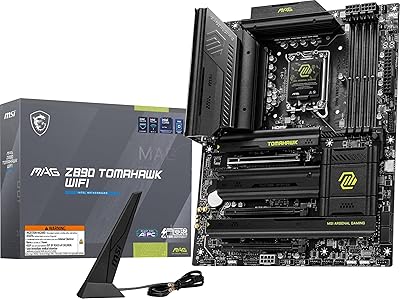
MSI MAG Z890 Tomahawk WiFi Gaming Motherboard
87%
91%
Performance
93%
Connectivity Options
88%
Build Quality
80%
Ease of Installation
90%
Wi-Fi 7 Performance
More
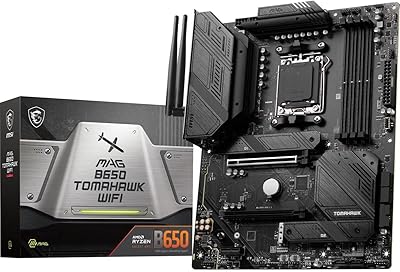
MSI MAG B650 Tomahawk WiFi Gaming Motherboard
88%
94%
Performance for Gaming
92%
Connectivity Features
89%
Cooling Efficiency
85%
Value for Money
90%
Compatibility with Ryzen 7000
More
MSI MAG X670E Tomahawk WiFi Gaming Motherboard
89%
94%
Performance
90%
Power Delivery and Overclocking Stability
88%
Wi-Fi and Connectivity
93%
Build Quality and Durability
89%
Thermal Management
More
MSI MAG Z790 Tomahawk WiFi Gaming Motherboard
86%
94%
Performance
88%
Cooling Efficiency
90%
Wi-Fi and Networking
85%
Overclocking Stability
70%
Ease of Setup
More
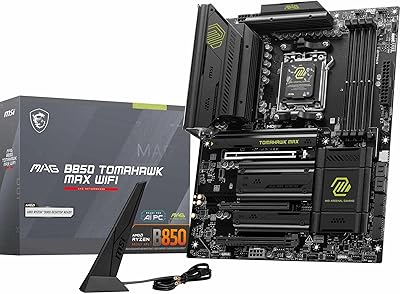
MSI MAG B850 Tomahawk MAX WiFi
86%
92%
VRM & Power Delivery
88%
DDR5 Memory Compatibility & OC Stability
91%
M.2 Storage Performance
86%
BIOS Experience
83%
Wireless Connectivity (Wi-Fi 7 & Bluetooth)
More
MSI MAG B550 Tomahawk MAX WiFi
88%
93%
Build Quality
91%
Thermal Management
94%
Wireless Connectivity
88%
Installation Ease
87%
Value for Money
More
INLAND i9-14900K + MSI MAG Z790 Tomahawk MAX WiFi Combo
84%
94%
Gaming Performance
92%
Processing Power
88%
Motherboard Stability
85%
Ease of Installation
70%
Cooling Efficiency
More
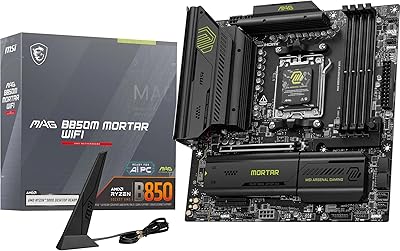
MSI MAG B850M Mortar WiFi Motherboard
88%
94%
Wi-Fi & LAN Performance
88%
Overclocking Potential
92%
Cooling Efficiency
85%
Setup & Installation
90%
Power Delivery Stability
More
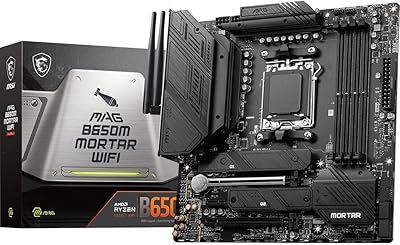
MSI MAG B650M Mortar WiFi Gaming Motherboard
86%
91%
Overall Performance
88%
Ease of Installation
93%
Networking Capabilities (Wi-Fi 6E & LAN)
87%
Build Quality
90%
Compatibility with AMD Ryzen 7000 Series
More
MSI PRO X870-P WiFi ProSeries Motherboard
85%
91%
Performance
94%
Cooling Efficiency
88%
Wi-Fi & Connectivity
85%
Ease of Installation
90%
Compatibility with AMD Ryzen Processors
More

FAQ

Since this is an X870 board, it is designed to support the Ryzen 9000 series right out of the box. However, it is always a good idea to check for the latest BIOS version once you are up and running to ensure the best stability and memory compatibility.

The Tomahawk WiFi has some fairly beefy heatsinks around the CPU socket. While most standard coolers fit fine, if you are using a massive dual-tower cooler, you should double-check the clearance height to make sure it doesn"t bump into the VRM cooling shrouds.

You can install multiple M.2 drives, including one that runs at blazing PCIe 5.0 speeds. Just keep in mind that using the Gen5 slot might share bandwidth with other ports, so it is worth checking the manual if you plan on filling every single slot on the board.

Yes, it includes a magnetic Wi-Fi antenna in the box that connects to the rear I/O. It is specifically designed to handle the increased bandwidth of Wi-Fi 7, so make sure to use the included one rather than an older spare you might have lying around.

Absolutely. While the port can handle up to 5Gbps, it will work perfectly fine with 2.5Gbps, 1Gbps, or even older 100Mbps connections. You just won"t see those top-tier speeds until you connect it to a compatible high-speed switch or router.

USB4 is a total lifesaver for creators because it allows for 40Gbps transfers. If you are moving massive 4K video files to an external NVMe drive, this X870 board will cut your wait times down significantly compared to standard USB ports.

For the primary slots, yes! MSI uses a clever latch system called the M.2 Shield Frozr that lets you secure the drive and the heatsink without hunting for those tiny, easy-to-lose screws. It makes the build process much less stressful.

Unfortunately, no. This AM5 motherboard is strictly compatible with DDR5 memory. The physical slots are different, so you will need to pick up a new DDR5 kit if you are upgrading from an older DDR4-based system.

This specific model takes a more understated, "stealth" approach with almost no integrated RGB. If you want a light show, you can definitely add your own strips or fans using the onboard headers and control them through the software.

For the vast majority of users, yes. The Audio Boost 5 tech uses isolated circuitry to prevent that annoying electrical hiss, providing very clean sound for gaming and movies. Unless you are a hardcore audiophile with high-impedance studio headphones, you likely won"t need an extra DAC.