Overview

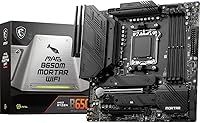
The MSI MAG B650M Mortar WiFi Motherboard is a compelling mATX option for builders committing to AMD's AM5 platform without stretching their budget toward X670 territory. It sits in MSI's mid-tier MAG lineup — above the entry-level PRO series but well clear of the premium MEG boards — and that positioning shows in what it includes. You get a genuinely well-connected board in a compact footprint, which isn't always easy to find at this price tier. Nearly 2,500 buyer reviews and a top-15 ranking in its category suggest this isn't a sleeper pick; it's become a go-to recommendation for Ryzen builds where space and value both matter.

Features & Benefits

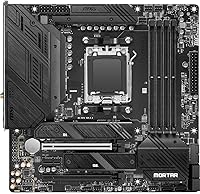
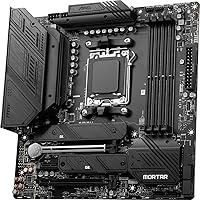
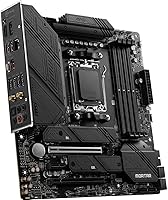
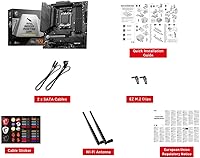
The Mortar WiFi packs a lot into its 9.6-inch square frame. Four DDR5 DIMM slots with overclocking headroom up to 7600 MHz give builders room to push memory performance, though B650 boards do have natural OC ceilings compared to X670 — worth keeping in mind. The dual M.2 Gen4 slots come with thermal shielding, which matters if you're running sustained disk workloads or large file transfers. On the connectivity side, AMD Wi-Fi 6E and 2.5Gbps wired LAN handle both wireless and cabled setups well above the old gigabit standard. A rear USB 3.2 Gen 2x2 port at 20Gbps is a welcome touch for external storage users, and the 12-phase VRM keeps CPU power delivery stable under load.

Best For

This B650M board makes the most sense for builders who need to fit a capable AM5 system into a smaller case without cutting corners on I/O. If you're pairing a Ryzen 7000 or 9000 series CPU with a mid-range GPU and want reliable wireless built in, this mATX motherboard covers those bases without pushing you toward a larger, pricier platform. It also suits home office users who shift between wired and wireless depending on their environment. One practical note worth flagging: verify GPU slot clearance in your specific case before buying, since mATX layouts leave less room to maneuver. For first-time AM5 builders, the board's BIOS reputation adds real reassurance.

User Feedback

Across nearly 2,500 ratings averaging 4.3 stars, the overall picture is one of quiet competence. Owners consistently praise how approachable the BIOS experience is — getting EXPO memory profiles dialed in draws particular appreciation — and wireless performance rarely surfaces as a complaint. That said, a minority of reviewers have hit memory compatibility snags at higher OC speeds, which is fairly typical for the B650 platform rather than a flaw unique to this board. There are also scattered mentions of tight PCIe spacing creating friction in compact cases with long GPUs or large coolers. For most buyers, though, the ownership experience sits squarely in positive territory given what the board delivers.

Pros

  • Integrated Wi-Fi 6E and 2.5Gbps LAN eliminate the need for separate networking add-ins.
  • Dual M.2 Gen4 slots with thermal shielding handle sustained NVMe workloads without throttling.
  • The 12-phase VRM delivers stable power to mid-to-high-end Ryzen processors under real load.
  • BIOS is consistently praised for being approachable, even for first-time AM5 builders.
  • DDR5 support with OC headroom up to 7600 MHz keeps the platform relevant for years ahead.
  • The Mortar WiFi punches well above its weight in connectivity for its market tier.
  • Bluetooth 5.3 is a meaningful upgrade for peripherals and audio devices over older standards.
  • A rear USB 3.2 Gen 2x2 port at 20Gbps is genuinely useful for fast external storage.
  • Near-2,500 reviews at 4.3 stars reflect a broad, consistent ownership experience across build types.
  • Memory EXPO profile setup is straightforward and well-regarded by the builder community.

Cons

  • B650 chipset OC ceiling is lower than X670, limiting extreme memory tuning potential.
  • Only two M.2 slots may feel restrictive for storage-heavy or multi-drive professional builds.
  • PCIe slot spacing in compact mATX cases can create real friction with long GPUs or large coolers.
  • A minority of owners have encountered memory compatibility issues at the higher OC speed ranges.
  • Rear I/O USB port count is modest and may not satisfy users with many wired peripherals.
  • No Thunderbolt support, which matters for creators relying on high-bandwidth external devices.
  • Buyers must manually verify case compatibility — not all mATX enclosures handle this layout cleanly.
  • Audio output, while functional, is a standard Realtek solution and will disappoint audiophiles.
  • Board visibility in tight cases is limited, which can complicate cable management during builds.

Ratings

The MSI MAG B650M Mortar WiFi Motherboard earns its place as one of the most reviewed B650 boards on the market, and our AI-driven scoring reflects that depth — drawing on thousands of verified global owner experiences while actively filtering out incentivized and bot-generated feedback. Scores across each category transparently capture both where this board consistently impresses and where real-world builders have hit friction, giving you an honest picture before you commit.

Value for Money
88%
Owners repeatedly note that the Mortar WiFi delivers a feature set — Wi-Fi 6E, 2.5G LAN, dual Gen4 M.2, solid VRM — that typically costs more on competing boards. For builders building a mid-range AM5 system, the included connectivity alone offsets what you would otherwise spend on add-in cards.
A small segment of buyers feel the price has crept up since launch and that some B650 alternatives now undercut it with comparable specs. Those on tighter budgets occasionally question whether the premium over entry-level B650 boards is fully justified for lighter use cases.
BIOS Usability
91%
This is one of the most consistently praised aspects across the entire review base. Builders — including first-timers — call out how quickly they got EXPO memory profiles enabled and the system running stable, often without needing to consult external guides. MSI's Click BIOS 5 interface is genuinely approachable.
A minority of users report that early BIOS versions had stability quirks with certain DDR5 kits, requiring updates before achieving advertised speeds. While updates have addressed most of these issues, buyers who receive older stock may encounter a mandatory BIOS flash before things run smoothly.
Wireless Performance
86%
The integrated AMD Wi-Fi 6E solution draws consistent praise from home office users and gamers alike, particularly those in dense wireless environments where the 6 GHz band reduces interference noticeably. Bluetooth 5.3 connectivity for peripherals and headsets is also rated well above average by owners.
A handful of reviewers in larger homes report that antenna placement within compact cases can limit range compared to a dedicated PCIe wireless card with an external antenna. The included antenna works fine in most setups, but it is not ideal for users far from their router.
Memory Compatibility
74%
26%
For builders using mainstream DDR5 kits at 5600 to 6400 MHz, compatibility is broad and EXPO setup is reliably straightforward. Owners pairing this board with popular Corsair, G.Skill, and Kingston kits report hitting rated speeds on first boot without manual tuning.
Pushing memory above 6400 MHz introduces a real compatibility lottery on this board, and some lesser-known DDR5 kits have produced persistent instability that required downclocking to resolve. The B650 platform itself bears some of this responsibility, but it is a genuine pain point for buyers targeting high-frequency overclocking.
VRM & Power Delivery
89%
The 12-phase Duet Rail Power System handles Ryzen 7 and Ryzen 9 processors without breaking a sweat under sustained gaming or rendering loads. Builders running Ryzen 9 7900X chips report stable temperatures on the VRM area even during extended workloads, which is reassuring for a board at this price tier.
For extreme workloads pushing a Ryzen 9 7950X at full thread load over long periods, a small number of users note the VRM runs warm enough that airflow over that area becomes important. It is not a dealbreaker, but builders using high-TDP chips in passively cooled cases should factor this in.
Build Quality
83%
The board feels solid for its class — reinforced PCIe slots, M.2 thermal shields that actually seat properly, and a rear I/O shield that is pre-installed rather than a loose add-on. Most owners describe unboxing and installation as a clean experience with no bent pins or cosmetic defects.
The aesthetic is understated and functional rather than visually distinctive, which suits some builders but disappoints those who want RGB accents or a more premium look in a windowed case. The thermal shield finish also shows smudges and fingerprints during installation more than some competing boards.
Connectivity & I/O
87%
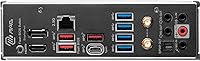
The rear I/O covers most real-world needs well: the 20Gbps USB port is a genuine time-saver when transferring large files to a fast external SSD, and having both HDMI and DisplayPort outputs is convenient for Ryzen builds using integrated graphics during initial setup or as a backup display output.
The total USB port count on the rear panel is moderate rather than generous, and power users with multiple wired peripherals — keyboard, mouse, headset, external drives — may find themselves reaching for a hub fairly quickly. There is no USB4 or Thunderbolt support, which limits future-proofing for certain workflows.
Storage Options
84%
Two PCIe Gen4 x4 M.2 slots with thermal shielding handle fast NVMe drives confidently, and having both slots run at full Gen4 bandwidth simultaneously is something not every B650 board guarantees. Builders using the board for content creation with large media libraries appreciate this without needing to add a PCIe storage expansion card.
Two M.2 slots is the ceiling here, and builders planning a three-drive NVMe setup will need to look elsewhere or supplement with SATA SSDs. The SATA port count is adequate but not exceptional, which is worth noting for anyone migrating a drive-heavy setup from an older platform.
Thermal Management
81%
19%
M.2 heat shields do meaningful work during sustained sequential writes, keeping drives cooler compared to uncovered slots on cheaper boards. Owners running the board in mid-tower cases with reasonable airflow report no thermal throttling on storage or VRM components during typical gaming and productivity sessions.
In small form factor mATX cases with limited airflow, VRM and M.2 temperatures climb more noticeably under sustained load. Builders choosing a very compact chassis should ensure at least one fan is directing air toward the top-left area of the board where the power delivery components sit.
PCIe Layout
69%
31%
For single-GPU builds — which covers the vast majority of buyers — the primary x16 slot placement is logical and the board handles standard ATX and mATX GPU lengths without issue. The secondary slot is a useful option for a capture card or NVMe adapter for builders who need it.
The spacing between the two PCIe slots is tighter than many builders expect, and triple-slot or extra-wide GPUs can physically block the secondary slot entirely. This is a known mATX constraint rather than a design flaw, but reviewers in compact cases flag it frequently enough that it deserves a clear warning.
Audio Quality
71%
29%
The Realtek HD audio implementation is clean and noise-free for gaming headsets, stereo speakers, and standard 7.1 virtual surround setups. Casual listeners and gamers who are not audiophiles consistently report no complaints about background hiss or interference — which is not always guaranteed on budget boards.
Anyone coming from a dedicated sound card or external DAC will notice the ceiling on the onboard audio fairly quickly, particularly with high-impedance headphones that demand cleaner amplification. The codec is competent for its tier but is not a selling point for music production or critical listening environments.
Installation Experience
85%
The board's pre-installed I/O shield, clear silkscreen labeling, and MSI's included documentation make first-time builds less stressful than average. Multiple owners highlight that the overall physical layout is sensible — ATX power connector, CPU power headers, and front panel pins are all positioned where an experienced builder would expect them.
A small number of builders report that the M.2 screw standoffs are fiddly to remove and reinstall, particularly on the lower slot, which sits close to the primary PCIe x16 slot. It is a minor annoyance rather than a serious problem, but it has generated enough mentions to be worth noting.
Long-Term Reliability
79%
21%
Given the board has been on the market since late 2022 and has accumulated a large owner base, there is now meaningful long-term data available. The majority of buyers who report back after extended use describe consistent stability with no degradation in performance, which is encouraging for a mid-range board.
A small but visible subset of reviews describe unit failures after several months of use, typically manifesting as boot issues or power delivery irregularities. It is difficult to separate platform-level AM5 issues from board-specific defects, but the failure rate — while below average for the category — is not zero.

Suitable for:

The MSI MAG B650M Mortar WiFi Motherboard is a strong fit for builders who want a capable, well-connected AM5 platform in a compact footprint without climbing to X670 pricing. It particularly suits anyone pairing a Ryzen 7000 or 9000 series processor with a mid-range GPU for gaming, content creation, or a dual-purpose home office and gaming rig. The integrated Wi-Fi 6E and 2.5Gbps LAN make it especially practical for people who switch between wired and wireless depending on their setup — no need to budget for a separate network card. First-time AM5 builders will appreciate the approachable BIOS and broad community support that comes with a board this widely adopted. If your priority is getting solid DDR5 performance, fast NVMe storage, and reliable connectivity in a smaller case, this B650M board covers all those needs without unnecessary compromise.

Not suitable for:

The MSI MAG B650M Mortar WiFi Motherboard is not the right choice for builders who want the absolute ceiling for memory overclocking or chipset-level PCIe lane flexibility, since the B650 chipset inherently trails X670 in those areas. Serious overclockers who want to push RAM well beyond 6000 MHz with full stability may find the platform's limitations frustrating, regardless of board quality. Builders working with very compact or unusually configured mATX cases should also proceed carefully — GPU clearance and airflow around the PCIe slots can become tight depending on the chassis. If you need more than two M.2 slots for a high-density storage build, this mATX motherboard will leave you short. And if your workflow demands Thunderbolt connectivity or a broader array of rear USB ports, you will likely need to look at higher-end alternatives.

Specifications

  • Form Factor: The board uses a Micro-ATX layout measuring 9.6 x 9.6 inches, making it compatible with mATX and full ATX cases that support smaller boards.
  • Chipset: Built on the AMD B650 chipset, which targets mainstream AM5 platform builders who want solid feature coverage without the cost of X670.
  • CPU Socket: Uses the AM5 socket, compatible with AMD Ryzen 7000, 8000, and 9000 series desktop processors.
  • Memory Support: Four DDR5 DIMM slots support dual-channel configurations with overclocking headroom up to 7600 MHz via EXPO or XMP profiles.
  • M.2 Storage: Two M.2 slots running at PCIe Gen4 x4 speeds are each covered by thermal shielding to manage drive temperatures under sustained load.
  • PCIe Slots: Two PCIe 4.0 x16 slots are available, with the primary slot delivering full x16 bandwidth for discrete graphics cards.
  • Wired Networking: A Realtek 2.5Gbps LAN controller provides wired connectivity at speeds well above standard gigabit, suitable for NAS access and fast local transfers.
  • Wireless: AMD Wi-Fi 6E is integrated on-board, supporting the 6 GHz band for lower congestion and faster throughput compared to Wi-Fi 5 adapters.
  • Bluetooth: Bluetooth 5.3 is included alongside Wi-Fi 6E, supporting modern wireless peripherals and audio devices without a separate adapter.
  • USB Connectivity: The rear I/O includes a USB 3.2 Gen 2x2 port delivering 20Gbps throughput, alongside USB 3.2 Gen 2 and USB 2.0 ports for standard peripherals.
  • VRM Design: A 12-phase Duet Rail Power System handles CPU power delivery, providing stable voltages for mid-to-high-end Ryzen processors under sustained workloads.
  • Audio: An 8-channel 7.1 HD Audio codec handles onboard sound output, covering standard stereo, surround gaming headsets, and multi-speaker setups.
  • Display Output: Rear panel includes both HDMI and DisplayPort outputs for use with Ryzen processors that include integrated graphics.
  • SATA Ports: Multiple SATA 6Gb/s ports are available for connecting traditional HDDs or SATA SSDs alongside the M.2 NVMe drives.
  • Dimensions: The board measures 9.6 x 9.6 inches and weighs 3.55 pounds, which is typical for a well-equipped Micro-ATX design.
  • Platform: Officially supported on Windows 11, which aligns with AMD's AM5 platform requirements and MSI's BIOS update roadmap.

Related Reviews
MSI MAG B850M Mortar WiFi Motherboard
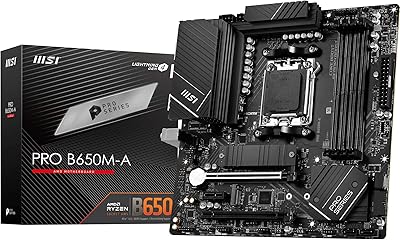
84%
91%
Build Quality
83%
VRM & Power Delivery
78%
DDR5 Memory Compatibility
86%
BIOS Experience
93%
Storage Performance
More
MSI PRO B650M-A WiFi V1 Motherboard
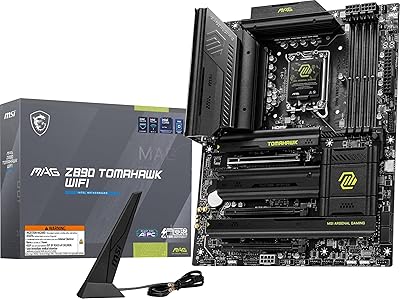
79%
88%
Value for Money
91%
BIOS & Setup Experience
86%
Memory Compatibility & OC
84%
Thermal Management
72%
Connectivity & I/O
More
MSI MAG X870 Tomahawk WiFi
87%
89%
Build Quality
94%
External Connectivity
91%
Networking Performance
87%
Ease of Installation
83%
Value for Money
More
MSI MAG B650 Tomahawk WiFi ATX Motherboard
81%
88%
VRM & Power Delivery
82%
Memory Compatibility
91%
Storage Versatility
86%
Wireless Performance
89%
Wired Networking
More
MSI MAG Z790 Tomahawk WiFi Motherboard
81%
88%
Build Quality
83%
VRM & Power Delivery
84%
BIOS Experience
86%
Thermal Management
81%
Connectivity & I/O
More
MSI MAG Z890 Tomahawk WiFi Gaming Motherboard
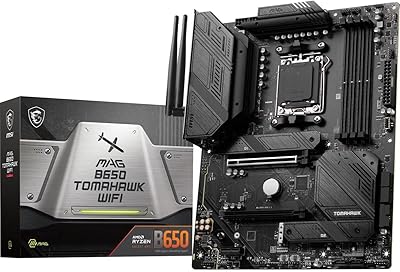
80%
88%
Value for Money
84%
Build Quality
86%
BIOS Experience
79%
DDR5 Compatibility
77%
Wireless Performance
More
MSI MAG X670E Tomahawk WiFi Motherboard
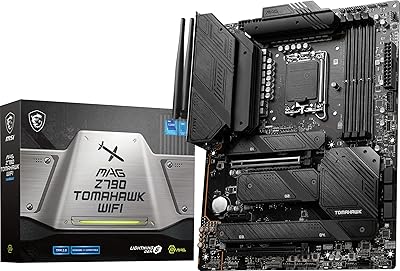
79%
88%
Build Quality
86%
VRM & Power Delivery
67%
DDR5 Memory Compatibility
78%
BIOS Experience
91%
PCIe 5.0 & Storage Expansion
More
MSI MAG B850 Tomahawk MAX WiFi
86%
92%
VRM & Power Delivery
88%
DDR5 Memory Compatibility & OC Stability
91%
M.2 Storage Performance
86%
BIOS Experience
83%
Wireless Connectivity (Wi-Fi 7 & Bluetooth)
More
MSI MAG B550 Tomahawk MAX WiFi
88%
93%
Build Quality
91%
Thermal Management
94%
Wireless Connectivity
88%
Installation Ease
87%
Value for Money
More
MSI B850 Gaming Plus WiFi Motherboard
83%
88%
VRM & Power Delivery
85%
Cooling System
84%
Memory Overclocking
91%
PCIe 5.0 & GPU Support
79%
Storage & M.2 Layout
More

FAQ

Yes, the Ryzen 5 7600X works perfectly well on this B650M board. The AM5 socket and B650 chipset support the full Ryzen 7000 lineup, and the 12-phase VRM is more than adequate for a 6-core chip like that.

Possibly, yes. Boards shipped before Ryzen 9000 series CPUs launched may need a BIOS update to support them. Check the manufacturing date and MSI's BIOS compatibility page before assuming it will boot out of the box with a newer CPU — some early units will need a 7000 series chip to flash first.

Two 16GB DDR5 sticks totaling 32GB is a common and well-supported configuration on this mATX motherboard. Reaching higher OC speeds like 6000 MHz or beyond usually requires enabling EXPO in the BIOS, which most owners report is a simple process. Just make sure your specific memory kit is on MSI's QVL for the smoothest experience.

For most gaming scenarios, Wi-Fi 6 is already more than sufficient. Wi-Fi 6E's advantage is access to the less congested 6 GHz band, which matters most in apartments or dense environments with lots of competing networks. If your router supports 6E, it is a real benefit — if not, you are still covered with backward-compatible Wi-Fi 6 and 5 support.

Both are well-regarded B650 mATX boards at similar price points. The Mortar WiFi is generally praised for its VRM quality and BIOS usability, while the ASUS offering has its own loyal following. For most builders the differences are marginal day-to-day; the Mortar WiFi has a larger owner review base, which gives more real-world data to draw from.

That depends entirely on your case, not the board itself. The board's mATX footprint is standard, but whether a 280mm radiator fits alongside it comes down to the chassis you choose. Always cross-reference your case's radiator support specs with the board's 9.6 x 9.6-inch dimensions before buying.

Yes, both M.2 slots run at PCIe Gen4 x4 speeds, so you can install two NVMe drives simultaneously without one slot downgrading the other. The thermal shields on both slots also help keep temperatures in check during heavy read/write workloads.

The primary PCIe slot operates at PCIe 4.0, not 5.0. Current-generation GPUs are not bandwidth-limited by PCIe 4.0 in practice, but if you are planning ahead for a PCIe 5.0 GPU and want to maximize theoretical bandwidth, an X670E board would be the right path.

Quite accessible, honestly. MSI's Click BIOS 5 interface is one of the more beginner-friendly options in the market, and enabling EXPO for memory speed is a single toggle. The large community around this board also means there are plenty of guides and forum threads if you hit a snag.

For gaming headsets and standard stereo output, the Realtek HD audio solution on this board is perfectly adequate. If you are using high-impedance headphones or mixing audio professionally, an external DAC or USB audio interface will serve you better — but for the vast majority of gaming and general use, the onboard audio holds up fine.