Overview

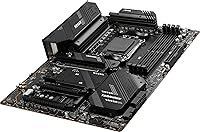
The MSI MAG X670E Tomahawk WiFi Motherboard sits in an interesting spot for AMD builders — capable enough for serious enthusiasts, yet not priced into the stratosphere of flagship boards. Built around the AMD X670E chipset, it offers full PCIe 5.0 connectivity on both CPU and chipset lanes, which is the key differentiator over the more affordable B650E tier. The standard ATX form factor fits comfortably in most mid-tower and full-tower cases. It supports AMD Ryzen 7000, 8000, and 9000 series processors on the AM5 socket, making it a reasonable long-term investment for anyone committing to AMD's current platform generation.
Features & Benefits

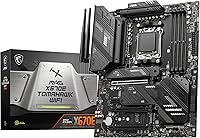
The Tomahawk WiFi packs a 14+2+1 power delivery stage backed by dual 8-pin CPU connectors — that kind of headroom matters when pushing a Ryzen 9 chip or experimenting with memory overclocks. The primary PCIe 5.0 x16 slot and a Gen5 M.2 slot mean your current and near-future hardware won't be bottlenecked by the board itself. DDR5 memory can be pushed to 7800 MHz with the right kit, translating to real gains in bandwidth-hungry workloads. Wi-Fi 6E and Bluetooth 5.3 handle wireless duties reliably, while 2.5Gbps LAN serves anyone hardwired. Extended heatsinks and the M.2 Shield Frozr keep temperatures in check during sustained loads.

Best For

This X670E board makes the most sense for enthusiast builders who want genuine PCIe 5.0 readiness — not just on the GPU slot, but on storage too. If you're planning to pair a Gen5 SSD with a current-generation GPU, this is where that investment actually pays off. It's a solid pick for overclockers who want meaningful VRM headroom without paying flagship prices. Builders in spaces without easy ethernet runs will appreciate having Wi-Fi 6E onboard rather than adding a separate card. For anyone upgrading from AM4, the AM5 socket roadmap means this board should stay relevant across several future CPU generations.

User Feedback

Sitting at 4.2 stars across nearly 500 ratings, this MSI AM5 motherboard earns its score through consistent build quality and a BIOS experience that has matured significantly since launch — early firmware had rough edges that updates have largely resolved. Most builders praise the sturdy physical construction and the fact that VRM temperatures stay reasonable under sustained CPU loads. The most common complaint involves RAM compatibility: getting high-speed DDR5 kits stable at XMP or EXPO profiles sometimes demands patience and BIOS tweaking. A handful of users also find that MSI Center software feels cluttered, with fan curve controls that aren't as intuitive as competing utilities. Nothing critical, but worth knowing upfront.

Pros

  • Full PCIe 5.0 support on both the GPU slot and M.2 storage keeps the build relevant for next-generation hardware.
  • The 14+2+1 VRM configuration handles high-end Ryzen processors with thermal headroom to spare.
  • Dual 8-pin CPU power connectors provide stability even during sustained heavy workloads or overclocked operation.
  • Wi-Fi 6E and Bluetooth 5.3 are included out of the box, eliminating the need for an add-in wireless card.
  • DDR5 memory support extends to 7800 MHz OC, giving enthusiasts real bandwidth headroom with the right kit.
  • Build quality is consistently praised — the board feels solid and well-constructed during installation.
  • BIOS has improved considerably with updates, making the experience much smoother than early firmware versions.
  • 2.5Gbps LAN delivers noticeably faster wired transfers compared to standard gigabit ports on budget boards.
  • AM5 socket compatibility with Ryzen 7000 through 9000 series offers strong platform longevity.
  • M.2 Shield Frozr and extended heatsinks help keep storage and VRM temperatures controlled under sustained load.

Cons

  • Getting high-speed DDR5 kits stable at XMP or EXPO profiles can require multiple BIOS attempts and adjustments.
  • MSI Center software feels bloated to many users, and fan curve controls are less intuitive than competing tools.
  • Newer CPU generations may require a BIOS update before first boot, which needs an older compatible processor or a BIOS flashback workaround.
  • The X670E chipset premium is hard to justify if PCIe 5.0 storage and dual-lane bandwidth are not part of your actual use case.
  • Only two USB 2.0 ports on the rear I/O, which can be a limitation for users with older peripherals or specific device needs.
  • ATX-only form factor rules out use in compact or small form factor case builds entirely.
  • Early production units had firmware rough spots that, while largely resolved, may still appear in older stock sitting on shelves.
  • At this price tier, some competing X670E boards offer a more polished software ecosystem and broader RAM QVL coverage.

Ratings

The scores below reflect our AI-driven analysis of verified global user reviews for the MSI MAG X670E Tomahawk WiFi Motherboard, with spam, bot-submitted, and incentivized feedback actively filtered out before scoring. Each category captures both the genuine strengths enthusiasts praise and the friction points that real builders encountered during setup and daily use. Nothing is glossed over — the ratings reflect the full picture.

Build Quality
88%
Builders consistently describe the board as feeling substantial and well-engineered during installation, with heatsinks that sit flush and components that don't feel cost-cut. The PCIe slot reinforcement and robust rear I/O shield hold up well even after multiple GPU swaps.
A small number of users reported cosmetic inconsistencies on the heatsink finish out of the box, and a few noted that the M.2 screw standoffs felt slightly fiddly during first-time installation — a minor gripe but one that shows up often enough to note.
VRM & Power Delivery
86%
The 14+2+1 power stage handles even top-tier Ryzen 9 chips under sustained multi-threaded workloads without throttling or temperature alarms, which is exactly what enthusiasts building content creation or heavy gaming rigs need. Dual 8-pin connectors add meaningful stability for anyone pushing memory or CPU frequency.
For budget-minded builders pairing the board with a mid-range Ryzen 5 or 7 chip, this level of power delivery is overkill — you're paying for headroom you may never use. A handful of users also noted the VRM heatsinks run warmer than expected in cases with restricted airflow.
DDR5 Memory Compatibility
67%
33%
When paired with kits on MSI's official QVL, DDR5 memory runs reliably and the board handles speeds up to 6000 MHz with minimal fuss for most users. The platform's bandwidth at those speeds noticeably benefits rendering and data-heavy workloads.
High-speed kits above 6400 MHz — especially from brands not on the QVL — frequently require manual sub-timing adjustments and multiple BIOS saves to stabilize. XMP and EXPO profile behavior at the top end of the speed range remains the most cited frustration across user reviews.
BIOS Experience
78%
22%
The Click BIOS 5 interface is logically organized and accessible enough for first-time builders, with fan curve controls and boot priority settings that don't require expert navigation. Firmware updates released since launch have addressed most of the instability complaints that plagued early adopters.
Users who bought the board close to launch and haven't updated firmware may still encounter RAM profiling quirks and occasional boot loops. Additionally, newer CPU generations like Ryzen 9000 series require a BIOS update before first boot — something that catches unprepared builders off guard.
PCIe 5.0 & Storage Expansion
91%
The full PCIe 5.0 x16 GPU slot and Gen5 M.2 slot work exactly as advertised, making the Tomahawk WiFi genuinely ready for next-generation hardware without requiring any workarounds. Builders who invested in Gen5 SSDs report sequential read performance exactly in line with drive manufacturer specs.
Gen5 M.2 drives run significantly hotter than Gen4 equivalents, and while the Shield Frozr heatsink helps, thermal throttling can still occur in poorly ventilated cases. Users in compact or airflow-restricted builds should plan additional case cooling accordingly.
Wireless Connectivity
83%
The Wi-Fi 6E implementation delivers consistent, low-latency wireless that holds up well for online gaming and large file transfers, particularly in homes with a Wi-Fi 6E router taking advantage of the 6 GHz band. Bluetooth 5.3 pairs quickly and stays connected reliably with headsets and controllers.
Antenna placement on the rear I/O limits signal quality if the case is tucked inside a desk enclosure or facing away from the router. A few users in dense apartment environments reported occasional 5 GHz interference, though switching to the 6 GHz band typically resolved the issue.
Wired Networking
84%
The 2.5Gbps LAN port is a tangible upgrade over gigabit-only boards, especially for builders with a 2.5G-capable router or NAS device — large game installs and file transfers move noticeably faster. Latency under gaming conditions is stable and consistent across user reports.
Users on standard gigabit home networks won't notice any practical benefit over a B650E board, making this a feature that only pays off if the rest of your network infrastructure supports 2.5G speeds. Driver installation on fresh Windows installs occasionally requires manual setup.
USB & I/O Ports
72%
28%
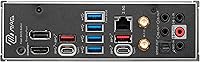
The rear I/O covers modern connectivity well, with USB 3.2 Gen 2x2 delivering fast transfers for external SSDs and the Type-C port handling current peripherals without issue. Internal headers are plentiful for most standard case configurations.
Only two USB 2.0 ports on the rear panel feels limiting for builders who rely on older peripherals like wireless USB receivers, MIDI devices, or legacy input hardware. Several users noted they immediately needed a USB hub, which feels like an avoidable compromise at this price tier.
Thermal Management
81%
19%
The extended VRM heatsink coverage keeps power delivery components well within safe operating ranges during long gaming sessions and extended render jobs, even without a dedicated VRM fan. M.2 Shield Frozr modules make a measurable difference during sustained NVMe workloads.
In cases with suboptimal airflow, the chipset area can run warmer than competing boards during heavy simultaneous CPU and storage activity. Builders using passively cooled or low-airflow enclosures should factor in additional case fans before assuming stock thermals will suffice.
Overclocking Capability
79%
21%
For mainstream enthusiast overclockers, the power delivery headroom and BIOS exposure of CPU and memory tuning options cover everything short of extreme competitive overclocking. Memory frequency tuning, in particular, is well-supported once the initial compatibility hurdles are cleared.
This X670E board is not positioned as a dedicated overclocking platform — users expecting the granularity of MSI's Unify lineup or ASUS's Apex series will find the tuning options adequate but not exceptional. CPU core-level voltage control, while present, lacks some of the fine-grained options found on higher-tier boards.
Software & Utilities
58%
42%
MSI Center provides a single dashboard for monitoring temperatures, controlling fan curves, and managing RGB if you have compatible components — genuinely useful for builders who prefer a GUI over diving into the BIOS for every adjustment.
The software feels bloated to many users, with bundled components that aren't relevant to most builds and a UI that has drawn consistent criticism for being less intuitive than competing solutions from ASUS or Gigabyte. Several users reported background processes consuming more resources than expected.
Installation & Setup
76%
24%
The physical layout is sensibly designed for ATX builds, with the 24-pin and CPU power connectors positioned to minimize cable routing headaches in standard mid-tower cases. The included manual covers BIOS setup steps clearly enough for intermediate builders.
The requirement to update firmware before first boot with newer AMD CPU generations adds an unexpected step that catches less experienced builders off guard. M.2 slot access under the Shield Frozr heatsinks requires removing multiple screws, which feels cumbersome when swapping drives post-build.
Value for Money
74%
26%
For builders who actually need simultaneous PCIe 5.0 on GPU and storage, reliable Wi-Fi 6E, and a robust power delivery stage in one package, the Tomahawk WiFi represents a reasonable proposition compared to flagship X670E alternatives that cost significantly more.
Against a well-specced B650E board, the X670E premium is hard to justify unless you have concrete plans to use Gen5 bandwidth today. Builders running stock-speed CPUs with mainstream DDR5 kits are likely paying for features that won't meaningfully improve their day-to-day experience.
Long-Term Platform Support
87%
AMD's public commitment to the AM5 socket through at least the next several CPU generations means this board should accommodate future Ryzen upgrades without requiring a platform change — a genuine long-term value argument that several users explicitly cited when justifying the purchase.
BIOS update dependency for newer CPU compatibility means users need to stay on top of firmware releases, which requires some proactivity. Builders who set up a system and rarely revisit settings may find themselves needing a compatible older CPU on hand if they skip generations.

Suitable for:

The MSI MAG X670E Tomahawk WiFi Motherboard is a strong match for enthusiast PC builders who want a capable, future-ready AM5 platform without paying top-tier prices for features they may never use. It's particularly well-suited for gamers and content creators pairing it with a Ryzen 7000, 8000, or 9000 series processor, especially those planning to take advantage of PCIe 5.0 storage or next-generation GPUs down the line. Builders in setups where running a dedicated ethernet cable isn't practical will find the onboard Wi-Fi 6E genuinely useful rather than a token addition. If you're upgrading from an older AMD platform and want confidence that your board will support future Ryzen generations without a socket swap, the AM5 roadmap makes this a reasonable long-term foundation. Moderate overclockers also benefit here — the robust power delivery stage gives meaningful headroom for memory and CPU tuning without demanding expert-level tweaking.
Not suitable for:

Buyers on a tighter budget who primarily run mid-range Ryzen CPUs at stock settings will likely find the MSI MAG X670E Tomahawk WiFi Motherboard harder to justify, since a well-built B650E board covers the same workloads at a noticeably lower cost. If PCIe 5.0 on both the GPU slot and storage is not a priority for your current build, the X670E chipset premium simply doesn't deliver proportional day-one value. Small form factor builders are also out of luck — the ATX size is non-negotiable, and it won't fit Micro-ATX or Mini-ITX cases. Users who are sensitive to software ecosystems should know that MSI Center has drawn mixed feedback; if clean, minimal system utilities matter to you, that's worth weighing. Finally, anyone expecting plug-and-play RAM compatibility at very high DDR5 speeds should be prepared to spend time in the BIOS, as XMP and EXPO profile behavior at the top end of the memory speed range can require patience to stabilize.
Specifications

  • CPU Socket: Uses the AMD AM5 (LGA1718) socket, compatible with Ryzen 7000, 8000, and 9000 series desktop processors.
  • Chipset: Built on the AMD X670E chipset, providing full PCIe 5.0 lane support across both CPU and chipset connections.
  • Form Factor: Standard ATX form factor measuring 12 x 9.6 inches, fitting most mid-tower and full-tower cases.
  • Memory Type: Supports DDR5 memory across four DIMM slots, with a maximum overclocked speed of 7800 MHz.
  • Memory Capacity: Accommodates up to four DDR5 DIMMs; maximum supported capacity aligns with AMD AM5 platform specifications.
  • Primary PCIe Slot: Features one PCIe 5.0 x16 slot for discrete graphics cards, ensuring full bandwidth for current and next-generation GPUs.
  • M.2 Storage: Includes M.2 slots with at least one supporting PCIe Gen5 speeds and additional slots supporting PCIe Gen4, all covered by M.2 Shield Frozr heatsinks.
  • Power Delivery: Implements a 14+2+1 Duet Rail Power System with dual 8-pin CPU power connectors for stable delivery under sustained or overclocked loads.
  • Wireless: Onboard Wi-Fi 6E (802.11ax) and Bluetooth 5.3 are included, supporting the 6 GHz band for reduced congestion and lower latency.
  • Wired LAN: A 2.5Gbps Ethernet port provides wired network speeds significantly faster than a standard gigabit connection.
  • USB Connectivity: Includes USB 3.2 Gen 2x2 (20Gbps) support alongside USB 3.2 Gen 2 ports, plus two USB 2.0 ports on the rear I/O.
  • Display Output: Provides both HDMI and DisplayPort outputs for use with AMD Ryzen processors that include integrated graphics.
  • SATA Ports: Multiple SATA 6Gb/s ports are available for connecting traditional hard drives or SATA-based solid-state drives.
  • Thermal Design: Extended heatsink coverage across the VRM area and M.2 Shield Frozr modules help maintain stable temperatures during prolonged high-load sessions.
  • Dimensions: Physical dimensions are 12 x 9.6 x 2.5 inches, consistent with the standard ATX specification.
  • Weight: The board weighs approximately 4 pounds, which is typical for a fully featured ATX motherboard with extensive heatsink coverage.
  • OS Support: Officially supports Windows 11, and is broadly compatible with recent Linux distributions for users building non-Windows systems.
  • BIOS: Ships with MSI's Click BIOS 5 interface, which has received multiple firmware updates since launch to improve stability and RAM compatibility.

Related Reviews

MSI MAG Z790 Tomahawk WiFi Motherboard
81%
88%
Build Quality
83%
VRM & Power Delivery
84%
BIOS Experience
86%
Thermal Management
81%
Connectivity & I/O
More
MSI MAG X870 Tomahawk WiFi
87%
89%
Build Quality
94%
External Connectivity
91%
Networking Performance
87%
Ease of Installation
83%
Value for Money
More
MSI MAG B650 Tomahawk WiFi ATX Motherboard
81%
88%
VRM & Power Delivery
82%
Memory Compatibility
91%
Storage Versatility
86%
Wireless Performance
89%
Wired Networking
More
MSI MAG Z890 Tomahawk WiFi Gaming Motherboard
80%
88%
Value for Money
84%
Build Quality
86%
BIOS Experience
79%
DDR5 Compatibility
77%
Wireless Performance
More
MSI MAG B550 Tomahawk MAX WiFi
88%
93%
Build Quality
91%
Thermal Management
94%
Wireless Connectivity
88%
Installation Ease
87%
Value for Money
More
MSI MAG B850 Tomahawk MAX WiFi
86%
92%
VRM & Power Delivery
88%
DDR5 Memory Compatibility & OC Stability
91%
M.2 Storage Performance
86%
BIOS Experience
83%
Wireless Connectivity (Wi-Fi 7 & Bluetooth)
More
MSI MAG B850M Mortar WiFi Motherboard
84%
91%
Build Quality
83%
VRM & Power Delivery
78%
DDR5 Memory Compatibility
86%
BIOS Experience
93%
Storage Performance
More
MSI MPG X670E Carbon WiFi ATX Motherboard
78%
91%
Build Quality
88%
VRM & Thermal Performance
63%
BIOS Experience
67%
DDR5 Compatibility & Memory Tuning
86%
PCIe 5.0 & Storage Expandability
More
MSI MAG B650M Mortar WiFi Gaming Motherboard
86%
91%
Overall Performance
88%
Ease of Installation
93%
Networking Capabilities (Wi-Fi 6E & LAN)
87%
Build Quality
90%
Compatibility with AMD Ryzen 7000 Series
More
MSI X670E Gaming Plus WiFi AM5 Motherboard
80%
86%
Build Quality
89%
Power Delivery
91%
PCIe 5.0 & Storage Support
71%
DDR5 Memory Compatibility
78%
BIOS Experience
More

FAQ

Yes, almost certainly. The board may have shipped with firmware that only supports Ryzen 7000 series out of the box. Before installing a newer CPU generation, check MSI's support page for the latest BIOS version. If you don't have an older compatible CPU to perform the update, look into whether your board supports MSI's Flash BIOS button feature, which lets you update without a processor installed.

Not always, and this is one of the more common frustrations with the Tomahawk WiFi. High-speed DDR5 kits — particularly anything above 6000 MHz — sometimes require manual BIOS adjustments to run stably at their rated profile. Check MSI's official Memory Compatibility List (QVL) before buying RAM to improve your chances of a smooth experience.

It depends entirely on your build goals. The X670E chipset gives you PCIe 5.0 on both the GPU slot and storage simultaneously, which a B650E board typically can't do. If you're planning to run a Gen5 SSD alongside a high-end GPU and want that bandwidth available without compromise, the premium makes sense. For stock-speed gaming builds with a mid-range CPU, a good B650E board covers the same ground for less money.

The MSI MAG X670E Tomahawk WiFi Motherboard uses the standard ATX form factor, so it fits any case listed as ATX, E-ATX, or full-tower compatible. It will not fit Micro-ATX or Mini-ITX cases. Double-check your case's clearance specs if you're using a large CPU cooler, since the VRM heatsinks extend toward the top edge of the board.
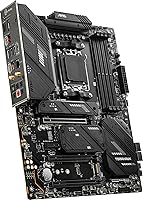
Yes. The primary M.2 slot supports PCIe Gen5, so you can install a Gen5 NVMe SSD and get full bandwidth from it. The M.2 Shield Frozr heatsink helps manage the significant heat these drives can generate, which is worth keeping in mind since Gen5 SSDs run noticeably hotter than Gen4 models.

The Wi-Fi 6E implementation on this X670E board is genuinely capable, not a token spec addition. In environments with a Wi-Fi 6E router, you get access to the less-congested 6 GHz band, which translates to more consistent latency. The antennas are rear-mounted, so placement of your case relative to your router still matters, but most users report reliable wireless performance for both gaming and general use.

It works well for both. The power delivery stage is robust enough to run a Ryzen 9 processor under sustained multi-threaded workloads, not just gaming bursts. High-speed DDR5 support also benefits content creation applications that take advantage of memory bandwidth. It's not a server-class HEDT board, but for prosumer workloads it holds up well.

You can absolutely skip it. All core functions — fan curves, BIOS settings, boot configuration — are accessible directly through the BIOS without installing any Windows software. MSI Center is optional and mainly useful for monitoring or RGB control. If you find it cluttered, plenty of users run the Tomahawk WiFi with no MSI software installed at all.

The board includes multiple M.2 slots: the primary one supports PCIe Gen5 x4 for top-tier NVMe drives, while the remaining slots support PCIe Gen4 x4. All M.2 slots are covered by Shield Frozr heatsinks, which helps with thermal management across all installed drives, not just the fastest one.

For most builds, yes — though the two USB 2.0 ports on the rear I/O can feel limited if you rely heavily on older peripherals. The USB 3.2 Gen 2 and Gen 2x2 ports cover fast storage and modern peripherals well. If you have a lot of USB devices, a powered USB hub on one of the Type-A ports is a practical solution without losing any performance where it matters.

Where to Buy