Overview

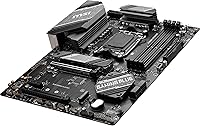
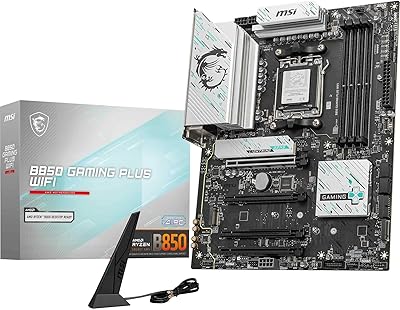
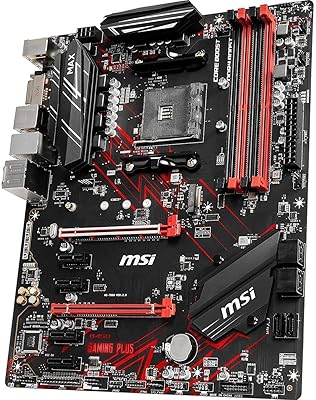
The MSI B650 Gaming Plus WiFi sits squarely in the mid-range AM5 segment, targeting builders who want modern connectivity without climbing to X670 prices. This B650 board launched in mid-2023 and has since accumulated over 2,400 ratings — enough real-world data to draw meaningful conclusions. In ATX form, it fits comfortably in most standard cases and carries a gaming aesthetic that never feels overdone. Compared to the stripped-down A620 below it and the feature-rich X670 above, this AM5 mid-range board hits a practical sweet spot for anyone building a capable Ryzen system on a sensible budget.

Features & Benefits

The 12+2+1 power delivery is genuinely reassuring for Ryzen 7000 and 9000 series chips — dual 8-pin CPU connectors mean stability is rarely a concern, though you will need a PSU with two EPS cables to use both. DDR5 support stretches to 7200MHz with Expo profiles, giving memory enthusiasts real room to experiment. Built-in Wi-Fi 6E and Bluetooth 5.3 eliminate the need for a separate adapter, keeping the build cleaner. The 2.5Gbps LAN port is a quiet but meaningful upgrade over standard gigabit, and the M.2 Shield Frozr helps keep NVMe drives noticeably cooler under sustained workloads.

Best For

This AM5 mid-range board is a natural fit for first-time Ryzen builders pairing it with a Ryzen 7 7700X or 7600X — the kind of build where spending extra on an X670 chipset makes little practical sense. PC gamers who want some overclocking headroom without committing to a premium platform will find the B650 more than adequate. Content creators on tighter budgets benefit from the PCIe 4.0 bandwidth for fast NVMe storage, while hybrid workers gain from running fast wireless and wired networking simultaneously. AM4 upgraders chasing a future-ready platform without overspending will feel right at home here.

User Feedback

With a 4.3-star average across over 2,400 ratings, the MSI gaming motherboard has earned its reputation through volume, not luck. Most buyers highlight easy BIOS navigation and solid out-of-the-box stability when enabling Expo memory profiles — a pain point on several competing boards. The complaint raised most often is the rear I/O USB count, which feels limited compared to the ASUS Prime B650 or Gigabyte B650 Aorus Elite at similar prices. A handful of users also mention that the Wi-Fi antenna can be awkward to position in certain cases. These are genuine trade-offs, not dealbreakers, and for most builds the value holds up well.

Pros

  • Wi-Fi 6E and Bluetooth 5.3 are built in, keeping the build clean without extra adapter cards.
  • Expo DDR5 memory profiles activate reliably out of the box, which saves real troubleshooting time for new builders.
  • The 12+2+1 power delivery handles Ryzen 7 and 9 class processors without stability concerns under sustained loads.
  • 2.5Gbps wired LAN is a genuine step up from standard gigabit, noticeably improving local network transfer speeds.
  • M.2 Shield Frozr keeps NVMe drive temperatures in check during long file transfers or game installations.
  • BIOS navigation is consistently praised as one of the more straightforward experiences in the B650 segment.
  • PCIe 4.0 across the primary slot and M.2 connectors covers all current-gen GPU and SSD bandwidth needs comfortably.
  • AM5 socket compatibility extends across Ryzen 7000 and 9000 series, giving this board a longer viable upgrade path.
  • USB 3.2 Gen 2x2 Type-C on the rear panel supports fast external SSD connections without needing a hub for that specific use.
  • At its price point, this B650 board includes connectivity features that typically cost more on competing options.

Cons

  • Rear USB Type-A port count is noticeably lower than similarly priced boards like the ASUS Prime B650-Plus WiFi.
  • Dual 8-pin CPU power connectors require a PSU with two EPS cables, which older power supplies may not have.
  • Early production units may need a BIOS update before recognizing newer Ryzen 9000 series processors.
  • Wi-Fi antenna positioning can be awkward in mid-tower cases with limited rear clearance, affecting signal quality.
  • MSI Center software runs heavier than expected and has been reported as occasionally unstable on fresh Windows installs.
  • No PCIe 5.0 support is a real ceiling for buyers planning a five-plus year hardware lifecycle.
  • Onboard audio is adequate but will disappoint anyone using quality headphones or monitoring equipment directly from the board.
  • The PCIe slot retention clip requires noticeable force to release a GPU, which can feel unsettling during disassembly.

Ratings

The MSI B650 Gaming Plus WiFi has been scored by our AI engine after processing thousands of verified global buyer reviews, actively filtering out incentivized, bot-generated, and outlier feedback to surface what real builders actually experience. Scores reflect a genuine cross-section of sentiment — the wins and the frustrations — so you can make an informed call before committing to an AM5 platform. Both the board's clear strengths and its real-world limitations are represented transparently below.
Value for Money
83%
Most buyers feel this B650 board punches above its class given the included Wi-Fi 6E, 2.5Gbps LAN, and robust power delivery — features that typically cost more on competing boards. For a first AM5 build with a mid-tier Ryzen processor, the price-to-feature ratio is hard to fault.
Buyers who compare it directly against occasional sale pricing on the Gigabyte B650 Aorus Elite sometimes feel the value case weakens. If you only need basic connectivity and no overclocking, cheaper A620 options may make more financial sense.
BIOS & Software Experience
88%
Out-of-the-box BIOS setup is consistently praised as one of the smoothest in the B650 segment. Expo memory profiles activate reliably without manual fiddling, which matters a lot for first-time builders who do not want to troubleshoot RAM compatibility on day one.
A small number of users report needing a BIOS update before certain Ryzen 9000 series CPUs are recognized, which requires either a spare CPU or MSI's flashback feature. The BIOS UI, while functional, feels visually dated compared to ASUS offerings.
Power Delivery & Stability
91%
The 12+2+1 Duet Rail phase design handles everything from a Ryzen 5 7600 to a Ryzen 9 7950X without thermal complaints under sustained loads. Builders running memory-intensive workloads or light overclocks report rock-solid stability over extended sessions.
The dual 8-pin CPU power requirement catches some buyers off guard, particularly those reusing older single-cable PSUs. It is overkill for stock-speed builds, and a few users find the cable routing awkward in tighter cases.
Wireless Connectivity
84%
Having Wi-Fi 6E and Bluetooth 5.3 integrated removes the need for a PCIe adapter card, which is a real convenience in living-room or office builds where Ethernet is not practical. Transfer speeds and connection stability have been reported positively across numerous home network setups.
The Wi-Fi antenna mounting point creates positioning headaches in certain mid-tower cases where rear clearance is limited. A handful of users on compact desk setups mention interference issues when the antenna is tucked at an angle.
Memory Performance & Overclocking
79%
21%
DDR5 support reaching 7200MHz via overclocking gives enthusiasts genuine headroom beyond the standard 4800MHz baseline. Dual-channel configurations with quality kits tend to boot and stabilize quickly using the Expo profile alone.
This is still a B650 chipset, not X670, so overclocking flexibility has a ceiling compared to the tier above. Users chasing extreme memory clocks above 7200MHz report more trial-and-error than they would face on a premium X670E board.
Rear I/O Port Selection
63%
37%
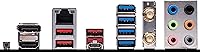
The inclusion of a USB 3.2 Gen 2x2 Type-C port at 20Gbps is genuinely useful for connecting fast external SSDs or modern peripherals without a hub. The HDMI and DisplayPort outputs work well for Ryzen integrated graphics testing or display use.
The overall USB port count is a recurring complaint — particularly the relatively small number of Type-A ports compared to the ASUS Prime B650-Plus WiFi at a similar price. Power users with multiple peripherals will likely need a USB hub from day one.
Thermal Management
81%
19%
The M.2 Shield Frozr keeps NVMe drives noticeably cooler under sustained read-write cycles compared to uncovered slots, which matters when running large file transfers or game installations that push drive temps upward. MOSFET thermal pads rated at 7W/mK add real confidence to the VRM cooling story.
The heatsink coverage, while adequate, does not extend to all areas of the board that warm up during prolonged gaming sessions. In poorly ventilated cases, VRM temperatures can creep higher than expected under Ryzen 7 or 9 class loads.
Build Quality & PCB Construction
77%
23%
The ATX PCB feels solid and well-reinforced around the PCIe slot — a detail that matters when seating heavy GPU coolers. The overall finish and component placement suggest MSI did not cut obvious corners at this price tier.
The aesthetic is understated compared to higher-end MSI boards, which some buyers appreciate but others find underwhelming for glass-panel cases. A few users have noted that the PCIe slot locking mechanism requires more force than expected to release a GPU.
PCIe & Expansion Slots
76%
24%
PCIe 4.0 support across the primary x16 slot and M.2 slots is entirely sufficient for current-generation GPUs and NVMe drives. Builders running a discrete GPU alongside a fast Gen 4 SSD will not experience any bandwidth bottlenecks in typical gaming or creative workloads.
There is no PCIe 5.0 support, which is the main trade-off versus X670 boards. This is a known limitation of B650 and unlikely to matter in the next two to three years, but it is worth noting for buyers planning a long hardware lifecycle.
LAN & Wired Networking
86%
The 2.5Gbps Realtek LAN port is a meaningful step up for anyone on a compatible router or NAS setup, reducing transfer times noticeably when moving large files across a local network. Latency performance in online gaming over wired connections is consistently reported as stable.
2.5Gbps is the standard expectation at this price point now, so it is not a differentiator so much as a baseline requirement met. Users on older routers capped at 1Gbps see no benefit from this port until they upgrade their network hardware.
Installation & Assembly Experience
85%
The included I/O shield is pre-installed, which saves time and reduces the risk of bent pins during a first build. Component spacing around the CPU socket and DIMM slots is generous enough that even large air coolers install without interference in most cases.
The manual, while technically complete, uses diagrams that are small and easy to misread for first-time builders navigating front-panel headers. A few users wished MSI provided a clearer guide specifically for enabling Expo profiles from a cold boot.
Compatibility & CPU Support
89%
AM5 socket support covering Ryzen 7000 through 9000 series gives this board a longer useful lifespan than many mid-range boards from previous generations. Ryzen 7 and Ryzen 9 chips all run without issue on updated BIOS versions, covering a wide range of upgrade paths.
Out-of-box BIOS versions on early stock units may not support newer Ryzen 9000 chips without a flash update, which can be a barrier if you do not have an older AM5 CPU on hand. MSI does offer BIOS flashback, but not all buyers are aware of this feature before purchasing.
Audio
67%
33%
The onboard audio handles standard stereo headsets and speakers competently for everyday gaming and media use. Background noise levels are acceptable for users who are not running high-impedance audiophile headphones directly from the rear panel.
Dedicated audio hardware is minimal at this price point, and users with quality headphones or studio monitors notice the limitations quickly. Anyone serious about audio will want an external DAC or sound card, as this is not a strong suit of the board.
Fan & RGB Control
71%
29%
The board provides a reasonable number of fan headers for a mid-range ATX design, and MSI Center software covers basic speed curve control without requiring third-party utilities. Basic RGB sync across the ecosystem works reliably in most tested configurations.
MSI Center has attracted criticism for being resource-heavy and occasionally unstable on fresh Windows installs. Users who prefer minimal background software often skip it entirely, losing access to some fan tuning features as a result.

Suitable for:

The MSI B650 Gaming Plus WiFi is a strong match for anyone building their first AMD AM5 system around a mid-tier processor like the Ryzen 7 7700X or Ryzen 5 7600 — people who want a capable, long-lasting platform without overspending on chipset features they will never use. Home office workers and hybrid users will appreciate the built-in Wi-Fi 6E and 2.5Gbps LAN, which means fast wired and wireless networking without adding any extra cards or adapters to the build. Content creators on a budget who need reliable PCIe 4.0 NVMe performance for video editing or large file transfers will find this B650 board more than adequate for daily workloads. AM4 upgraders who have been waiting for a sensible entry point into DDR5 and the AM5 ecosystem will find the transition straightforward, especially with Expo memory profiles that activate reliably out of the box. PC gamers who want some overclocking headroom — without the premium cost of an X670 board — will also get genuine value here, as the power delivery is robust enough to handle Ryzen 7 and 9 class chips under sustained gaming loads.

Not suitable for:

The MSI B650 Gaming Plus WiFi is not the right call for power users who demand maximum overclocking flexibility or PCIe 5.0 support, since the B650 chipset simply does not offer what the X670E tier provides for extreme tuning scenarios. If you regularly connect five or more USB peripherals — multiple controllers, external drives, a webcam, a DAC — the rear I/O port count will frustrate you quickly, and you will likely need a hub from day one. Audiophiles or music producers who plan to run high-impedance headphones or studio monitors directly from the motherboard should look elsewhere, as onboard audio is functional but unremarkable. Builders reusing an older single-cable power supply should be aware that the dual 8-pin CPU power configuration may require a PSU upgrade or at minimum a new cable, adding unexpected cost to the build. Finally, anyone chasing bleeding-edge memory speeds well above 7200MHz will hit the limits of what this AM5 mid-range board can reliably stabilize, and would be better served by investing in an X670E platform from the start.

Specifications

  • Chipset: This board uses the AMD B650 chipset, targeting mid-range AM5 builds with solid feature coverage at a lower cost than the X670 tier.
  • CPU Socket: Socket AM5 (LGA1718) supports AMD Ryzen 7000 and 9000 series desktop processors.
  • Form Factor: Standard ATX form factor measuring 12 x 9.6 x 2 inches, compatible with most mid-tower and full-tower cases.
  • Memory Support: Four DDR5 DIMM slots support dual-channel configurations up to 64GB with speeds reaching 7200MHz via Expo overclocking profiles.
  • Power Delivery: A 12+2+1 Duet Rail power system with dual 8-pin CPU connectors provides stable voltage regulation for demanding Ryzen processors.
  • M.2 Storage: At least one PCIe 4.0 x4 M.2 slot is equipped with M.2 Shield Frozr to passively manage NVMe drive temperatures under sustained workloads.
  • PCIe Slots: Primary x16 PCIe slot operates at PCIe 4.0 speeds, providing sufficient bandwidth for current-generation discrete graphics cards.
  • Wireless: Intel-based Wi-Fi 6E (802.11ax) supports the 6GHz band for lower congestion and faster throughput on compatible routers.
  • Bluetooth: Bluetooth 5.3 is integrated alongside Wi-Fi, enabling low-latency connections to wireless peripherals and audio devices.
  • Wired LAN: A 2.5Gbps Realtek Ethernet port delivers noticeably faster local network transfers compared to the 1Gbps standard found on older platforms.
  • USB Connectivity: Rear I/O includes USB 3.2 Gen 2x2 Type-C running at 20Gbps, alongside a mix of USB 3.2 Gen 2 and USB 2.0 Type-A ports.
  • Display Output: One HDMI and one DisplayPort output support video signal from Ryzen processors with integrated graphics, useful for display testing or iGPU use.
  • Audio: Onboard audio is handled by a Realtek codec suitable for standard stereo headsets and speakers in everyday gaming and media scenarios.
  • SATA Ports: Multiple SATA 6Gb/s ports are available for connecting traditional hard drives or SATA SSDs alongside M.2 storage devices.
  • Weight: The board weighs 3.34 pounds, which is typical for a fully-featured ATX motherboard with extended heatsink coverage.
  • OS Compatibility: Officially compatible with Windows 10 and Windows 11; Linux support varies by distribution and kernel version.
  • CPU Power Input: Two 8-pin EPS CPU power connectors are present, requiring a power supply with dual EPS cables for full connectivity.
  • Fan Headers: Multiple 4-pin PWM fan headers are distributed across the board, supporting DC and PWM fan control through MSI Center software.

Related Reviews
MSI X670E GAMING PLUS WIFI Gaming Motherboard
87%
92%
Performance
89%
Connectivity
86%
Thermals
90%
Setup and Installation
88%
Power Delivery
More
ASUS TUF GAMING B650-PLUS WIFI AMD B650 AM5 Motherboard
87%
91%
Gaming Performance
89%
Build Quality & Durability
87%
Ease of Installation
90%
Cooling Performance
92%
WiFi & Connectivity
More
MSI B850 Gaming Plus WiFi Motherboard
86%
92%
Performance
90%
Cooling Efficiency
88%
Connectivity Options
85%
Build Quality
80%
Ease of Installation
More
MSI B760 Gaming Plus WiFi Motherboard
87%
92%
Performance
88%
Stability during Gaming
90%
Connectivity (Wi-Fi 6E & LAN)
85%
Thermal Performance
87%
Build Quality
More
MSI MAG B650 Tomahawk WiFi Gaming Motherboard
88%
94%
Performance for Gaming
92%
Connectivity Features
89%
Cooling Efficiency
85%
Value for Money
90%
Compatibility with Ryzen 7000
More
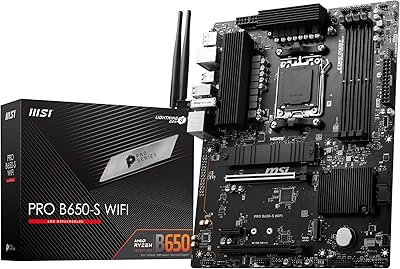
MSI PRO B650-S WIFI Motherboard
84%
94%
Performance with Ryzen 7000 Processors
89%
Wi-Fi 6E Connectivity
88%
Cooling Efficiency
72%
Setup and Installation Ease
91%
PCIe 4.0 Expansion Support
More
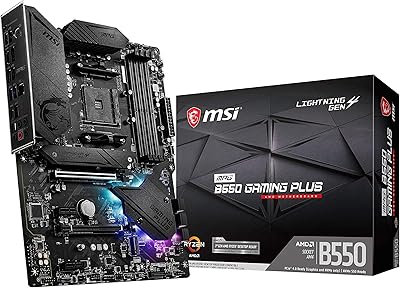
MSI MPG B550 GAMING PLUS Motherboard
86%
92%
Performance with Ryzen CPUs
90%
PCIe 4.0 Support
85%
Cooling Efficiency
88%
Ease of Installation
87%
Wireless Connectivity (Wi-Fi and Bluetooth)
More
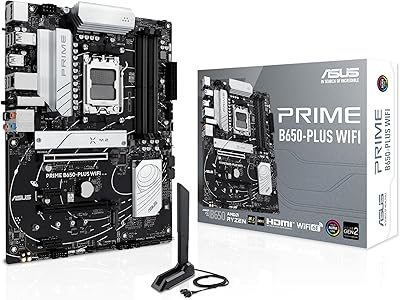
ASUS Prime B650-PLUS WiFi Motherboard
88%
94%
Performance
88%
Setup and Installation
90%
Overclocking Flexibility
91%
Cooling Efficiency
93%
Connectivity (WiFi and Ethernet)
More
MSI MAG Z890 Tomahawk WiFi Gaming Motherboard
87%
91%
Performance
93%
Connectivity Options
88%
Build Quality
80%
Ease of Installation
90%
Wi-Fi 7 Performance
More
MSI MAG X670E Tomahawk WiFi Gaming Motherboard
89%
94%
Performance
90%
Power Delivery and Overclocking Stability
88%
Wi-Fi and Connectivity
93%
Build Quality and Durability
89%
Thermal Management
More

FAQ

Not always on early stock units. Newer Ryzen 9000 series processors may require a BIOS update before they are recognized. If you do not have an older AM5 CPU to perform the update, MSI supports BIOS Flashback, which lets you update without a working processor installed — just check that your specific unit has this feature enabled before ordering.

Technically the board will run with a single 8-pin EPS connection for most standard builds, but the second connector is there for stability under heavy overclocking or high-core-count Ryzen chips. If you are running a Ryzen 5 or 7 at stock speeds, one cable is generally fine. For Ryzen 9 class processors or any serious overclocking, using both is the safer call and worth confirming your PSU supports it.

The antennas screw into two SMA connectors on the rear I/O panel and can be positioned at various angles. In most mid-tower cases this works fine, but some users with limited rear clearance or dense cable routing find positioning awkward. Keeping the antennas upright and away from metal panels helps maintain a clean signal.

No — AM5 is a DDR5-only platform, so your existing DDR4 kits are not compatible. You will need DDR5 memory, and ideally a kit that supports Expo profiles for the easiest setup experience on this B650 board.

For a minimal setup with a keyboard, mouse, and one or two external drives, you will manage fine. However, if you regularly connect multiple peripherals — a headset DAC, webcam, external SSD, and game controllers simultaneously — you will likely want a powered USB hub. This is the most common complaint about this AM5 mid-range board relative to competing options at similar prices.

Both boards occupy a similar price bracket and offer comparable core features. The ASUS board generally edges ahead on rear USB port count, while this MSI option tends to offer slightly more robust power delivery for overclocking scenarios. BIOS experience is strong on both, so the choice often comes down to ecosystem preference and which board is better priced at the time of purchase.

Yes — it uses the standard ATX form factor at 12 x 9.6 inches, which fits in any case that lists ATX support. Full-tower cases work just as well. It will not fit micro-ATX or mini-ITX enclosures.

Yes, the MSI gaming motherboard supports multiple M.2 slots. The primary slot runs PCIe 4.0 x4 with the Shield Frozr heatsink, and additional slots are available depending on configuration. Check the full spec sheet for the exact slot count and any bandwidth sharing rules when multiple M.2 drives are populated simultaneously.

Reasonably so — enabling an Expo profile in the BIOS is the simplest route and works reliably with quality DDR5 kits rated at 6000MHz or higher. Pushing beyond 7200MHz manually takes more patience and is not guaranteed to stabilize on every kit. For most builders, sticking with an Expo-certified kit and enabling the profile once is all the memory tuning they will ever need.

Yes, there is both an HDMI and a DisplayPort output on the rear I/O panel. These only work if you are using a Ryzen processor with integrated graphics — such as the Ryzen 7 7700 or any Ryzen 8000 series chip. Dedicated X3D gaming chips like the 7800X3D do not have integrated graphics, so those outputs would be inactive without a discrete GPU installed.