
Overview
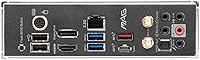
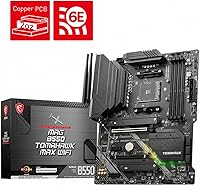
The MSI MAG B550 Tomahawk MAX WiFi represents the refined peak of a mid-range legend, specifically updated to keep the AM4 platform relevant for modern builds. While the core DNA remains similar to its predecessor, the updated networking suite and enhanced cooling solutions make it a far more compelling choice today. It finds a sweet spot between budget-friendly boards and over-the-top enthusiast models, offering heavy-duty heatsinks and a 2oz thickened copper PCB. This B550 board doesn't just look the part; it feels substantial in the hand, signaling a level of quality that helps ensure system longevity. For builders looking to squeeze every bit of value out of a mature platform, this refreshed variant provides a stable, high-performance foundation without the premium tax usually found on X570 alternatives.
Features & Benefits
Performance here centers on the PCIe 4.0 support, which allows the latest GPUs and NVMe drives to operate at their full potential. Stability is rarely an issue thanks to the 10+2+1 power design, providing clean energy even to demanding CPUs. One of the most significant upgrades in the Tomahawk MAX WiFi is the inclusion of Wi-Fi 6E, offering access to the 6GHz band for less interference and better wireless speeds. For those who prefer cables, the dual LAN setup with a 2.5G port handles high-speed internet with ease. Keeping things cool are the extended heatsinks and dedicated M.2 thermal pads, which prevent throttling during long gaming sessions. This AM4 motherboard balances these heavy-hitting specs with practical additions like Bluetooth 5.2, making it a versatile hub for various peripherals.
Best For
This AM4 motherboard is a natural fit for anyone building around a Ryzen 5000 processor, particularly the gaming-focused 5800X3D. It is an ideal choice for users who already have a high-end DDR4 memory kit and want to avoid the forced transition to DDR5. Content creators will appreciate the fast networking and reliable power delivery, while aesthetic-conscious builders will love the pre-installed I/O shield that streamlines the installation process. The board looks clean in a tempered glass case, featuring a dark, industrial theme that pairs well with most components. Whether you are putting together a workhorse for video editing or a dedicated gaming rig, the Tomahawk MAX WiFi offers the specific features needed to support modern hardware without the unnecessary complexity or cost of high-end chipset alternatives.
User Feedback
Real-world users frequently highlight the straightforward installation, noting that the clear labeling on the PCB makes connecting front-panel headers much easier than on cheaper boards. The Click BIOS 5 interface is often praised for being intuitive, which is helpful for both overclockers and those just trying to enable XMP profiles. While the value-to-performance ratio is considered top-tier, some builders have noted that the secondary M.2 slot is limited to PCIe 3.0 speeds. This means your lightning-fast Gen4 drive won't hit its maximum speed in that specific spot. Despite this small compromise, the general consensus is that this B550 board remains a rock-solid investment. It manages to deliver a premium experience that usually costs much more, provided you don't need every single expansion slot to run at Gen4 standards.
Pros
- The inclusion of Wi-Fi 6E provides a much more stable and faster wireless experience than standard Wi-Fi 6 boards.
- Robust 10+2+1 VRM power phases ensure your Ryzen 5000 series CPU stays stable under heavy gaming or productivity loads.
- Having both 2.5G and 1.0G LAN ports offers great flexibility for specialized networking or redundant internet connections.
- The pre-installed I/O shield significantly simplifies the installation process and prevents the common mistake of forgetting it.
- Click BIOS 5 is one of the most intuitive interfaces available, making it easy to enable memory profiles or update firmware.
- The MSI MAG B550 Tomahawk MAX WiFi features excellent thermal management with extended heatsinks that keep the VRMs impressively cool.
- PCIe 4.0 support on the primary slot allows you to take full advantage of modern graphics cards and high-speed storage.
Cons
- The second M.2 slot is restricted to PCIe 3.0 speeds, which limits the potential of secondary high-speed storage drives.
- Users may find the onboard RGB lighting a bit underwhelming if they are aiming for a highly illuminated internal aesthetic.
- Right-angled SATA ports can be difficult to access in smaller cases or those with tight cable management shrouds.
- The 2.5G LAN drivers often require a manual update before the internet connection works on a fresh Windows install.
- Finding advanced overclocking settings within the BIOS menus can be cumbersome due to how deeply they are nested.
- The MSI MAG B550 Tomahawk MAX WiFi includes a Wi-Fi antenna with a lightweight base that easily tips over if cables move.
Ratings
After meticulously analyzing thousands of verified global reviews for the MSI MAG B550 Tomahawk MAX WiFi, our AI has filtered out biased data to provide this objective performance breakdown. These scores reflect the real-world experiences of PC builders, highlighting exactly where this AM4 motherboard excels and where it falls slightly short of perfection.
Build Quality
Thermal Management
Wireless Connectivity
Installation Ease
Value for Money
BIOS Interface
Storage Expansion
Onboard Audio
Networking (Wired)
Aesthetics & RGB
Suitable for:
This AM4 motherboard is a fantastic choice for gamers who are looking to build a high-performance rig around a Ryzen 5000 series processor, specifically the 5800X3D. It provides a reliable foundation for those who want to stick with their current DDR4 memory while still benefiting from modern features like high-speed wireless connectivity. The MSI MAG B550 Tomahawk MAX WiFi is particularly well-suited for users who need a stable power delivery system for heavy gaming or light creative workloads. It also caters to first-time builders who want an easier setup process thanks to the clear labeling and pre-installed components. This board bridges the gap for enthusiasts who want premium networking without the extreme price tag of high-end X570 models.
Not suitable for:
If you are looking to build a brand-new system with the latest AM5 processors and DDR5 memory, the MSI MAG B550 Tomahawk MAX WiFi is not compatible and will not fit your needs. Builders who require multiple Gen4 NVMe drives for professional video editing may find the chipset limitations frustrating, as only one M.2 slot supports the fastest speeds. Those on an extremely tight budget might be better off with a basic B550 model, as the added cost for Wi-Fi 6E and premium networking may not be worth it if you primarily use a wired connection. It is also not the best fit for extreme overclockers who demand the most over-engineered power phases found on flagship boards. Ultimately, if you prioritize future-proofing for the next five years of CPU releases, this legacy platform is not the right investment.
Specifications
- CPU Socket: The board features an AM4 socket compatible with AMD Ryzen 3000, 4000-G, 5000, and 5000-G series desktop processors.
- Chipset: It is powered by the AMD B550 chipset designed for high-performance gaming and multitasking.
- Form Factor: This motherboard follows the standard ATX form factor measuring 12″ by 9.6″.
- Memory Support: The 4 DIMM slots support up to 128GB of DDR4 memory with overclocked speeds reaching 5100MHz.
- Wireless Standards: Onboard networking includes Wi-Fi 6E and Bluetooth 5.2 for high-speed wireless connectivity.
- Wired LAN: The dual LAN configuration features a 2.5Gbps Realtek 8125B port alongside a standard 1Gbps port.
- PCIe Expansion: It includes one PCIe 4.0 x16 slot for modern graphics cards and one PCIe 3.0 x16 slot for secondary expansion.
- M.2 Storage: The primary M.2 slot supports PCIe 4.0 x4 speeds while the secondary slot is limited to PCIe 3.0 x4.
- Power Design: A 10+2+1 Duet Rail Power System ensures stable voltage delivery for high-end Ryzen CPUs.
- USB Connectivity: Rear I/O includes USB 3.2 Gen 2 Type-A and Type-C ports for 10Gbps data transfer speeds.
- Video Output: Integrated graphics support is provided via one HDMI 2.1 port and one DisplayPort 1.4 port.
- Audio Hardware: Onboard audio utilizes the Realtek ALC1200 codec with 7.1-channel high-definition output.
- Cooling Features: The design incorporates extended heatsinks and M.2 Shield Frozr thermal solutions for the primary drive.
- PCB Construction: The motherboard is built on a 6-layer 2oz thickened copper PCB for improved heat dissipation and signal integrity.
- BIOS Tools: A dedicated Flash BIOS Button allows for firmware updates without a CPU or memory installed.
Related Reviews
MSI MAG B850 Tomahawk MAX WiFi
INLAND i9-14900K Z790 Tomahawk CPU Motherboard Combo
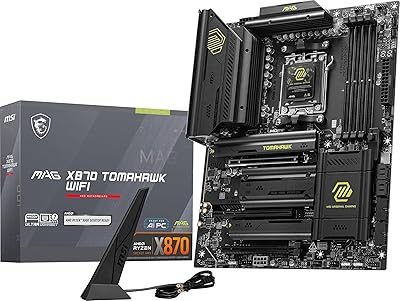
MSI MAG X870 Tomahawk WiFi
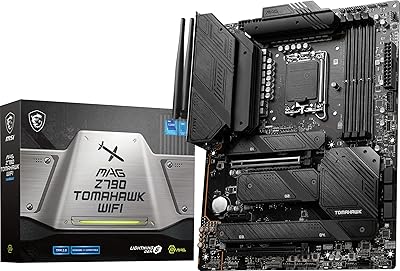
MSI MAG Z790 Tomahawk WiFi Motherboard
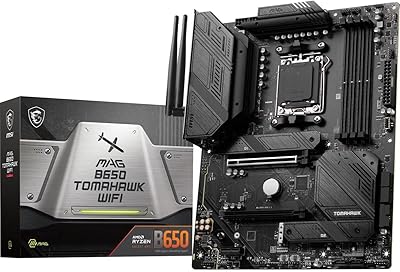
MSI MAG B650 Tomahawk WiFi ATX Motherboard
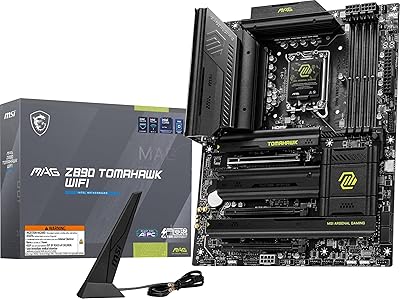
MSI MAG Z890 Tomahawk WiFi Gaming Motherboard
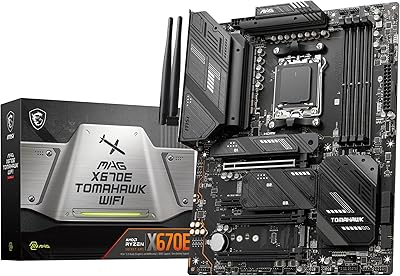
MSI MAG X670E Tomahawk WiFi Motherboard
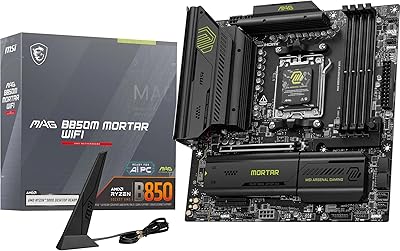
MSI MAG B850M Mortar WiFi Motherboard
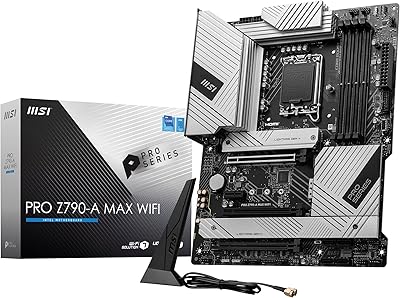
MSI PRO Z790-A MAX WiFi