Overview

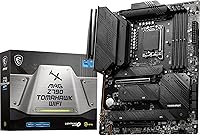
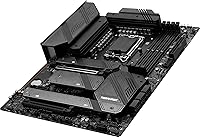
The MSI MAG Z790 Tomahawk WiFi Motherboard sits in an interesting spot — capable enough to satisfy serious builders, priced to avoid the flagship tax. It supports Intel's 12th, 13th, and 14th Gen processors on the LGA 1700 socket, so if you're upgrading a CPU without swapping platforms, this board keeps your options open. The standard ATX form factor means no compromises on expansion slots or cooling clearance — it fits virtually every mid-tower and full-tower case out there. WiFi 6E and 2.5G LAN come built-in, which is a meaningful differentiator at this tier. Just go in knowing this is a well-rounded performer, not a purpose-built extreme overclocking platform.
Features & Benefits

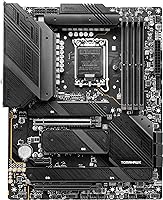
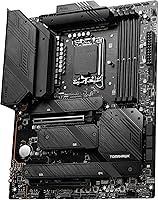
The power delivery here is genuinely capable. A 16+1+1 Duet Rail VRM paired with dual 8-pin CPU connectors means your processor can sustain demanding workloads — gaming, rendering, multi-threaded tasks — without throttling under heat or current stress. The primary PCIe 5.0 x16 slot handles current and next-gen GPUs, while a secondary PCIe 4.0 slot gives you flexibility for capture cards or other add-ins. Four Gen4 x4 M.2 slots, each covered by thermal shields, make this a natural pick for builders running multiple NVMe drives. DDR5 memory support up to 7200+ MHz OC rounds things out — even mid-range DDR5 kits run noticeably snappier here than on older platforms.

Best For

This Z790 board makes the most sense for builders pairing a 13th or 14th Gen Intel Core processor with a capable GPU — it is calibrated for exactly that kind of build. If you work from home and game on the same machine, the onboard WiFi 6E means one less PCIe slot consumed by a wireless adapter, and 2.5G wired LAN gives you quick access to a NAS or home server. The four M.2 slots suit content creators who need fast storage without sacrificing expansion. Those upgrading from a Z490 or Z590 platform will appreciate getting into DDR5 without paying for features they will never use. Not ideal for extreme overclockers chasing top-tier VRM headroom.

User Feedback

Across more than 550 ratings, the Tomahawk WiFi holds a solid 4.0 out of 5 — respectable for a board in this competitive segment. Most buyers praise reliable first-boot behavior, straightforward BIOS navigation, and heatsink coverage that keeps thermals in check during long gaming or rendering sessions. The honest caveat: some users running 14th Gen CPUs report needing a BIOS update before the system posts, which can be inconvenient without a spare older processor to flash with. The bundled WiFi antenna draws mild criticism — it works, but feels like an afterthought relative to the rest of the package. M.2 screw placement and ARGB header positions have also tripped up a few builders, so reading the manual before installation is genuinely worth the time.

Pros

  • Broad CPU compatibility across three Intel generations on a single LGA 1700 socket saves money on future upgrades.
  • The 16+1+1 VRM handles sustained workloads — gaming, rendering, multitasking — without throttling under pressure.
  • Four Gen4 x4 M.2 slots with individual thermal shields is genuinely uncommon at this price tier.
  • Onboard WiFi 6E and Bluetooth 5.3 eliminate the need for a separate wireless adapter, keeping the build clean.
  • PCIe 5.0 primary slot means your next GPU purchase will not be bottlenecked by the motherboard.
  • Intel 2.5G LAN is a meaningful upgrade over standard gigabit for home network-attached storage or file transfers.
  • BIOS navigation is praised by users as intuitive, even for builders who do not tweak settings regularly.
  • DDR5 support up to 7200+ MHz OC gives budget DDR5 kits room to perform above their rated speeds.
  • Heatsink coverage and thermal management hold up well under long gaming or encoding sessions, per real user reports.
  • Standard ATX form factor ensures broad case compatibility with no hunting for specialty enclosures.

Cons

  • Some units ship with a BIOS version that does not support 14th Gen CPUs, requiring a flash before first boot.
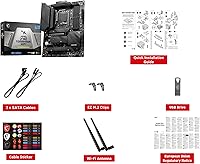
  • The bundled WiFi antenna feels noticeably cheap relative to the overall build quality of the board.
  • No native Thunderbolt support, which matters for creators using high-bandwidth external peripherals.
  • ARGB header placement can be awkward depending on case layout, complicating cable management for RGB-focused builds.
  • M.2 screw positioning has frustrated some builders — a minor but recurring complaint in user feedback.
  • Only one PCIe 5.0 slot is available; the secondary slot drops to PCIe 4.0, limiting dual-GPU or high-speed add-in card setups.
  • Not a strong choice for extreme manual overclocking compared to higher-end Z790 competition.
  • The secondary PCIe x16 slot shares bandwidth in multi-card configurations, which can affect certain workstation use cases.
  • Rear USB port count may feel limited for power users running many peripherals without a hub.

Ratings

The MSI MAG Z790 Tomahawk WiFi Motherboard scores here reflect AI-driven analysis of verified global user reviews, with spam, bot-generated, and incentivized submissions actively filtered out before scoring. Ratings capture the full picture — where this board genuinely impresses and where real builders have run into friction — so you can make an informed decision without wading through hundreds of individual opinions yourself.
Build Quality
88%
Users consistently praise the board's physical construction — the heatsink coverage feels substantial in hand, the PCIe slots have a satisfying click, and the overall component layout looks considered rather than crowded. Builders report that after multiple installation cycles, the socket retention and M.2 slot hardware hold up without visible wear.
A handful of users noted minor cosmetic inconsistencies on the heatsink finish out of the box, and the bundled rear I/O shield feels noticeably cheaper than the board itself. Nothing structurally worrying, but worth mentioning for buyers who care about fine details.
VRM & Power Delivery
83%
The 16+1+1 Duet Rail power system handles sustained gaming and multi-threaded workloads comfortably at stock and moderate boost settings. Builders running 13th Gen Core i7 and i9 processors report stable voltages without any unexpected throttling during long rendering or encoding sessions.
Hardcore overclockers pushing 14th Gen i9 chips to their absolute limits report that the VRM thermal performance gets marginal under those conditions. It is not a dealbreaker for most users, but if extreme manual overclocking is the goal, a higher-tier Z790 board offers more headroom.
BIOS Experience
84%
First-time builders and veterans alike call out MSI's Click BIOS as one of the more approachable interfaces in the Z790 segment. Enabling XMP for memory, setting fan curves, and monitoring system health all live in logical menus that do not require a manual to navigate.
A recurring complaint involves units shipping with BIOS versions that do not recognize 14th Gen CPUs, forcing users without a spare older processor into a frustrating situation before they can even post. MSI's update process itself works fine, but the out-of-box compatibility gap has clearly irritated a meaningful subset of buyers.
Thermal Management
86%
The extended heatsink design covering the VRM and chipset zones keeps temperatures well-controlled during extended gaming and productivity loads. M.2 Shield Frozr thermal plates on all four NVMe slots are a practical inclusion that most competing boards at this tier reserve for one or two slots at most.
Under extreme sustained all-core loads, the VRM heatsink gets noticeably warm to the touch, though it stays within safe operating bounds for typical workloads. Users in poorly ventilated cases have reported slightly elevated chipset temperatures, suggesting airflow planning matters more here than on some rival boards.
Connectivity & I/O
81%
19%
The combination of USB 3.2 Gen 2x2 on the rear panel and ten internal USB 2.0 headers covers most builders' peripheral needs without requiring a hub. The 2.5G Intel LAN is a genuine step up from standard gigabit, especially useful for anyone transferring large files to a NAS or network storage device regularly.
Some users feel the total rear USB port count is a bit lean for a board at this tier, particularly when connecting multiple high-speed devices simultaneously. There is also no Thunderbolt support, which has become a sore point for creators who rely on Thunderbolt docks or external SSDs.
Wireless Performance
74%
26%
Intel Wi-Fi 6E delivers reliably fast wireless speeds in environments with a compatible 6 GHz router, and the lack of a separate adapter card keeps the build cleaner with one less PCIe slot consumed. Bluetooth 5.3 pairing with headsets and controllers has been described as stable and low-latency by the majority of users.
The bundled WiFi antenna is the most consistently criticized component across user reviews — reception in larger homes or through multiple walls leaves enough to be desired that several users replaced it almost immediately. The antenna's build quality does not match the standard set by the rest of the board.
Memory Compatibility
79%
21%
DDR5 kits across a wide range of brands and speeds generally post and run reliably, with XMP profiles activating correctly on the first attempt for most users. Builders using popular DDR5-6000 and DDR5-6400 kits report stable daily operation without needing manual voltage tuning.
A minority of users with more aggressive DDR5-7200 or higher kits have reported needing additional BIOS tweaking to achieve stability at rated speeds. DDR5 compatibility in general is still somewhat kit-dependent at the platform level, and this board is not entirely immune to that broader challenge.
PCIe & Expansion
85%
Having a PCIe 5.0 primary slot means current and next-generation GPUs will not be held back by the motherboard, which is a meaningful consideration for a build intended to last several years. The secondary PCIe 4.0 slot handles capture cards, networking adapters, and similar add-in cards without bandwidth concerns for typical use cases.
The board only offers two PCIe x16 slots in total, which limits configuration options for users who run multiple high-bandwidth cards simultaneously. Bandwidth sharing in multi-card setups has been noted as a limitation for certain workstation-oriented use cases.
Storage Options
91%
Four Gen4 x4 M.2 slots is an exceptional count at this price tier, giving content creators and power users genuine flexibility to run separate drives for OS, applications, project files, and backups without touching a single SATA port. Thermal shields on every slot are a practical touch that reduces NVMe throttling risk during sustained read and write workloads.
A recurring installation frustration involves the M.2 standoff screw placement, which several builders found confusing without closely following the manual. The issue is minor but has caused installation delays for builders who assumed the setup would be as intuitive as the rest of the board.
Installation Experience
76%
24%
For the majority of builders, the board posts reliably on the first attempt with no issues — a detail that gets called out positively in many reviews, since failed first boots are a surprisingly common frustration with Z790 boards in general. The layout gives reasonable access to most connectors even after the GPU is installed.
ARGB header placement has drawn criticism for being positioned in a way that creates cable management headaches depending on the case. The 14th Gen BIOS flashing requirement before first boot adds an extra step that some builders simply were not expecting and were not prepared for.
Audio Quality
72%
28%
The onboard 8-channel HD audio handles gaming headsets, stereo speakers, and multi-channel setups adequately for users who do not require audiophile-grade output. Most gamers and casual listeners report clean, hiss-free audio without needing a dedicated sound card.
Music producers and users with high-impedance headphones will likely find the onboard audio underwhelming compared to a dedicated DAC or sound card. The audio solution here is competent for its class but does not stand out as a strength relative to similarly priced competition.
Value for Money
82%
18%
Considering the combination of four Gen4 M.2 slots, PCIe 5.0, WiFi 6E, 2.5G LAN, and a capable VRM, the Tomahawk WiFi packs a genuinely strong feature set for its market position. Buyers consistently cite it as the board they would recommend to a friend building a capable Intel rig without going overboard on spending.
The BIOS compatibility issue with 14th Gen CPUs and the underwhelming bundled antenna slightly dent the value perception for buyers who encounter either problem early. Those who need a Thunderbolt-equipped board at a similar price point will find the options elsewhere in the Z790 segment.
Software & Utilities
69%
31%
MSI Center provides a unified hub for fan control, RGB customization, and performance monitoring, which casual users generally find sufficient for day-to-day adjustments without diving into the BIOS for every tweak. Driver installation from MSI's website is straightforward with no reported conflicts on Windows 11.
Power users have criticized MSI Center for being bloated and occasionally unreliable, with some components of the software failing to detect connected hardware properly after certain Windows updates. The RGB control specifically has been flagged as less polished than competing vendor software.
Long-Term Reliability
78%
22%
Given the board has been on the market long enough to accumulate over 550 reviews, the relative absence of widespread reports of hardware failure or sudden degradation is a positive signal. Most users who have run the board for extended periods report consistent, stable operation under normal gaming and productivity workloads.
There are isolated but notable accounts of capacitor or VRM component issues surfacing after extended high-load use, though these remain a small fraction of total reviews. Warranty and support experience with MSI varies by region, which adds some uncertainty for international buyers.

Suitable for:

The MSI MAG Z790 Tomahawk WiFi Motherboard is a strong fit for builders who want a capable, well-equipped platform without paying a flagship premium. It is particularly well-suited to anyone pairing a 13th or 14th Gen Intel Core processor with a mid-range to high-end GPU — the power delivery is robust enough to handle sustained gaming and productivity loads without breaking a sweat. Hybrid users who game in the evenings and work during the day will appreciate the onboard WiFi 6E and 2.5G LAN, which cover both wireless and wired high-speed networking without consuming an expansion slot. The four Gen4 M.2 slots with thermal shields make it a practical choice for content creators or developers who rely on multiple fast NVMe drives. It also makes sense for anyone upgrading from an older Intel platform who wants to step into DDR5 without overcommitting on a board loaded with features they will never realistically use.
Not suitable for:

The MSI MAG Z790 Tomahawk WiFi Motherboard is not the right call for enthusiasts whose primary goal is pushing CPU overclocks to their absolute ceiling. While the VRM is solid for sustained loads, it does not compete with the higher-tier power delivery found on enthusiast-class flagship boards designed specifically for extreme overclocking scenarios. Buyers targeting a compact build should also look elsewhere, as the standard ATX footprint requires a mid-tower or larger case. If you are already committed to a 12th Gen processor with no plans to upgrade, some of this board's forward-looking features — PCIe 5.0, high-speed DDR5 support — will go largely unused, making it harder to justify the investment. Anyone hoping to boot a 14th Gen CPU straight out of the box should verify the shipped BIOS version first, as some units require a flash before the system will post, which is a real inconvenience if you do not have a spare older CPU on hand.
Specifications

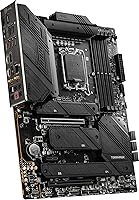
  • CPU Socket: Uses the LGA 1700 socket, compatible with Intel 12th, 13th, and 14th Gen Core, Pentium Gold, and Celeron processors.
  • Chipset: Built on the Intel Z790 chipset, enabling PCIe 5.0 support and full DDR5 memory compatibility.
  • Form Factor: Standard ATX form factor measuring 12 x 9.6 x 2.5 inches, fitting virtually all mid-tower and full-tower cases.
  • Memory Slots: Four DDR5 DIMM slots supporting up to 7200+ MHz with overclocking, accommodating dual-channel memory configurations.
  • VRM Design: Features a 16+1+1 Duet Rail Power System with dual 8-pin CPU power connectors for stable sustained power delivery.
  • PCIe Slots: Includes one PCIe 5.0 x16 primary slot for the GPU and one PCIe 4.0 x16 secondary slot for additional expansion cards.
  • M.2 Storage: Provides four Gen4 x4 M.2 slots, each covered by M.2 Shield Frozr thermal plates to manage NVMe drive temperatures.
  • Wired Networking: Intel 2.5G LAN delivers wired network speeds significantly above standard gigabit for local transfers and low-latency connectivity.
  • Wireless: Onboard Intel Wi-Fi 6E supports the 6 GHz band for reduced congestion and faster wireless throughput in compatible network environments.
  • Bluetooth: Integrated Bluetooth 5.3 supports low-latency wireless peripherals including headsets, controllers, and input devices.
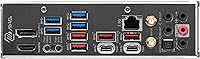
  • USB Connectivity: Rear I/O includes USB 3.2 Gen 2x2 for up to 20 Gbps transfers, with 10 internal USB 2.0 headers for front-panel and device connections.
  • Audio: Onboard 8-channel (7.1) HD audio provides multi-speaker surround sound output without requiring a dedicated sound card.
  • Video Output: Rear panel includes HDMI and DisplayPort outputs for use with Intel integrated graphics when a discrete GPU is not installed.
  • Weight: The board weighs 3.9 pounds, which is typical for a fully-featured ATX motherboard with extended heatsink coverage.
  • Power Connectors: Dual 8-pin EPS CPU power connectors ensure adequate current delivery under heavy multi-core and overclocked workloads.
  • Thermal Design: Extended heatsink design covers VRM and chipset zones, working alongside M.2 Shield Frozr to maintain temperatures during extended load cycles.
  • USB 2.0 Headers: Ten internal USB 2.0 headers accommodate front-panel connectors, USB hubs, and legacy internal devices without adapters.
  • Platform: Designed for Windows 11 and compatible with Windows 10, with full driver and utility support via MSI's software ecosystem.

Related Reviews

MSI MAG X870 Tomahawk WiFi
87%
89%
Build Quality
94%
External Connectivity
91%
Networking Performance
87%
Ease of Installation
83%
Value for Money
More
MSI MAG Z890 Tomahawk WiFi Gaming Motherboard
80%
88%
Value for Money
84%
Build Quality
86%
BIOS Experience
79%
DDR5 Compatibility
77%
Wireless Performance
More
MSI MAG B650 Tomahawk WiFi ATX Motherboard
81%
88%
VRM & Power Delivery
82%
Memory Compatibility
91%
Storage Versatility
86%
Wireless Performance
89%
Wired Networking
More
MSI MAG X670E Tomahawk WiFi Motherboard
79%
88%
Build Quality
86%
VRM & Power Delivery
67%
DDR5 Memory Compatibility
78%
BIOS Experience
91%
PCIe 5.0 & Storage Expansion
More
MSI MAG B550 Tomahawk MAX WiFi
88%
93%
Build Quality
91%
Thermal Management
94%
Wireless Connectivity
88%
Installation Ease
87%
Value for Money
More
MSI MAG B850 Tomahawk MAX WiFi
86%
92%
VRM & Power Delivery
88%
DDR5 Memory Compatibility & OC Stability
91%
M.2 Storage Performance
86%
BIOS Experience
83%
Wireless Connectivity (Wi-Fi 7 & Bluetooth)
More
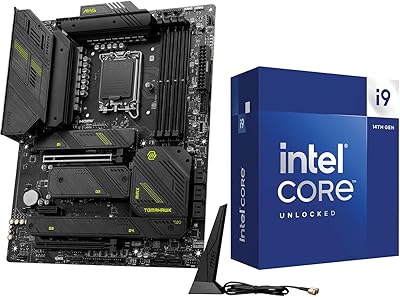
INLAND i9-14900K Z790 Tomahawk CPU Motherboard Combo
77%
93%
Raw CPU Performance
88%
Motherboard Feature Set
82%
Bundle Value
71%
Thermal Management
74%
Memory Compatibility & OC
More
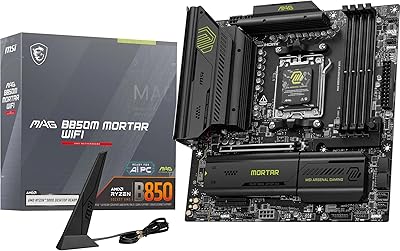
MSI MAG B850M Mortar WiFi Motherboard
84%
91%
Build Quality
83%
VRM & Power Delivery
78%
DDR5 Memory Compatibility
86%
BIOS Experience
93%
Storage Performance
More
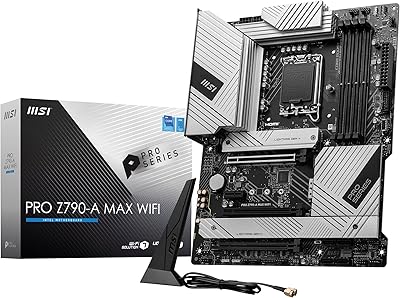
MSI PRO Z790-A MAX WiFi
83%
88%
Build Quality
91%
VRM & Power Delivery
86%
Memory Overclocking
77%
BIOS Experience
93%
Wireless Connectivity
More
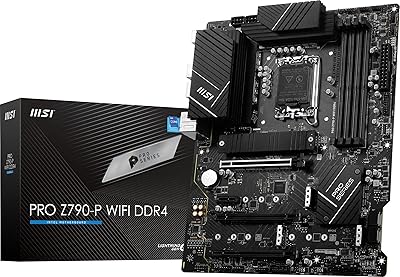
MSI PRO Z790-P WiFi DDR4 Motherboard
83%
91%
Performance for Gaming
88%
Future-Proofing Features
85%
Thermal Management
80%
Ease of Installation
89%
Wi-Fi and Connectivity
More

FAQ

It depends on the BIOS version installed on the unit you receive. Some boards ship with an older BIOS that does not yet support 14th Gen processors. If you have a 12th or 13th Gen CPU handy, you can use it to flash the BIOS first. If you only own a 14th Gen chip, it is worth contacting the seller to confirm the shipped firmware version before committing.

This is a DDR5-only board — there are no DDR4 slots here. If you are upgrading from an older platform and already own DDR4 kits, you will need to budget for new DDR5 memory as part of the build.

You can install up to four NVMe drives using the onboard M.2 slots, all of which run at Gen4 x4 speeds. Each slot also has a thermal shield, so heat management across multiple drives is handled reasonably well without needing aftermarket solutions.

Functional, but nothing impressive. The bundled antenna does the job at close to medium range from a router, but a fair number of users have swapped it out for a third-party option to get better signal in larger spaces or through walls. If WiFi performance is critical for you, factor in a potential antenna upgrade.

No — the Tomahawk WiFi is a standard ATX board and requires a case that accommodates that form factor. Micro-ATX and mini-ITX cases will not fit it physically.

The board officially supports DDR5 up to 7200+ MHz with overclocking enabled in the BIOS. For most gaming and productivity use cases, a DDR5-6000 or DDR5-6400 kit hits a practical sweet spot between cost and performance. Going higher is possible but yields diminishing real-world returns for typical workloads.

No separate card needed. The MSI MAG Z790 Tomahawk WiFi Motherboard includes Intel Wi-Fi 6E and Bluetooth 5.3 built directly into the board, which also frees up your PCIe slots for other uses.
For most users running a Core i9 at stock or moderate all-core boost settings, the 16+1+1 power delivery is adequate and stable. If you are planning aggressive manual overclocking on a high-TDP i9, a higher-end Z790 board with a beefier VRM would give you more headroom and thermal margin.

Easier than most. MSI's Click BIOS interface is generally well-regarded for its layout and accessibility. Enabling XMP or EXPO for memory, adjusting fan curves, and checking system health all have dedicated menus that are easy to find even without prior BIOS experience.

A couple of small things worth knowing: the M.2 slot screw positions have tripped up some builders who skimmed the manual, so take a minute to read the relevant section before installing your NVMe drives. ARGB header placement has also been flagged as slightly awkward depending on your case layout, so plan your cable routing before everything is buttoned up.

Where to Buy