Overview

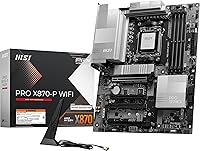
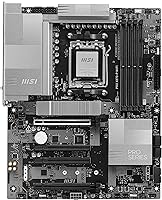
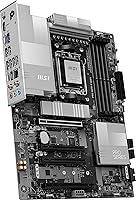
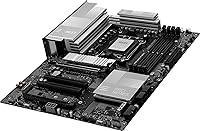
The MSI PRO X870-P WiFi AM5 ATX Motherboard sits in a comfortable spot for AMD Ryzen builders who want a capable, modern platform without spending flagship money. AMD's AM5 socket is designed to support multiple CPU generations, which means this board should remain relevant for several years — a genuine consideration if you plan to upgrade your processor rather than replace the whole platform. The ATX form factor keeps your options wide open across cases and expansion slots. MSI's PRO series has traditionally leaned toward business use, but the feature set here appeals just as much to mainstream builders. Sitting at #6 in motherboard bestsellers with over 1,100 ratings, it has clearly found a broad audience.

Features & Benefits

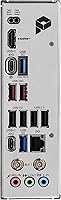
The connectivity package on the PRO X870-P WiFi is where the value argument gets interesting. Wi-Fi 7 brings a 320MHz channel width, delivering noticeably lower latency and higher throughput than Wi-Fi 6E. For wired users, 5Gbps LAN is a real step up from standard gigabit. The USB 40Gbps port suits anyone running fast NVMe enclosures or a docking station. Three M.2 slots include one at PCIe Gen 5 speeds, keeping your storage options open as that technology matures. The Frozr AI Cooling feature reads CPU and GPU temps to adjust fan curves automatically — handy as a baseline, though not a substitute for a manually tuned profile. The pre-installed I/O shield is a small but genuinely appreciated touch for builders.

Best For

This AM5 motherboard makes the most sense for builders pairing it with a Ryzen 7000 or 9000 series processor who want a well-equipped platform without the premium price of higher-tier chipsets. First-time PC builders will find the process less intimidating thanks to the pre-fitted I/O shield and a BIOS that is generally considered stable and approachable. Content creators and professionals moving large files regularly will benefit from the Gen 5 M.2 slot and 40Gbps USB for external storage. It is also a strong pick for home or small-office setups that want built-in Wi-Fi 7 and Bluetooth 5.4 without buying a separate wireless card. AM4 upgraders stepping into DDR5 and PCIe 5.0 will feel the headroom immediately.

User Feedback

With a 4.2-star average across more than 1,100 ratings, the PRO X870-P WiFi has earned a broadly positive reception, though the picture is not without nuance. Buyers frequently highlight how straightforward the installation experience is and how the BIOS is well-organized right out of the box. Wireless performance gets consistent praise, with many noting it works reliably without needing driver adjustments. On the critical side, some users have reported memory compatibility hiccups, particularly when pushing DDR5 kits to higher speeds — a known challenge across the X870 segment rather than a board-specific flaw. A handful of reviewers feel the Frozr AI Cooling delivers modest real-world results. Overall sentiment on value for money is positive compared to competing boards in the same tier.

Pros

  • Wi-Fi 7 with a 320MHz channel delivers a meaningful real-world improvement over Wi-Fi 6E for crowded home networks.
  • The 40Gbps USB port makes connecting fast NVMe enclosures or a modern docking station genuinely practical.
  • Triple M.2 slots, including one at PCIe Gen 5 speeds, keep storage options open as faster drives become mainstream.
  • 5Gbps wired LAN is a rare and welcome upgrade over standard gigabit on a board in this price range.
  • AM5 socket support across Ryzen 7000, 8000, and 9000 series gives the platform real multi-year staying power.
  • The pre-installed I/O shield is a small detail that saves time and frustration during installation.
  • BIOS is widely praised for being organized and stable with minimal setup required out of the box.
  • Bluetooth 5.4 and Wi-Fi 7 are both built in, removing the need and cost of a separate wireless adapter.
  • Over 1,100 buyer ratings at 4.2 stars indicates consistent real-world satisfaction across a wide user base.
  • PCIe 5.0 support means a next-generation GPU or storage upgrade will not require a platform change.

Cons

  • Some users report DDR5 memory compatibility issues when pushing kits beyond standard rated speeds.
  • The Frozr AI Cooling auto-tuning is convenient but offers limited granularity compared to manual fan curve configuration.
  • Amazon product listing contains conflicting chipset references, which creates unnecessary confusion for buyers researching the board.
  • No mention of robust overclocking-focused VRM specs, making it a less confident choice for sustained heavy CPU loads.
  • MSI's companion software has drawn mixed feedback, with some users finding it less polished than the hardware itself.
  • The ATX size locks out smaller form-factor builds entirely, reducing flexibility for compact case setups.
  • Buyers who do not need Wi-Fi 7 or multi-port high-speed connectivity may feel they are paying for features they will never use.
  • A small number of reviewers noted longer-than-expected troubleshooting time when resolving initial boot issues with certain RAM configurations.

Ratings

Our AI-generated scores for the MSI PRO X870-P WiFi AM5 ATX Motherboard are based on a deep analysis of verified global buyer reviews, with spam, incentivized, and bot-generated feedback actively filtered out. The ratings reflect both where this board consistently wins and where real users have run into friction — nothing is glossed over. Whether you are planning a fresh Ryzen 9000 build or upgrading from an older platform, the breakdown below gives you an honest picture of what to expect.

Value for Money
83%
Most buyers feel the PRO X870-P WiFi punches above its price point when stacked against competing X870 and B650 boards. Getting Wi-Fi 7, 5Gbps LAN, a Gen 5 M.2 slot, and USB 40Gbps at this tier is genuinely difficult to match without spending noticeably more.
A subset of buyers who do not need the full wireless or high-speed connectivity package feel they are subsidizing features they will never use. For a purely wired, storage-light build, a leaner B650 board could arguably deliver better targeted value.
Build Quality
81%
19%
The board feels substantial in hand, and the component layout is clean and well-organized. Several long-term owners have commented positively on stability over extended use, which is reassuring for a board aimed at multi-year platform life.
A few reviewers noted that while the board feels solid, the aesthetics are fairly utilitarian — the PRO series is not designed to impress through a tempered glass side panel. Those building a visually focused rig may find competing boards more satisfying in this regard.
Installation Experience
88%
The pre-installed I/O shield alone draws consistent praise from builders at all experience levels — it removes a fiddly step that trips up even experienced builders. Combined with a logical connector layout and clear silkscreen labeling, the physical build process is genuinely smooth.
A small number of users reported needing to update the BIOS before their Ryzen 9000 processor would post, which can be daunting for first-timers who do not have a spare compatible CPU on hand. MSI's BIOS flashback feature helps, but the process still adds a friction point.
BIOS & Software
77%
23%
The BIOS interface is widely described as well-organized, responsive, and stable out of the box, which matters a lot for users who are not tweaking extensively. Memory XMP and EXPO profiles can be enabled in just a few clicks with no manual configuration required for most setups.
MSI's companion Windows software draws mixed reactions — some users find it useful for fan control and system monitoring, while others consider it bloated or unreliable. A handful of reviewers reported software conflicts or instability that required uninstalling the suite entirely.
Memory Compatibility
67%
33%
For users running DDR5 kits within standard JEDEC or officially listed XMP speeds, the board handles memory configuration without drama. Sticking to kits on MSI's qualified vendor list tends to result in a clean, stable first boot.
Pushing DDR5 kits to higher frequencies or using less common memory brands has produced instability reports from a notable portion of reviewers. This is not entirely unique to this board — DDR5 tuning on the AM5 platform broadly carries this risk — but it is a real concern for buyers planning aggressive memory overclocking.
Wireless Performance
86%
Wi-Fi 7 performs reliably for the vast majority of buyers, with several noting immediate improvements in connection stability and throughput compared to their previous Wi-Fi 6 setups. In home environments with a compatible router, the 320MHz channel width makes a tangible difference for large file transfers and low-latency tasks.
The real-world benefit is contingent on having a Wi-Fi 7 router, which not everyone has yet. A few users also noted that antenna placement near other metal components in smaller cases occasionally affected signal consistency.
Thermal Management
72%
28%
The Frozr AI Cooling system provides a reasonable hands-off experience for casual users — it reads CPU and GPU temperatures and adjusts fan speeds without requiring any manual setup. For a typical productivity or gaming build running at moderate loads, it keeps things quiet and adequately cool.
Users with high thermal demands or specific noise preferences found the automatic fan curves less responsive or aggressive than a manually tuned profile. The AI label may set expectations a bit high — it is a competent auto-tuning system, not a deeply adaptive one.
Wired Connectivity
84%
The 5Gbps Ethernet port is a genuine differentiator for users on a fast home network or a small office setup with a multi-gigabit switch. Wired users report consistently low latency and stable throughput without any driver headaches.
There is only one LAN port, and users with complex networking needs may find that limiting. Those on a standard gigabit home router will also see no practical benefit from the 5Gbps port until they upgrade their network infrastructure.
Storage Options
87%
Three M.2 slots including one running at PCIe Gen 5 speeds gives this board serious long-term storage flexibility. Content creators and professionals moving large media files benefit immediately from the top-tier slot, and having two additional M.2 connectors means most builders will never need a SATA-based workaround.
Some users noted that enabling all three M.2 slots simultaneously may involve shared bandwidth trade-offs with certain SATA ports — a common design constraint on this chipset that MSI could communicate more clearly in the documentation.
USB Versatility
79%
21%
The 40Gbps USB port is fast enough to saturate most consumer NVMe enclosures, making it particularly useful for video editors or backup-heavy workflows. Users who regularly move large files to external drives praised how much faster their workflows became compared to USB 3.2 Gen 1 boards.
The total number of USB ports available on the rear I/O is adequate but not generous. Power users who rely on multiple high-speed peripherals simultaneously may find themselves reaching for a USB hub sooner than expected.
Platform Longevity
89%
AM5 has a credible multi-generation roadmap, and this board is positioned to support at least two or three more CPU generations without a platform change. For buyers who typically upgrade their processor before replacing the whole system, this is a meaningful long-term cost argument.
Platform longevity is partly dependent on AMD honoring its roadmap commitments and MSI releasing BIOS updates in a timely manner — both factors outside the buyer's direct control. Users who upgrade frequently may not fully benefit from the longevity argument.
Aesthetics & Design
62%
38%
The board has a clean, professional appearance that fits well in both business-adjacent and understated enthusiast builds. The layout is practical and uncluttered, which some buyers genuinely prefer over heavily RGB-laden alternatives.
For builders specifically choosing components for visual impact, the PRO series design language is noticeably restrained. There is minimal RGB lighting and no premium heatsink design, which puts it at a disadvantage compared to gaming-focused boards at similar price points.
Documentation & Support
71%
29%
MSI provides a reasonable manual that covers the basics adequately for most builders. Their online support resources and community forums are active enough that most common setup questions have documented solutions available.
Several users felt the printed manual lacked detail on advanced features like manual fan curve configuration and BIOS memory tuning. Customer support response times have drawn criticism from a portion of reviewers who needed help resolving post or compatibility issues.

Suitable for:

The MSI PRO X870-P WiFi AM5 ATX Motherboard is a strong fit for AMD Ryzen 7000 or 9000 series builders who want a genuinely well-equipped platform without climbing to the highest chipset tier. If you are stepping up from an older AM4 system, the jump to DDR5, PCIe 5.0, and a Gen 5 M.2 slot gives you real headroom for at least one or two more hardware generations. Content creators and hybrid home-office users will appreciate the 40Gbps USB port for fast external drives and the built-in Wi-Fi 7 that eliminates the need for a separate wireless card. First-time builders also land well here — the pre-installed I/O shield and an approachable BIOS reduce two of the most common frustration points during a first build. Anyone prioritizing long-term platform value over raw, immediate peak performance will find the AM5 investment worthwhile on this board.

Not suitable for:

The MSI PRO X870-P WiFi AM5 ATX Motherboard is not the right choice for serious overclockers or enthusiasts chasing maximum memory performance, as the board is tuned more for stability and accessibility than pushing DDR5 kits to their absolute limits. Builders working with tight ITX or Micro-ATX cases will obviously need to look elsewhere, since the full ATX footprint is non-negotiable here. If your priority is the absolute highest VRM headroom for a flagship Ryzen processor under sustained heavy load, a higher-end board in the same family would be a safer bet. Budget-focused builders who do not need Wi-Fi 7, 5Gbps LAN, or multiple M.2 slots might find a B650 board a more sensible spend since they would be paying for connectivity they will never use. Those who prefer deep software-based fan control may also find the Frozr AI Cooling system less flexible than expected compared to fully manual tuning.

Specifications

  • CPU Socket: Uses the AMD AM5 socket, compatible with Ryzen 7000, 8000, and 9000 series desktop processors.
  • Chipset: Built on the AMD X870 chipset, offering PCIe 5.0 support and broad connectivity options for mid-range to enthusiast builds.
  • Form Factor: Standard ATX layout measuring 13.46 x 10.55 x 2.76 inches, fitting the vast majority of mid-tower and full-tower cases.
  • Memory: Supports DDR5 RAM with speeds up to 7800MHz across dual-channel slots.
  • M.2 Storage: Three onboard M.2 slots are included, with the primary slot running at PCIe 5.0 Gen 5 speeds for next-generation SSD compatibility.
  • PCIe Version: PCIe 5.0 is supported for both the primary GPU slot and the top M.2 slot, providing headroom for current and upcoming hardware.
  • Wireless: Wi-Fi 7 is built in with support for a 320MHz channel width, delivering higher throughput and lower latency than Wi-Fi 6E.
  • Bluetooth: Bluetooth 5.4 is integrated, supporting modern peripherals and audio devices without a separate adapter.
  • Wired LAN: A 5Gbps Ethernet port provides wired network speeds five times faster than standard gigabit connections.
  • USB Connectivity: Includes a USB 40Gbps port for connecting fast external NVMe drives, docking stations, or high-bandwidth peripherals.
  • Display Output: Onboard video output includes both HDMI and DisplayPort, useful for integrated graphics or basic display needs without a discrete GPU.
  • I/O Shield: A pre-installed I/O shield is included at the rear panel, simplifying case installation and improving electromagnetic interference protection.
  • Cooling System: Frozr AI Cooling monitors CPU and GPU temperatures in real time and adjusts connected fan speeds automatically based on thermal load.
  • Weight: The board weighs approximately 4 pounds, which is typical for a fully featured ATX motherboard.
  • SATA Ports: SATA 6Gb/s connectors are provided for traditional hard drives and SATA-based solid-state drives.
  • Platform: Officially supported on Windows 11, with BIOS and software tools designed around Microsoft's current operating system requirements.

Related Reviews
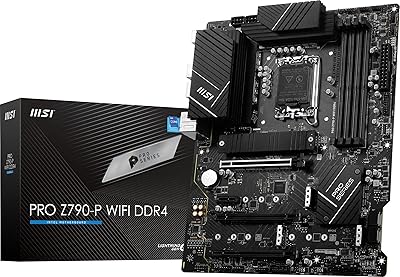
MSI PRO Z790-P WiFi DDR4 Motherboard
83%
91%
Performance for Gaming
88%
Future-Proofing Features
85%
Thermal Management
80%
Ease of Installation
89%
Wi-Fi and Connectivity
More
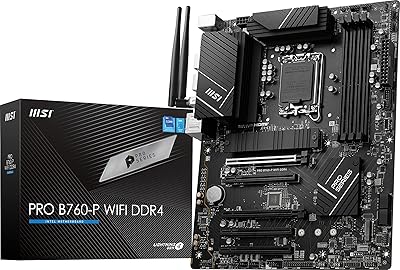
MSI PRO B760-P WiFi DDR4
82%
91%
Value for Money
87%
Build Quality
89%
BIOS Experience
84%
CPU Power Delivery
88%
Wireless Connectivity
More
INLAND Intel i5-12600KF + MSI PRO Z790-P WiFi DDR4 Motherboard Combo
85%
88%
Overall Performance
91%
Value for Money
85%
Ease of Installation
89%
Gaming Performance
84%
Thermal Management
More
INLAND Intel Core i9-12900K + MSI PRO Z790-P WiFi DDR5 Motherboard
88%
94%
Performance
89%
Connectivity Options
82%
Ease of Installation
91%
Cooling and Power Efficiency
88%
Compatibility with DDR5
More
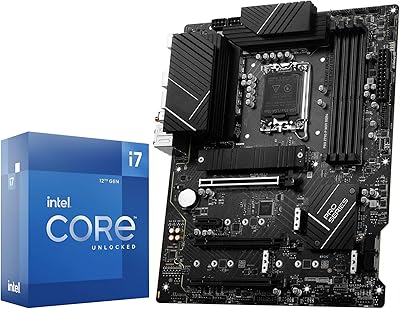
INLAND Intel Core i7-12700K + MSI PRO Z790-P WiFi DDR5 Motherboard
86%
91%
Gaming Performance
89%
Multitasking and Productivity
92%
Value for Money
85%
Ease of Installation
60%
Graphics Performance (Integrated)
More
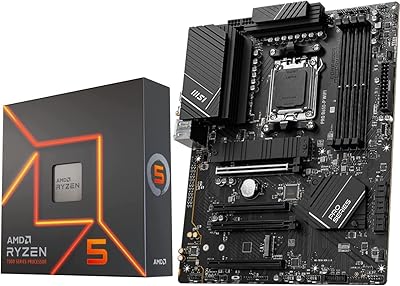
INLAND MSI B650-P Ryzen 5 7600X Bundle
75%
88%
Gaming Performance
83%
Value for Money
84%
Motherboard Build Quality
79%
Ease of Setup
62%
Thermal Management
More
MSI PRO B650M-P V1 Micro-ATX Motherboard
82%
89%
Value for Money
91%
BIOS & Software
84%
Build Quality
67%
VRM & Power Delivery
92%
Storage Performance
More
MSI PRO Z790-A MAX WiFi
83%
88%
Build Quality
91%
VRM & Power Delivery
86%
Memory Overclocking
77%
BIOS Experience
93%
Wireless Connectivity
More
MSI PRO B650M-A WiFi V1 Motherboard
79%
88%
Value for Money
91%
BIOS & Setup Experience
86%
Memory Compatibility & OC
84%
Thermal Management
72%
Connectivity & I/O
More
MSI PRO B650-S WIFI Motherboard
84%
94%
Performance with Ryzen 7000 Processors
89%
Wi-Fi 6E Connectivity
88%
Cooling Efficiency
72%
Setup and Installation Ease
91%
PCIe 4.0 Expansion Support
More

FAQ

Yes, the Ryzen 5 7600X uses the AM5 socket and falls within the supported Ryzen 7000 series lineup, so it will work without any issue. You may want to check MSI's CPU support list on their website to confirm BIOS version requirements for your specific chip.

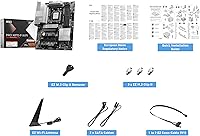
No, the board includes an antenna in the box for the built-in Wi-Fi 7 module. You just attach it to the rear I/O connectors during installation and you are good to go.

It is actually a reasonable choice for a first build. The pre-installed I/O shield removes one common frustration point, and the BIOS is generally well-regarded for being straightforward and stable out of the box. That said, if you run into DDR5 memory compatibility questions, MSI's QVL list is worth checking before buying your RAM kit.

No, this board only supports DDR5 memory. DDR4 is physically and electrically incompatible with the AM5 platform, so you will need to budget for new RAM when upgrading from an AM4 system.

You can connect up to three M.2 drives directly on the board, plus additional drives through the SATA 6Gb/s ports. The exact number of SATA devices supported simultaneously may depend on which M.2 slots are occupied, so check the manual for any bandwidth-sharing rules.

It works well as a hands-off baseline — the system reads CPU and GPU temperatures and adjusts fan speeds automatically, which is helpful if you do not want to configure fan curves manually. That said, if you are particular about noise levels or thermal performance under heavy loads, spending time in the BIOS to set your own fan curves will still give you more precise control than the auto mode.

You need a case that supports standard ATX motherboards. Most mid-tower and full-tower cases are ATX-compatible, but it is always worth double-checking your specific case's specifications before buying. Mini-ITX or Micro-ATX-only cases will not work.

It depends on when the board was manufactured. Newer units may ship with a BIOS version that already supports Ryzen 9000 processors, but older stock might require an update first. MSI supports BIOS flashing without a CPU installed through their flashback feature, which makes the process manageable even without a spare compatible processor on hand.

Yes, it will connect to any router using a standard Ethernet cable, and it will operate at whatever the maximum speed your router supports. To actually benefit from 5Gbps throughput you would need a router or network switch with a 2.5Gbps or higher port, but even on a standard gigabit network the port works normally.

Some users have reported occasional compatibility hiccups when pushing DDR5 kits above their rated XMP or EXPO profiles, particularly at very high frequencies. This is a fairly common challenge across the X870 platform broadly, not unique to this board. Sticking to a kit on MSI's qualified vendor list and enabling the memory profile in BIOS rather than manually setting timings tends to resolve most issues.

Where to Buy