Overview

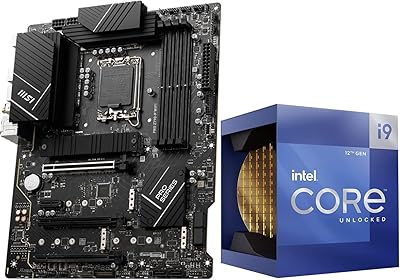
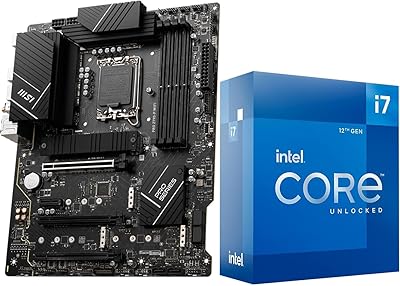
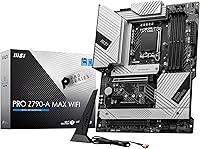
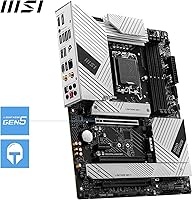
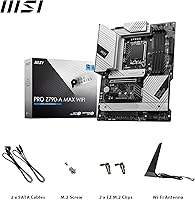
The MSI PRO Z790-A MAX WiFi sits in a sweet spot for enthusiast builders who want a capable, modern platform without stretching into flagship territory. The MAX revision is meaningful — it brings Wi-Fi 7 and a refined power delivery setup over the original PRO Z790-A, not just a cosmetic rebadge. Built around the LGA 1700 socket, it supports Intel 12th, 13th, and 14th Gen processors, giving it real flexibility for upgraders who may not be on the latest silicon yet. The standard ATX footprint means it drops into virtually any full-size or mid-tower case without a second thought. For builders who do their homework, this board checks a lot of boxes.

Features & Benefits

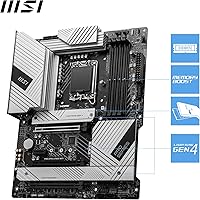
Power delivery is where this Intel LGA 1700 motherboard distinguishes itself from cheaper Z790 options. The 16+1+1 phase arrangement with 80A power stages — backed by dual 8-pin CPU connectors — means the board can sustain heavy loads on a Core i9 without throttling, something cheaper boards struggle with under prolonged stress. Memory runs on DDR5 up to 7800+ MHz across four slots, and the four M.2 Gen4 ports with Shield Frozr cooling let you run multiple fast SSDs without thermal concerns. The PCIe 5.0 primary slot is ready for current and next-gen GPUs, while Wi-Fi 7 and 2.5Gbps LAN cover both wireless and wired networking without requiring add-in cards.

Best For

This MSI Z790 board is a natural fit for anyone building around a 13th or 14th Gen Intel chip — particularly those running a Core i7 or i9 who want room to push clock speeds without the board becoming the bottleneck. Content creators juggling multiple NVMe drives for project storage will appreciate having four M.2 slots available from the start. The integrated Wi-Fi 7 removes the hassle and cost of a separate wireless adapter. Home office users on fast local networks will find the 2.5G LAN genuinely useful day-to-day. And because it supports three Intel generations, future CPU upgrades remain an option without swapping the entire platform.

User Feedback

With over 400 ratings averaging 4.4 stars, the PRO Z790-A MAX WiFi has earned solid community trust. Builders consistently highlight stable memory overclocking and a BIOS that, once you spend time in it, offers genuine flexibility without being obtrusive. The VRM heatsink handles sustained workloads confidently, which shows up in real-world feedback from users running demanding content creation tasks. That said, first-time builders occasionally find the BIOS environment a bit dense — a fair criticism that applies to most enthusiast-tier boards. A handful of reviewers noted minor packaging inconsistencies, though functional issues appear rare. Compared to ASUS and Gigabyte alternatives in the same range, most buyers feel value is strong here, especially given the Wi-Fi 7 inclusion.

Pros

  • Wi-Fi 7 is included out of the box, removing the need for a separate wireless adapter entirely.
  • Four M.2 Gen4 slots with thermal shielding give content creators real multi-drive flexibility from day one.
  • The VRM handles sustained Core i9 workloads without throttling, even during extended rendering or encoding sessions.
  • DDR5 overclocking is stable and well-supported, with XMP profiles loading reliably on quality kits.
  • Intel 2.5Gbps LAN is a practical upgrade over standard gigabit, especially for local NAS transfers.
  • The pre-installed I/O shield and tool-free M.2 retention make the physical build experience noticeably smoother.
  • PCIe 5.0 primary slot ensures the board stays relevant as next-gen GPUs roll out.
  • Broad three-generation Intel CPU support means a future processor upgrade does not force a full platform change.
  • Build quality feels a tier above similarly priced competition, with a solid PCB and well-seated heatsink contacts.

Cons

  • Some 14th Gen CPUs require a BIOS update before first boot, which demands an older LGA 1700 chip to perform.
  • MSI Center software feels less polished than rival utilities and can behave inconsistently after Windows updates.
  • Hitting the top DDR5 speed ceiling requires quality memory kits and manual tuning — plug-and-play results vary.
  • VRM temperatures climb in cases with poor airflow during extreme overclocking, requiring deliberate case fan placement.
  • The two PCIe 3.0 x1 slots feel mismatched against an otherwise modern feature set and have limited clearance near the GPU.
  • Minor cosmetic inconsistencies — uneven heatsink contact, surface markings — have been noted on a small share of units.
  • In-box documentation does not clearly flag the BIOS update requirement for new CPU compatibility, catching some builders off guard.
  • LGA 1700 is at the end of Intel's roadmap, so this is a platform investment with a defined ceiling.
  • All four M.2 slots populated simultaneously can introduce PCIe lane sharing that marginally reduces secondary drive throughput.

Ratings

The MSI PRO Z790-A MAX WiFi earns its place as one of the more recommended mid-to-high-range Z790 boards based on our AI analysis of verified global buyer reviews, with spam, bot-generated, and incentivized submissions actively filtered out. Across hundreds of real-world build reports, the board shows consistent strengths in power delivery and connectivity, though a few recurring pain points around BIOS complexity and minor quality consistency are reflected honestly in the scores below.

Build Quality
88%
Builders repeatedly note that this Intel LGA 1700 motherboard feels substantially more solid than boards at lower price points. The 6-layer PCB with 2oz copper traces and server-grade materials translates into confidence during installation — components seat firmly, and the board shows no flex even in heavier builds with large coolers.
A small but consistent cluster of reviews flags occasional cosmetic inconsistencies out of the box, such as slightly uneven heatsink contact or minor PCB marking smudges. Nothing that affects function, but for a board at this price tier, it is noticeable enough to mention.
VRM & Power Delivery
91%
The 16+1+1 power stage design with 80A SPS is genuinely well-suited for running a Core i9 at sustained loads — content creators and overclockers alike report stable voltages even during long encoding sessions or extended gaming. The dual 8-pin connectors mean power headroom is rarely a limiting factor.
The VRM heatsink does its job under most conditions, but a handful of users running extreme overclocks in poorly ventilated cases reported warmer-than-expected heatsink temperatures. Adding case airflow largely resolves this, but it is worth flagging for compact or restricted builds.
Memory Overclocking
86%
DDR5 tuning on this MSI Z790 board is a genuine strength. Users regularly report hitting 6000–6400 MHz on XMP profiles without manual intervention, and more experienced builders have pushed into the 7000+ MHz range with stable daily operation. EXPO and XMP profile loading is reliable.
A few reviewers noted that achieving the advertised 7800+ MHz ceiling requires careful manual tuning and quality memory kits — not every DDR5 module behaves predictably at the top end. For builders expecting plug-and-play results at maximum speeds, there can be a trial-and-error phase.
BIOS Experience
77%
23%
Experienced builders generally find the BIOS well-organized once they spend time with it. The EZ Mode provides a clean overview for quick adjustments, and the advanced mode exposes granular controls for memory subtimings and CPU power limits that overclockers genuinely appreciate.
First-time builders or those coming from simpler platforms mention a noticeable learning curve, particularly around memory tuning and fan curve configuration. A few users also reported needing a BIOS update before certain 14th Gen CPUs were recognized, which requires having an older CPU on hand or using the flash button.
Wireless Connectivity
93%
The Wi-Fi 7 implementation is one of the most consistently praised upgrades over the non-MAX version. Users in congested apartment environments and home offices report noticeably cleaner connections and higher throughput compared to Wi-Fi 6E boards they previously owned. Bluetooth 5.4 pairing is stable and quick.
A small number of reviewers noted that antenna placement matters more than expected with Wi-Fi 7 — signal quality can vary meaningfully depending on where the rear antennas are positioned relative to the case and router. This is more of a setup consideration than a hardware flaw, but it catches some users off guard.
Storage Expansion
89%
Four M.2 Gen4 slots is a genuine differentiator for content creators and power users who run OS, scratch disk, and project storage on separate NVMe drives. The M.2 Shield Frozr covers keep drive temperatures in check even under sequential read and write workloads that would throttle an unshielded slot.
With all four M.2 slots populated, some users noted that PCIe lane bandwidth sharing comes into play, which can slightly reduce throughput on secondary slots compared to using them in isolation. This is a chipset-level limitation rather than an MSI-specific issue, but buyers running four high-speed drives should be aware.
Wired Networking
84%
The Intel 2.5Gbps LAN is a practical upgrade over the standard gigabit implementations still found on cheaper boards. Home users with a NAS or 2.5G-capable router immediately feel the difference during large local file transfers, and the Intel controller has a strong reputation for low-latency stability.
While 2.5G covers most home and small office scenarios comfortably, professionals in environments with 10G infrastructure will find it limiting. There is no 10G option on this board, which is expected at this price point but worth noting for buyers with future network upgrade plans.
Audio Quality
74%
26%
The Realtek ALC4080 codec delivers noticeably cleaner output than the ALC897 found on budget boards. Headphone users running directly from the rear audio stack report a clean signal floor with minimal interference, which is enough for casual listening and gaming without a discrete DAC.
Dedicated audio enthusiasts will still feel the pull toward an add-in sound card or external DAC. A few reviewers running high-impedance headphones noted that output power is adequate but not impressive, and onboard audio can pick up minor electrical noise in systems with high-end GPUs drawing significant power.
Thermal Management
82%
18%
The extended heatsink design covering both the VRM and PCH area does a solid job of passive heat dissipation during typical gaming and productivity workloads. MOSFET thermal pads rated for 7W/mK are a meaningful spec that translates into lower component temperatures compared to cheaper thermal interface solutions.
Under prolonged extreme workloads — think sustained Cinebench loops or overnight rendering — some users observed the VRM area getting warmer than ideal in cases with limited airflow. A direct case fan aimed at the motherboard area brings temperatures back into comfortable range, but it should not be strictly necessary.
PCIe Slot Layout
81%
19%
The combination of a PCIe 5.0 primary slot, a PCIe 4.0 x16 secondary slot, and two PCIe 3.0 x1 slots covers a wide range of expansion needs. Builders adding a capture card, sound card, or 10G NIC alongside their GPU have enough slots to work with without compromising the primary GPU bandwidth.
The two PCIe 3.0 x1 slots feel slightly dated given the board's otherwise modern specification list, and their physical placement means a dual-slot GPU can block one of them depending on card length. Users planning multi-card or heavy expansion setups should map out slot clearance before purchasing.
Value for Money
83%
When buyers stack up this MSI Z790 board against ASUS and Gigabyte alternatives at comparable prices, the Wi-Fi 7 inclusion and robust VRM spec consistently tip the value equation in its favor. Getting 2.5G LAN, four M.2 slots, and PCIe 5.0 without moving into flagship pricing is a legitimate win for budget-conscious enthusiasts.
The price has fluctuated since launch, and at its higher end it competes directly with boards offering slightly better software ecosystems or more polished BIOS interfaces. Buyers who prioritize overclocking software polish or extensive RGB ecosystem integration may feel they are paying for hardware strengths they do not fully utilize.
Installation & Setup
79%
21%
The physical installation experience is smooth — screw hole placement is standard, the M.2 slots use a tool-free retention mechanism on most ports, and the rear I/O shield comes pre-installed, which is a small but genuinely appreciated detail. Cable routing around the dual 8-pin connectors is manageable in most cases.
The BIOS update requirement for some 14th Gen CPUs is the most cited setup friction point. Users without an older LGA 1700 chip to perform the initial flash have to plan around this, and the documentation in the box does not make this scenario especially clear for first-time builders.
Software & Ecosystem
68%
32%
MSI Center provides a reasonably functional hub for fan control, performance profiles, and monitoring. Users who stay within the MSI ecosystem and pair the board with an MSI GPU get the most out of it, with profile syncing and unified control that works reliably for basic tuning tasks.
Compared to ASUS Armoury Crate or Gigabyte Control Center, MSI Center still feels less polished and occasionally buggy after Windows updates. Several reviewers noted features behaving inconsistently after OS upgrades, and the software is not a reason to choose this board — the hardware is.
Longevity & Platform Support
87%
Supporting three full Intel generations on a single board is a practical hedge for buyers who upgrade incrementally. The broad compatibility means this Intel LGA 1700 motherboard can realistically serve as the foundation for two or three CPU generations without a forced platform swap, which matters for long-term cost of ownership.
Intel has shifted to a new socket with Arrow Lake, so LGA 1700 is at the end of its roadmap. Buyers should understand that future CPU upgrades will eventually require a new platform — this board extends the current generation's life but does not bridge to whatever comes next.

Suitable for:

The MSI PRO Z790-A MAX WiFi is the kind of board that makes the most sense for builders who know what they want and are willing to spend deliberately rather than impulsively. If you are pairing a Core i7 or i9 processor with fast DDR5 memory and planning to push XMP or manual overclocking profiles, the robust power delivery here gives you the headroom to do that without the board becoming a limiting factor. Content creators who run multiple NVMe drives simultaneously — one for the OS, one for a scratch disk, one for project archives — will genuinely use all four M.2 slots rather than treating them as a spec checkbox. The integrated Wi-Fi 7 makes a real difference for anyone in a home or apartment where running an Ethernet cable is impractical, and the 2.5G wired LAN covers small office users who transfer large files over a local network regularly. Upgraders coming from an older Intel platform who want a long-term foundation will also appreciate that this board spans three processor generations, giving it a realistic second life if a CPU upgrade comes before a full platform refresh.

Not suitable for:

The MSI PRO Z790-A MAX WiFi is not the right call for every builder, and being honest about that matters more than selling the product. If you are a first-time builder with no prior BIOS experience and no older LGA 1700 chip available, the potential requirement of a BIOS update before certain 14th Gen CPUs are recognized is a genuine logistical headache that could derail an entire build day. Buyers who prioritize software polish — deep RGB ecosystem integration, a refined overclocking companion app, or rock-solid post-update stability from system utilities — will likely find ASUS or Gigabyte alternatives more satisfying on that front. This board also does not belong in a budget build where its VRM, Wi-Fi 7, and multi-M.2 capabilities would go entirely unused; there are cheaper Z790 options that cover basic needs without the extra cost. And if you are already planning ahead to Intel's newer socket platform, investing heavily in an LGA 1700 board now is worth reconsidering, since the current socket has reached the end of its CPU roadmap.

Specifications

  • CPU Socket: Uses the LGA 1700 socket, supporting Intel 12th, 13th, and 14th Gen Core, Pentium Gold, and Celeron processors.
  • Chipset: Built on the Intel Z790 chipset, enabling full overclocking support and high-bandwidth connectivity across PCIe and storage lanes.
  • Form Factor: Standard ATX at 12 x 9.9 inches, fitting the vast majority of full-size and mid-tower cases without modification.
  • Memory Support: Four DDR5 DIMM slots in dual-channel configuration, supporting speeds up to 7800+ MHz via overclocking with compatible kits.
  • PCIe Slots: One PCIe 5.0 x16 slot for the primary GPU, one PCIe 4.0 x16 slot, and two PCIe 3.0 x1 slots for expansion cards.
  • M.2 Storage: Four M.2 Gen4 slots with M.2 Shield Frozr thermal covers to manage drive temperatures under sustained read and write workloads.
  • VRM Design: 16+1+1 DRPS power delivery with 80A Smart Power Stages and dual 8-pin CPU power connectors for stable high-load CPU performance.
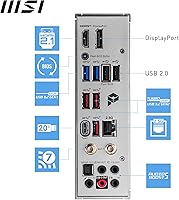
  • Wired LAN: Intel 2.5Gbps Ethernet controller provides fast, low-latency wired networking suited for local NAS transfers and online gaming.
  • Wireless: Integrated Wi-Fi 7 and Bluetooth 5.4 are built in, eliminating the need for a separate wireless adapter in most use cases.
  • Audio Codec: Realtek ALC4080 onboard audio codec delivers cleaner signal quality than budget-tier implementations for headphones and speakers connected to rear ports.
  • Display Output: Rear panel includes HDMI 2.1 and DisplayPort 1.4 outputs for use with Intel integrated graphics when no discrete GPU is installed.
  • USB Ports: Rear I/O and internal headers include USB 3.2 Gen2 ports alongside six USB 2.0 ports for peripherals and legacy device support.
  • PCB Construction: Six-layer PCB manufactured with 2oz thickened copper traces and server-grade substrate material for improved signal integrity and thermal stability.
  • Thermal Solution: Extended heatsink with MOSFET thermal pads rated at 7W/mK and additional choke thermal pads cover the VRM area for passive heat management.
  • Dimensions: Board measures 12 x 9.9 x 1.75 inches, consistent with standard ATX mounting hole placement across modern mid-tower and full-tower cases.
  • Weight: The board weighs 3.85 pounds, which is typical for a fully equipped ATX motherboard with integrated heatsinks and rear I/O shield.
  • SATA Ports: Multiple SATA 6Gbps ports are available for connecting traditional hard drives or SATA SSDs alongside the M.2 NVMe storage slots.
  • Platform: Officially supported on Windows 11, with Windows 10 compatibility expected but not the primary target platform for MSI software features.

Related Reviews
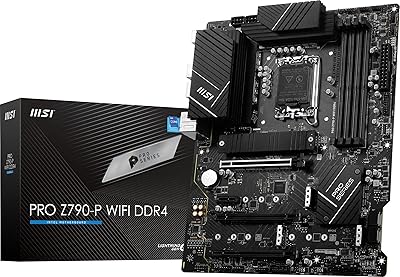
MSI PRO Z790-P WiFi DDR4 Motherboard
83%
91%
Performance for Gaming
88%
Future-Proofing Features
85%
Thermal Management
80%
Ease of Installation
89%
Wi-Fi and Connectivity
More
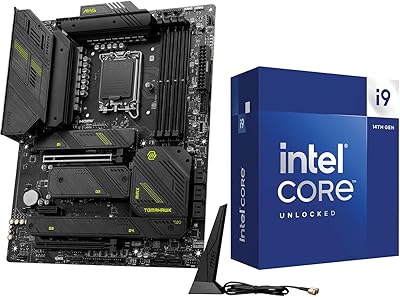
INLAND i9-14900K + MSI MAG Z790 Tomahawk MAX WiFi Combo
84%
94%
Gaming Performance
92%
Processing Power
88%
Motherboard Stability
85%
Ease of Installation
70%
Cooling Efficiency
More
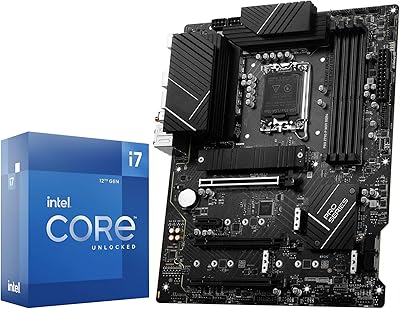
INLAND Intel Core i7-12700K + MSI PRO Z790-P WiFi DDR5 Motherboard
86%
91%
Gaming Performance
89%
Multitasking and Productivity
92%
Value for Money
85%
Ease of Installation
60%
Graphics Performance (Integrated)
More
INLAND Intel Core i9-12900K + MSI PRO Z790-P WiFi DDR5 Motherboard
88%
94%
Performance
89%
Connectivity Options
82%
Ease of Installation
91%
Cooling and Power Efficiency
88%
Compatibility with DDR5
More
INLAND Intel i5-12600KF + MSI PRO Z790-P WiFi DDR4 Motherboard Combo
85%
88%
Overall Performance
91%
Value for Money
85%
Ease of Installation
89%
Gaming Performance
84%
Thermal Management
More
MSI B450M-A Pro Max II Motherboard
85%
89%
Value for Money
85%
Performance
91%
Setup and Installation
88%
Memory Support
87%
Processor Compatibility
More
MSI B450M PRO-VDH Max Motherboard
85%
91%
Value for Money
88%
Performance
94%
Ease of Installation
85%
Overclocking Capability
82%
Build Quality
More
MSI PRO B550M-VC WiFi
83%
91%
Value for Money
86%
Build Quality
89%
Wireless Connectivity
74%
CPU Power Delivery
88%
BIOS Experience
More
MSI PRO B650M-A WiFi V1 Motherboard
85%
88%
Performance
85%
Build Quality
90%
Ease of Setup
82%
Cooling Efficiency
91%
Networking Speed
More
MSI B550M PRO-VDH WiFi
80%
91%
Value for Money
88%
BIOS Experience
78%
Wireless Connectivity
72%
CPU Power Delivery
69%
RAM Compatibility & Stability
More

FAQ

Possibly, yes. Depending on when the board was manufactured and shipped, it may come with an older BIOS version that does not yet recognize 14th Gen processors. If you have a 12th or 13th Gen chip available, you can use it to boot and flash the update. If you do not, check whether the board has a Flash BIOS button on the rear I/O panel, which allows updating from a USB drive without needing a CPU installed at all.

In most cases, yes — enabling the XMP or EXPO profile in the BIOS is usually all it takes to reach 6000 MHz or above with a compatible DDR5 kit. Hitting the upper range around 7000–7800+ MHz typically requires more manual tuning and a quality memory kit that is explicitly validated for high-frequency operation. MSI maintains a QVL (qualified vendor list) on their website that lists tested modules if you want to be sure before purchasing RAM.

For most home users, the real-world difference will be modest unless you have a Wi-Fi 7 router to pair with it. That said, having Wi-Fi 7 built in means you are covered for the next several years without needing to swap out a wireless card. If you are on Wi-Fi 6E now, you will not see a dramatic change; if you are upgrading from Wi-Fi 5 or 6, the improvement is much more noticeable in congested environments.

All four M.2 slots support Gen4 speeds, but when every slot is populated, PCIe lane sharing through the Z790 chipset can slightly reduce throughput on secondary slots compared to running them individually. In practical use — mixing an OS drive, a scratch disk, and project storage — the real-world impact is minimal. Only benchmarks pushing all four drives to their absolute sequential limits at the same time will expose any meaningful bandwidth difference.

In most cases, yes. The DIMM slots are positioned at a standard distance from the CPU socket, and the board uses a low-profile heatsink design near the socket area that does not intrude on cooler mounting. That said, very wide coolers with oversized base plates — particularly certain 240mm top-down designs — can occasionally have clearance issues with the first DIMM slot. Checking your cooler manufacturer's clearance specs against the board layout is always a good idea before committing.

The MAX version is a meaningful revision, not just a rebrand. The MSI PRO Z790-A MAX WiFi brings Wi-Fi 7 where the original had Wi-Fi 6E, an improved VRM configuration with higher-rated power stages, and updated thermal interface materials. If you are choosing between the two and can find both in stock, the MAX version is the stronger long-term buy unless the price gap is substantial.

Technically, the Z790 chipset and Intel Core processors support ECC unbuffered memory in an unofficial capacity, but MSI does not officially validate or guarantee ECC functionality on this board. If ECC support is critical for your workload, a platform built around a Xeon processor and a workstation-class chipset is the more reliable path.

By default, most Z790 boards disable the onboard display outputs when a discrete GPU is detected in the primary PCIe slot. You can re-enable integrated graphics output through the BIOS settings if your CPU has integrated graphics, which allows running multiple monitors across the iGPU and dGPU simultaneously — useful for productivity setups where you want a dedicated display for monitoring or secondary tasks.

MSI's BIOS has an EZ Mode that gives you a clean, visual overview of temperatures, fan speeds, and basic settings — that part is approachable for newcomers. Where it gets more complex is in the advanced memory and CPU tuning menus, which can feel dense if you are not familiar with terms like memory subtimings or CPU power limits. For a first build without overclocking goals, you can largely leave the defaults alone and the system will run fine; the complexity only surfaces when you go looking for it.

For a Core i7 or i9 paired with a current mid-to-high-end GPU, a 850W to 1000W 80+ Gold PSU is a sensible baseline that leaves headroom for overclocking and avoids running the supply near its limit under full load. The board itself requires a 24-pin ATX connector plus the dual 8-pin CPU power connectors, so make sure your PSU has both EPS 8-pin cables available — some entry-level units only include one.