Overview

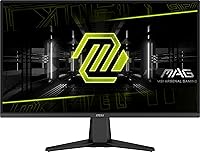
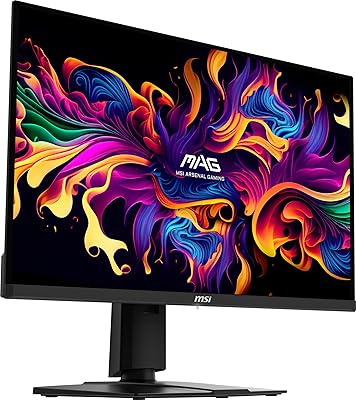
The MSI MAG 275QF 27-inch Gaming Monitor lands in a sweet spot for gamers who want a meaningful upgrade without committing to a premium price tag. Built around a Rapid IPS panel, it delivers the color accuracy and wide viewing angles that TN panels simply cannot match, while still keeping motion handling sharp enough for competitive play. Out of the box, the build feels solid — understated black chassis, clean lines, and a sturdy if modest stand. It will not replace a dedicated color-grading display, but for gaming and everyday use, the MAG 275QF makes a confident, no-nonsense first impression that is hard to argue with at this tier.
Features & Benefits

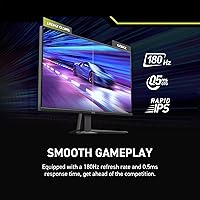
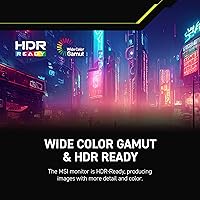
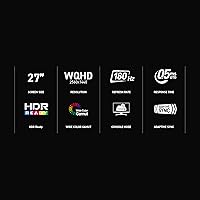
Running at 180Hz with a 0.5ms GtG response time, this MSI gaming monitor keeps pace with fast-paced shooters and racing titles without the ghosting artifacts that slower panels introduce. The jump to QHD on a 27-inch screen is genuinely noticeable — text is crisper, environments have more visual depth, and you appreciate it without sitting inches from the glass. The HDR Ready label deserves an honest clarification: it supports basic tone mapping, but brightness headroom is limited, so dramatic contrast is not what you are getting here. Connectivity covers HDMI and DisplayPort, and the tilt-adjustable stand works fine, though height and swivel are absent — a VESA-compatible arm resolves that cleanly.

Best For

The MAG 275QF has a clear audience, and being specific about who benefits most is worth the effort. Competitive players in FPS or racing genres will feel the difference the high refresh rate makes immediately, especially coming from a 60Hz panel. Gamers upgrading from 1080p will notice the resolution improvement across everything, not just games. The matte screen coating handles ambient light well, making this 27-inch QHD panel a practical choice for setups near windows. Budget-conscious buyers who want a reputable brand with consistent build quality — rather than gambling on a lesser-known alternative — will find the value proposition here genuinely hard to beat.

User Feedback

With a 4.4-star average across more than 100 verified ratings, this MSI gaming monitor earns its score honestly. Buyers frequently highlight out-of-box color accuracy and motion smoothness as standout strengths, which aligns with what the hardware actually delivers. The friction points are practical rather than dealbreakers: the OSD menu takes a few sessions to navigate confidently, and some users wish the brightness ceiling pushed higher for well-lit environments. A smaller number of buyers have noted minor quality control inconsistencies, though these appear isolated. Predictably, HDR draws the most polarized reactions — buyers who understood the HDR Ready designation before purchasing came away satisfied; those expecting full HDR performance did not.

Pros

  • 180Hz refresh rate delivers genuinely smooth motion in competitive titles, not just a spec-sheet number.
  • The Rapid IPS panel offers noticeably better color and viewing angles than TN alternatives at this price tier.
  • QHD resolution on a 27-inch screen produces sharp, detailed visuals that 1080p cannot match at this size.
  • The matte anti-glare coating handles ambient light well, reducing reflections in bright room environments.
  • Out-of-box color calibration earns consistent praise from verified buyers — minimal setup required.
  • Solid build quality from a reputable brand gives long-term confidence that lesser-known alternatives often lack.
  • VESA compatibility means the stand limitations are easy to work around with an aftermarket arm.
  • The 0.5ms GtG response time keeps ghosting under control in fast-paced games where trailing artifacts are noticeable.
  • Wide color gamut makes single-player, open-world games look rich and immersive without oversaturation.

Cons

  • The stand only tilts — no height adjustment, swivel, or pivot, which limits ergonomic flexibility.
  • HDR Ready is a marketing-tier label here; real HDR contrast and brightness are not what this panel delivers.
  • No USB hub means no convenient peripheral passthrough directly from the monitor.
  • The OSD menu has a learning curve and is not the most intuitive to navigate during initial setup.
  • Some buyers have flagged minor quality control inconsistencies, though isolated rather than widespread.
  • Brightness ceiling may feel underwhelming for users in very well-lit environments or those coming from high-nit panels.
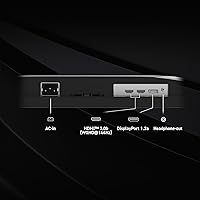
  • Only HDMI and DisplayPort inputs are available — no USB-C or Thunderbolt connectivity for modern laptops.
  • The MAG 275QF is not a fit for high-end GPU owners who want to push 4K or ultrawide resolutions.

Ratings

Our AI rating engine analyzed verified buyer reviews for the MSI MAG 275QF 27-inch Gaming Monitor from multiple global sources, actively filtering out incentivized, bot-generated, and low-credibility submissions to surface what real owners actually experience. The scores below reflect an honest synthesis of recurring praise and genuine frustrations — not a promotional summary — so both the strengths and the trade-offs are given equal weight.
Refresh Rate Performance
93%
Gamers upgrading from 60Hz panels consistently describe the 180Hz experience as immediately transformative — enemy movement in shooters feels predictable and readable in a way slower panels cannot match. In racing and action titles, the fluidity holds up under sustained load without perceptible judder.
Reaching the full 180Hz ceiling requires a capable GPU, and buyers with mid-range cards reported that they rarely hit the maximum in graphically demanding titles. A handful of users noted that the real-world advantage over 144Hz panels is subtle enough that non-competitive players may not feel the difference.
Response Time & Motion Clarity
88%
Fast-paced first-person shooters show minimal trailing or ghosting behind moving targets, which users credited directly to the Rapid IPS panel rather than relying solely on the spec-sheet 0.5ms figure. Players switching from VA panels noted an immediate reduction in smearing during dark scene transitions.
The 0.5ms rating reflects an ideal minimum rather than a consistent average, and a portion of buyers observed light pixel overshoot in certain overdrive settings, requiring some OSD tuning to find the best balance. It is not a panel that completely eliminates artifacts under all conditions.
Image Sharpness & Resolution
91%
At 27 inches, the QHD resolution lands at a pixel density that makes text crisp and game environments noticeably more detailed than 1080p at the same size — buyers frequently cited being able to read in-game UI elements and distant textures with far less effort. Single-player, open-world games in particular benefit from the extra detail.
Buyers who moved from 4K panels felt the resolution step-down more than those upgrading from 1080p, and a few noted that at close viewing distances the pixel structure is just visible on fine text. Those already owning a high-res professional display may find QHD underwhelming by comparison.
Color Accuracy & Vibrancy
82%
18%
Out-of-box color output earned consistent praise for looking natural and vibrant without aggressive over-saturation, which is not always a given at this price tier. Game environments with rich foliage, skin tones, and lighting effects rendered convincingly without obvious hue shifts at typical viewing angles.
Buyers with calibration equipment confirmed that factory accuracy falls short of professional display standards, with some deltaE variance in blues and greens. This MAG 275QF is not a panel for photo editing or color-critical work — users who needed accurate color for creative tasks found it insufficient without manual calibration.
HDR Implementation
47%
53%
The HDR Ready mode does produce a visible shift in shadow detail and highlight rendering in supported titles, which a portion of buyers appreciated as a modest improvement over SDR in cinematic games with atmospheric lighting.
The brightness ceiling is simply too limited to deliver meaningful HDR contrast, and the majority of users who tested it in HDR-enabled titles ended up turning it off because SDR looked more balanced. The HDR Ready label sets expectations that the hardware cannot realistically meet, and this was the single most common source of buyer disappointment.
Panel Uniformity
74%
26%
The majority of buyers reported no distracting uniformity issues during normal gaming and desktop use, with brightness and color consistency holding reasonably well across the central portion of the screen. For mixed-use setups, the panel performs predictably across sessions.
Some units exhibited mild IPS glow in the corners during dark scenes played in low-light environments, and a smaller number of buyers reported noticeable backlight bleed along the bottom edge. These issues appear unit-dependent rather than universal, suggesting some production variance.
Build Quality & Materials
79%
21%
The chassis feels sturdy for a monitor at this price point, with a clean matte black finish that resists fingerprints reasonably well and does not look cheap next to premium peripherals. The overall construction inspired confidence in long-term durability among the majority of buyers.
Flex in the panel back and some flex in the stand neck were noted by buyers who handled the monitor during setup, and the plastics used do not feel premium under close inspection. A few users observed minor cosmetic inconsistencies around the bezel seams on delivery.
Stand & Ergonomics
52%
48%
The tilt adjustment on the factory stand covers the most basic ergonomic need and works smoothly without wobble during use. For buyers who planned from the start to use a VESA arm, the stand served its purpose adequately as temporary support during setup.
The absence of height adjustment, swivel, and pivot is a genuine limitation that generated more complaints than any other hardware aspect. Buyers who spend long sessions at their desk found it difficult to dial in a comfortable eye-level position without adding books or a riser under the monitor.
Matte Screen Coating
84%
Buyers in home offices and setups near windows appreciated the anti-glare coating for handling ambient light without requiring room-darkening measures — a practical advantage for anyone who games or works during daylight hours. The coating does not introduce the hazy grain effect that more aggressive matte surfaces sometimes produce.
Users migrating from glossy displays noted an adjustment period, as matte coatings do slightly reduce perceived contrast depth and image pop compared to glass-covered panels. A small number of buyers found the coating texture mildly apparent when viewing solid-colored content.
Connectivity & Port Selection
63%
37%
Having both HDMI and DisplayPort covered is enough for most single-PC or PC-plus-console setups, and buyers found switching between sources straightforward via the OSD. The ports are positioned accessibly at the back of the panel without requiring awkward cable routing.
The absence of USB-C was flagged repeatedly by laptop users who wanted a single-cable desk connection, and the lack of any USB hub means extra peripherals need their own hub or direct PC connection. Compared to competing monitors at similar price points that include USB passthrough, this feels like an omission.
OSD Menu & Controls
61%
39%
Once learned, the OSD offers a reasonable range of picture adjustments including color temperature, sharpness, and overdrive settings that let users tune the panel to their preference. Buyers who took the time to explore it found enough flexibility for meaningful customization.
The navigation buttons require a learning curve, and first-time users found the menu layout non-intuitive during initial setup. Several buyers specifically mentioned accidentally exiting menus or changing the wrong setting before getting accustomed to the button layout — a joystick control would have been a meaningful upgrade.
Out-of-Box Calibration
83%
A notably consistent point of praise across verified reviews was that the monitor looked good without touching any settings — color temperature felt natural, brightness levels were reasonable in default mode, and games loaded with colors that did not need immediate correction. This matters for buyers who do not want to spend time configuring a display.
Default sharpness settings run slightly high on some units, producing an artificial edge-enhancement effect that benefits from being dialed back a notch. Buyers who are particular about gamma accuracy also noted the default curve does not match sRGB precisely without manual adjustment.
Value for Money
87%
The combination of a Rapid IPS panel, 180Hz refresh rate, and QHD resolution from a reputable brand at an accessible mid-range price point is difficult to match with comparably credentialed alternatives. Buyers who researched the market confirmed that the MAG 275QF sits at a strong value intersection for gaming-focused displays.
Buyers who stretched to this price point expecting full-featured ergonomics or genuine HDR performance felt the value equation weakened by those omissions. When compared against monitors a step higher in price that add height adjustment and USB hubs, some users felt the gap in features was not proportional to the price difference.
Adaptive Sync Performance
81%
19%
Users with AMD GPUs reported smooth, tear-free performance when running FreeSync, with frame pacing feeling consistent across the supported range. NVIDIA owners using G-Sync Compatible mode also reported stable performance with minimal additional configuration required.
A small number of buyers noted occasional flickering at the lower end of the variable refresh range, which required setting a minimum frame rate floor in driver settings to resolve. The experience is reliable for most users but may need minor tuning depending on GPU brand and driver version.

Suitable for:

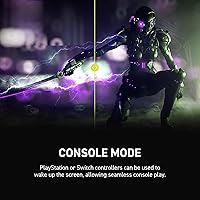
The MSI MAG 275QF 27-inch Gaming Monitor is a strong pick for anyone making their first serious jump into high-refresh-rate, high-resolution gaming. If you have been running a 1080p or 60Hz display and want a meaningful upgrade that covers both competitive and story-driven gaming, this panel covers that ground well. The Rapid IPS technology means colors hold up from different viewing angles, which matters whether you are gaming alone or showing something on screen to someone beside you. The matte anti-glare coating makes this 27-inch QHD panel particularly practical in rooms that get natural light during the day, a real consideration for home office setups that double as gaming stations after hours. Console players with a capable mid-range GPU will also appreciate the QHD resolution bump without stretching into premium pricing territory.
Not suitable for:

Creative professionals who need accurate, calibrated color output for photo editing, video grading, or design work should look elsewhere — the MSI MAG 275QF 27-inch Gaming Monitor is built around gaming priorities, not studio-grade color fidelity. Anyone expecting true HDR performance will be disappointed; the HDR Ready designation covers basic tone mapping only, and the brightness ceiling is not high enough to produce the dramatic contrast HDR is known for. Buyers who require extensive ergonomic adjustability — height, swivel, or pivot — will find the stand limiting, and while a VESA mount solves the problem, it adds cost and setup effort. If ultrawide immersion or a screen larger than 27 inches is on your checklist, the MAG 275QF simply is not the right form factor. Power users who want built-in USB hubs for peripheral management will also need to look at other options.
Specifications

  • Panel Type: The display uses a Rapid IPS panel, which provides faster pixel response than standard IPS while retaining wide viewing angles and accurate color reproduction.
  • Screen Size: The viewable screen area measures 27 inches diagonally, offering a comfortable gaming footprint without requiring an ultrawide desk setup.
  • Resolution: Native resolution is 2560x1440 (QHD), delivering approximately 1.78 times the pixel count of a 1080p display at the same screen size.
  • Refresh Rate: The panel supports a maximum refresh rate of 180Hz, providing smooth motion rendering in fast-paced games when paired with a capable GPU.
  • Response Time: Rated at 0.5ms GtG (minimum), this figure represents the fastest pixel transition time under optimal conditions rather than a guaranteed average.
  • HDR Support: The monitor carries an HDR Ready designation, which enables basic tone mapping adjustments but does not meet the brightness or contrast thresholds of full HDR10 or DisplayHDR 400 certification.
  • Aspect Ratio: The display uses a standard 16:9 widescreen aspect ratio, compatible with virtually all gaming, streaming, and productivity content formats.
  • Screen Surface: A matte anti-glare coating is applied to the panel surface, reducing reflections from ambient light sources without significantly impacting color saturation.
  • Color Gamut: The MAG 275QF covers a wide color gamut, allowing it to reproduce a broader range of colors than standard sRGB-only displays for more vivid game environments.
  • Connectivity: Input options include one HDMI port and one DisplayPort, covering the two most common connection types for both PC and current-generation console setups.
  • Ergonomics: The included stand supports tilt adjustment only; height, swivel, and pivot adjustments are not available natively on the factory stand.
  • VESA Support: The monitor is compatible with standard VESA mounting patterns, allowing users to replace the factory stand with a third-party monitor arm for full ergonomic control.
  • Dimensions: With the stand attached, the monitor measures approximately 8.66 inches deep, 24.15 inches wide, and 17.9 inches tall.
  • Weight: The complete unit including stand weighs approximately 13.4 pounds, making it manageable for a single person to place and reposition on a desk.
  • Chassis Color: The monitor ships in a matte black finish with a minimal bezel design that suits most gaming and office desk aesthetics.
  • USB Hub: This model does not include a built-in USB hub, so peripheral passthrough directly from the monitor is not available.
  • Availability: The MAG 275QF was first made available in June 2024, placing it among MSI's more recent mid-range QHD monitor releases.
  • Manufacturer: The monitor is designed and manufactured by MSI, a company with an established track record in gaming peripherals, graphics cards, and display hardware.

Related Reviews
MSI MAG 271QPX 27-inch QD-OLED Gaming Monitor
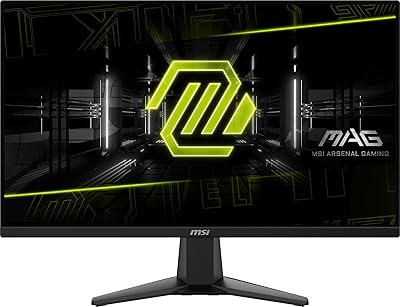
80%
94%
Image Quality
96%
Motion Clarity
88%
HDR Performance
93%
Refresh Rate & Smoothness
81%
Connectivity & Ports
More
MSI MAG 275F 27″ Gaming Monitor
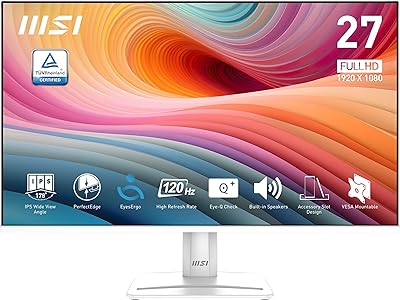
78%
93%
Refresh Rate Performance
86%
Panel Color Quality
88%
Response Time & Ghosting
84%
Console Compatibility
52%
HDR Implementation
More
MSI PRO MP275W E2 27-inch Monitor
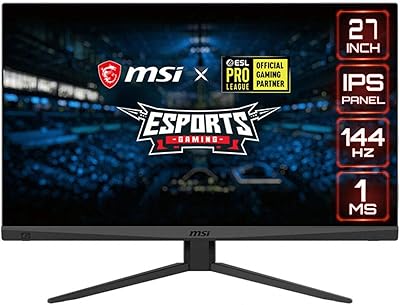
74%
83%
Value for Money
71%
Image Quality
88%
Refresh Rate & Smoothness
86%
Eye Comfort
79%
Build Quality & Design
More
MSI Optix MAG274R 27-inch Full HD 144Hz Gaming Monitor

84%
93%
Display Quality
89%
Gaming Performance
91%
Color Accuracy
77%
Build Quality
94%
Response Time
More
Skytech Gaming Moonshadow 27-inch Curved Gaming Monitor

83%
88%
Image Quality
91%
Refresh Rate Performance
86%
Adaptive-Sync
83%
VA Panel Contrast
84%
Stand & Ergonomics
More
Raywego Z270B13 27-inch Gaming Monitor
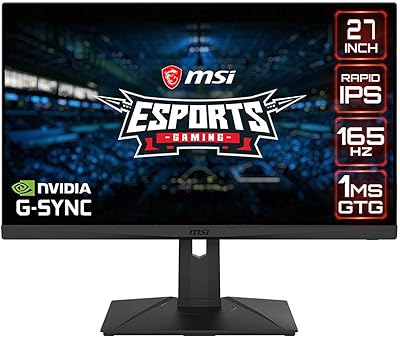
70%
88%
Value for Money
83%
Picture Quality
84%
Refresh Rate Performance
62%
Build Quality
81%
Eye Comfort
More
MSI G273QPF 27-inch QHD Gaming Monitor
78%
88%
Image Clarity
91%
Refresh Rate Performance
86%
Response Time
79%
Panel Quality
84%
Ergonomics & Stand
More
MSI G274QPF-QD 27″ Gaming Monitor
86%
92%
Performance for Gaming
89%
Color Accuracy
83%
Build Quality
91%
Response Time
80%
Design & Ergonomics
More
Viewedge CS27FM 27-inch Gaming Monitor
72%
91%
Refresh Rate Performance
76%
Panel & Image Quality
61%
Resolution & Sharpness
74%
Color Accuracy
52%
HDR Experience
More
KOORUI G2721E 27-inch Gaming Monitor
78%
93%
Refresh Rate Performance
88%
Image Clarity & Resolution
84%
Color Accuracy
81%
Motion Handling
52%
HDR Quality
More

FAQ

Yes, it connects via HDMI and handles the QHD output that current-generation consoles support. Keep in mind that console frame rate output depends on the game and console settings, so you may not always hit 180Hz, but the image quality at 1440p is a solid step up from a standard 1080p TV.

Honestly, manage your expectations here. The HDR Ready label means the MAG 275QF can apply basic tone mapping, but it lacks the peak brightness needed for the dramatic contrast swings that make HDR impressive on premium panels. For most users, leaving HDR off and relying on the monitor's native color output will look better in practice.

The factory stand only tilts — there is no height, swivel, or pivot adjustment built in. If ergonomics matter to you, the monitor is VESA-compatible, so picking up an aftermarket monitor arm is a straightforward fix that also frees up desk space.

To consistently hit 180fps at QHD in demanding titles, you will want a mid-to-upper-tier GPU — something like an RTX 4070 or RX 7800 XT range on the PC side. In less demanding or older games, even mid-range cards can push high frame rates at this resolution without much trouble.

The Rapid IPS panel gives up some of the deep contrast ratios that VA monitors are known for, but it makes up for it with faster pixel response, better viewing angles, and less motion smearing. For competitive gaming where clarity during fast movement matters more than black depth, IPS is generally the smarter choice at this tier.

Most buyers report that the out-of-box calibration is good enough to use right away without touching settings. If you want to dial it in further, a few minutes in the OSD adjusting brightness and sharpness is usually all it takes — just be patient with the menu navigation since it has a small learning curve.

Like most IPS panels, some degree of IPS glow is possible in dark room conditions with dark on-screen content. This is a characteristic of the panel technology rather than a defect, and the extent varies from unit to unit. For gaming in normally lit rooms, it is rarely noticeable.

Based on MSI's MAG series lineup and the panel specifications, this monitor is designed to support adaptive sync technology, which helps eliminate screen tearing when your frame rate fluctuates below the maximum refresh rate. Check your GPU compatibility — AMD cards work well with FreeSync natively, and many NVIDIA cards also support it through G-Sync Compatible mode.

The matte anti-glare surface does a good job controlling reflections without being overly aggressive. Colors remain vibrant and the coating does not produce the hazy, milky look that some cheaper matte screens have. If you are coming from a glossy display, there is an adjustment period, but most users prefer it once they stop dealing with window reflections.

It handles everyday work tasks — browsing, documents, spreadsheets, video calls — perfectly well. The QHD resolution means more screen real estate than 1080p, and the matte coating keeps things comfortable during long hours. It is not a specialized professional display, but for anyone who works at a desk and games on the same machine, the MAG 275QF strikes a sensible balance.

Where to Buy