Overview

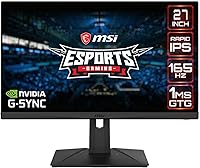
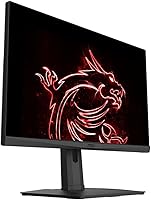
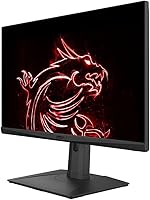
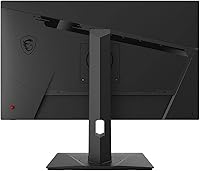
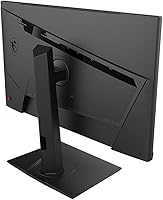
The MSI G273QPF 27-inch QHD Gaming Monitor sits in a comfortable mid-range spot — capable enough for serious gaming, priced sensibly enough that you are not making a major sacrifice to get there. What sets it apart from similarly priced TN or VA options is the Rapid IPS panel, which delivers accurate colors and wide viewing angles without the ghosting VA screens sometimes struggle with. The ergonomic stand is genuinely flexible — tilt, swivel, pivot, and height adjustment are all included, which matters more than people expect once you are spending real hours in front of it. Early buyer ratings hover around 4.2 stars, suggesting most people come away satisfied.

Features & Benefits

At 165Hz with a 1ms response time, the G273QPF handles fast-paced gaming without the blur or tearing you would notice on slower panels. The jump from 1080p to 1440p resolution at 27 inches is real and visible — text is crisper, textures show more detail, and you are not squinting at fuzzy edges. The Rapid IPS technology keeps colors consistent from virtually any seat angle, which proves useful when someone else is watching alongside you. G-Sync Compatible means Nvidia GPU owners get adaptive sync without paying extra for a dedicated module, and both HDMI and DisplayPort are on board for console or PC use.

Best For

This 27-inch QHD display is a natural fit for PC gamers upgrading from 1080p who want sharper visuals without the GPU demands of 4K. Competitive players will appreciate the fast refresh rate and low latency more than HDR extras. It also holds up well as a daily work monitor — the wide IPS viewing angles and QHD sharpness make documents, spreadsheets, and browser work noticeably more comfortable than on a typical 1080p screen. Nvidia GPU owners get particular value from the G-Sync Compatible support, and anyone splitting time between gaming and light content work will find it adapts to both without issue.

User Feedback

Buyers of this MSI gaming monitor most often highlight image clarity and the stand's flexibility — the ability to pivot or dial in an exact height feels like it should be standard everywhere but often is not. On the flip side, a handful of reviewers have flagged backlight bleed or color inconsistencies right out of the box, which is worth knowing if you plan on using it for color-sensitive work. OSD navigation draws mixed opinions; some find it intuitive, others say the controls take a session or two to get comfortable with. With just over 100 ratings total, the overall picture is positive but not yet a large enough sample to call definitive.

Pros

  • The jump from 1080p to QHD at 27 inches is immediately noticeable — sharper textures, cleaner text, better detail overall.
  • A 165Hz refresh rate keeps motion smooth and responsive in fast games without requiring a top-tier GPU.
  • Rapid IPS panel technology offers wide viewing angles and solid color consistency that TN panels simply cannot match.
  • G-Sync Compatible support works well with Nvidia cards, reducing screen tearing without a costly dedicated module.
  • The stand is genuinely one of the better ones at this price — tilt, swivel, pivot, and height adjustment are all included.
  • Both HDMI and DisplayPort are available, making it easy to connect a PC and a console without swapping cables constantly.
  • The G273QPF holds up well as an all-day work monitor, not just a gaming display.
  • At its price point, the combination of IPS quality and high refresh rate is hard to beat in this screen size category.

Cons

  • Some units arrive with noticeable backlight bleed, which is distracting in dark scenes or late-night gaming.
  • Color uniformity can be inconsistent out of the box and may require manual calibration to look its best.
  • The OSD controls have a learning curve — navigating menus feels clunky until you get familiar with the layout.
  • The glossy screen surface reflects ambient light heavily, which is a real problem in bright or sunlit rooms.
  • At 300 nits brightness, the panel is adequate indoors but falls short for well-lit environments or HDR-style content.
  • The review base is still relatively small, so there is less collective buyer data to draw confident long-term conclusions from.
  • Build quality feedback is mixed — a small number of buyers have noted stand wobble, particularly when adjusting height.
  • No USB hub is included, which feels like a missed convenience at this price tier.

Ratings

The scores below reflect our AI-driven analysis of verified global buyer reviews for the MSI G273QPF 27-inch QHD Gaming Monitor, with spam, bot activity, and incentivized feedback actively filtered out before any scoring was applied. We have weighted both the praise and the recurring frustrations equally, so the numbers you see are honest — not optimistic. Where this 27-inch QHD display genuinely earns its place, the scores reflect that; where real buyers have run into consistent issues, those are surfaced too.

Image Clarity
88%
The jump to QHD at 27 inches is something buyers consistently call out as one of the best reasons to own this display. Fine text in spreadsheets and browsers looks crisp, and in-game textures show detail that 1080p panels at this size simply blur over. Most users adapted within minutes and found it hard to go back.
A small but vocal group noted that color uniformity across the panel is not perfectly even, particularly toward the corners. This is not unusual for IPS panels at this price, but buyers doing any color-sensitive work should be aware it may require calibration.
Refresh Rate Performance
91%
At 165Hz, motion in fast-paced games feels noticeably fluid — competitive shooters and racing titles in particular benefit from the smoothness this panel delivers at peak frame rates. Buyers upgrading from 60Hz panels consistently describe the difference as immediately obvious rather than subtle.
To fully utilize the refresh rate, your GPU needs to consistently push frame rates high enough at 1440p, which demands a reasonably capable graphics card. Buyers with mid-range or older hardware may find themselves unable to take full advantage in demanding titles.
Response Time
86%
The fast pixel response keeps ghosting under control during high-speed gameplay, which is something TN-panel users switching to IPS often worry about. In practice, most buyers found motion clarity competitive with similarly priced TN alternatives, without the color trade-offs those panels bring.
Some buyers noticed faint inverse ghosting under certain overdrive settings, which can be slightly distracting in darker scenes. Adjusting the overdrive setting in the OSD usually helps, but finding the right balance takes some trial and error.
Panel Quality
79%
21%
The Rapid IPS technology gives the G273QPF a clear edge over VA and TN displays in terms of off-axis consistency — colors stay accurate whether you are sitting directly in front or viewing from the side, which also benefits anyone watching alongside you.
Backlight bleed is the most commonly reported hardware issue, with a portion of buyers seeing uneven glow along screen edges in dark environments. The severity varies between units, making this a bit of a lottery depending on which panel you receive.
Ergonomics & Stand
84%
Having tilt, swivel, pivot, and height adjustment all included at this price point is genuinely appreciated by buyers who spend long hours at their desk. The ability to pivot to portrait orientation is a bonus that productivity-focused users specifically call out as useful for reading documents or code.
A minority of buyers reported the stand feels slightly wobbly at its maximum height extension, and bumping the desk can cause the display to sway briefly. It is not a structural concern for most, but buyers with an active or cluttered desk setup may find it mildly annoying.
Adaptive Sync
83%
G-Sync Compatible certification works reliably with Nvidia GPUs, and most buyers using mid-to-high-range Nvidia cards report a noticeably smoother experience with adaptive sync enabled. Getting the benefit without paying for a full G-Sync panel is widely seen as good value at this price tier.
AMD GPU users may find adaptive sync functional but not as reliably smooth as the Nvidia pairing, and the G-Sync Compatible label does not guarantee a fully optimized experience outside of that ecosystem. FreeSync compatibility exists but is not prominently marketed on this model.
Connectivity
74%
26%
Having both HDMI and DisplayPort available gives enough flexibility to run a PC and a console simultaneously, which buyers with mixed setups genuinely appreciate. Switching between sources is straightforward through the OSD.
The port selection is lean — there is no USB hub, no USB-C, and only one of each input type. Buyers who want to connect multiple PCs or need monitor-side USB passthrough will hit that limitation quickly and may need a separate hub or switch.
OSD & Controls
61%
39%
Once buyers learn the button layout, they report being able to get into and out of common settings fairly quickly. For everyday use — adjusting brightness or switching input — it gets the job done without needing special software.
The on-screen display navigation is one of the more consistently criticized aspects of this monitor. Several buyers describe the menu structure as unintuitive on first use, and the physical buttons feel cheap relative to the overall build. It is functional, but it is not a strength.
Build Quality
72%
28%
The overall construction feels solid enough for a display in this segment — the panel housing has minimal flex and the matte black finish looks clean without attracting fingerprints. Most buyers had no concerns about long-term durability.
The plastic quality on some sections of the stand and rear housing feels noticeably budget-grade up close. A handful of buyers also flagged that the stand base is wider than expected, which can be an issue on smaller desks.
Out-of-Box Accuracy
69%
31%
For casual gaming and general browsing, the factory calibration is close enough that many buyers use it without adjustment. Colors look punchy and reasonably accurate for day-to-day tasks right out of the box.
Buyers who care about precise color reproduction often find they need to tweak the settings manually, as the default gamma and color temperature skew slightly warm. Without calibration tools, getting it exactly right requires patience.
Value for Money
82%
18%
The combination of QHD resolution, a high refresh rate, an IPS panel, and a full ergonomic stand at this price tier is hard to fault. Buyers consistently mention that comparable feature sets on competing brands tend to cost more.
The value calculation shifts a little if you receive a unit with notable backlight bleed, since the cost of returning or exchanging it adds friction. For the majority of buyers without hardware issues, value satisfaction is high — but it is worth factoring in that risk.
Brightness & Visibility
63%
37%
In a typical indoor gaming setup or office environment with controlled lighting, 300 nits is sufficient for comfortable viewing throughout the day. The glossy surface does help perceived vibrancy in low-light conditions.
In a bright room with windows nearby, the glossy panel and modest peak brightness combine to make reflections a real problem. Buyers in sunlit spaces without blinds have specifically called this out as a daily frustration that diminishes the experience.
Gaming Performance Overall
87%
Across a range of game genres — from fast-paced shooters to slower open-world titles — the G273QPF delivers a well-rounded gaming experience that outpaces what most buyers were using before. The blend of refresh rate, response time, and resolution works cohesively.
It is not the best choice for buyers chasing the absolute lowest input lag or highest refresh rate in competitive play, since other panels exist at similar prices with those specific priorities tuned higher. Generalist gaming performance is strong, but niche competitive builds may want to look further.

Suitable for:

The MSI G273QPF 27-inch QHD Gaming Monitor is a strong fit for PC gamers who have outgrown 1080p and want a meaningful visual upgrade without the GPU overhead that 4K demands. The high refresh rate and low response time make it genuinely useful for competitive play, whether that is a fast-paced shooter or a battle royale where every frame counts. Nvidia GPU owners in particular get a lot of value here, since G-Sync Compatible support delivers smooth adaptive sync without the price premium of a full G-Sync panel. The ergonomic stand — with height, tilt, swivel, and pivot all included — makes this a comfortable option for people who also use their monitor for work during the day, since you can dial in an exact position that suits desk work just as well as gaming. If you are splitting your screen time between gaming sessions and productivity tasks and want IPS color accuracy throughout, this 27-inch QHD display covers both roles capably.

Not suitable for:

The MSI G273QPF 27-inch QHD Gaming Monitor is not the right call for buyers who need confirmed HDR performance or professional-grade color accuracy — neither is advertised here, and assuming otherwise would be a mistake. If you primarily game on consoles and already own a capable TV, the added value of a QHD PC monitor at this refresh rate may not justify the cost for your setup. Color-critical work like photo editing or print design calls for a display with factory calibration and a wider color gamut than what this panel is built to deliver. Users who are sensitive to backlight bleed — a concern that has come up in a portion of buyer reviews — may find the experience inconsistent, especially in dark room gaming. The glossy screen surface, while fine in controlled lighting, can be frustrating in bright rooms with windows behind you, so buyers in naturally lit spaces should take note.

Specifications

  • Panel Type: The display uses a Rapid IPS panel, which offers faster pixel response than standard IPS while maintaining the wide viewing angles and color accuracy the technology is known for.
  • Screen Size: The active display area measures 27 inches diagonally, a size that pairs well with QHD resolution for balanced pixel density without requiring excessive GPU power.
  • Resolution: Native resolution is 2560x1440 (QHD), delivering noticeably sharper detail than 1080p at this screen size across both games and everyday desktop use.
  • Refresh Rate: The panel supports a maximum refresh rate of 165Hz, allowing up to 165 frames per second to be displayed for smoother motion in fast-paced content.
  • Response Time: Rated at 1ms response time, the panel minimizes pixel transition lag, which reduces motion blur during high-speed gameplay.
  • Aspect Ratio: The screen uses a standard 16:9 widescreen aspect ratio, compatible with virtually all gaming, streaming, and productivity content formats.
  • Viewing Angles: Horizontal and vertical viewing angles both reach 178 degrees, meaning color and contrast stay consistent when viewed from nearly any position.
  • Brightness: Peak brightness is rated at 300 nits, which is adequate for typical indoor use but may feel limited in very bright or sunlit environments.
  • Adaptive Sync: The monitor carries G-Sync Compatible certification, enabling variable refresh rate support with Nvidia GPUs to reduce screen tearing without a dedicated G-Sync hardware module.
  • Connectivity: Input options include one HDMI port and one DisplayPort, covering both modern PC graphics cards and current-generation gaming consoles.
  • Screen Surface: The panel has a glossy screen surface finish, which can enhance color vibrancy in controlled lighting but may produce reflections in bright rooms.
  • Ergonomics: The included stand supports tilt, swivel, height adjustment, and pivot, allowing the display to be repositioned for both seated gaming and upright productivity work.
  • Dimensions: The monitor measures approximately 21.08 x 24.21 x 9.2 inches with the stand attached, giving a reasonable footprint for a 27-inch display on most desks.
  • Weight: The full unit including the stand weighs approximately 19 pounds, making it sturdy but manageable for a single person to set up.
  • Color: The monitor ships in a matte black finish, which blends cleanly into most desk setups without drawing attention to the bezels or stand.

Related Reviews

memzuoix 27-inch QHD 165Hz Gaming Monitor
70%
88%
Image Clarity
84%
Refresh Rate Performance
91%
Value for Money
82%
Adaptive Sync (FreeSync/G-Sync)
77%
Color Accuracy
More
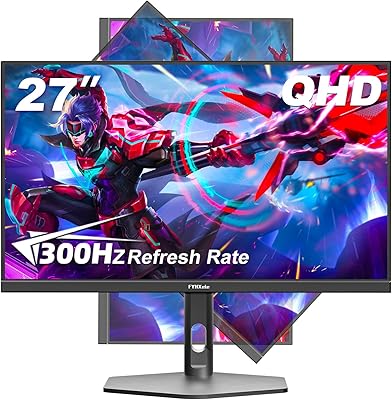
FYHXele 27-inch 300Hz QHD Gaming Monitor
88%
94%
Performance for Gaming
91%
Display Quality
88%
Ergonomics and Adjustability
75%
Setup and Installation
85%
Build Quality and Durability
More
MSI Optix MAG274QRF 27″ QHD Gaming Monitor
86%
92%
Performance
90%
Display Quality
85%
Build Quality
87%
Ergonomics
80%
Color Accuracy
More
HP OMEN 27q QHD Gaming Monitor
79%
88%
Image Clarity
91%
Refresh Rate Performance
84%
Color Accuracy
61%
Brightness & HDR
57%
Glare & Reflections
More
MSI MAG 275QF 27-inch 2K Gaming Monitor
85%
94%
Performance (Refresh Rate & Response Time)
88%
Display Quality (Color Accuracy & HDR)
74%
Build Quality & Durability
85%
Ergonomics (Tilt Adjustability & Comfort)
90%
Connectivity Options
More
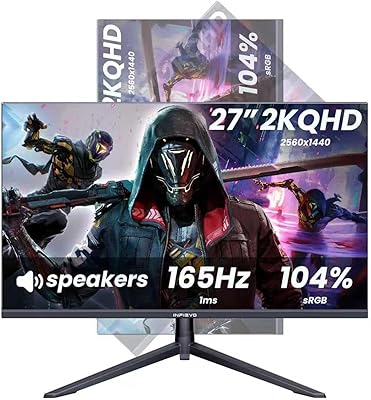
INFIEVO 27-inch QHD 1440P Gaming Monitor 165Hz
82%
88%
Gaming Performance
86%
Visual Quality
84%
Ergonomics/Comfort
92%
Value for Money
75%
Build Quality
More
Gawfolk GF270L 27-inch 2K QHD Gaming Monitor
86%
91%
Display Quality
88%
Gaming Performance
94%
Color Accuracy
83%
Build Quality
87%
Value for Money
More
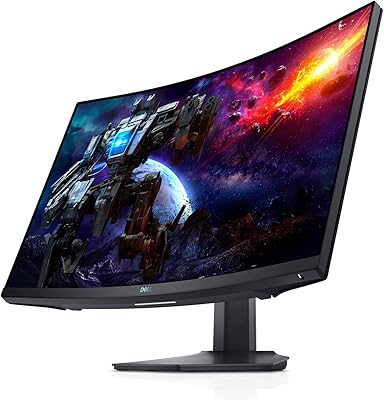
Dell S2722DGM 27-inch Curved Gaming Monitor
81%
88%
Image Clarity
91%
Refresh Rate Performance
84%
Response Time
86%
Panel Curvature & Immersion
71%
Color Accuracy
More
Samsung Odyssey G50D 27-Inch Gaming Monitor
81%
88%
Image Clarity
91%
Refresh Rate Performance
86%
Response Time & Motion Handling
84%
Color Accuracy
58%
HDR Performance
More
Dell S2721DGF 27-inch QHD 165Hz Gaming Monitor
86%
92%
Performance
88%
Display Quality
85%
Ergonomics
91%
Gaming Experience
87%
Color Accuracy
More

FAQ

The G-Sync Compatible certification is specifically validated for Nvidia GPUs, but the monitor also supports FreeSync, which means AMD GPU owners should be able to use adaptive sync as well. That said, the smoothest certified experience is on the Nvidia side.

Yes, the HDMI port allows you to connect a current-generation console directly. Keep in mind that consoles typically cap output at 60Hz for 1440p, so you will not be taking full advantage of the 165Hz refresh rate unless you are on PC.

It holds up well as an everyday work monitor. The QHD resolution makes text noticeably sharper than 1080p, and the wide IPS viewing angles are comfortable for long hours at a desk. The ergonomic stand is a genuine help too, since you can adjust the height and tilt to suit a proper seated posture.

It varies by unit, which is common with IPS displays at this price range. Some buyers report no issues, while others have noticed bleed along the edges in dark scenes. If you are particularly sensitive to this, it is worth inspecting the display in a dark room soon after unboxing so you can return or exchange it if needed.

You will need to attach the stand to the display, but it is a straightforward process that takes only a few minutes and does not require any tools. MSI includes all necessary hardware in the box.

MSI typically includes a DisplayPort cable in the box, but it is worth checking the contents list on your specific purchase, as retail bundles can vary. Having a spare HDMI cable on hand is never a bad idea if you plan to connect a second device.

No, the G273QPF does not include a built-in USB hub. If you rely on a monitor-side hub to connect peripherals, you would need a separate USB hub or a different monitor model.

The OSD is functional but not the most intuitive setup out there. Several buyers mention that it takes a session or two to get comfortable with the button layout and menu structure. Once you have configured your preferred settings, you rarely need to dig into it again.

At 27 inches, the difference between 1080p and 1440p is genuinely noticeable — you get sharper edges, more readable small text, and finer texture detail in games. If you have been on a 1080p screen at this size for a while, the upgrade tends to be immediately apparent rather than subtle.

Most users find the stand stable enough for normal desktop use, but a small number of buyers have reported minor wobble when adjusting height or brushing the monitor. It is not a widespread complaint, though if you work in a setup where you frequently bump your desk, it is something to be aware of.

Where to Buy