MSI Optix MAG274QRF 27-inch QHD Gaming Monitor
Overview
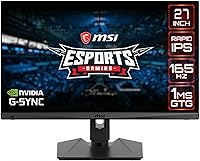
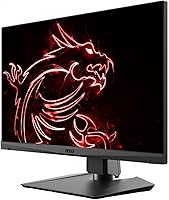
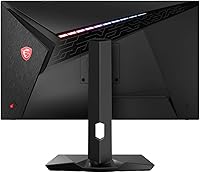
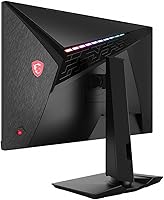
The MSI Optix MAG274QRF 27-inch QHD Gaming Monitor sits in a comfortable middle ground — competitive enough for serious gaming, priced without the sting of flagship displays. At 27 inches, the screen hits the sweet spot where 1440p resolution actually pays off: text stays sharp, game environments look genuinely detailed, and you are not squinting to read UI elements. What separates it from budget IPS alternatives is the Rapid IPS panel, which cuts response times dramatically while preserving the color and viewing angles IPS is known for. The build feels solid, and the adjustable stand means you are not stuck with a fixed awkward height straight out of the box.
Features & Benefits
At 165Hz with 1ms response, this MSI gaming panel keeps up in fast-paced shooters without the visual smearing common on slower IPS displays. In practice, tracking moving targets in games like Valorant or CS2 feels noticeably tighter — frames do not blur into each other mid-action. G-Sync Compatible support adds variable refresh, which matters most when your framerate dips; screen tearing largely disappears without locking you into a proprietary ecosystem. Jumping from 1080p to 1440p QHD is where many users feel the biggest visual upgrade, especially in open-world titles. The non-glare coating handles mixed-light rooms well, though the HDR here is genuinely basic — functional, but do not expect the dynamic range of a proper HDR display.
Best For
The MAG274QRF makes the most sense for competitive PC gamers who have been on a 1080p or 60Hz display and want a meaningful jump without spending flagship money. If you are running an RTX 3060 or 4060-class GPU, you can push this 27-inch QHD display to consistently high framerates — the resolution and refresh rate pair well at that hardware tier. It also works for people who split time between light photo editing and gaming; the color output is solid for general use, though professional color work belongs on a dedicated panel. The ergonomic stand makes it a natural fit for dual-monitor arrangements or long desk sessions where tilt and height adjustability actually matter.
User Feedback
With a 4.5-star rating across hundreds of verified buyers, this MSI gaming panel earns its score through consistent performance rather than any single flashy trait. Owners frequently mention colors looking vibrant right out of the box with minimal calibration, and the stand flexibility gets called out as a genuine practical win. Motion clarity at 165Hz draws consistent praise from those upgrading from slower panels. Where buyers push back: the HDR mode is widely described as underwhelming, with most experienced users suggesting it be left off entirely. The on-screen menu navigation also draws complaints for being clunky. On the reliability front, units held up well over extended use, with few reports of backlight bleed appearing after months of daily sessions.
Pros
- Rapid IPS panel delivers noticeably sharper motion than standard IPS without sacrificing viewing angles.
- 165Hz refresh rate makes fast-paced competitive gameplay feel genuinely fluid and responsive.
- QHD 1440p resolution is a substantial and immediately visible upgrade from 1080p displays.
- G-Sync Compatible support keeps screen tearing in check across a wide framerate range.
- Colors look vibrant and well-balanced straight out of the box with minimal calibration needed.
- Non-glare coating handles mixed lighting environments without killing contrast.
- The height-adjustable stand is sturdy and flexible enough for most desk setups and dual-monitor arrangements.
- Narrow bezels make it a clean fit in side-by-side multi-monitor configurations.
- Long-term reliability reports from owners are encouraging, with few issues surfacing after months of daily use.
- Strong value for buyers who want QHD and high refresh without paying flagship prices.
Cons
- HDR implementation is weak in practice; most users recommend leaving it disabled entirely.
- The on-screen display menu is clunky and frustrating to navigate for basic adjustments.
- Color accuracy is not sufficient for professional photo or video editing work.
- At 19.3 pounds, this 27-inch QHD display is on the heavier side and less easy to reposition frequently.
- Buyers with entry-level GPUs may struggle to consistently drive 1440p at the framerates that justify 165Hz.
- No built-in USB hub, which limits desk cable management options for users with multiple peripherals.
- The HDR Ready branding can create misleading expectations for buyers unfamiliar with the spec tier differences.
- Limited to a single size option, leaving buyers who prefer larger panels without a direct upgrade path in this lineup.
Ratings
The scores below for the MSI Optix MAG274QRF 27-inch QHD Gaming Monitor were generated by our AI system after analyzing verified global buyer reviews, with spam, bot-submitted, and incentivized feedback actively filtered out. The ratings reflect an honest aggregate of real-world ownership experiences — both where this panel consistently impresses and where it falls short of expectations.
Motion Performance
Image Clarity
Refresh Rate Value
Color Out of Box
HDR Implementation
Build Quality
Stand & Ergonomics
G-Sync & FreeSync
OSD & Controls
Anti-Glare Coating
Connectivity
Setup Experience
Long-Term Reliability
Value for Money
Suitable for:
The MSI Optix MAG274QRF 27-inch QHD Gaming Monitor is built for PC gamers who want a meaningful performance upgrade without crossing into premium flagship territory. It hits a practical sweet spot for anyone running a mid-range GPU — think RTX 3060 or 4060 class — where 1440p at high framerates is genuinely achievable rather than aspirational. Competitive players who spend hours in fast-paced titles will appreciate the 165Hz refresh and Rapid IPS panel combination, which keeps motion sharp without the color washout of older TN alternatives. It also suits hybrid users who game in the evenings but need a decent display for daytime work or light photo editing — the color output is respectable for general productivity even if it is not studio-calibrated. Anyone coming from a 1080p or 60Hz monitor will likely feel the jump immediately, both in visual clarity and motion fluidity. The adjustable stand adds real value for people building dual-monitor setups or those who spend long hours at their desk and care about ergonomic positioning.
Not suitable for:
Buyers chasing a true HDR experience should look elsewhere — the MAG274QRF carries an HDR Ready label, but in practice the effect is modest at best, and experienced users tend to disable it entirely. If you are a professional photographer, video editor, or colorist who needs factory-calibrated, wide-gamut color accuracy, this is a gaming-tuned panel and it will fall short of a dedicated content creation display. Console gamers on PlayStation or Xbox may find the feature set partially wasted, since the high refresh rate advantages are less accessible on those platforms. Users who prioritize an ultra-large canvas will find 27 inches limiting compared to ultrawide or 32-inch alternatives available at similar price points. If your GPU is significantly below the mid-range tier and you cannot realistically push 1440p above 100fps in your preferred titles, you may not extract the full value this display offers. Finally, buyers who hate fiddling with on-screen menus should know upfront that the OSD navigation on this MSI gaming panel has drawn consistent criticism for being unintuitive.
Specifications
- Panel Type: Uses a Rapid IPS panel, which delivers faster pixel response than conventional IPS while retaining wide viewing angles and accurate color reproduction.
- Screen Size: The display measures 27 inches diagonally, offering a practical balance between workspace coverage and pixel density at 1440p.
- Resolution: Native resolution is 2560x1440 QHD, providing roughly 78% more pixels on screen compared to a standard 1080p display.
- Refresh Rate: Supports a maximum refresh rate of 165Hz, allowing up to 165 frames per second to be displayed for smoother motion in fast-paced content.
- Response Time: Rated at 1ms response time, which minimizes ghosting and trailing artifacts during high-speed motion sequences in games.
- Sync Technology: Certified as G-Sync Compatible, meaning it supports NVIDIA variable refresh rate technology as well as AMD FreeSync for tear-free gameplay.
- HDR Support: Carries an HDR Ready designation, offering basic high dynamic range functionality without the brightness or contrast performance of true HDR-certified panels.
- Aspect Ratio: Standard 16:9 widescreen aspect ratio, compatible with virtually all gaming resolutions, video content, and productivity layouts.
- Surface Coating: Non-glare anti-reflective coating reduces distracting light reflections in rooms with ambient or mixed lighting conditions.
- Bezel Design: Features a super narrow bezel on three sides, making it well-suited for side-by-side dual-monitor configurations with minimal visual gap.
- Stand Adjustability: Includes a height-adjustable and angle-adjustable arm stand, allowing users to fine-tune ergonomic positioning without purchasing a separate mount.
- Backlight: LED backlight system provides consistent brightness distribution across the panel surface.
- Voltage: Universal voltage support ranging from 100 to 240 volts makes it compatible with power systems in most regions worldwide.
- Weight: The monitor weighs 19.3 pounds with the stand attached, which is on the heavier side for a 27-inch display.
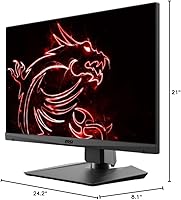
- Dimensions: Overall product dimensions are 8.1 x 24.2 x 21 inches (depth x width x height) with stand installed.
- Color Finish: Available in a matte black finish that blends cleanly into most desk setups without drawing attention to the chassis.
- Model Series: Part of the MSI MAG274QRF-QD series lineup, positioned as a gaming-focused display within MSI's Optix product family.
Related Reviews
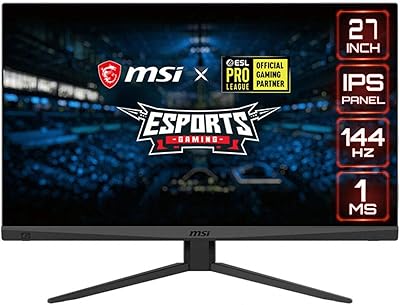
MSI Optix MAG274R 27-inch Full HD 144Hz Gaming Monitor

memzuoix 27-inch QHD 165Hz Gaming Monitor
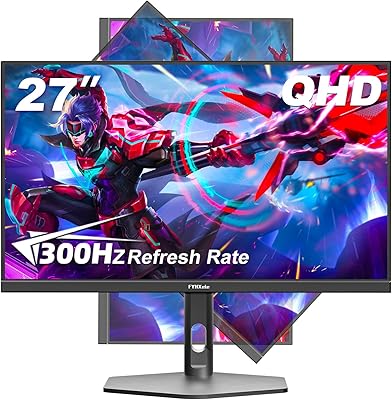
FYHXele 27-inch 300Hz QHD Gaming Monitor
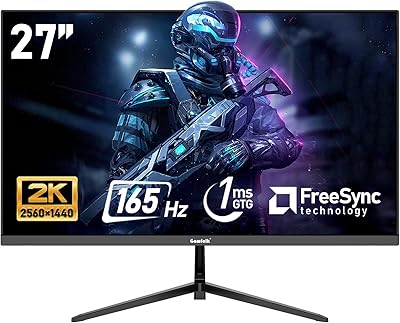
Gawfolk GF270L 27-inch QHD Gaming Monitor

Samsung Odyssey G50D 27-Inch Gaming Monitor
MSI MAG 275QF 27-inch Gaming Monitor
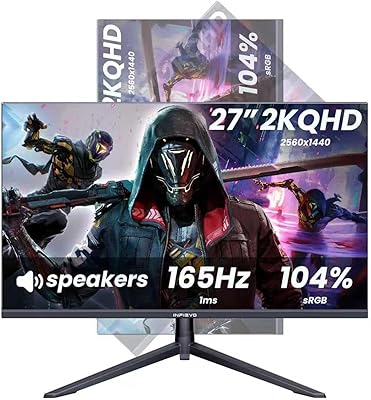
INFIEVO 27-Inch QHD 165Hz Gaming Monitor
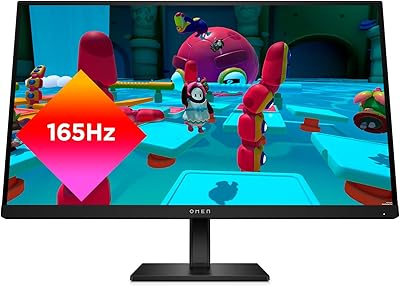
HP OMEN 27q QHD Gaming Monitor
Dell S2722DGM 27-inch Curved Gaming Monitor