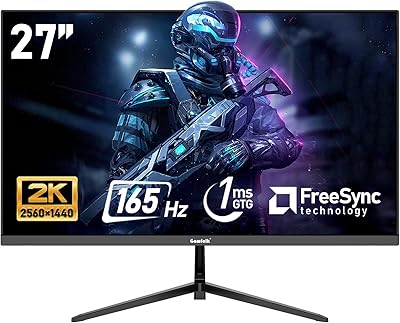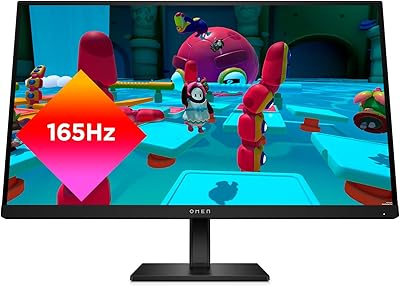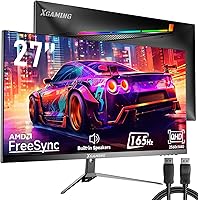






Overview

The memzuoix 27-inch QHD 165Hz Gaming Monitor enters a crowded budget segment with specs that genuinely turn heads for the price. A 27-inch IPS panel running at 2560x1440 with up to 165Hz is solid value, and the frameless design with rear RGB lighting makes it look the part on any desk. Worth flagging upfront: the product listing contains confusing inconsistencies — the technical details page references a 15.6-inch FHD screen, which directly contradicts the title and comparison table. Treat the comparison table specs as the accurate source. As a brand with a limited track record, this memzuoix gaming display is still building its reputation, so calibrated expectations matter here.

Features & Benefits

The 165Hz refresh rate paired with a 1ms GTG response time is the headline spec, and it holds up well for competitive gaming where motion clarity matters. Both FreeSync and G-Sync compatibility mean you're covered regardless of whether you're running an AMD or NVIDIA GPU — a genuinely useful flexibility. The IPS panel hits 99% sRGB, producing natural, accurate colors without heavy calibration out of the box. HDR is technically supported, but at 300 cd/m² brightness it's entry-level at best — don't expect dramatic highlights. Dual HDMI and DisplayPort inputs round out a connectivity package that works well for multi-device setups, and the built-in speakers mean you're not immediately hunting for external audio.

Best For

This budget QHD monitor makes the most sense for PC gamers who want to step up from 1080p without committing to a high-end price tag. The dual-input flexibility — two HDMI and two DisplayPort ports — also makes it a reasonable pick for anyone splitting time between a PC and a console. Students and casual players who want a clean, modern desk setup will appreciate the frameless look and ambient RGB lighting without paying extra for them. It's worth being realistic: if you need serious ergonomic adjustability or professional color accuracy, this 27-inch memzuoix will fall short. It's a low-risk entry point, not a workstation display.

User Feedback

Early buyers give this memzuoix gaming display a 4.4-star average, which is a promising start, though the review count is still modest enough that the full picture may shift over time. On the positive side, users highlight the jump in image sharpness coming from 1080p and how smooth gameplay feels at high refresh rates. The more measured feedback touches on the V-shaped base feeling lighter than expected, inconsistent backlight uniformity at the edges, and speaker audio that's functional but unremarkable. Setup ease appears to be a genuine strength, with most buyers reporting a straightforward out-of-box experience. The listing's spec contradictions have also caused confusion among some shoppers — worth keeping in mind before purchasing.

Pros

  • 2560x1440 resolution on a 27-inch IPS panel delivers noticeably sharper visuals compared to standard 1080p displays.
  • Up to 165Hz refresh rate keeps gameplay fluid and responsive without requiring a high-end GPU to unlock the basics.
  • Compatible with both FreeSync and G-Sync, so you are covered regardless of which GPU brand you use.
  • Four video inputs — two HDMI and two DisplayPort — give genuinely useful flexibility for multi-device setups.
  • 99% sRGB color coverage means out-of-box color accuracy is solid for a monitor in this price range.
  • Frameless three-sided design looks clean and modern on any desk without adding cost.
  • Built-in speakers remove one immediate extra purchase for users setting up a new station from scratch.
  • Rear RGB lighting adds ambient atmosphere that would normally cost extra on competing options.
  • Easy setup process appears to be a consistent positive across early buyer experiences.
  • At its price point, the overall feature-to-dollar ratio is hard to argue with for entry-level 1440p gaming.

Cons

  • Listing spec inconsistencies — the technical details page references a 15.6-inch FHD screen — create unnecessary confusion before purchase.
  • Backlight uniformity at screen edges has been flagged as a potential concern worth checking on arrival.
  • HDR support is present in name only; 300 cd/m² brightness is far too low for a meaningful HDR experience.
  • The V-shaped base feels lighter and less stable than buyers might expect from a 27-inch display.
  • Built-in speaker audio quality is described as functional at best — not a substitute for even a basic external speaker.
  • No height adjustment, swivel, or pivot support limits long-session comfort for users who need precise monitor positioning.
  • memzuoix has a thin brand history and limited third-party test data, making quality consistency harder to verify.
  • The review pool is still small, so the current rating may not fully reflect real-world reliability over time.
  • No independent color calibration report is included, so out-of-box accuracy may vary between units.
  • After-sales support and warranty service from a lesser-known manufacturer carries more uncertainty than established brands.

Ratings

The scores below reflect an AI-driven analysis of verified global buyer reviews for the memzuoix 27-inch QHD 165Hz Gaming Monitor, with spam, incentivized feedback, and bot activity actively filtered out before scoring. Each category captures both what real users praised and what genuinely frustrated them, so you get an honest picture rather than a polished sales summary. Strengths and shortcomings are weighted equally — nothing is glossed over.

Image Clarity
88%
Buyers consistently describe a noticeable and immediate improvement in sharpness when upgrading from 1080p, particularly in open-world games and text-heavy applications. At 27 inches, the 2560x1440 pixel density hits a comfortable sweet spot that makes fine details — map textures, UI elements, fine foliage — clearly more defined without needing to sit unusually close.
A small number of users noted that pixel-level sharpness varied slightly between units, suggesting minor panel-to-panel production variance. Out-of-box calibration is not always perfect, and some buyers reported needing to dial in contrast and sharpness settings before the image felt fully optimized.
Refresh Rate Performance
84%
The jump to 165Hz delivers genuinely smoother motion in fast-paced shooters and racing games, and users with mid-range GPUs report that even running at 120Hz or 144Hz feels like a substantial upgrade over their previous 60Hz experience. The response time holds up well during rapid directional changes, keeping motion blur acceptably low.
Reaching the full 165Hz requires a DisplayPort connection and a capable GPU — users relying on HDMI or older graphics cards may find themselves limited to lower rates without realizing it initially. A few buyers reported the monitor defaulting to 60Hz out of the box and needing a manual refresh rate change in display settings.
Value for Money
91%
At its price point, offering a 27-inch IPS QHD panel with 165Hz, FreeSync, G-Sync compatibility, four video inputs, built-in speakers, and RGB lighting in a single package is genuinely hard to match. Budget-focused buyers repeatedly express satisfaction that the display punches above what they expected for the spend.
The strong value perception is tempered by legitimate concerns about long-term reliability and brand support, since memzuoix lacks the track record of established manufacturers. A few buyers felt the overall package quality — particularly the stand and speakers — reflected cost-cutting that slightly undermines the otherwise impressive spec sheet.
Adaptive Sync (FreeSync/G-Sync)
82%
18%
The dual compatibility with both AMD FreeSync and NVIDIA G-Sync covers the vast majority of GPU owners without any workarounds, and users across both ecosystems report that screen tearing is effectively eliminated during normal gaming sessions. The implementation works reliably within the supported frame rate range.
Some NVIDIA users noted they needed to enable G-Sync Compatible mode manually through the NVIDIA control panel, which is standard practice but caught a few buyers off guard. A small number of users reported occasional sync disengagement at very low frame rates below 48fps, which is a common limitation of adaptive sync at the budget tier.
Color Accuracy
77%
23%
The IPS panel with 99% sRGB coverage delivers pleasing, well-saturated colors for gaming and casual multimedia use, and most buyers find the out-of-box color profile accurate enough for everyday purposes without touching the settings. Skin tones in cutscenes and vibrant game environments both look natural rather than oversaturated.
Users doing any form of color-sensitive work — photo editing, video grading — found the panel insufficient without third-party calibration tools, which the monitor does not come with. The absence of a factory calibration report means color consistency between individual units is not guaranteed, which matters when color accuracy is a priority.
HDR Quality
43%
57%
HDR mode is present and technically functional, which allows the monitor to accept HDR signals from PCs and consoles without requiring manual signal conversion. For users who simply want HDR toggled on for compatibility reasons rather than visual impact, it serves that basic purpose.
At 300 cd/m² peak brightness, this display cannot produce the highlight contrast or tone mapping that makes HDR meaningful — most buyers describe the HDR mode as virtually indistinguishable from SDR in real use. This is not a product failing so much as a hardware ceiling, but buyers expecting a genuine HDR experience will be disappointed.
Build Quality
62%
38%
The monitor chassis itself feels solid enough for a budget display, and the three-sided frameless design looks noticeably cleaner and more premium than the price might suggest. Users setting up a new desk for the first time generally find the overall construction acceptable for the spend.
The V-shaped metal base is the most commonly criticized physical element — buyers describe it as lighter and less reassuring than expected for a 27-inch panel, with some reporting minor wobble when adjusting cables at the rear. The plastic quality on the rear housing also drew comments about feeling thin compared to mid-range competitors.
Ergonomics & Adjustability
38%
62%
The tilt range of -5 to +15 degrees is adequate for users who position their monitor on a standard desk at eye level, and basic viewing angle comfort is reasonable for single-user setups where the monitor stays in one position.
The complete absence of height adjustment, swivel, and pivot support is a significant limitation for anyone who works long hours or shares the monitor between users of different heights. Several buyers noted shoulder and neck discomfort after extended sessions, ultimately resorting to book stacks or monitor risers — a workaround that underscores how much the stand design is missing.
Connectivity
86%
Having two HDMI and two DisplayPort inputs on a budget monitor is a genuine practical advantage — users with a gaming PC and a console connected simultaneously can switch sources instantly without unplugging anything. The included audio output jack adds further flexibility for users routing sound to external speakers or a headset amplifier.
There is no USB hub built into the monitor, which buyers accustomed to mid-range displays may miss for connecting peripherals at desk level. The audio output is functional but basic, and users expecting convenient headphone management directly from the monitor will find the options limited.
Speaker Quality
51%
49%
The built-in speakers serve a genuine purpose for users who need basic audio during video calls, casual video streaming, or system sound without setting up external audio equipment. For a first desk setup on a tight budget, having any speakers included is better than having none.
Volume headroom is modest and bass response is nearly absent, meaning music, game soundtracks, and cinematic audio all sound noticeably flat and thin. Most buyers treat the speakers as a stopgap and plan to replace them with even a basic external solution relatively quickly.
RGB Lighting
73%
27%
The rear rainbow LED lighting creates a pleasant ambient glow on the wall behind the monitor, which users with gaming desk setups find adds atmosphere without requiring a separate purchase. The effect is visible and appealing in low-light environments, complementing other RGB peripherals naturally.
There are no software controls or per-zone customization options reported by users, meaning the lighting mode options are limited to whatever cycles are built into the monitor menu. Users who prefer static colors or want to synchronize with an ecosystem like Razer Chroma or ASUS Aura Sync will find that level of integration unavailable.
Setup Experience
81%
19%
Assembly is consistently described as quick and intuitive, with the stand clicking into place without tools and the included cable set covering the basics for immediate use. First-time monitor buyers in particular appreciate how little friction there is between unboxing and having the display running.
The in-box documentation is minimal, and navigating the on-screen display menu to adjust refresh rate or enable adaptive sync requires some trial and error. A notable subset of buyers reported confusion caused by the conflicting specs on the product listing page, which created unnecessary doubt about what they had actually purchased before unboxing.
Viewing Angles
79%
21%
The IPS panel technology delivers wide horizontal and vertical viewing angles, which means image quality holds up well when viewed slightly off-center — a practical benefit for co-op couch gaming situations or desk setups where the monitor is not perfectly centered to the user.
At extreme off-axis angles, some color shift and brightness falloff is present, which is expected behavior for IPS panels but more noticeable here than on higher-end IPS displays. Glare management is average, and users in brightly lit rooms with side windows may find reflections distracting without adjusting monitor angle carefully.
Brand Reliability
47%
53%
The monitor has maintained a 4.4-star average across its early review period, suggesting that the majority of units are arriving functional and meeting basic expectations for buyers in this price bracket.
memzuoix has no established reputation, limited public customer service documentation, and virtually no third-party professional review coverage to validate quality consistency over time. Buyers who have experienced issues report uncertainty about warranty processes and after-sales support responsiveness, which is a real risk factor for a display purchase.

Suitable for:

The memzuoix 27-inch QHD 165Hz Gaming Monitor is a strong fit for budget-conscious PC gamers who have been stuck at 1080p and want a meaningful visual upgrade without the financial commitment of a premium display. If your GPU can push 1440p at high frame rates, the 165Hz panel will genuinely reward that hardware investment. Students setting up a first proper gaming station will find the built-in speakers and ambient RGB lighting remove the need for immediate add-on purchases. The dual HDMI and dual DisplayPort inputs also make this an appealing pick for anyone running a mixed setup — say, a gaming PC alongside a PlayStation or Xbox — since you can swap sources without unplugging cables. Casual gamers who spend most of their time in single-player titles or online multiplayer at moderate competitive levels will get real day-to-day value from the IPS color quality and smooth motion handling.

Not suitable for:

Buyers who prioritize ergonomic flexibility should look elsewhere — the memzuoix 27-inch QHD 165Hz Gaming Monitor offers only basic tilt adjustment with no height, swivel, or pivot options, which can be a genuine comfort issue over long sessions. Professional creatives or anyone doing color-critical work such as photo editing or video grading should not rely on this display, as the absence of independent color calibration data and an unverified HDR implementation make it unsuitable for accuracy-demanding workflows. Competitive esports players who need a proven, well-documented panel with consistent backlight uniformity may find the limited review history and unresolved questions around edge glow concerning. Anyone who values brand reliability and long-term after-sales support should factor in that memzuoix is a relatively new and unknown manufacturer with a thin support track record. If you are already in the mid-range monitor market and own a capable 1080p panel, the incremental gains here may not justify switching.

Specifications

  • Screen Size: The display measures 27 inches diagonally, with a three-sided frameless design that minimizes border width on the left, right, and top edges.
  • Resolution: Native resolution is 2560x1440 pixels (QHD), delivering noticeably sharper detail than standard 1080p at the same screen size.
  • Panel Type: Uses an IPS (In-Plane Switching) flat panel, which provides wider viewing angles and more consistent color compared to TN alternatives.
  • Refresh Rate: Supports up to 165Hz, with a 144Hz base rate — both are accessible depending on the connected source and cable used.
  • Response Time: Rated at 1ms GTG (gray-to-gray), which is suitable for reducing motion blur in fast-paced gaming scenarios.
  • Color Gamut: Covers 99% of the sRGB color space, offering reasonably accurate and vibrant color reproduction for gaming and everyday use.
  • Brightness: Peak backlight brightness is rated at 300 cd/m², which is adequate for standard indoor lighting but limited for meaningful HDR performance.
  • HDR Support: HDR is listed as supported, though at 300 cd/m² the implementation is entry-level and will not produce the contrast range of true HDR displays.
  • Sync Technology: Compatible with both AMD FreeSync and NVIDIA G-Sync, helping to eliminate screen tearing across a wide range of graphics cards.
  • Connectivity: Includes two HDMI ports, two DisplayPort inputs, and one 3.5mm audio output jack for flexible multi-device connectivity.
  • Built-in Audio: Integrated speakers are included in the monitor, providing basic audio output without requiring an external speaker for casual use.
  • RGB Lighting: Features rainbow RGB LED lighting on the rear panel, designed to cast ambient light onto the wall or desk surface behind the monitor.
  • VESA Compatibility: Supports standard 100x100mm VESA wall mounting, allowing the monitor to be mounted on most third-party arms or wall brackets.
  • Tilt Adjustment: The stand supports tilt adjustment from -5 degrees to +15 degrees; no height, swivel, or pivot adjustment is available.
  • Stand Design: Ships with a V-shaped metal base that is described as stable, though buyer feedback suggests it feels lighter than expected for a 27-inch panel.
  • Aspect Ratio: Standard 16:9 widescreen aspect ratio, compatible with all modern gaming resolutions and video content formats.
  • Item Weight: The full unit including stand weighs approximately 15.22 pounds, which is typical for a monitor of this size and panel type.
  • Manufacturer: Made by memzuoix, a relatively new brand in the monitor market with limited long-term reliability data publicly available at this time.
  • Model Number: The official item model number listed by the manufacturer is Ayy-15.6, which may create confusion given the actual 27-inch panel size.
  • Release Date: This monitor first became available for purchase in August 2024, making it a recent entry with a still-growing body of user reviews.

Related Reviews
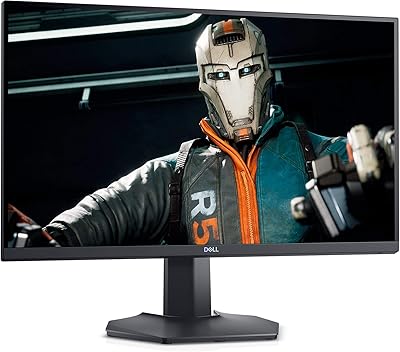
INFIEVO 27-inch QHD 1440P Gaming Monitor 165Hz
82%
88%
Gaming Performance
86%
Visual Quality
84%
Ergonomics/Comfort
92%
Value for Money
75%
Build Quality
More
Dell S2721DGF 27-inch QHD 165Hz Gaming Monitor
86%
92%
Performance
88%
Display Quality
85%
Ergonomics
91%
Gaming Experience
87%
Color Accuracy
More
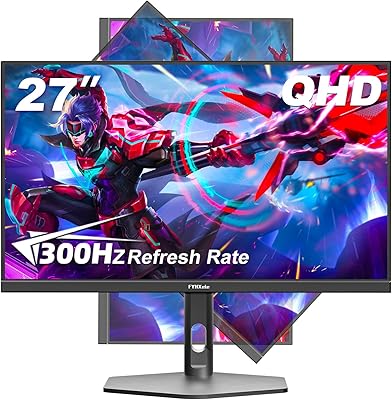
FYHXele 27-inch 300Hz QHD Gaming Monitor
88%
94%
Performance for Gaming
91%
Display Quality
88%
Ergonomics and Adjustability
75%
Setup and Installation
85%
Build Quality and Durability
More
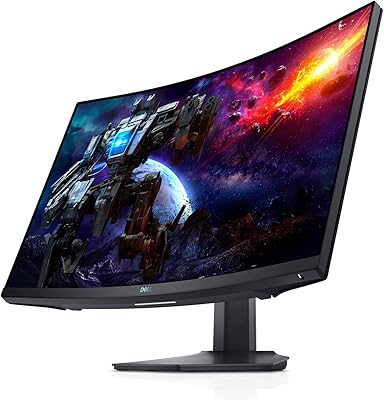
FYHXele 27-inch Curved Gaming Monitor 165Hz
85%
91%
Gaming Performance
94%
Display Quality
88%
Value for Money
76%
Build Quality
89%
Ease of Setup
More
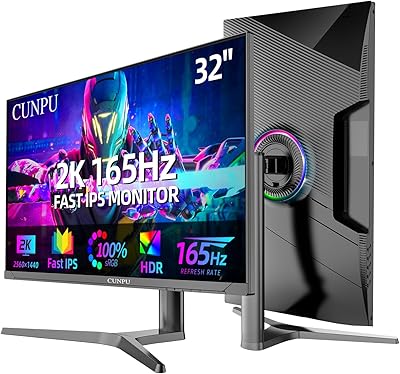
CUNPU 32-Inch Gaming Monitor QHD 165Hz
86%
93%
Display Quality
91%
Gaming Performance
85%
Build Quality
88%
Ergonomics and Adjustability
90%
Ease of Setup
More
Viewedge CS27QK 27-inch 1440p 165Hz Gaming Monitor
84%
89%
Gaming Performance
91%
Visual Quality (Color Accuracy)
78%
Build Quality
85%
Ease of Setup
80%
HDR Performance
More
Gawfolk GF270L 27-inch 2K QHD Gaming Monitor
86%
91%
Display Quality
88%
Gaming Performance
94%
Color Accuracy
83%
Build Quality
87%
Value for Money
More
HP OMEN 27q QHD Gaming Monitor
79%
88%
Image Clarity
91%
Refresh Rate Performance
84%
Color Accuracy
61%
Brightness & HDR
57%
Glare & Reflections
More
Redragon GM27CVQ 27-inch 165Hz Curved Gaming Monitor
87%
92%
Display Quality
89%
Gaming Performance
88%
Build Quality
90%
Immersive Experience
85%
Ease of Setup
More
Samsung Odyssey G50D 27-Inch QHD Gaming Monitor
87%
91%
Display Quality
94%
Performance (Refresh Rate/Response Time)
88%
Ergonomics and Comfort
87%
HDR Support
70%
Color Accuracy
More

FAQ

Both are real — 144Hz is the base rate and 165Hz is achievable with an overclocked setting available in the monitor menu. You will need a DisplayPort cable and a GPU that supports the higher rate to unlock 165Hz reliably. Most buyers in competitive gaming scenarios will notice the difference is minor, but it is there if you want it.

Yes, this budget QHD monitor carries G-Sync Compatible certification, which means NVIDIA cards will recognize and activate adaptive sync through the standard process. It is not a full G-Sync module display, but for the vast majority of gaming use cases the experience is effectively the same.

For most people, yes. At 27 inches, 1440p hits a sweet spot where individual pixels are small enough to be invisible at a normal sitting distance, making text and fine in-game detail noticeably crisper than 1080p. If your GPU can sustain reasonable frame rates at 1440p in your games, the upgrade in clarity is real and noticeable.

They are serviceable for basic audio needs — system sounds, voice chat, casual video watching — but they are not a replacement for even a modest external speaker or headset. Bass response is minimal and volume headroom is limited. Think of them as a convenience feature rather than a selling point.

This is a known issue with the memzuoix 27-inch QHD 165Hz Gaming Monitor listing. The technical details section on Amazon incorrectly references a 15.6-inch FHD screen, which appears to be leftover data from a different product. The comparison table, title, and physical product all point to a 27-inch 2560x1440 panel, which is what buyers are receiving.

Yes, the monitor supports 100x100mm VESA mounting, which is the most common standard. If the included V-shaped stand feels too light or you want height and swivel adjustability, swapping to an aftermarket arm is a practical and worthwhile upgrade.

Realistically, not much. HDR requires significantly higher peak brightness to produce a visible impact — typically 600 cd/m² or more for a noticeable effect. At 300 cd/m², the HDR mode on this display will show marginal differences at best. It is fine to leave HDR enabled in Windows or your console settings, but do not expect dramatic highlight contrast.

Based on early user reports, there are some units where edge uniformity is less consistent, with slight brightness variation or a faint glow in corners when displaying dark content. This is not unusual for IPS panels at this price tier, but it is worth checking your unit against a solid dark background soon after unboxing to catch any significant issues while you can still return it.

The box typically includes one HDMI cable and one DisplayPort cable, along with a power adapter and basic setup documentation. If you plan to connect multiple devices simultaneously, you will likely need to supply your own additional cables, as only one of each is usually provided.

It works well in that dual role. The two HDMI ports mean you can keep a console and a PC connected at the same time and switch inputs without unplugging anything. Keep in mind that most current-generation consoles cap output at 120Hz at 1080p or 60Hz at 1440p depending on the title, so you will not always be using the full 165Hz capability when gaming on console.