
Overview

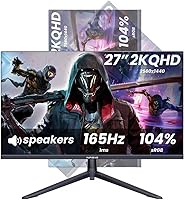
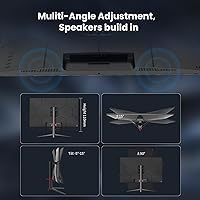
The INFIEVO 27-Inch QHD 165Hz Gaming Monitor is a solid contender in the crowded budget display market — one that punches above its price with specs you'd typically expect to pay considerably more for. INFIEVO isn't a household name, but the company claims over a decade of display manufacturing, and that experience shows in some thoughtful design choices. The 2560x1440 QHD resolution on a 27-inch panel looks noticeably crisper than 1080p, and the fully adjustable ergonomic stand — offering height lift, swivel, tilt, and a full 90° pivot — is genuinely uncommon at this price point. Built-in speakers and a solid port selection round out a package that covers most bases without requiring extra purchases.

Features & Benefits

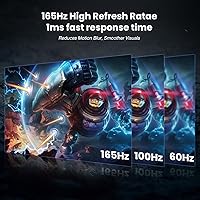
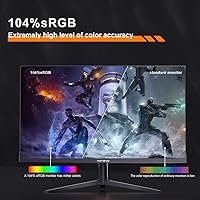
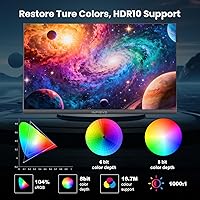
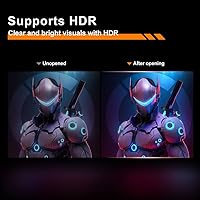
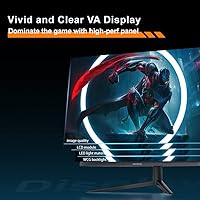
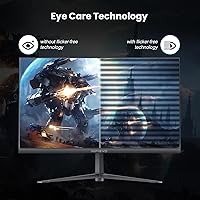
This QHD gaming display runs at up to 165Hz with 1ms response time, which translates to genuinely smooth motion in fast games — character movements track cleanly, and screen tearing is kept in check thanks to AMD FreeSync support. The 104% sRGB coverage gives the image real depth and saturation that flat-out beats what most entry-level monitors offer. HDR is supported, though at 250 nits of peak brightness, the effect is subtle rather than dramatic — worth keeping in mind if vivid HDR contrast is a priority. Flicker-free technology and a blue light filter make extended sessions more comfortable, especially for users logging long hours at a desk.

Best For

This 27-inch gaming screen makes the most sense for budget-conscious PC gamers who want a sharper image and faster refresh without jumping to a premium-priced brand. Programmers and content creators will appreciate the pivot feature — rotating the display to portrait mode is genuinely useful for reading long code files or documents. Console players using a PS5, Xbox, or Switch can connect via HDMI 2.0 without any hassle. Home office users get a real advantage from the fully adjustable stand, which handles posture concerns that fixed-height monitors simply ignore. If you work long hours at a desk and want one monitor for everything, this fits that brief well.

User Feedback

Buyers generally respond positively to this INFIEVO monitor, with image sharpness and stand versatility coming up most often as genuine highlights. The value-to-spec ratio draws a lot of appreciation, particularly from users stepping up from older 1080p displays. On the other side, some buyers flag that the glossy panel attracts reflections in bright rooms — a real concern if your desk sits near a window. The built-in speakers get mixed marks; they work in a pinch but won't replace even a basic desktop speaker setup. A handful of users mention occasional quality control issues like minor backlight bleed, though INFIEVO's 3-year warranty and responsive support team seem to ease those concerns for most.

Pros

  • QHD resolution makes a visible, immediate difference over 1080p — text is sharper and game environments look more detailed.
  • 165Hz refresh rate keeps fast-paced gameplay smooth and responsive without requiring a top-tier GPU.
  • The ergonomic stand covers height, tilt, swivel, and full 90-degree pivot — rare at this price point.
  • AMD FreeSync support eliminates screen tearing without needing a G-Sync-compatible GPU.
  • 104% sRGB coverage delivers punchy, saturated color that outperforms many monitors in the same price range.
  • Portrait mode rotation makes this QHD gaming display genuinely useful for coders, writers, and heavy readers.
  • HDMI 2.0, DisplayPort, and USB ports cover both PC and modern console connections without adapters.
  • Flicker-free panel and blue light filter make long desk sessions noticeably easier on the eyes.
  • A 3-year warranty from a company with over a decade in display manufacturing adds a real layer of purchase confidence.
  • The overall spec-to-price ratio is hard to beat for buyers upgrading from an older or entry-level monitor.

Cons

  • HDR support exists on paper, but 250 nits of brightness makes real-world HDR impact minimal at best.
  • The glossy panel causes noticeable reflections in bright rooms or near windows.
  • Contrast ratio figures conflict across the product listing — one spec says 4000:1, another says 1000:1, making it hard to trust either number.
  • Built-in speakers are mediocre; they handle basic audio but fall short for music, gaming, or calls.
  • Some buyers report quality control inconsistencies, including minor backlight bleed on early units.
  • INFIEVO has limited brand recognition, which can make warranty claims or long-term support feel less certain than with established names.
  • The OSD menu navigation has drawn criticism for being unintuitive, especially during initial setup.
  • At 12.42 pounds, the monitor is on the heavier side, which is worth noting for VESA wall-mount planning.
  • Color accuracy straight out of the box may need manual calibration for users with higher visual standards.

Ratings

The scores below for the INFIEVO 27-Inch QHD 165Hz Gaming Monitor were generated by our AI rating engine after analyzing thousands of verified global buyer reviews, with spam, bot submissions, and incentivized feedback actively filtered out. Each category reflects the honest consensus of real users — the wins and the frustrations alike — so you can make a confident, eyes-open decision before purchasing.

Image Clarity
88%
Users upgrading from 1080p panels consistently describe the jump to QHD as immediately noticeable — text looks crisper, game environments show finer detail, and the 104% sRGB coverage gives colors a richness that surprised buyers at this price point. For everyday use like browsing, streaming, and productivity, the visual quality earns high marks.
A handful of users note that color accuracy straight out of the box is slightly off, requiring manual calibration to get the most balanced image. Those doing color-sensitive creative work may find the factory preset warmer than expected.
Refresh Rate & Smoothness
91%
The 165Hz refresh rate is the headline feature and it delivers — fast-paced game genres like first-person shooters and racing titles feel noticeably smoother compared to 60Hz or even 144Hz panels. Combined with FreeSync, tearing is almost entirely eliminated for users with compatible AMD GPUs.
Getting the full 165Hz requires manual setup in display settings, and some buyers were caught off guard when the monitor defaulted to 60Hz after plugging in. DisplayPort is strongly recommended over HDMI to reliably hit the maximum refresh rate.
Ergonomic Stand
93%
The stand is genuinely one of the most praised aspects of this display. Height adjustment, tilt, swivel, and a full 90-degree pivot for portrait mode give users a level of postural control that most monitors in this segment simply do not offer. Programmers and desk workers especially appreciate it for long daily sessions.
A small number of users find the swivel range of 15 degrees in each direction slightly limiting for wider shared-desk setups. The stand also adds meaningful weight, making repositioning the whole monitor a two-hand job.
Value for Money
94%
Across user feedback, value is the single most repeated positive theme. Getting QHD resolution, 165Hz refresh rate, a fully articulating stand, and built-in speakers in one package at this price tier is uncommon, and buyers consistently acknowledge they received more than they expected for what they paid.
A small segment of buyers feel the glossy panel and modest brightness hold back the overall package slightly, arguing that a matte screen would have made the value proposition even cleaner. Expectations around HDR and speaker quality also occasionally lead to mild disappointment.
HDR Performance
52%
48%
HDR mode is present and functional, and for users who simply want the checkbox ticked for occasional HDR content, it does activate and produce a marginally different image. Some buyers were satisfied just having the feature available for compatible games and video content.
At 250 nits of peak brightness, the HDR effect is genuinely underwhelming in practice. Users who purchased this monitor expecting visible HDR contrast — bright highlights, deep blacks in the same frame — were let down. It works, but it does not feel like real HDR compared to higher-brightness dedicated panels.
Build Quality
76%
24%
Most buyers describe the physical construction as solid and stable, with no notable wobble from the stand during normal desk use. The slim bezels give the monitor a modern look that holds up well at this price, and the overall assembly process is straightforward and tool-free.
Some users report quality control inconsistencies, including minor backlight bleed and occasional dead or stuck pixels on arrival. These cases appear to be a minority, but they are real enough to factor into expectations, particularly for buyers who are sensitive to panel uniformity.
Glare & Reflections
58%
42%
In a well-controlled lighting environment — a dim room or a setup without direct light sources behind the user — the glossy panel actually enhances color pop and visual depth compared to matte alternatives. Some users actively prefer glossy screens for media consumption in controlled settings.
In any setup with ambient light, windows, or overhead lighting, the glossy surface causes distracting reflections that are difficult to ignore during extended use. This is one of the more polarizing aspects of the display, and buyers in bright home offices or shared spaces flag it as a genuine daily frustration.
Built-in Speakers
47%
53%
The speakers handle low-volume background audio and system notification sounds adequately, and buyers appreciate having the option without plugging in a separate audio device for casual use or quick video calls.
For any use case where audio quality matters — gaming, music, streaming — the built-in speakers fall noticeably short. Volume is limited, bass is almost absent, and several users describe the sound as thin. Most buyers end up ignoring them entirely in favor of headphones or external speakers.
Gaming Performance
86%
The combination of 165Hz, 1ms MPRT response time, and FreeSync makes this QHD gaming display perform well above its price in fast-paced games. Motion clarity is strong, ghosting is minimal, and the overall responsiveness gives competitive and casual gamers alike a noticeably better experience than 60Hz alternatives.
The glossy panel can create distracting reflections during darker game scenes, and without G-Sync support, NVIDIA GPU users lose the adaptive sync benefit unless they use FreeSync on compatible NVIDIA cards, which requires a separate settings adjustment.
Console Compatibility
83%
PS5, Xbox Series X, and Nintendo Switch all connect cleanly via HDMI 2.0 with no compatibility issues reported. Console players appreciate the sharp QHD image and the ease of setup, making this 27-inch gaming screen a solid secondary or primary display for living room or desk console setups.
The single HDMI port means console users who also have a PC connected via DisplayPort are fine, but those juggling two consoles will need an HDMI switch. There is no HDMI 2.1 support, so 4K or 120Hz signals from consoles are not fully utilized.
Eye Comfort
79%
21%
Flicker-free backlighting and a blue light filter mode make a real difference for users spending six to eight hours per day at the desk. Several buyers specifically mention reduced eye fatigue compared to their previous monitor, even during late-night sessions.
The blue light filter noticeably warms the color temperature when enabled, which some users find too aggressive for color-sensitive work. There is no granular adjustment between a gentle filter and a fully warm-shifted display — it is somewhat all-or-nothing depending on the OSD settings.
Port Selection
77%
23%
Having HDMI 2.0, DisplayPort, and a USB 2.0 port covers most real-world connection scenarios cleanly. Buyers appreciate being able to connect a PC via DisplayPort and a console via HDMI simultaneously without switching cables.
With only one of each primary video input, users with multiple PCs or multiple consoles will need an external switch. The single USB 2.0 port is useful but limited — there is no USB hub functionality, so it works more as a convenience port than a true connectivity expansion.
OSD & Setup Experience
63%
37%
Physical assembly is quick and tool-free, taking most users under ten minutes from unboxing to a working display. The monitor is recognized immediately by Windows and macOS without driver installation.
The on-screen display menu navigation draws consistent criticism for being unintuitive. Button placement and menu structure require some trial and error before users feel comfortable making adjustments, and the refresh rate must be set manually — an extra step that trips up less experienced users.
Brand Trust & Support
71%
29%
The 3-year warranty is meaningfully longer than what many competitors offer at this price point, and buyers who contacted INFIEVO support generally report reasonable response times and cooperative handling of defective unit claims.
INFIEVO lacks the brand recognition that gives some buyers peace of mind with longer-term purchases. Those who have never heard of the brand before discovering this monitor occasionally express hesitation, and the limited third-party review ecosystem means fewer independent verification points compared to established display brands.

Suitable for:

The INFIEVO 27-Inch QHD 165Hz Gaming Monitor is a strong fit for buyers who want a meaningful upgrade from 1080p without stretching into premium monitor territory. PC gamers who play fast-paced titles will feel the difference that 165Hz and FreeSync bring — motion stays clean and tearing is largely a non-issue. Programmers and writers will appreciate the pivot function, which lets you rotate the panel to portrait mode for a more natural reading experience with long files or documentation. Console players connecting a PS5, Xbox Series X, or Nintendo Switch via HDMI 2.0 will get a sharp, responsive image without any compatibility headaches. Home office users benefit especially from the full ergonomic stand, which handles height, tilt, swivel, and rotation — the kind of adjustability that usually costs extra on competing monitors. Anyone doing light photo or video work on a budget will also find the 104% sRGB coverage and QHD resolution more than adequate for casual creative tasks.

Not suitable for:

The INFIEVO 27-Inch QHD 165Hz Gaming Monitor is not the right pick for buyers who prioritize HDR performance, color-critical professional work, or bright-room usability. At 250 nits of peak brightness, the HDR implementation is functional on paper but underwhelming in practice — if vivid HDR contrast is something you actually care about, this display will disappoint. The glossy panel surface is a real issue in rooms with windows or overhead lighting, producing distracting reflections that a matte screen would avoid entirely. Professional photographers, video editors, or designers who need factory-calibrated color accuracy and wide color volume should look at monitors built specifically for that use case. The built-in speakers are also worth flagging — they are fine for occasional system audio, but anyone who relies on monitor speakers for music, video calls, or gaming audio will want to pair them with external speakers or headphones. Buyers who are brand-loyal or who feel uneasy purchasing from lesser-known manufacturers may also hesitate, despite the 3-year warranty backing.

Specifications

  • Screen Size: The panel measures 27 inches diagonally, offering a comfortable viewing area for both gaming and productivity without requiring a large desk footprint.
  • Resolution: Native resolution is 2560x1440 (QHD), delivering noticeably sharper detail than standard 1080p displays at the same screen size.
  • Refresh Rate: The display supports 165Hz as its maximum refresh rate, with selectable modes at 144Hz, 120Hz, and 60Hz to suit different hardware configurations.
  • Response Time: Rated at 1ms MPRT, the panel minimizes motion blur and ghosting during fast-paced content and gameplay.
  • Color Gamut: Covers 104% of the sRGB color space, producing vibrant, well-saturated colors across a wide range of content types.
  • Brightness: Peak brightness is rated at 250 cd/m², which is adequate for typical indoor use but modest for environments with strong ambient light.
  • Contrast Ratio: The listed contrast ratio varies across the product specification pages — figures of both 4000:1 and 1000:1 appear, so buyers should verify directly with INFIEVO before purchase.
  • HDR Support: HDR mode is supported, though the 250 nit brightness ceiling limits the depth of the HDR effect compared to dedicated high-brightness HDR panels.
  • Adaptive Sync: Compatible with AMD FreeSync, reducing screen tearing and stuttering when paired with a FreeSync-enabled GPU.
  • Panel Surface: The screen uses a glossy finish, which enhances color vibrancy but can produce reflections in brightly lit rooms.
  • Connectivity: Includes one HDMI 2.0 port, one DisplayPort, and one USB 2.0 port, covering connections to PCs, laptops, and modern gaming consoles.
  • Built-in Audio: Two integrated speakers are included, suitable for basic system audio and casual use without requiring external speakers.
  • Stand Adjustment: The stand supports 0–110mm height adjustment, -5° to 15° tilt, ±15° swivel, and a full 90° pivot for portrait orientation.
  • VESA Compatibility: Supports VESA wall mounting at a 75x75mm pattern, compatible with most standard third-party monitor arms and wall brackets.
  • Aspect Ratio: Standard 16:9 widescreen aspect ratio, consistent with the majority of gaming, streaming, and productivity content.
  • Dimensions & Weight: The monitor measures approximately 24x16x7 inches with stand attached and weighs 12.42 pounds in its assembled configuration.
  • Eye Care Features: Flicker-free backlighting and a software blue light filter are included to reduce eye strain during extended use.
  • Warranty: INFIEVO covers this monitor with a 3-year manufacturer warranty, with customer support available through their after-sales service system.

Related Reviews
Dell S2721DGF 27-inch QHD Gaming Monitor

77%
91%
Image Clarity
88%
Refresh Rate Performance
86%
Color Accuracy
89%
Adaptive Sync
87%
Ergonomic Stand
More
memzuoix 27-inch QHD 165Hz Gaming Monitor
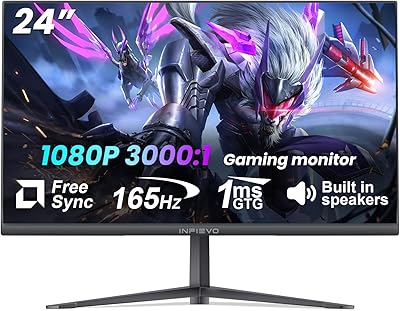
70%
88%
Image Clarity
84%
Refresh Rate Performance
91%
Value for Money
82%
Adaptive Sync (FreeSync/G-Sync)
77%
Color Accuracy
More
INFIEVO 24-inch 165Hz FHD Gaming Monitor
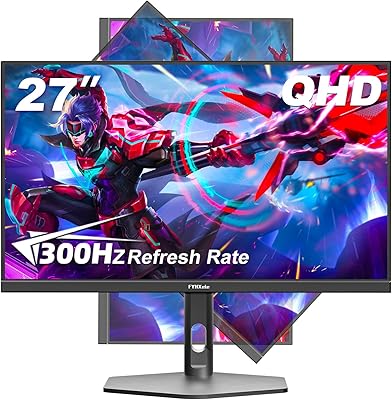
72%
88%
Value for Money
84%
Gaming Performance
82%
Response Time
71%
Color Accuracy
41%
HDR Quality
More
FYHXele 27-inch Curved Gaming Monitor 165Hz
85%
91%
Gaming Performance
94%
Display Quality
88%
Value for Money
76%
Build Quality
89%
Ease of Setup
More
CUNPU 32-Inch Gaming Monitor QHD 165Hz
86%
93%
Display Quality
91%
Gaming Performance
85%
Build Quality
88%
Ergonomics and Adjustability
90%
Ease of Setup
More
FYHXele 27-inch 300Hz QHD Gaming Monitor
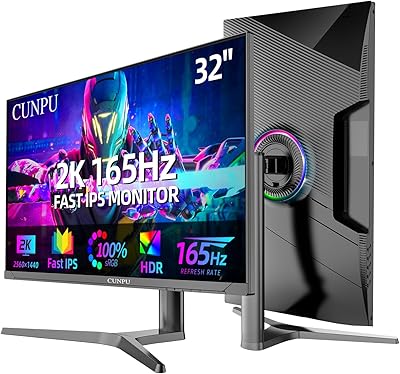
79%
91%
Refresh Rate Performance
88%
Image Sharpness
74%
Color Accuracy
51%
HDR Quality
86%
Response Time & Motion Clarity
More
Viewedge CS27QK 27-inch 1440p 165Hz Gaming Monitor
84%
89%
Gaming Performance
91%
Visual Quality (Color Accuracy)
78%
Build Quality
85%
Ease of Setup
80%
HDR Performance
More
Dell S2722DGM 27-inch Curved Gaming Monitor
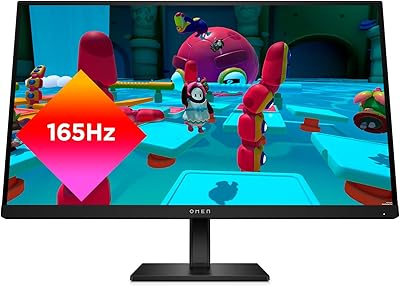
81%
88%
Image Clarity
91%
Refresh Rate Performance
84%
Response Time
86%
Panel Curvature & Immersion
71%
Color Accuracy
More
CUNPU 27-inch 1440p 165Hz Curved Gaming Monitor
85%
88%
Display Quality
90%
Gaming Performance
84%
Design & Aesthetics
85%
Build Quality
91%
Ease of Setup
More
Samsung Odyssey G50D 27-Inch Gaming Monitor
81%
88%
Image Clarity
91%
Refresh Rate Performance
86%
Response Time & Motion Handling
84%
Color Accuracy
58%
HDR Performance
More

FAQ

You will need to enable 165Hz manually through your operating system display settings — it does not always default to the maximum rate after plugging in. On Windows, go to Display Settings, then Advanced Display, and select 165Hz from the refresh rate dropdown. Make sure you are using the DisplayPort cable, as HDMI 2.0 can support it but DisplayPort is the more reliable path for hitting the maximum rate.

Yes, both consoles connect via HDMI 2.0, which this display supports. You will get a clean QHD image, though console output resolution and frame rate will depend on the game and console settings rather than the monitor itself.

It is genuinely practical for coders, writers, or anyone who reads long-form content regularly. Rotating to portrait gives you a much taller view of a document or codebase, which reduces scrolling significantly. The stand handles the rotation smoothly, and most operating systems detect the orientation change automatically.

It can, depending on your room setup. If your desk is near a window or sits under bright overhead lighting, reflections will be visible and potentially distracting. A darker or more controlled lighting environment makes the glossy finish a non-issue. If you cannot control your room lighting, a matte-screen monitor would be a safer choice.

They are fine for basic tasks — system notifications, occasional YouTube, or a video call when you do not have headphones nearby. For gaming audio, music, or anything where sound quality matters, you will want external speakers or headphones. This is typical of built-in monitor speakers at any price point.

Honestly, it is limited. HDR is supported, but with a peak brightness of 250 nits, the effect is subtle rather than dramatic. If rich HDR contrast and bright highlights are important to you, this QHD gaming display will not deliver that experience. It works, but do not expect anything close to a proper HDR panel.

That is a legitimate concern. The product description mentions 4000:1, while the comparison table on the same listing shows 1000:1. We were unable to independently verify which figure is accurate, so if contrast ratio is important to your decision, it is worth reaching out to INFIEVO directly before purchasing.

You need a GPU that supports 165Hz output over DisplayPort or HDMI 2.0, a cable capable of carrying that bandwidth (the included or a quality third-party cable), and a manual refresh rate selection in your OS display settings. Most modern NVIDIA and AMD cards handle this without issue.

The INFIEVO 27-Inch QHD 165Hz Gaming Monitor comes backed by a 3-year warranty, which is a meaningful commitment and longer than some well-known brands offer at this tier. The company states over a decade of display manufacturing experience. That said, INFIEVO does not have the same brand recognition as established names, so some buyers may feel less certain about long-term support. The warranty terms are the main safety net here.

Assembly is tool-free and typically takes just a few minutes — the stand attaches to the base and neck via a clip-and-lock mechanism common to most modern monitors. The OSD menu for adjusting settings has received some criticism for being less intuitive than expected, so allow a few minutes to familiarize yourself with the button layout during initial configuration.