Overview

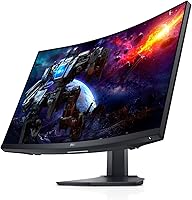
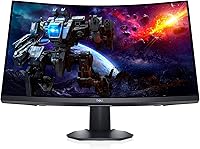
The Dell S2722DGM 27-inch Curved Gaming Monitor sits comfortably in the mid-range segment where most serious PC gamers actually shop. Dell has been building reliable displays for decades, and this one brings that pedigree into gaming territory with a QHD curved panel that genuinely stands apart from the flat-screen crowd. The 1500R curvature is tighter than many competitors, pulling the edges slightly closer to your peripheral vision in a way flat panels simply cannot. With over 4,600 ratings and a sustained 4.5-star average, it has built its reputation through consistent real-world performance rather than launch-day buzz. Solid everyday gaming value — not a boutique flagship, but not pretending to be one either.
Features & Benefits

At 27 inches, the jump from 1080p to 2560x1440 resolution is immediately visible — text is crisper, textures in games carry more definition, and the image just feels more substantial. Pair that with a 165Hz refresh rate and fast-moving scenes stay sharp; just note that hitting that top refresh rate requires a DisplayPort connection — HDMI will get you there but caps out lower. The 1ms response time keeps ghosting under control during chaotic action sequences. The matte anti-glare coating is genuinely practical if your room is not perfectly darkened, and the height-adjustable stand means positioning the screen is straightforward without improvised solutions. Worth noting: this is a VA panel, so it delivers solid deep blacks, but do not expect IPS-level color accuracy or OLED contrast.

Best For

The S2722DGM hits its sweet spot with PC gamers ready to move past 1080p but not chasing 4K — that middle ground where your GPU can maintain high refresh rates without being pushed to its limit. If you have a mid-to-upper-tier card, this is the kind of monitor that lets your hardware perform without compromise. It also functions well in dual-purpose setups: the ergonomic stand and matte panel make daytime productivity comfortable before switching to evening gaming sessions. Less ideal for anyone prioritizing HDR performance or needing ultra-wide coverage. Think of this as a focused single-monitor setup — built for immersive gaming, not as a professional color-work display.

User Feedback

Across thousands of reviews, a consistent pattern emerges: buyers are happy with out-of-box image quality and mention frequently that colors look solid without needing much manual calibration. The stand draws specific praise — it feels sturdy, and the height adjustment works as advertised rather than as an afterthought. On the downside, a fair number of reviewers flag the lack of a USB hub, which feels like an omission at this price tier. More notably, some users have encountered corner backlight bleed — a known tendency of VA panels that does not affect every unit but is worth factoring in before committing. Gamers upgrading from flat 1080p monitors are consistently the most enthusiastic, often citing the curvature as a more comfortable long-session experience than they anticipated.

Pros

  • QHD resolution at 27 inches produces noticeably sharper visuals compared to 1080p panels of the same size.
  • The 165Hz refresh rate keeps gameplay fluid in fast-paced titles when paired with a capable GPU.
  • Out-of-box color accuracy is consistently praised — most users do not need to touch calibration settings.
  • The 1500R curvature feels genuinely immersive for single-monitor setups without being disorienting.
  • A sturdy, height-adjustable stand is included, which is not a given at this price tier.
  • The matte anti-glare coating handles mixed lighting conditions well without washing out colors.
  • 1ms response time keeps ghosting under control even in chaotic, fast-moving game scenes.
  • Dell brand reliability and widespread availability mean warranty support is straightforward to access.
  • The monitor performs well as a dual-purpose display for daytime work and evening gaming.
  • Over 4,600 ratings with a 4.5-star average reflects consistently positive real-world satisfaction.

Cons

  • Maximum 165Hz refresh rate is only achievable over DisplayPort — HDMI connections cap out lower.
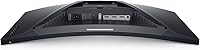
  • No USB hub is included, which feels like a missed feature at this price point.
  • VA panel technology means color accuracy falls short of IPS alternatives for creative or professional work.
  • Corner backlight bleed has been reported by a meaningful number of buyers and is not covered by design intent.
  • HDR support is limited; buyers expecting a dramatic HDR experience will be disappointed.
  • The S2722DGM lacks speakers, requiring external audio for any sound output.
  • Viewing angles, while acceptable, are narrower than IPS panels — noticeable when viewing off-axis.
  • No USB-C connectivity limits compatibility with modern laptops that rely on a single-cable setup.
  • The stand does not support swivel rotation, which restricts flexible desk positioning options.

Ratings

The Dell S2722DGM 27-inch Curved Gaming Monitor has been evaluated using AI analysis of thousands of verified global buyer reviews, with spam, bot submissions, and incentivized feedback actively filtered out to ensure the scores reflect genuine ownership experience. The ratings below cover everything from panel performance and ergonomics to connectivity and long-term reliability, capturing both the aspects buyers consistently praise and the friction points that surface repeatedly across real-world use. Nothing here is softened — the scores reflect where this Dell curved monitor genuinely delivers and where it falls short.
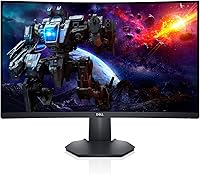
Image Clarity
88%
Jumping from 1080p to QHD on a 27-inch screen is immediately obvious — text is sharper, textures in games carry more detail, and the overall image feels substantially more refined. Reviewers upgrading from entry-level monitors consistently describe the clarity improvement as one of the most impactful changes they have made to their setup.
While the resolution is strong, the VA panel cannot match the color volume or perceived brightness of IPS competitors at a similar price point, which can make certain content look slightly less vibrant. Users doing color-sensitive work regularly notice the limitation.
Refresh Rate Performance
91%
At 165Hz over DisplayPort, fast-moving scenes in competitive shooters and racing games stay remarkably smooth, with very little of the judder or tearing that plagues lower refresh rate panels. Most users report the jump from 60Hz or 75Hz to this panel feels transformative in practice, not just on paper.
The critical detail many buyers miss is that 165Hz is only achievable over DisplayPort — using HDMI drops the ceiling noticeably, which catches out users who do not read the fine print before setting up. There is no automatic warning in the monitor menu either.
Response Time
84%
The 1ms MPRT rating holds up reasonably well in real gaming scenarios, with ghosting staying controlled even during chaotic, fast-paced sequences in first-person shooters. The S2722DGM handles motion better than many VA panel competitors in this price range.
Some users with sharp eyes notice a faint persistence effect during extreme high-contrast scene transitions — a known characteristic of VA panel technology regardless of rated response time. It is subtle but worth knowing if you are extremely sensitive to motion quality.
Panel Curvature & Immersion
86%
The 1500R curve is tighter than the 1800R found on many competing monitors, and at a normal 2-to-3-foot desk distance it genuinely wraps the edges into peripheral vision in a way that makes single-player and open-world games feel more enveloping. Most first-time curved monitor buyers report a comfortable adjustment period of only a day or two.
A small subset of users find the 1500R curve slightly excessive compared to gentler curves, particularly when using the monitor for productivity tasks like reading long documents. It is very much a personal preference, and buyers who primarily want a work monitor may find it polarizing.
Color Accuracy
71%
29%
For a gaming-oriented VA panel, out-of-box color accuracy is genuinely solid — the majority of users report that colors look natural and well-balanced without any manual calibration required right after unboxing. Casual photography browsing and video streaming look pleasing in everyday use.
This is not a wide color gamut panel, and it does not pretend to be — DCI-P3 or Adobe RGB coverage is limited, meaning professionals who depend on accurate color reproduction will be underserved. IPS monitors at a comparable price beat it on color fidelity without much contest.
Contrast & Black Levels
83%
VA panels are known for their deep blacks relative to IPS alternatives, and the S2722DGM benefits from this — dark scenes in horror games or cinematic cutscenes look noticeably richer than on a comparable IPS panel, with shadow detail feeling more atmospheric rather than washed-out grey.
Backlight bleed at the screen corners is a documented risk with this model — not every unit is affected, but enough buyers have reported it to make it a real consideration. It is most obvious during dark loading screens watched in a dimly lit room, and lottery-style unit variance makes it hard to predict before purchase.
HDR Quality
52%
48%
The monitor technically supports HDR input signals, and some buyers appreciate having the option enabled during compatible titles or streaming content. In scenes with stark highlights it can add a faint sense of extra depth compared to SDR output.
Honest assessment: the HDR implementation here is basic at best. Without full-array local dimming or a genuinely wide color gamut, HDR-enabled content looks only marginally different from SDR, and some users describe it as largely a checkbox feature. Buyers expecting a meaningful HDR experience should look elsewhere.
Stand & Ergonomics
87%
The height-adjustable stand is one of the most praised aspects of this monitor across buyer reviews — it feels solid, does not wobble during typing or desk movement, and the height range covers most realistic sitting positions without needing an aftermarket arm. For a monitor at this price tier, that is a genuinely welcome inclusion.
The stand does not offer swivel rotation, which limits placement flexibility for users who want to angle the screen to the left or right on a shared desk. Tilt is available but the range is not the widest available on competing stands.
Build Quality
82%
18%
The chassis feels substantially built for a consumer gaming monitor — the back panel has a clean, no-nonsense aesthetic and the plastics do not flex or creak during routine adjustments. Several reviewers specifically note it does not feel cheap or hollow compared to budget alternatives.
The bezel on the bottom edge is noticeably thicker than the three-sided slim bezel design, which dates the aesthetic slightly when placed next to more modern ultra-thin framed monitors. It is functional but not the most refined-looking panel on the market.
Connectivity
63%
37%
Having both DisplayPort and HDMI available covers the most common connection scenarios — PC gaming via DisplayPort and console or secondary device connections via HDMI without needing an adapter. The port placement is accessible enough for cable management on most desk setups.
The absence of a USB hub is a recurring frustration in user reviews, particularly given how useful pass-through USB ports are for connecting peripherals without reaching behind a PC tower. There is also no USB-C input, which increasingly matters for users connecting modern laptops with a single cable.
Glare & Reflections
85%
The matte anti-glare coating performs reliably in mixed-lighting environments — afternoon sunlight coming through a nearby window does not render the screen unusable the way a glossy panel would. Buyers working near windows or with overhead office lighting report noticeably fewer reflection-related frustrations.
Matte coatings always involve a trade-off: the texture slightly softens perceived image sharpness compared to a glossy panel, which is most noticeable when viewing fine text or high-detail still images. It is a minor compromise for most gaming use but worth knowing.
Setup & Out-of-Box Experience
89%
Assembly is straightforward with no tools required, and the stand clicks into the monitor base cleanly without fuss. Most buyers report the monitor is ready to use within ten minutes of opening the box, and the default image settings are usable without needing an immediate deep-dive into the OSD menu.
The included cable selection is minimal — buyers often need to purchase a DisplayPort cable separately to take advantage of the full 165Hz capability, and this is not made especially clear in the box. It is a small but avoidable frustration during first-time setup.
Value for Money
86%
At its market price, the S2722DGM delivers a competitive combination of QHD resolution, high refresh rate, and a functional ergonomic stand that would individually cost more to replicate across a cheaper base monitor with aftermarket additions. The sustained 4.5-star average across 4,600+ ratings suggests broad satisfaction relative to what buyers paid.
As competing monitors have closed the price-to-performance gap over time, a handful of newer alternatives offer IPS panels or better HDR at similar price points. Buyers comparing options released in the past twelve months may find the value proposition slightly less clear-cut than it was at launch.
Gaming Performance
88%
In practice, the combination of 165Hz, 1ms response time, and FreeSync Premium support translates into a fluid, tear-free experience in most gaming scenarios. Buyers coming from basic 60Hz monitors consistently describe the upgrade as one of the most impactful improvements to their day-to-day gaming experience.
The lack of a proper high-brightness zone or FALD backlighting means that the monitor does not offer the same punch in explosion-heavy or HDR-rich game scenes that a more premium panel would. Performance is strong for the category but not flagship-tier.

Suitable for:

The Dell S2722DGM 27-inch Curved Gaming Monitor is a strong fit for PC gamers who have outgrown 1080p but are not ready to invest in the GPU muscle required to run 4K at playable frame rates. At 27 inches, QHD resolution hits a practical sweet spot — sharp enough that you notice the difference immediately, but demanding enough that a mid-range GPU like an RTX 3060 or RX 6700 XT can still push high frame rates in most titles. Gamers who spend long hours in front of their setup will also appreciate the ergonomic stand, since being able to dial in screen height properly makes a real difference over a four-hour session. The 1500R curve and matte coating make it a comfortable choice for rooms with ambient light, unlike glossy panels that turn into mirrors the moment a window is nearby. It also works reasonably well as a hybrid work-and-gaming monitor, handling spreadsheets and documents during the day without the panel looking out of place in a home office context.
Not suitable for:

The Dell S2722DGM 27-inch Curved Gaming Monitor is not the right call for buyers chasing the best possible color accuracy or HDR performance. As a VA panel, it does not match the color precision of IPS displays, which matters if your workflow involves photo editing, video grading, or any serious creative work where color fidelity is non-negotiable. Competitive players who demand ultra-low input lag and refresh rates above 165Hz will also find the ceiling here too modest, especially as 240Hz and 360Hz monitors have become more accessible. Anyone relying on a USB hub built into their monitor will be frustrated — this Dell curved monitor simply does not include one, meaning more cables routed directly to your PC. Buyers sensitive to backlight uniformity issues should also be cautious, as corner bleed is a documented risk with this panel type and not every unit is free of it. Finally, multi-monitor users or those wanting an ultra-wide experience will find the 16:9 aspect ratio limiting compared to 21:9 curved alternatives.
Specifications

  • Screen Size: The display measures 27 inches diagonally, offering enough screen real estate for QHD content to look genuinely sharp without requiring you to sit unusually far back.
  • Panel Type: This monitor uses a VA (Vertical Alignment) panel, which produces deeper blacks than IPS but with slightly narrower off-axis viewing angles.
  • Resolution: Native resolution is 2560x1440 (QHD), delivering roughly 77% more pixels on screen compared to a standard 1080p display of the same size.
  • Refresh Rate: The panel supports up to 165Hz over DisplayPort; when connected via HDMI, the maximum achievable refresh rate is lower, so cable choice matters here.
  • Response Time: Dell rates the response time at 1ms (MPRT), which keeps motion blur and ghosting well-controlled during fast-paced gameplay.
  • Curvature: The screen uses a 1500R curve radius, meaning the panel is bent to match a circle with a 1500mm radius — a noticeably tight curve suited for single-monitor immersive use.
  • Aspect Ratio: The aspect ratio is 16:9, the standard widescreen format compatible with virtually all modern games, video content, and operating system interfaces.
  • Screen Surface: The panel features a matte anti-glare coating that diffuses ambient light, making it practical in rooms with windows or overhead lighting without heavily washing out the image.
  • Connectivity: Input options include one DisplayPort and at least one HDMI port; there is no USB-C input, and no built-in USB hub is included.
  • Ergonomics: The included stand supports both height adjustment and tilt, allowing users to position the screen comfortably without purchasing a third-party arm.
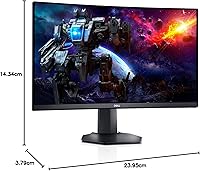
  • Dimensions: The monitor measures approximately 23.95 x 3.79 x 14.34 inches (L x W x H) with the stand attached, fitting comfortably on most standard desks.
  • Weight: The unit weighs 5.76 pounds, making it manageable to reposition on a desk without assistance.
  • Color: The monitor ships in a black finish with a low-profile bezel design on three sides.
  • HDR Support: The S2722DGM offers basic HDR support, but it does not feature full-array local dimming or a wide color gamut, so HDR output is modest compared to dedicated HDR panels.
  • Manufacturer: This monitor is designed and sold by Dell Technologies, a globally recognized PC hardware brand with established warranty and customer support infrastructure.
  • Model Number: The official Dell model identifier is S2722DGM, which is useful for locating compatible accessories, VESA mounts, and official firmware or support documentation.
  • VESA Compatibility: The monitor is VESA mount compatible, allowing users to replace the stock stand with a third-party arm for more advanced positioning flexibility.
  • Power Input: The monitor operates at up to 240 Volts AC, making it suitable for international use with an appropriate power adapter.
  • Release Date: The S2722DGM was first made available in May 2021 and has maintained consistent market presence and strong buyer engagement since launch.
  • Warranty: Dell typically provides a three-year Advanced Exchange warranty on their monitors, though buyers should verify current warranty terms directly with Dell at the time of purchase.

Related Reviews

Skytech Gaming Moonshadow 27-inch Curved Gaming Monitor
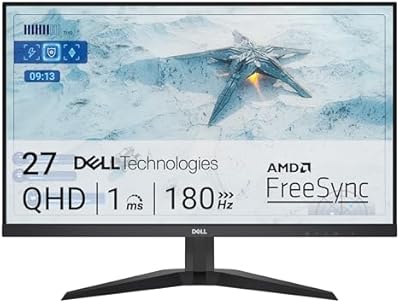
83%
88%
Image Quality
91%
Refresh Rate Performance
86%
Adaptive-Sync
83%
VA Panel Contrast
84%
Stand & Ergonomics
More
Sealan 27-inch Curved Gaming Monitor
82%
85%
Display Quality
90%
Ease of Setup
91%
Value for Money
87%
Performance in Gaming
83%
Color Accuracy
More
Dell G2725D 27-inch Gaming Monitor

78%
91%
Image Sharpness
88%
Refresh Rate Performance
83%
Motion Clarity
79%
Color Accuracy
86%
AMD FreeSync
More
FYHXele 27-inch Curved Gaming Monitor 165Hz
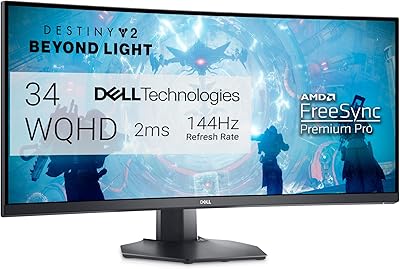
85%
91%
Gaming Performance
94%
Display Quality
88%
Value for Money
76%
Build Quality
89%
Ease of Setup
More
ArcticPro 27-inch 240Hz Curved Gaming Monitor
87%
94%
Performance in Gaming
90%
Display Quality
85%
Setup and Installation
88%
Visual Comfort (Low Blue Light)
91%
Design and Aesthetics
More
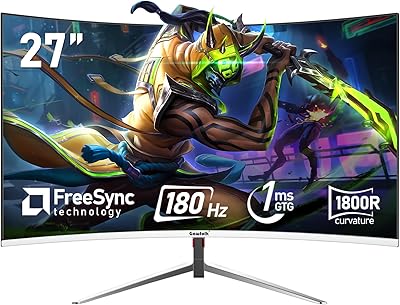
Gawfolk GF270C 27-Inch Curved Gaming Monitor
86%
91%
Performance
88%
Display Quality
92%
Value for Money
90%
Response Time
89%
Color Accuracy
More
DJiEX Q27P28 27-inch Curved Gaming Monitor
84%
91%
Display Quality
88%
Gaming Performance
89%
Color Accuracy
72%
Setup & Calibration
85%
Eye Care Features
More
CRUA CR270C 27″ Curved Gaming Monitor
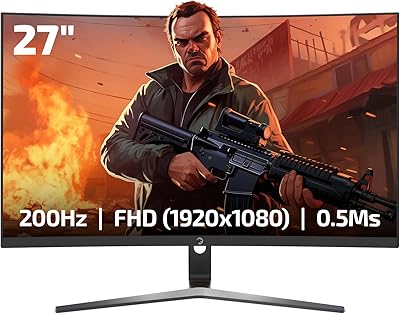
71%
83%
Value for Money
78%
Image Quality
81%
Refresh Rate Performance
86%
Panel Contrast & Blacks
67%
Build Quality
More
GAMEPOWER T50 27-Inch Curved Gaming Monitor
66%
83%
Value for Money
79%
Gaming Performance
74%
Display Quality
61%
Pixel Density & Sharpness
62%
Build Quality
More
Samsung S39C 27-Inch Curved Gaming Monitor
75%
83%
Picture Quality & Color Accuracy
88%
Curvature & Immersion
61%
Refresh Rate & Gaming Performance
86%
Eye Comfort & Long-Session Usability
79%
Build Quality & Aesthetics
More

FAQ

You do need DisplayPort to hit the full 165Hz — HDMI will connect the monitor just fine, but it caps the refresh rate below that maximum. Most monitors do not include a DisplayPort cable in the box, so it is worth picking one up separately if you want to take full advantage of what this panel can do.

Yes, you can connect current-gen consoles via HDMI without any issues. Keep in mind that consoles output at their own refresh rate limits, so the 165Hz spec is only relevant when paired with a PC. For console gaming, this panel still delivers a great 1440p image if your console supports that resolution.

At a typical sitting distance of 2 to 3 feet, the curve is definitely noticeable — more so than a 1800R panel. Most people find it comfortable and immersive rather than distracting, but if you have never used a curved monitor before, it may take a session or two to feel natural. It is worth knowing before you buy if you strongly prefer flat panels.

No, the S2722DGM does not include built-in speakers. You will need external speakers or a headset for audio output, which is pretty standard for gaming monitors in this category.

It is a genuine risk worth knowing about rather than a universal defect. VA panels as a category are more prone to corner bleed than IPS panels, and some users have reported it on this model. Many units look perfectly clean, but if you end up with a bad sample, it tends to be most visible on dark loading screens or in fully dark room conditions. Dell does offer warranty support, so a significantly affected unit can typically be exchanged.

Those cards are actually a good match for this panel. At 1440p, both GPUs can push high frame rates in less demanding titles and stay comfortably above 60fps even in heavier games with settings adjusted. You will not always hit 165fps in every game, but you will regularly stay in a range where the high refresh rate still feels noticeably smoother than 60Hz.

Yes, this 27-inch QHD gaming panel supports VESA mounting, so you can remove the included stand and attach a third-party monitor arm. Just confirm the VESA hole pattern matches your arm before purchasing — standard 100x100mm VESA mounts are the most common and typically compatible.

The stand is genuinely solid — it does not wobble, and the height adjustment has a decent range that covers most sitting positions without you needing to prop the monitor up on books or a riser. It is one of the features buyers mention most positively, which is not always the case with monitors at this price tier.

It can handle casual photo browsing or light editing, but it is not the right tool for serious color work. The VA panel does not cover the wide color gamuts (like DCI-P3 or Adobe RGB) that professional creative work demands, and the viewing angle limitations mean color can shift slightly when you move your head. If editing accuracy matters to you, an IPS-based monitor would serve you better.

Yes, this Dell curved monitor supports AMD FreeSync Premium, which works natively with AMD GPUs. It is also G-Sync Compatible, meaning NVIDIA GPU owners can enable variable refresh rate through their driver settings, though it is not officially G-Sync certified hardware. Either way, tearing and stutter are well-managed when the feature is enabled.

Where to Buy