Overview

The FYHXele 27-inch 300Hz QHD Gaming Monitor enters a crowded mid-range market with a spec sheet that punches above its price bracket — 1440p resolution paired with a 300Hz refresh rate is not a combination you typically find this accessible. FYHXele is a newer name in the display space, so some skepticism is fair, but the hardware choices here are hard to dismiss. A fast IPS panel immediately sets it apart from cheaper TN alternatives, delivering noticeably better color reproduction and wide viewing angles. The adjustable stand and RGB lighting feel like genuine additions rather than afterthoughts, rounding out a package that competes seriously on paper.

Features & Benefits

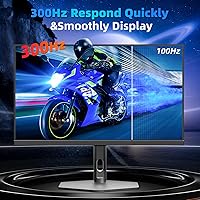
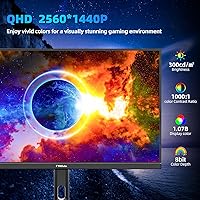
At 300Hz with a 0.8ms response time, this 27-inch gaming display delivers fluidity that competitive FPS players notice immediately — tracking fast-moving targets feels sharper, and screen tearing becomes a non-issue when paired with AMD FreeSync. The QHD resolution makes a real difference at this screen size; text stays crisp for spreadsheets and code, and game environments carry far more detail than 1080p. The IPS panel holds colors consistently across the full 178-degree viewing range, which matters when sharing a screen or sitting off-center. Dual DisplayPort and dual HDMI inputs offer genuine flexibility, and VESA 100x100mm compatibility means arm mounting is straightforward whenever the stock stand isn't the right fit.

Best For

This QHD gaming screen suits competitive esports players who have outgrown 1080p but aren't ready to commit to a premium display. The high refresh rate combined with sharper resolution also makes it a capable dual-use option — switching between a ranked match and a word document doesn't require any mental adjustment. Buyers upgrading from 60Hz or 144Hz monitors will likely feel the improvement right away. The slim profile and fully adjustable stand work well on tighter desks, and the frameless design keeps multi-monitor arrangements looking clean. If ambient RGB lighting without the branded price tag appeals to you, this FYHXele monitor covers that requirement without compromise.

User Feedback

Buyers consistently praise image clarity at 1440p and the smoothness of high-refresh gameplay, with several noting that the stand's ergonomic range alone makes a meaningful difference during long sessions. Setup appears straightforward for most, with no recurring complaints about driver headaches. On the critical side, the HDR implementation deserves honest framing — at 300 nits, it offers modest contrast improvements rather than the bold effect of a proper HDR display, and some users recommend manual calibration to get colors where they should be out of the box. The overall consensus leans positive on value, though brand familiarity remains a mild hesitation point for buyers who haven't encountered FYHXele before.

Pros

  • 300Hz refresh rate delivers genuinely smoother gameplay for competitive FPS and esports titles.
  • 1440p resolution at 27 inches keeps images sharp for both gaming and everyday productivity work.
  • Fast IPS panel offers far better color consistency and viewing angles than budget TN alternatives.
  • The fully adjustable stand — height, tilt, pivot, and swivel — removes the need to buy a separate arm.
  • Dual DisplayPort and dual HDMI ports make it easy to connect multiple devices without swapping cables.
  • AMD FreeSync support reduces screen tearing effectively, especially when frame rates fluctuate.
  • Frameless three-sided design keeps multi-monitor setups looking clean and uncluttered.
  • VESA 100x100mm compatibility gives you flexibility to mount it on a third-party arm whenever needed.
  • RGB lighting adds atmosphere without requiring a separate purchase or premium brand markup.
  • Setup is reported as straightforward, with no complex driver installation for most users.

Cons

  • HDR performance is limited at 300 nits — do not expect true HDR contrast or highlight punch.
  • Color accuracy out of the box may require manual calibration to reach its full potential.
  • FYHXele is a lesser-known brand, which raises questions about long-term warranty support and parts availability.
  • At nearly 16 pounds, this 27-inch gaming display is heavier than some competing slim-panel options.
  • The RGB lighting cannot be fully justified as functional — it is purely cosmetic and some users may find it distracting.
  • 300Hz at 1440p demands a powerful GPU; mid-range graphics cards may struggle to reach those frame rates consistently.
  • Brightness at 300 cd/m² may feel insufficient in brightly lit rooms or near windows.
  • No mention of factory-calibrated color accuracy data or Delta E ratings, which limits confidence for creative work.

Ratings

The scores below for the FYHXele 27-inch 300Hz QHD Gaming Monitor were generated by AI after systematically analyzing verified global user reviews, actively filtering out incentivized, bot-generated, and duplicate feedback to surface what real buyers genuinely experienced. Both the strongest selling points and the most frustrating pain points are reflected without sugarcoating, so you can make a confident, well-informed decision.
Refresh Rate Performance
91%
Buyers who switched from 144Hz panels consistently report that 300Hz feels noticeably smoother in competitive shooters and fast esports titles, with cursor tracking and motion clarity both improving meaningfully. For players spending hours in games where split-second reactions matter, the difference is tangible rather than theoretical.
To actually sustain frame rates near 300Hz at 1440p, users need a high-end GPU, which not everyone pairing this display with a mid-range system will have. Without the hardware to back it up, the 300Hz spec sits largely unused for a significant portion of buyers.
Image Sharpness
88%
At 27 inches, the QHD resolution delivers noticeably crisper text and finer in-game detail compared to 1080p screens of the same size, which buyers notice immediately when switching. Spreadsheets, code editors, and detailed game environments all benefit from the extra pixel density.
A handful of users noted that sharpness can feel slightly inconsistent near the panel edges, which is common for IPS displays in this price range but worth knowing if your work demands uniformity across the full screen.
Color Accuracy
74%
26%
The Fast IPS panel produces colors that are vibrant and broadly accurate for gaming and media consumption straight out of the box, which most buyers appreciate without needing to touch any settings. Wide viewing angles mean colors hold up well even when sitting slightly off-center during long sessions.
Users who care about precise color reproduction — particularly for photo editing or graphic design — frequently note that default calibration leaves some room for improvement, with slight color temperature shifts that require manual adjustment to correct fully.
HDR Quality
51%
49%
HDR mode does offer a subtle improvement in contrast and shadow detail compared to SDR, which some users find worthwhile for atmospheric games and darker movie scenes. It is functional enough to make a noticeable if modest difference in everyday content.
At 300 nits peak brightness, this is firmly entry-level HDR, and buyers expecting the punchy highlights and deep blacks of a proper HDR display will be disappointed. Several reviewers specifically called out HDR as the weakest aspect of an otherwise solid panel.
Response Time & Motion Clarity
86%
The 0.8ms response time keeps ghosting and trailing to a minimum in fast-paced gameplay, which competitive players particularly appreciate when tracking moving targets across the screen. Most buyers report clean, sharp motion with no distracting artifacts during normal use.
A small number of users observed faint halo or blooming artifacts in high-contrast scenes, which is a known trait of Fast IPS panels and not unique to this display but can be distracting during dark cinematic sequences.
Ergonomics & Adjustability
89%
The full range of height, tilt, swivel, and pivot adjustments is one of the most praised aspects of this 27-inch gaming display, with buyers consistently noting that finding a comfortable viewing position is quick and easy. For anyone spending six or more hours a day at a desk, this flexibility is genuinely valuable.
A few users found the height adjustment mechanism slightly stiff initially and noted it requires firm pressure to move, which can feel less refined than the smooth mechanisms on higher-priced monitors from more established brands.
Build Quality
72%
28%
The overall construction feels solid for the price bracket, with a stable base that does not wobble during typing or desk bumps, and a slim panel that looks more premium than the price might suggest. Most buyers feel the physical build exceeds their expectations given the cost.
The plastics used on the stand and rear housing feel noticeably less substantial than those on branded competitors, and a few reviewers mentioned minor surface flex on the back panel when applying pressure — nothing that affects function, but it registers to detail-conscious buyers.
Connectivity
87%
Having two DisplayPort and two HDMI inputs simultaneously available is a genuine practical advantage, allowing users to keep a PC and a console connected without unplugging anything between sessions. Buyers running multi-device setups specifically call this out as a standout feature at this price.
There is no USB hub built into this QHD gaming screen, which means peripheral management stays entirely with the PC — a minor inconvenience that users accustomed to monitors with integrated USB ports tend to notice fairly quickly.
AMD FreeSync Implementation
83%
FreeSync works reliably across the refresh rate range and effectively eliminates screen tearing during the frame rate dips that inevitably happen in demanding games, which buyers find makes the overall experience feel more polished than the raw specs suggest.
Nvidia users will need to verify G-Sync Compatible status with their specific GPU model, and a small number of users reported that variable refresh rate was slightly inconsistent at the very low end of the frequency range, though this rarely occurs during typical gaming scenarios.
Setup & Installation
84%
The majority of buyers describe unboxing and setup as quick and uncomplicated, with the stand assembly taking only a few minutes and the display being recognized by Windows immediately without any driver installation required in most cases.
A small portion of users encountered confusion around getting the full 300Hz refresh rate activated, since it requires manually selecting the output in display settings — a step that is not prominently highlighted in the included documentation.
Value for Money
82%
18%
For buyers upgrading from older 60Hz or 144Hz 1080p panels, the combination of 1440p resolution, 300Hz refresh rate, and a fully adjustable stand at this price point represents a compelling package that comparable offerings from name-brand manufacturers charge noticeably more to deliver.
Some buyers factor in the brand uncertainty around FYHXele when assessing long-term value — warranty handling and customer support responsiveness for a newer, less established brand are harder to predict, which adds a degree of risk that a lower price alone does not fully offset.
RGB Lighting
69%
31%
The rear RGB lighting creates a pleasant ambient glow that complements gaming setups without being overpowering, and buyers who use bias lighting for eye comfort during dark sessions find it genuinely useful as well as decorative.
The lighting cycles automatically without dedicated software control, which frustrates users who want to match it to a specific color scheme or sync it with other RGB components in their setup — a limitation that feels like a missed opportunity given how common software control has become.
Matte Screen Finish
81%
19%
The anti-glare matte coating handles ambient light well in typical home and office setups, reducing reflections noticeably compared to glossy alternatives and making prolonged daytime use much more comfortable without needing blackout curtains.
Users with particularly bright or sunlit workspaces note that the coating can impart a very faint graininess to the image at certain angles, which is a known trade-off with matte finishes and does not affect all users equally depending on their room setup.
Out-of-Box Calibration
67%
33%
Color temperature and brightness defaults are reasonable for gaming without any adjustment, and casual users who do not own a colorimeter or have no interest in calibration will find the picture perfectly watchable from the moment they power it on.
For users doing any creative work or simply preferring accurate color balance, the factory defaults lean slightly warm and require manual adjustments to reach the panel's true potential — the hardware is capable, but the default profile does not fully showcase it.

Suitable for:

The FYHXele 27-inch 300Hz QHD Gaming Monitor is a strong match for competitive gamers who want a meaningful resolution upgrade from 1080p without stepping into premium pricing territory. If you play fast-paced titles like shooters or battle royale games and your GPU can push high frame rates at 1440p, the 300Hz refresh rate will feel noticeably smoother than the 144Hz panels most players are upgrading from. It also works well as a dual-purpose workstation display — the QHD resolution keeps text sharp enough for spreadsheets, coding, or photo editing, making it a practical all-day screen rather than a gaming-only purchase. The fully adjustable stand is a genuine asset for anyone who spends long hours at their desk, since getting the height and tilt right removes a lot of physical fatigue over time. Buyers who want RGB ambient lighting to complement their setup without paying extra for a name-brand display will find this 27-inch gaming display covers that aesthetic ground well.
Not suitable for:

The FYHXele 27-inch 300Hz QHD Gaming Monitor is not the right choice for buyers who prioritize color-critical work like professional photo editing or video grading, where factory calibration accuracy and wide color gamut coverage matter significantly. The HDR support on this screen is limited by its 300-nit brightness ceiling, so if you are expecting the kind of vivid highlight contrast that proper HDR delivers on higher-end panels, this QHD gaming screen will disappoint. Users who plan to consume a lot of HDR content through streaming services or games with HDR-optimized visuals will get only a marginal improvement over standard dynamic range. Those committed to OLED or high-local-dimming displays for deep blacks and ultra-high contrast will find the IPS panel inadequate for that use case. If brand reliability and long-term after-sales support from an established manufacturer are important to you, the relative newness of FYHXele in the market is worth weighing carefully before committing.

Specifications

  • Screen Size: The panel measures 27 inches diagonally, offering enough screen real estate for both immersive gaming and comfortable productivity work.
  • Resolution: Native resolution is 2560x1440 (QHD 1440p), delivering noticeably sharper detail than 1080p at this screen size.
  • Refresh Rate: The display runs at a maximum of 300Hz, enabling extremely fluid motion rendering in fast-paced games.
  • Response Time: Rated at 0.8ms response time, which helps reduce ghosting and motion blur during high-speed gameplay.
  • Panel Type: Uses a Fast IPS panel, balancing strong color accuracy and wide viewing angles with the responsiveness typically associated with gaming-focused displays.
  • HDR Support: HDR is supported, though peak brightness is rated at 300 cd/m², which places this in the entry-level HDR category rather than premium HDR performance.
  • Brightness: Maximum brightness is 300 candelas per square meter, suitable for moderately lit environments but may feel limited in very bright rooms.
  • Viewing Angle: The IPS panel provides 178-degree horizontal and vertical viewing angles, ensuring consistent color rendering from most seated positions.
  • Aspect Ratio: Standard 16:9 widescreen aspect ratio, compatible with all modern gaming resolutions and media formats.
  • Screen Surface: Matte anti-glare coating reduces reflections from ambient light sources, making it more comfortable for extended use in varied lighting conditions.
  • Connectivity: Includes two DisplayPort inputs and two HDMI inputs, allowing multiple devices to remain connected simultaneously without cable swapping.
  • Sync Technology: Supports AMD FreeSync, which synchronizes the display refresh rate with compatible GPU output to reduce screen tearing and stuttering.
  • VESA Compatibility: VESA 100x100mm mounting pattern is supported, making this display compatible with most third-party monitor arms and wall mounts.
  • Ergonomics: The included stand supports height adjustment, pivot, swivel, and tilt, allowing a wide range of positional configurations for different users and desk setups.
  • Design: Three-sided frameless design with integrated RGB scrolling lights along the rear, offering a clean aesthetic for multi-monitor arrangements and ambient lighting effects.
  • Dimensions: Physical dimensions are approximately 22.31 inches wide, 13.85 inches tall, and 1.68 inches deep (panel only, without stand).
  • Weight: Total weight is 15.87 pounds including the stand, which is average for a fully adjustable 27-inch display.
  • Manufacturer: Made by FYHXele, a newer entrant in the consumer display market with this model (27IN QHD 300HZ) listed since January 2025.

Related Reviews

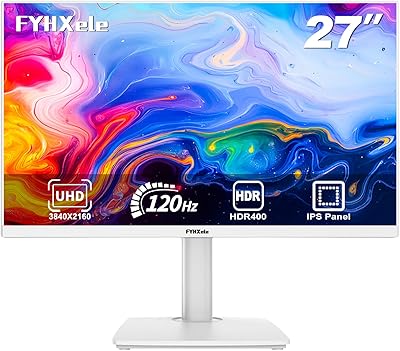
FYHXele 27-inch 4K 120Hz Gaming Monitor
72%
83%
Value for Money
88%
Image Sharpness
79%
Panel Response & Motion
76%
Color Accuracy
47%
HDR Performance
More
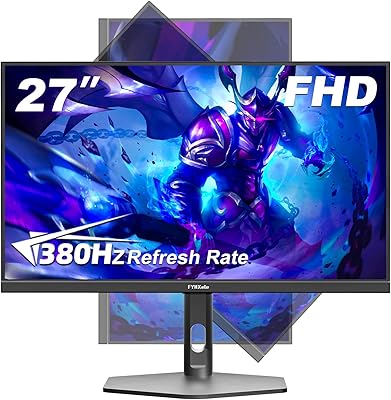
FYHXele 27-inch 380Hz Gaming Monitor
87%
91%
Display Quality
94%
Gaming Performance
88%
Build Quality
85%
Ergonomics & Adjustability
90%
Ease of Setup
More
memzuoix 27-inch QHD 165Hz Gaming Monitor
70%
88%
Image Clarity
84%
Refresh Rate Performance
91%
Value for Money
82%
Adaptive Sync (FreeSync/G-Sync)
77%
Color Accuracy
More
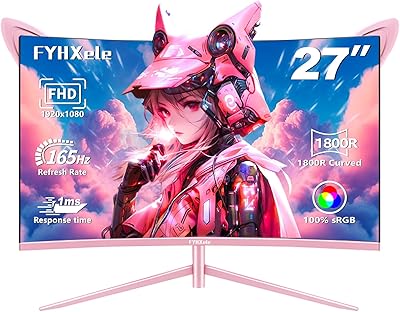
FYHXele 27-inch Curved Gaming Monitor
73%
84%
Gaming Performance
71%
Image Quality
88%
Value for Money
83%
Design & Aesthetics
62%
Build Quality
More
Gawfolk GF270L 27-inch QHD Gaming Monitor
74%
88%
Image Clarity
83%
Gaming Performance
74%
Color Accuracy
79%
Motion Handling
81%
Refresh Rate & Sync
More
Dell S2722DGM 27-inch Curved Gaming Monitor
81%
88%
Image Clarity
91%
Refresh Rate Performance
84%
Response Time
86%
Panel Curvature & Immersion
71%
Color Accuracy
More
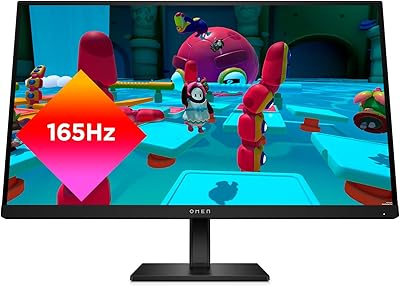
HP OMEN 27q QHD Gaming Monitor
79%
88%
Image Clarity
91%
Refresh Rate Performance
84%
Color Accuracy
61%
Brightness & HDR
57%
Glare & Reflections
More
INFIEVO 27-Inch QHD 165Hz Gaming Monitor
76%
88%
Image Clarity
91%
Refresh Rate & Smoothness
93%
Ergonomic Stand
94%
Value for Money
52%
HDR Performance
More
Samsung Odyssey G50D 27-Inch Gaming Monitor
81%
88%
Image Clarity
91%
Refresh Rate Performance
86%
Response Time & Motion Handling
84%
Color Accuracy
58%
HDR Performance
More
Dell S2721DGF 27-inch QHD Gaming Monitor
77%
91%
Image Clarity
88%
Refresh Rate Performance
86%
Color Accuracy
89%
Adaptive Sync
87%
Ergonomic Stand
More

FAQ

It runs at 300Hz natively at 2560x1440, so there is no need to lower the resolution to reach that refresh rate. That said, you will need a fairly capable GPU — something like an RTX 3080 or equivalent — to consistently push enough frames in demanding titles to make 300Hz feel meaningful.

For most users, the difference between 144Hz and 300Hz is subtler than the jump from 60Hz to 144Hz, but it is still perceptible in fast-paced shooters and esports titles. If you are already playing at high frame rates, you will likely notice smoother cursor tracking and slightly reduced perceived blur during quick movements.

Honestly, the HDR here is fairly basic. At 300 nits peak brightness, it improves contrast slightly over standard mode, but it is nowhere near the experience you get from a proper HDR600 or OLED panel. For gaming and movies, it adds a mild visual improvement, but do not buy this 27-inch gaming display specifically for its HDR performance.

Most users find the default settings acceptable for gaming right away, but if you are using it for photo editing or any color-sensitive work, spending 10 to 15 minutes calibrating it will make a noticeable difference. The Fast IPS panel has good underlying color potential — it just does not always ship perfectly tuned from the factory.

Yes, both consoles connect via HDMI and will work with this screen. Keep in mind that current-generation consoles are capped at 120Hz output, so you will not be using the full 300Hz capability from console. You will still benefit from the sharp 1440p resolution and fast response time though.

Yes, the stand detaches and the display uses a standard VESA 100x100mm mounting pattern, so it is compatible with the vast majority of aftermarket monitor arms available. This is a useful option if you want to free up desk space or position the screen more precisely.

The FYHXele 27-inch 300Hz QHD Gaming Monitor feels reasonably solid for its price range, with a stable stand and a slim panel that does not flex excessively. It is not quite at the same fit-and-finish level as monitors from brands like LG or ASUS, but most buyers report it feels like a fair trade-off given the price difference.

FreeSync monitors often work with Nvidia GPUs through the G-Sync Compatible mode, which Nvidia has supported for several years now. However, compatibility varies by GPU model, so it is worth checking if your specific card is listed as G-Sync Compatible. Most modern Nvidia cards should handle it without issue.

Based on available product information, the RGB lighting scrolls automatically rather than being fully software-controlled. If highly customizable RGB is important to your setup, this may not offer the level of control you are looking for, but it does provide ambient lighting that most users find pleasant without being distracting.

It handles productivity work well. At 27 inches and 1440p, text is sharp and comfortable to read without heavy scaling, and the wide viewing angles mean colors look consistent even if you are not sitting perfectly centered. It is genuinely usable as an all-day work monitor, not just a dedicated gaming display.