Overview

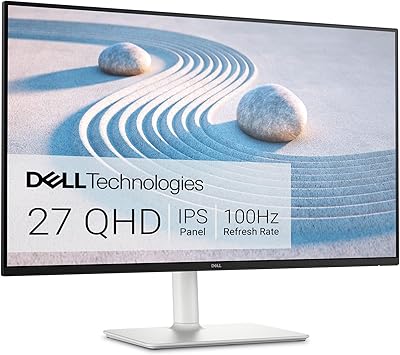
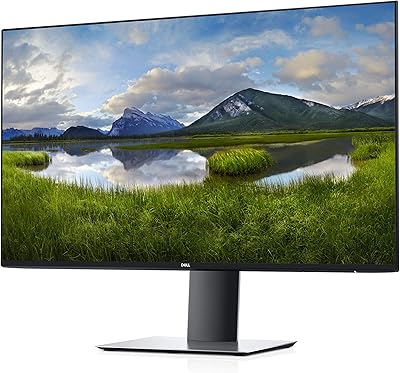
The Dell S2721DGF 27-inch QHD Gaming Monitor sits in a competitive sweet spot — sharp enough for detailed visuals, fast enough for serious gaming, and priced where most PC builders actually shop. This Dell gaming monitor isn't trying to be a professional color-grading tool or a bleeding-edge 4K powerhouse; it's an honest, capable all-rounder that covers the bases most players care about. The 1440p IPS panel delivers noticeably crisper images than a standard 1080p screen, and the ergonomic stand — with full height, tilt, swivel, and pivot adjustment — makes it genuinely comfortable for long sessions. Realistic expectations matter here: this is a strong daily driver, not a flagship.

Features & Benefits

At its core, the S2721DGF pairs a crisp quad-HD resolution with a 165Hz refresh rate — a combination that still holds up well against newer competitors. The IPS panel handles color reproduction better than most TN alternatives at this size, and the 1ms response time listed is an MPRT figure, meaning it reflects moving-picture blur reduction rather than a traditional pixel transition measurement; real-world performance is still impressively responsive for fast-paced titles. Both AMD FreeSync Premium Pro and NVIDIA G-Sync compatibility are on board, so adaptive sync works regardless of your GPU brand. Connectivity covers HDMI 2.0 and DisplayPort 1.2. HDR is present but should be treated as a bonus, not a headline feature.

Best For

This 27-inch QHD display is a natural fit for PC gamers upgrading from 1080p who want noticeably better image detail without the GPU demands of a 4K panel. It works equally well for AMD and NVIDIA users, which removes a real friction point when building or upgrading a rig. The fully adjustable stand makes it a practical choice for anyone splitting time between work and gaming — you can pivot it into portrait mode for coding or document reading, then swing it back for an evening session. Budget-conscious buyers looking for a capable 1440p monitor without paying flagship prices will find this Dell gaming monitor a sensible, well-rounded option.

User Feedback

Owners of this 27-inch QHD display consistently highlight the out-of-the-box color accuracy and how little calibration it needed right from setup. The sturdy stand draws frequent praise — it does not wobble, and the full range of ergonomic adjustments actually gets used. On the critical side, several long-term users note occasional IPS glow in dark corners, which is a known characteristic of IPS panels and not unique to this model. A handful of buyers also mention that the advertised 1ms figure does not always translate to the sharpest fast-motion clarity under every setting. The HDR mode rarely impresses anyone who has used a proper HDR display, though most accept it as a useful extra rather than a core feature.

Pros

  • 1440p resolution on a 27-inch IPS panel offers a crisp, detailed image that is a genuine upgrade over 1080p.
  • A 165Hz refresh rate keeps gameplay smooth and responsive, even in fast-paced competitive titles.
  • Works with both AMD FreeSync Premium Pro and NVIDIA G-Sync, so you are not locked into one GPU brand.
  • Colors look accurate and well-calibrated straight out of the box, requiring minimal manual adjustment.
  • The fully adjustable stand — height, tilt, swivel, and pivot — is rare at this price point and genuinely useful.
  • The anti-glare screen surface holds up well in rooms with mixed or bright lighting.
  • Build quality feels solid; the stand does not wobble or flex during normal desk use.
  • Switching between landscape and portrait orientation is straightforward thanks to the pivot function.
  • Adaptive sync virtually eliminates screen tearing across a wide refresh rate range, even at lower frame rates.
  • Long-term owners report consistent performance and durability well past the first year of use.

Cons

  • HDR mode produces only a modest improvement over standard display settings and rarely impresses in practice.
  • The 1ms response time is an MPRT figure, not a GtG measurement, so real motion clarity falls short of what the spec implies.
  • No USB-C input or built-in USB hub limits desk cable management and peripheral connectivity options.
  • IPS glow and minor backlight bleed are noticeable in dark scenes or dimly lit rooms, which is a persistent trade-off of the panel type.
  • Only two video inputs (HDMI 2.0 and DisplayPort 1.2) can feel limiting if you plan to connect multiple devices simultaneously.
  • The S2721DGF does not support variable overdrive settings that more premium monitors offer for fine-tuning ghosting control.
  • At its price, some competitors now offer higher peak brightness or wider color gamut coverage for creative work.
  • The power brick is external rather than built into the display chassis, which adds minor cable clutter behind the desk.

Ratings

The Dell S2721DGF 27-inch QHD Gaming Monitor earns its reputation as one of the more balanced 1440p gaming displays in its price tier, and the scores below reflect exactly that — strengths where it counts, and honest gaps where it falls short. These ratings were generated by AI after analyzing thousands of verified global user reviews, with spam, bot submissions, and incentivized feedback actively filtered out. Both the genuine praise and the recurring frustrations are factored in transparently.

Image Clarity
91%
Owners consistently describe the jump from 1080p as immediately noticeable — text is crisper, game environments feel more detailed, and desktop work feels less cramped. At 27 inches, the 1440p pixel density hits a sweet spot that makes the upgrade feel worthwhile without needing to sit unusually close.
A small number of users coming from high-end 4K displays find the resolution a step down for static content like photo viewing or design work. For that use case specifically, the panel does not quite deliver the same level of fine detail.
Refresh Rate Performance
88%
Gaming at 165Hz feels noticeably smoother than the 60Hz or 75Hz displays most upgraders are coming from, and the difference is immediately apparent in fast-paced shooters and racing games. Users report that once you game at this refresh rate, going back feels genuinely uncomfortable.
Reaching the full 165Hz ceiling requires a mid-to-high-end GPU and DisplayPort 1.2 — HDMI caps out lower, which catches some buyers off guard. Those with older graphics cards often find themselves well below the maximum refresh rate in demanding titles.
Color Accuracy
86%
A recurring theme in user feedback is how little calibration this monitor needs right out of the box. Colors look balanced and natural for everyday gaming and general use, and the IPS panel handles skin tones and foliage in open-world games particularly well.
Users doing color-sensitive work like photo editing or graphic design note that the color gamut coverage is adequate but not wide enough for professional-grade accuracy. The factory calibration is good for a gaming monitor but would not satisfy a working creative.
Adaptive Sync
89%
Having both AMD FreeSync Premium Pro and NVIDIA G-Sync compatibility on one display is a genuine practical advantage — buyers do not need to factor their GPU brand into the monitor decision. Users switching between an AMD and NVIDIA system report that adaptive sync worked reliably on both without needing to dig into settings.
A few users note that at very low frame rates, adaptive sync becomes less effective and screen artifacts are occasionally visible. The variable refresh rate range, while broad, does not extend as low as some competing displays certified for LFC (Low Framerate Compensation) at the same tier.
Ergonomic Stand
87%
The stand consistently draws praise from users who work long hours at their desks — the ability to adjust height meaningfully, swivel for shared viewing, and pivot into portrait mode for reading or coding sets this monitor apart from fixed-stand competitors. Home office users especially mention the height adjustment as something they use every single day.
The stand mechanism, while functional and sturdy, has a slightly industrial feel compared to the cleaner aesthetics of some competing monitors. A handful of users also note that the cable management channel in the stand is narrow and does not accommodate thicker cable bundles comfortably.
Motion Clarity
74%
26%
For the majority of gaming scenarios — online shooters, action RPGs, and fast sports titles — the motion handling is smooth enough that most users do not notice any ghosting under normal settings. The overdrive options in the OSD help fine-tune the balance between blur and overshoot.
The 1ms MPRT spec misleads some buyers into expecting TN-panel-level sharpness in motion, and those users are often disappointed when comparing directly. In high-contrast fast-motion scenarios, some trailing is visible, and the panel cannot fully match the motion clarity of purpose-built competitive displays.
HDR Quality
51%
49%
The HDR mode does produce a mild improvement in bright scene contrast for users who have not experienced higher-tier HDR panels. For casual gaming where HDR is toggled on as a background setting, it is a harmless addition.
Anyone who has used a display with real local dimming or high peak brightness will find the HDR experience on this monitor underwhelming at best. The panel lacks the backlight hardware needed to make HDR content look meaningfully different from SDR, and several users explicitly advise leaving HDR disabled entirely.
Build Quality
83%
The monitor feels well-constructed for its category — the stand does not wobble, the screen housing has no obvious flex, and long-term owners report that the build holds up without yellowing, creaking, or display degradation over one to two years of daily use.
The rear panel and stand are constructed from matte plastic that, while durable, gives the monitor a utilitarian look rather than a premium one. A few users note that the OSD buttons on the underside of the bezel feel slightly cheap compared to the overall build.
Bezel & Design
72%
28%
The thin bezels on three sides make multi-monitor setups look reasonably clean, and the overall profile is slim enough to not feel bulky on a standard desk. Most users find the understated matte black aesthetic inoffensive and easy to pair with different desk setups.
The design does not stand out in a category where some competitors offer RGB lighting, distinctive stand shapes, or premium material finishes. Users who care about aesthetics often note that the S2721DGF looks dated compared to more visually striking alternatives at similar prices.
IPS Glow & Uniformity
67%
33%
For the vast majority of daytime gaming and office use, IPS glow is not noticeable, and screen uniformity across the panel is consistent enough that most users never think about it. Brightly lit scenes in games and productivity content look even and well-distributed.
In dark rooms playing games with night environments or watching dark movie content, IPS glow in the corners is a recurring complaint. Backlight uniformity varies between units, and some buyers report more pronounced clouding than others — an inherent risk with IPS panels at this price point.
Port Selection
63%
37%
The combination of HDMI 2.0 and DisplayPort 1.2 covers the most common connection scenarios for a PC gaming monitor, and the ports feel firmly seated with no reported issues with signal stability from either input.
Two video inputs is limiting for users who want to connect a PC and a console simultaneously without swapping cables. The complete absence of USB-C, a built-in USB hub, or audio pass-through is a meaningful gap compared to competitors that bundle more connectivity at a similar price.
On-Screen Display
69%
31%
The OSD menu covers all the essential adjustments — brightness, overdrive, refresh rate confirmation, and adaptive sync toggles — and the layout is logical enough that first-time Dell monitor users can navigate it without consulting the manual.
Navigation relies on physical buttons positioned on the underside of the bezel, which many users find fiddly to operate by feel, especially in a dark room. The OSD response time when scrolling through settings is also slightly sluggish compared to joystick-based controls found on competing displays.
Setup Experience
82%
18%
Assembly is quick — the stand clicks onto the monitor base without tools, and the whole process from unboxing to first image takes most users under ten minutes. First-time monitor builders appreciate the minimal complexity and clearly labeled cable connections.
The external power brick is a minor but consistent annoyance mentioned by users who prefer clean desk setups, as it adds an extra cable to manage. The included documentation is minimal, which occasionally confuses buyers trying to enable DisplayPort for the first time.
Value for Money
78%
22%
For a 1440p IPS gaming monitor with full ergonomic adjustability and dual adaptive sync certification, this 27-inch QHD display represents a reasonable return on investment, particularly for buyers upgrading from older or lower-spec displays. Long-term owners generally report feeling the purchase was justified.
At its retail price, competition has intensified significantly since launch, and newer displays now offer broader color coverage, USB-C connectivity, or better HDR performance for a comparable outlay. Buyers shopping today may find the value proposition less clear-cut than it was at launch.

Suitable for:

The Dell S2721DGF 27-inch QHD Gaming Monitor is an excellent match for PC gamers who have outgrown 1080p but are not yet ready — or do not need — to invest in a 4K setup. The jump to 1440p on a 27-inch IPS panel is genuinely noticeable in everyday gaming and productivity use, making text sharper and game environments more detailed without placing extreme demands on your GPU. If you own or plan to buy a mid-to-high-range graphics card from either AMD or NVIDIA, the dual adaptive sync support means you will get smooth, tear-free gameplay regardless of your GPU choice — a practical advantage many competing monitors in this price range still do not offer. People who split their screen time between work and gaming will also appreciate the fully adjustable stand, which makes it easy to dial in a comfortable viewing position for an eight-hour workday and still have a great setup for gaming in the evening. For anyone upgrading from an older 60Hz or 1080p display, this Dell gaming monitor represents a meaningful and well-rounded step forward.

Not suitable for:

Buyers who prioritize HDR as a core visual experience should look elsewhere — the Dell S2721DGF 27-inch QHD Gaming Monitor carries HDR certification, but in practice the backlight cannot produce the contrast or peak brightness needed to make HDR content look genuinely different from standard dynamic range. Professional creatives — photographers, video editors, or colorists — will also find the color accuracy and coverage adequate for casual use but not up to the standards of dedicated content-creation displays. Competitive players chasing the absolute fastest pixel response may find that the advertised 1ms figure, which reflects a moving-picture measurement rather than a traditional transition time, does not quite deliver the razor-sharp motion clarity of the best TN or OLED panels on the market. If your desk setup demands USB-C connectivity or a built-in USB hub, the S2721DGF will disappoint, as its port selection is straightforward but limited. Finally, buyers in compact spaces who need an ultrawide or a screen with a particularly slim footprint will find this a standard 16:9 form factor with no special size advantages.

Specifications

  • Screen Size: The display measures 27 inches diagonally, offering a comfortable viewing area well-suited to both gaming and desk work at typical sitting distances.
  • Resolution: Native resolution is 2560x1440 pixels (QHD / 1440p), delivering noticeably sharper detail than a standard 1080p panel at the same screen size.
  • Panel Type: Uses an IPS LED panel, which provides wider viewing angles and more consistent color reproduction compared to TN alternatives.
  • Refresh Rate: Supports a maximum refresh rate of 165Hz, enabling smoother motion in fast-paced games when paired with a capable graphics card.
  • Response Time: Rated at 1ms using MPRT (Moving Picture Response Time) measurement, which reflects blur reduction for moving images rather than a pixel-transition speed.
  • Aspect Ratio: Standard 16:9 widescreen aspect ratio, compatible with virtually all games, applications, and video content without letterboxing or stretching.
  • HDR Support: Carries entry-level HDR certification; peak brightness and contrast are not sufficient to produce the dramatic HDR effect seen on higher-tier displays.
  • Adaptive Sync: Certified for AMD FreeSync Premium Pro and verified as NVIDIA G-Sync Compatible, supporting adaptive sync with both major GPU brands.
  • Video Inputs: Equipped with one HDMI 2.0 port and one DisplayPort 1.2 port for connecting a PC or compatible gaming console.
  • Ergonomics: The stand supports height adjustment, tilt, swivel, and full 90-degree pivot rotation, allowing flexible positioning for different tasks and users.
  • Screen Surface: Features a smooth anti-glare coating that reduces reflections in bright environments without introducing the graininess sometimes associated with matte finishes.
  • Dimensions: With the stand attached, the monitor measures approximately 24.8 inches wide, 14.31 inches tall, and 2.67 inches deep.
  • Weight: The complete unit including stand weighs approximately 16.38 pounds, which is typical for a 27-inch monitor with a full ergonomic stand.
  • Power Supply: Operates on an external power adapter rated at 240 volts; the power brick sits outside the monitor chassis, adding a small amount of cable management consideration.
  • Manufacturer: Designed and sold by Dell Computers, a manufacturer with an established track record in consumer and professional display products.
  • Model Number: The official model designation is S2721DGF, part of Dell's S-Series lineup of consumer and gaming-focused monitors.
  • Release Date: This monitor was first made available for purchase in January 2021 and remains in active production as of the latest available information.

Related Reviews
Dell S2722DGM 27-inch Curved Gaming Monitor
81%
88%
Image Clarity
91%
Refresh Rate Performance
84%
Response Time
86%
Panel Curvature & Immersion
71%
Color Accuracy
More
memzuoix 27-inch QHD 165Hz Gaming Monitor
70%
88%
Image Clarity
84%
Refresh Rate Performance
91%
Value for Money
82%
Adaptive Sync (FreeSync/G-Sync)
77%
Color Accuracy
More
Dell S2725DS 27-inch QHD Monitor
81%
91%
Image Clarity & Resolution
88%
Eye Comfort & Low Fatigue
89%
Ergonomics & Stand Flexibility
79%
Refresh Rate & Motion Smoothness
74%
Contrast & Black Levels
More
Dell G2725D 27-inch Gaming Monitor

78%
91%
Image Sharpness
88%
Refresh Rate Performance
83%
Motion Clarity
79%
Color Accuracy
86%
AMD FreeSync
More
Dell UltraSharp U2719D 27″ QHD Monitor
75%
91%
Image Clarity
87%
Color Accuracy
89%
Build Quality
93%
Ergonomics
88%
Bezel Design
More
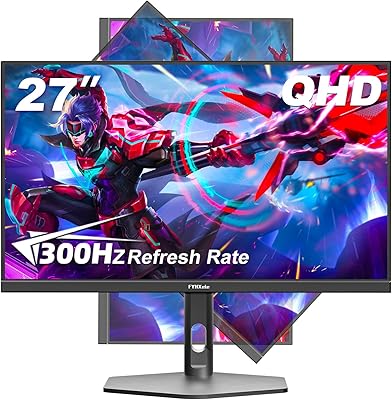
FYHXele 27-inch 300Hz QHD Gaming Monitor
79%
91%
Refresh Rate Performance
88%
Image Sharpness
74%
Color Accuracy
51%
HDR Quality
86%
Response Time & Motion Clarity
More
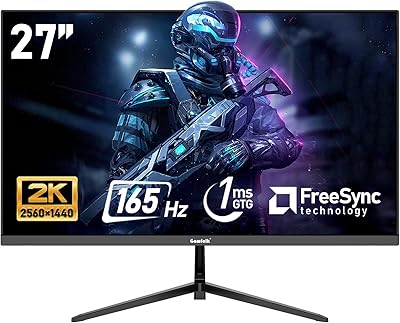
Gawfolk GF270L 27-inch QHD Gaming Monitor

74%
88%
Image Clarity
83%
Gaming Performance
74%
Color Accuracy
79%
Motion Handling
81%
Refresh Rate & Sync
More
Samsung Odyssey G50D 27-Inch Gaming Monitor
81%
88%
Image Clarity
91%
Refresh Rate Performance
86%
Response Time & Motion Handling
84%
Color Accuracy
58%
HDR Performance
More
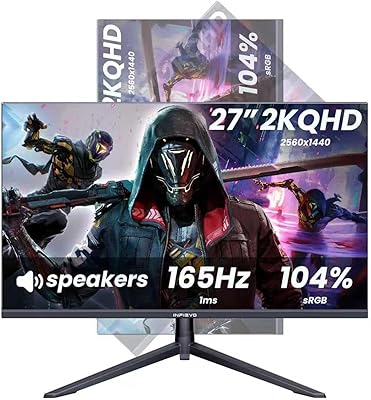
INFIEVO 27-Inch QHD 165Hz Gaming Monitor
76%
88%
Image Clarity
91%
Refresh Rate & Smoothness
93%
Ergonomic Stand
94%
Value for Money
52%
HDR Performance
More
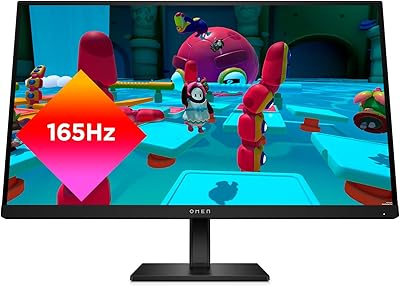
HP OMEN 27q QHD Gaming Monitor
79%
88%
Image Clarity
91%
Refresh Rate Performance
84%
Color Accuracy
61%
Brightness & HDR
57%
Glare & Reflections
More

FAQ

It works with both. The S2721DGF holds NVIDIA G-Sync Compatible certification, which means adaptive sync functions properly on NVIDIA cards via DisplayPort, not just AMD setups. You do not need to choose a GPU brand based on this display.

It is worth understanding what that figure actually measures. The 1ms spec refers to MPRT, a moving-picture blur-reduction measurement, not the time it takes a pixel to physically change color. Real-world motion clarity is good, but if you compare it directly to a fast TN panel using a GtG measurement, it is not quite the same thing. For most gaming use, it performs well — just do not expect it to match an OLED panel in motion sharpness.

Honest answer: it is underwhelming if you have used a proper HDR display before. The panel does not have the peak brightness or local dimming needed to make HDR content look dramatically different. It technically supports HDR signals, but treating it as a bonus rather than a core feature sets more realistic expectations.

Yes, through the HDMI 2.0 port. Keep in mind that current-gen consoles output at up to 120Hz at 1080p or 60Hz at 1440p on supported games, so you will not be running 165Hz from a console. It still works fine as a console display, particularly if your console supports 1440p output.

The ergonomic stand is one of the genuine highlights of this monitor. You get meaningful height travel, full tilt and swivel, and a pivot function that lets you rotate the screen into portrait orientation. For a monitor in this category, that level of adjustability is not a given, and it makes a real difference if you spend long hours at your desk.

To get 165Hz, you need to use DisplayPort 1.2 — HDMI 2.0 caps out at 144Hz at 1440p on this display. Dell typically includes a DisplayPort cable in the box, but it is worth double-checking your cable and confirming your GPU has a DisplayPort output before assuming you will hit the maximum refresh rate out of the gate.

Some owners do notice IPS glow in the corners when viewing dark content in a dim room, which is a characteristic of IPS panel technology in general rather than a defect specific to this model. Backlight bleed varies unit to unit. Most users find it acceptable for gaming and everyday use, but if you watch a lot of dark-scene content or work in a very dim room, it is something to be aware of.

A mid-to-high-range discrete GPU — something in the range of a recent AMD RX 7700 or NVIDIA RTX 4060 class card — can push solid frame rates at 1440p in most games, especially with adaptive sync smoothing out the variable performance. In very demanding titles at max settings, you may not consistently hit the 165Hz ceiling, but the adaptive sync range means the experience still feels fluid well below that.

Yes, the Dell S2721DGF 27-inch QHD Gaming Monitor supports standard 100x100mm VESA mounting. Removing the included stand and attaching a third-party arm is straightforward, and it is a popular upgrade for people who want to free up desk space or position the screen more precisely.

It holds up very well for general use. The 1440p resolution makes text noticeably sharper than a 1080p screen at this size, which matters for reading documents and working with multiple windows. Color accuracy out of the box is solid for non-critical work. The main limitation for professional creative tasks is the color gamut coverage, which is adequate but not wide enough for serious photo or video editing.

Where to Buy