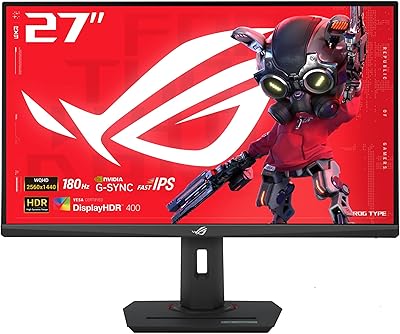
Gawfolk GF270L 27-inch QHD Gaming Monitor
Overview
The Gawfolk GF270L 27-inch QHD Gaming Monitor enters a crowded, competitive segment where buyers want sharp visuals and fast refresh rates without spending a fortune. It comes from Shenzhen Qinghong Zhuoyue Technology, a manufacturer most Western shoppers won't recognize by name — and that's a fair concern worth acknowledging upfront. What this Gawfolk monitor does offer on paper is genuinely compelling for the price: a bezel-free design, VESA wall-mount support, and a VA panel capable of a high refresh rate. Think of it as a spec-forward option for budget-conscious buyers willing to trade brand recognition for solid hardware value.
Features & Benefits
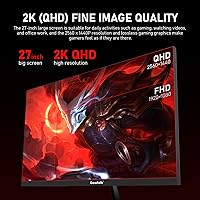
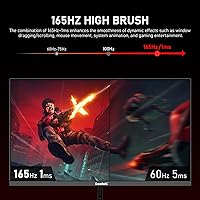
At the core of what makes the GF270L appealing is its 2560×1440 VA panel, which delivers a noticeably sharper picture than 1080p — especially at 27 inches, where pixel density really starts to matter. Connect via DisplayPort and you unlock 165Hz with a 1ms response time, making fast-paced gaming genuinely smooth. Both FreeSync and G-Sync are supported, so the experience holds up whether you're running AMD or Nvidia. Color coverage is strong for gaming and everyday use, though it falls short of what a calibrated IPS panel offers for serious creative work. DC dimming technology keeps the backlight flicker-free, and the low blue light mode helps during long sessions. Brightness works well for most indoor setups, though bright rooms may expose its limits.
Best For
This 27-inch QHD panel makes the most sense for PC gamers coming from a 1080p display who want a sharper picture without stepping into premium pricing territory. It's also a reasonable choice for home office users who split time between productivity and gaming — the extra resolution genuinely helps when juggling multiple windows or reading dense documents. The slim, borderless build and 75×75mm VESA compatibility suit compact desks and multi-monitor setups well. Casual to mid-tier gamers who play across a range of frame rates will appreciate the refresh rate headroom. It's not the right fit for competitive esports players chasing the absolute fastest response, or for designers who need color-critical accuracy.
User Feedback
Buyers who pick up this Gawfolk monitor tend to highlight image quality as the standout win — the jump to QHD at this size is hard to argue with, and most find motion during gaming noticeably smooth. The clean borderless look earns consistent praise. That said, a recurring frustration is the 60Hz default out of the box: reaching the full refresh rate requires a DisplayPort connection and a manual change in display settings, which the included documentation doesn't make obvious. The 12-month warranty is a sticking point for cautious buyers, since most established monitor brands cover at least two to three years. Build quality is generally acceptable, though the stand draws some criticism for feeling less solid than expected.
Pros
- Sharp QHD resolution at 27 inches makes a visible difference over 1080p, especially for gaming and multitasking.
- The 165Hz refresh rate keeps fast-paced gameplay smooth and responsive when connected via DisplayPort.
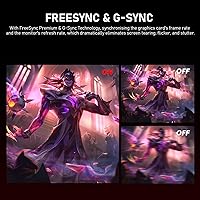
- FreeSync and G-Sync support means reduced screen tearing regardless of whether you use an AMD or Nvidia GPU.
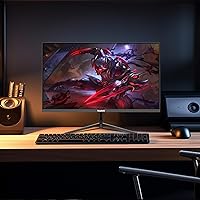
- The borderless design looks clean on any desk and makes multi-monitor setups much easier to pull off.
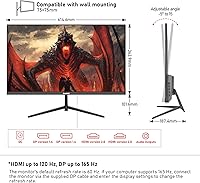
- VESA 75x75mm compatibility gives you real flexibility for wall mounting or aftermarket arm setups.
- DC dimming and low blue light mode make long gaming or work sessions noticeably easier on the eyes.
- Wide 178-degree viewing angles mean colors and contrast hold up well even when viewing the screen from the side.
- At its price point, the combination of QHD resolution and high refresh rate is genuinely hard to beat.
- The matte screen surface handles reflections well in moderately lit indoor environments.
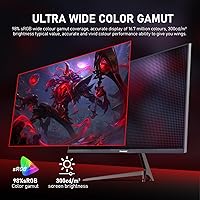
- Broad color coverage makes games and videos look vibrant without appearing oversaturated.
Cons
- The monitor defaults to 60Hz out of the box — reaching full speed requires a DisplayPort cable and manual settings adjustment.
- HDMI connectivity is capped at 120Hz, which may catch buyers off guard if they skip the included DP cable.
- The 12-month warranty is well below the two-to-three year coverage that most competing brands provide.
- Gawfolk has little brand presence in Western markets, making long-term support and parts availability uncertain.
- The stand has drawn criticism from some buyers for feeling lightweight and less stable than expected.
- Brightness levels may disappoint users in sunlit rooms or bright office environments.
- Documentation is reported to be sparse, which adds friction for less experienced users during initial setup.
- The VA panel, while solid for gaming, shows typical black smearing in fast dark-scene transitions that IPS panels handle better.
Ratings
The Gawfolk GF270L 27-inch QHD Gaming Monitor has been scored by our AI system after analyzing verified purchase reviews from buyers worldwide, with spam, bot-generated, and incentivized feedback actively filtered out before scoring. The results reflect a honest cross-section of real experiences — from first-time QHD upgraders to home office converts — capturing both what this panel genuinely gets right and where it falls short of expectations.
Image Clarity
Gaming Performance
Color Accuracy
Motion Handling
Refresh Rate & Sync
Eye Comfort
Build Quality
Setup Experience
Brightness & Visibility
Viewing Angle
Value for Money
Connectivity Options
Desk Footprint & Aesthetics
Brand Reliability
Warranty & Support
Suitable for:
The Gawfolk GF270L 27-inch QHD Gaming Monitor is a strong match for PC gamers who are ready to leave 1080p behind but aren't prepared to spend heavily on a brand-name panel. If you play a mix of fast-paced and story-driven games and want noticeably sharper visuals without maxing out your budget, this monitor delivers that upgrade in a clean, borderless package. Home office users who also game in the evenings will find the QHD resolution genuinely useful for productivity — reading documents, working with spreadsheets, or managing multiple windows all benefit from the extra pixel density at 27 inches. The VESA-compatible mount and slim bezel profile make it a practical pick for compact desk setups or anyone building a dual-monitor arrangement on a budget. Buyers who are comfortable doing a small amount of manual setup to unlock the full 165Hz refresh rate via DisplayPort will get the most out of what this panel offers.
Not suitable for:
The Gawfolk GF270L 27-inch QHD Gaming Monitor is not the right choice for buyers who need the peace of mind that comes with a well-established brand and a multi-year warranty. The 12-month coverage is noticeably shorter than what competitors in the same price range typically offer, which is a real consideration if you plan to use this monitor daily for years. Graphic designers, photographers, or anyone doing color-critical work should also look elsewhere — the VA panel's color output is good for gaming but lacks the calibration consistency and panel accuracy that IPS displays provide for professional creative tasks. Competitive esports players who demand the absolute tightest input response and highest sustained frame rates may also find that established gaming monitor brands offer more proven performance at comparable price points. Finally, if your workspace gets a lot of direct sunlight or bright ambient light, the panel's brightness ceiling may leave the image looking washed out during daytime hours.
Specifications
- Screen Size: The panel measures 27 inches diagonally, offering enough screen real estate to make QHD resolution feel noticeably sharper than on smaller displays.
- Resolution: Native resolution is 2560×1440 pixels (QHD), providing significantly more detail and clarity than a standard 1080p display at this size.
- Panel Type: Uses a VA (Vertical Alignment) panel, which delivers strong contrast and deep blacks compared to IPS, though fast dark-scene transitions can occasionally show minor smearing.
- Refresh Rate: Supports up to 165Hz when connected via DisplayPort, with HDMI capped at 120Hz; the default out-of-the-box setting is 60Hz and must be changed manually.
- Response Time: Rated at 1ms response time, which keeps motion blur to a minimum during fast-paced gaming sessions.
- Color Gamut: Covers 98% of the sRGB color space, producing vibrant, well-saturated colors suitable for gaming and everyday media consumption.
- Brightness: Peak brightness is rated at 300 cd/m², which performs well in controlled indoor lighting but may appear dim in very bright or sunlit rooms.
- Viewing Angle: Offers 178-degree horizontal and vertical viewing angles, meaning colors and contrast remain consistent when viewed from most off-center positions.
- Sync Technology: Compatible with both AMD FreeSync and Nvidia G-Sync, reducing screen tearing and stuttering across a wide range of graphics cards.
- Connectivity: Equipped with one HDMI 2.0 port and one DisplayPort input; a DisplayPort cable is included in the box for achieving the full 165Hz refresh rate.
- VESA Mount: Supports the 75×75mm VESA mounting standard, making it compatible with most wall mounts and aftermarket monitor arms.
- Bezel Design: Features a borderless, zero-bezel design on three sides, giving it a clean, modern look that works well in multi-monitor configurations.
- Screen Surface: Matte anti-glare coating diffuses reflections effectively, reducing eye strain in moderately lit environments.
- Eye Care: Incorporates DC global dimming and a dedicated low blue light mode to minimize flicker and filter short-wave blue light during long sessions.
- Aspect Ratio: Standard 16:9 widescreen aspect ratio, compatible with virtually all modern games, applications, and video content.
- Dimensions: Assembled monitor measures approximately 24.17 inches wide, 18.35 inches tall, and 7.36 inches deep including the stand.
- Weight: Complete unit weighs approximately 9.83 pounds, which is typical for a monitor of this size and panel type.
- Warranty: Covered by a 12-month manufacturer warranty through Gawfolk, which is shorter than the two-to-three year coverage offered by many competing brands.
- Manufacturer: Produced by Shenzhen Qinghong Zhuoyue Technology, a Chinese electronics manufacturer with limited brand recognition in Western markets.
- Model Number: Official model designation is GF270L, which can be useful for identifying compatible accessories, firmware, or support documentation.
Related Reviews

memzuoix 27-inch QHD 165Hz Gaming Monitor
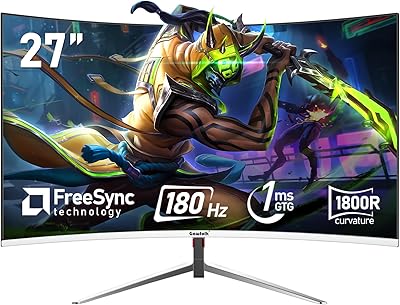
Gawfolk GF270C 27-Inch Curved Gaming Monitor
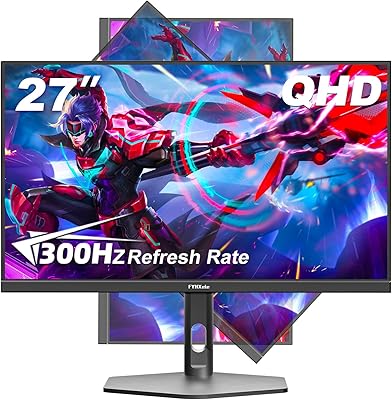
FYHXele 27-inch 300Hz QHD Gaming Monitor
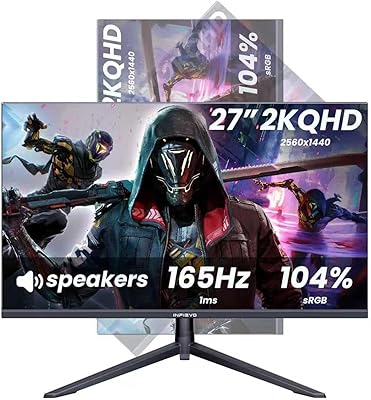
INFIEVO 27-Inch QHD 165Hz Gaming Monitor
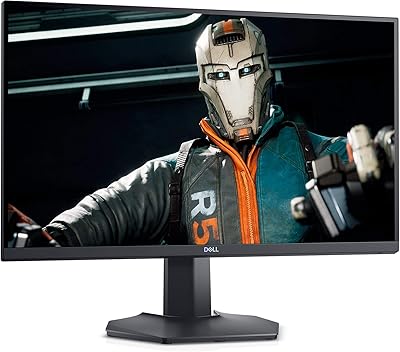
Dell S2721DGF 27-inch QHD Gaming Monitor
HP OMEN 27q QHD Gaming Monitor

Samsung Odyssey G50D 27-Inch Gaming Monitor
Dell S2722DGM 27-inch Curved Gaming Monitor
LG 27GS60QC-B 27″ Curved Gaming Monitor