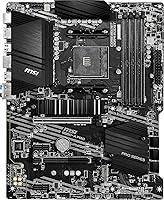
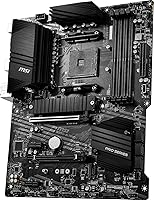
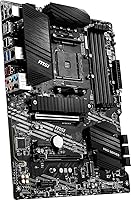
Overview

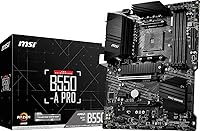
The MSI B550-A PRO V1 ATX Motherboard occupies a smart position in the AM4 lineup, sitting comfortably between the stripped-down A520 and the pricier X570 without feeling like a compromise. The B550 chipset gives you enough headroom for a capable Ryzen 5000 build without forcing you to pay for features most people never actually use. The full ATX form factor means four memory slots, plenty of expansion room, and compatibility with virtually any mid-tower or full-tower case on the market. This V1 revision arrived in mid-2025 and reflects the mature, stable state of the AM4 platform. Solid, practical, and genuinely no-nonsense.

Features & Benefits

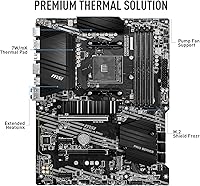
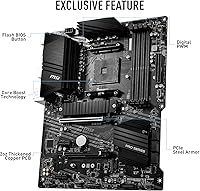
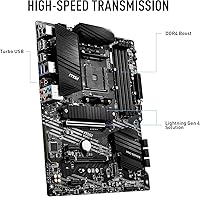
PCIe 4.0 support is the headline here, letting you run a fast NVMe drive or a current-gen GPU at full bandwidth without stepping up to a pricier X570 board. The M.2 Shield Frozr heatsink keeps the primary storage slot thermally controlled during sustained workloads — a genuinely useful touch. Memory support stretches to 128GB across four DDR4 slots, with XMP profiles reaching 4400MHz, leaving real headroom for future upgrades. The Core Boost power delivery circuitry handles consistent current to mid-range Ryzen CPUs without drama. Rear I/O includes USB 3.2 Gen 2 ports, and the Realtek onboard audio is clean enough that most users won't feel compelled to add a dedicated sound card.

Best For

This B550 board makes the most sense for builders pairing it with a Ryzen 5 or Ryzen 7 5000-series CPU — that combination hits the performance sweet spot this board was genuinely designed around. It's also a strong option for anyone upgrading from an older AM4 platform who wants PCIe 4.0 NVMe support without a full platform change. If you're building a reliable home office machine or a light gaming rig and couldn't care less about RGB lighting, this board fits that brief well. First-time builders will appreciate the straightforward BIOS experience and MSI's broad documentation. Just keep in mind that if you're planning to run a high-TDP Ryzen 9, boards with beefier VRM configurations are worth a look.

User Feedback

With close to 3,800 ratings averaging 4.5 stars, the MSI ProSeries AM4 motherboard has built a genuinely strong reputation among builders. Buyers consistently highlight easy installation and a friendly BIOS setup as standout positives — reassuring validation for less experienced builders. RAM compatibility also draws regular praise, with most users reporting that memory kits ran at rated XMP speeds without any fiddling. On the critical side, a handful of builders note the rear I/O layout feels a bit cramped, and those pushing high-TDP processors have flagged some VRM warmth under sustained load. Fan header count occasionally surfaces as a limitation for more complex builds, but outright negative feedback remains the clear exception.

Pros

  • PCIe 4.0 support brings genuine NVMe and GPU bandwidth without the X570 price premium.
  • The M.2 Shield Frozr heatsink actively prevents thermal throttling on fast NVMe drives.
  • Four DDR4 slots with XMP support up to 4400MHz leave plenty of room for memory upgrades.
  • Core Boost power delivery keeps current stable and reliable for Ryzen 5 and Ryzen 7 CPUs.
  • USB 3.2 Gen 2 rear ports handle fast external drives and modern peripherals without bottlenecking.
  • BIOS setup is consistently praised as intuitive, even by first-time builders.
  • Full ATX form factor means broad case compatibility and strong expansion options.
  • Onboard audio is clean enough for most users to skip a dedicated sound card entirely.
  • HDMI and DisplayPort outputs add flexibility for builds using integrated Ryzen graphics.
  • Nearly 3,800 user ratings at 4.5 stars reflect a genuinely reliable real-world track record.

Cons

  • VRM thermals can become a concern when pairing this B550 board with high-TDP Ryzen 9 processors.
  • Fan header count may be insufficient for builds with multiple case fans or complex cooling setups.
  • Rear I/O layout feels cramped to some users, limiting cable management flexibility.
  • Overclocking ceiling is modest compared to premium B550 or X570 alternatives.
  • No Wi-Fi or Bluetooth onboard; wireless connectivity requires a separate adapter.
  • Limited chipset lanes mean running multiple NVMe drives simultaneously involves trade-offs.
  • No Thunderbolt support, which matters for creative professionals using high-bandwidth peripherals.
  • RGB and aesthetic customization options are minimal compared to MSI's own higher-tier boards.

Ratings

The ratings below for the MSI B550-A PRO V1 ATX Motherboard were generated by our AI system after analyzing thousands of verified global buyer reviews, with spam, bot activity, and incentivized feedback actively filtered out. Each score reflects the honest consensus of real builders — from first-time PC assemblers to experienced upgraders — and transparently captures both what this board does well and where it genuinely falls short.

Value for Money
91%
Buyers consistently cite this as one of the strongest points in favor of this B550 board. Getting PCIe 4.0 support, a heatsink-equipped M.2 slot, and a reputable brand name at this price tier strikes most builders as a genuinely fair deal compared to pricier alternatives.
A small segment of buyers feel that the lack of onboard Wi-Fi and Bluetooth at this price point holds the value score back, since adding a wireless adapter adds to the total cost of the build.
Build Quality
86%
The board feels solid and well-assembled out of the box, with reinforced PCIe slots and a sturdy M.2 heatsink that survives repeated drive installations without losing its grip. Most builders report no flexing or component concerns during the installation process.
A handful of users noted that some capacitors and VRM heatsink contact points feel less refined than what you would find on MSI's own higher-tier lines, suggesting quality control consistency is not quite at a premium level.
BIOS Experience
88%
MSI's BIOS interface draws consistent praise for being one of the more approachable in the AM4 motherboard space. First-time builders especially appreciate the clean Easy Mode layout, and experienced users find the Advanced Mode deep enough for meaningful fan curve and XMP configuration.
Some users report that certain BIOS updates have introduced minor stability quirks with specific memory kits, requiring a CMOS reset to resolve. The experience is generally smooth, but it is not entirely friction-free across all hardware combinations.
CPU Compatibility
84%
The MSI ProSeries AM4 motherboard handles the Ryzen 5000 series confidently, with the vast majority of builders reporting clean first-boot experiences with Ryzen 5 and Ryzen 7 CPUs. The broad AM4 compatibility also makes it a practical choice for upgraders reusing older Ryzen 3000 processors.
Pairing this board with a Ryzen 9 5900X or 5950X introduces real-world thermal concerns at the VRM level, particularly during extended rendering or heavy multithreaded workloads, where the power delivery circuitry is clearly operating closer to its ceiling.
Memory Compatibility
83%
RAM compatibility is a frequently praised strength of this mid-range ATX motherboard, with most users reporting that their DDR4 kits — including higher-speed enthusiast modules — loaded XMP profiles correctly on the first attempt without manual intervention.
A subset of users with less common or budget DDR4 kits report needing to manually set timings after XMP failed to apply correctly. The occasional memory training loops on cold boots also surfaced in negative feedback, though this is partly an AM4 platform trait rather than an MSI-specific issue.
Thermal Management
77%
23%
The M.2 Shield Frozr heatsink does a solid job keeping NVMe drive temperatures in check during sustained sequential workloads, which is a real benefit for builders using fast PCIe 4.0 drives that would otherwise throttle under load.
The VRM heatsink coverage is modest, and in cases with limited airflow, users running mid-to-high-TDP CPUs have reported elevated VRM temperatures. The board does not catastrophically fail, but sustained high-load scenarios expose a genuine thermal ceiling.
Storage Options
79%
21%
PCIe 4.0 M.2 support is a headline feature that most B550 competitors at this price match only partially, and the heatsink inclusion means you are not left hunting for a third-party solution. Multiple SATA ports cover traditional drive configurations comfortably.
The overall M.2 slot count is limited compared to X570 boards, which can be a constraint for builders wanting two or more high-speed NVMe drives simultaneously. Bandwidth sharing between slots also means there are trade-offs when all connections are fully populated.
Connectivity & I/O
74%
26%
USB 3.2 Gen 2 rear ports are a practical inclusion that make a real difference when transferring large files to fast external SSDs, and the presence of both HDMI and DisplayPort outputs adds flexibility for builds leveraging integrated Ryzen graphics.
The rear I/O panel layout draws mild but consistent criticism for feeling cramped, with ports positioned in ways that can make cable management awkward in tighter builds. The absence of USB-C on the rear panel is a notable omission that some buyers feel is behind the curve.
Onboard Audio
72%
28%
For everyday gaming, streaming, and video calls, the Realtek-based audio solution with Audio Boost shielding delivers clean enough output that the majority of users report no urge to add a dedicated sound card to their build.
Audiophiles and content creators quickly hit the limits of what this codec can offer, and some users report a faint background hiss with sensitive headphones. It is functional rather than impressive, which is typical of motherboards at this price tier.
Overclocking Headroom
62%
38%
Basic XMP memory overclocking works reliably and is well-supported through the BIOS, giving casual builders an easy way to unlock their RAM kit's rated speed without needing deep technical knowledge.
CPU overclocking headroom is limited by both the B550 chipset and the VRM configuration, and experienced overclockers find the ceiling frustratingly low. Users expecting to push a Ryzen 7 5800X hard will likely hit stability boundaries that a higher-end board would not impose.
Ease of Installation
89%
Installation experience is one of the most consistently praised aspects across buyer feedback. The board's clear labeling, well-positioned headers, and standard ATX layout mean that even first-time builders complete their assembly without needing to reference the manual excessively.
A few users mention that the M.2 screw placement is fiddly with larger fingers or when the board is already seated in a case, and the included standoff hardware is occasionally reported as missing or mismatched in retail boxes.
Fan & RGB Headers
61%
39%
For a standard build with one CPU cooler and two or three case fans, the available headers cover the basics without requiring a hub. The absence of excessive RGB headers keeps the board clean and focused for users who do not want lighting complexity.
Builders planning more elaborate cooling setups with five or more fans consistently run out of headers and need to add a separate fan hub, which is an added cost and complexity. RGB control is also minimal, which disappoints buyers who want a cohesive lighting ecosystem.
Long-term Reliability
82%
18%
The broad base of nearly 3,800 ratings with a sustained 4.5-star average suggests that the board performs consistently over time for most users. MSI's track record on the AM4 platform gives builders reasonable confidence in the product's longevity under normal use conditions.
A small but notable segment of reviews describe early failures, including dead DIMM slots or USB ports appearing after several months of use. These cases appear to be outliers rather than systemic issues, but they prevent the reliability score from reaching the top tier.

Suitable for:

The MSI B550-A PRO V1 ATX Motherboard is a strong match for builders who want a dependable, well-rounded AM4 platform without overspending on features they are unlikely to use. It hits its stride when paired with a Ryzen 5 5600X or Ryzen 7 5700X, where the board's power delivery and PCIe 4.0 support are well-utilized without being pushed to their limits. Builders upgrading from an older AM4 system who want access to fast NVMe storage will find the M.2 slot with its heatsink a meaningful practical upgrade. It also suits home office users and light gamers who prioritize stability and a clean build experience over RGB aesthetics or extreme overclocking. First-time builders benefit from MSI's mature BIOS interface, solid community documentation, and a track record that reduces the risk of running into obscure compatibility headaches.

Not suitable for:

Builders planning to run a Ryzen 9 5900X or 5950X should think carefully before committing to the MSI B550-A PRO V1 ATX Motherboard, as the VRM configuration can run warm under sustained heavy loads that high-TDP processors demand. Serious overclockers looking to push memory or CPU frequencies to their absolute ceiling will likely find the headroom here frustrating compared to higher-end B550 or X570 options. If your build requires many chassis fan headers or a densely populated rear I/O panel with specific port arrangements, the layout may feel limiting. Compact build enthusiasts using Micro-ATX or Mini-ITX cases will also need to look elsewhere, since the full ATX footprint is non-negotiable here. Anyone who needs Thunderbolt connectivity or the fastest chipset-level lane allocation for multiple NVMe drives simultaneously would be better served by stepping up to an X570 board.

Specifications

  • Chipset: Built on the AMD B550 chipset, which supports PCIe 4.0 on the primary CPU lanes while keeping costs well below the X570 tier.
  • CPU Socket: Uses the AM4 socket, compatible with AMD Ryzen 3rd Gen and the full Ryzen 5000 series, including Ryzen 5, 7, and 9 processors.
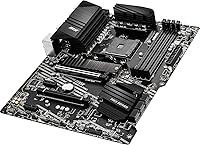
  • Form Factor: Full ATX layout measuring 13.54 x 10.67 inches, fitting standard mid-tower and full-tower cases with no compatibility concerns.
  • Memory Slots: Four DDR4 DIMM slots support dual-channel configurations with a maximum total capacity of 128GB.
  • Memory Speed: Native DDR4 frequencies are supported alongside XMP profiles reaching up to 4400MHz for compatible memory kits.
  • PCIe Version: The primary x16 slot runs at PCIe 4.0 speeds via CPU lanes, enabling full bandwidth for current-gen GPUs and NVMe storage.
  • M.2 Storage: Includes at least one M.2 slot equipped with the M.2 Shield Frozr heatsink to manage thermal output from high-speed NVMe drives.
  • SATA Ports: Onboard SATA ports operate at 6Gb/s for connecting traditional hard drives or SATA-based SSDs.
  • USB Rear I/O: Rear panel includes USB 3.2 Gen 2 ports via AMD Turbo USB technology, supporting fast data transfer to external drives and modern peripherals.
  • Display Output: Provides both HDMI and DisplayPort outputs for use with integrated Ryzen graphics, avoiding the need for a discrete GPU in basic display scenarios.
  • Audio Codec: Onboard audio is handled by a Realtek ALC892/ALC897 codec paired with MSI Audio Boost circuitry for reduced signal noise.
  • Power Delivery: Core Boost digital VRM technology regulates CPU power delivery with optimized circuit layouts for stable current under typical mid-range workloads.
  • Wireless: No onboard Wi-Fi or Bluetooth is included; a separate PCIe or USB wireless adapter is required for wireless connectivity.
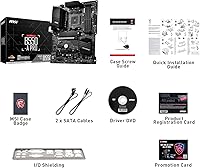
  • Package Weight: The retail package weighs 3.5 pounds including accessories, mounting hardware, and documentation.
  • Package Size: Retail box dimensions are 13.54 x 10.67 x 3.43 inches, relevant for shipping and storage planning.

Related Reviews
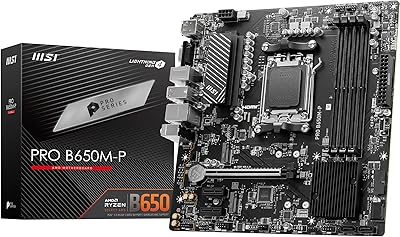
MSI PRO B650M-P V1 Micro-ATX Motherboard
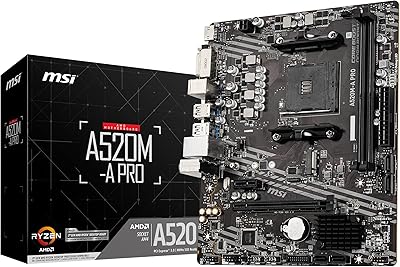
82%
89%
Value for Money
91%
BIOS & Software
84%
Build Quality
67%
VRM & Power Delivery
92%
Storage Performance
More
MSI A520M-A PRO V1 AM4 Motherboard
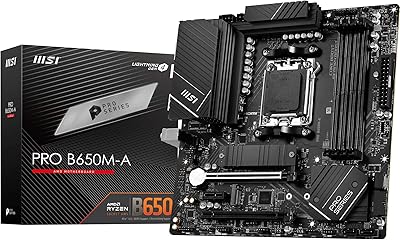
74%
91%
Value for Money
88%
Ease of Installation
74%
CPU Compatibility
78%
Build Quality
81%
BIOS Experience
More
MSI PRO B650M-A WiFi V1 Motherboard
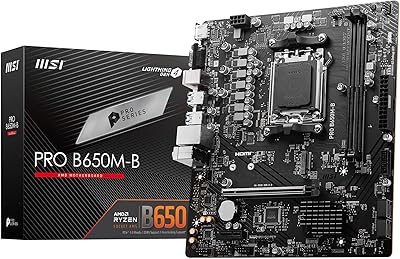
79%
88%
Value for Money
91%
BIOS & Setup Experience
86%
Memory Compatibility & OC
84%
Thermal Management
72%
Connectivity & I/O
More
MSI Pro B650M-B Micro ATX Motherboard
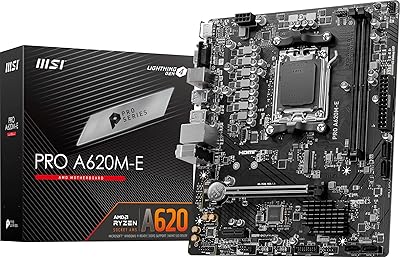
75%
88%
Value for Money
83%
Build Quality
91%
Ease of Setup
54%
Storage Expansion
86%
Memory Performance
More
MSI PRO A620M-E mATX Motherboard
70%
88%
Value for Money
91%
Stability & Reliability
93%
Ease of Installation
84%
BIOS Experience
87%
CPU Compatibility & Longevity
More
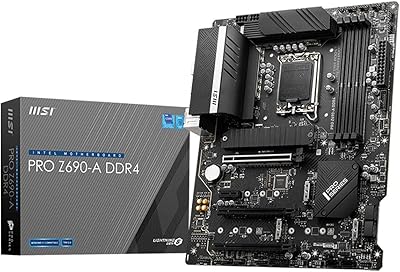
MSI PRO Z690-A DDR4 ATX Motherboard
79%
84%
Build Quality
88%
Value for Money
81%
BIOS Experience
79%
Thermal Management
83%
Storage Expandability
More
MSI PRO H610M-G DDR4 mATX Motherboard
77%
88%
Value for Money
91%
Ease of Installation
84%
BIOS Experience
86%
Long-Term Stability
79%
Build Quality
More
MSI PRO B650-S WIFI ATX Motherboard
81%
88%
Value for Money
84%
Build Quality
86%
CPU Power Delivery
79%
Memory Compatibility
91%
Wireless Connectivity
More
MSI PRO Z790-A MAX WiFi
83%
88%
Build Quality
91%
VRM & Power Delivery
86%
Memory Overclocking
77%
BIOS Experience
93%
Wireless Connectivity
More
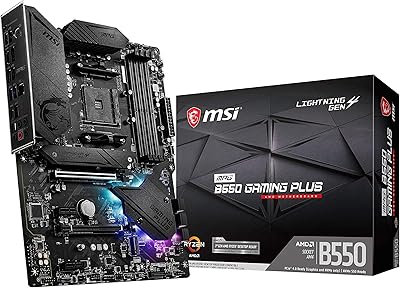
MSI MPG B550 Gaming Plus ATX Motherboard
77%
88%
Value for Money
81%
Build Quality
83%
BIOS & Software Experience
76%
CPU Compatibility
61%
Overclocking Headroom
More

FAQ

In most cases, yes — the MSI B550-A PRO V1 ATX Motherboard ships with a BIOS version that supports Ryzen 5000 series CPUs. That said, it is always worth checking the MSI website for the latest BIOS before your first boot, just to be safe. If you are coming from a Ryzen 3000 build, you can update the BIOS using that older CPU first.

Technically yes, it is compatible. The practical concern is that the VRM on this mid-range board can run warm under the sustained heavy loads a Ryzen 9 generates. For lighter workloads or a well-ventilated case it may be fine, but if you plan to push that CPU hard for extended periods, a board with a beefier power delivery section would be a smarter long-term choice.

Yes, the primary M.2 slot runs at PCIe 4.0 speeds when paired with a compatible Ryzen 5000 CPU. The included Shield Frozr heatsink helps keep those faster drives within safe operating temperatures during sustained reads and writes.

This board includes one primary M.2 slot with the Shield Frozr heatsink. There may be a secondary M.2 slot running at PCIe 3.0 or SATA speeds depending on configuration, but for most single-drive NVMe builds the primary slot covers everything you need.

There is no onboard Wi-Fi or Bluetooth on this board. If you need wireless connectivity, you will need to pick up a PCIe Wi-Fi card or a USB Wi-Fi adapter separately. It is one of the areas where the B550 value tier trims costs compared to premium motherboards.

MSI's BIOS interface is generally considered one of the more approachable options in the market. It has a clean layout, an easy mode for quick setup, and an advanced mode for anyone who wants to dig into memory timings or fan curves. Most new builders report getting through their first setup without needing to consult a tutorial.

Yes, the full ATX form factor is the standard size that virtually all mid-tower and full-tower cases are built around. Just double-check your specific case specs against the 13.54 x 10.67 inch board dimensions if you are unsure, but the vast majority of cases in that size range will be compatible.

Very likely, yes. The AM4 platform has excellent DDR4 compatibility, and the MSI ProSeries AM4 motherboard's four DIMM slots accept most standard DDR4 kits. XMP profiles up to 4400MHz are supported, so your RAM should run at its rated speed as long as XMP is enabled in the BIOS.

For gaming, general media, and video calls, the onboard Realtek audio with Audio Boost shielding is perfectly adequate. Most users will not notice a meaningful difference without a dedicated sound card. If you are doing professional audio production or using high-impedance headphones, a dedicated DAC or sound card would give you more control, but it is far from a necessity for everyday use.

This mid-range ATX motherboard provides a standard set of fan headers typical of B550 boards in this tier, generally covering a CPU fan header, a CPU optional header, and a few chassis fan headers. The exact count is enough for a straightforward single-radiator or air-cooled build, but builders planning complex multi-fan configurations with five or more headers may want to verify the count against their cooling setup or pick up a fan hub.

Where to Buy