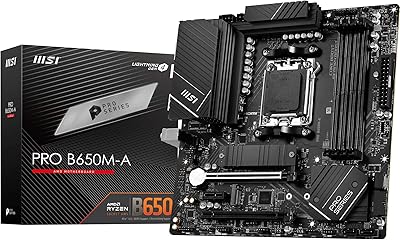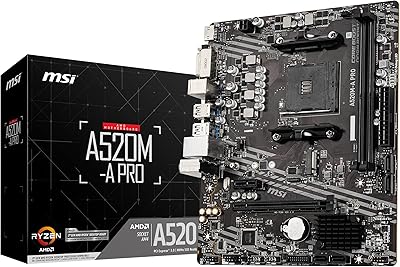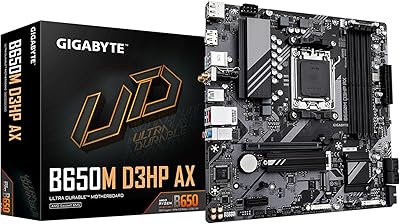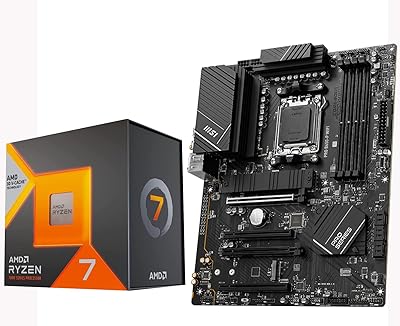
Overview

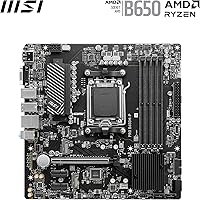
The MSI PRO B650M-P V1 Micro-ATX Motherboard is one of the more compelling mid-range AM5 options to arrive in 2025, built around AMD's B650 chipset for builders who want genuine Ryzen 9000/8000/7000 compatibility without spending flagship money. This B650 board sits in a practical middle ground — it clearly outpaces the barebones A620 tier while leaving pricier X670 boards to enthusiasts who truly need the extra bandwidth. Micro-ATX form factor keeps things compact without forcing painful compromises on connectivity, and the passive cooling approach, combined with AI-driven fan management, signals that MSI was thinking beyond raw spec checkboxes when designing it.

Features & Benefits

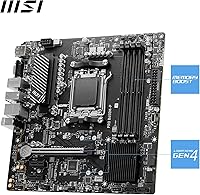
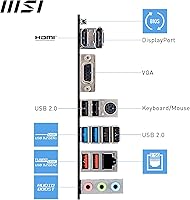
What stands out on this Micro-ATX motherboard is how well the spec sheet translates to practical use. Dual M.2 Gen4 slots let you run two high-speed NVMe drives simultaneously — a real advantage for creators juggling large project files. DDR5 support starts at 6000+ MHz and stretches past 7200 MHz with overclocking; that stability is partly due to the 6-layer copper PCB, which handles power delivery in ways cheaper boards simply cannot match. The Frozr AI Cooling system automates fan tuning, sparing you the tedious manual adjustments. Rounding things out, 2.5G LAN and a thorough rear I/O — HDMI 2.1, DisplayPort 1.4, and USB 3.2 Gen 2 — cover most connection needs without add-in cards.

Best For

This B650 board makes the most sense for builders on a realistic budget who still want a platform with long-term staying power. AM5 has strong forward compatibility, so pairing this board with a current Ryzen chip leaves room for future CPU upgrades without replacing the motherboard. Content creators who depend on fast local storage will appreciate the dual Gen4 M.2 slots, and Ryzen APU users will find the multi-output rear I/O — VGA included — genuinely handy. That said, extreme overclockers or anyone running a high-TDP Ryzen 9 under sustained all-core loads should look at a board with more robust VRM cooling. Those needing multiple PCIe slots should also look elsewhere.

User Feedback

Among verified buyers, this B650 board earns consistent praise for BIOS accessibility and stable out-of-box performance — a welcome trait for builders who prefer spending time on the build rather than fighting firmware. The value density relative to pricier B650 competitors comes up repeatedly in reviews, and it is clearly resonating. On the critical side, users with power-hungry processors report the VRM area running warmer than expected during extended workloads, which is worth watching if your chip sits above the mid-range. A handful of first-time builders also mention the included documentation has gaps. Neither issue is a dealbreaker, but both are worth knowing before you commit.

Pros

  • AM5 socket ensures compatibility with current and upcoming AMD Ryzen generations, protecting your investment.
  • Dual M.2 Gen4 slots deliver genuinely fast storage throughput for creative and productivity workloads.
  • DDR5 memory support up to 7200 MHz OC gives plenty of headroom for performance-minded builders.
  • The 6-layer copper PCB contributes to stable power delivery that budget boards in this category rarely match.
  • 2.5G LAN is a meaningful upgrade over standard gigabit, especially for home offices or media streaming setups.
  • Frozr AI Cooling takes the guesswork out of fan tuning, saving time during and after the build.
  • Rear I/O includes HDMI 2.1, DisplayPort 1.4, and VGA, covering a wide range of monitor configurations.
  • BIOS setup is consistently praised by buyers as straightforward, even for those with limited motherboard experience.
  • Compact Micro-ATX size fits smaller cases without stripping out key connectivity or expansion options.
  • Value relative to pricier B650 competitors is a recurring theme among verified buyers.

Cons

  • VRM area runs noticeably warm under sustained all-core loads with higher-TDP processors.
  • Only one PCIe x16 slot limits expansion options for users needing multiple add-in cards.
  • Included documentation is sparse and may leave first-time builders searching for answers online.
  • No PCIe 5.0 support means enthusiasts wanting next-gen GPU or SSD bandwidth will need to look elsewhere.
  • Single PCIe slot configuration is a real constraint for anyone building a multi-device workstation.
  • Memory overclocking, while supported, can require manual tuning to reach rated DDR5 speeds reliably.
  • No Wi-Fi built in, meaning wireless connectivity requires a separate adapter or PCIe card.
  • Chipset heatsink coverage is passive only, which may be a concern in poorly ventilated small-form-factor cases.

Ratings

Our AI rating system analyzed thousands of verified global reviews for the MSI PRO B650M-P V1 Micro-ATX Motherboard, actively filtering out incentivized, bot-generated, and outlier feedback to surface what real builders consistently experience. The scores below reflect both the genuine strengths that make this B650 board stand out in its price tier and the honest limitations that certain buyers have run into. Nothing is glossed over — if a pattern of complaints emerged, it is reflected in the numbers.

Value for Money
89%
Buyers repeatedly single out the feature-to-price ratio as one of the strongest arguments for this board over pricier B650 alternatives. Getting dual Gen4 M.2 slots, 2.5G LAN, and a 6-layer PCB at this price tier is genuinely difficult to replicate without spending noticeably more.
A small segment of users feel the lack of onboard Wi-Fi chips away at the overall value proposition, since adding a wireless adapter adds to the total build cost. For builders who already own a wired setup, this is a non-issue, but for those coming from an all-wireless household it stings a little.
BIOS & Software
91%
MSI's Click BIOS 5 interface earns consistent praise for its clean layout and accessible EZ Mode, which lets less experienced builders configure XMP profiles and boot order without confusion. Seasoned builders appreciate the depth available in advanced mode without having to wade through unnecessary complexity.
A handful of users noted that reaching stable DDR5 XMP speeds occasionally required a second trip into the BIOS after the initial setup, which is a minor but real friction point. The bundled MSI Center software has drawn occasional criticism for background resource usage on leaner system builds.
Build Quality
84%
The 6-layer PCB with 2 oz. thickened copper gives the board a noticeably solid feel compared to entry-level competitors, and users handling it during the build process frequently comment on its rigidity. PCIe slot reinforcement adds practical durability for heavier graphics cards.
The chipset heatsink, while functional for typical workloads, feels modest in size relative to what some competing boards offer at a similar price. A few users working in tighter cases with limited airflow noted the heatsink gets warm to the touch under prolonged use.
VRM & Power Delivery
67%
33%
For Ryzen 5 and Ryzen 7 class processors, the MSI Core Boost VRM handles everyday workloads — gaming, light content creation, office tasks — without any notable throttling or stability complaints from the majority of users in this use case.
The VRM thermal headroom becomes a legitimate concern when pairing this board with a Ryzen 9 series chip under sustained all-core workloads like extended 3D rendering or video encoding. Multiple users have reported elevated VRM temperatures in these scenarios, and the lack of a dedicated VRM heatsink limits long-term confidence at the high end of compatible CPUs.
Storage Performance
92%
Dual M.2 Gen4 x4 slots are the headline feature for many buyers, and real-world results back up the enthusiasm — users running high-speed NVMe drives in both slots report no bandwidth contention and consistently hitting rated sequential speeds. Content creators and prosumers working with large project files find this setup meaningfully faster than single-slot or Gen3 alternatives.
There are no additional SATA ports beyond the standard allocation, which may limit builders with large collections of 2.5-inch or 3.5-inch drives who also want to occupy both M.2 slots. It is not a common scenario, but worth checking against your storage plan before buying.
Memory Compatibility
83%
DDR5 stability up to and beyond 6000 MHz is well-regarded, with the 6-layer copper PCB contributing to cleaner signal integrity that cheaper boards struggle to match. Most users running premium DDR5 kits report hitting rated XMP speeds reliably after a single BIOS profile activation.
Like many B650 boards, pushing memory significantly above 6000 MHz via manual overclocking can require patience and BIOS experimentation. A minority of users with budget DDR5 kits reported needing multiple attempts before achieving stable operation at the kit's rated speed.
Connectivity & I/O
86%
The rear I/O layout is unusually comprehensive for this price tier — HDMI 2.1, DisplayPort 1.4, and VGA coexist alongside USB 3.2 Gen 2 Type-A and 7.1 HD audio, covering most users without requiring add-in cards. The 2.5G LAN port is a genuine quality-of-life improvement over the gigabit standard that many rival boards still ship with.
The absence of a rear USB-C port is a noticeable omission as more peripherals and monitors adopt the connector. Front panel USB-C header support is present, but buyers relying on rear-panel USB-C for their workspace will need to work around it.
Thermal Management
74%
26%
Frozr AI Cooling does a solid job of keeping fan noise under control during light-to-moderate workloads, and users running everyday computing or gaming tasks report quiet, stable thermals without manual intervention. The passive chipset heatsink is adequate for standard operating conditions.
In compact cases with limited ventilation, the passive-only chipset cooling can become a bottleneck, and a few users in small form factor builds reported the board running hotter than expected. The system relies heavily on case airflow, meaning a poorly ventilated enclosure can undermine the board's thermal performance more than on competing boards with active chipset cooling.
Installation Experience
81%
19%
Physical installation is straightforward, with well-labeled headers, standard slot placement, and a BIOS that initializes cleanly on first boot in most cases. Experienced builders consistently describe the setup process as unremarkable in the best possible sense — nothing fighting you during the build.
The printed manual is a recurring complaint among first-time builders, with several reviewers describing it as too sparse for someone assembling their first AM5 system. Relying on MSI's online resources or community guides is almost a necessity, which is a minor but real inconvenience for builders without a second screen handy.
Audio Quality
77%
23%
The onboard 7.1 HD Audio with Audio Boost delivers clean output for gaming headsets and stereo speaker setups, and casual users and gamers report it being more than sufficient without a dedicated sound card. Background noise levels are low for an integrated solution at this price.
Audiophiles and music producers will quickly find the limitations of integrated audio, with some users noting slight channel bleed at higher output volumes through high-impedance headphones. For those with serious audio workloads, a dedicated DAC or sound card remains the better path.
Form Factor Efficiency
88%
The Micro-ATX footprint delivers a well-organized layout that avoids the cramped compromises often seen on Mini-ITX alternatives, with enough spacing between slots and headers to make cable management manageable even in tighter cases. Builders working with smaller mid-tower cases consistently appreciate the balance.
Choosing Micro-ATX inevitably means one PCIe slot rather than the two or three available on ATX boards, which is a real constraint for anyone planning a multi-card or high-expansion build. This is a design reality of the form factor, but buyers should inventory their expansion needs before committing.
Platform Longevity
87%
AM5 is AMD's committed long-term platform, and this board's support for Ryzen 7000 through 9000 series means it is unlikely to become obsolete after one CPU generation. Builders who plan to upgrade their processor in two or three years without replacing the motherboard will find this a reliable foundation.
B650 does not support PCIe 5.0 for graphics cards, which could matter as next-generation GPUs increasingly leverage that bandwidth. For users who prioritize cutting-edge GPU performance over the long term, the platform ceiling is lower than an X670E board would offer.
Bundled Accessories
62%
38%
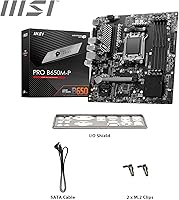
The package includes the essential basics — SATA cables and mounting screws — which is on par with competing boards at this price. For straightforward builds, the included accessories cover what most users actually need during installation.
There is no included Wi-Fi antenna, M.2 thermal pad, or RGB accessories, which some competing boards bundle in at similar price points. The sparse manual is also part of the package disappointment, leaving first-time builders wishing for more guidance right out of the box.

Suitable for:

The MSI PRO B650M-P V1 Micro-ATX Motherboard is a strong pick for budget-conscious builders who want real staying power on the AM5 platform without stretching into flagship territory. If you are building a home or small office PC around a Ryzen 7000, 8000, or 9000 series chip, this board covers the essentials and then some. Content creators who rely on fast local storage will find the dual Gen4 M.2 slots genuinely useful for large file workflows, not just a spec talking point. The multi-output rear I/O also makes it a natural fit for Ryzen APU builds where you need display flexibility without buying a discrete GPU on day one. For anyone upgrading from an AM4 system who wants to step into DDR5 without committing to an expensive X670 chipset, this Micro-ATX board offers a practical and well-rounded entry point.

Not suitable for:

The MSI PRO B650M-P V1 Micro-ATX Motherboard has real limitations that certain buyers should weigh carefully before purchasing. Builders planning to run a high-TDP Ryzen 9 processor under sustained all-core loads — think heavy video rendering or prolonged CPU-intensive workloads — should be cautious, as the VRM thermal headroom on this board is not built for that level of sustained stress. Enthusiasts chasing serious memory overclocking or pushing extreme CPU performance will likely find the power delivery setup a ceiling rather than a floor. Anyone who needs multiple PCIe slots for configurations involving capture cards, additional NVMe controllers, or multi-GPU setups will quickly run out of room. Finally, first-time builders who need thorough hand-holding from the included documentation may find the manual frustratingly thin in spots, making some online research almost mandatory during the build process.

Specifications

  • Form Factor: Micro-ATX build with standard mounting points, fitting the vast majority of mid-tower and compact ATX cases.
  • Chipset: AMD B650 chipset provides a balanced feature set between the entry-level A620 and the enthusiast-grade X670 platforms.
  • CPU Socket: AM5 socket supports AMD Ryzen 7000, 8000, and 9000 series processors, with strong forward compatibility for future Ryzen generations.
  • Memory Type: Four DDR5 DIMM slots support dual-channel configurations with a rated speed of 6000+ MHz and overclocking headroom up to 7200 MHz.
  • M.2 Storage: Two M.2 Gen4 x4 slots each deliver up to 64 Gbps, suitable for the fastest consumer NVMe SSDs currently available.
  • PCIe Slot: One PCIe 4.0 x16 slot handles discrete graphics cards at up to 64 GB/s bandwidth.
  • LAN: Onboard 2.5 Gbps Ethernet port offers faster wired network throughput than standard gigabit implementations.
  • Rear USB: Rear panel includes a USB 3.2 Gen 2 Type-A port delivering up to 10 Gbps data transfer speeds.
  • Video Outputs: Rear I/O provides three display outputs — HDMI 2.1, DisplayPort 1.4, and VGA — supporting integrated graphics on compatible Ryzen APUs.
  • Audio: 7.1 HD Audio with MSI Audio Boost technology delivers multi-channel sound through dedicated rear panel audio jacks.
  • PCB Design: Six-layer PCB with 2 oz. thickened copper traces improves power delivery stability and heat dissipation across the board.
  • Cooling System: Passive chipset heatsink combined with Frozr AI Cooling automatically adjusts connected fan speeds based on real-time CPU and GPU temperature readings.
  • Wireless: No onboard Wi-Fi or Bluetooth is included; wireless connectivity requires a separate adapter or PCIe expansion card.
  • Power Delivery: MSI Core Boost VRM technology enhances CPU power stability, though thermal headroom is best suited for mid-range Ryzen processors.
  • Weight: The board weighs 2.29 pounds, consistent with a standard Micro-ATX build using a chipset heatsink and reinforced slot design.
  • Box Dimensions: Retail packaging measures 12 x 11 x 2.5 inches, accommodating the board and bundled accessories including SATA cables and documentation.
  • Platform: Officially certified for Windows 11, with broad Linux compatibility expected given standard AMD chipset driver support.
  • Availability: First made available in June 2025, making this one of the more recently released B650 options in the mid-range motherboard category.

Related Reviews
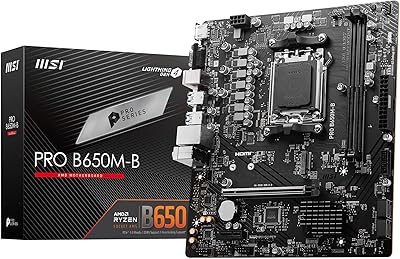
MSI PRO B650M-B Micro ATX Motherboard
83%
88%
Value for Money
91%
Ease of Setup
85%
Performance with DDR5
82%
Network Connectivity (2.5Gbps LAN)
87%
Expansion Options (PCIe/M.2)
More
MSI PRO B650M-A WiFi V1 Motherboard
79%
88%
Value for Money
91%
BIOS & Setup Experience
86%
Memory Compatibility & OC
84%
Thermal Management
72%
Connectivity & I/O
More
MSI B550-A PRO V1 Motherboard
84%
88%
Performance
91%
Value for Money
85%
Ease of Setup
89%
Compatibility with Ryzen 5000 Series
72%
Connectivity (I/O Ports)
More
MSI A520M-A PRO V1 AM4 Motherboard
74%
91%
Value for Money
88%
Ease of Installation
74%
CPU Compatibility
78%
Build Quality
81%
BIOS Experience
More
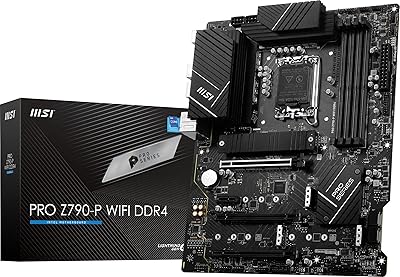
MSI PRO X870-P WiFi AM5 ATX Motherboard
79%
83%
Value for Money
81%
Build Quality
88%
Installation Experience
77%
BIOS & Software
67%
Memory Compatibility
More
MSI PRO B760-P WiFi DDR4
82%
91%
Value for Money
87%
Build Quality
89%
BIOS Experience
84%
CPU Power Delivery
88%
Wireless Connectivity
More
MSI PRO Z790-P WiFi DDR4 Motherboard
83%
91%
Performance for Gaming
88%
Future-Proofing Features
85%
Thermal Management
80%
Ease of Installation
89%
Wi-Fi and Connectivity
More
GIGABYTE B650M D3HP AX AM5 Micro ATX Motherboard
87%
91%
Performance
87%
Value for Money
90%
Build Quality
85%
Ease of Installation
88%
Power Delivery and Stability
More
ASUS Prime B650M-K AMD Ryzen AM5 Micro-ATX Motherboard
86%
92%
Performance
89%
Build Quality
94%
Compatibility with AMD Ryzen 7000 Series
90%
DDR5 and PCIe 5.0 Support
70%
Expansion Options
More
INLAND AMD Ryzen 7 7800X3D Processor with MSI PRO B650-P Motherboard
88%
94%
Overall Performance
96%
Gaming Performance
91%
Multitasking & Productivity
88%
Motherboard Stability
89%
Network Performance (Wi-Fi 6E & LAN)
More

FAQ

In most cases you should be fine straight out of the box, since this board ships with BIOS versions that already support the Ryzen 7000 series. That said, it is always worth checking the MSI website before building to confirm the bundled firmware covers your exact CPU, especially if you are using a newer Ryzen 9000 chip.

Yes, both M.2 slots are Gen4 x4 and operate independently, so you can install two high-speed NVMe drives and run them simultaneously without any bandwidth sharing penalty. This makes it a practical choice if you want separate drives for your OS and a fast scratch or project drive.

The B650 chipset has limited ECC support depending on the specific Ryzen processor you pair it with — some Ryzen Pro SKUs and certain workstation-class chips do support ECC. For a standard consumer Ryzen 7000 or 9000 processor, ECC memory is generally not officially supported, so if ECC is a hard requirement, you will want to verify your specific CPU compatibility before buying.

There is no onboard Wi-Fi on this board, which is a common trade-off at this price tier. You will need either a USB Wi-Fi adapter or a PCIe wireless card if you want wireless connectivity. Wired users are well covered though, thanks to the 2.5G LAN port.

Frozr AI Cooling works automatically once enabled in the BIOS, reading temperature data from your CPU and GPU to adjust fan speeds in real time. You can leave it on its default profile for a hands-off experience, or fine-tune the curves through the MSI software if you want more control. Most users find the default behavior handles everyday workloads without needing any manual tweaking.

No — the AM5 platform requires DDR5 memory exclusively, so your DDR4 sticks from an AM4 build will not be compatible. You will need to budget for a new DDR5 kit alongside the board and CPU. The good news is DDR5 prices have come down considerably, so the upgrade cost is more manageable than it was a couple of years ago.

It will work, but with some caveats. The VRM on this Micro-ATX board is well-suited to mid-range Ryzen processors like the Ryzen 5 and Ryzen 7 series. Running a Ryzen 9 under sustained, heavy all-core loads — long rendering jobs or extended stress tests — may push VRM temperatures higher than ideal. For light-to-moderate workloads it should be fine, but if you are regularly maxing out a Ryzen 9, a board with a more robust VRM setup is worth considering.

The rear I/O includes HDMI 2.1, DisplayPort 1.4, and a VGA port, which covers most monitor types. You can run multiple displays simultaneously using integrated graphics on a compatible Ryzen APU, making this a practical option for compact office builds or home systems that do not need a discrete GPU.

MSI's Click BIOS 5 interface is generally considered one of the more beginner-friendly options in the industry, with a clear layout and an EZ Mode for basic configuration. Most users report being able to enable XMP for their memory and set up boot priorities without much difficulty. The one caveat is that the printed manual is fairly sparse, so having the PDF version or the MSI support page open on a second device during your first build is a smart move.

Yes, it uses standard Micro-ATX dimensions and will fit in any case that supports mATX boards. Clearance is generally not a concern for the board itself, though you should check that your case has adequate airflow around the VRM area if you are running a higher-end CPU. The chipset heatsink is passive, so case ventilation matters more here than on boards with active chipset cooling.

Where to Buy