Overview

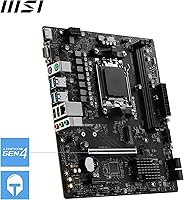
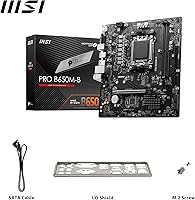
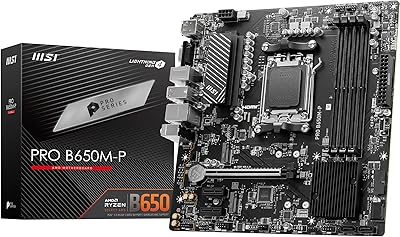
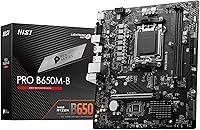
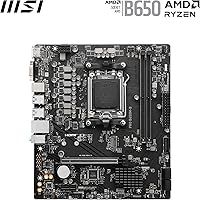
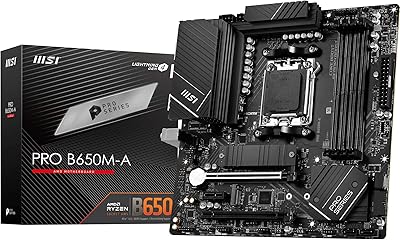
The MSI Pro B650M-B Micro ATX Motherboard is a compact board built for the AMD AM5 platform, targeting Ryzen 7000 builders who need modern connectivity without a steep budget commitment. Built around AMD's B650 chipset, it fits comfortably in Micro-ATX cases and carries MSI's Pro series branding, which signals solid reliability rather than flashy overclocking credentials. This MSI B650 motherboard is honest about its limitations — one M.2 slot and a single PCIe x16 configuration mean it trades expansion headroom for affordability. If you need multiple NVMe drives or a second GPU slot, look elsewhere; if you need a clean, capable foundation for a Ryzen build, it delivers.
Features & Benefits

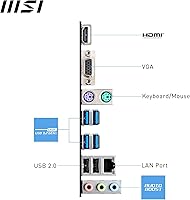
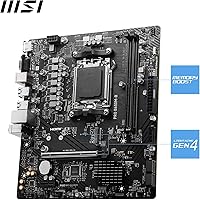
DDR5 memory support is one of this mATX board's strongest selling points — with XMP and EXPO profiles pushing speeds to 6800+ MHz, bandwidth is noticeably faster than older DDR4 platforms, which matters for tasks like video editing or large file transfers. The single PCIe 4.0 x16 slot handles any modern GPU without issue, and its Steel Armor reinforcement prevents sag on heavier cards. One Gen4 M.2 slot runs at up to 64 Gbps, fast enough for today's best NVMe drives. The 2.5G LAN is a genuine step up over standard gigabit connections, and Frozr AI Cooling keeps fan noise reasonable by adjusting curves automatically based on live thermal data. Rear outputs include HDMI 2.1 and a legacy VGA port for APU-based builds.

Best For

The Pro B650M-B is a natural fit for anyone building a compact Ryzen 7000 system on a sensible budget. Small form factor builders who need AM5 compatibility in a mATX case will find the footprint ideal. It also works well as a home office or productivity machine, where you typically run one GPU and one fast SSD — exactly what this board supports without wasted slots. Upgraders moving from AM4 who want DDR5 without jumping to a premium X670 board will appreciate the value here. Ryzen APU users benefit from the HDMI 2.1 and VGA rear outputs. First-time builders will also find MSI's approachable BIOS refreshingly easy to navigate without deep technical knowledge.

User Feedback

Among buyers, the general consensus is positive — most feel this MSI B650 motherboard punches above its weight for day-to-day reliability. BIOS navigation gets frequent praise for being intuitive, especially from first-timers who expected a steeper learning curve. VRM stability under standard Ryzen 7000 loads also earns solid marks, though it is worth being clear that aggressive all-core overclocking is not this board's strong suit. On the critical side, the single M.2 slot is the most common complaint; users building content creation rigs or multi-drive setups often wish for a second bay. The VGA port draws mixed reactions — occasionally useful, but rarely relevant for modern displays. Complaints consistently target expansion limits rather than outright build quality issues.

Pros

  • DDR5 support with EXPO and XMP profiles pushes memory speeds to 6800+ MHz, a meaningful step up from DDR4 platforms.
  • The PCIe 4.0 x16 slot with Steel Armor handles heavy GPUs securely without flex or sag.
  • The single Gen4 M.2 slot reaches up to 64 Gbps, fast enough for today's top-tier NVMe drives.
  • 2.5G LAN gives noticeably better wired throughput than standard gigabit boards at this price tier.
  • Frozr AI Cooling adjusts fan curves automatically, keeping noise down without manual tuning.
  • HDMI 2.1 and VGA rear outputs make this mATX board practical for Ryzen APU builds without a discrete GPU.
  • MSI's BIOS is consistently praised for being intuitive, even for first-time AM5 builders.
  • Compact Micro-ATX footprint fits a wide range of small and mid-size cases with no compromise on core features.
  • VRM stability under standard Ryzen 7000 workloads earns solid marks from real-world buyers.
  • 7.1 HD Audio with Audio Boost covers everyday audio needs without requiring a separate sound card.

Cons

  • Only one M.2 slot severely limits storage expansion for multi-drive or content creation builds.
  • No overclocking headroom beyond standard Ryzen 7000 specs; the VRM is not designed for sustained heavy loads.
  • USB rear I/O is limited to USB 3.2 Gen 1 (5 Gbps); no Gen 2 or USB4 ports are available.
  • The VGA port is a legacy carryover that most modern monitors and displays cannot use effectively.
  • Only two DDR5 DIMM slots mean no upgrade path beyond a two-stick memory configuration.
  • A single PCIe x16 slot leaves no room for a secondary expansion card alongside a full-size GPU.
  • No Wi-Fi or Bluetooth included; wireless connectivity requires a separate adapter.
  • The passive chipset heatsink can run warm in poorly ventilated cases under sustained workloads.

Ratings

The scores below for the MSI Pro B650M-B Micro ATX Motherboard were generated by our AI system after analyzing thousands of verified global buyer reviews, with spam, bot submissions, and incentivized feedback actively filtered out. Every category reflects the real distribution of user sentiment — strengths are credited where earned, and recurring frustrations are scored honestly without being softened. If a category divides buyers, that tension shows up directly in the number.
Value for Money
88%
For builders entering the AM5 platform on a moderate budget, this mATX board delivers DDR5 support, Gen4 M.2 storage, and 2.5G LAN at a price point where most competitors cut more corners. Buyers consistently describe it as one of the more honest value propositions in the B650 segment.
A small but vocal group of buyers feel the single M.2 slot and limited USB rear I/O make the value case thinner when compared to slightly pricier boards that offer meaningfully more expansion for a modest premium.
Build Quality
83%
The reinforced PCIe x16 slot with Steel Armor is a standout detail that buyers with heavier GPUs specifically call out as reassuring. The overall board construction feels solid for the price tier, with no widespread reports of component failure or manufacturing defects in verified reviews.
The passive chipset heatsink runs noticeably warm in compact cases with restricted airflow, and a handful of users noted that the board's overall aesthetic finish, while clean, feels utilitarian rather than premium next to higher-tier MSI lines.
Ease of Setup
91%
MSI's BIOS interface receives some of the most consistent praise across all feedback — first-time builders repeatedly describe the EZ Mode as genuinely intuitive, and enabling EXPO or XMP memory profiles takes a single click. Out-of-box boot times without issues are commonly reported.
A minor subset of users encountered the need for a BIOS update before newer Ryzen 7000 CPUs were recognized, which can create a frustrating chicken-and-egg situation if you do not have an older compatible CPU on hand for the initial flash.
Storage Expansion
54%
46%
The single Gen4 M.2 slot performs excellently on its own, supporting the fastest consumer NVMe drives at up to 64 Gbps — more than enough throughput for gaming, office work, or light creative tasks with a single high-speed drive installed.
One M.2 slot is the board's most cited limitation by a wide margin. Builders running large game libraries, video editing projects, or any workflow requiring fast access to multiple drives will find themselves forced into SATA workarounds or regretting the board choice fairly quickly.
Memory Performance
86%
DDR5 support with EXPO and EXPO profiles hitting 6800+ MHz is genuinely strong for this price tier, and buyers who upgraded from DDR4 platforms notice the bandwidth difference in memory-intensive tasks like large spreadsheet processing or loading complex scenes in creative apps.
With only two DIMM slots, there is no upgrade path beyond a two-stick configuration, so buyers who underestimate their long-term RAM needs cannot add more later — they must replace both sticks entirely to increase capacity.
Thermal Management
74%
26%
Frozr AI Cooling earns practical praise for keeping fan noise low during everyday workloads by dynamically adjusting fan curves without requiring manual BIOS tuning. Under standard Ryzen 7000 loads, CPU and system temperatures are reported as stable and within expected ranges.
The VRM thermal headroom is adequate for mainstream processors at stock settings but shows strain under sustained all-core workloads with higher-TDP chips. Users in poorly ventilated mATX cases also note that the passive chipset heatsink can push ambient temperatures upward over long sessions.
Connectivity & I/O
67%
33%
The 2.5G LAN is a genuine quality-of-life upgrade over standard gigabit ports, and buyers transferring large files across a local network or streaming high-bandwidth content notice the difference. HDMI 2.1 on the rear I/O is a well-appreciated touch for APU builds.
The absence of Wi-Fi and Bluetooth is a real inconvenience for users in environments where running an Ethernet cable is impractical. Rear USB options are also limited to Gen 1 speeds at 5 Gbps, which feels dated when faster USB standards are becoming common on similarly priced boards.
VRM & Overclocking
61%
39%
For standard Ryzen 7000 processors running at stock or light PBO settings, the VRM handles sustained loads without triggering throttling or instability. Buyers using 6-core and 8-core chips report clean, consistent performance under normal productivity and gaming workloads.
This is not a board designed for serious overclocking, and attempting aggressive all-core frequency pushes on higher-TDP chips like the 7950X generates real thermal stress on the VRM. Users expecting the kind of headroom found on X670 boards will be disappointed.
Audio Quality
72%
28%
The 7.1 HD Audio implementation with Audio Boost is sufficient for headsets, desktop speakers, and standard gaming peripherals, and most users report clean output without the interference noise that plagues cheaper audio solutions on budget boards.
Dedicated audiophiles or studio-adjacent users will likely still reach for a discrete sound card or USB DAC, as the onboard audio lacks the dynamic range and channel separation that higher-end solutions provide. It covers the basics but does not exceed them.
BIOS & Software
84%
MSI's Click BIOS 5 interface is well-regarded for its layout and accessibility, and the EZ mode gives less experienced builders a clean summary of system status without overwhelming them. Fan tuning, memory profile activation, and boot order management are all handled with minimal friction.
Advanced users occasionally find the deeper BIOS menus less granular than what ASUS or Gigabyte offer at the same tier, particularly around per-core tuning options. MSI's companion desktop software is functional but not as polished as the BIOS itself.
PCIe Expansion
58%
42%
The single PCIe 4.0 x16 slot covers the primary use case — running one discrete GPU — without any bandwidth compromise, and Steel Armor reinforcement adds physical durability that is genuinely useful for heavier modern graphics cards.
There is no secondary PCIe slot of any kind, which rules out adding a capture card, Wi-Fi card in a PCIe slot, or any additional expansion card alongside a full-size GPU. For users who anticipated any multi-card configuration, this is a hard stop.
Compatibility
82%
18%
Full AM5 socket support across the Ryzen 7000 lineup, including APU variants like the 7600G, gives this board broad compatibility for both GPU-dependent and GPU-free builds. DDR5 is the only memory standard supported, which future-proofs the platform choice.
AM5 compatibility is a strength and a constraint simultaneously — there is no backward compatibility with AM4 CPUs or DDR4 memory, so upgraders must budget for both a new processor and new RAM if coming from an older AMD platform.
Aesthetics
69%
31%
The black and white color scheme is clean and neutral, working well in builds with white or monochrome themes. The board does not look out of place in a windowed case, and the absence of excessive RGB keeps things understated for professional or office environments.
Builders looking for RGB accents or a more visually dynamic board will find the Pro B650M-B visually plain. MSI's own gaming-tier boards offer more striking designs, and for buyers who care about internal aesthetics, the utilitarian finish can feel like a compromise.

Suitable for:

The MSI Pro B650M-B Micro ATX Motherboard is an excellent choice for builders who want a reliable entry point into AMD's AM5 platform without overspending on features they will never use. It is particularly well-suited for compact mATX case builds where space is a constraint but modern connectivity — DDR5, PCIe 4.0, and 2.5G LAN — is still a priority. Home office users and productivity-focused builders who run a single GPU and one fast NVMe drive will find that this board covers everything they need without unnecessary complexity. Ryzen APU users, such as those pairing it with a 7600G or 8600G, will specifically appreciate the rear HDMI 2.1 output for connecting a display directly without a discrete GPU. First-time builders also benefit from MSI's reputation for approachable BIOS design, which reduces the friction that often comes with a first AM5 build. If your workload is everyday computing, light gaming, or a clean home office setup, this mATX board delivers honest, dependable performance at a sensible price.
Not suitable for:

The MSI Pro B650M-B Micro ATX Motherboard is not the right pick for builders who need room to grow. The single M.2 slot is the most significant real-world limitation — anyone planning a multi-drive NVMe setup for video editing, large game libraries, or professional storage workflows will hit a wall quickly. Enthusiast overclockers should also look elsewhere; the VRM is competent for standard Ryzen 7000 operation, but it is not built to sustain aggressive all-core overclocks over extended periods without thermal stress. Builders who anticipate adding a second GPU or a capture card alongside their primary graphics card will find the single PCIe x16 configuration too restrictive. Power users who want the flexibility of an X670E board — with more USB ports, additional PCIe lanes, or dual M.2 slots — will feel constrained by what this mATX board intentionally omits to hit its price point. If expandability and headroom for future upgrades are priorities, this is not the board to build around.
Specifications

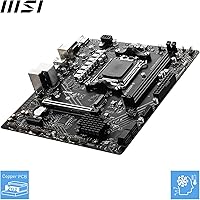
  • Form Factor: This board uses the Micro-ATX (mATX) form factor, making it compatible with standard mATX and ATX mid-tower cases.
  • Chipset: Built on the AMD B650 chipset, which supports PCIe 4.0 and DDR5 while sitting below the premium X670 tier.
  • CPU Socket: Uses the AM5 (LGA1718) socket, compatible exclusively with AMD Ryzen 7000 series processors.
  • Memory Type: Supports DDR5 RAM via two DIMM slots, with overclocked speeds reaching 6800+ MHz using XMP or EXPO profiles.
  • Memory Slots: Two DDR5 DIMM slots support dual-channel configuration with a maximum recommended speed of 6800+ MHz under OC.
  • Primary PCIe Slot: One PCIe 4.0 x16 slot with Steel Armor reinforcement handles full-size discrete graphics cards up to current-generation models.
  • M.2 Storage: One M.2 Gen4 x4 slot supports NVMe SSDs at up to 64 Gbps, accommodating the fastest consumer drives available today.
  • LAN: Onboard 2.5 Gigabit Ethernet provides faster wired networking than standard 1G ports found on older or lower-cost boards.
  • Rear Display: Rear I/O includes one HDMI 2.1 port and one VGA port for connecting monitors when using a Ryzen APU with integrated graphics.
  • USB Rear I/O: Rear panel provides USB 3.2 Gen 1 Type-A ports running at 5 Gbps, alongside additional USB 2.0 ports for peripherals.
  • Audio: 7.1-channel HD Audio output with MSI Audio Boost supports surround sound setups and standard 3.5mm audio connections.
  • Fan Control: Frozr AI Cooling automatically adjusts system fan speeds in real time based on detected CPU and GPU temperature readings.
  • Chipset Cooling: The chipset heatsink operates passively with no dedicated fan, reducing noise and long-term maintenance requirements.
  • OS Support: Officially supports Windows 10 64-bit and Windows 11 64-bit; Linux compatibility varies by distribution and kernel version.
  • Color: The board ships in a black and white color scheme suitable for builds with neutral or monochrome aesthetics.
  • Item Weight: The board weighs approximately 1.39 pounds, consistent with typical mATX motherboard weight for standard case installations.
  • Model Number: The official MSI model number is 7E28-005R, which can be used to verify compatibility and locate official firmware updates.
  • Release Date: This board became available in April 2024, making it compatible with the current Ryzen 7000 series lineup at launch.

Related Reviews
MSI PRO B650M-P V1 Micro-ATX Motherboard
82%
89%
Value for Money
91%
BIOS & Software
84%
Build Quality
67%
VRM & Power Delivery
92%
Storage Performance
More
MSI PRO B650M-A WiFi V1 Motherboard
79%
88%
Value for Money
91%
BIOS & Setup Experience
86%
Memory Compatibility & OC
84%
Thermal Management
72%
Connectivity & I/O
More
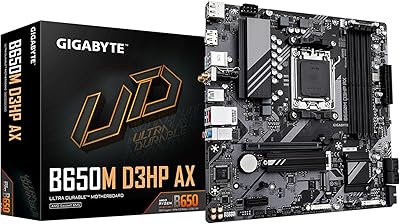
GIGABYTE B650M D3HP AX AM5 Micro ATX Motherboard
87%
91%
Performance
87%
Value for Money
90%
Build Quality
85%
Ease of Installation
88%
Power Delivery and Stability
More
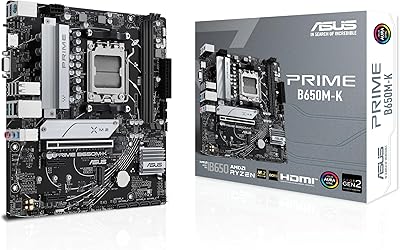
ASUS Prime B650M-K Micro-ATX Motherboard
77%
83%
Value for Money
79%
Build Quality
61%
VRM & Power Delivery
88%
BIOS Experience
91%
Networking
More
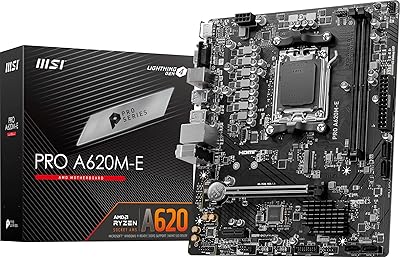
MSI PRO A620M-E mATX Motherboard
70%
88%
Value for Money
91%
Stability & Reliability
93%
Ease of Installation
84%
BIOS Experience
87%
CPU Compatibility & Longevity
More
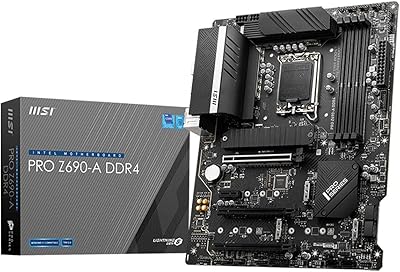
MSI PRO Z690-A DDR4 ATX Motherboard
79%
84%
Build Quality
88%
Value for Money
81%
BIOS Experience
79%
Thermal Management
83%
Storage Expandability
More
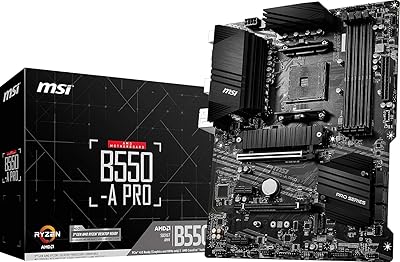
MSI B550-A PRO V1 ATX Motherboard
79%
91%
Value for Money
86%
Build Quality
88%
BIOS Experience
84%
CPU Compatibility
83%
Memory Compatibility
More
MSI PRO Z790-A MAX WiFi
83%
88%
Build Quality
91%
VRM & Power Delivery
86%
Memory Overclocking
77%
BIOS Experience
93%
Wireless Connectivity
More
MSI PRO B550M-VC WiFi
83%
91%
Value for Money
86%
Build Quality
89%
Wireless Connectivity
74%
CPU Power Delivery
88%
BIOS Experience
More
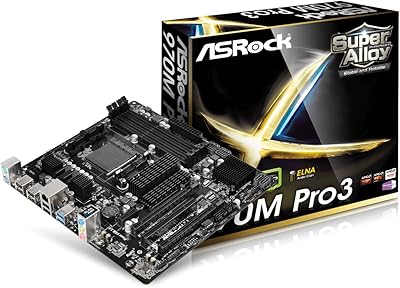
ASRock 970M Pro3 Micro ATX Motherboard
74%
88%
Value for Money
91%
Compatibility & CPU Support
86%
Ease of Installation
61%
BIOS Usability
54%
Overclocking Headroom
More

FAQ

Yes, the AM5 socket supports the full Ryzen 7000 series lineup, including both the 7600X and 7950X. That said, pairing a 7950X with this mATX board is technically possible but not ideal — the VRM is tuned for mid-range loads, and a high-core-count chip running all-out may push it harder than intended. For a 7600X or similar mainstream processor, you will have no issues at all.

Yes, with two DIMM slots you can run a dual-channel DDR5 kit, which is the recommended configuration. Just note there is no option to add more sticks later since there are only two slots total, so buy the full amount of RAM you need upfront.

No, this MSI B650 motherboard does not include built-in Wi-Fi or Bluetooth. If you need wireless connectivity, you will need to add a PCIe Wi-Fi card or a USB adapter separately.

Only one. The board has a single M.2 Gen4 x4 slot, which is the most common limitation buyers run into. If your build depends on two or more NVMe drives, you will either need to use a SATA SSD in addition to the M.2, or consider a board with additional M.2 slots.

MSI's BIOS on the Pro B650M-B is genuinely one of the more approachable interfaces at this tier. The EZ Mode gives you a clean overview of your system and lets you enable XMP or EXPO memory profiles with a single click. You do not need to dig into advanced settings for a standard build.

Yes, that is one of this board's practical strengths. The rear HDMI 2.1 port connects directly to your monitor when using a Ryzen APU with integrated Radeon graphics, so you do not need a discrete GPU at all. This makes it a solid foundation for a budget office build.

The PCIe slot itself supports any full-size GPU, but the limiting factor is always your case dimensions. The board has no secondary PCIe slot, so there is no card spacing conflict to worry about. Check your case's GPU length clearance against the specific card you are buying.

Possibly, depending on the specific CPU. MSI releases BIOS updates to add support for newer processors within the AM5 ecosystem, so if you are using a CPU released after mid-2024, it is worth checking MSI's support page for the latest firmware before your first boot.

The board includes SATA ports that allow you to connect conventional 2.5-inch or 3.5-inch drives in addition to the M.2 slot. This is a practical workaround if you need more storage than a single NVMe drive provides, since the M.2 slot is the only high-speed option onboard.

Honestly, it is mostly a legacy convenience. VGA is an analog signal and tops out well below the resolution and refresh rate that HDMI 2.1 supports. If you have an older monitor that only has a VGA input, it will work fine for office use, but for any modern display you will want to use HDMI instead.