Overview

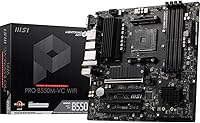
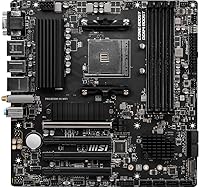
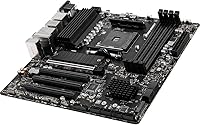
The MSI PRO B550M-VC WiFi sits in the B550 chipset tier — that practical middle ground between the bare-minimum B450 and the pricier X570 — making it a sensible target for AMD Ryzen AM4 builders who want real features without overspending. This mATX motherboard supports Ryzen 5000 and 3000 series processors, with a compact 9.6-inch footprint that suits small-to-mid tower cases well. What makes it stand out at this level is that Wi-Fi 6E and Bluetooth 5.2 come built in, so there is no need to budget separately for wireless. Backward compatibility with Ryzen 3000 adds useful flexibility for anyone upgrading incrementally on the same platform.
Features & Benefits

PCIe 4.0 support is the headline here, delivering full bandwidth for modern NVMe drives and current-gen GPUs on a board that does not demand a premium price. The M.2 Shield Frozr thermal cover earns its keep by keeping SSD temperatures controlled during sustained workloads — a detail cheaper boards often skip. Power delivery runs through a Digital PWM IC and Core Boost design, which produces cleaner, more stable voltage for mid-range Ryzen chips over long sessions. The 2oz copper PCB reinforces that stability while also helping dissipate heat across the board. DDR4 memory overclocking up to 4400MHz and USB 3.2 Gen 2 rear ports round out a spec sheet that competes well above its tier.

Best For

This MSI B550 board is a natural fit for builders who want genuine B550 capability without stretching their budget unnecessarily. It pairs especially well with a Ryzen 5 or Ryzen 7 5000 series chip — the power delivery design is well-matched to mid-range workloads without being over-engineered for them. For anyone building a compact home office or productivity system, the mATX footprint simplifies case selection considerably. The built-in wireless removes a common friction point for first-time builders, eliminating the need to source a separate PCIe Wi-Fi card entirely. MSI's accessible BIOS and solid documentation make the whole experience notably less stressful for newer builders.

User Feedback

Buyers consistently highlight the straightforward BIOS experience and the solid feel of the board itself as immediate positives, particularly given the price bracket. The integrated Wi-Fi 6E draws frequent praise — it is the kind of inclusion that makes buyers feel the value proposition is genuinely honest. On the downside, users pairing this board with a Ryzen 9 processor under sustained, heavy loads have noted that VRM thermals can become a limiting factor, so it is not the right choice for extreme workloads. A smaller number of buyers also reported needing to manually configure XMP profiles before memory ran stably. Outside those edge cases, overall satisfaction is high.

Pros

  • Wi-Fi 6E and Bluetooth 5.2 are built in, saving the cost and hassle of a separate wireless card.
  • PCIe 4.0 support gives the board genuine longevity alongside current-generation GPUs and NVMe drives.
  • The M.2 Shield Frozr thermal cover keeps SSD temperatures in check during sustained read and write workloads.
  • MSI's BIOS is notably approachable, making first-time setup far less stressful than on competing boards.
  • The 2oz copper PCB adds real physical rigidity and helps distribute heat more evenly across the board.
  • Ryzen 5000 and 3000 series compatibility in a single board makes it a practical upgrade path option.
  • DDR4 memory overclocking support up to 4400MHz gives enthusiast builders meaningful tuning headroom.
  • Build quality feels well above average for the price bracket, with solid component placement throughout.
  • Compact mATX footprint opens up a wide range of mid-tower and small-form-factor case options.
  • Overall user satisfaction is high, with the majority recommending it for everyday and productivity workloads.

Cons

  • VRM thermals become a real concern when paired with high-core-count Ryzen 9 processors under sustained load.
  • Rear I/O is heavy on USB 2.0 ports, which feels limiting when connecting multiple modern high-speed peripherals.
  • Only one Gen4 M.2 slot is available; the secondary slot runs at the slower Gen3 standard.
  • Some high-frequency DDR4 kits require manual XMP tuning to run at rated speeds straight out of the box.
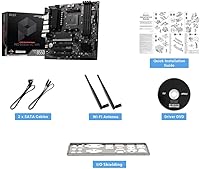
  • Bundled accessories are minimal — expect just the basics, with no included POST speaker or antenna extension.
  • Wi-Fi antenna connectors are functional but not high-gain, which can affect signal range in larger homes.
  • No USB 4 or Thunderbolt support, which may matter for users investing in next-generation external storage.
  • Buyers who need a wired-only, stripped-down board will find they are paying for integrated wireless they will never use.

Ratings

The MSI PRO B550M-VC WiFi has been evaluated by our AI system after processing verified buyer reviews from global markets, with spam, bot-submitted, and incentivized feedback actively filtered out before scoring. The result is a balanced picture that honestly reflects where this mATX board earns its reputation — and where a few real-world frustrations surface. Both the genuine strengths and the legitimate pain points are reflected in every score below.
Value for Money
91%
Buyers repeatedly express surprise at how much this board delivers relative to its price tier. The inclusion of Wi-Fi 6E and Bluetooth 5.2 as standard — features that cost extra on competing boards — pushes the perceived value well above what most expect from a budget-friendly B550 option.
A small segment of buyers feel the value equation weakens if they already own a Wi-Fi adapter, since they are effectively paying for a feature they cannot use. For those who need a no-frills wired-only board, slightly cheaper alternatives exist at the same tier.
Build Quality
86%
The 2oz copper PCB gives the board a noticeably solid, substantial feel when handling it during installation — a detail builders mention unprompted. Compared to similarly priced competitors, the PCB flex is minimal and component placement feels deliberate rather than crowded.
A few users noted that the heatsink coverage on the VRM area feels modest for a board that supports up to Ryzen 9 processors. While acceptable for mainstream use, the physical cooling hardware telegraphs its mid-range positioning under demanding conditions.
Wireless Connectivity
89%
Wi-Fi 6E support at this price point is the feature buyers talk about most. In real-world home office setups, users report stable, low-latency connections even in congested multi-device environments, and the Bluetooth 5.2 pairing for peripherals works reliably out of the box.
The included antenna connectors are functional but not premium — a handful of users in larger homes noted signal consistency dropped at greater distances compared to dedicated PCIe Wi-Fi cards with higher-gain antennas. Not a dealbreaker, but worth noting for larger spaces.
CPU Power Delivery
74%
26%
For Ryzen 5 and Ryzen 7 5000 series chips — the target audience for this board — the Digital PWM IC and Core Boost design provide clean, stable voltage across extended workloads like video rendering or prolonged gaming sessions without obvious throttling or instability.
Users who paired this board with a Ryzen 9 5900X or 5950X under heavy sustained loads reported noticeable VRM temperature spikes. It is not a catastrophic failure scenario, but it is a real ceiling that limits the board's suitability for high-core-count, power-hungry CPU configurations.
BIOS Experience
88%
First-time builders consistently single out the MSI BIOS as one of the least intimidating they have encountered. Navigation is logical, EZ Mode provides accessible defaults for new users, and Advanced Mode exposes enough controls for memory tuning and fan curve adjustments without overwhelming complexity.
A recurring minor complaint involves the BIOS not always defaulting to optimal XMP memory settings automatically, requiring manual intervention on the first boot. It is a quick fix, but for true beginners who do not know to look for it, it can result in RAM running below rated speed.
M.2 and Storage Performance
87%
The Gen4 x4 M.2 slot with Shield Frozr thermal cover is a practical inclusion. Builders using high-speed NVMe drives noticed measurable temperature reductions compared to bare M.2 slots on competing boards, which translates to more consistent sustained read and write performance over time.
There is only one Gen4 M.2 slot, which is a limitation for users planning multi-drive NVMe storage arrays. The secondary M.2 slot runs at Gen3 speeds, which is fine for most workloads but does create a meaningful performance gap if both slots are populated with fast drives.
Memory Compatibility and Overclocking
72%
28%
DDR4 support up to 4400MHz via XMP gives enthusiast builders room to push memory performance, and at standard DDR4-3200 and DDR4-3600 speeds the board runs without issues across a wide range of kit brands. Most mainstream memory configurations work without any manual tuning.
A consistent minority of buyers encountered XMP instability when using certain high-frequency kits, particularly above 3800MHz. The board requires manual sub-timing adjustments in some cases to achieve rated speeds, which is a friction point for buyers expecting plug-and-play memory performance.
PCIe 4.0 Support
84%
Having a full PCIe 4.0 x16 slot on a board at this price tier is genuinely useful for builders pairing it with a current-generation GPU or planning to upgrade later. It eliminates the bandwidth bottleneck that affected B450 boards with newer graphics cards.
Only the primary GPU slot operates at PCIe 4.0 speeds. Additional expansion needs are served by slower lanes, which is fairly standard for B550 but worth noting if the build requires multiple high-bandwidth cards simultaneously.
Thermal Management
78%
22%
The M.2 Shield Frozr and the supplementary choke thermal pad show that MSI put genuine thought into heat management on this board. Builders running the system in mid-tower cases with decent airflow report stable temperatures across all major components during extended use.
In tighter mATX cases with limited airflow, the VRM area can run warm during peak CPU loads. The heatsink design is adequate rather than generous, and builders targeting high ambient-temperature environments or fanless cases may want to consider additional case ventilation.
I/O Port Selection
76%
24%
USB 3.2 Gen 2 on the rear panel handles fast external drives and modern peripherals well. The combined HDMI and DisplayPort outputs are a practical touch for home office users connecting to monitors without a discrete GPU, or for quick troubleshooting scenarios.
The rear I/O layout leans heavily on USB 2.0 ports, with six of them filling slots that more premium boards reserve for additional USB 3.x connections. For users with multiple high-speed peripherals, the limited USB 3.x count can become a daily frustration.
Form Factor and Installation
83%
The mATX footprint makes this board easy to seat in a wide range of mid-tower and compact cases. Component clearance around the RAM slots and primary PCIe slot is reasonable, and most standard CPU coolers fit without interference from nearby heatsinks or capacitors.
The compact layout does make some cable routing tighter than on a full ATX board, particularly for the front-panel connectors and SATA ports if the case has a dense drive configuration. It is an expected trade-off for mATX, but worth factoring in before committing to a small case.
Out-of-Box Setup Experience
85%
Most users report a clean first-boot experience with no missing drivers or unexplained POST failures. The included documentation is clear enough that first-time builders can get through installation without leaning heavily on external tutorials, which is not always the case at this price tier.
Some users noted the bundled accessories are minimal — no POST speaker, limited SATA cables, and no Wi-Fi antenna extension — which means a few small additional purchases may be necessary depending on the build environment and case layout.
Long-Term Reliability
81%
19%
Across the review base, reports of premature failures or degradation are uncommon. Builders who have run this board for extended periods in Ryzen 5 and Ryzen 7 systems describe consistent performance without the creeping instability that sometimes affects lower-tier boards over time.
The long-term data for high-load Ryzen 9 configurations is thinner and less optimistic. The VRM thermal concerns raised by some users hint at potential longevity questions under sustained stress, though this is a niche concern for the board's intended user profile.

Suitable for:

The MSI PRO B550M-VC WiFi is a strong match for builders who want a capable, feature-rich platform without climbing into premium price territory. It is particularly well-suited for anyone pairing a Ryzen 5 or Ryzen 7 5000 series processor with a mid-tower or compact mATX case — the board's power delivery is well-calibrated for that CPU tier, and the compact footprint keeps build options flexible. Home office users and productivity-focused builders will appreciate the built-in Wi-Fi 6E and Bluetooth 5.2, which eliminate the need for an additional wireless card and simplify the overall setup considerably. First-time PC builders also benefit from MSI's approachable BIOS environment and clear documentation, reducing the learning curve that often frustrates newcomers. If you are upgrading from an older Ryzen 3000 system and want to reuse existing DDR4 memory kits, this board's backward compatibility and DDR4 overclocking headroom make that transition practical rather than painful.
Not suitable for:

Builders planning to run a Ryzen 9 5900X or 5950X under sustained, heavy workloads — think professional video encoding, 3D rendering, or prolonged overclocking sessions — should look elsewhere, as the VRM configuration on this board is not engineered for that kind of continuous thermal stress. The MSI PRO B550M-VC WiFi is also a poor fit for anyone who needs multiple high-speed USB 3.x ports at the rear, since the I/O layout leans heavily on older USB 2.0 connections that will frustrate users with several fast external drives or modern peripherals. Enthusiasts chasing maximum memory overclocking above DDR4-3800 may also run into XMP compatibility friction that requires manual tuning to resolve. Similarly, users who already own a quality PCIe Wi-Fi card or who operate exclusively over wired Ethernet will not extract full value from a feature set that is partly built around integrated wireless. Finally, anyone expecting a fully stocked accessory bundle will find the included extras minimal at best.
Specifications

  • Chipset: Built on the AMD B550 chipset, positioning it between entry-level B450 and enthusiast-grade X570 for a practical mid-range feature set.
  • CPU Socket: Uses the AM4 socket, compatible with AMD Ryzen 3000 and 5000 series desktop processors, excluding Ryzen 5 3400G and Ryzen 3 3200G.
  • Form Factor: Micro-ATX (mATX) layout measuring 9.6 x 9.6 inches, fitting standard mid-tower and compact mATX cases without modification.
  • Memory Support: Supports two DDR4 DIMM slots with speeds up to 4400MHz via XMP overclocking, accommodating mainstream and enthusiast memory kits.
  • PCIe Slots: Includes one PCIe 4.0 x16 slot for the primary GPU and additional PCIe 3.0 slots for secondary expansion cards.
  • M.2 Storage: Features one Lightning Gen4 x4 M.2 slot with M.2 Shield Frozr thermal cover, plus a secondary Gen3 M.2 slot for additional NVMe or SATA SSDs.
  • SATA Ports: Provides four SATA 6Gb/s ports for connecting traditional hard drives or 2.5-inch SATA SSDs alongside M.2 storage.
  • Wireless: Integrated Wi-Fi 6E (802.11ax) delivers tri-band wireless connectivity with significantly higher throughput and lower latency than standard Wi-Fi 5.
  • Bluetooth: Onboard Bluetooth 5.2 supports low-latency peripheral pairing for wireless headsets, keyboards, mice, and other compatible devices.
  • Rear USB: Rear panel includes USB 3.2 Gen 2 Type-A and Type-C ports alongside six USB 2.0 ports for broad peripheral compatibility.
  • Video Output: Rear I/O provides both HDMI and DisplayPort outputs, supporting integrated Ryzen APU graphics without requiring a discrete GPU.
  • Audio: Onboard Realtek audio codec delivers standard multi-channel audio output through the rear panel 3.5mm jacks for everyday use.
  • Power Design: Digital PWM IC with Core Boost technology provides stable, clean voltage delivery tuned for mid-range Ryzen processor performance.
  • PCB Construction: 2oz thickened copper PCB layers improve electrical conductivity, signal integrity, and passive heat dissipation compared to standard 1oz boards.
  • LAN: Integrated Realtek Gigabit Ethernet provides reliable 1Gbps wired networking through the rear panel RJ45 port.
  • Dimensions: Board measures 9.6 x 9.6 x 2.5 inches and weighs approximately 2.4 pounds, consistent with standard mATX sizing guidelines.
  • OS Support: Officially supports Windows 10 and Windows 11, with Linux compatibility available through community-supported driver configurations.
  • BIOS: Ships with MSI Click BIOS 5, offering both an EZ Mode for beginners and a full Advanced Mode for detailed tuning and overclocking.

Related Reviews

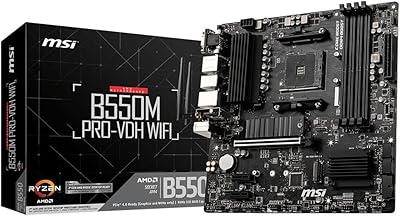
MSI B550M PRO-VDH WiFi
80%
91%
Value for Money
88%
BIOS Experience
78%
Wireless Connectivity
72%
CPU Power Delivery
69%
RAM Compatibility & Stability
More
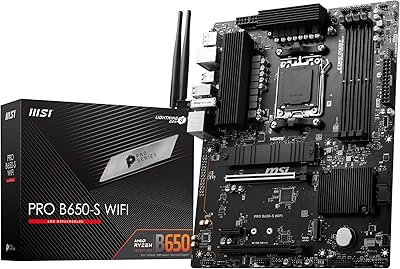
MSI PRO B650-S WIFI Motherboard
84%
94%
Performance with Ryzen 7000 Processors
89%
Wi-Fi 6E Connectivity
88%
Cooling Efficiency
72%
Setup and Installation Ease
91%
PCIe 4.0 Expansion Support
More
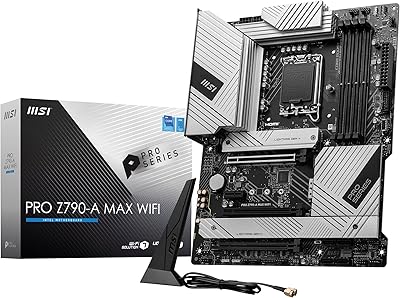
MSI PRO Z790-A MAX WiFi
83%
88%
Build Quality
91%
VRM & Power Delivery
86%
Memory Overclocking
77%
BIOS Experience
93%
Wireless Connectivity
More
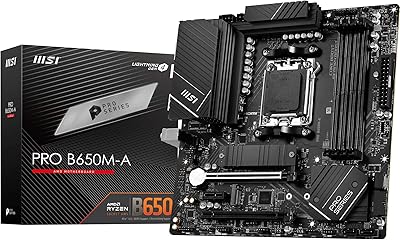
MSI PRO B650M-A WiFi V1 Motherboard
85%
88%
Performance
85%
Build Quality
90%
Ease of Setup
82%
Cooling Efficiency
91%
Networking Speed
More
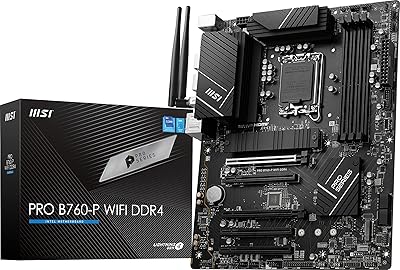
MSI PRO B760-P WiFi DDR4
82%
91%
Value for Money
87%
Build Quality
89%
BIOS Experience
84%
CPU Power Delivery
88%
Wireless Connectivity
More
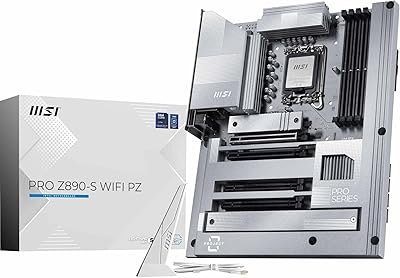
MSI PRO Z890-S WiFi PZ Motherboard
87%
92%
Performance with Intel Core Ultra Processors
89%
Connectivity & Network Speed
87%
Ease of Installation & Setup
85%
Cooling Efficiency
88%
Storage Options & Expansion
More
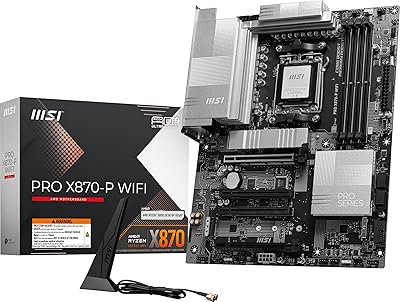
MSI PRO X870-P WiFi ProSeries Motherboard
85%
91%
Performance
94%
Cooling Efficiency
88%
Wi-Fi & Connectivity
85%
Ease of Installation
90%
Compatibility with AMD Ryzen Processors
More
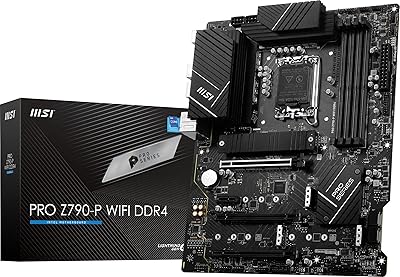
MSI PRO Z790-P WiFi DDR4 Motherboard
83%
91%
Performance for Gaming
88%
Future-Proofing Features
85%
Thermal Management
80%
Ease of Installation
89%
Wi-Fi and Connectivity
More
INLAND MSI PRO B650-P WiFi Motherboard with AMD Ryzen 5 7600X Processor
86%
92%
Performance for Gaming
88%
Overall System Stability
75%
Thermal Management
85%
Setup and Installation
90%
Multitasking Performance
More
INLAND Intel i5-12600KF + MSI PRO Z790-P WiFi DDR4 Motherboard Combo
85%
88%
Overall Performance
91%
Value for Money
85%
Ease of Installation
89%
Gaming Performance
84%
Thermal Management
More

FAQ

It depends on the specific board revision you receive. Some units ship with a BIOS version that already supports Ryzen 5000 series, while others may require an update using an older Ryzen 3000 CPU first. MSI's Flash BIOS button on the rear panel allows you to update without installing a CPU at all, which is genuinely helpful if you only own a 5000 series chip.

Yes, but only if your CPU includes integrated graphics — meaning you need a Ryzen APU such as a Ryzen 5 5600G or similar G-series processor. Standard Ryzen 5000 non-G chips like the 5600X do not include integrated graphics, so you would need a dedicated GPU in that case. The board does provide both HDMI and DisplayPort outputs specifically for APU-based builds.

It is genuinely useful if your router supports Wi-Fi 6 or 6E. In practice, the integrated wireless on the MSI PRO B550M-VC WiFi performs reliably for home office use, streaming, and online gaming at moderate distances. Where it shows limits compared to premium dedicated cards is in very large spaces or highly congested multi-router environments, but for most home setups it works well.
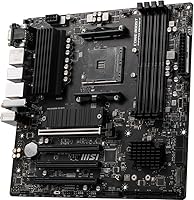
There are two M.2 slots. The primary slot supports PCIe Gen4 x4 NVMe drives at full speed and is covered by the M.2 Shield Frozr thermal plate. The secondary slot is Gen3 and supports both PCIe NVMe and SATA M.2 drives, so it is flexible but noticeably slower than the primary when populated with a fast NVMe SSD.

Most DDR4-3200 and DDR4-3600 kits from major brands will boot and run stably after enabling XMP in the BIOS, which takes about thirty seconds on the first boot. A minority of users with certain high-frequency kits above 3800MHz have reported needing additional manual sub-timing adjustments to achieve stability. It is worth checking the MSI memory compatibility list before purchasing an exotic kit.

It will run a Ryzen 9 5900X, but with caveats. Under light to moderate workloads the board handles it fine, but during prolonged, heavy tasks like extended video rendering or overclocked multi-core loads, the VRM can run warm. If a Ryzen 9 build under sustained professional workloads is the goal, a board with a more robust VRM heatsink design would be a better long-term choice.

The board provides four SATA 6Gb/s ports. When the secondary M.2 slot is occupied by a SATA M.2 drive, one of the SATA ports is disabled due to shared bandwidth — this is standard B550 chipset behavior. Using NVMe M.2 drives in both slots leaves all four SATA ports active.

Yes, external antenna connectors and a basic antenna set are included in the box. The antennas are functional for typical home environments but are not high-gain units — if your PC placement is far from your router, you may want to consider a longer aftermarket antenna or relocating the system closer to the access point.

Most standard AM4 tower coolers and all-in-one liquid coolers fit without issues given the mATX layout. The board uses the standard AMD AM4 mounting pattern, so existing coolers from Ryzen 3000 builds transfer directly. Just confirm your cooler's base plate does not extend over the RAM slots — some large dual-tower designs can conflict with full-height DIMMs in certain configurations.

It is genuinely one of the friendlier options at this tier for newcomers. The BIOS has a clean EZ Mode that walks you through basic configuration, and MSI provides solid documentation and online resources. The main thing first-timers should know is to enable XMP manually after the first boot to ensure RAM runs at its rated speed — the board will not do that automatically by default.