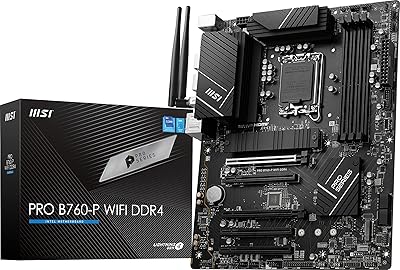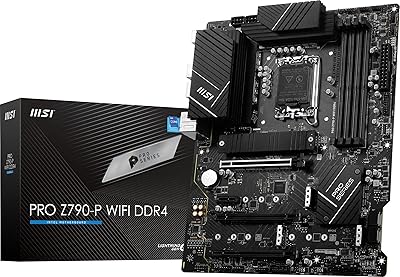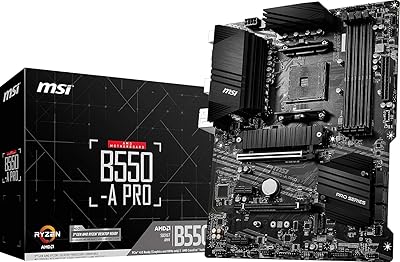
Overview

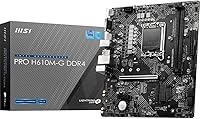
The MSI PRO H610M-G DDR4 mATX Motherboard is a no-nonsense board built around Intel's H610 chipset, aimed squarely at everyday PC builders who want a dependable LGA 1700 platform without breaking the bank. It supports 12th, 13th, and 14th Gen Intel Core processors in a compact Micro-ATX form factor that fits most standard cases without hassle. Don't expect overclocking support or premium VRM hardware here — this board's purpose is straightforward reliability. Still, its consistent ranking near the top of Amazon's motherboard charts tells you something real: budget-conscious builders have found it to be exactly what they needed.

Features & Benefits

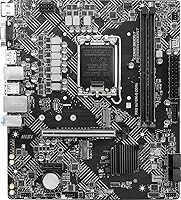
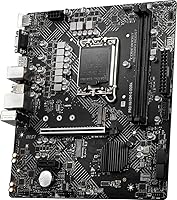
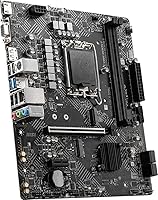
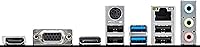
Two DDR4 DIMM slots run at up to 3200MHz, which covers most productivity workloads without issue — though anyone planning four sticks down the road will need a different board. The PCIe 4.0 x16 slot is reinforced with Steel Armor, offering some physical protection for heavier graphics cards. A single M.2 Gen3 x4 slot handles fast NVMe storage neatly without eating into your SATA ports. Video output covers HDMI 2.1 at 4K/60Hz, DisplayPort 1.4, and even a legacy VGA connection for older monitors. Throw in onboard 7.1 audio and a 1Gbps LAN port, and you have a complete foundation without needing add-in cards.

Best For

This MSI H610 board is a natural fit for first-time builders piecing together a home or office PC on a tight component budget. Pair it with an Intel Core i3 or i5 and you have a capable everyday productivity machine that handles browsing, office apps, and light content work without friction. It also suits upgraders moving from an older Intel platform who want current-gen compatibility without paying a premium for a Z690 or B660 board. mATX case builders will appreciate the compact layout. Just be realistic: if serious gaming or heavy multitasking with expanded RAM is the plan, this budget Intel motherboard will start to show its limits.

User Feedback

Buyers frequently praise how painless the installation is, with many first-timers noting the BIOS is clean and approachable — a genuine plus for anyone who hasn't built a PC before. Long-term stability also comes up consistently, with users reporting steady boot behavior across months of regular use. On the other side, the two-slot RAM cap draws the most complaints, particularly from people who later wished they had room to expand. The single M.2 slot is another recurring frustration for anyone planning a multi-drive setup. The H610M-G DDR4 earns its ratings not by wowing anyone, but by delivering on the basics reliably — and at this price, that counts for quite a lot.

Pros

  • Supports 12th, 13th, and 14th Gen Intel Core processors, giving the platform real longevity.
  • BIOS setup is clean and approachable, even for first-time PC builders.
  • PCIe 4.0 x16 slot with Steel Armor handles modern graphics cards without wobble or stress.
  • Onboard HDMI 2.1 outputs 4K at 60Hz with no extra hardware needed.
  • The M.2 Gen3 slot keeps fast SSD storage off the SATA bus, preserving drive bay flexibility.
  • Onboard 7.1 audio is solid enough for office and casual use without an add-in sound card.
  • Compact mATX dimensions fit a wide range of mid and small tower cases.
  • 1Gbps LAN is built in, so there is no need to budget for a separate network adapter.
  • Long-term boot stability earns consistent praise from users months after initial setup.
  • Accessible price point leaves more budget available for CPU, RAM, or storage upgrades.

Cons

  • Only two RAM slots means no room to expand beyond your initial memory configuration.
  • No overclocking support makes K-series Intel CPUs a wasted investment on this board.
  • A single M.2 slot is a real constraint for anyone planning a multi-drive NVMe setup.
  • VRM capability is modest, which can limit sustained performance under heavier CPU workloads.
  • No Wi-Fi onboard — wireless connectivity requires a separate adapter or PCIe card.
  • Limited to DDR4, so buyers cannot take advantage of faster DDR5 memory down the line.
  • Only one PCIe x16 slot leaves no room for a second GPU or high-bandwidth expansion card.
  • Accessory bundle is minimal; do not expect extras beyond the basics in the box.

Ratings

The MSI PRO H610M-G DDR4 mATX Motherboard has been scored by our AI system after processing verified buyer reviews from multiple global markets, with spam, bot activity, and incentivized feedback actively filtered out. Scores reflect the honest consensus of real builders — from first-time assemblers to experienced upgraders — and transparently capture both what this board does well and where it falls short.

Value for Money
88%
For builders working with a tight component budget, this MSI H610 board consistently punches above its weight. Buyers frequently note that the feature set — PCIe 4.0, onboard 4K video output, 7.1 audio, and gigabit LAN — would have cost noticeably more just a few years ago at this price tier.
A handful of reviewers feel the two-slot RAM ceiling and single M.2 slot limit long-term value, since expanding the build later may require replacing the board entirely rather than just adding components.
Ease of Installation
91%
First-time builders consistently single out this board as one of the least stressful platforms to set up. The component layout is logical, clearance around the CPU socket and DIMM slots is adequate, and the rear I/O area is clearly labeled, which reduces the guesswork during initial assembly.
A small number of users reported needing a BIOS update before their 13th or 14th Gen CPU was recognized, which can be tricky for beginners who do not have an older compatible processor on hand to perform the flash.
BIOS Experience
84%
MSI's BIOS on the H610M-G DDR4 is frequently praised for being clean and navigable, even by users who had never entered a UEFI environment before. Basic settings like boot order and XMP memory profiles are easy to locate without digging through nested menus.
Advanced users note that the H610 platform's locked chipset makes much of the BIOS essentially read-only for performance tuning, which can feel limiting if you are used to boards with fuller overclocking menus.
Long-Term Stability
86%
Boot reliability is one of the most consistently praised aspects across user feedback. Builders running this budget Intel motherboard in always-on home office and small business environments report stable behavior over many months, with no unexpected shutdowns or POST failures under normal workloads.
A few users running power-hungry 65W or higher TDP processors for extended periods noted that the board can run warm under sustained load, which is worth monitoring if the build lacks adequate case airflow.
Build Quality
79%
21%
The PCB feels solid for the price tier, and the Steel Armor reinforcement on the PCIe x16 slot is a practical detail that helps secure heavier graphics cards without flex. Most buyers found the physical construction in line with — or slightly better than — expectations at this budget level.
The board does not have the premium feel of higher-end MSI lines, and the VRM heatsink coverage is minimal. While this is acceptable for stock-clocked builds, the absence of robust thermal management components is visible once you look closely at the board.
CPU Compatibility
87%
Supporting three consecutive Intel generations — 12th, 13th, and 14th Gen — on a single LGA 1700 socket gives this board real practical longevity. Buyers who started with a Core i3 have noted the straightforward path to dropping in a more powerful Core i5 or i7 without changing platforms.
The H610 chipset's lack of overclocking support means K-series processor buyers get no benefit from the unlocked multiplier, and the board's power delivery is not designed to sustain peak performance from the higher-TDP chips in Intel's lineup.
Memory Performance
71%
29%
For everyday productivity tasks, DDR4-3200MHz is entirely adequate, and buyers running standard 16GB or 32GB kits report stable, error-free operation. XMP profiles load reliably in the BIOS without manual tweaking in most cases.
The hard limit of two DIMM slots is a recurring frustration in user feedback. Builders who started with two 8GB sticks and later wanted 64GB found themselves stuck, and there is no upgrade path short of replacing the entire RAM kit with higher-capacity modules.
Storage Options
68%
32%
The single M.2 Gen3 x4 slot handles fast NVMe drives cleanly, and its placement keeps cabling tidy. For a single-drive productivity or office build, this is genuinely sufficient and the SATA ports cover additional mechanical or budget SSD storage needs.
One M.2 slot is a meaningful limitation for anyone building a content creation or multi-drive workstation. Users who later wanted to add a secondary NVMe drive found themselves either using a slower SATA SSD or considering a board swap, neither of which is ideal.
Display Output Flexibility
83%
Three video output options — HDMI 2.1, DisplayPort 1.4, and VGA — cover a wide range of monitor setups without needing a discrete GPU. The HDMI 2.1 port's 4K/60Hz support is a genuine differentiator at this price, useful for home office users connecting to larger displays.
Running multiple monitors simultaneously from the integrated graphics outputs can be inconsistent depending on the processor's iGPU capability, and the VGA port, while useful for legacy monitors, limits output to lower resolutions and refresh rates.
Onboard Audio
74%
26%
The 8-channel 7.1 HD Audio with Audio Boost is more than adequate for office calls, music playback, and casual media consumption. Users replacing older boards with weaker audio codecs often note a clear improvement without needing a dedicated sound card.
Dedicated audio enthusiasts and streamers who rely on clean microphone input or low-latency monitoring will likely outgrow the onboard audio relatively quickly. At higher volumes, a small number of users noted audible background hiss on certain headphone outputs.
Networking
81%
19%
The integrated 1Gbps LAN controller performs reliably in daily use, with buyers noting stable connections in demanding home office and light server environments. Not having to budget for a separate network adapter is a practical convenience that adds to the overall value proposition.
In an era where 2.5Gbps onboard LAN is becoming common even on mid-range boards, the 1Gbps ceiling feels like a modest limitation for users on fast home networks or those doing regular large file transfers over local storage.
Thermal Management
62%
38%
For light and moderate workloads — web browsing, office applications, light video playback — the board's passive cooling solution keeps component temperatures well within safe ranges without any active cooling required on the VRM area.
Under sustained CPU loads, particularly with higher-TDP Intel processors, the minimal VRM heatsinking becomes a concern. Several users in warmer environments or smaller cases reported higher-than-expected temperatures around the power delivery section during extended use.
Expansion Potential
58%
42%
The available PCIe slot, M.2 slot, and SATA ports cover the basics for a primary build, and the USB 3.2 headers give reasonable front-panel connectivity for current cases. For a fixed-purpose office or entry-level gaming machine, the expansion on offer is workable.
The overall expansion ceiling is low compared to B660 or Z690 alternatives. With a single M.2 slot, one PCIe x16 slot, and only two RAM slots, the H610M-G DDR4 leaves little room to grow — users who caught the upgrade bug within a year of building frequently mentioned regretting not spending a bit more on the platform.
Accessory & Bundle
66%
34%
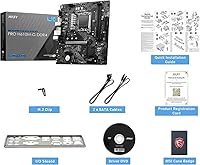
The included accessories cover the minimum needed to complete an install — an I/O shield is included, and the manual is clear enough for beginners to follow through the initial setup without confusion. Most builders found nothing missing for a standard build.
There are no SATA cables included, which surprised several first-time builders who did not realize they needed to purchase them separately. The bundle feels appropriately minimal for a budget board, but the omission of even one SATA cable is a small but notable oversight.

Suitable for:

The MSI PRO H610M-G DDR4 mATX Motherboard is an ideal pick for anyone building a practical, reliable PC without a lot of budget to burn on the platform itself. First-time builders will find the straightforward layout and accessible BIOS genuinely approachable, lowering the anxiety that often comes with a first build. Home and office users who need a stable daily driver for productivity tasks — document work, video calls, light photo editing — will get everything they need here without paying for features they will never use. It also suits upgraders stepping into Intel's 12th, 13th, or 14th Gen ecosystem on a tighter budget, since it accepts a wide range of LGA 1700 processors and can grow with a CPU upgrade later. Builders working with compact mATX cases will appreciate how neatly the board fits without sacrificing the core connectivity most setups actually require.

Not suitable for:

The MSI PRO H610M-G DDR4 mATX Motherboard is a poor match for anyone who plans to push their hardware beyond its defaults. The H610 chipset does not support overclocking, so pairing it with a K-series processor is essentially wasting money on unlocked CPU performance you cannot access. With only two RAM slots, anyone planning to start small and expand memory capacity over time will quickly hit a hard ceiling. Power users or content creators running multiple NVMe drives simultaneously will also find the single M.2 slot genuinely restrictive. Serious gamers chasing high-refresh-rate performance with demanding titles would be better served by a B660 or Z690 board that offers more headroom, better power delivery, and greater feature depth — this budget Intel motherboard simply was not designed for that kind of sustained load.

Specifications

  • Form Factor: The board uses the Micro-ATX standard, measuring 9.6 x 9.6 inches, making it compatible with most mATX and full ATX cases.
  • Chipset: Built on Intel's H610 chipset, which provides solid platform stability for everyday workloads but does not support CPU overclocking.
  • CPU Socket: Uses the LGA 1700 socket, compatible with Intel 12th, 13th, and 14th Gen Core processors as well as Pentium Gold and Celeron options.
  • Memory Type: Supports DDR4 memory exclusively via two DIMM slots, running at speeds up to 3200MHz under default XMP profiles.
  • RAM Slots: Two physical DIMM slots are available, which sets a hard limit on the number of memory modules the board can accept.
  • GPU Slot: One PCIe 4.0 x16 slot with Steel Armor reinforcement accommodates full-sized discrete graphics cards from current and recent generations.
  • M.2 Storage: A single M.2 Gen3 x4 slot supports NVMe SSDs up to standard lengths, keeping fast storage off the SATA controller entirely.
  • SATA Ports: Multiple SATA 6Gb/s ports provide connectivity for traditional hard drives and SATA-based solid state drives.
  • Video Outputs: Three display outputs are available: HDMI 2.1 supporting 4K at 60Hz, DisplayPort 1.4, and a legacy VGA port for older monitors.
  • Onboard Audio: An 8-channel 7.1 HD Audio codec with MSI Audio Boost delivers clean output suitable for office use and casual media playback.
  • LAN: A 1Gbps onboard Ethernet controller provides stable wired network connectivity without requiring a separate adapter.
  • USB Support: The board includes USB 3.2 connectivity across rear and internal headers for peripherals and front-panel connections.
  • Wireless: No onboard Wi-Fi or Bluetooth is included; wireless connectivity requires a separately purchased PCIe or USB adapter.
  • Dimensions: The board measures 9.6 x 9.6 x 2.5 inches and weighs approximately 1.7 pounds, consistent with standard mATX sizing.
  • OS Support: Officially supported operating systems include Windows 10 and Windows 11, with driver packages available through MSI's support portal.
  • Power Design: The board uses a digital power design described by MSI as Core Boost, intended to deliver stable voltage to the CPU under normal loads.
  • Overclocking: Overclocking is not supported on the H610 chipset; CPU multiplier and base clock adjustments are locked at stock settings.
  • Weight: The board weighs 1.7 pounds, which is typical for a populated mATX PCB with standard heatsinks and I/O shielding.

Related Reviews
MSI PRO Z690-A DDR4 Motherboard
84%
92%
Performance
89%
Thermal Management
87%
Value for Money
91%
Build Quality
78%
Installation Ease
More
MSI PRO B760-P WiFi DDR4
82%
91%
Value for Money
87%
Build Quality
89%
BIOS Experience
84%
CPU Power Delivery
88%
Wireless Connectivity
More
MSI PRO Z790-P WiFi DDR4 Motherboard
83%
91%
Performance for Gaming
88%
Future-Proofing Features
85%
Thermal Management
80%
Ease of Installation
89%
Wi-Fi and Connectivity
More
INLAND Intel i5-12600KF + MSI PRO Z790-P WiFi DDR4 Motherboard Combo
85%
88%
Overall Performance
91%
Value for Money
85%
Ease of Installation
89%
Gaming Performance
84%
Thermal Management
More
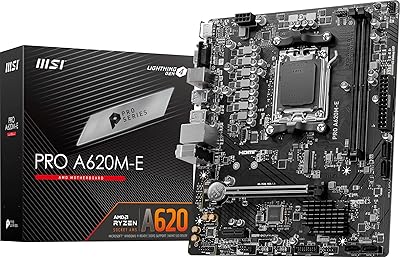
MSI PRO A620M-E Motherboard
84%
91%
Value for Money
85%
Performance for Gaming
88%
Ease of Installation
93%
Memory Support
90%
Compatibility with AMD Ryzen 7000
More
MSI B550-A PRO V1 Motherboard
84%
88%
Performance
91%
Value for Money
85%
Ease of Setup
89%
Compatibility with Ryzen 5000 Series
72%
Connectivity (I/O Ports)
More
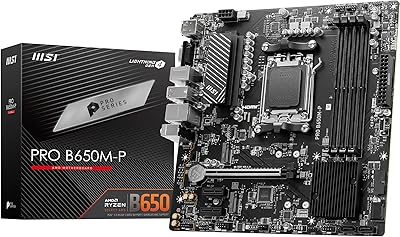
MSI PRO B650M-P V1 Micro-ATX Motherboard
82%
89%
Value for Money
91%
BIOS & Software
84%
Build Quality
67%
VRM & Power Delivery
92%
Storage Performance
More
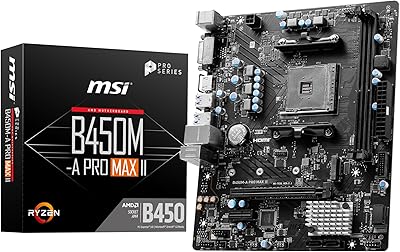
MSI B450M-A Pro Max II Motherboard
85%
89%
Value for Money
85%
Performance
91%
Setup and Installation
88%
Memory Support
87%
Processor Compatibility
More
GIGABYTE H610M S2H V2 DDR4 Motherboard
83%
91%
Value for Money
88%
Performance with Intel CPUs
85%
Ease of Installation
83%
Build Quality
89%
Power Delivery Stability
More
MSI B550M PRO-VDH WiFi
80%
91%
Value for Money
88%
BIOS Experience
78%
Wireless Connectivity
72%
CPU Power Delivery
69%
RAM Compatibility & Stability
More

FAQ

Yes, the H610M-G DDR4 supports 12th, 13th, and 14th Gen Intel Core processors on the LGA 1700 socket. You may need to update the BIOS first if the board ships with an older firmware version, so it is worth checking MSI's site before installing a newer CPU.

Not really. The H610 chipset locks CPU overclocking, so even K-series processors will run at stock speeds. RAM is limited to DDR4-3200MHz via XMP, but manual frequency adjustments beyond that are not supported on this platform.

With two DIMM slots and DDR4 support, you can install up to two sticks of RAM. The practical ceiling depends on the module sizes available, but the two-slot limit is a real constraint if you ever want to expand beyond your starting configuration.

It is genuinely one of the more beginner-friendly options at this price. The BIOS is clean and well-organized, the layout is logical, and installation is straightforward. Many first-time builders specifically mention how uncomplicated the whole process felt with this board.

No, there is no onboard Wi-Fi or Bluetooth. If you need wireless connectivity, you will need to add a PCIe Wi-Fi card or a USB adapter separately — worth factoring into your total build budget.

Yes, the single PCIe 4.0 x16 slot supports modern discrete GPUs. The Steel Armor reinforcement helps hold heavier cards in place, which is a small but welcome touch at this price point.

That is where this board hits a wall — there is only one M.2 slot, so a second NVMe drive is not an option without using a SATA SSD instead. If multi-drive NVMe setups are on your roadmap, a board with two or more M.2 slots would be a smarter long-term choice.

Yes, if your Intel processor has integrated graphics, the HDMI 2.1 port can output 4K at 60Hz directly. The DisplayPort 1.4 output also supports high-resolution displays, and the VGA port covers older monitors that lack digital inputs.

Most buyers find it holds up well for what it costs. The PCB feels solid, the slot reinforcement is a nice detail, and the I/O area is tidy. It does not feel premium, but it does not feel cheap either — the feedback from long-term owners suggests it stays reliable well past the initial setup.

The board ships with a standard rear I/O shield that snaps into the case cutout before the motherboard is installed. It is a basic included accessory and does the job without any issues reported by most builders, though the fit can vary slightly depending on the case manufacturer.

Where to Buy