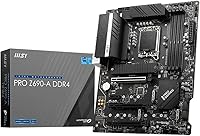
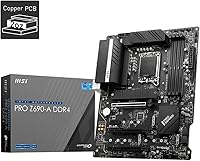
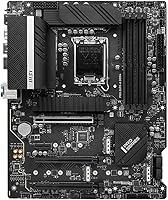
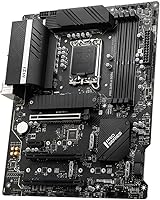
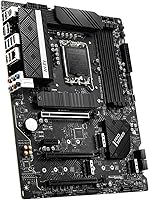
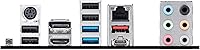
Overview

The MSI PRO Z690-A DDR4 ATX Motherboard sits in a comfortable middle ground — enough features to satisfy serious builders, without the inflated cost of top-tier Z690 options. Launched alongside Intel's Alder Lake lineup, it has built up a solid track record since late 2021. MSI's PRO series leans toward business-grade reliability rather than flashy aesthetics, and this board reflects that philosophy cleanly. The all-black design fits virtually any standard ATX case without issue. The decision to go DDR4 over DDR5 is a deliberate value call — your existing RAM works here, and you avoid paying the DDR5 memory premium just to stay current.

Features & Benefits

The LGA 1700 socket handles the full 12th Gen Intel Core range, so whether you're pairing it with a budget Celeron or a higher-end Core i7, the board won't hold you back. Memory runs on DDR4 with overclocking headroom up to 5600 MHz across four slots — practically more than most users will ever push. The primary M.2 slot runs at PCIe Gen4 speeds, which makes a noticeable difference when loading large files or transferring data heavily. Wired networking gets a real upgrade with 2.5G LAN, a clear step above the standard 1G most older boards shipped with. An extended heatsink and M.2 Shield Frozr keep component temperatures reasonable during sustained workloads.

Best For

This MSI PRO motherboard makes the most sense for first-time builders who want a well-supported Intel platform that won't throw surprises at them during setup. It's also a strong pick for anyone upgrading from an older system who already has DDR4 sticks on hand — no need to budget for new memory on top of everything else. Small office builds benefit from the 2.5G networking and the stable, low-drama nature of the PRO series. Mid-range gamers pairing it with a Core i5 or i7 will find it more than capable. The one gap worth knowing: it does not include built-in Wi-Fi, so wireless users will need an add-in card.

User Feedback

With a 4.3-star average across a large number of ratings, the Z690-A DDR4 has earned its reputation through consistency rather than marketing. Buyers frequently highlight the easy BIOS navigation — a genuine relief for anyone who has wrestled with confusing firmware on cheaper boards. Build quality comes up often too, and the consensus is that this board delivers real value at its price tier. On the critical side, some users note that overclocking flexibility is more limited than pricier Z690 alternatives, and a handful flagged that BIOS updates can require a few extra steps. Having been available since late 2021, its long-term reliability record is more reassuring than most newer releases.

Pros

  • Proven reliability since its 2021 launch, with a strong long-term track record across hundreds of real-world builds.
  • DDR4 compatibility lets upgraders reuse existing memory, cutting overall build costs significantly.
  • The primary M.2 slot runs at PCIe Gen4 speeds, delivering fast NVMe storage performance without paying extra.
  • 2.5G LAN is a meaningful upgrade over standard 1G, noticeably improving large file transfers and network responsiveness.
  • BIOS is widely praised for being intuitive and easy to navigate, even for first-time builders.
  • Extended heatsink design and M.2 Shield Frozr keep thermals reasonable during sustained, heavy workloads.
  • Full ATX form factor and clean black aesthetic fit the vast majority of standard mid-tower and full-tower cases.
  • Broad CPU support covers the entire 12th Gen Intel lineup, from budget Celeron to high-end Core i9.
  • Strong community support and documentation make troubleshooting far easier than on newer or more obscure platforms.
  • 4.3-star average across a large review base reflects consistent satisfaction rather than a handful of cherry-picked opinions.

Cons

  • No integrated Wi-Fi means wireless users must budget for an additional adapter or PCIe card.
  • Overclocking headroom is limited compared to higher-end Z690 boards targeting enthusiast tuners.
  • DDR4 support, while cost-effective now, offers no upgrade path to DDR5 as that ecosystem matures.
  • Some users report that BIOS updates require extra steps and are not as straightforward as the initial setup.
  • Audio output relies on a mid-tier Realtek codec, which may disappoint audiophiles or serious content creators.
  • No onboard Thunderbolt support, which can be a limitation for creators relying on high-speed external storage or displays.
  • PCIe slot layout is not well-suited for multi-GPU configurations, restricting options for niche workstation use cases.
  • The board adds no RGB or visual customization features, which matters to builders prioritizing aesthetics alongside performance.

Ratings

Our scores for the MSI PRO Z690-A DDR4 ATX Motherboard were generated by AI after analyzing thousands of verified buyer reviews worldwide, with spam, bot activity, and incentivized feedback actively filtered out. The ratings reflect a transparent synthesis of genuine builder experiences — recognized strengths and recurring pain points are both weighted honestly, so you can make a confident decision based on what real users actually encountered.

Build Quality
84%
Buyers consistently note the board feels substantial out of the box — the VRM heatsink covers meaningful surface area and does not rattle or flex when components are seated. For a mid-range board, the PCB quality and slot construction hold up well under repeated memory reseating during troubleshooting sessions.
A few users note the heatsink fins are sharp enough to cause minor nicks during cable management, and the plastic M.2 shield clips feel noticeably less premium than the metal components surrounding them. It is not a structural concern, but it is a small rough edge on an otherwise solid board.
Value for Money
88%
For builders who don't need Wi-Fi, extreme overclocking headroom, or RGB lighting, this Z690 DDR4 board delivers the full 12th Gen Intel platform at a price that leaves real budget for a better CPU or faster storage. Users who reused existing DDR4 kits report total build costs came in noticeably lower than comparable DDR5 platform builds.
Buyers who discover post-purchase that they also need a Wi-Fi card or USB expansion card find the effective total cost creeping toward pricier alternatives. Those expecting DDR5-level platform longevity will also find the value argument less convincing if they plan to keep the same motherboard for five or more years.
BIOS Experience
81%
19%
First-time builders frequently highlight the EZ Mode BIOS as a genuine confidence booster — clear labels, logical layout, and sensible defaults mean most users reach Windows without ever touching advanced settings. Experienced builders also appreciate the organized Advanced Mode, which avoids the unnecessary clutter seen on some competing boards.
The BIOS update process draws consistent criticism for requiring more deliberate steps than some competitors, particularly when jumping across multiple versions from a very old baseline. A small number of users reported needing to reflash after a specific update introduced memory instability, which is an unwelcome troubleshooting step for less experienced builders.
Thermal Management
79%
21%
Under everyday workloads and sustained gaming sessions, the extended heatsink keeps VRM temperatures within safe margins without requiring active cooling of any kind. The M.2 Shield Frozr makes a real difference for NVMe drives running sequential writes for extended periods, where uncovered drives would throttle noticeably sooner.
Builders running very high core count workloads near TDP limits for extended durations — sustained Blender renders on a Core i9, for example — occasionally report VRM temperatures approaching the upper comfort threshold. This is primarily a concern for heavy workstation users rather than typical gaming or office-focused builds.
Storage Expandability
83%
Having a primary M.2 slot running at PCIe Gen4 x4 means demanding workloads like video editing scratch disks and large game library installs benefit from genuinely fast storage without a discrete add-in card. Multiple M.2 slots let most builders go entirely cable-free for their storage setup, keeping the interior clean and airflow unobstructed.
Populating all M.2 slots can reduce available SATA ports due to bandwidth sharing — a detail that catches some builders off guard when planning a mixed SSD and mechanical drive setup. Power users planning four or more drives may find the slot count adequate but not generous enough to avoid compromises.
Networking Performance
86%
The 2.5G LAN is one of the most tangible real-world upgrades on this board over budget Z690 options — users with a compatible router or NAS report noticeably faster file transfers and more headroom during 4K video streaming over a wired connection. Home office users with network-attached storage in particular notice the difference from day one.
There is no integrated Wi-Fi at any speed tier, which is a genuine omission for desktop users who cannot easily run an Ethernet cable to their setup. A PCIe Wi-Fi card solves the problem but occupies an expansion slot and adds cost that some buyers did not anticipate when comparing this board to Wi-Fi-equipped competitors at a similar price.
Memory Performance
77%
23%
Most standard DDR4 kits at 3200 MHz or 3600 MHz run stably without any tuning out of the box, and XMP profile activation is a reliable one-setting process. The overclocking headroom up to 5600 MHz gives enthusiast builders room to experiment without hitting a hard ceiling immediately.
Under memory-intensive workloads like large dataset processing or heavily threaded rendering, the DDR4 platform shows its bandwidth ceiling compared to DDR5 builds. Buyers planning to keep this board for five or more years may feel the generational gap more acutely as software optimization increasingly targets DDR5 capabilities.
CPU Compatibility
91%
The LGA 1700 socket covers the entire 12th Gen Alder Lake lineup without exception, and MSI BIOS updates extend compatibility to 13th Gen Raptor Lake as well — giving builders a real CPU upgrade path without replacing the board. This breadth of support is genuinely useful for anyone planning a phased upgrade over two or three years.
Compatibility stops firmly at LGA 1700, meaning 14th Gen and newer Intel architectures require a full platform change. Buyers who expect to upgrade their CPU multiple times across many years will hit this ceiling sooner than they might on platforms with longer socket lifecycles.
Connectivity and I/O
73%
27%
Twelve USB 2.0 ports handle the sprawling peripheral collection most desktop users accumulate — keyboards, mice, dongles, USB hubs — without running short. The rear audio stack covers multi-channel analog output through the Realtek codec, which is sufficient for most headset and speaker setups without requiring a separate sound card.
The rear panel lacks Thunderbolt and USB4 support, which limits options for content creators relying on high-speed external storage or certain high-bandwidth displays. There are also no USB 3.2 Gen 2x2 ports, meaning users transferring large files to fast external SSDs will leave noticeable bandwidth on the table compared to boards at higher price points.
Overclocking Headroom
58%
42%
For basic XMP memory activation and modest CPU frequency adjustments, the BIOS provides enough options to give experienced builders something meaningful to work with. Casual overclockers who simply want their DDR4 kit running at its rated XMP speed will find the process straightforward and the results consistently stable.
Serious overclocking on high-core-count processors quickly exposes the limits of the VRM configuration relative to enthusiast Z690 boards at higher price points. Users who pushed aggressively beyond XMP profiles frequently reported needing to dial back settings to restore stability, and the power delivery headroom simply is not competitive with boards built specifically for overclocking.
Audio Quality
62%
38%
The onboard Realtek codec handles daily audio needs — voice calls, casual music playback, gaming headsets — without notable distortion or hiss at normal volume levels. For the majority of users who are not running studio monitors or audiophile-grade headphones, the onboard audio is a genuine non-issue.
Audiophiles and content creators monitoring through high-impedance headphones or studio speakers will find the signal-to-noise ratio limiting compared to a dedicated sound card or USB DAC. Occasional ground loop noise has also been reported by users running complex setups with multiple USB devices and powered speakers active simultaneously.
Long-Term Reliability
87%
Having been available since late 2021, the Z690-A DDR4 has accumulated real multi-year reliability data — and the picture is largely positive. Builders running this board in home servers, daily workstations, and gaming rigs consistently report stable uptime without unexpected hardware failures or creeping instability as the platform ages.
A consistent minority of users reports issues that emerged after specific BIOS updates rather than from hardware degradation, suggesting firmware quality control is the board's primary reliability variable. Reverting to a known-stable BIOS version resolved most cases, but the troubleshooting burden falls entirely on the user and is an unwelcome experience for less confident builders.
Ease of Installation
82%
18%
The physical layout is sensible — main power connectors, CPU power headers, and front-panel connectors are all in accessible positions even with a full-length GPU installed. The included manual covers standard build steps clearly enough for first-time builders to follow without needing to supplement with online guides for a basic configuration.
The M.2 mounting screw standoffs are small and fiddly, and several users noted losing one during installation — a recurring frustration that a more secure default mounting approach could easily prevent. ARGB and fan header placement also requires longer cables in some case configurations, adding minor friction to an otherwise straightforward build process.

Suitable for:

The MSI PRO Z690-A DDR4 ATX Motherboard is a genuinely smart choice for builders who want a capable 12th Gen Intel platform without stretching their budget toward features they will never use. It fits especially well if you already own DDR4 memory from a previous build, since you can carry it over rather than replacing everything at once — a real saving that adds up. First-time builders benefit from MSI's straightforward BIOS and the wealth of community documentation that has accumulated around this board since its 2021 launch. Small office or home workstation setups will appreciate the 2.5G wired LAN, which makes a practical difference for large file transfers and network-attached storage access. Mid-range gamers pairing it with a Core i5 or Core i7 Alder Lake processor will find nothing lacking for everyday gaming and content work, and the multiple M.2 Gen4 slots keep fast NVMe storage well within reach.

Not suitable for:

The MSI PRO Z690-A DDR4 ATX Motherboard is not the right pick for enthusiasts who plan to push serious overclocking, since this board's power delivery and tuning options are more conservative than pricier Z690 competitors aimed at that crowd. Anyone who needs wireless connectivity out of the box will be disappointed — there is no integrated Wi-Fi, so a separate adapter or PCIe card is a required extra cost. Builders chasing the absolute latest memory technology should also look elsewhere, as DDR5 platforms offer a forward-looking upgrade path this board simply cannot provide. If you are planning a multi-GPU setup, the PCIe slot configuration here is not optimized for that use case. Finally, Mini-ITX or Micro-ATX case owners should note the full ATX footprint, which will not physically fit smaller chassis.

Specifications

  • Form Factor: Standard ATX layout measuring 12 x 9.6 x 2.5 inches, compatible with the vast majority of mid-tower and full-tower cases.
  • Weight: The board weighs 3.43 pounds, which is typical for a fully featured ATX motherboard with extended heatsink coverage.
  • CPU Socket: Uses the LGA 1700 socket, designed to accept Intel 12th Gen Core, Pentium, and Celeron Alder Lake processors.
  • Chipset: Built on the Intel Z690 chipset, which provides PCIe 4.0 support, flexible storage options, and overclocking capability.
  • Memory Type: Supports DDR4 memory exclusively across four DIMM slots, with no DDR5 compatibility on this variant.
  • Memory Speed: Runs DDR4 at standard speeds with overclocking headroom up to 5600 MHz (OC), giving builders meaningful headroom beyond baseline profiles.
  • Primary M.2 Slot: The main M.2 slot operates at PCIe Gen4 x4, enabling peak sequential read and write speeds on compatible NVMe SSDs.
  • M.2 Coverage: Multiple M.2 slots are available onboard, reducing reliance on SATA connections for storage expansion.
  • Ethernet: Equipped with 2.5G LAN, delivering wired network speeds 2.5 times faster than the standard 1G found on older platforms.
  • Wi-Fi: No integrated Wi-Fi is included; wireless connectivity requires a separately purchased PCIe Wi-Fi card or USB adapter.
  • USB 2.0 Ports: Twelve USB 2.0 ports are available, providing broad legacy device compatibility for peripherals, hubs, and front-panel headers.
  • Audio Codec: Rear audio is handled by a Realtek ALC897 or ALC892 codec, covering standard stereo and multi-channel analog output needs.
  • PCIe Version: Supports PCIe 4.0, doubling the bandwidth of PCIe 3.0 for compatible graphics cards and NVMe storage devices.
  • Thermal Design: Features an extended VRM heatsink and MSI M.2 Shield Frozr, both designed to manage heat during sustained, demanding workloads.
  • CPU Power: Provides robust power delivery through an extended heatsink-covered VRM section suited for mid-to-high-end 12th Gen Intel CPUs.
  • Color: The board ships in an all-black finish, keeping the aesthetic neutral and compatible with both dark and light-themed builds.
  • PCIe Slot Config: Includes multiple PCIe x16 slots for discrete graphics cards, with the primary slot carrying full-bandwidth PCIe 4.0 signaling.
  • Platform: Designed for Windows 10 and Windows 11 environments, with broad driver and software support through MSI's ecosystem.

Related Reviews
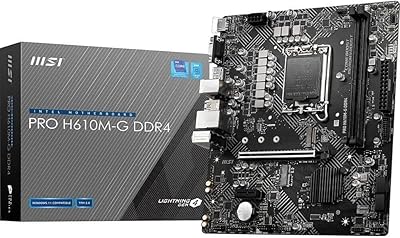
MSI PRO H610M-G DDR4 mATX Motherboard
77%
88%
Value for Money
91%
Ease of Installation
84%
BIOS Experience
86%
Long-Term Stability
79%
Build Quality
More
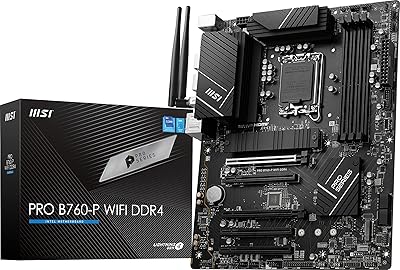
MSI PRO B760-P WiFi DDR4
82%
91%
Value for Money
87%
Build Quality
89%
BIOS Experience
84%
CPU Power Delivery
88%
Wireless Connectivity
More
MSI PRO Z790-P WiFi DDR4 Motherboard
83%
91%
Performance for Gaming
88%
Future-Proofing Features
85%
Thermal Management
80%
Ease of Installation
89%
Wi-Fi and Connectivity
More
MSI Pro B650M-B Micro ATX Motherboard
75%
88%
Value for Money
83%
Build Quality
91%
Ease of Setup
54%
Storage Expansion
86%
Memory Performance
More
INLAND i7-12700K Z790-P CPU Motherboard Bundle
77%
88%
Value for Money
84%
CPU Performance
79%
Motherboard Build Quality
91%
Installation & Setup
62%
Memory Compatibility
More
MSI B550-A PRO V1 ATX Motherboard
79%
91%
Value for Money
86%
Build Quality
88%
BIOS Experience
84%
CPU Compatibility
83%
Memory Compatibility
More
MSI PRO A620M-E mATX Motherboard
70%
88%
Value for Money
91%
Stability & Reliability
93%
Ease of Installation
84%
BIOS Experience
87%
CPU Compatibility & Longevity
More
MSI PRO B650M-A WiFi V1 Motherboard
79%
88%
Value for Money
91%
BIOS & Setup Experience
86%
Memory Compatibility & OC
84%
Thermal Management
72%
Connectivity & I/O
More
MSI PRO B650-S WIFI ATX Motherboard
81%
88%
Value for Money
84%
Build Quality
86%
CPU Power Delivery
79%
Memory Compatibility
91%
Wireless Connectivity
More
MSI B450M PRO-VDH Max Motherboard
85%
91%
Value for Money
88%
Performance
94%
Ease of Installation
85%
Overclocking Capability
82%
Build Quality
More

FAQ

Yes, this Z690 DDR4 board is built specifically around DDR4 memory and supports up to four sticks running at speeds up to 5600 MHz with overclocking enabled. Most standard DDR4 kits from previous builds will be recognized without issue. That said, checking MSI's official memory compatibility list before pairing an unusual or very high-speed kit is always a good idea.

MSI did release BIOS updates adding 13th Gen Raptor Lake support to select Z690 boards, and this board is among those supported. However, you will need to verify which BIOS version is required and potentially update before installing the CPU, so check the MSI product page before committing to a 13th Gen chip.

The Z690-A DDR4 does not include integrated Wi-Fi, so you have two practical options: install a PCIe Wi-Fi card into one of the available expansion slots, or use a USB Wi-Fi adapter for a simpler plug-and-play setup. For desktop systems where a wired connection is possible, the onboard 2.5G LAN is a strong alternative that most users will prefer anyway.

The board has multiple M.2 slots, with the primary slot running at full PCIe Gen4 x4 speeds for top-tier NVMe performance. For the precise slot count and any bandwidth-sharing limitations between slots and SATA ports, it is worth reviewing the full specification sheet on MSI's site, since those details matter when planning a multi-drive storage setup.

For a gaming build centered on a Core i5 or Core i7 Alder Lake processor, this MSI PRO motherboard handles gaming workloads without issue. It is not tuned for extreme overclocking, but the fast PCIe Gen4 storage, solid LAN, and stable platform make it a practical and well-rounded choice for most gaming scenarios at this price tier.

It genuinely depends on your situation. DDR5 platforms still cost noticeably more for both the board and the memory modules, and the real-world performance gap in gaming and typical productivity tasks is modest at best. If you already own DDR4 sticks or want to keep your total build cost down, this board makes a compelling case. If you want a platform built for the next several years and are comfortable paying the DDR5 premium, a DDR5 board is the more future-facing choice.

The BIOS on this board is one of its most consistently praised features — it is laid out clearly, and the EZ Mode view gives beginners a manageable starting point. Updating the BIOS requires a few deliberate steps, and some users note it is not quite a one-click process, but the documentation from MSI is solid and the wider community has published plenty of step-by-step guides.

Yes, as long as your CPU is not an F-suffix model (which lacks integrated graphics), the board's rear display outputs let you connect a monitor directly and get a working image. This is genuinely useful during the initial build and setup phase, or as a temporary fallback if something goes wrong with your GPU.

ATX is the most widely supported form factor in the PC case market, so the Z690-A DDR4 fits without issue in the vast majority of mid-tower and full-tower cases. Just confirm that your chosen case explicitly lists ATX support in its specifications — it is on virtually every standard case, but worth a quick check before ordering.

Buyer feedback collected over the years since its 2021 launch paints a consistently positive picture of long-term reliability. The extended heatsink feels substantial, the VRM components are adequate for non-extreme workloads, and the M.2 Shield Frozr is more than decorative. Compared to bare-budget Z690 boards, the thermal management and component quality are a meaningful step up, which matters if this system is going to run daily for several years.

Where to Buy