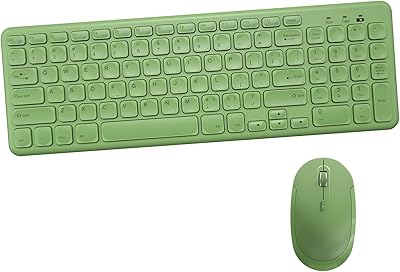
MPTOG S801AG Wireless Keyboard and Mouse Combo


Overview
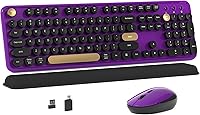
The MPTOG S801AG Wireless Keyboard and Mouse Combo is a retro-styled desk accessory that caught real attention shortly after its late 2024 launch. Built around typewriter-inspired round keycaps, it brings a nostalgic aesthetic to an otherwise ordinary product category. The Black-Purple colorway reviewed here is one of several variants available, and it photographs well in person. For a budget-tier combo, it has climbed impressively to rank in the top 60 on Amazon with over 670 ratings. This is not a professional peripheral — it is a personality piece that happens to function as a capable daily driver for light everyday use.
Features & Benefits
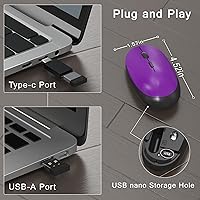
The wireless connection runs on 2.4GHz RF technology, with the USB nano receiver tucked into the mouse battery compartment — a small but practical detail that prevents it from going missing. Setup takes roughly ten seconds: plug in and both devices connect automatically, no drivers needed. Each device has its own on/off power switch, which genuinely helps stretch battery life between charges. One thing to know before unboxing: AA batteries are not included for either device, so have a set on hand. The full-size keyboard layout feels spacious, and the round keycaps deliver a satisfying, slightly springy press that stands out from standard flat keyboards.
Best For
This retro keyboard combo suits students, remote workers, or anyone who wants their desk to look a little more interesting without overspending. The aesthetic appeal is the main draw, but it also handles everyday typing and browsing reliably enough for light document work. It makes a thoughtful gift for teens or creatives who care about how their workspace looks. Mac users should know upfront that some shortcut keys will not behave as expected — this set works best on Windows. If you need a no-fuss wireless setup with visual personality, it delivers that combination at an accessible price point without much compromise.
User Feedback
Holding 4.1 out of 5 stars across more than 670 ratings, this wireless keyboard and mouse set has earned a broadly positive reception. Buyers frequently praise the visual design, noting the real product matches listing photos closely — not always a given in this category. The typing feel and quick setup draw regular compliments as well. On the critical side, some users find mouse tracking feels imprecise over extended sessions, and a handful report durability concerns after several months of daily use. The missing batteries also catch buyers off guard more often than expected. Long-term reliability remains the biggest open question, but for casual use, most owners come away satisfied.
Pros
- Retro round keycap design looks genuinely attractive in person and matches listing photos closely.
- Plug-and-play setup works in under a minute with no software or drivers needed.
- Individual on/off switches on both devices help stretch AA battery life noticeably.
- The USB nano receiver stores inside the mouse, so it is always where you need it.
- Soft membrane keystrokes work well in shared spaces like dorm rooms or open offices.
- Full-size layout provides comfortable key spacing for everyday casual typing tasks.
- At this price tier, the visual and tactile quality consistently exceeds buyer expectations.
- Available in multiple color variants, making it easy to match different desk aesthetics.
- Wireless connection stays stable and lag-free within a normal home or office range.
- Strong gift option for teens, students, or anyone refreshing a home workspace on a budget.
Cons
- Batteries are not included for either device — a frequent and avoidable unboxing frustration.
- Mouse tracking struggles on glossy or dark surfaces, limiting precision for detail-oriented tasks.
- Mac shortcut keys are unreliable, making this a poor fit for Mac-dependent workflows.
- Keycap surfaces show wear after a few months of regular daily use.
- Mouse scroll wheel performance tends to degrade noticeably over extended ownership periods.
- The mouse click is louder than the keyboard, creating an odd sensory mismatch.
- Advertised 33-foot wireless range overstates real-world performance in typical home environments.
- No wrist rest or ergonomic support included, making long typing sessions uncomfortable.
- The full 17.5-inch keyboard width is awkward to pack for commuters or mobile users.
- Heavier daily users may find battery intervals shorter than expected without disciplined power switching.
Ratings
Our AI rating system analyzed verified buyer reviews for the MPTOG S801AG Wireless Keyboard and Mouse Combo from multiple global marketplaces, actively filtering out incentivized, bot-generated, and low-signal feedback to surface what real users actually experience. Scores reflect a balanced picture — the genuine strengths that keep buyers coming back and the recurring frustrations that honest reviewers flag after weeks of daily use. Nothing is inflated, nothing is buried.
Aesthetic Design
Ease of Setup
Typing Feel
Mouse Tracking Accuracy
Wireless Reliability
Build Quality
Battery Life
Mac Compatibility
Value for Money
Noise Level
Ergonomics & Comfort
Portability
Gift Appeal
Suitable for:
The MPTOG S801AG Wireless Keyboard and Mouse Combo is a strong fit for students, remote workers, and creatives who want their desk to reflect some personality without stretching their budget thin. If you spend most of your day on light tasks — writing notes, browsing, drafting emails, or managing documents — this retro keyboard combo gives you a reliable wireless experience with zero setup friction. It works particularly well as a first desk peripheral for younger users who care as much about how their workspace looks as how it functions. Gift buyers will find it especially appealing: the colorful aesthetic photographs well, it ships ready to use, and the retro round keycap style has broad visual appeal across age groups. Windows users get the full feature set, and anyone who has ever lost a USB dongle will appreciate that the receiver stores neatly inside the mouse itself.
Not suitable for:
Buyers who depend on their peripherals for long, intensive workdays should think carefully before committing to this wireless keyboard and mouse set. The mouse tracking lacks the precision needed for design work, detailed spreadsheet navigation, or any task where fine cursor control matters — that limitation becomes genuinely frustrating after the novelty fades. Mac power users face a specific compatibility gap: system shortcut keys do not function reliably, which disrupts workflows that lean on the Mac keyboard ecosystem. The combo also carries real durability questions; multiple reviewers note visible keycap wear and declining scroll wheel performance after several months of daily use, which is a meaningful concern for anyone buying a primary work peripheral rather than a secondary or occasional one. Serious typists accustomed to mechanical keyboards will find the shallow key travel unsatisfying for extended writing sessions, and the generic mouse shape is unlikely to meet ergonomic needs for users logging six or more hours at a desk each day.
Specifications
- Brand: Manufactured by Dongguan Suoai Electronics Co., Ltd. and sold under the MPTOG brand.
- Model Number: The exact model identifier for this combo is S801AG.
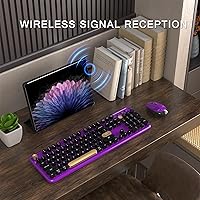
- Wireless Technology: Both devices connect via a 2.4GHz RF signal using a single USB nano receiver.
- Receiver Storage: The USB nano receiver is stored inside the mouse battery compartment when not in use.
- Keyboard Layout: Full-size layout with floating round keycaps in a typewriter-inspired circular profile.
- Dimensions: The keyboard measures 17.5 x 5.1 x 0.8 inches, providing a standard full-size footprint.
- Combined Weight: The keyboard and mouse together weigh approximately 2.29 pounds.
- Power Source: Both the keyboard and mouse run on AA batteries, which are not included in the box.
- Power Switch: Each device has its own independent on/off switch to conserve battery when idle.
- Mouse Type: The included mouse uses optical wireless tracking suited for everyday desktop navigation.
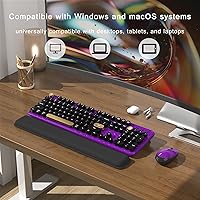
- OS Compatibility: Compatible with Windows and Mac operating systems, though some Mac shortcut keys are not fully supported.
- Setup Method: Plug-and-play via USB receiver — no software installation or driver download is required.
- Wireless Range: Rated for operation up to 33 feet from the connected USB receiver under ideal conditions.
- Color Variant: Reviewed here in Black-Purple; additional color variants are available in the product listing.
- Keycap Style: Round, floating membrane keycaps with a retro typewriter-inspired profile and tactile press feedback.
- Compatible Devices: Works with desktops, laptops, projectors, and televisions that support a standard USB connection.
- Connectivity Type: Radio frequency wireless with USB Type-A nano receiver; no Bluetooth capability on this model.
- First Available: This combo was first listed for sale on Amazon in September 2024.
Related Reviews

Arteck HW192 Wireless Keyboard and Mouse Combo
Hayyiesh KG659-01 Wireless Keyboard and Mouse Combo
GUKJOB iK6630 Wireless Keyboard and Mouse Combo
Tayderley Wireless Keyboard and Mouse Combo
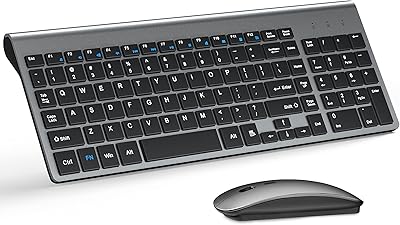
TopMate Wireless Keyboard and Mouse Combo
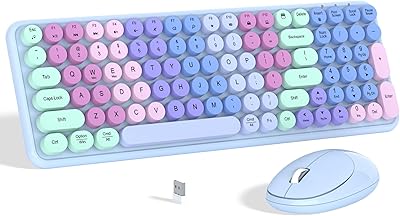
Links9+ Rainbow Wireless Keyboard Mouse Combo
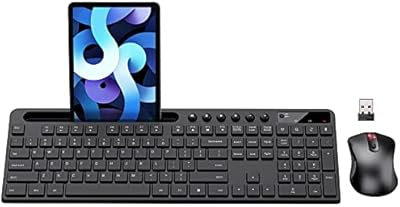
MARVO Wireless Keyboard and Mouse Combo
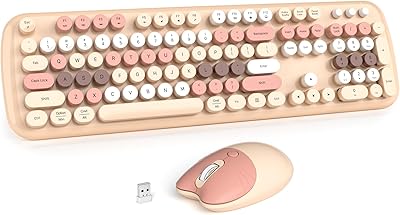
MOWUX Wireless Keyboard and Mouse Combo

UBOTIE Wireless Keyboard and Mouse Combo