Overview

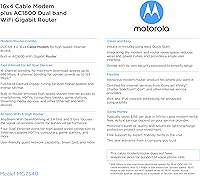
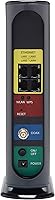
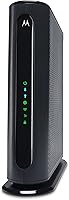
The Motorola MG7540 Cable Modem Router Combo is one of those purchases that quietly pays for itself — by replacing your cable provider's rental equipment, you can recover the cost within a year or so depending on your provider. This modem-router combo handles both jobs in a single vertical unit that tucks neatly onto a shelf without a tangle of extra cables. It runs on DOCSIS 3.0 with 16x4 channel bonding, supporting real-world cable speeds up to around 375 Mbps. Certified by Xfinity, Cox, Spectrum, and several other major providers, it covers the vast majority of U.S. cable subscribers. Just note upfront: this is strictly for cable internet — fiber, DSL, and satellite users need to look elsewhere.
Features & Benefits

The MG7540 ships with AC1600 dual-band Wi-Fi — that is a 2.4 GHz band and a 5 GHz band working simultaneously, with AnyBeam beamforming on both to direct signal toward your devices rather than scattering it. What sets it apart from most routers at this level is DFS support, which lets the unit access less-congested frequency channels that neighbors' routers typically cannot touch. Four Gigabit Ethernet ports handle wired connections for TVs, gaming consoles, and computers without any speed bottlenecking. The Broadcom chipset adds built-in DoS protection, and the hardware includes surge and lightning protection circuits backed by a two-year warranty — solid peace of mind for a device you will likely run 24/7.

Best For

This Motorola combo unit is a strong fit for cable internet subscribers — specifically those on Xfinity, Cox, Spectrum, or similar services — who are tired of paying a monthly equipment rental fee that adds up to well over a hundred dollars annually. It also suits households that stream 4K content or game online and need a stable, interference-resistant connection. Apartment dwellers and anyone in a dense neighborhood will appreciate the DFS capability keeping their signal cleaner. That said, if your home spans more than 2,000 square feet, the built-in Wi-Fi may not reach every corner reliably. And if you need VoIP phone service, this is not the right unit — there is no phone port.

User Feedback

Across thousands of reviews, this modem-router combo holds a 4.4-star average — and reading through them, a clear pattern emerges. Setup gets praised consistently: most users report fast, painless provider activation with no technician needed. Long-term cost savings come up again and again as a major reason buyers feel good about the purchase months later. On the flip side, some owners in larger homes note that Wi-Fi range falls short without an extender. A smaller group reports intermittent disconnects or hiccups following firmware updates, which is worth knowing if you prefer a set-it-and-forget-it device. Overall, the feedback reflects a unit that performs reliably for most users in typical home environments.

Pros

  • Eliminates monthly modem rental fees, typically paying for itself within the first year.
  • Certified by Xfinity, Cox, Spectrum, and several other major U.S. cable providers out of the box.
  • DFS support gives it access to less-congested Wi-Fi channels most competing routers cannot use.
  • Four Gigabit Ethernet ports handle wired connections for TVs, consoles, and computers without speed loss.
  • AnyBeam beamforming on both bands directs signal toward devices rather than broadcasting it blindly.
  • Broadcom chipset includes built-in DoS protection for added network security.
  • Vertical stand design saves shelf space and helps the unit stay cool during continuous operation.
  • Setup and provider activation are consistently described as fast and straightforward by long-term owners.
  • Two-year warranty with surge and lightning protection adds meaningful hardware confidence.
  • A strong real-world track record backed by thousands of buyer reviews and a 4.4-star average rating.

Cons

  • Wi-Fi range falls short in larger homes, often requiring a separate extender to cover dead zones.
  • No VoIP phone port means it cannot fully replace a voice-enabled cable gateway for phone subscribers.
  • Strictly incompatible with fiber, DSL, and satellite services — easy to buy by mistake.
  • Firmware updates have caused intermittent disconnects for some users, with limited rollback options.
  • The 5 GHz band, while faster, has shorter range and can struggle through walls in older construction.
  • No mobile app or cloud management interface makes remote troubleshooting less convenient.
  • AC1600 Wi-Fi spec is aging by current standards, which may feel limiting as household device counts grow.
  • Only one provider activation at a time — switching cable providers requires re-certification, which is not always instant.

Ratings

The scores below reflect an AI-driven analysis of thousands of verified owner reviews for the Motorola MG7540 Cable Modem Router Combo, with spam, bot-generated, and incentivized submissions actively filtered out to ensure accuracy. This modem-router combo earns strong marks in several key areas, but the analysis surfaces real frustrations too — particularly around Wi-Fi range and long-term firmware stability. Both the highs and the honest pain points are represented in every category score.

Value for Money
92%
Owners consistently describe this as one of the smartest financial decisions they have made for their home network. Eliminating the monthly rental fee from Xfinity or Cox typically recoups the purchase cost within 10 to 14 months, after which the savings are pure upside for as long as the unit runs.
A small number of buyers who experienced early hardware failure felt the value proposition collapsed without a smooth warranty replacement process. Those who ended up needing a separate mesh system later also felt the total cost crept higher than expected.
Setup & Activation
88%
The vast majority of users describe the initial setup as refreshingly straightforward — unbox, connect the coaxial cable, power on, and activate through the provider's website or a quick phone call. For Xfinity subscribers in particular, activation typically completes in under 15 minutes without a technician visit.
A recurring frustration surfaces among users on Spectrum, where activation can stall if local technicians need to manually provision the device on the back end. A small percentage of buyers report needing multiple calls to their provider before the unit came online correctly.
Wi-Fi Performance
74%
26%
In apartments, condos, and smaller single-floor homes, the dual-band AC1600 Wi-Fi holds up well for everyday streaming, video calls, and moderate gaming. The DFS capability is a genuine differentiator in dense urban buildings, helping the unit avoid the crowded channels that throttle most consumer routers.
In homes larger than roughly 1,500 to 2,000 square feet, or in multi-story layouts, range limitations become a real complaint. The 5 GHz band drops off quickly through walls, and several reviewers note they ended up adding a mesh extender — which partially undermines the appeal of an all-in-one device.
Modem Speed & Reliability
87%
The 16x4 DOCSIS 3.0 channel bonding delivers consistent speeds for plans up to around 375 Mbps, which covers the majority of residential cable internet tiers. Users on 200 to 300 Mbps plans report hitting close to their subscribed speeds during peak hours, something rental modems often fail to do.
Buyers on gigabit or near-gigabit cable plans will hit a ceiling here — this unit simply was not designed for those service tiers. A subset of long-term owners also report occasional modem-side hiccups that require a power cycle to resolve, typically surfacing after 12 or more months of use.
Long-term Stability
69%
31%
For the first year or two of ownership, most users report a rock-solid experience with no need to touch the device beyond occasional reboots. The Broadcom chipset contributes to a stable baseline, and buyers running wired connections through the Ethernet ports tend to report fewer issues than those relying solely on Wi-Fi.
Firmware updates have caused intermittent disconnects for a meaningful subset of users, and Motorola's track record for timely, stable firmware releases draws criticism. Some owners report the unit becoming progressively less stable after the two-year mark, which is worth factoring in as a long-term ownership risk.
Build Quality
78%
22%
The vertical plastic housing feels sturdy enough for a device that sits stationary on a shelf, and the built-in surge and lightning protection circuitry suggests Motorola put real thought into hardware longevity. The unit does not run excessively hot during normal operation, which several users specifically mention after replacing units that overheated.
The all-plastic construction does feel utilitarian compared to higher-end networking gear, and a handful of reviewers report cosmetic issues like slightly misaligned seams out of the box. It is not a premium-feeling device by any measure — it looks and feels like functional hardware, nothing more.
Provider Compatibility
83%
Coverage across major U.S. cable providers is broad — Xfinity, Cox, Spectrum, WOW, CableOne, RCN, and Mediacom are all officially certified, meaning the MG7540 works for the overwhelming majority of American cable internet subscribers without any compatibility guesswork.
Compatibility ends sharply at the cable internet boundary — fiber, DSL, and satellite users are completely excluded, and this causes a steady stream of mistaken purchases. Spectrum compatibility, while technically certified, generates more activation friction than Xfinity or Cox in practice.
Wired Connectivity
91%
Four full Gigabit Ethernet ports are a genuine strength — users with smart TVs, gaming consoles, desktop PCs, or NAS devices appreciate having enough wired ports to avoid a separate switch for basic setups. Wired speeds consistently match or approach the subscribed plan speed in user testing.
Four ports is plenty for most households but can feel constraining if you have more than three or four wired devices and no secondary switch on hand. There is no USB port for network-attached storage, which some buyers in this product tier might expect.
Interference Resistance
84%
DFS support genuinely sets this unit apart from the crowd in apartment buildings and dense neighborhoods. Users who previously struggled with congested channels report a noticeable improvement in Wi-Fi consistency after switching to the MG7540, particularly on the 5 GHz band during evening peak hours.
DFS does introduce occasional brief disconnections when the unit detects radar activity and is forced to switch channels — this is a standard regulatory behavior, but it catches some users off guard. In practice it happens rarely, but it can be disruptive during a live video call or online gaming session.
Design & Form Factor
77%
23%
The vertical orientation is a practical choice for shelf or desk placement, keeping the footprint compact while allowing heat to dissipate naturally without a fan. Several owners specifically mention appreciating the reduction in cable clutter versus running a separate modem and router.
The all-black rectangular design is generic to the point of being forgettable, and the lack of any mounting hardware means it must sit flat on a surface. The indicator lights, while functional, are reported by some users as too bright in darker rooms with no option to dim them.
Security Features
79%
21%
The Broadcom chipset includes built-in DoS protection that works passively in the background, offering a baseline layer of security that most users never need to configure. For typical home users who are not networking experts, this kind of out-of-the-box protection is genuinely useful.
Advanced security controls — like detailed firewall rule management, VPN passthrough configuration, or guest network isolation — are limited compared to what dedicated router brands offer at similar price points. Power users who need granular security settings will likely feel constrained by the software interface.
Router Software & UI
61%
39%
The web-based admin interface covers the basics that most home users need — Wi-Fi password changes, device prioritization, and port forwarding — without requiring any technical knowledge. For buyers who just want a device that works without touching settings, the defaults are sensible enough to leave alone.
The admin interface looks and feels dated compared to modern router software, and there is no companion mobile app for management on the go. Users who want features like real-time bandwidth monitoring, detailed connected-device management, or parental controls will find the software underwhelming.
Warranty & Support
72%
28%
A two-year warranty is above average for this product category and gives owners meaningful coverage during the period when hardware defects are most likely to surface. The included surge and lightning protection circuitry suggests Motorola designed the unit with long-term durability in mind.
Customer support responsiveness draws mixed reviews, with some owners reporting slow or unhelpful interactions when trying to process a warranty claim. The lack of a readily available firmware changelog or active community support forum also makes troubleshooting self-guided issues harder than it should be.

Suitable for:

The Motorola MG7540 Cable Modem Router Combo is a practical choice for cable internet subscribers who are tired of paying their provider a monthly equipment rental fee that quietly drains their budget year after year. It works especially well for small-to-medium households — think apartments, condos, or single-floor homes — where one central device can realistically cover the space without needing signal extenders. If your household streams 4K video on multiple devices, games online, or runs a mix of wired and wireless gear simultaneously, the dual-band Wi-Fi and four Gigabit Ethernet ports give you enough flexibility to handle that load. People living in dense buildings or urban neighborhoods will particularly appreciate the DFS support, which helps the unit sidestep the crowded Wi-Fi channels that plague most apartment environments. If your goal is a clean, low-clutter home network that you set up once and largely forget about, this modem-router combo checks that box well.
Not suitable for:

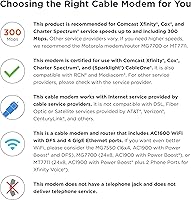
The Motorola MG7540 Cable Modem Router Combo is simply the wrong tool if your internet service runs on fiber, DSL, or satellite — it is built exclusively for cable internet, and no amount of configuration will change that. Anyone subscribed to Verizon Fios, AT&T, or CenturyLink should stop here and look for a compatible alternative. If you rely on VoIP home phone service through your cable provider, this unit has no telephone port, so it cannot replace a voice-enabled gateway. Owners of larger homes — typically over 2,000 square feet or with multiple floors — may find the built-in Wi-Fi coverage underwhelming and end up needing a separate mesh system anyway, which undermines the simplicity of a combo device. Power users who want granular router controls, advanced QoS settings, or regular firmware updates from an active development team may also find the software side of this unit frustrating over time.
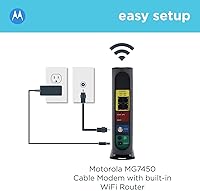
Specifications

  • Modem Standard: Operates on DOCSIS 3.0 with 16x4 channel bonding for reliable cable internet connectivity.
  • Max Down Speed: Supports a maximum downstream throughput of 686 Mbps under ideal channel conditions.
  • Recommended Speed: Motorola recommends this unit for cable internet service plans up to 375 Mbps.
  • Wi-Fi Standard: Dual-band wireless runs on 802.11a/b/g/n/ac across both 2.4 GHz and 5 GHz bands simultaneously.
  • Wi-Fi Class: AC1600 rating combines up to 300 Mbps on the 2.4 GHz band and up to 1300 Mbps on the 5 GHz band.
  • Beamforming: AnyBeam beamforming is active on both frequency bands to focus wireless signal toward connected clients.
  • DFS Support: Dynamic Frequency Selection allows the router to use less-congested radar-band channels unavailable to most consumer routers.
  • Ethernet Ports: Includes four 10/100/1000 Gigabit Ethernet LAN ports for full-speed wired device connections.
  • Modem Chipset: Powered by a Broadcom cable modem chipset that includes built-in Denial of Service attack protection.
  • Phone Port: This unit does not include a telephone or VoIP port and cannot be used for cable phone service.
  • Dimensions: Physical footprint measures 11 x 10.25 x 2.75 inches in a vertical stand orientation.
  • Weight: Unit weighs 2.29 pounds, making it lightweight enough to mount or reposition without difficulty.
  • Form Factor: Vertical stand design conserves shelf space and supports passive airflow cooling during continuous operation.
  • Color: Available in a single black finish.
  • Warranty: Covered by a 2-year limited warranty that includes surge and lightning protection circuit design.
  • Provider Support: Certified for use with Xfinity, Cox, Spectrum, WOW, CableOne, RCN, and Mediacom cable internet services.
  • Incompatible Services: Not compatible with fiber optic, DSL, satellite, or any non-cable internet delivery technology.
  • In the Box: Package includes the unit, a coaxial cable, a power adapter, an Ethernet cable, and a printed user manual.

Related Reviews
Motorola MT7711 Cable Modem Router with Phone Ports
71%
81%
Ease of Setup
76%
Wi-Fi Performance
84%
Modem Speed & Reliability
69%
Voice Port Functionality
41%
ISP Compatibility
More
ARRIS G20 Cable Modem Router Combo
85%
89%
Performance
83%
Wi-Fi Coverage
91%
Ease of Setup
85%
Speed Consistency
93%
Compatibility with ISPs
More
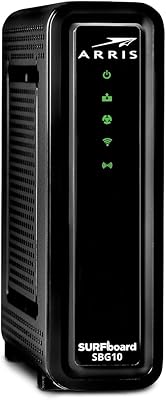
ARRIS SBG10 Cable Modem Router Combo
76%
91%
Value for Money
86%
Setup & Activation
83%
Connection Stability
61%
Wi-Fi Coverage & Range
88%
Modem Performance
More
ARRIS SURFboard SBG7600AC2 Cable Modem Router Combo
86%
89%
Performance
92%
Setup Ease
91%
Value for Money
86%
Wi-Fi Range & Speed
82%
Parental Controls
More
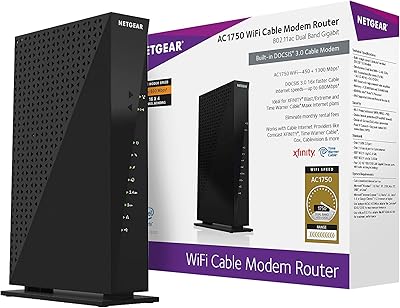
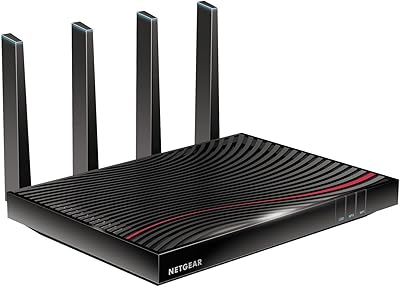
NETGEAR C6300 Cable Modem Router Combo
69%
83%
Value for Money
88%
Setup & Installation
71%
WiFi Performance
91%
Wired Connectivity
62%
Long-Term Reliability
More
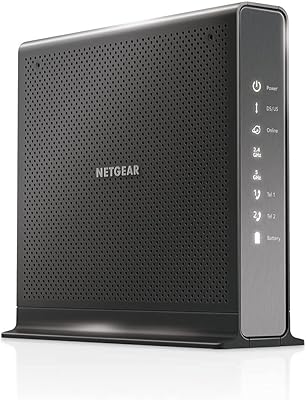
NETGEAR C6250 AC1600 Modem Router Combo
74%
84%
Value for Money
88%
Ease of Setup
71%
Wi-Fi Performance
82%
Modem Speed & Reliability
73%
Provider Compatibility
More
NETGEAR Nighthawk C7800 Cable Modem WiFi Router Combo
84%
88%
Wi-Fi Performance
75%
Ease of Setup
92%
Speed and Reliability
85%
Compatibility with ISPs
90%
Value for Money
More
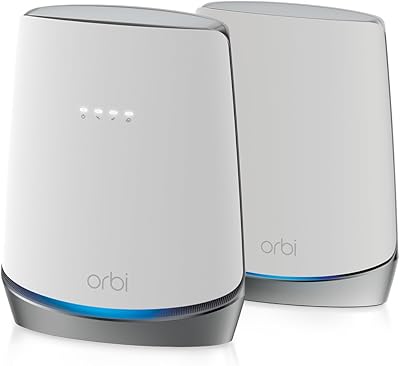
NETGEAR Nighthawk C7100V Cable Modem WiFi Router Combo with Voice
86%
92%
Ease of Setup
85%
WiFi Performance
91%
Value for Money
89%
Stability for Gaming & Streaming
88%
VoIP Feature
More
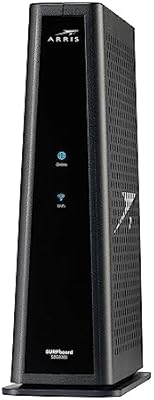
NETGEAR Orbi CBK752 Mesh Modem Router Combo
74%
88%
WiFi Speed & Throughput
78%
Whole-Home Coverage
71%
Modem Compatibility & ISP Provisioning
66%
Satellite Connection Stability
82%
Setup & Initial Configuration
More
Motorola MG8702 DOCSIS 3.1 Cable Modem + Wi-Fi Router
83%
92%
Value for Money
89%
Wi-Fi Performance
88%
Ease of Setup
85%
ISP Compatibility
82%
Mobile App Experience
More
ARRIS SURFboard G36
ARRIS SURFboard G36
72%
83%
Setup & Activation
76%
Wi-Fi Speed & Throughput
61%
Wi-Fi Range & Coverage
58%
Connection Stability
88%
DOCSIS 3.1 Modem Performance
More

FAQ

Yes, the MG7540 is officially certified by Comcast Xfinity, including Xfinity X1. Before using it, you will need to call Xfinity or use their online activation portal to register the device's MAC address on your account — that process usually takes just a few minutes.

It does work with Spectrum, though Spectrum has specific requirements around self-install devices. It is worth calling Spectrum ahead of purchase to confirm compatibility with your specific service tier and location, as approval can occasionally vary by region.

No — this unit is built exclusively for cable internet delivered over a coaxial line. Fiber services like Verizon Fios and AT&T use a completely different connection technology, so this modem-router combo is simply not compatible with them.

Most users handle setup themselves in under 20 minutes. You connect the coaxial cable, plug in power, then activate the device through your provider's website or by calling their support line. The vast majority of buyers report the process as quick and painless.

In a typical apartment or single-floor home under roughly 1,500 to 2,000 square feet, coverage is generally solid. In larger homes, multi-story layouts, or spaces with thick walls, you may find signal dropping in distant rooms. Adding a Wi-Fi extender or mesh node resolves that, but it is worth factoring into your decision.

Yes. If you want to use a more powerful standalone router, you can connect it to one of the Gigabit Ethernet ports and put the MG7540 into bridge mode, effectively disabling the built-in Wi-Fi and letting your external router handle wireless duties.

No. This Motorola combo unit has no telephone port and cannot support VoIP or cable phone service of any kind. If your household relies on a home phone line through your cable provider, you will need a different gateway model that includes a phone jack.

Rental fees typically run between ten and fifteen dollars per month depending on the provider, which adds up to roughly 120 to 180 dollars per year. Owning this modem-router combo means you usually recover that cost within the first year of use, and everything beyond that is pure savings.

A small percentage of long-term owners have reported intermittent disconnects or stability issues following certain firmware updates. It is not a widespread problem, but it does appear in the review record. If you experience it, a factory reset and fresh setup resolves it in most reported cases.

It depends on what you are doing and where you are in the house. The 5 GHz band is faster and less prone to interference, making it ideal for streaming and gaming when you are close to the unit. The 2.4 GHz band covers longer distances and penetrates walls better, so it tends to be the more reliable choice for devices farther away.

Where to Buy