
Overview

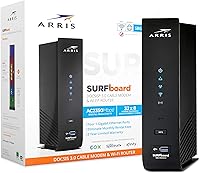
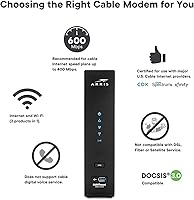
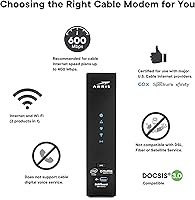
The ARRIS SBG7600AC2 Cable Modem Router Combo arrived in late 2018 as a practical option for Xfinity and Cox subscribers tired of paying monthly modem rental fees — though Spectrum customers should stop here, as this unit is not compatible. Those fees add up quickly, and this modem-router combo can realistically pay for itself within a year for most households. It runs on DOCSIS 3.0 with 32x8 channel bonding, comfortably handling plans up to 800 Mbps, though DOCSIS 3.1 hardware has since arrived and offers better headroom for faster tiers. With a 3.7-star average across more than 5,600 ratings, honest evaluation is warranted.

Features & Benefits

The SBG7600AC2 packs an AC2350 dual-band Wi-Fi radio, broadcasting on both 2.4 GHz and 5 GHz simultaneously. In practice, that means older smart-home gadgets stay on the 2.4 GHz band while laptops and streaming boxes pull faster speeds from the 5 GHz channel without contention. Four Gigabit Ethernet ports give you wired options where a stable connection matters most — a gaming console or desktop PC, for instance. The SURFboard Central App handles initial activation, lets you set time limits per device, and shows what is active on your network at any given moment. A 2-year warranty is included, which is a reasonable safety net for a networking device in this category.

Best For

This ARRIS SURFboard unit is a strong fit for Xfinity or Cox customers on plans up to 800 Mbps who want to cut the equipment rental line from their monthly bill. It works well in smaller homes or apartments — one or two floors where dual-band Wi-Fi can cover most of the space without much trouble. If you run multiple streaming devices, tablets, and a laptop or two under the same roof, the combo setup keeps things simple and manageable. What it is not built for: Spectrum subscribers (the incompatibility is not a workaround situation), anyone on a multi-gigabit plan, or buyers wanting DOCSIS 3.1 future-proofing for the years ahead.

User Feedback

Among the positives, buyers who got setup right tend to report noticeably faster real-world speeds compared to their ISP-provided rental gear, and the app-driven activation process earns consistent praise for being straightforward. That said, the complaints worth taking seriously include Wi-Fi range limitations — larger or multi-story homes frequently see dead zones, and some users found themselves adding a mesh node or separate access point to compensate. A smaller but recurring concern is heat buildup during extended use, which appears to correlate with some of the longer-term reliability failures buyers report after the first year or two. The lesson: verify ISP compatibility before purchasing, and temper expectations for coverage in bigger spaces.

Pros

  • Eliminates the monthly modem rental fee, with most Xfinity or Cox subscribers breaking even within a year.
  • DOCSIS 3.0 with 32x8 channel bonding reliably supports internet plans up to 800 Mbps.
  • Dual-band AC2350 Wi-Fi separates older smart-home devices from bandwidth-hungry laptops and streaming boxes.
  • Four Gigabit Ethernet ports give solid wired options for gaming consoles, desktops, or smart TVs.
  • The SURFboard Central App makes initial setup and parental controls accessible without any technical expertise.
  • Access Point Mode lets you integrate this modem-router combo into a larger existing network without replacing your router.
  • A 2-year warranty provides meaningful post-purchase protection compared to many rivals at a similar price point.
  • Single-device setup reduces cable clutter and simplifies troubleshooting compared to running a separate modem and router.

Cons

  • Wi-Fi dead zones are a recurring issue in larger or multi-story homes, based on consistent real-world buyer reports.
  • Multiple users have flagged noticeable heat buildup during extended use, which may accelerate hardware wear over time.
  • A meaningful subset of buyers report unit failures after just one to two years, raising durability questions.
  • DOCSIS 3.0 is aging technology — buyers planning to upgrade to gigabit-plus plans soon should think twice.
  • Strictly incompatible with Spectrum, with no available workaround — a dealbreaker that surprises too many buyers post-purchase.
  • No multi-gigabit Ethernet port limits the ceiling for wired speeds as ISP plans increasingly scale upward.
  • ISP compatibility lists can change; confirming current approval with your provider before purchasing is essential, not optional.
  • The SBG7600AC2 lacks advanced routing controls, leaving tech-savvy users or home office power users wanting more flexibility.

Ratings

Our scores for the ARRIS SBG7600AC2 Cable Modem Router Combo were generated by AI after analyzing thousands of verified buyer reviews worldwide, with automated filtering applied to remove spam, bot-generated submissions, and reviews flagged as incentivized or unverified. The resulting scorecard reflects the full picture — what real households genuinely appreciated and the recurring frustrations that pulled its aggregate rating to a modest 3.7 out of 5. Every category below is grounded in documented buyer experience, not product specifications.

Value for Money
76%
24%
For Xfinity or Cox subscribers paying monthly modem rental fees, owning this modem-router combo typically means breaking even within 8 to 11 months. After that crossover point the savings compound, making the upfront cost a genuinely smart financial decision for anyone committed to staying on the same ISP for several years.
The value calculation deteriorates if the unit fails within two years, as some buyers report — at that point you have absorbed the purchase price and resumed rental fees simultaneously. Buyers anticipating an upgrade to a multi-gigabit plan may also find they need to replace it before the savings fully materialize.
Wi-Fi Coverage & Range
61%
39%
In apartments and smaller single-story homes, the dual-band AC2350 radio handles a typical household mix of phones, laptops, and streaming devices without obvious congestion. The 5 GHz band delivers solid throughput for nearby devices, and the 2.4 GHz band keeps older smart-home gadgets reliably connected.
In homes larger than roughly 1,500 square feet, or across multi-story layouts, dead zones are a common and recurring frustration. A notable share of buyers ended up adding a mesh node or separate access point to fill coverage gaps — an unplanned additional cost that undercuts the simplicity of a combo device.
Internet Speed Performance
79%
21%
For households on plans between 200 and 800 Mbps, the SBG7600AC2 delivers consistent throughput in line with ISP promises, and the 32x8 channel bonding means the modem itself is rarely the bottleneck. Most buyers on mid-tier Xfinity or Cox plans report real-world speeds that noticeably outperform what their rented equipment delivered.
The 800 Mbps ceiling is a firm technical limit, and anyone approaching or exceeding it will find no headroom. On wireless connections near the upper end of the supported range, the Wi-Fi radio can become the limiting factor before the modem ever does, meaning wired speeds and wireless speeds diverge considerably.
Long-term Reliability
53%
47%
Buyers who receive a well-functioning unit report solid set-it-and-forget-it performance through the first year, with no meaningful interruptions under normal household use. The 2-year warranty provides genuine recourse if problems surface early, and a portion of buyers have successfully used it to get replacements.
A persistent and concerning pattern across reviews involves hardware failures appearing around the 12 to 24-month mark — sometimes just inside warranty coverage, sometimes just outside. Sustained overheating appears to be a contributing factor for some of these failures, suggesting the issue is not purely random but partly a design constraint.
ISP Compatibility
67%
33%
For Xfinity and Cox customers, compatibility is well-established and the activation process is straightforward once you call your ISP to register the device on their network. ARRIS maintains an updated provider list, and most standard residential tiers from these two carriers activate without any special configuration.
The Spectrum incompatibility is a hard technical limitation — not a setting to adjust or a firmware issue to fix — and it appears in enough negative reviews to suggest buyers are frequently not verifying this before purchasing. ISP approval lists also evolve, so confirming current support directly with your provider before ordering is genuinely necessary.
Setup & Installation
84%
The SURFboard Central App walks users through activation in a logical, step-by-step flow that most buyers complete within 20 to 30 minutes regardless of networking experience. Wi-Fi naming, password assignment, and initial device connections are all handled through the app without needing to access a browser-based admin panel.
The process is not fully self-contained: you still need to call your ISP to provision the modem, which can add 15 to 45 minutes depending on hold times. A smaller subset of users also report the app behaving inconsistently on certain Android phone models during the initial activation sequence.
Wired Connectivity
86%
Four Gigabit Ethernet ports is a notably generous complement for a combo unit in this category, covering the most practical wired scenarios — a gaming console, a desktop PC, a smart TV, and a switch — all from a single device. Buyers who rely on a stable wired connection for gaming or remote work find this aspect consistently satisfying.
There are no multi-gigabit Ethernet ports, so the wired ceiling matches the modem's maximum speed tier at best. As ISPs expand their gigabit-plus offerings, this port limitation is likely to become a tangible constraint before the rest of the hardware becomes obsolete.
App Experience
74%
26%
The SURFboard Central App is cleaner and more capable than many bundled networking apps at this price tier, with device monitoring, per-device pause controls, and time-limit scheduling all accessible through a reasonably intuitive interface. Non-technical users generally find the core features approachable without a learning curve.
Past the initial setup, a subset of users report intermittent app disconnections from the modem and occasional failure to accurately reflect real-time device status. The feature depth is also modest — users who want detailed traffic analytics or fine-grained access scheduling will quickly hit the app's ceiling.
Thermal Management
44%
56%
Under light to moderate load in a well-ventilated spot — on an open shelf, away from other heat-generating electronics — the unit operates at an acceptable temperature for much of its useful life. Buyers who are deliberate about placement report fewer heat-related complaints than those who tuck it inside closed cabinets.
Under sustained load, which is the norm in streaming-heavy households running multiple devices simultaneously, the unit runs noticeably hot — and this surfaces consistently across user reviews, not as an isolated edge case. Some buyers draw a direct link between prolonged overheating and early hardware failure, suggesting the thermal design is not built for continuous heavy use.
Parental Controls
71%
29%
Time-based scheduling and per-device internet pausing cover the practical needs of most parents managing screen time for younger children. Non-technical parents report being able to configure these controls through the app independently, without needing to consult documentation or outside support.
The feature set is functional but basic — there is no content-category filtering, no browsing history access, and no detailed usage reporting beyond time limits. Families with older children who need more sophisticated monitoring tools will likely find these built-in controls insufficient and will need a third-party solution.
Physical Design
72%
28%
The vertical tower form factor occupies a modest desk or shelf footprint, and the matte black finish is neutral enough to blend unobtrusively into most living rooms or home office setups. The chassis feels reasonably solid, with no immediately flimsy or cheap-feeling components.
The enclosure uses a largely solid plastic body with minimal ventilation cutouts, which likely contributes to the heat buildup complaints reported elsewhere. The unit is also vertical-only with no wall-mount capability, limiting placement flexibility for buyers who prefer to keep networking hardware off their desk or shelf entirely.
DOCSIS Technology
62%
38%
DOCSIS 3.0 with 32x8 channel bonding remains broadly supported by major U.S. cable ISPs and handles the overwhelming majority of current residential plans without any issues. For buyers firmly on sub-800 Mbps plans with no near-term upgrade intentions, the technology does everything required of it today.
DOCSIS 3.0 is a full generation behind the current standard, and DOCSIS 3.1 hardware — which supports multi-gigabit speeds and provides meaningfully better upstream performance — is increasingly the baseline expectation for new networking hardware purchases. Buying into the older standard now introduces a real risk of premature obsolescence.
Warranty & Support
68%
32%
A 2-year limited warranty is a respectable inclusion for networking hardware in this category, covering manufacturer defects during the window when early failures are statistically most likely to occur. ARRIS has sufficient market presence that warranty claims and replacement processes are generally reachable through documented support channels.
Several users describe the warranty claim process as slow and requiring repeated follow-up to resolve, which dulls the reassurance the coverage is supposed to provide. The warranty also expires precisely at the point where a portion of units have shown a pattern of hardware failure, leaving buyers who experience later failures without meaningful recourse.

Suitable for:

The ARRIS SBG7600AC2 Cable Modem Router Combo is a practical pick for Xfinity or Cox subscribers who are currently renting their modem and want to stop paying that recurring monthly fee. If your internet plan sits anywhere between 200 and 800 Mbps, this unit covers that range without issue and handles the kind of mixed-device load typical in most households. It works well in apartments, smaller homes, or two-story houses where dual-band Wi-Fi can realistically reach most rooms. Families will also appreciate the SURFboard Central App, which provides straightforward parental controls — setting time limits or pausing access per device — without needing any technical background. For buyers who simply want one box that does the job reliably and cuts equipment costs, this modem-router combo fits the brief.

Not suitable for:

The ARRIS SBG7600AC2 Cable Modem Router Combo is a hard pass for Spectrum customers — the incompatibility is a firm technical limitation, not something to work around, and it catches a surprising number of buyers off guard after purchase. Anyone on a multi-gigabit internet plan, or planning to upgrade to one within the next year or two, should be looking at DOCSIS 3.1 hardware instead, since this unit simply cannot grow with those faster tiers. Larger homes and multi-story layouts tend to expose its wireless range limitations, with real users reporting dead zones that require a separate access point or mesh node to fix. Long-term reliability is also worth scrutinizing — a notable share of reviews describe hardware failures after one to two years, which is earlier than most buyers would hope. Power users who expect granular routing controls, advanced QoS settings, or enterprise-grade security features will find this ARRIS SURFboard unit undersized for their needs.

Specifications

  • Modem Standard: Uses DOCSIS 3.0 technology, the widely supported cable internet standard compatible with most major U.S. cable providers.
  • Channel Bonding: Supports 32 downstream and 8 upstream channels, providing the bandwidth headroom needed to handle plans up to 800 Mbps.
  • Max Speed: Certified for cable internet plans up to 800 Mbps; not designed for multi-gigabit service tiers.
  • Wi-Fi Standard: Operates on 802.11ac (Wi-Fi 5), the generation preceding Wi-Fi 6, covering the vast majority of modern wireless devices.
  • Wi-Fi Class: Rated AC2350 dual-band, combining throughput across both the 2.4 GHz and 5 GHz bands simultaneously.
  • Frequency Bands: Broadcasts on 2.4 GHz for longer range and broader device compatibility, and on 5 GHz for faster shorter-range connections.
  • Ethernet Ports: Includes four Gigabit Ethernet ports for wired connections to devices such as desktop computers, gaming consoles, or smart TVs.
  • Special Modes: Supports Access Point Mode, which allows the unit to function purely as a wireless access point within a larger existing network.
  • Parental Controls: Per-device time limits and internet pause controls are managed through the SURFboard Central App on iOS or Android.
  • ISP Compatibility: Approved for use with Xfinity and Cox; explicitly not compatible with Spectrum or most fiber-based internet services.
  • Dimensions: Measures 9.72 x 4.06 x 9.5 inches and is designed for vertical freestanding placement on a desk or shelf.
  • Weight: Weighs 2.64 pounds, making it straightforward to reposition during setup or if you relocate it.
  • Warranty: Backed by a 2-year limited manufacturer warranty, with the warranty card included in the box at purchase.
  • Color: Offered in black with a matte finish that blends into most home or office environments without drawing attention.
  • Companion App: The SURFboard Central App is available for both iOS and Android and covers initial activation, network monitoring, and parental control management.

Related Reviews
ARRIS SBG10 Cable Modem Router Combo
76%
91%
Value for Money
86%
Setup & Activation
83%
Connection Stability
61%
Wi-Fi Coverage & Range
88%
Modem Performance
More
ARRIS G20 Cable Modem Router Combo
76%
86%
Setup Experience
91%
Connection Stability
71%
Wi-Fi Coverage
88%
Upload Performance
83%
Value for Money
More
ARRIS SURFboard SBG8300 DOCSIS 3.1 Cable Modem Router Combo
84%
91%
Performance & Speed
88%
Wi-Fi Coverage & Stability
80%
Ease of Setup
84%
Compatibility with ISPs
92%
Value for Money
More
ARRIS SURFboard G36
ARRIS SURFboard G36
72%
83%
Setup & Activation
76%
Wi-Fi Speed & Throughput
61%
Wi-Fi Range & Coverage
58%
Connection Stability
88%
DOCSIS 3.1 Modem Performance
More
ARRIS TG862G-CT Cable Modem Router
85%
91%
Value for Money
89%
Performance & Speed
93%
Ease of Setup
85%
Voice Service Quality
72%
Wi-Fi Range
More
NETGEAR C6300 Cable Modem Router Combo
69%
83%
Value for Money
88%
Setup & Installation
71%
WiFi Performance
91%
Wired Connectivity
62%
Long-Term Reliability
More
NETGEAR C6250 AC1600 Modem Router Combo
74%
84%
Value for Money
88%
Ease of Setup
71%
Wi-Fi Performance
82%
Modem Speed & Reliability
73%
Provider Compatibility
More
ARRIS SBG6580 DOCSIS 3.0 Cable Modem Router
76%
83%
Connection Stability
61%
Wi-Fi Coverage & Range
58%
Wi-Fi Speed Performance
84%
Ease of Setup
81%
Modem Performance
More
ARRIS SURFboard SBG7580AC Cable Modem Router
75%
88%
Connection Stability
72%
Wi-Fi Coverage
91%
Setup Experience
84%
Value for Money
86%
Wired Performance
More
NETGEAR Nighthawk C7800 Cable Modem Router Combo
77%
88%
Internet Performance
82%
Wi-Fi Coverage
71%
Value for Money
84%
Setup Experience
86%
Device Capacity
More

FAQ

No, and this is one of the most critical things to verify before purchasing. The SBG7600AC2 is explicitly not approved for Spectrum's network, and Spectrum requires customers to use their supplied equipment. There is no workaround — the unit simply will not activate on their service. If you are a Spectrum customer, you will need to look at a different device entirely.

It depends on your ISP, but most Xfinity and Cox customers pay somewhere between $10 and $15 per month in modem rental fees. At that rate, this modem-router combo can pay for itself in roughly 8 to 11 months. After that crossover point, every month is uninterrupted savings — assuming the hardware holds up over time, which is worth factoring into the calculation given some long-term reliability concerns in user reviews.

The setup process is genuinely approachable for most people. You plug the unit in, download the SURFboard Central App, and follow the on-screen steps to activate the modem and configure your Wi-Fi network. Most buyers report the process takes around 20 to 30 minutes. Keep in mind you will also need to call your ISP to register the new modem on your account, which adds a small extra step.

Yes. The ARRIS SBG7600AC2 Cable Modem Router Combo handles plans well within that range, with its 32x8 channel bonding and 800 Mbps ceiling providing comfortable headroom. For standard residential Xfinity or Cox plans below 800 Mbps, you should have no performance issues related to the modem itself.

In smaller homes or apartments — roughly up to 1,500 to 2,000 square feet across one or two floors — most users report solid coverage. In larger homes, especially those with thick walls, concrete construction, or three or more floors, dead zones are a common complaint. Several real-world buyers ended up adding a Wi-Fi extender or a mesh node to fill in the gaps, so factor that into your decision if you have a bigger space.

Absolutely. The unit supports Access Point Mode, letting you use it purely as a cable modem while your own router handles all the wireless traffic. This is a popular choice for people who already own a high-end router and just need a compatible modem to pair with it, giving you the best of both worlds without paying extra for separate rental equipment.

It is a real concern worth taking seriously, not just an isolated complaint. A number of users report the unit running noticeably warm during extended operation, and some correlate this with early hardware degradation. The practical fix is straightforward: make sure it has open airflow around it, avoid placing it inside closed cabinets, and do not stack other electronics on top of it. Proper ventilation goes a long way in managing heat.

DOCSIS 3.0 still works for most residential plans in the 200 to 800 Mbps range, and ISPs continue to support it broadly. That said, DOCSIS 3.1 is the current standard, offering significantly better headroom as ISPs expand multi-gigabit offerings. If you anticipate upgrading to a gigabit-plus plan within the next year or two, investing in DOCSIS 3.1 hardware upfront would be the smarter long-term move.

The limited warranty covers manufacturer defects for two years from the original purchase date. If the unit fails due to a hardware fault — not physical damage or misuse — ARRIS will typically repair or replace it. Hang onto your proof of purchase and the warranty card included in the box, as you will need both to file a claim. Given that some users report failures around the one-to-two-year mark, knowing this process ahead of time is genuinely useful.

There is no hard published device limit, but in practice AC2350 dual-band Wi-Fi can comfortably manage 15 to 25 connected devices under normal mixed-use conditions — a mix of phones, laptops, smart TVs, and smart-home gadgets. If you have a particularly device-heavy household with many devices actively streaming or transferring large files simultaneously, you may notice some degradation. For very high-density environments, a dedicated standalone router with more advanced traffic management would serve you better.