
Overview
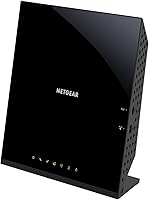
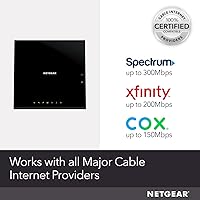
The NETGEAR C6250 AC1600 Modem Router Combo is a two-in-one cable gateway that handles both your modem and Wi-Fi router duties in a single box — a practical solution for anyone tired of paying a monthly equipment rental fee to their ISP. This cable gateway works with Xfinity by Comcast, Spectrum, and Cox, but it is worth being upfront: it does not support DSL, fiber, Verizon, AT&T, or any bundled voice service. First launched in late 2017, the C6250 is a mature product built around established technology rather than cutting-edge specs, and that is perfectly fine for the audience it serves — cost-conscious cable subscribers on plans up to 300 Mbps.
Features & Benefits
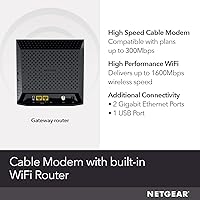
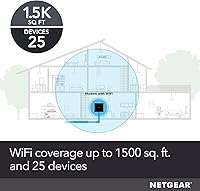
On the technical side, the C6250 runs on DOCSIS 3.0 with 16x4 channel bonding, which is more than capable of handling cable internet plans up to 300 Mbps — think Spectrum's standard tier, Xfinity's mid-range plans, or Cox's entry-level offerings. The dual-band Wi-Fi covers both the 2.4 GHz and 5 GHz bands for a combined AC1600 throughput, reaching up to 1,500 square feet and supporting around 25 connected devices. Two Gigabit Ethernet ports handle wired connections to gaming consoles, desktops, or smart TVs, and there is a USB 2.0 port for sharing a printer or external drive across your network. Parental controls and WPA2 security come standard.
Best For
This modem-router combo is squarely aimed at cable subscribers who are currently paying a monthly rental fee for ISP equipment — the kind of recurring charge that quietly adds up over a year or two. If you are on an Xfinity, Spectrum, or Cox plan at or under 300 Mbps, this cable gateway fits that use case well. It is best suited to smaller homes — a single-floor apartment or a compact house — where 1,500 square feet of Wi-Fi coverage is realistic. Coverage estimates can fall short in multi-story layouts or homes with thick walls, so larger households may want to consider something with more range or a dedicated mesh system.
User Feedback
The C6250 holds a solid 4.2-out-of-5 rating across thousands of buyer reviews, which tells a fairly consistent story. Quick ISP activation and straightforward self-installation are the highlights people return to most — many report being up and running within 30 minutes without a technician. The financial motivation is clear too; for many buyers, this purchase paid for itself within several months of ditching the rental fee. On the downside, Wi-Fi range complaints are common among buyers in multi-floor homes, and a meaningful share of negative reviews come from people who did not confirm provider compatibility beforehand, particularly those on bundled voice plans. A few also note the AC1600 standard is starting to show its age.
Pros
- Eliminates the ISP modem rental fee, which adds up to meaningful savings over a year or two of ownership.
- Certified compatible with Xfinity, Spectrum, and Cox — no guesswork on whether it will be approved by your provider.
- Setup is genuinely straightforward; most buyers report being online within 30 minutes without a technician visit.
- Dual-band Wi-Fi handles both 2.4 GHz and 5 GHz simultaneously, giving you flexibility across different device types.
- Two Gigabit Ethernet ports let you hardwire a desktop, gaming console, or smart TV for a more stable connection.
- The USB 2.0 port is a handy bonus for sharing a printer or external drive across your home network.
- Parental controls are built in, which is useful for households with kids and no desire to buy separate filtering software.
- At a 4.2-out-of-5 rating across thousands of reviews, the C6250 has a proven track record of reliable day-to-day performance.
- One-box design reduces cable clutter and simplifies your home network compared to running separate modem and router hardware.
Cons
- Strictly incompatible with DSL, fiber, Verizon, AT&T, and bundled voice plans — a hard stop for a large portion of internet subscribers.
- Wi-Fi coverage tops out around 1,500 square feet under ideal conditions; real-world range in multi-floor or wall-heavy homes is often less.
- The AC1600 Wi-Fi standard is showing its age and trails behind newer Wi-Fi 5 and Wi-Fi 6 hardware on the market today.
- DOCSIS 3.0 with 16x4 bonding caps out at 300 Mbps, making this cable gateway a poor long-term fit if you plan to upgrade to a gigabit plan.
- Only two LAN ports means wired connections are limited — households with several wired devices will need an additional switch.
- The USB port is USB 2.0, not USB 3.0, which limits transfer speeds when using it for attached storage.
- No dedicated mobile app for setup or ongoing management; configuration relies on a web-based interface that some users find less intuitive.
- Being a 2017-era device, long-term firmware support and feature updates are not guaranteed as NETGEAR shifts focus to newer models.
Ratings
The NETGEAR C6250 AC1600 Modem Router Combo scores below are generated by our AI engine after analyzing thousands of verified global buyer reviews, actively filtering out incentivized, duplicate, and bot-flagged submissions to surface what real users actually experience. The result is an honest, balanced scorecard that reflects both what this cable gateway does well and where it genuinely falls short — no spin, no cherry-picking.
Value for Money
Ease of Setup
Wi-Fi Performance
Modem Speed & Reliability
Provider Compatibility
Wi-Fi Range
Build Quality
Wired Connectivity
Network Security
Technology Currency
Long-Term Durability
Device Management
Package Contents
Suitable for:
The NETGEAR C6250 AC1600 Modem Router Combo is a strong fit for cable internet subscribers who are currently renting a modem from their ISP and want to stop paying that recurring monthly charge. If you are on Xfinity, Spectrum, or Cox — and your plan runs at or below 300 Mbps — this cable gateway covers that use case without overcomplicating things. It works especially well in smaller living spaces: a one-bedroom or two-bedroom apartment, a compact townhouse, or any single-floor home where 1,500 square feet of Wi-Fi coverage is genuinely sufficient. People who prefer one box over managing separate modem and router hardware will appreciate the simpler setup and reduced cable clutter. It is also a solid choice for households with a moderate number of devices — think laptops, phones, a smart TV, and a gaming console — rather than a sprawling smart home setup.
Not suitable for:
The NETGEAR C6250 AC1600 Modem Router Combo is not the right call for everyone, and a few dealbreakers are worth knowing upfront before purchasing. If your internet service comes from Verizon, AT&T, CenturyLink, or any DSL or fiber provider, this device simply will not work — compatibility is strictly limited to cable providers. Anyone on a bundled voice or phone plan through their cable company should also steer clear, as the C6250 does not support telephone voice ports. Buyers in larger homes — two or more floors, or layouts over 1,500 square feet — frequently report that the Wi-Fi coverage falls short, and a single combo unit is unlikely to fully replace a mesh network in those situations. Power users on gigabit cable plans, or households with heavy simultaneous streaming and gaming across many devices, will likely find the modem's channel bonding and the aging AC1600 Wi-Fi standard to be a bottleneck over time.
Specifications
- Brand & Model: Manufactured by NETGEAR under model number C6250-1AZNAS, also commonly referred to as the C6250 series.
- Modem Standard: Uses DOCSIS 3.0 technology with 16x4 channel bonding for downstream and upstream data transmission over cable infrastructure.
- Max Cable Speed: Supports cable internet plans up to 300 Mbps, with actual speeds varying by provider and subscribed tier.
- Wi-Fi Standard: Operates on 802.11ac (Wi-Fi 5) across dual bands, delivering a combined theoretical throughput of up to 1,600 Mbps.
- Frequency Bands: Broadcasts simultaneously on both the 2.4 GHz band and the 5 GHz band for flexible device connectivity.
- Wi-Fi Coverage: Rated for up to 1,500 sq ft of wireless coverage under ideal conditions; actual range varies by home layout and interference.
- Device Capacity: Supports up to 25 simultaneously connected wireless devices across both frequency bands.
- LAN Ports: Equipped with two Gigabit Ethernet (10/100/1000) LAN ports featuring auto-sensing technology for wired device connections.
- USB Port: Includes one USB 2.0 port for connecting a shared printer or external storage drive to the local network.
- Security: Supports WPA/WPA2 and WEP wireless encryption protocols, plus built-in parental controls for household content management.
- Provider Support: Certified for use with Xfinity by Comcast, Spectrum, and Cox cable internet services only; not compatible with DSL, fiber, Verizon, or AT&T.
- Voice Support: Does not include telephone voice ports and is not compatible with any ISP-bundled voice or phone service plans.
- Dimensions: Measures 7.79″ (L) x 2.52″ (W) x 7.68″ (H), designed for vertical placement with a compact footprint.
- Weight: Weighs 2.53 pounds, making it lightweight enough to relocate or remount without difficulty.
- Power Supply: Compatible with input voltages ranging from 100 to 240 volts, suitable for standard North American electrical outlets.
- Operating System: Runs on NETGEAR's proprietary operating system, managed through a browser-based web interface rather than a dedicated mobile app.
- Included Items: Package includes the C6250 unit, one Ethernet cable, a power adapter, and a printed quick install guide.
- Availability: First released in December 2017 and remains actively sold; NETGEAR has not discontinued this model as of the latest product data.
Related Reviews
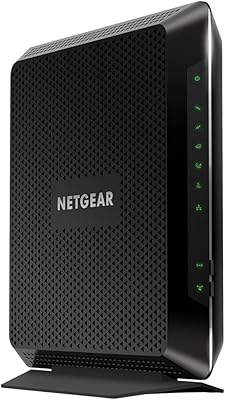
NETGEAR Nighthawk C7000 AC1900 Modem Router Combo
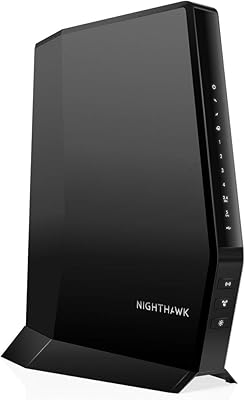
NETGEAR Nighthawk CAX30
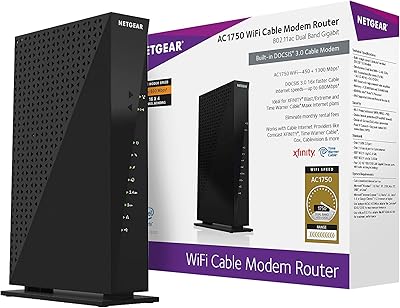
NETGEAR C6300 Cable Modem Router Combo
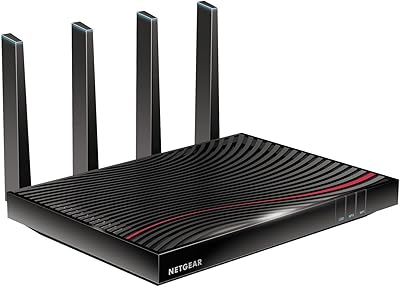
NETGEAR Nighthawk C7800 Cable Modem Router Combo
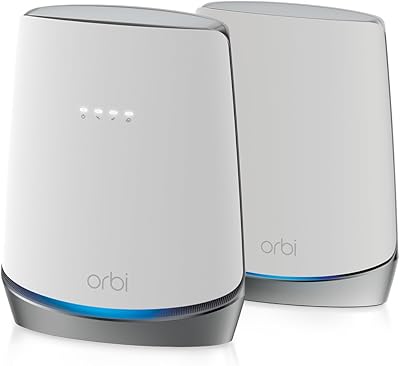
NETGEAR Orbi CBK752 Mesh Modem Router Combo
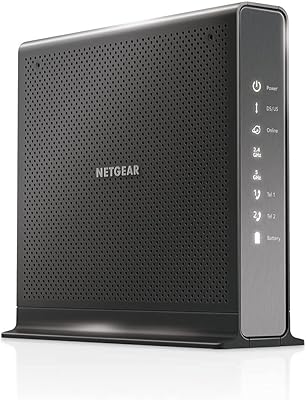
NETGEAR Nighthawk C7100V Cable Modem WiFi Router Combo with Voice
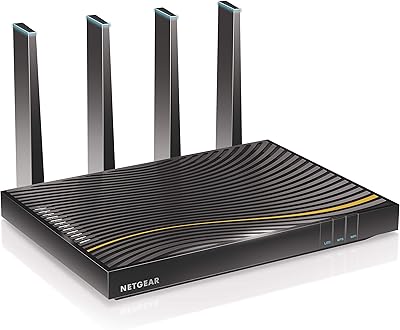
NETGEAR C7500 AC3200 Cable Modem Router Combo
NETGEAR C6230 AC1200 Cable Modem Router
ARRIS SBG10 Cable Modem Router Combo