

Overview

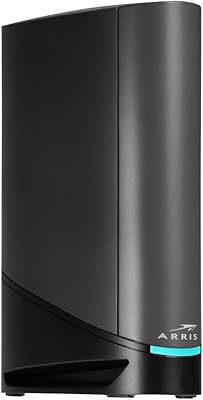
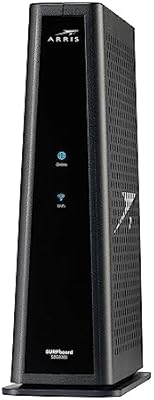
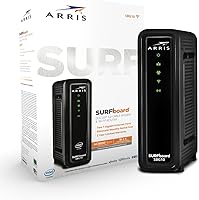
The ARRIS SBG10 Cable Modem Router Combo is a practical two-in-one unit designed for households tired of paying monthly rental fees for ISP-provided equipment. It handles both modem and router duties in a single slim box, works with major cable providers like Xfinity and Cox, and supports the widely deployed DOCSIS 3.0 standard. The vertical design is narrow enough to tuck behind a TV or onto a crowded shelf without much fuss. Just know going in — this ARRIS unit is built for reliable everyday performance, not for pushing the absolute limits of a high-end network setup.

Features & Benefits

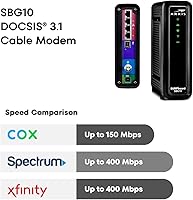
On the technical side, the SBG10 uses 16x4 channel bonding under DOCSIS 3.0, which means it can comfortably support cable internet plans up to 400 Mbps — though your actual speeds will always depend on what your ISP delivers to the line. The AC1600 dual-band Wi-Fi runs both 2.4 GHz and 5 GHz simultaneously, giving nearby devices a faster lane while keeping older gadgets connected. Two Gigabit Ethernet ports cover wired needs for a desktop or gaming console. Setup is handled through the SURFboard Central app, which walks you through activation and also provides parental controls and basic device monitoring once you're live.

Best For

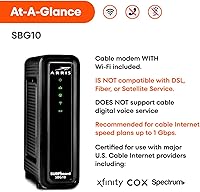
This modem-router combo makes the most sense for renters or homeowners on cable internet plans at or below 400 Mbps who want to cut the equipment rental line from their monthly bill. It's well-suited to small apartments or single-floor homes where walls and distance won't stress the Wi-Fi range. The app-guided setup also makes it a comfortable choice for anyone who doesn't want to dig through router admin pages. One firm caveat: this ARRIS unit does not work with Spectrum, and it won't function on fiber-based connections — confirm compatibility with your provider before purchasing.

User Feedback

Across thousands of verified ratings, the SBG10 holds a 4.2 out of 5, and the pattern in reviews is fairly consistent. Most buyers are happy with how quickly it activates and appreciate seeing the rental fee disappear from their cable bill within the first month. Where people run into trouble is Wi-Fi coverage — users in larger homes or multi-story spaces frequently report weak signal on upper floors, and a mesh extender is worth considering in those cases. A smaller number of owners mention needing to reboot the unit every few weeks. ISP compatibility confusion trips up a handful of buyers, reinforcing why checking with your provider first is genuinely important.

Pros

  • Eliminates ISP modem rental fees and typically pays for itself within a few months.
  • Straightforward app-guided activation makes setup accessible for non-technical users.
  • Dual-band AC1600 Wi-Fi handles streaming and browsing well in compact living spaces.
  • Two Gigabit Ethernet ports provide reliable wired connections for desktops or consoles.
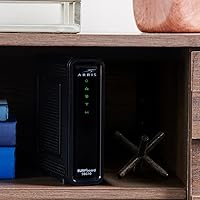
  • The slim vertical footprint tucks neatly onto a shelf or behind a TV cabinet.
  • Stable day-to-day performance is a consistent theme across thousands of verified buyer reviews.
  • The SURFboard Central app includes parental controls and real-time device monitoring at no extra cost.
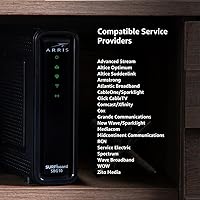
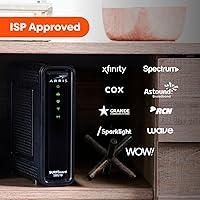
  • Certified for use with Xfinity, Cox, and several regional cable operators across the U.S.
  • At well under $100, the SBG10 sits in a practical price range for budget-aware households.

Cons

  • Wi-Fi range falls short in larger homes, multi-story layouts, or spaces with thick walls.
  • The 400 Mbps ceiling makes this ARRIS unit incompatible with gigabit cable plans.
  • Some owners report needing to manually reboot the device every few weeks to restore connectivity.
  • Only two Ethernet ports limits wired device options without adding a separate network switch.
  • No USB port means no option for shared network storage or a connected printer.
  • Advanced router settings are thin — power users will find the app-based controls frustrating.
  • The companion app has a spotty update history, with some users reporting connectivity issues after OS upgrades.
  • Completely incompatible with Spectrum, fiber connections, and satellite internet providers.
  • The plastic build runs noticeably warm during sustained heavy use, raising mild long-term concerns.

Ratings

The ARRIS SBG10 Cable Modem Router Combo has been scored across 12 performance categories by our AI system, which analyzed thousands of verified global buyer reviews while actively filtering out spam, bot submissions, and incentivized feedback. The result is a balanced picture that honestly reflects where this modem-router combo earns its reputation — and where real-world owners have run into friction. Both the strengths and the recurring pain points are reflected transparently in the scores below.

Value for Money
91%
The single most praised aspect across reviews is how quickly the SBG10 recoups its cost by eliminating monthly ISP equipment rental fees. Most buyers on Xfinity or Cox report breaking even within three to four months, after which the savings compound indefinitely. That math resonates strongly with budget-conscious households.
A small segment of buyers on lower-tier internet plans felt the price was harder to justify when cheaper DOCSIS 3.0 modems without built-in Wi-Fi are available. Those who later upgraded to gigabit plans also found themselves needing a replacement sooner than expected.
Setup & Activation
86%
The SURFboard Central app walks first-time users through activation in a clear, step-by-step way that most people with no networking background found genuinely manageable. Reviewers frequently mention having the unit online within 20 minutes of unboxing, including the ISP activation call.
A recurring frustration surfaces when ISP phone representatives are unfamiliar with self-provided equipment, adding friction that has nothing to do with the hardware itself. A smaller number of users reported the app crashing or failing to detect the device during initial setup, requiring a restart to resolve.
Connection Stability
83%
Day-to-day reliability is a consistent strength. Reviewers using the SBG10 for video calls, 4K streaming, and remote work generally report a stable, drop-free experience over weeks and months of normal use. Wired connections via the Gigabit Ethernet ports are particularly praised for rock-solid consistency.
Some owners — particularly those running the unit continuously for several weeks — report occasional connectivity drops that are resolved only by a manual reboot. It is not a widespread failure, but frequent enough that it appears in reviews from multiple regions and ISP configurations.
Wi-Fi Coverage & Range
61%
39%
In compact living spaces — studios, one-bedroom apartments, or small single-floor homes — the dual-band AC1600 Wi-Fi performs adequately for typical usage like streaming and browsing. The 5 GHz band delivers noticeably faster throughput for devices in the same room or the next.
This is the most consistent complaint in the review pool. Users in two-story homes or spaces over roughly 1,200 square feet regularly report weak signal on upper floors or far rooms. The SBG10 is simply not designed to blanket a large home, and buyers expecting otherwise are frequently disappointed.
Modem Performance
88%
The DOCSIS 3.0 engine with 16x4 channel bonding handles mainstream cable internet plans cleanly. Users on plans between 100 and 300 Mbps rarely report any throughput issues, and wired speed tests typically land close to the ISP-advertised rate. It punches at or above its weight class for the target use case.
The 400 Mbps ceiling means the SBG10 is already obsolete for gigabit cable plans, which are increasingly common. Buyers on faster plans or those expecting to upgrade within a year or two will likely need to budget for a DOCSIS 3.1 replacement sooner rather than later.
ISP Compatibility
69%
31%
Compatibility with Xfinity and Cox is well-established, and most subscribers with those providers report a straightforward activation process. The unit is also certified with several regional cable operators, making it viable for a broad but specific segment of U.S. cable internet customers.
Spectrum incompatibility catches a meaningful number of buyers off guard, and the confusion generates a disproportionate share of negative reviews. The unit also does not function on fiber connections, which is an easy miss for buyers who may not fully understand the distinction between their service type.
Build Quality & Design
74%
26%
The slim vertical footprint is genuinely practical — it takes up minimal shelf space and fits neatly behind a TV cabinet or on a narrow ledge. The matte black finish looks inoffensive in most home environments, and the physical build feels solid enough to sit undisturbed for years.
The plastic casing feels noticeably lightweight compared to pricier networking hardware, and a few reviewers mention the unit running warm during sustained heavy use. Ventilation slots are present but the thermal design does not inspire confidence over the long term for always-on setups.
Ease of Use (Ongoing)
78%
22%
Once activated, day-to-day interaction with the SBG10 is minimal for most users — which is exactly what most people want from home networking equipment. The SURFboard Central app provides accessible parental controls and a device list without requiring any login to a router admin panel.
Power users looking for advanced configuration options — custom DNS, detailed QoS settings, or VLAN support — will find the app's feature set thin. The web-based admin interface exists but is limited, which frustrates the technically inclined more than it affects casual home users.
Router Features & Controls
63%
37%
For a household that just wants parental time limits, a guest network, and the ability to pause Wi-Fi for specific devices, the app covers those bases reasonably well. Basic network management is accessible without any technical knowledge, which suits the product's target audience.
The routing functionality lags meaningfully behind even budget standalone routers. There is no USB port for network storage, no beamforming, no MU-MIMO support, and limited control over band steering. Users who outgrow the basics will need a separate router to fill the gap.
Wired Connectivity
82%
18%
The two Gigabit Ethernet ports are a practical inclusion for households with a desktop PC or a gaming console that benefits from a direct wired connection. Speed and latency over Ethernet are consistently reliable and generally match the ISP plan ceiling without issue.
Two ports is sufficient for minimal setups but becomes a constraint quickly — one port for a PC and one for a smart TV leaves nothing for a console or NAS device without adding a switch. There is no USB port at all, ruling out any shared storage or printer functionality.
Long-Term Reliability
71%
29%
A solid portion of reviewers mention using the SBG10 for two or more years without hardware failure, which speaks well of the unit's longevity under normal residential use. The brand's track record in the modem space adds a degree of confidence that off-brand alternatives cannot match.
The periodic reboot issue reported by a segment of users raises mild concerns about long-term firmware stability. Combined with the DOCSIS 3.0 ceiling, the practical lifespan for buyers on improving cable plans may be shorter than the hardware itself would otherwise last.
App Experience
67%
33%
The SURFboard Central app covers the essentials competently — setup guidance, a connected device list, parental controls, and basic network health indicators. For non-technical users, it removes the intimidation factor that typically comes with setting up home networking hardware.
App store reviews reveal a mixed track record with software updates, including reports of the app losing connection to the modem after OS updates on both iOS and Android. Responsiveness can feel sluggish compared to the apps bundled with newer mesh networking systems.

Suitable for:

The ARRIS SBG10 Cable Modem Router Combo is a smart buy for renters, apartment dwellers, and cost-conscious homeowners who are tired of seeing a modem rental line on their cable bill every month. If you are on an Xfinity or Cox internet plan delivering anywhere up to 400 Mbps and live in a compact space — a studio, a one-bedroom apartment, or a small single-floor home — this unit covers your needs without overcomplicating things. It is particularly well-matched for non-technical users who want a guided setup experience through a smartphone app rather than digging through router admin pages. Households with a mix of wired and wireless devices will appreciate having both Gigabit Ethernet ports and dual-band Wi-Fi in one tidy box. If your primary goal is to stop paying rental fees and get a dependable connection for streaming, video calls, and everyday browsing, this modem-router combo delivers on that promise cleanly.

Not suitable for:

The ARRIS SBG10 Cable Modem Router Combo is a firm pass for anyone on Spectrum, fiber, or any non-cable internet service — it simply will not work, and this catches more buyers off guard than it should. If you live in a two-story home or a larger space exceeding roughly 1,200 square feet, the built-in Wi-Fi will likely leave dead zones in far rooms or upper floors, and no firmware update will fix that physical limitation. Power users who want granular network controls — custom DNS settings, robust QoS, MU-MIMO, or USB-based network storage — will find the feature set too shallow for their needs. Anyone already on a gigabit cable plan, or planning to upgrade to one within the next year or two, should also look elsewhere, since the DOCSIS 3.0 standard caps out well below what modern gigabit tiers require. And if you prefer managing your network through a full-featured web interface rather than a mobile app, the experience here will feel limiting.

Specifications

  • Cable Standard: Uses DOCSIS 3.0 technology, which is compatible with the vast majority of U.S. cable internet infrastructures.
  • Channel Bonding: Supports 16 downstream and 4 upstream channel bonding for improved throughput stability under real-world network congestion.
  • Max Speed: Supports cable internet plans up to 400 Mbps downstream; actual speeds depend on the subscribed ISP plan and line conditions.
  • Wi-Fi Standard: 802.11ac (Wi-Fi 5) dual-band with a combined throughput rating of AC1600 across both frequency bands.
  • Wi-Fi Bands: Broadcasts simultaneously on 2.4 GHz (up to 300 Mbps) and 5 GHz (up to 1,300 Mbps) for concurrent dual-band operation.
  • Ethernet Ports: Equipped with two Gigabit Ethernet (10/100/1000 Mbps) LAN ports for wired device connections.
  • USB Ports: No USB ports are included; the unit does not support network-attached storage or USB-connected peripherals.
  • Dimensions: Measures 6.77″ long by 1.97″ wide by 6.58″ tall, designed for vertical placement on a shelf or desk.
  • Weight: Weighs 1.13 pounds, making it one of the lighter combo units available in its class.
  • Power Input: Operates on a standard 120V AC power supply; no external voltage converter is required for U.S. household outlets.
  • Compatible ISPs: Certified for use with Xfinity, Cox, and a range of regional U.S. cable operators; buyers should verify with their specific provider before purchase.
  • Incompatible Services: Does not function with Spectrum, fiber-optic internet services, DSL, or satellite connections.
  • Companion App: Pairs with the SURFboard Central app, available for both iOS and Android, for guided setup, parental controls, and device monitoring.
  • Color & Finish: Available in matte black with a slim vertical chassis designed to blend unobtrusively into a home environment.
  • Manufacturer: Designed and sold under the ARRIS SURFboard brand, currently manufactured by Vantiva, the successor company to the original ARRIS International.
  • Security Features: Supports standard WPA2 wireless encryption and includes basic firewall functionality managed through the SURFboard Central app.
  • OFDM Channels: Does not include OFDM downstream or upstream channels, which are a feature of the newer DOCSIS 3.1 standard not supported by this unit.

Related Reviews
ARRIS G20 Cable Modem Router Combo
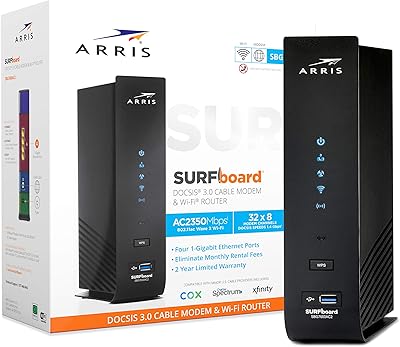
85%
89%
Performance
83%
Wi-Fi Coverage
91%
Ease of Setup
85%
Speed Consistency
93%
Compatibility with ISPs
More
ARRIS SURFboard SBG7600AC2 Cable Modem Router Combo
86%
89%
Performance
92%
Setup Ease
91%
Value for Money
86%
Wi-Fi Range & Speed
82%
Parental Controls
More
ARRIS SURFboard SBG8300 DOCSIS 3.1 Cable Modem Router Combo
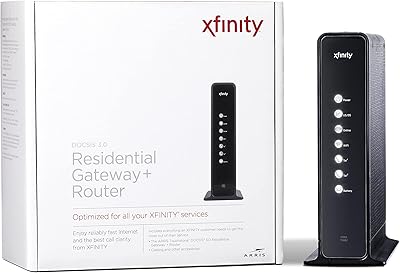
84%
91%
Performance & Speed
88%
Wi-Fi Coverage & Stability
80%
Ease of Setup
84%
Compatibility with ISPs
92%
Value for Money
More
ARRIS SURFboard G36
ARRIS SURFboard G36
72%
83%
Setup & Activation
76%
Wi-Fi Speed & Throughput
61%
Wi-Fi Range & Coverage
58%
Connection Stability
88%
DOCSIS 3.1 Modem Performance
More
ARRIS TG862G-CT Cable Modem Router
85%
91%
Value for Money
89%
Performance & Speed
93%
Ease of Setup
85%
Voice Service Quality
72%
Wi-Fi Range
More
NETGEAR C6300 Cable Modem Router Combo
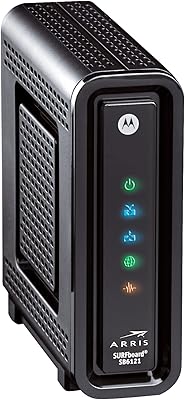
69%
83%
Value for Money
88%
Setup & Installation
71%
WiFi Performance
91%
Wired Connectivity
62%
Long-Term Reliability
More
NETGEAR Nighthawk C7800 Cable Modem WiFi Router Combo
84%
88%
Wi-Fi Performance
75%
Ease of Setup
92%
Speed and Reliability
85%
Compatibility with ISPs
90%
Value for Money
More
NETGEAR C6250 AC1600 Modem Router Combo
74%
84%
Value for Money
88%
Ease of Setup
71%
Wi-Fi Performance
82%
Modem Speed & Reliability
73%
Provider Compatibility
More
ARRIS SURFboard SBG7580AC Cable Modem Router
75%
88%
Connection Stability
72%
Wi-Fi Coverage
91%
Setup Experience
84%
Value for Money
86%
Wired Performance
More
ARRIS SBG6580 DOCSIS 3.0 Cable Modem Router
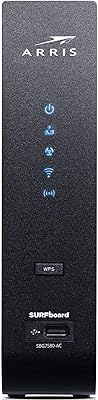
76%
83%
Connection Stability
61%
Wi-Fi Coverage & Range
58%
Wi-Fi Speed Performance
84%
Ease of Setup
81%
Modem Performance
More

FAQ

No, it does not. The ARRIS SBG10 Cable Modem Router Combo is explicitly incompatible with Spectrum, which requires modems purchased through or approved specifically for their network. If you are a Spectrum customer, you will need a different device.

Unfortunately, no. The SBG10 tops out at 400 Mbps due to its DOCSIS 3.0 architecture with 16x4 channel bonding. If your cable plan delivers more than 400 Mbps, you will not get full value from this unit and should look at a DOCSIS 3.1 modem instead.

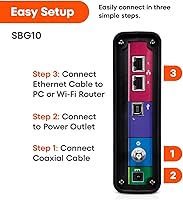
You will likely need a brief call or online activation with your ISP to register the modem on your account, but the hardware side is straightforward. Download the SURFboard Central app, plug the unit in, and follow the guided steps. Most users report the whole process taking under 30 minutes.

Yes, absolutely. The two Gigabit Ethernet ports work independently of the Wi-Fi, so you can connect a desktop, a gaming console, or even a separate standalone router directly via cable. Some users run it in this mode on purpose to get cleaner, lower-latency wired performance.

Probably not — this is a known limitation of the SBG10 in larger or multi-story homes. The AC1600 Wi-Fi radio is tuned for compact spaces, and signal degradation in two-story layouts is a recurring theme in user reviews. A Wi-Fi mesh extender placed on the upper floor is the most practical fix without replacing the unit.

This is a complaint that appears consistently enough across reviews to be worth flagging. It does not happen to every user, but periodic reboots — sometimes every few weeks — are a known occurrence. Check that your coax cable connections are tight and that the unit has adequate ventilation first. If it persists, it may be worth a firmware check or a support call to your ISP to rule out signal issues on the line.

That depends on your ISP's rental fee, but most U.S. cable providers charge between $10 and $15 per month for equipment rental. At that rate, the SBG10 typically pays for itself within three to five months. After that, the savings are pure.

The SBG10 is certified as a modem with Cox, but Cox Panoramic Wi-Fi is a managed service tied to Cox-provided equipment. If you switch to this modem-router combo, you would be opting out of that managed service and using the built-in Wi-Fi instead. Contact Cox to confirm how this affects your specific plan before making the switch.

Yes. You can plug a standalone router into one of the Gigabit Ethernet ports and configure the SBG10 to operate in bridge mode, which disables the built-in Wi-Fi and passes the connection through to your external router. This is a popular setup for users who want better Wi-Fi coverage without buying a separate modem.

A basic web-based admin interface is accessible through a browser, but most of the user-friendly controls — including parental features and device monitoring — are housed in the SURFboard Central app. The app is free on both iOS and Android. If you prefer not to use it, you can still get the unit running, but the experience is considerably more limited without it.