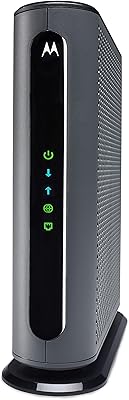
Overview

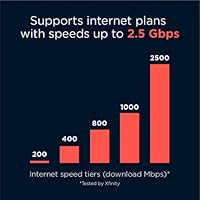
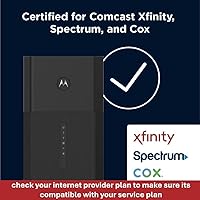
The Motorola MG8725 WiFi 6 Cable Modem Router is a premium 2-in-1 device aimed at households fed up with paying monthly modem rental fees to their ISP. Sitting above mid-range territory, this modem-router combo is built for power users and busy multi-device homes rather than casual browsing households. It's approved for Comcast Xfinity, Cox, and Spectrum — though not necessarily every tier each carrier offers, so confirming compatibility before buying is a smart move. The DOCSIS 3.1 standard means it can handle multi-gig service plans as they roll out, making it a reasonable long-term investment. That said, its value proposition really clicks only when you're already on a gigabit or higher plan.
Features & Benefits

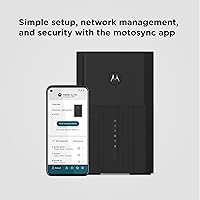
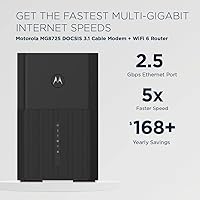
On the wireless side, the MG8725 runs WiFi 6 with a combined theoretical ceiling of 6,000 Mbps across dual bands — real-world speeds land lower, but the efficiency gains over older routers are genuinely felt in homes with many devices running at once. Wired connections are well-considered: one 2.5 Gig Ethernet port suits a NAS drive or wired gaming rig, while three standard Gigabit ports handle everything else. The MotoSync app covers setup, malware blocking, parental controls, and speed testing from one interface. Worth noting: this Motorola gateway was the first modem to earn Low Latency DOCSIS certification, which promises reduced lag for gaming and calls — but only once ISPs push the necessary firmware update.

Best For

This modem-router combo makes the most sense for subscribers on gigabit or multi-gig cable plans who want to cut the rental fee entirely. Most ISPs charge roughly $10-$15 per month for a modem, putting the payback window at around two years — reasonable if you're staying with the same provider. Remote workers dependent on video calls and content creators uploading large files will appreciate the stable, low-latency connection. Families get centralized content filtering and usage schedules without adding a separate app subscription. And for anyone running aging DOCSIS 3.0 hardware, this is a clean single-device upgrade with real headroom for faster internet plans as they become available.

User Feedback

The overall reception for the MG8725 is solid, with buyers praising how quick and painless the initial setup is and how noticeably faster their connection feels versus older ISP-rented gear. Several owners specifically highlight the 2.5 Gig Ethernet port as a standout for NAS connections and wired gaming. The criticisms are genuine, though: a recurring gripe involves occasional drops that need a router restart to resolve — not a dealbreaker, but real. The MotoSync app draws mixed reviews depending on the platform, performing better on iOS than Android. Cox subscribers have noted sluggish activation during setup. That said, most long-term owners agree the upfront cost starts feeling justified somewhere around the 18-month mark of avoided rental payments.

Pros

  • Eliminating the modem rental fee typically recoups the purchase cost within about two years.
  • DOCSIS 3.1 support means this Motorola gateway can handle multi-gig internet plans as they become available in your area.
  • The dedicated 2.5 Gig Ethernet port is a genuine differentiator for NAS users and wired gaming setups.
  • WiFi 6 handles congested, multi-device households far more efficiently than older router standards.
  • MotoSync app brings setup, parental controls, and malware blocking into one place without a subscription fee.
  • Initial setup is fast and straightforward — most buyers report being online within minutes of unboxing.
  • Beamforming and range-boosting features help this modem-router combo perform well in larger or multi-floor homes.
  • Low Latency DOCSIS certification positions the hardware for meaningful future improvements in gaming and call quality.
  • Backward compatibility with DOCSIS 3.0 means it works on current plans while being ready for faster tiers.
  • Compact physical footprint keeps it unobtrusive in an entertainment center or home office setup.

Cons

  • Some users report intermittent connectivity drops that require a manual restart to resolve — a recurring complaint across reviews.
  • The MotoSync app has notable stability issues on Android, making remote management unreliable for some users.
  • Cox subscribers have flagged unusually slow modem activation during initial setup, which can be frustrating.
  • The upfront cost is a real barrier; buyers on slower or mid-tier plans may struggle to justify the investment.
  • As a 2-in-1 device, a hardware failure means replacing both the modem and router simultaneously rather than just one component.
  • Not approved for all plan tiers across supported ISPs — confirming compatibility before purchasing is essential.
  • Dual-band only; there is no dedicated third band or 6 GHz support, which limits future WiFi 6E expansion.
  • The LLD low-latency feature is not yet active on most ISP networks, so gamers cannot benefit from it right now.

Ratings

The scores below for the Motorola MG8725 WiFi 6 Cable Modem Router were generated by AI after analyzing thousands of verified global user reviews, with spam, bot activity, and incentivized feedback actively filtered out. Each category reflects the honest consensus of real buyers — including the parts they loved and the friction points they ran into. Nothing has been softened to flatter the product.
WiFi Performance
83%
In homes with 20 or more connected devices, users consistently report that WiFi 6 makes a noticeable difference — less buffering during simultaneous 4K streams, faster response during multi-player sessions, and more stable connections for video calls on devices spread across multiple rooms.
Real-world throughput predictably falls short of the 6,000 Mbps theoretical ceiling, especially on the 2.4 GHz band. Users in larger two-story homes occasionally note dead zones in far corners, suggesting the dual-band setup has limits without a mesh extender.
Wired Connectivity
89%
The inclusion of a 2.5 Gig Ethernet port genuinely sets this modem-router combo apart for users with NAS drives or wired gaming rigs — several buyers specifically called it out as the deciding factor in choosing this unit over competing combos.
Three standard Gigabit ports is adequate for most households, but users with dense wired setups — think home labs or multi-desktop offices — may find themselves needing an additional switch sooner than expected.
Setup Experience
86%
Most buyers report being online within 15 to 20 minutes of unboxing, with the MotoSync app guiding them through each step clearly. For people who dread networking configuration, the app-driven process removes most of the friction that comes with swapping ISP equipment.
The setup still requires a provisioning call or chat with your ISP to register the new modem, which can add unexpected wait time. Cox users in particular have flagged this activation step as noticeably slower compared to other providers.
App Quality
67%
33%
On iOS, MotoSync is genuinely capable — speed tests, guest network toggles, parental schedule management, and malware blocking are all accessible in one place without requiring a separate subscription or a browser-based admin panel.
Android users tell a different story, with reports of crashes, slow loading, and inconsistent responsiveness being common. For a device at this price point, the app experience should be more polished and consistent across platforms.
Range & Coverage
78%
22%
Beamforming and the range-enhancement features do make a practical difference in medium to large homes — users in 2,000 to 3,000 square foot spaces generally report solid coverage without needing a separate access point or extender.
In homes with thick concrete walls or awkward layouts, signal drop-off is more pronounced than some buyers expected given the marketing around coverage. A tri-band or mesh-capable design would serve larger or more complex floor plans better.
Reliability & Stability
71%
29%
For the majority of users day-to-day, this Motorola gateway runs without issue for weeks at a stretch — consistent speeds, no obvious packet loss during long video calls, and solid uptime that makes the rental-fee savings feel well earned.
A recurring and notable complaint involves intermittent connectivity drops that require a manual restart to fix, with no clear triggering pattern. It does not affect every unit, but it appears often enough in reviews to be a real concern rather than an outlier.
Value for Money
81%
19%
When you account for the elimination of modem rental fees — typically $10 to $15 per month — the math starts working in your favor after roughly 20 to 24 months. Buyers who have owned this combo for two or more years consistently describe it as a smart long-term investment.
The upfront cost is a genuine barrier, and buyers on slower or mid-tier plans will have a harder time justifying it since they will not be using most of what they paid for. It is priced for a specific kind of buyer, and it does not suit everyone.
ISP Compatibility
74%
26%
Approval across Comcast Xfinity, Cox, and Spectrum covers a large portion of the US cable internet market, and most buyers on these providers report a smooth activation with no push-back from their ISP when registering the device.
Compatibility is not blanket — it varies by plan tier within each ISP, and some users have found their specific plan was not supported after purchase. Always cross-check against your provider's current approved modem list before ordering.
Parental Controls
79%
21%
Families appreciate having content filtering, device-level schedules, and usage monitoring all within the MotoSync app at no extra cost — it replaces what some competing routers charge a monthly fee for through third-party services.
The controls are solid but not class-leading; advanced users looking for deep customization, per-app filtering, or detailed per-device traffic logs will find the feature set a bit limited compared to dedicated mesh router ecosystems.
Low Latency DOCSIS (LLD)
58%
42%
Being the first modem to earn CableLabs LLD certification is a meaningful technical milestone, and it means the hardware is genuinely positioned to deliver lower ping and more stable gaming performance once ISPs roll out the necessary firmware.
Right now, it is mostly a promise rather than a feature — no major ISP has pushed the required firmware update at scale yet, so buyers expecting reduced lag today will be disappointed. It is future-ready hardware, not a current advantage.
Physical Design
77%
23%
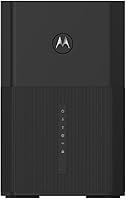
At 5 x 3 x 6 inches, the unit is compact enough to tuck into an entertainment center or sit discreetly on a shelf without dominating the space. The all-black finish is neutral and works in most home setups without looking out of place.
The physical design is functional but unremarkable — there are no status display enhancements or front-facing indicators that make it easy to quickly diagnose connectivity issues at a glance, which some users found frustrating during troubleshooting.
Security Features
76%
24%
Built-in malware blocking via MotoSync adds a useful network-level layer of protection that catches threats before they reach individual devices — a feature most competing combo units at this tier do not include without a paid add-on.
The security toolset is entry-level relative to what dedicated routers from brands like ASUS or Netgear offer at similar price points. Power users looking for VLAN support, advanced firewall rules, or detailed threat logging will find it lacking.
Multi-Device Handling
82%
18%
WiFi 6's OFDMA technology allows the MG8725 to serve multiple devices more efficiently in the same transmission cycle — users with busy households report that the network holds up well when a dozen or more devices are actively pulling data simultaneously.
As the device count climbs toward 30 or 40 in larger households with heavy simultaneous usage, some users notice the 5 GHz band getting congested. The dual-band design has no dedicated backhaul or third band to offload that traffic.
Long-Term Durability
73%
27%
Units that have been running continuously for two or three years without the restart issues seem to hold up well — stable heat management, no port degradation reported, and firmware updates have continued to arrive at reasonable intervals.
The intermittent restart issue experienced by a subset of users raises questions about long-term reliability that are hard to fully dismiss. Whether it is a hardware variance or a firmware bug that will eventually be patched remains unclear from available feedback.

Suitable for:

The Motorola MG8725 WiFi 6 Cable Modem Router is a strong fit for households already subscribed to gigabit or faster cable internet plans through Comcast Xfinity, Cox, or Spectrum who want to stop handing over $10–$15 every month in rental fees. At that usage level, the payback window lands somewhere around two years — after which the savings are pure upside. Remote workers who rely on video calls and large file transfers will find the stable, low-latency connection noticeably more reliable than older DOCSIS 3.0 hardware. Families benefit from built-in parental controls via the MotoSync app, including content filtering and per-device schedules — all without paying for a separate service. Anyone with a NAS drive or a wired gaming setup will appreciate having a dedicated 2.5 Gig Ethernet port rather than being stuck with standard Gigabit across the board.
Not suitable for:

The Motorola MG8725 WiFi 6 Cable Modem Router is not the right buy for everyone, and it is worth being honest about that. If you are on a mid-tier cable plan — say, 300 Mbps or lower — you will not come close to utilizing what this hardware is capable of, and a less expensive combo would serve you just as well. Subscribers to fiber, DSL, or satellite internet services should look elsewhere entirely, since this is a cable-specific device. Buyers who prefer the flexibility of pairing a best-in-class standalone router with a separate modem may also find this combo limiting down the road, since upgrading one component means replacing the entire unit. Android users should be aware that the MotoSync app has drawn more complaints on that platform than on iOS, which could affect day-to-day management. Finally, if you are a Cox subscriber in an area with historically slow equipment activation, budget extra patience during the initial setup process.

Specifications

  • DOCSIS Version: Supports DOCSIS 3.1 for multi-gig cable internet, with full backward compatibility for DOCSIS 3.0 using up to 32 downstream and 8 upstream channels.
  • WiFi Standard: Built on 802.11ax (WiFi 6), enabling more efficient data handling across many simultaneously connected devices compared to prior generations.
  • Max WiFi Speed: Combined theoretical wireless throughput reaches up to 6,000 Mbps (AX6000) across both the 2.4 GHz and 5 GHz bands.
  • Frequency Bands: Dual-band operation covers both 2.4 GHz for range and device compatibility and 5 GHz for higher throughput at closer distances.
  • Ethernet Ports: Includes one 2.5 Gigabit Ethernet port and three standard 1 Gigabit Ethernet ports for wired device connections.
  • LLD Certification: The MG8725 was the first modem to receive Low Latency DOCSIS (LLD) certification from CableLabs, though activation requires a firmware update from the ISP.
  • Approved ISPs: Officially approved for use on Comcast Xfinity, Cox, and Spectrum cable internet plans, though compatibility varies by specific plan tier.
  • Companion App: The MotoSync app, available for iOS and Android, handles setup, speed tests, guest network management, malware blocking, and parental controls.
  • Parental Controls: MotoSync supports per-device content filtering, usage scheduling, and data monitoring, managed entirely within the app at no additional subscription cost.
  • Security: Built-in malware blocking is included via the MotoSync app, providing a basic layer of network-level threat protection for connected devices.
  • WiFi Features: Incorporates beamforming, Power Boost, and Range Boost technologies to direct and strengthen wireless signal coverage throughout the home.
  • Dimensions: The unit measures 5 x 3 x 6 inches, making it compact enough to fit comfortably in an entertainment center or on a desk.
  • Weight: Weighs 3.5 pounds, which is typical for a combined modem-router unit of this performance class.
  • Color: Available in Black only.
  • In the Box: Package includes the MG8725 unit, an AC power adapter, an Ethernet cable, and a printed Quick Start Guide.
  • Release Date: First made available in December 2021, positioning it as a mature product with established firmware and a sizable user review base.
  • Device Type: Functions as a single 2-in-1 unit combining a DOCSIS 3.1 cable modem and a WiFi 6 router, eliminating the need for two separate devices.
  • Manufacturer: Designed and sold by Motorola, a brand with a long track record in consumer networking and cable modem hardware.

Related Reviews
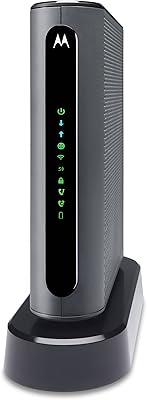
Motorola MT7711 Cable Modem Router with Phone Ports
71%
81%
Ease of Setup
76%
Wi-Fi Performance
84%
Modem Speed & Reliability
69%
Voice Port Functionality
41%
ISP Compatibility
More
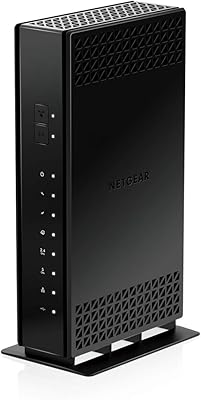
NETGEAR C6230 AC1200 Cable Modem Router
73%
83%
Connection Stability
61%
WiFi Range & Coverage
78%
Setup & Activation
86%
Value for Money
69%
WiFi Speed Performance
More
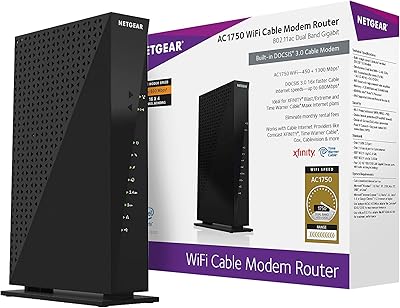
NETGEAR C6300 Cable Modem Router Combo
69%
83%
Value for Money
88%
Setup & Installation
71%
WiFi Performance
91%
Wired Connectivity
62%
Long-Term Reliability
More
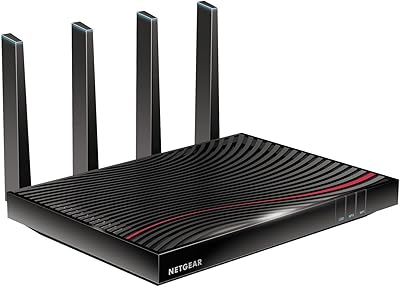
NETGEAR Nighthawk C7800 Cable Modem Router Combo
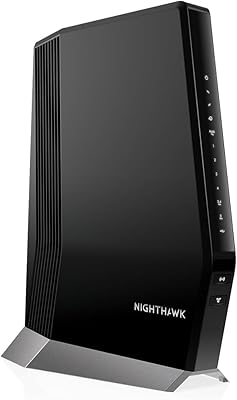
77%
88%
Internet Performance
82%
Wi-Fi Coverage
71%
Value for Money
84%
Setup Experience
86%
Device Capacity
More
NETGEAR Nighthawk C7100V Cable Modem WiFi Router Combo with Voice
86%
92%
Ease of Setup
85%
WiFi Performance
91%
Value for Money
89%
Stability for Gaming & Streaming
88%
VoIP Feature
More
NETGEAR Nighthawk CAX80-100NAR AX6000 WiFi 6 Cable Modem
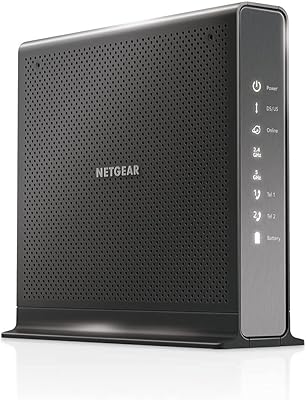
83%
89%
Performance & Speed
86%
WiFi Coverage
68%
Setup & Installation
91%
Compatibility with Providers
85%
Reliability & Stability
More
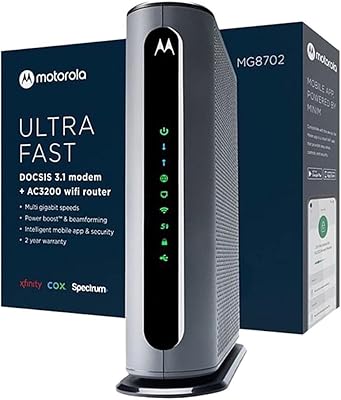
Motorola MG8702 DOCSIS 3.1 Cable Modem + Wi-Fi Router
83%
92%
Value for Money
89%
Wi-Fi Performance
88%
Ease of Setup
85%
ISP Compatibility
82%
Mobile App Experience
More
NETGEAR C3700 N600 Cable Modem Router
73%
91%
Ease of Setup
88%
Connection Reliability
58%
WiFi Speed & Performance
61%
WiFi Range & Coverage
83%
Modem Speed & Throughput
More
Motorola B12
Motorola B12
81%
93%
Connection Speed & Throughput
88%
ISP Compatibility
91%
Installation & Setup
86%
Latency & Gaming Performance
79%
Long-Term Reliability
More
Motorola MB7621 DOCSIS 3.0 Cable Modem
79%
91%
Value for Money
88%
Setup & Installation
89%
Connection Stability
86%
Speed Performance
87%
ISP Compatibility
More

FAQ

Most likely yes, but it depends on which specific Xfinity plan you are on. The MG8725 is approved for Xfinity, but not every plan tier is supported — particularly some older or lower-speed tiers. It is worth checking Comcast's approved modem list with your exact plan before buying to avoid a frustrating activation call.

No — this is a cable modem, so it only works with cable internet providers. It will not function with fiber, DSL, or satellite internet services. If your home is connected via fiber (such as Verizon Fios or AT&T Fiber), you will need a different type of equipment entirely.

Low Latency DOCSIS, or LLD, is a technology designed to significantly reduce the lag between your device and the internet — which matters a lot for gaming and real-time video calls. The MG8725 was the first modem to be certified for it by CableLabs, which is meaningful. However, to actually benefit from it, your cable provider needs to push a compatible firmware update, and as of now most ISPs have not yet done so. Think of it as future-ready hardware rather than a feature you can use today.

Most cable providers charge somewhere between $10 and $15 per month in modem rental fees. At that rate, this Motorola gateway breaks even somewhere between 18 and 26 months of use. After that point, the savings are effectively pure benefit — as long as you stay on the same provider and plan.

Setup is genuinely straightforward using the MotoSync app — most users are online within 10 to 20 minutes. That said, you will still need to call or chat with your ISP to provision the new modem on your account, which is a standard step any time you swap out equipment. Cox subscribers in particular have reported that this provisioning step can take longer than expected, so it is worth initiating that call before you disconnect your old equipment.

It does, but only in specific situations. If you have a NAS (network-attached storage) device, a wired gaming console or PC capable of multi-gig speeds, or a network switch that supports 2.5G, you will actually see faster transfers through that port compared to a standard 1 Gig connection. For most everyday wired devices like smart TVs or desktops browsing the web, the standard Gigabit ports are more than sufficient.

It depends on your priorities. A dedicated high-end router paired with a separate DOCSIS 3.1 modem can offer more granular control, easier individual upgrades, and sometimes stronger wireless performance at the extremes. But that combination will likely cost more combined, takes up more space, and involves more cables and management. For most households, the convenience and cost efficiency of the 2-in-1 format wins out — particularly if you are not running a complex home network.

WiFi 6 was specifically designed with dense device environments in mind, using a feature called OFDMA to serve multiple devices more efficiently in the same transmission. In practical terms, this modem-router combo handles 20, 30, or more connected devices considerably better than older WiFi 5 hardware. You may still want to connect bandwidth-heavy devices like gaming consoles or desktop PCs via the Ethernet ports for the most consistent experience.

Two things come up consistently in real-world feedback. First, some users experience occasional connectivity drops that require a quick router restart — not a constant problem, but it does happen. Second, the MotoSync app is more stable on iOS than on Android, so if you are an Android user who plans to manage the network regularly through the app, that is worth keeping in mind. Neither issue is a dealbreaker for most buyers, but it is good to go in with realistic expectations.

Once you have the MotoSync app installed and connected to the gateway, parental controls are set up entirely within the app — no web interface required. You can create household profiles, assign devices to them, set content filters, and build time-based schedules. It is one of the more user-friendly parental control implementations in this product category, and there is no additional monthly fee to use it.

Where to Buy