Overview

The Monoprice Blackbird 4x1 4K DisplayPort KVM Switch is Monoprice's answer to growing demand for capable, mid-range desktop switching — targeting power users who juggle multiple PCs and want a clean, single-desk setup without enterprise-level pricing. The Blackbird line represents the brand's higher-performance AV tier, and this switcher carries that ambition. One thing worth clarifying early: it takes four DisplayPort 1.4 inputs and routes video through a single HDMI 2.0 output — not the other way around. That topology matters when planning cable runs. On paper, the specs are genuinely competitive; in practice, real-world execution has been more uneven, which is the honest story here.
Features & Benefits

At its core, the Blackbird 4x1 is built around a practical scenario: your machines have DisplayPort outputs, but your monitor only accepts HDMI. This four-port switcher closes that gap without requiring adapters on every machine. Beyond video, the USB 3.0 hub lets you share peripherals — a printer, an external drive, a keyboard and mouse — across all four connected systems simultaneously. Color-space coverage is broad, handling RGB and YCbCr 4:4:4 for color-sensitive workflows. HDR support and HDCP 2.2 compliance handle protected content and richer display output without extra configuration. No drivers are required; plug it in across Windows, Mac, or Linux and it works immediately.

Best For

This KVM switch makes the most sense for someone managing three or four desktop machines — think a home office or small studio where a Windows workstation, a Mac, and a Linux box all need to share one monitor and one set of peripherals. It is also a practical pick when your GPU outputs DisplayPort but your display only has HDMI inputs, sparing you from a chain of adapters. If you frequently swap a USB printer or external drive between systems, the built-in hub adds genuine convenience. Budget-conscious buyers who need real 4K at 60Hz without climbing into four-figure enterprise pricing will find the value proposition reasonable.

User Feedback

Sitting at 3.3 out of 5 across roughly 50 reviews, the Blackbird 4x1 occupies honest but complicated territory. Setup earns consistent praise for being straightforward, and build quality feels solid. USB switching reliability draws specific compliments, including from Linux users who appreciate the driver-free experience. The harder story is on the video side: a recurring complaint involves the display signal dropping or failing to recover after switching — a problem tied to how the switch renegotiates display handshake data between the monitor and the newly active source. Certain GPU and monitor pairings appear more susceptible than others. With a limited review pool, these patterns are directional rather than definitive, but they are worth factoring into your decision.

Pros

  • Handles the DP-to-HDMI cable mismatch cleanly, removing the need for per-machine adapters.
  • USB 3.0 peripheral sharing works reliably across all four connected computers.
  • No drivers required — recognized instantly on Windows, macOS, and Linux alike.
  • Linux users in particular report a plug-and-play experience that is rare in this category.
  • Supports full RGB and YCbCr 4:4:4 color spaces, useful for color-critical work on compatible displays.
  • HDR and HDCP 2.2 compliance cover both creative and protected-content playback needs.
  • Solid, stable chassis that stays put on a desk without sliding or wobbling.
  • Four USB 3.0 ports make shared printer and external storage setups genuinely convenient.
  • Offers 4K@60Hz KVM capability at a price point well below enterprise-grade alternatives.

Cons

  • Intermittent signal drops after source switching are the most commonly reported and frustrating failure mode.
  • EDID renegotiation failures can silently downgrade your resolution or refresh rate without obvious warning.
  • Compatibility with specific GPU and monitor combinations is inconsistent and hard to predict before purchase.
  • Troubleshooting documentation is thin, leaving affected users to hunt for answers in community forums.
  • HDR mode does not always re-enable automatically after switching sources, requiring manual intervention.
  • Only two USB ports remain free once a keyboard and mouse are connected, limiting shared peripheral options.
  • The 3.3-star average across 51 reviews signals polarized real-world outcomes rather than consistent performance.
  • No software or hotkey switching — physical button only, which may frustrate users with complex desk setups.
  • With a relatively small review pool, long-term durability patterns are still difficult to assess with confidence.

Ratings

The Monoprice Blackbird 4x1 4K DisplayPort KVM Switch earns a nuanced scorecard built from verified buyer feedback worldwide, with our AI filtering out incentivized reviews and bot activity to surface what real users actually experience day to day. The ratings below reflect both the genuine strengths that make this switcher attractive for multi-PC setups and the recurring pain points that have kept its overall standing in polarized territory. Nothing is glossed over — the scores represent an honest picture of where this four-port switcher delivers and where it falls short.
Video Signal Stability
52%
48%
When the Blackbird 4x1 locks onto a stable connection, picture quality at 4K@60Hz is clean and consistent. Users running compatible GPU and monitor pairings report crisp, artifact-free output during extended work sessions.
Signal drops after switching between sources are the single most cited complaint. The root cause is a failure to properly renegotiate display handshake data — meaning some monitors briefly go black or fail to recover altogether, which is a serious workflow disruption.
USB Peripheral Switching
79%
21%
Keyboard, mouse, and peripheral handoff is where the Blackbird 4x1 genuinely earns goodwill. Switching is responsive and USB 3.0 speeds hold up well for external storage and printers across all four connected machines.
A small number of users report occasional USB device drops after repeated switching cycles, particularly with power-hungry peripherals. It is not a widespread pattern, but worth noting for anyone running demanding USB setups.
Display Compatibility
48%
52%
The DP-to-HDMI conversion topology is genuinely useful for users whose monitors only accept HDMI input but whose computers output DisplayPort. When hardware combinations align, the switch works without any manual configuration.
Compatibility gaps are real. Certain GPU and monitor pairings — especially ultrawide or high-refresh displays — trigger handshake failures or EDID misreads, where the switch sends incorrect display capability data to the source machine, causing resolution or refresh rate drops.
Setup & Installation
76%
24%
No driver installation is required on any platform. Users across Windows, Mac, and Linux report getting up and running within minutes, with the hardware recognized immediately without trips to a support page or firmware tool.
The DP-in to HDMI-out design confuses buyers who assume it is a full DisplayPort passthrough switch. Those who misread the specs before purchase often find themselves needing different cables than expected, adding friction to an otherwise straightforward setup.
Build Quality
74%
26%
The chassis feels solid and purposeful for a device in this price range. At one pound, it sits firmly on a desk without sliding, and the port housings have a tight tolerance that holds cables securely without play or wobble.
The enclosure is functional rather than refined. The matte plastic shows fingerprints and lacks the premium finish found on higher-end competitors, and the front-panel buttons have a slightly hollow click that does not inspire long-term confidence.
4K Resolution Performance
71%
29%
When hardware conditions cooperate, 4K output at 60Hz is accurate and stable. Color rendering under full RGB and YCbCr 4:4:4 modes looks faithful on compatible professional displays, which matters for designers and video editors sharing a single monitor.
The 4K performance ceiling is only reachable under specific conditions. Users with monitors that fall outside the switch's tested compatibility window often find themselves stuck at lower resolutions or forced to disable HDR to maintain a stable signal.
HDR Support
63%
37%
HDR pass-through is present and functional for compatible display and source combinations. Users who got it working on HDMI 2.0 displays noted a visible improvement in contrast and highlight detail compared to SDR output.
HDR reliability is inconsistent. Several users found that HDR mode would disengage after a source switch and not re-enable automatically, requiring a manual display settings adjustment each time — a frustrating workaround for a feature that should be invisible.
OS Compatibility
83%
Linux users specifically call out how refreshing it is to find a KVM that simply works without custom drivers or kernel patches. macOS and Windows recognition is similarly painless, making this a practical pick for heterogeneous environments.
On macOS, a handful of users noted that switching away from an Apple machine occasionally causes it to reset display preferences, requiring a brief settings re-entry. It is not universal, but it happens often enough to mention.
EDID Handling
44%
56%
Under ideal conditions — matched hardware, standard 4K@60Hz display, compatible GPU — the EDID handshake resolves cleanly and the source machine receives correct display information without any manual override needed.
EDID management is the switch's deepest technical weakness. When the switch renegotiates display capabilities after a source change, it sometimes sends stale or incorrect data, causing the PC to misconfigure its output resolution or refresh rate until manually corrected.
Value for Money
67%
33%
For buyers who land in the compatible hardware sweet spot, the price represents solid value for a 4-port 4K KVM with USB 3.0 sharing. There are very few alternatives at this price point offering this combination of DP inputs and HDMI output.
For buyers who run into signal-stability issues, the value equation flips quickly. Spending this amount on a device that requires workarounds, cable swaps, or compatibility research to function reliably is a hard sell when the failure mode is as fundamental as video switching.
Switching Speed
69%
31%
The physical button switching mechanism responds promptly, and most users find the transition between sources takes only a second or two — acceptable for office workflows where you are moving between tasks rather than rapidly toggling.
The perceived switching speed is heavily influenced by display re-negotiation time. On problematic setups, the monitor can take five or more seconds to settle after a switch, making the unit feel sluggish even when the button response itself is fine.
Peripheral Sharing Range
77%
23%
The USB 3.0 hub covers practical sharing scenarios well. A keyboard, mouse, printer, and external hard drive can all share across four machines without buying a separate USB switch, which represents genuine utility for small office setups.
Four USB ports sounds generous until you factor in keyboard and mouse taking two of them, leaving only two free for shared devices. Power delivery for bus-powered devices is adequate but not exceptional under simultaneous load.
Product Documentation
58%
42%
The basics are covered — port labeling is clear, and the included guide walks through physical cable connections without ambiguity. Most users are able to complete initial setup without consulting any external resources.
Troubleshooting guidance is thin. Given how frequently EDID and handshake issues arise, the documentation offers almost no actionable help for resolving them. Users are largely left to community forums and trial-and-error when things go wrong.
Long-Term Reliability
61%
39%
Users who have had stable initial setups tend to report consistent performance over time. The hardware itself shows no signs of premature port degradation or USB dropout worsening with regular use over several months.
The concern with long-term reliability is less about hardware failure and more about whether signal-stability issues resolve or persist. For affected users, the problems do not tend to self-correct, making the unit a permanent workaround rather than a solved tool.

Suitable for:

The Monoprice Blackbird 4x1 4K DisplayPort KVM Switch is a practical fit for anyone managing three or four desktop computers from a single desk — particularly home office workers, small studio operators, or developers who routinely switch between a Windows workstation, a Mac, and a Linux machine without wanting a cluttered mess of keyboards and monitors. It is especially well-suited to the common cable mismatch scenario: your computers output DisplayPort, but your monitor only has HDMI inputs. Rather than daisy-chaining adapters on every machine, this four-port switcher handles the conversion centrally. The built-in USB 3.0 hub adds meaningful value for anyone who shares a printer, an external hard drive, or a drawing tablet across multiple systems, since it eliminates the need for a separate USB switch. Budget-conscious buyers who want genuine 4K@60Hz KVM functionality without stepping into enterprise territory will find the price-to-spec ratio reasonable, provided their specific hardware combination plays nicely with the switch.
Not suitable for:

The Monoprice Blackbird 4x1 4K DisplayPort KVM Switch is not the right call for buyers who need rock-solid, zero-fuss video switching in a professional or time-sensitive environment. The recurring EDID handshake issues — where the switch sends incorrect display capability data to the source machine after a switch, causing resolution drops or black screens — are a real enough pattern that anyone whose workflow cannot tolerate a monitor going dark mid-task should look elsewhere. Users with ultrawide displays, high-refresh-rate monitors, or less common GPU models carry a higher risk of running into compatibility problems that the sparse documentation offers little help resolving. If your monitor accepts DisplayPort natively, this four-port switcher is also the wrong topology; you would be converting to HDMI and then back, adding an unnecessary step. Laptop users are not a target audience either, as the switch is designed around desktop DisplayPort outputs. Anyone prioritizing display reliability above all else should consider investing in a higher-tier KVM with more robust EDID management.
Specifications

  • Video Inputs: Four DisplayPort 1.4 ports accept signals from up to four source computers simultaneously.
  • Video Output: A single HDMI 2.0 port delivers the active source signal to your monitor at up to 18 Gbps bandwidth.
  • Max Resolution: Supports up to 4K@60Hz, covering both 3840x2160 and 4096x2160 standard resolutions.
  • DP Bandwidth: DisplayPort 1.4 inputs support up to 32.4 Gbps of total bandwidth on each input port.
  • HDMI Bandwidth: The HDMI 2.0 output carries up to 18 Gbps, sufficient for 4K@60Hz with HDR enabled.
  • USB Ports: Four USB 3.0 Type-A ports are provided for sharing peripherals such as keyboards, mice, printers, and external drives.
  • HDR Support: High Dynamic Range output is supported over the HDMI 2.0 connection for compatible displays.
  • Color Spaces: Supports RGB 4:4:4, YCbCr 4:4:4, YCbCr 4:2:2, and YCbCr 4:2:0 color formats across connected sources.
  • Deep Color: Handles up to 16 bits per channel (48-bit total) via DisplayPort and 12 bits per channel (36-bit total) via HDMI.
  • HDCP Compliance: Certified for both HDCP 2.2 and HDCP 1.4, enabling protected content playback from compatible sources.
  • 3D Video: All standard 3D video modes are supported across the DisplayPort inputs.
  • OS Compatibility: Works without drivers on Windows (XP through 10), macOS X, and Linux operating systems.
  • Dimensions: The unit measures 11.1 x 7.2 x 2.7 inches, fitting comfortably on or under a standard desk.
  • Weight: The switch weighs one pound, making it light enough to reposition or mount without difficulty.
  • Brand Line: Part of Monoprice's Blackbird Series, which represents the brand's higher-performance AV product tier.
  • Model Number: Officially designated as model 142646 by Monoprice for identification and support purposes.
  • Port Count: Offers five total ports: four DisplayPort inputs and one HDMI output for single-monitor operation.
  • Switching Method: Source switching is performed via physical front-panel buttons with no software, hotkeys, or remote control included.

Related Reviews
TJCXELE 4K@144Hz Dual-Monitor DisplayPort KVM Switch
75%
88%
Video Output Quality
63%
Setup & Installation
82%
Switching Reliability
84%
Desktop Controller Usability
67%
USB Device Recognition
More
CMSTEDCD 4K@120Hz DisplayPort KVM Switch 3 Monitors 2 Computers
84%
90%
Performance
88%
Ease of Use
91%
Video Quality
85%
USB Compatibility
60%
Display Flickering
More
TJCXELE 4K 144Hz HDMI + DisplayPort KVM Switch for 4 Computers, 3 Monitors

83%
88%
Performance
70%
Ease of Setup
91%
Switching Flexibility
89%
USB Port Functionality
85%
Display Quality
More
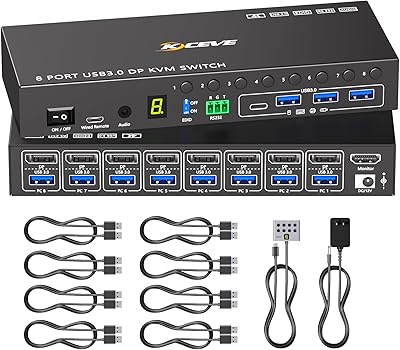
MLEEDA 8-Port DisplayPort KVM Switch
86%
88%
Performance
85%
Video Quality (4K Support)
90%
USB 3.0 Data Transfer
92%
Ease of Installation
80%
Switching Modes (Panel/Remote/RS232)
More
DiamondTiger KS304DL 4-Port DisplayPort KVM Switch
74%
88%
Ease of Setup
92%
Video Quality
74%
Switching Reliability
63%
Build Quality
86%
Value for Money
More
CMSTEDCD 8K@60Hz DisplayPort KVM Switch
84%
89%
Performance
91%
Ease of Use
93%
Image Quality
88%
USB Connectivity
85%
Build Quality
More
StarTech SV231DPDDUA2 Dual-Monitor DisplayPort KVM Switch
68%
83%
Video Output Quality
78%
Dual-Monitor Switching
54%
Compatibility
58%
Hotkey Switching Reliability
74%
USB Hub Performance
More
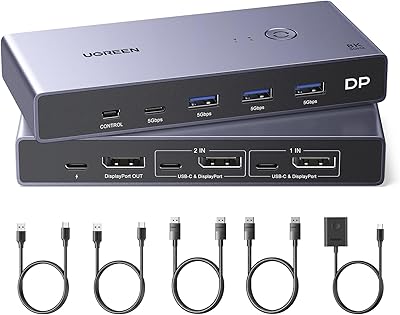
UGREEN 8K DisplayPort KVM Switch
75%
88%
Display Performance
84%
Switching Reliability
81%
USB Port Utility
86%
Setup & Installation
58%
Power Requirements
More
MLEEDA 202CH Dual Monitor KVM Switch
75%
91%
Ease of Setup
84%
Dual 4K Display Performance
47%
Mac M1/M2 Compatibility
88%
USB-C Power Delivery (80W Charging)
72%
Switching Speed & Reliability
More
IOGEAR 2-Port USB DisplayPort KVM Switch
85%
88%
Ease of Use
92%
Display Quality
85%
Build Quality
89%
Compatibility with Mac and Windows
91%
Setup Process
More

FAQ

Yes, that is actually the exact scenario this switch is designed for. It accepts DisplayPort signals from up to four computers and outputs a single HDMI signal to your monitor, so no per-machine adapters are needed. Just make sure your monitor supports HDMI 2.0 to get the full 4K@60Hz experience.

The Blackbird 4x1 is built around DisplayPort 1.4 inputs, which are standard on desktop GPUs and some docking stations, but most MacBooks use Thunderbolt or USB-C ports that require an adapter to output DisplayPort. If your Mac setup includes a dock or GPU with a native DisplayPort output, it can work, but it is not optimized for direct laptop use.

Unfortunately, this is a known and commonly reported issue with the Monoprice Blackbird 4x1 4K DisplayPort KVM Switch. The delay happens during display handshake renegotiation — the process where the switch tells your PC what resolution and refresh rate your monitor supports. In most cases the signal recovers, but some GPU and monitor combinations experience longer delays or occasional failures to reconnect cleanly. If this happens consistently, trying a different cable or adjusting your GPU display settings can sometimes help.

No drivers or software are required. You plug in the cables, connect your computers, and the switch is recognized automatically on Windows, macOS, and Linux. This is one of its most consistently praised features, especially among Linux users who often struggle with driver support on other KVM devices.

Yes. The four USB 3.0 ports let you connect shared peripherals — including a printer — and whichever computer is currently active gets access to everything plugged into the hub. Keep in mind that two of those ports will likely be occupied by your keyboard and mouse, leaving two free for devices like a printer or external drive.

HDR is supported, but it does not always re-engage automatically after a source switch. Some users report that their display reverts to SDR after switching and requires a manual toggle in the monitor or OS display settings to restore HDR. It works reliably on initial connection, but the auto-handoff is inconsistent.

This is where caution is warranted. The switch is optimized for standard 4K@60Hz output via HDMI 2.0, and ultrawide resolutions or refresh rates above 60Hz fall outside its tested compatibility range. Several users with non-standard display configurations have reported resolution mismatches or signal instability, so it is worth verifying compatibility before committing.

Switching is done entirely through physical buttons on the front panel of the unit. There is no hotkey switching, no software control, and no remote option. For most desk setups this is fine, but if the switch is mounted out of easy reach or tucked away, the button-only design can be a minor inconvenience.

Yes, the switch is compliant with both HDCP 2.2 and HDCP 1.4, which covers protected content from streaming services and Blu-ray players. As long as your source device and display are also HDCP-compliant, protected content should pass through without issues.

The honest answer is that the review picture is mixed. The average rating sits at 3.3 out of 5 across around 50 reviews, which signals a polarized user base rather than a universally satisfying product. Users with compatible hardware combinations tend to have positive experiences with setup and USB switching, while others run into persistent signal issues. With a relatively small review pool, it is hard to draw firm conclusions, so factor your specific GPU and monitor combination heavily into the decision.

Where to Buy