Cable Matters 202070 2-Port DisplayPort KVM Switch
Overview
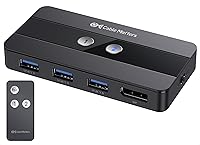
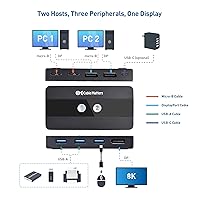
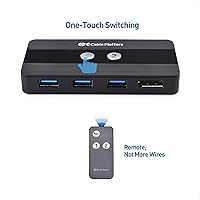
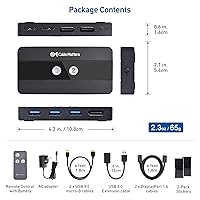
The Cable Matters 202070 2-Port DisplayPort KVM Switch sits in a practical sweet spot for anyone running two computers off a single monitor, keyboard, and mouse. Unlike older KVM switches that rely on HDMI, this one uses DisplayPort 1.4, which matters quite a bit if you have a high-refresh or high-resolution display. Switching between hosts is handled two ways: a physical button on the unit itself, or a small RF remote that ships in the box. One honest caveat worth flagging upfront — there is no EDID emulation, which can occasionally cause your monitor to re-detect when you swap inputs. That limitation aside, the core concept is well-executed.
Features & Benefits
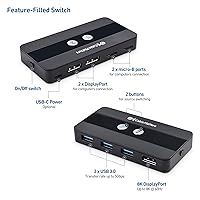
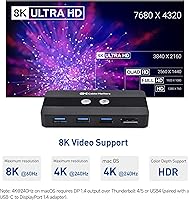
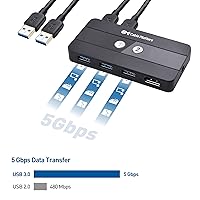
The headline spec here is DisplayPort 1.4 support, which opens the door to resolutions like 4K at 240Hz or even 8K at 60Hz — though hitting those numbers requires compatible hardware on both the PC and monitor end. For day-to-day peripheral sharing, three USB-A 3.0 ports handle the job well; 5Gbps is fast enough that webcams, flash drives, and audio gear all transfer without a noticeable bottleneck. Gamers will appreciate that FreeSync and G-SYNC pass-through are preserved when switching, meaning you do not lose adaptive sync just because you toggled to your work machine. HDR and DSC are also fully supported. Setup requires no drivers — just plug in and go.
Best For
This dual-PC switch makes the most sense if you are running a work machine and a gaming rig on the same high-refresh monitor and you are tired of swapping cables. It is also a solid pick for content creators and video editors who need true 4K output without the compression artifacts that cheaper HDMI KVMs can introduce. Home office users who want a cleaner desk without duplicating every peripheral will find the three USB ports enough for the essentials. ChromeOS and Linux users often struggle to find KVM switches that just work without configuration headaches — this one is OS-independent, a genuine differentiator in a market that largely caters to Windows users.
User Feedback
Across buyer reviews, the Cable Matters KVM earns consistent praise for no-fuss switching and solid resolution support right out of the box — most users report that setup is quick and it delivers on its core promise. The recurring frustration, however, is the lack of EDID emulation; some monitors reset resolution or take several seconds to re-detect after a switch, which gets old fast. USB hub stability when hot-swapping peripherals gets mixed marks — fine for static setups, but it can hiccup if you frequently plug and unplug devices. Mac users should note that 4K at 240Hz is not guaranteed on all Apple hardware. The 3.9-star average reflects this: capable overall, but with real compatibility caveats.
Pros
- DisplayPort 1.4 delivers clean, uncompressed 4K output — a clear step up from HDMI-based alternatives in this category.
- FreeSync and G-SYNC pass-through remain active after switching, so adaptive sync is never interrupted mid-session.
- Completely driver-free setup works out of the box on Windows, macOS, Linux, and ChromeOS without any configuration.
- The included RF remote makes host switching convenient even when the unit is hidden behind a monitor or desk tray.
- HDR and DSC support are fully passed through, preserving the full capability of compatible high-end displays.
- Three USB 3.0 ports at 5Gbps handle keyboard, mouse, and a third peripheral simultaneously without bandwidth issues.
- At roughly one pound, this dual-PC switch is compact enough to mount, hide, or reposition without any hassle.
- Plug-and-play installation typically takes under ten minutes, with both hosts recognizing peripherals immediately.
- Linux and ChromeOS users get rare, genuine out-of-the-box compatibility without driver hunting or workarounds.
Cons
- No EDID emulation means some monitors reset resolution or go briefly dark every time you switch between hosts.
- macOS users may find that 4K at 240Hz is unavailable on their specific Apple hardware, despite the listed specification.
- Hot-swapping USB devices while the switch is active can cause brief disconnects of other peripherals already attached.
- The RF remote has limited effective range and provides no tactile or audible confirmation that a switch actually occurred.
- Maximum resolution specs like 8K at 60Hz require a fully DP 1.4 compatible GPU, cable, and monitor — the switch alone is not enough.
- The unit has no mounting holes or cable routing slots, making tidy cable management dependent on third-party accessories.
- Only two host computers are supported — there is no upgrade path if your setup grows to three machines later.
- Sparse documentation leaves edge-case troubleshooting entirely to user forums and trial-and-error cable swaps.
Ratings
The Cable Matters 202070 2-Port DisplayPort KVM Switch has been evaluated through a rigorous AI-assisted analysis of verified global buyer reviews, with spam, bot activity, and incentivized feedback actively filtered out to ensure the scores reflect genuine user experiences. The results capture both what this dual-PC switch does well and where it falls short, giving prospective buyers an honest picture before committing. Strengths and frustrations are weighted equally — nothing is glossed over.
Video Output Quality
Switching Reliability
EDID Emulation
USB Hub Performance
RF Remote Control
Build Quality
Setup & Installation
macOS Compatibility
Linux & ChromeOS Support
Cable Management & Form Factor
Adaptive Sync Pass-Through
Value for Money
Suitable for:
The Cable Matters 202070 2-Port DisplayPort KVM Switch is built for people who genuinely need two computers sharing one high-quality display — not as a workaround, but as a primary workflow setup. If you run a gaming rig and a work laptop side by side and you are tired of physically swapping DisplayPort cables every time you switch contexts, this is exactly the kind of device that makes that friction disappear. Content creators and video editors who need accurate 4K output will appreciate that DisplayPort 1.4 delivers uncompressed signal quality that HDMI-based KVMs simply cannot match at equivalent resolutions. Gamers who rely on adaptive sync technology will find that FreeSync and G-SYNC pass-through are preserved across host switches, which is a detail that cheaper alternatives routinely drop the ball on. Home office users who want a clean, minimal desk setup — one monitor, one keyboard, one mouse, zero cable chaos — will find the three USB 3.0 ports sufficient for the core peripherals. Linux and ChromeOS users are particularly well-served here, since driver-free, OS-independent operation is rarer in this product category than it should be.
Not suitable for:
The Cable Matters 202070 2-Port DisplayPort KVM Switch will frustrate buyers whose monitors are sensitive to signal interruptions, because the absence of EDID emulation means the display loses its handshake every time you change hosts — and some monitors respond to that by resetting resolution, going briefly dark, or taking several seconds to reacquire the signal. If a two-to-three second black screen every time you switch inputs sounds tolerable, you can work around it; if it sounds infuriating, look for a KVM that explicitly supports EDID emulation before buying this one. Mac users targeting 4K at 240Hz should also proceed carefully: Apple Silicon compatibility at that specific refresh rate is not guaranteed across all hardware configurations, and discovering the limitation after purchase is a recurring theme in buyer feedback. Anyone who frequently hot-swaps USB peripherals — plugging in different devices throughout the day — may find the USB hub behavior unpredictable enough to disrupt a video call or file transfer at the wrong moment. Finally, buyers who need to share a monitor across more than two computers, or who require a second shared display, will need to look elsewhere entirely, since this is a strict two-host, single-monitor device with no expansion path.
Specifications
- Brand & Model: Manufactured by Cable Matters under model number 202070, a mid-range KVM switch designed for dual-host desktop and laptop setups.
- Hosts Supported: Supports exactly two host computers connected simultaneously, with one active at any given time.
- Video Interface: Uses DisplayPort 1.4 for both host inputs and the single monitor output, enabling the full DP 1.4 feature set.
- Max Resolution: Supports up to 8K at 60Hz and 4K at 240Hz, provided that the connected GPU, cables, and monitor all support DisplayPort 1.4.
- USB Ports: Includes three USB-A 3.0 ports for sharing peripherals such as a keyboard, mouse, webcam, or flash drive across both host computers.
- USB Transfer Speed: Each USB-A 3.0 port operates at up to 5Gbps, sufficient for fast external storage, HD webcams, and audio interfaces.
- Switching Method: Host switching is performed via a physical push button on the unit body or wirelessly using the included RF remote control.
- HDR Support: Full HDR pass-through is supported, preserving high dynamic range output from compatible sources to compatible displays without degradation.
- Adaptive Sync: FreeSync and G-SYNC pass-through are both supported, allowing adaptive sync to remain active on compatible monitors after switching hosts.
- DSC Support: Display Stream Compression (DSC) is supported, enabling high-resolution, high-refresh-rate output over a single DisplayPort 1.4 connection.
- EDID Emulation: EDID emulation is not supported; the monitor will lose and re-establish its signal handshake each time the active host is switched.
- OS Compatibility: Driver-free and OS-independent; confirmed compatible with Windows, macOS, ChromeOS, and Linux without requiring software installation.
- Power Method: Bus-powered at 1A, drawing power directly from the connected host computer with no external power adapter required.
- Dimensions: The unit measures 7.05 x 6.97 x 3.23 inches, compact enough to sit on a desk, mount behind a monitor, or place in a cable tray.
- Weight: Weighs approximately 1 pound, making it easy to reposition or mount without additional hardware support.
- Color & Housing: Ships in matte black with a plastic housing designed to blend into standard desktop and workstation environments.
- macOS Note: On macOS, maximum external display resolution support depends on the specific Apple hardware; 4K at 240Hz is not universally guaranteed across all Mac systems.
- Best Sellers Rank: Ranked #155 in the KVM Switches category on Amazon at the time of listing, reflecting a solid but not dominant position in the market.
Related Reviews
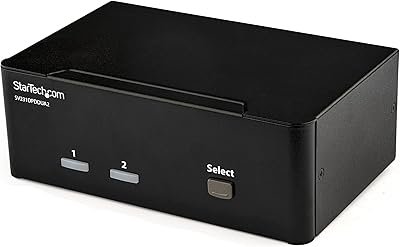
StarTech SV231DPDDUA2 Dual-Monitor DisplayPort KVM Switch
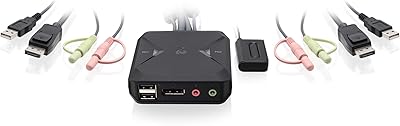
IOGEAR 2-Port USB DisplayPort KVM Switch
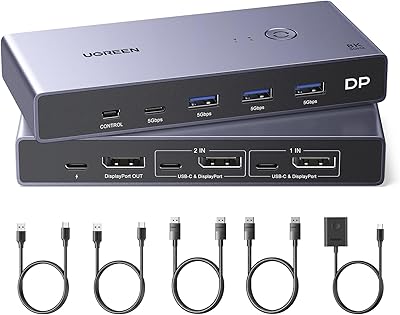
UGREEN 8K DisplayPort KVM Switch
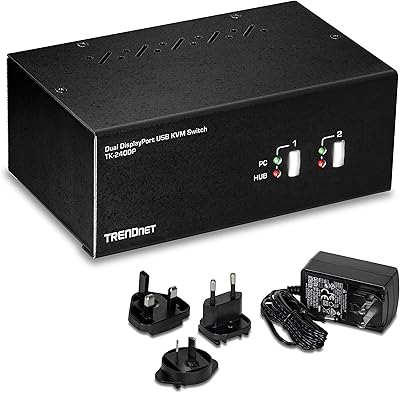
TRENDnet TK-240DP Dual Monitor DisplayPort KVM Switch
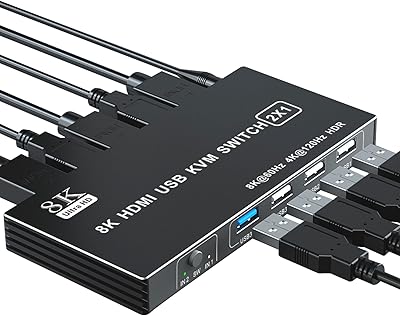
BolAAzuL 2-Port HDMI 2.1 KVM Switch
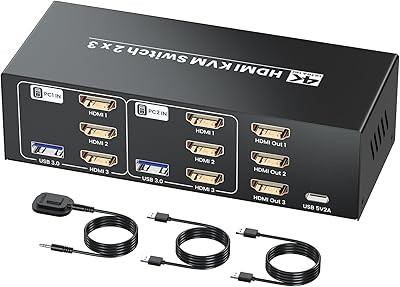
Seiryruc 2-in-3-Out 4K HDMI KVM Switch
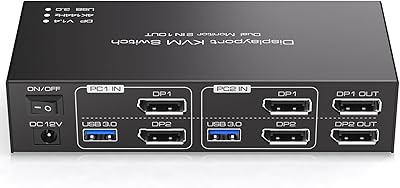
TJCXELE 4K@144Hz Dual-Monitor DisplayPort KVM Switch
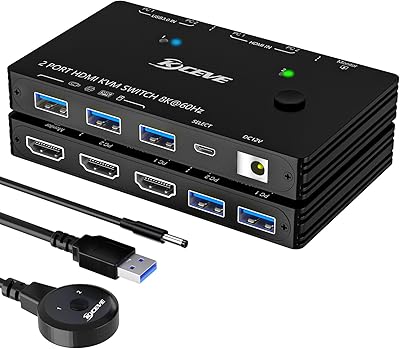
ANXQQ ANQ-A8201 HDMI KVM Switch
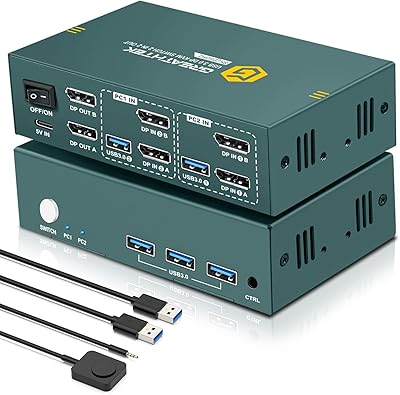
EVATEK 8K DP 2-Monitor 2-PC KVM Switch
