Overview

The MikroTik L009UiGS-2HaxD Wireless Router sits in an interesting space — it carries the DNA of enterprise-grade networking but packages it into a compact, desktop-friendly form that works just as well on a home lab shelf as in a small office. MikroTik has long been the go-to brand for network engineers who want real control without paying for Cisco-level hardware. The L009 series specifically targets the prosumer crowd: people who have outgrown consumer routers but don't need a full rack unit. Fair warning, though — this is not plug-and-play. RouterOS, MikroTik's operating system, is powerful but expects you to know what a firewall chain or a routing table actually is.
Features & Benefits

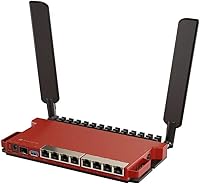
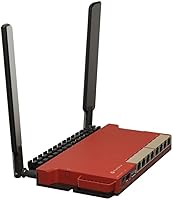
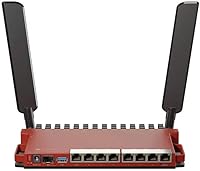
Eight Gigabit Ethernet ports give you room to wire up a switch, a few access points, and dedicated IoT or server segments without crowding a single LAN. The real standout is the 2.5G SFP uplink port — connecting directly to a fiber ONT or a high-speed NAS without hitting a 1G ceiling is something you typically don't see at this price point. The dual-core processor and 512MB of RAM handle demanding RouterOS tasks — think active firewall rules, WireGuard VPN tunnels, and per-IP bandwidth queues — without visible strain. Wi-Fi 6 on 2.4GHz rounds things out for legacy device compatibility, and the fanless build keeps things quiet around the clock.

Best For

This MikroTik router is built for people who find consumer router interfaces frustratingly limited. Home lab enthusiasts running VLANs, pfSense comparisons, or self-hosted services will feel right at home with RouterOS v7's depth. Small business owners who need guest network isolation, site-to-site VPN connectivity, or strict per-device firewall policies — without paying for managed hardware — have a strong candidate here. Anyone on a fiber connection who wants to max out a 2.5G uplink without a media converter in the chain will also find it practical. That said, if you're looking for a quick setup and a mobile app to manage it, this prosumer networking device is simply not the right fit.

User Feedback

Users who have lived with the L009 series router for a while tend to highlight its long-term stability and the sheer value of getting an SFP uplink at this price point — things that immediately distinguish it from consumer-grade alternatives. Build quality gets quiet praise too; it runs warm under load but never alarmingly so. The recurring complaints center on the learning curve: newcomers to RouterOS report spending hours on initial configuration, and the Winbox GUI, while functional, doesn't hold anyone's hand. The 2.4GHz-only radio draws some criticism from users expecting full dual-band Wi-Fi, though many buyers sidestep this by using dedicated access points. ISP compatibility can occasionally require extra configuration steps depending on your provider.

Pros

  • Eight Gigabit LAN ports eliminate the need for a separate switch in most small office or home lab setups.
  • The 2.5G SFP uplink is a rare feature at this price, making it ideal for multi-gig fiber connections.
  • RouterOS v7 includes WireGuard, OpenVPN, QoS, and scripting — capabilities that rival far more expensive hardware.
  • The dual-core CPU handles simultaneous VPN, firewall, and VLAN traffic without visible performance drops.
  • Fanless and compact, this MikroTik router runs quietly in living spaces, closets, or small offices.
  • Long-term firmware support from MikroTik means this hardware stays relevant and patched for years.
  • An active community and thorough wiki make RouterOS troubleshooting far more accessible than with niche platforms.
  • Wall-mount compatibility and a small footprint allow flexible physical placement in tight spaces.
  • Wi-Fi 6 on 2.4GHz handles high device counts better than older 802.11n radios at the same band.
  • For buyers who use all of its features, the feature-to-price ratio is genuinely hard to beat in this category.

Cons

  • RouterOS has a steep learning curve — expect several hours of setup time if you are new to MikroTik.
  • The default configuration ships without a fully secured firewall, which is a real risk for uninformed users.
  • No 5GHz radio means modern laptops and phones cannot connect at full wireless speed without a separate access point.
  • The management interface looks dated and exposes raw complexity without guiding new users through basic tasks.
  • OpenVPN throughput is noticeably limited by the 800MHz CPU — WireGuard is the better option for performance.
  • Firmware updates have occasionally broken existing configurations, requiring manual intervention to restore normal operation.
  • ISPs with VLAN-tagged WAN or non-standard provisioning can cause frustrating setup failures without community guidance.
  • Official customer support from MikroTik is minimal — most help comes from forums rather than direct vendor channels.
  • The SFP port requires a compatible transceiver purchased separately, adding cost that is easy to overlook upfront.
  • Port labels on the physical unit are small and unlit, making cable management in low-light environments unnecessarily difficult.

Ratings

The MikroTik L009UiGS-2HaxD Wireless Router scores below are generated by AI after systematically analyzing verified buyer reviews from global markets, with spam, incentivized, and bot-flagged submissions actively filtered out. Across thousands of real-world impressions — from home lab deployments to small office setups — both the genuine strengths and the friction points of this prosumer networking device are reflected honestly in each category.
Routing Performance
91%
Users running complex setups — multiple VLANs, active WireGuard tunnels, and per-client firewall rules simultaneously — consistently report that the dual-core CPU handles the load without measurable latency spikes. For a device at this price tier, that headroom is genuinely impressive.
A small number of power users pushing NAT offloading at very high packet rates noted occasional throughput plateaus under extreme stress. These cases are edge scenarios, but worth knowing if you're routing above 500Mbps with heavy firewall rule sets active.
Port Density & Wired Flexibility
93%
Eight Gigabit LAN ports is a rare find in a compact desktop unit, and buyers frequently cite this as a primary reason they chose the L009 series router over competing options. The ability to wire up a managed switch, two or three access points, a NAS, and still have ports to spare without adding a separate switch is a practical daily win.
The ports are unmanaged from a hardware perspective — all intelligence lives in RouterOS — so users who prefer a dedicated hardware VLAN switch may find the software-only segmentation approach less intuitive to configure initially.
2.5G SFP Uplink Value
89%
Reviewers with multi-gig fiber connections specifically highlighted the SFP port as the deciding factor in their purchase. Connecting directly to a fiber ONT or a 2.5G-capable NAS without a bottleneck at 1G is something most competitors in this price range simply don't offer.
The SFP cage requires a compatible transceiver or DAC cable, which adds a small extra cost that first-time buyers sometimes overlook. A handful of users also reported needing to adjust RouterOS interface settings manually before the 2.5G link negotiated correctly.
RouterOS Feature Depth
88%
Network engineers and self-hosters consistently praise RouterOS v7 for giving them capabilities — WireGuard VPN, granular QoS, scripting, and BGP routing — that would cost significantly more on competing platforms. The long update cadence and active MikroTik community also mean issues get resolved faster than with niche firmware projects.
The sheer depth of RouterOS is also where friction builds. Concepts like firewall chains, bridge port isolation, and mangle rules are not self-explanatory, and the official documentation, while thorough, assumes a baseline of networking knowledge that casual users may lack.
Ease of Initial Setup
47%
53%
Users with prior RouterOS or Linux networking experience report getting the device fully configured — WAN, VLANs, firewall, and VPN — within an hour or two. The Winbox utility for Windows and the web interface both work reliably once you know what you're doing.
For anyone coming from a consumer router background, the initial setup experience is a genuine wall. There is no setup wizard that walks you through WAN configuration, and arriving at a default RouterOS state with no pre-configured firewall protection is a serious concern that multiple reviewers flagged explicitly.
Wi-Fi Performance (2.4GHz)
63%
37%
The Wi-Fi 6 radio on 2.4GHz handles a good number of connected devices without collapsing under contention, which is better than older 802.11n implementations at the same band. Users who primarily connect IoT devices or smart home gear to 2.4GHz report solid stability.
The 2.4GHz-only limitation is a real constraint for buyers expecting a do-it-all wireless router. Modern laptops and phones default to 5GHz for speed, so the wireless side of this prosumer networking device feels noticeably limited without pairing it with a dedicated access point.
Wi-Fi Range & Coverage
58%
42%
For single-room or small office coverage where devices are within 20–30 feet, the dual-chain 2.4GHz antenna provides adequate and stable signal. Users in compact apartments report acceptable performance for basic wireless needs.
In any home larger than a studio or small apartment, the 2.4GHz range falls short. Multiple buyers noted they had to add a separate access point to cover even a modest two-bedroom layout, making the built-in wireless feel more like a convenience feature than a real selling point.
Build Quality & Thermal Management
82%
18%
The enclosure feels solid and purposeful — not flashy, but clearly built to sit in a closet or on a shelf and run continuously for years. Users who have operated the L009 series router under sustained load report that it runs warm but never alarmingly hot, even in poorly ventilated spots.
The plastic shell, while sturdy, does not feel premium compared to metal-chassis competitors. A small number of users in warmer climates or poorly ventilated server rooms reported thermal throttling during prolonged peak traffic, though this appears uncommon in typical deployments.
VPN Capabilities
86%
WireGuard support in RouterOS v7 is a highlight for privacy-conscious buyers and remote workers who need a fast, low-overhead VPN tunnel. Users running site-to-site WireGuard connections to cloud instances or branch offices report stable throughput that holds up well over time.
OpenVPN throughput on the 800MHz CPU is noticeably lower than WireGuard — a known limitation of software-based OpenVPN encryption on modest hardware. Buyers who rely heavily on OpenVPN-based business VPNs should factor in realistic throughput expectations before committing.
Value for Money
84%
For users who actually leverage RouterOS — VLANs, VPN, QoS, scripting — the feature-per-dollar ratio is hard to match. Getting a 2.5G SFP uplink, eight Gigabit ports, and a full-featured routing OS in one compact unit represents strong value for the target buyer.
For someone who just wants reliable internet sharing and easy Wi-Fi, the value equation inverts quickly. Paying for hardware complexity you won't use, then spending hours learning RouterOS, makes cheaper and simpler consumer options look far more attractive by comparison.
ISP Compatibility
71%
29%
Most standard ISP connection types — PPPoE, DHCP WAN, and static IP — work reliably once configured correctly in RouterOS. Users on common fiber and cable providers report no sustained compatibility issues after initial setup.
Some ISPs with proprietary provisioning, VLAN-tagged WAN connections, or non-standard DHCP option requirements caused headaches during setup. A few buyers reported needing community forum help to identify ISP-specific RouterOS configurations before getting a working internet connection.
Long-Term Firmware & Support
79%
21%
MikroTik has a strong track record of long-term firmware support, and RouterOS v7 continues to receive active updates. The community forums and wiki are among the best in the prosumer networking space, giving buyers a reliable resource when troubleshooting.
Firmware updates occasionally introduce configuration changes that break existing setups, which experienced users expect but newcomers find jarring. MikroTik's official customer support is also relatively limited — most resolution paths run through community channels rather than direct vendor assistance.
Physical Form Factor
77%
23%
The compact desktop footprint and wall-mount compatibility make it easy to tuck this device into a closet, mount behind a desk, or place on a network shelf without consuming much space. The fanless design means it can live in living spaces without generating noise.
The lack of any rack-mount option out of the box is a minor frustration for users who want it in a home server rack. The port labeling on the unit is small and not backlit, making cable identification in low-light conditions more annoying than it should be.
GUI & Management Interface
54%
46%
Winbox — MikroTik's Windows-based management utility — is genuinely efficient once you learn the layout, and experienced network admins often prefer its speed and directness over the web dashboards found on consumer routers. The web interface has improved meaningfully in RouterOS v7.
Compared to the polished dashboards of brands like Asus or TP-Link, the RouterOS interface looks dated and exposes raw configuration complexity without softening the experience. New users frequently report feeling lost during their first sessions, with no obvious starting point or guided configuration path.

Suitable for:

The MikroTik L009UiGS-2HaxD Wireless Router is built for buyers who already speak the language of networking — or are actively learning it. Home lab enthusiasts running self-hosted services, VLANs, and isolated network segments will find RouterOS v7 gives them exactly the control they've been missing from consumer hardware. Small business owners and SOHO operators who need reliable site-to-site VPN, strict guest network isolation, or per-device bandwidth policies without paying enterprise prices have a strong match here. Network engineers looking for an affordable RouterOS sandbox to test real-world configurations will also feel right at home. Anyone on a multi-gig fiber connection who wants to take full advantage of a 2.5G uplink without a media converter in the chain — or without upgrading to hardware three times the price — should strongly consider this prosumer networking device. If your definition of a good router includes WireGuard tunnels, bridge filtering, and scripted failover, this is exactly the kind of hardware built around your priorities.
Not suitable for:

The MikroTik L009UiGS-2HaxD Wireless Router is a poor fit for anyone who wants to be online within ten minutes of opening the box. There is no setup wizard, no mobile app, and no consumer-friendly onboarding — arriving at a working WAN connection requires deliberate configuration in RouterOS, which can take a beginner several hours of forum reading. Households that rely on 5GHz Wi-Fi for laptops, streaming devices, or modern smartphones will be immediately constrained by the 2.4GHz-only radio, making a separate access point a near-mandatory addition rather than an optional upgrade. Buyers who want a single device to handle routing, robust whole-home Wi-Fi, and parental controls through a clean dashboard will find this L009 series router frustrating to live with day to day. Renters or non-technical users who just need stable internet sharing across a few devices are spending money on complexity they will never use — a consumer router at a fraction of the price would serve them far better.
Specifications

  • CPU: Powered by a dual-core 800MHz processor capable of handling simultaneous routing, firewall, and VPN workloads without significant throughput degradation.
  • RAM: Equipped with 512MB of onboard RAM, providing sufficient headroom for complex RouterOS configurations, active connection tables, and scripted tasks.
  • LAN Ports: Features eight Gigabit Ethernet ports for wired device connections, switch uplinks, or access point distribution across a home lab or small office.
  • WAN Uplink: Includes one 2.5 Gigabit SFP port for high-speed fiber ONT connections or direct uplink to a 2.5G-capable NAS or switch.
  • Wireless Standard: Supports 802.11ax (Wi-Fi 6) on the 2.4GHz band only, with a dual-chain internal antenna configuration for improved client density and throughput.
  • Frequency Band: Operates exclusively on the 2.4GHz frequency band; no 5GHz radio is included, making a separate access point advisable for modern multi-band wireless coverage.
  • Operating System: Ships with RouterOS v7, a full-featured network operating system supporting firewall, QoS, VLANs, WireGuard, OpenVPN, L2TP, BGP, OSPF, and scripting.
  • Dimensions: Measures 12.2 x 5.12 x 2.36 inches, a compact footprint suitable for desktop placement, shelf mounting, or wall installation.
  • Weight: Weighs 1.89 pounds, making it lightweight enough for wall mounting without heavy-duty hardware.
  • Cooling: Uses a fully passive, fanless cooling design that keeps the unit silent during operation, suitable for living spaces or noise-sensitive environments.
  • Form Factor: Designed for desktop or wall-mount installation, with mounting hardware compatibility for flexible physical deployment in homes or small offices.
  • Antenna Type: Dual-chain internal antennas are integrated into the chassis, providing 2.4GHz wireless coverage without external antenna protrusions.
  • Management Tools: Manageable via Winbox (Windows desktop utility), a web-based GUI, SSH command line, and the MikroTik mobile app for basic monitoring.
  • VPN Support: Natively supports WireGuard, OpenVPN, L2TP/IPsec, and SSTP VPN protocols directly within RouterOS without requiring additional software licenses.
  • RouterOS License: Ships with a RouterOS Level 5 license, enabling unlimited users, tunnels, and hotspot users with access to the full RouterOS feature set.
  • Model Number: Official model designation is L009UiGS-2HaxD-IN, with the IN suffix indicating the indoor unit variant intended for standard consumer and business environments.
  • Manufacturer: Designed and manufactured by MikroTik, a Latvian networking company established in 1996 with a long track record in enterprise and prosumer networking hardware.
  • Availability: Made available for purchase starting October 2023, positioning it as a current-generation device with active firmware development and ongoing vendor support.

Related Reviews
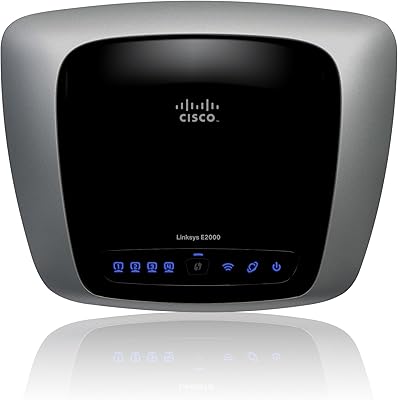
Linksys E2000 Wireless-N Router
74%
88%
Ease of Setup
71%
Wireless Signal Strength
67%
Dual-Band Performance
91%
Wired Connection Reliability
83%
Guest Network Feature
More
NETGEAR Wireless Router N300 (WNR2000)
82%
92%
Ease of Setup
88%
Value for Money
90%
Parental Controls
85%
Wi-Fi Stability
60%
Range for Larger Homes
More
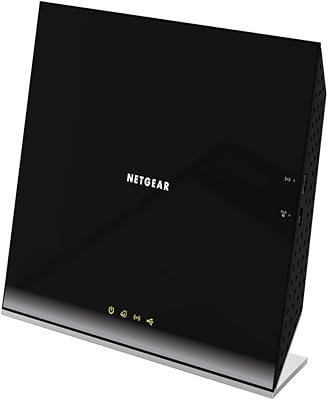
NETGEAR R6200 AC1200 Dual Band Gigabit Router
71%
88%
Ease of Setup
74%
Wireless Performance
61%
Signal Range & Coverage
69%
Build Quality & Design
58%
Firmware & Software Reliability
More
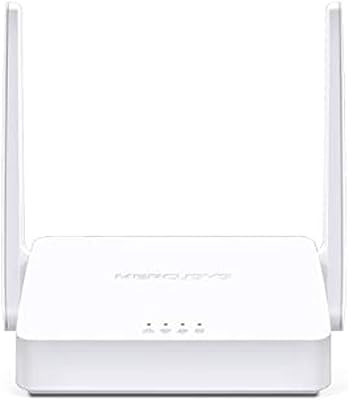
Mercusys MW302R Wireless N Router
82%
91%
Value for Money
93%
Ease of Setup
78%
Wi-Fi Performance
80%
Coverage
85%
Parental Controls
More
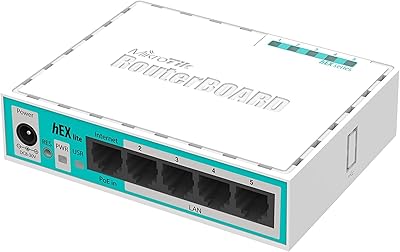
MikroTik RB750r2 hEX lite Router
83%
89%
Value for Money
85%
Performance
92%
Build Quality
88%
Setup & Installation
75%
Connectivity
More
NETGEAR RangeMax Wireless Router WNR1000
78%
89%
Ease of Setup
68%
Wi-Fi Range
92%
Value for Money
81%
Parental Controls
85%
Security Features
More
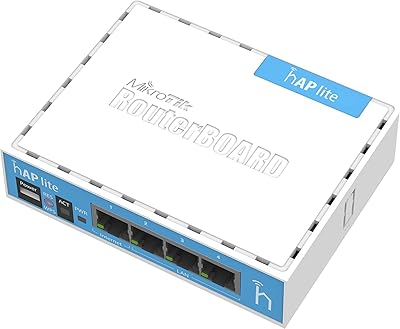
MikroTik RB941-2nD hAP lite Router
83%
88%
Value for Money
90%
Ease of Setup
78%
Network Performance
85%
Build Quality
70%
Range and Coverage
More
D-Link DIR-605L N300 Wireless Router
66%
83%
Ease of Setup
54%
Wireless Range
51%
Throughput Speed
78%
Value for Money
67%
Build Quality
More
MikroTik CCR2116-12G-4S+ Cloud Core Router
87%
93%
Performance for Large Networks
91%
Reliability and Stability
89%
Build Quality
74%
Setup and Installation Ease
90%
Connectivity Options
More
MikroTik hEX S RB760iGS Gigabit Router
81%
93%
Value for Money
89%
Routing Performance
88%
VPN & IPsec Throughput
91%
Hardware Build & Reliability
87%
Port Density & Flexibility
More

FAQ

It depends on your willingness to learn. RouterOS is not a consumer-friendly operating system — there is no guided setup wizard, and arriving at a working, secure configuration takes real effort. If you are comfortable reading documentation and spending a few hours in the MikroTik wiki and community forums, you will get there. If you just want to plug in a router and have it work, this is genuinely the wrong choice.

Yes, and this is one of the strongest reasons to consider it. The 2.5G SFP port lets you connect directly to a compatible fiber ONT using an appropriate SFP transceiver, bypassing any 1G bottleneck at the WAN edge. You will need to purchase a compatible SFP module separately — it does not come included in the box.

Yes, WireGuard is natively supported in RouterOS v7 and is the recommended VPN protocol for most use cases on this hardware. It is significantly more efficient than OpenVPN on the 800MHz CPU, delivering much better throughput with lower latency. If VPN performance matters to you, WireGuard is the way to go.

Many buyers use the L009 series router purely as a wired router and connect separate access points for wireless coverage — in that setup, the 2.4GHz limitation is completely irrelevant. If you expect to rely on the built-in radio for your laptops and phones, yes, it will feel limited since most modern devices prefer 5GHz for speed and range. Think of the Wi-Fi here as a convenience feature, not a primary selling point.

Quite a few. The dual-core CPU and 512MB of RAM handle large connection tables well, and the eight LAN ports give you room to connect switches, access points, and servers without adding complexity. RouterOS also lets you apply per-device or per-IP bandwidth rules, so managing many clients simultaneously is well within its design intent.

Absolutely — VLAN segmentation is one of RouterOS's core strengths and a primary reason experienced users choose this hardware. You can define bridge VLANs, assign ports to specific segments, and enforce firewall rules between them to keep IoT devices isolated from your main LAN. It takes some initial configuration effort, but the control you get is far beyond what any consumer router offers.

The fanless design means it produces zero noise during operation — there are no fans to spin up under load. It does run warm to the touch during sustained traffic, but thermal management is passive and works quietly. Most users find it perfectly acceptable in living spaces, home offices, or anywhere else where fan noise would be disruptive.

For most common ISP connection types — standard DHCP WAN, PPPoE, or static IP — you can get it working with a few configuration steps in RouterOS. However, ISPs that use VLAN-tagged WAN connections or non-standard DHCP options may require extra steps that are not immediately obvious. Searching the MikroTik forums for your specific ISP before buying is a good idea if you are unsure.

MikroTik has a solid long-term track record of releasing RouterOS updates, including security patches. RouterOS v7 is the active development branch and continues to receive meaningful updates. That said, you should be aware that some firmware updates have occasionally introduced configuration changes, so reading the changelog before upgrading a production setup is always a smart habit.

If you plan to use the SFP port as your WAN uplink, you will need to purchase a compatible SFP transceiver separately — the port is empty out of the box. If your ISP provides a standard Ethernet handoff rather than a fiber SFP, you can use one of the Gigabit Ethernet ports for WAN instead, and no extra hardware is required. Beyond that, the router ships ready to configure with no mandatory add-ons.

Where to Buy