Overview

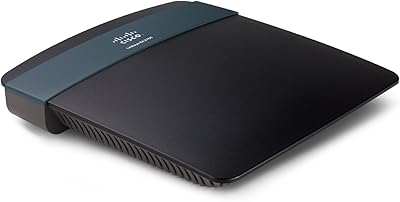
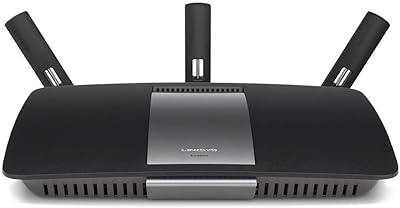
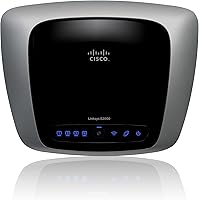
The Linksys E2000 Wireless-N Router arrived at a point when dual-band home networking was still a genuine differentiator, and it carved out a solid reputation as a dependable mid-range option for everyday households. Linksys had already built considerable trust in the networking space, and this model reflects that — practical, unpretentious, and built for real-world home use rather than enthusiast benchmarks. The ability to operate on either 2.4GHz or 5GHz gives households meaningful flexibility depending on what a given device actually needs. It is not designed for sprawling homes or bandwidth-heavy workloads, but for light-to-moderate daily use, it holds its own. Nearly 500 reviewers have settled on a 4.1-star rating, which tells its own story.
Features & Benefits

One of the more practical aspects of this dual-band router is how it handles frequency selection — you can run the 5GHz band for faster, less congested connections nearby, or lean on 2.4GHz when range matters more than raw speed. Wireless-N technology with multiple radios helps fill in coverage gaps that older single-radio setups often struggled with. Every port runs at Gigabit speeds, and Auto-Crossover support means you can plug in virtually any cable without worrying about compatibility. The Guest Access feature is genuinely useful — visitors get internet access while your personal files and devices stay completely off-limits. WPS keeps device pairing quick, and at just one pound, the compact build sits unobtrusively on any shelf or desk.

Best For

The E2000 is best suited to small homes and apartments where the physical space does not demand a high-powered, long-range setup. If you are doing everyday browsing, video calls, or casual streaming, this Linksys home router handles those tasks without complaint. It is also a practical step up for anyone still running an older 802.11g router — the performance difference is noticeable without a steep learning curve. The Guest Access capability makes it particularly useful for households that regularly host visitors who need Wi-Fi without getting anywhere near personal devices or shared files. For buyers who want Gigabit wired speeds on a realistic budget, this dual-band router delivers that without demanding a premium-tier investment.

User Feedback

Across its 474-plus ratings, the E2000 earns consistent praise for easy initial setup and stable day-to-day performance — most buyers get it running quickly and then largely stop thinking about it, which is genuinely a good sign. Wired connection reliability and overall build quality have kept long-term owners satisfied. That said, recurring complaints point to coverage limitations in larger spaces; if your home spans multiple floors or has thick walls, the signal can fall noticeably short. A share of users have reported inconsistency with the 5GHz band specifically — excellent for some, frustrating for others. Firmware updates have also slowed given the product's age, so buyers prioritizing ongoing software support should weigh that carefully.

Pros

  • Setup takes minutes even for non-technical users, with a clean browser-based interface and WPS support.
  • Gigabit speeds on all wired ports deliver fast, stable connections for desktops, smart TVs, and NAS drives.
  • Dual-band operation lets you separate devices across 2.4GHz and 5GHz for a less congested network.
  • Guest Access keeps visitors online without exposing your personal files or connected devices.
  • Hardware durability is well-regarded — many owners report years of continuous operation without failure.
  • The compact, lightweight build fits unobtrusively on any shelf or desk without requiring dedicated space.
  • Auto-Crossover Ethernet support means any standard cable works without compatibility headaches.
  • A 4.1-star rating across nearly 500 verified reviews reflects broadly consistent real-world satisfaction.
  • Wireless-N technology with multiple radios meaningfully reduces dead zones compared to older single-radio designs.

Cons

  • Firmware updates have effectively stopped, leaving known security vulnerabilities without any patch path.
  • Coverage drops noticeably in homes larger than roughly 1,500 square feet, especially across multiple floors.
  • The 5GHz band performance is inconsistent — some users love it, others experience frequent drops and weak throughput.
  • No support for 802.11ac or Wi-Fi 5 means newer devices cannot connect at their full capable speeds.
  • Band steering is entirely manual, requiring users to manage which devices connect to which frequency themselves.
  • Advanced controls like granular QoS, robust parental filters, and VPN configuration are largely absent.
  • Occasional spontaneous reboots have been reported after extended uptime, disrupting connected devices.
  • Current-generation mid-range routers offer significantly better range, speed, and software support at comparable pricing.
  • The fixed antenna design offers no way to adjust signal direction if coverage gaps appear in your space.

Ratings

The scores below reflect an AI-driven analysis of verified global user reviews for the Linksys E2000 Wireless-N Router, with spam, bot-submitted, and incentivized feedback actively filtered out before any scoring was applied. Ratings span everything from setup experience to long-term reliability, drawing on hundreds of real buyer accounts from households of varying sizes and usage patterns. Both the strengths that keep owners loyal and the friction points that push others toward newer alternatives are represented honestly here.

Ease of Setup
88%
A large portion of buyers report having the E2000 up and running within minutes, even without consulting the manual. The browser-based interface is straightforward, and WPS makes adding compatible devices quick enough that less tech-savvy household members rarely need assistance.
A handful of users encountered hiccups during the initial firmware configuration, particularly when updating from the factory version. Those who ran into IP conflict issues during setup found the troubleshooting documentation less helpful than expected.
Wireless Signal Strength
71%
29%
In compact living spaces — studios, one-bedroom apartments, or small two-floor homes — the signal holds up well across most areas. Multiple-radio Wireless-N technology does a reasonable job reducing the dead zones that plagued older single-radio setups.
Push the router to cover a larger home and signal degradation becomes a real issue, especially through multiple walls or across floors. Several reviewers in medium-to-large homes noted consistent drop-offs at distances that a current-generation router would handle without difficulty.
Dual-Band Performance
67%
33%
The ability to separate devices across 2.4GHz and 5GHz bands is genuinely useful for managing a mixed household of phones, laptops, and smart devices. Buyers who assigned bandwidth-hungry devices to the 5GHz band generally reported a cleaner, less congested experience.
The 5GHz band draws split opinions — some users found it fast and reliable within close range, while others experienced inconsistent throughput or unexpected drops. The band switching is manual rather than automatic, which can be a friction point for less technical users.
Wired Connection Reliability
91%
Gigabit speeds across all Ethernet ports are a genuine highlight here. Users who connect desktops, NAS drives, or smart TVs via cable consistently praise the stable, low-latency performance, and the Auto-Crossover support means any standard cable works without fuss.
There are no significant complaints specific to wired performance, though a small number of users noted that the router needed an occasional reboot after extended uptime to maintain peak throughput on wired connections.
Guest Network Feature
83%
The Guest Access capability is one of the more practically appreciated features among real owners. Households that regularly have visitors — friends, family, or short-term renters — value being able to hand out Wi-Fi access without exposing personal devices or shared storage to outside users.
The guest network does not offer granular controls like bandwidth throttling or time-limited access, which more advanced users found limiting. A few reviewers also noted that the guest network configuration could be clearer in the UI.
Range Coverage
62%
38%
For the apartment dweller or anyone in a compact, open-plan home, coverage is generally adequate for day-to-day browsing and streaming. The fixed antenna design keeps things tidy, and within roughly 30 to 40 feet with minimal obstruction, the signal is consistent.
Range is where the E2000 shows its age most clearly. Buyers in homes exceeding 1,500 square feet frequently cite weak signal in far rooms, and the fixed antennas offer no adjustment options to compensate. For larger spaces, this dual-band router is simply not well suited.
Build Quality & Durability
79%
21%
Long-term owners are notably positive about how the hardware holds up over time. Several reviewers mention units running continuously for years without hardware failure, which is a meaningful indicator of build consistency for a product in this category.
The plastic casing feels functional rather than premium, and the fixed antenna build limits future-proofing if signal needs change. Some buyers felt the chassis ran warmer than expected during extended use, though heat-related failures were not commonly reported.
Firmware & Software Support
48%
52%
At launch, the firmware was considered reasonably stable and the admin interface was easier to navigate than many competitors at the time. For users who set it up once and leave it alone, the existing firmware functions without major issues.
This is one of the most consistently flagged pain points in recent reviews. Firmware updates have effectively stopped, leaving security vulnerabilities unpatched and newer network protocols unsupported. Buyers who prioritize ongoing software maintenance will find this a hard limitation to overlook.
Value for Money
74%
26%
Considering what the E2000 delivers — Gigabit wired ports, dual-band wireless, and guest access — buyers who purchased it at its original price point generally considered it fair value for a home networking solution of its era.
At current resale or remaining retail pricing, the value proposition weakens considerably given what newer routers offer for comparable or lower costs. Buyers comparing this Linksys home router against current mid-range alternatives will find the cost-to-performance ratio harder to justify.
Speed & Throughput
66%
34%
For light-to-moderate workloads — web browsing, video calls, and standard-definition or HD streaming — the throughput is sufficient and generally stable. Users in low-interference environments on the 5GHz band reported the best wireless speeds.
Heavy concurrent usage — multiple 4K streams, large file transfers, and active gaming simultaneously — pushes the router noticeably. Wireless throughput does not compete with modern Wi-Fi 5 or Wi-Fi 6 routers, and this gap becomes more apparent as household device counts grow.
Interference & Channel Management
63%
37%
The dual-band design does offer a practical escape from the congested 2.4GHz spectrum, and in less densely populated areas or houses with fewer neighboring networks, users report clean, interference-free connections.
In apartment buildings or dense urban environments where dozens of competing networks crowd the 2.4GHz band, performance can degrade. The router lacks smart channel selection or any automatic band-steering, so users must manage interference manually.
Device Compatibility
82%
18%
Support for 802.11a/b/g/n ensures that virtually any wireless device manufactured in the past two decades will connect without issue. Older laptops, printers, and smart home devices that do not support newer standards work alongside modern hardware without configuration headaches.
The lack of 802.11ac or Wi-Fi 5 support means that newer devices cannot negotiate a faster connection even when they are capable of one. This is an inherent ceiling that cannot be addressed through any firmware change.
Admin Interface Usability
77%
23%
The web-based admin panel is laid out in a way that most home users can navigate without prior networking experience. Key settings like SSID names, passwords, and guest access are accessible without digging through nested menus.
Power users looking for advanced controls — detailed QoS settings, robust parental controls, or VPN passthrough configuration — will find the interface limiting. The design has also aged visually, and some browser compatibility issues have been reported on current browsers.
Physical Design & Portability
80%
20%
At one pound and with a reasonably slim footprint, the E2000 fits comfortably on a shelf, tucked behind a TV, or on a desk without demanding prime real estate. The understated design does not draw attention in living spaces.
The fixed antenna configuration, while keeping the design clean, means there is no way to optimize signal direction by adjusting antenna angles. Wall-mounting options are not well supported by the base design either.
Long-Term Reliability
76%
24%
Hardware durability is a recurring theme in positive long-term reviews. A number of owners report years of uninterrupted operation, which for a home router is exactly the kind of reliability most buyers are hoping for.
Occasional reboots are mentioned by a segment of users who leave the router running for extended periods — weeks or months without a manual restart. It is a minor inconvenience but worth noting for buyers who expect true set-and-forget operation.

Suitable for:

The Linksys E2000 Wireless-N Router is a strong fit for renters, apartment dwellers, and small-household users who want dependable everyday connectivity without overcomplicating their setup. If your home is roughly 1,000 to 1,500 square feet or smaller, this dual-band router covers the space comfortably for typical workloads like web browsing, HD video streaming, and video calls. It is particularly well suited to households that regularly host guests — the built-in Guest Access feature lets visitors get online without ever touching your personal network, which is a genuinely useful privacy benefit in practice. Anyone upgrading from an aging 802.11g router will notice a meaningful improvement in both wireless speed and wired throughput, thanks to Gigabit Ethernet across all ports. Budget-conscious buyers who prioritize wired connection reliability over cutting-edge wireless performance will likely find the E2000 punches above its weight for that specific use case.
Not suitable for:

The Linksys E2000 Wireless-N Router is not the right choice for buyers in larger homes, multi-story houses, or any space where Wi-Fi coverage needs to reach across thick walls or significant distances. If your household streams 4K content on multiple devices simultaneously, runs active online gaming sessions alongside heavy downloads, or connects dozens of smart home devices at once, this router will show its limitations fairly quickly. The absence of firmware updates is a serious concern for anyone who prioritizes network security — known vulnerabilities are unlikely to receive patches at this point in the product's lifecycle. Tech-forward buyers who want Wi-Fi 5 or Wi-Fi 6 speeds, automatic band-steering, or advanced QoS controls will find the E2000 frustratingly basic by current standards. If you are comparison-shopping against today's mid-range routers, the gap in features and wireless throughput is wide enough that the newer alternatives are almost always the smarter long-term investment.

Specifications

  • Brand: Manufactured by Linksys, a long-established name in consumer and small-business networking hardware.
  • Model: The unit carries the model designation E2000, part of Linksys's E-series home router lineup.
  • Wireless Standard: Supports IEEE 802.11a, 802.11b, 802.11g, and 802.11n wireless communication standards.
  • Frequency Bands: Operates on selectable dual-band frequencies of 2.4GHz and 5GHz, allowing users to choose based on range or speed priority.
  • Port Speed: All Ethernet ports — both WAN and LAN — support Gigabit (10/100/1000 Mbps) wired speeds.
  • Auto-Crossover: MDI/MDI-X Auto-Crossover support is included on all ports, eliminating the need for crossover cables in any wired connection scenario.
  • Guest Access: A dedicated Guest Access feature is built in, allowing visitor internet access while keeping the primary network and its connected devices fully isolated.
  • WPS Support: Wi-Fi Protected Setup (WPS) is included to simplify wireless device pairing without manual password entry.
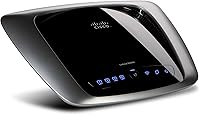
  • Antenna Type: The router uses a fixed internal antenna design, contributing to its compact and low-profile physical form factor.
  • Dimensions: Physical dimensions measure 10.87 x 8.46 x 2.64 inches, making it suitable for placement on a desk or shelf without occupying significant space.
  • Item Weight: The unit weighs 1 pound, making it easy to reposition or relocate within a home environment.
  • Compatible Devices: Designed for use with personal computers and any device supporting 802.11a/b/g/n wireless or standard Ethernet connectivity.
  • Recommended Use: Intended primarily for home networking environments requiring reliable shared internet access across wired and wireless devices.
  • Connectivity: Provides both wireless (Wi-Fi) and wired (Gigabit Ethernet) connectivity options from a single unit.
  • ASIN: The Amazon Standard Identification Number for this unit is B003B20F54.
  • Date Available: This model was first made available for purchase on March 31, 2010, placing it in the early dual-band consumer router generation.
  • Manufacturer: Linksys is listed as the manufacturer, with the product remaining active and not discontinued at the time of listing.

Related Reviews

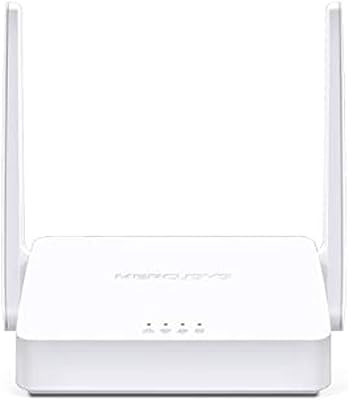
Mercusys MW302R Wireless N Router
82%
91%
Value for Money
93%
Ease of Setup
78%
Wi-Fi Performance
80%
Coverage
85%
Parental Controls
More
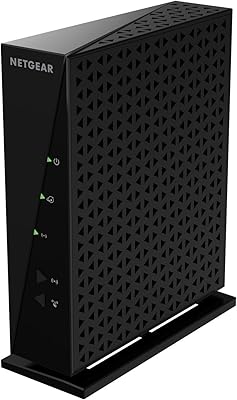
NETGEAR Wireless Router N300 (WNR2000)
82%
92%
Ease of Setup
88%
Value for Money
90%
Parental Controls
85%
Wi-Fi Stability
60%
Range for Larger Homes
More
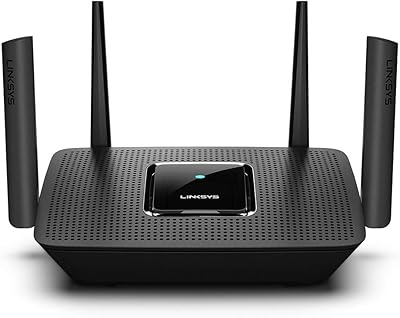
Linksys MR8300 Mesh WiFi Router
84%
88%
Wi-Fi Performance
81%
Ease of Setup
90%
Coverage Area
85%
Device Support
89%
Gaming Performance
More
NETGEAR R6200 AC1200 Dual Band Gigabit Router
71%
88%
Ease of Setup
74%
Wireless Performance
61%
Signal Range & Coverage
69%
Build Quality & Design
58%
Firmware & Software Reliability
More
Linksys EA2700 Dual-Band Router
82%
84%
Wireless Performance
78%
Signal Coverage
88%
Setup & Installation
90%
Wired Connectivity
81%
Reliability
More
Linksys MR20EC WiFi 6 Mesh Router
74%
78%
Wireless Performance
63%
Coverage & Range
91%
Setup & Installation
69%
App & Remote Management
82%
Device Handling & Congestion
More
Linksys MR7350 WiFi 6 Router
76%
91%
Setup & Onboarding
78%
WiFi Speed & Throughput
67%
Coverage & Range
83%
Device Handling & Congestion
72%
App & Remote Management
More
NETGEAR RangeMax Wireless Router WNR1000
78%
89%
Ease of Setup
68%
Wi-Fi Range
92%
Value for Money
81%
Parental Controls
85%
Security Features
More
Linksys MR6350 Dual-Band Mesh WiFi Router
74%
91%
Ease of Setup
62%
WiFi Coverage
84%
Connection Stability
71%
Real-World Speed
68%
App Experience
More
N newline Newcoo 50CDB
77%
88%
Battery Life
71%
Microphone Noise Cancellation
83%
Connection Reliability
67%
Wearing Comfort
86%
Charging Base Usability
More

FAQ

Not at all. The Linksys E2000 Wireless-N Router walks you through setup via a browser-based interface that most users describe as intuitive and quick. The majority of buyers report being fully connected within 10 to 15 minutes without touching the manual. If you have WPS-compatible devices, pairing them is even faster.

You can run both bands simultaneously, which is actually how most households use it. The idea is to put devices that need speed and are physically close to the router — like a laptop or streaming box — on the 5GHz band, while older or more distant devices stay on 2.4GHz for better range. You manage which device connects to which band manually through the admin panel.

Honestly, it depends on the size and layout. In a compact two-story home or townhouse, coverage is generally workable, though you may notice signal softening in far corners or rooms directly above the router placement. For larger two-story homes — especially those with thick walls or concrete construction — coverage can fall short, and you may want to consider a newer router with stronger range or a mesh system instead.

Yes, that is exactly what it is designed to do. When a visitor connects through the guest network, they get internet access but cannot see or reach any device on your main network — your laptop, NAS drive, printer, or anything else stays off-limits. It is a straightforward privacy layer that works as advertised.

This is worth being upfront about: active firmware development for the E2000 has effectively stopped. Given its age, Linksys is no longer issuing updates or security patches for this model. For most home users doing basic browsing and streaming behind a modern modem, this is a manageable trade-off. However, if network security is a top priority for you, the lack of ongoing firmware support is a real limitation to weigh carefully.

It works with virtually any ISP that provides a standard modem or modem-router combo with an Ethernet WAN output, which covers the vast majority of cable, fiber, and DSL providers. There are no ISP locks or restrictions to worry about.

In practice, most users find it handles around 10 to 15 devices without noticeable degradation for everyday tasks. Push it toward 20 or more devices — especially if several are streaming or downloading simultaneously — and you will likely see slowdowns. It is built for a typical small household, not a heavily connected smart home with dozens of active clients.

The E2000 has been confirmed compatible with DD-WRT by the DD-WRT community, which opens up a significantly broader range of advanced configuration options including VPN support, bandwidth monitoring, and finer QoS controls. If you are comfortable with the installation process, this is one way to breathe new life into the hardware and compensate for the lack of official firmware updates.

It is a bit of both, depending on the situation. Some users have had excellent results on 5GHz, while others report intermittent drops or weaker-than-expected throughput. In many cases, placement and channel selection make a significant difference — the 5GHz band has a shorter effective range than 2.4GHz, so if your device is more than 20 to 30 feet from the router or separated by walls, you will feel it. Manually selecting a clean, non-overlapping channel in the admin panel often helps considerably.

For wired use specifically, it holds up very well. All Ethernet ports run at full Gigabit speeds, and the Auto-Crossover feature means any standard patch cable works without any additional adapters. If you are running a desktop, NAS, or smart TV via cable and just need occasional wireless for phones and laptops, the E2000 is a solid and reliable option for that kind of mixed setup.

Where to Buy