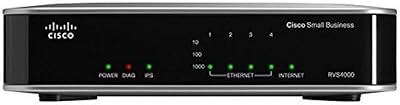
MikroTik hEX S RB760iGS Gigabit Router
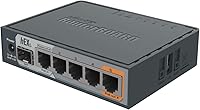
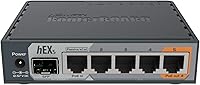
Overview
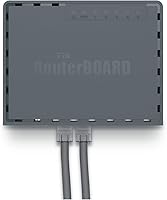
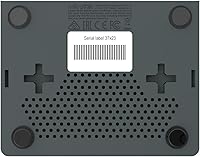
The MikroTik hEX S RB760iGS Gigabit Router sits in an interesting spot — compact enough to tuck behind a desk, yet capable enough to run configurations that would embarrass most consumer-grade hardware. This is not a router you buy because the box looks approachable; you buy it because you want genuine control over your network. There is no Wi-Fi radio here, full stop. The hEX S runs RouterOS, MikroTik's own operating system, which unlocks an extraordinary depth of routing, firewall, and tunneling options. That power comes with a real learning curve, so if you have never touched a CLI or Winbox interface, set your expectations accordingly before purchasing.
Features & Benefits
Pack a dual-core 880 MHz CPU and 256 MB of RAM into a box barely larger than a paperback book, and you have something that punches well above its size. The five Gigabit Ethernet ports give you real flexibility — run one as a WAN, set up a multi-WAN failover, or segment your network however you like. The SFP cage at 1.25 Gbps is particularly handy if your ISP delivers fiber, letting you skip a separate media converter entirely. Hardware-accelerated IPsec hits around 470 Mbps in real conditions, a credible figure for site-to-site VPN work. Port 5 also delivers PoE output, so you can power a small access point without adding another wall wart to the mix.
Best For
This wired gigabit router is purpose-built for people who already know — or genuinely want to learn — how routing actually works. Home lab users will find it an ideal platform for practicing OSPF, BGP, or complex firewall rule sets on real hardware rather than simulated environments. Small offices and retail locations benefit from its reliability and the ability to run site-to-site VPNs without a separate appliance. If your ISP provides a fiber uplink via SFP, this is one of the few compact routers that handles it natively. It also suits anyone already in the MikroTik ecosystem, since staying consistent across devices keeps management straightforward. Beginners expecting a simple web wizard will likely find it frustrating.
User Feedback
Long-term owners consistently point to rock-solid uptime as the standout quality — units running for years without a reboot, which is exactly what you want from a wired router. The port density and hardware specs relative to price draw frequent praise, especially from buyers who compared this MikroTik router to similarly priced consumer devices. On the other side of the ledger, RouterOS divides people sharply. Those unfamiliar with MikroTik often describe the initial setup as overwhelming, and the absence of a guided setup wizard is a genuine friction point. The stock power supply draws occasional criticism in always-on environments. Community forums, however, are regularly credited as a valuable resource for working through configuration challenges.
Pros
- Hardware IPsec acceleration delivers around 470 Mbps of real VPN throughput without saturating the CPU.
- Five Gigabit Ethernet ports plus an SFP cage offer exceptional port density for the physical footprint.
- RouterOS Level 4 unlocks enterprise-grade features — BGP, OSPF, traffic shaping — rarely found at this price tier.
- Long-term reliability is outstanding; many users report years of continuous operation without a single failure.
- The SFP cage eliminates the need for a separate media converter when connecting directly to a fiber ISP handoff.
- PoE output on port 5 lets you power a small access point without adding extra hardware to the setup.
- The compact form factor fits nearly anywhere — behind a monitor, on a closet shelf, or in a small server nook.
- The MikroTik community forum is an active, technically deep resource that effectively compensates for sparse official documentation.
- A microSD slot and USB port support The Dude monitoring server, adding network visibility without a separate device.
Cons
- RouterOS has a steep learning curve that will frustrate anyone without prior CLI or Winbox experience.
- No setup wizard means even basic initial configuration requires research before you can get online.
- The stock power supply feels underspecified for demanding always-on deployments, particularly with PoE in active use.
- OpenVPN and other software-based VPN protocols run slowly; the hardware acceleration is IPsec-specific only.
- The SFP port maxes out at 1.25 Gbps, which will become a bottleneck as multi-gigabit ISP plans grow more common.
- Passive PoE on port 5 is not 802.3af or 802.3at compliant, limiting which devices can actually be powered.
- No rack-mount ears are included, so mounting in a standard rack requires purchasing an additional accessory.
- RouterOS version upgrades can introduce breaking configuration changes, requiring careful review before updating production devices.
Ratings
The MikroTik hEX S RB760iGS Gigabit Router earns consistently strong marks across verified global buyer reviews, and the scores below reflect an AI-driven analysis that actively filters out incentivized, bot-generated, and outlier feedback to surface what real network professionals and enthusiasts actually experience. Strengths in hardware value, reliability, and VPN capability stand out clearly, while pain points around the setup experience and power supply are represented without sugarcoating.
Value for Money
Routing Performance
VPN & IPsec Throughput
Hardware Build & Reliability
Port Density & Flexibility
SFP Port Utility
Ease of Setup
RouterOS Feature Depth
PoE Output Practicality
Power Supply Quality
Community & Support Ecosystem
Firmware & Software Updates
Physical Footprint
Suitable for:
The MikroTik hEX S RB760iGS Gigabit Router is built for a specific kind of buyer — one who knows their way around a network or is seriously committed to learning. Home lab enthusiasts will find it an ideal platform for running real routing protocols like OSPF or BGP on physical hardware, which simulators simply cannot replicate. Small offices and retail environments that need dependable wired routing, VLAN segmentation, and site-to-site VPN connectivity without paying enterprise prices will get strong mileage out of this device. Network admins who need hardware-accelerated IPsec for branch office tunnels — and who want that handled in a compact, low-power unit — will appreciate what the hEX S delivers at this price point. Anyone connecting to a fiber ISP via SFP handoff will find the built-in SFP cage a practical advantage that removes a piece of hardware from the chain entirely. If you are already working within the MikroTik ecosystem, adding the hEX S as an edge device keeps your management stack consistent and familiar.
Not suitable for:
The MikroTik hEX S RB760iGS Gigabit Router is a poor fit for anyone expecting a consumer-friendly experience out of the box. There is no setup wizard, no mobile app, and no Wi-Fi — buyers who skim the listing and assume wireless coverage is included will be immediately disappointed, as this is a strictly wired device by design. If your idea of router setup is plugging it in and following a browser-based walkthrough, RouterOS will feel hostile from the first login. Households with non-technical users who need occasional support from the router's own interface should look at consumer brands where the learning curve is measured in minutes rather than weeks. The stock power supply, while functional for standard loads, has drawn enough criticism in always-on environments that buyers running it at full capacity with PoE active may want to budget for a replacement unit. Those on ISP plans above 1.25 Gbps will also run into the SFP port's ceiling and should evaluate higher-throughput alternatives instead.
Specifications
- CPU: The router is powered by a dual-core 880 MHz processor capable of handling complex routing configurations, multiple simultaneous VPN tunnels, and advanced firewall rule sets without significant performance degradation.
- RAM: 256 MB of onboard RAM provides sufficient headroom for running RouterOS alongside active routing tables, firewall filters, and The Dude monitoring server concurrently.
- Ethernet Ports: Five independent Gigabit Ethernet ports (10/100/1000 Mbps) support flexible WAN and LAN assignments, including multi-WAN failover and VLAN-tagged configurations.
- SFP Port: A single 1.25 Gbps SFP cage accepts standard small form-factor pluggable fiber modules, enabling direct fiber ISP uplinks or connections to fiber-capable managed switches.
- PoE Output: Port 5 provides passive PoE output, allowing compatible low-power devices such as wireless access points to be powered directly from the router without a separate injector.
- USB: One USB 2.0 port supports external storage devices and is used primarily for hosting The Dude network monitoring server files or transferring configuration backups.
- Storage Slot: A microSD card slot provides expanded local storage for The Dude server database and configuration files, offering improved read and write speeds compared to USB-attached storage.
- IPsec Throughput: Hardware-accelerated IPsec encryption delivers approximately 470 Mbps of sustained throughput, making site-to-site VPN tunnels practical without consuming the main CPU cores.
- Operating System: The device ships with RouterOS Level 4 license, which includes support for BGP, OSPF, MPLS, advanced firewall filtering, traffic shaping, tunneling protocols, and The Dude server package.
- Wireless: This is a strictly wired device; no wireless radio or antenna is included, and Wi-Fi capability cannot be added through software or firmware updates.
- Dimensions: The unit measures 4.45 × 3.5 × 1.1 inches, placing it in a compact desktop form factor suitable for shelf, wall, or bracket mounting in space-constrained locations.
- Weight: At 12 ounces without packaging, the device is lightweight enough to mount behind a monitor arm or on a small shelf without structural reinforcement.
- Power Input: The router ships with an included DC power adapter; the unit accepts a standard barrel connector power input and consumes low wattage under typical operating conditions.
- The Dude Server: Native support for The Dude network monitoring application is included, allowing the router to act as a lightweight network discovery and monitoring server when a microSD card is installed.
- Certifications: The device carries standard CE and FCC certifications, confirming compliance with electromagnetic emissions and safety standards for use in North American and European markets.
- Manufacturer: Designed and manufactured by MikroTik, a Latvian networking company with an established track record of producing RouterOS-based hardware for professional and prosumer network deployments.
- Release Date: The RB760iGS model was first made available in May 2018 and remains in active production with no discontinuation announced by the manufacturer.
Related Reviews
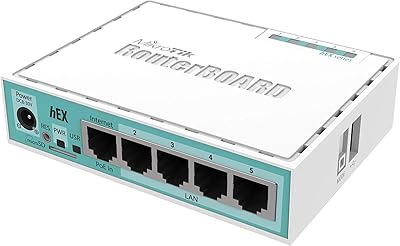
MikroTik hEX RB750Gr3 5-Port Gigabit Router
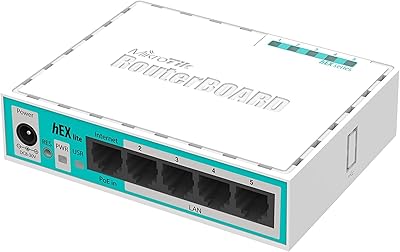
MikroTik RB750r2 hEX lite 5-Port Router
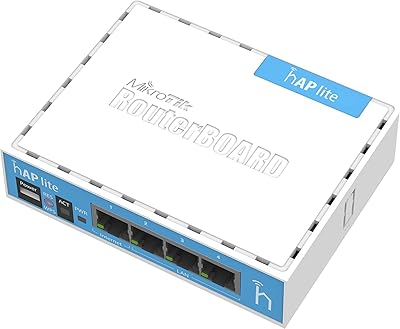
MikroTik RB941-2nD Wireless Access Point
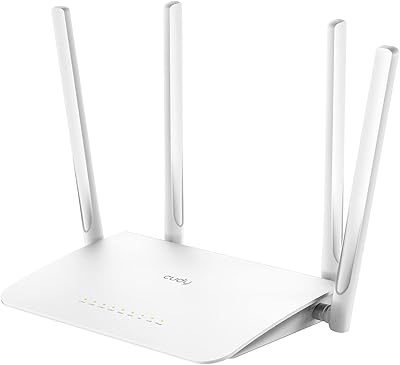
Cudy WR1300 AC1200 Dual-Band WiFi Router
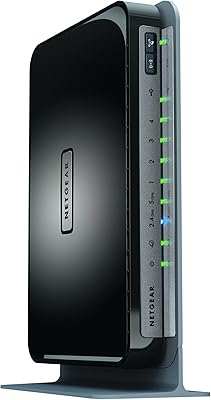
Netgear WNDR4300 N750 Dual Band Gigabit Router
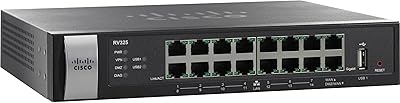
Cisco RV325 Dual WAN VPN Router
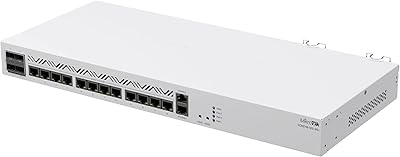
MikroTik CCR2116-12G-4S+ Cloud Core Router
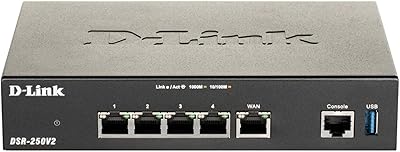
D-Link DSR-250V2 Gigabit VPN Router
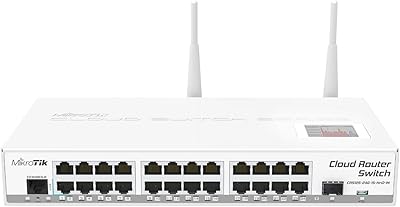
MikroTik CRS125-24G-1S-2HnD-IN Layer 3 Gigabit Switch