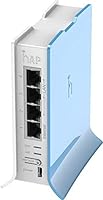
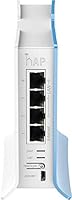
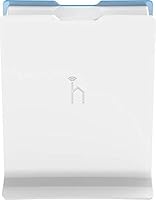
Overview

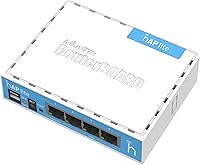
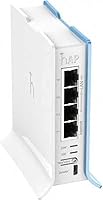
The MikroTik RB941-2nD Wireless Access Point is not the router you buy because a setup wizard holds your hand — it's the one you buy because you want real control over your network. This compact RouterOS router has been quietly sitting in home labs, small offices, and network learning setups since 2015, which says something meaningful about its durability and the community that has grown around it. It fits in the palm of your hand and runs off a standard USB power supply, making it easy to tuck away almost anywhere. Be clear about one thing though: if you expect a typical plug-and-play experience, this isn't it. The payoff is real for those willing to invest the time.

Features & Benefits

The hardware inside this MikroTik hAP lite is modest by design, and that's not a knock — it's a tradeoff worth understanding. A 650MHz CPU and 32MB of RAM handle light home routing, NAT, and firewall tasks without breaking a sweat, but don't expect it to push heavy traffic across multiple simultaneous connections. The four Ethernet ports cap out at 100Mbps, which matters if you've got a gigabit internet plan. Wireless is 2.4GHz 802.11n with dual-chain antennas — solid for an apartment, nothing more. Where this device genuinely stands apart is the RouterOS L4 license: VLAN support, bandwidth shaping, per-user access control, and a full firewall engine are all included. The WPS button and CAPsMAN support round out a surprisingly capable package for the size.

Best For

This compact RouterOS router is a natural fit for home lab enthusiasts and networking students who want hands-on experience with a professional-grade OS without spending a fortune. It works well as a secondary router or lightweight access point in a studio apartment or small office where physical space is tight. IT professionals building out CAPsMAN-managed networks on a budget will find it punches well above its price. If you want to segment traffic by VLAN, throttle bandwidth for specific users, or enforce detailed firewall rules at home, this device gives you those tools. That said, if you just want to plug something in and have Wi-Fi work immediately, look elsewhere.

User Feedback

Buyers consistently praise the long-term stability of the RB941-2nD — many report units running for years without a single reboot. Build quality earns quiet but genuine appreciation too; the ventilated plastic shell stays cool even under sustained load. On the other side, the RouterOS learning curve is the single most common complaint. Out-of-the-box documentation is thin, and new users routinely rely on MikroTik's official forums and Reddit communities to fill the gap — both are active and genuinely useful. The 100Mbps port ceiling is another recurring frustration for anyone on a faster internet plan. Buyers who went in with realistic expectations are largely satisfied; those hoping for a typical home router experience often aren't.

Pros

  • RouterOS Level 4 license unlocks enterprise-grade features — VLANs, firewall rules, bandwidth shaping — at a fraction of the cost.
  • Exceptional long-term stability; many users report years of continuous uptime without needing a reboot.
  • Tiny form factor and USB power supply make placement flexible and installation clean in tight spaces.
  • CAPsMAN support lets the hAP lite join a centrally managed wireless network with a single button press.
  • WPS button simplifies guest onboarding without exposing your main network password.
  • The MikroTik community — both official forums and Reddit — provides deep, active support that extends the device's useful life significantly.
  • Build quality is solid for the price point; the ventilated shell manages heat well under sustained load.
  • Genuinely useful as a low-risk learning platform for RouterOS before deploying it in a production environment.

Cons

  • Fast Ethernet ports cap throughput at 100Mbps, making this a poor fit for anyone on a 200Mbps or faster internet plan.
  • RouterOS has a steep learning curve; first-time MikroTik users should budget real time for configuration and troubleshooting.
  • In-box documentation is sparse — the manual barely scratches the surface of what the OS can do.
  • Single-band 2.4GHz wireless only; no 5GHz option means more interference in crowded apartment buildings.
  • 32MB of RAM limits the number of simultaneous routing rules and connections before performance degrades.
  • Default out-of-the-box configuration is not consumer-friendly; reaching a working setup requires deliberate effort.
  • Wireless range with internal antennas is modest — adequate for a single room or small flat, not a sprawling home.
  • No dedicated mobile app or modern web dashboard; the primary interface is Winbox or a basic HTTP UI, which can feel dated.

Ratings

Our scores for the MikroTik RB941-2nD Wireless Access Point were generated by AI after analyzing thousands of verified buyer reviews across global retail and community platforms, with bot-submitted, spam, and incentivized feedback actively filtered out before any scoring took place. The ratings are built to reflect the complete picture — where this compact RouterOS router genuinely earns its place and where it lets buyers down. No category has been softened; the numbers represent honest, data-driven conclusions drawn from real ownership experiences worldwide.

Value for Money
89%
For a device at this price, access to a full RouterOS Level 4 license is genuinely hard to beat. Comparable feature sets — VLANs, per-user bandwidth control, a complete firewall engine — would cost multiples more on enterprise hardware. Buyers consistently cite this as the single strongest argument for choosing it over consumer alternatives.
The value calculation shifts noticeably if your internet plan exceeds 100Mbps, since the Fast Ethernet ports cap real-world throughput gains. At that point you are paying for software depth while leaving hardware performance unrealized, which changes the value story considerably for higher-bandwidth households.
Setup & Ease of Use
38%
62%
For technically confident users, the initial configuration process is actually an asset — RouterOS gives direct access to every setting without hiding functionality behind simplified menus. IT professionals already familiar with the platform can have this compact RouterOS router fully operational in under ten minutes.
First-time MikroTik users routinely describe the initial setup as the hardest part of ownership. The out-of-box state requires deliberate configuration before it functions as a basic router, and the sparse printed documentation offers almost no guidance — most buyers end up relying entirely on forum posts to piece together a working setup.
Wireless Performance
61%
39%
In a studio apartment or single-room office, the dual-chain 2.4GHz radio performs reliably for everyday tasks — browsing, standard-definition streaming, and handling a handful of connected devices simultaneously. The dual-chain configuration adds some link stability compared to single-antenna budget devices in the same class.
The 2.4GHz-only limitation becomes a real problem in dense residential buildings where the band is heavily congested. Modern laptops, phones, and streaming devices that benefit from 5GHz receive no advantage here, and real-world wireless speeds rarely exceed what you would expect from a circa-2015 802.11n radio.
Wired Throughput
44%
56%
For users on internet plans of 100Mbps or below, the four Fast Ethernet ports cover all practical wired use cases — connecting a desktop, a small switch, or a few devices without any perceptible bottleneck. In a genuinely light home or small-office environment, the port count is sufficient.
The 100Mbps hard ceiling on every port is the most cited hardware limitation in buyer reviews by a wide margin. Anyone paying for a 200Mbps, 500Mbps, or gigabit internet plan will never see those speeds through this device, regardless of how expertly RouterOS is configured.
Build Quality
78%
22%
The ventilated plastic enclosure feels more deliberately engineered than the flimsy shells found on many budget networking devices. Buyers regularly note that units have survived years of continuous operation without physical degradation, cracked housings, or port wear — notable durability for hardware at this price point.
It is still a plastic shell and does not feel premium to the touch. The overall construction inspires confidence for desk or shelf use but feels less appropriate for rough handling or regular transport — the housing offers minimal protection against drops or sustained physical stress.
Stability & Reliability
91%
Long uptime is the single most consistently praised characteristic of the RB941-2nD across every major review platform. Users in home labs and small offices describe running it for months — sometimes over a year — without a spontaneous reboot or dropped connection, a level of consistency many pricier consumer routers fail to deliver.
A small number of users report instability when pushing the 32MB of RAM close to its limits with complex rule sets or high simultaneous connection counts. These are edge cases for typical home use, but anyone planning to run extensive firewall chains or heavy concurrent workloads should account for this ceiling.
Software Features
86%
The RouterOS Level 4 license bundled with this MikroTik hAP lite gives access to a feature set that genuinely competes with hardware costing several times more. VLAN segmentation, granular firewall rules, per-user bandwidth queuing, and full NAT control are all available out of the box with no additional license fees.
RouterOS is powerful but not polished by modern standards. The primary management interfaces — Winbox and a basic browser UI — feel dated compared to the app-driven dashboards of consumer routers, and navigating the OS efficiently requires a learning investment that casual users will simply not want to make.
CAPsMAN Integration
83%
For IT professionals managing multiple access points across a site, the button-triggered switch into CAP mode is a practical time-saver. This RB941-2nD slots cleanly into a CAPsMAN-managed network, allowing centralized control of SSIDs, security policies, and roaming without manual reconfiguration of each individual unit.
CAPsMAN is only useful if you already have a MikroTik router acting as the network controller — it is not a standalone feature. Buyers who are not already invested in the MikroTik ecosystem will get no practical value from this capability, and the setup documentation for first-time deployments is notably sparse.
Documentation
33%
67%
MikroTik does maintain an official wiki that covers RouterOS in reasonable technical depth, and for experienced network engineers the configuration reference serves well as a lookup tool. The wiki has improved steadily over the years and remains the most structured source of official guidance available for the platform.
What arrives in the box provides almost no practical help for a first-time setup. The included materials amount to little more than a quick-start card, and the gap between that and a working, secure configuration is wide enough that most buyers end up relying entirely on third-party forum posts and community guides.
Community Support
87%
The MikroTik user community is one of the most tangible advantages of owning any device in the ecosystem. Between MikroTik's own forum and a highly active subreddit, users can find configuration guides, troubleshooting threads, and peer advice covering nearly every RouterOS scenario — a resource that far exceeds what any printed manual provides.
Community support is not a substitute for first-party documentation, and advice quality varies by thread. Newer users can receive conflicting guidance, and without enough baseline knowledge to evaluate what they are reading, acting on incorrect forum advice can leave a device misconfigured or with unintended security gaps.
Form Factor
84%
At just 8.8 ounces and smaller than a standard paperback, this device fits into setups where physical space is genuinely limited. The USB power input is a particular advantage for travel and temporary deployments — running it from a laptop charger or power bank requires no dedicated outlet or bulky power brick.
The compact size comes with the constraint of internal antennas, which limit effective placement — positioning it inside a cabinet or behind a thick wall noticeably reduces wireless range. There is also no mounting hardware included, so wall or rack installation requires sourcing a compatible bracket separately.
Thermal Management
76%
24%
Under typical home routing workloads, the device stays noticeably cool — the ventilated shell handles passive heat dissipation without active cooling. Users who have run it continuously in confined spaces like small server cabinets generally report no heat-related issues, which is reassuring for always-on deployments.
The passive ventilation design assumes reasonable airflow around the unit at all times. Stacking it against other heat-generating equipment or enclosing it in a sealed space without circulation can cause thermal issues over extended periods — it is not designed to be buried or fully enclosed during operation.
Long-Term Value
79%
21%
Having been on the market since 2015 with continued RouterOS updates and a growing knowledge base, this compact RouterOS router has proven unusually durable as a long-term investment. Buyers who purchased it years ago consistently report it still performs its intended function without issues — genuinely rare for budget networking hardware.
The hardware specifications have not aged uniformly — 32MB of RAM and 100Mbps ports are meaningful constraints as home network demands increase. As gigabit and multi-hundred-megabit internet plans become more common, the practical lifespan of this device as a primary router shortens for a growing share of potential buyers.

Suitable for:

The MikroTik RB941-2nD Wireless Access Point is purpose-built for technically minded buyers who want professional-grade network control without paying professional-grade prices. Networking students and home lab hobbyists will get real mileage out of RouterOS — experimenting with VLANs, firewall rules, and bandwidth shaping in a consequence-free environment is genuinely valuable hands-on practice. Small apartment or single-room office setups benefit from its minimal footprint; it tucks behind a monitor or onto a shelf without demanding its own dedicated space. IT professionals managing multi-site or CAPsMAN-based wireless deployments will appreciate how this compact RouterOS router slots into a centrally managed network with minimal effort and cost. Anyone who has outgrown consumer router firmware and wants granular per-user access control, traffic prioritization, or detailed logging will find this device a capable and affordable step up.

Not suitable for:

If your idea of router setup is plugging it in and following a color-coded mobile app, the RB941-2nD is likely to frustrate you before it helps you. RouterOS is a powerful operating system, but it has a real learning curve, and the included documentation does almost nothing to flatten it — expect to spend meaningful time on forums before your first clean configuration. Households on internet plans above 100Mbps will hit a hard wall with the Fast Ethernet ports; no amount of software tuning can push beyond that hardware ceiling. The 2.4GHz-only wireless is also a genuine limitation in dense environments or for devices that benefit from 5GHz bands, such as streaming boxes or modern laptops. Buyers expecting reliable coverage across a large multi-story home should look at purpose-built mesh systems instead, as this compact RouterOS router is sized and spec'd for smaller, more controlled spaces.

Specifications

  • Brand: Manufactured by MikroTik, a Latvian networking equipment company known for professional-grade routers and wireless infrastructure.
  • Model: The device is officially designated the RB941-2nD and is marketed under the hAP lite product family name.
  • Processor: Powered by a 650MHz single-core CPU, sufficient for light routing, NAT, and firewall workloads in a home or small-office environment.
  • Memory: Equipped with 32MB of onboard RAM, which is adequate for standard RouterOS operation but limits the scale of complex rule sets.
  • Wireless Standard: Supports 802.11b/g/n on the 2.4GHz band only, using a dual-chain internal antenna configuration for improved signal consistency.
  • Frequency Band: Single-band 2.4GHz operation; no 5GHz band is available on this hardware revision.
  • Antenna: Two internal antennas support dual-chain operation, eliminating the need for external antenna connectors and keeping the form factor compact.
  • Ethernet Ports: Includes four Fast Ethernet ports (10/100Mbps), with a maximum throughput ceiling of 100Mbps per port regardless of internet plan speed.
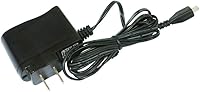
  • Power Supply: Powered via a 5V 1A USB adapter that is included in the box, compatible with standard USB power sources.
  • OS License: Ships with a RouterOS Level 4 license, enabling advanced features including VLANs, firewall rules, bandwidth shaping, and user access control.
  • WPS Support: A dedicated hardware button triggers WPS pairing, allowing wireless devices to connect without manually entering a network password.
  • CAPsMAN: A button toggle switches the device into Controlled Access Point (CAP) mode, enabling it to be managed within a CAPsMAN-based centralized wireless network.
  • Connectivity: Supports both wired Ethernet and USB connectivity, with the USB port primarily used for power delivery rather than data.
  • Dimensions: The unit measures 4.45 x 3.5 x 1.1 inches, making it one of the more compact devices in the MikroTik home access point lineup.
  • Weight: Weighs 8.8 ounces including the enclosure, light enough to mount on a wall bracket or rest on a shelf without additional support.
  • Market Availability: First made available in March 2015, giving it an unusually long track record of active deployment and community-supported documentation.

Related Reviews
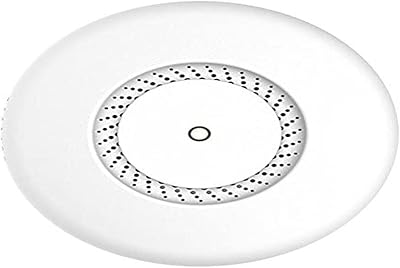
MikroTik cAP ac Dual-Band Access Point
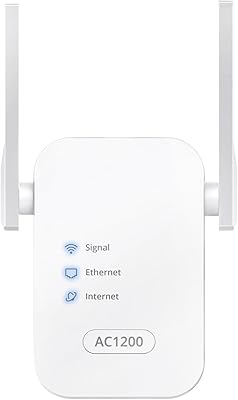
74%
47%
Ease of Setup
83%
Wireless Performance
78%
Build Quality
91%
CAPsMAN Integration
86%
PoE Output Functionality
More
BrosTrend AC1200 Dual-Band WiFi Access Point
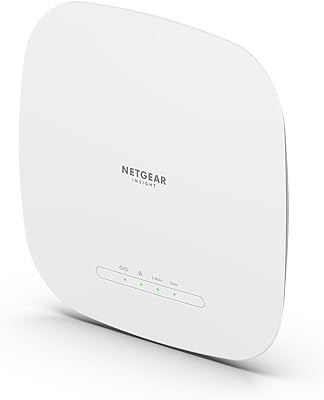
76%
88%
Ease of Setup
71%
WiFi Signal Strength
74%
Connection Stability
81%
Build Quality & Design
76%
Dual-Band Performance
More
Ubiquiti U6+
Ubiquiti U6+
80%
88%
Wireless Performance
54%
Setup & Configuration
84%
Range & Coverage
82%
Build Quality & Design
91%
PoE+ Implementation
More
NETGEAR WAX615 Wireless Access Point

86%
91%
Performance
88%
Ease of Setup & Installation
93%
Coverage & Range
89%
Security Features
87%
App & Remote Management
More
Cisco WAP4410N Wireless-N Access Point
71%
88%
Build Quality
91%
Long-Term Durability
58%
Wireless Performance
76%
PoE Implementation
62%
Ease of Setup
More
EnGenius EAP350 N300 Wireless Access Point
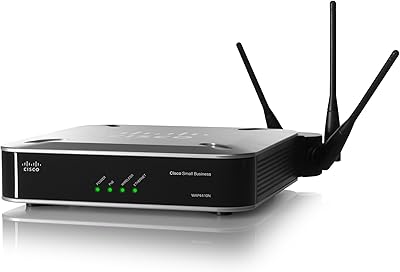
68%
88%
Signal Range & Coverage
83%
Connection Stability
71%
Ease of Setup
52%
Admin Interface & Software
79%
Build Quality & Design
More
TP-Link EAP653 Wi-Fi 6 Access Point

83%
88%
Wireless Performance
79%
Setup & Installation
83%
Omada App & Controller Experience
91%
Build Quality & Design
84%
Range & Coverage
More
TP-Link TL-WA1201 AC1200 Wireless Access Point

75%
88%
Value for Money
81%
Wi-Fi Coverage & Range
83%
Ease of Setup
86%
Multi-Mode Flexibility
58%
PoE Implementation
More
Ubiquiti airCube AC Wireless Access Point
79%
93%
Ecosystem Integration
91%
PoE Passthrough
74%
Wireless Coverage
78%
Setup & Installation
82%
Build Quality
More
TP-Link Omada EAP720 WiFi 7 Access Point
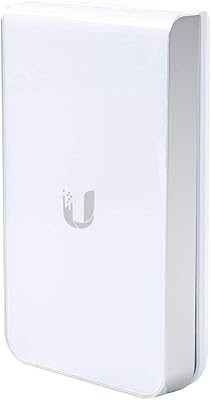
81%
88%
Wireless Performance
91%
Value for Money
83%
Setup & Installation
79%
Build Quality & Design
86%
Omada Ecosystem Integration
More

FAQ

It is honest to say there is a real learning curve here. RouterOS is not like the simplified dashboards you find on consumer routers — it expects you to understand networking concepts like IP addressing, NAT, and firewall rules. That said, MikroTik's official wiki and the subreddit community are genuinely active and full of step-by-step guides. If you are willing to put in a few hours upfront, most people get a working configuration without needing professional help.

Yes, it will. The four Ethernet ports are Fast Ethernet, which means they cap out at 100Mbps regardless of what your ISP delivers. If your plan is above 100Mbps, you will not get full use of the bandwidth you are paying for. This is one of the most common frustrations buyers raise, so it is worth factoring into your decision before purchasing.

Absolutely. RouterOS supports access point mode, and the compact RouterOS router handles that role cleanly. Many users deploy it behind an existing router purely to add Wi-Fi coverage or extend a CAPsMAN-managed network. The setup takes a bit more configuration than a plug-and-play AP, but it is well-documented.

No. The RB941-2nD is 2.4GHz only. If you are in a dense building with a lot of wireless interference, or if you have devices that depend on 5GHz for better throughput, this hardware will not cover that need. For dual-band requirements, you would need to look at a different MikroTik model or another manufacturer entirely.

CAPsMAN is MikroTik's centralized wireless management system. It lets a main router control multiple access points across a network from one place, so you manage SSIDs, security policies, and roaming from a single interface. If you are setting up one device in one location, you do not need it. If you are building a multi-AP network — in an office, for example — CAPsMAN support makes this device a cost-effective node in that system.

Realistically, this MikroTik hAP lite covers a single-floor apartment or a medium-sized room comfortably. The internal dual-chain antennas perform reasonably well for the hardware class, but through-wall performance in older buildings or multi-story homes will be limited. Think of it as a single-room or studio-apartment solution rather than a whole-home coverage device.

Yes, and this is actually a useful feature. The device runs off a standard 5V 1A USB connection, so any decent power bank that provides stable 5V output will work. It is a popular choice for travel networking setups and temporary configurations precisely because of this flexibility.

The Level 4 RouterOS license is included with the hardware at no additional cost. Level 4 covers everything a home or small-office user would realistically need: full firewall, NAT, VLANs, bandwidth queuing, and user management. You only need to consider upgrading the license if you require specific enterprise features like BGP routing, which Level 4 does not support.

The MikroTik RB941-2nD Wireless Access Point and a typical consumer router are aimed at very different buyers. Consumer routers prioritize simplicity — app-based setup, automatic updates, parental controls with a few taps. This device prioritizes depth: you get far more control over traffic, security rules, and network architecture, but you earn that control by configuring it yourself. Neither is objectively better; they just serve different people.

For its intended audience, yes. The hardware is modest by current standards, and the Fast Ethernet ceiling is a genuine limitation for fast internet plans, but RouterOS itself continues to receive updates and the community around it remains active. For learning networking concepts hands-on, running a simple but powerful home firewall, or deploying as a budget CAPsMAN access point, it still does the job without asking for much in return.