Overview

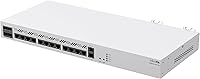
The MikroTik CCR2116-12G-4S+ Cloud Core Router is a serious enterprise routing platform aimed at ISPs, data centers, and network engineers who need real throughput without paying Cisco or Juniper prices. Powered by a 16-core Annapurna Labs CPU and 16GB of DDR4 RAM, this rack-mount router can handle demanding workloads — full BGP tables, deep packet inspection, MPLS tunneling — that would overwhelm budget hardware. It ships in a standard 1U form factor that slots cleanly into any server rack, and it makes a strong value case in a segment where proprietary alternatives from established vendors can easily cost several times as much. No Wi-Fi, no consumer frills — pure routing muscle.
Features & Benefits

The hardware spec sheet on the CCR2116 is where things get interesting. 16GB of DDR4 RAM means you can load full internet routing tables — all 900,000-plus BGP prefixes — without sweating memory constraints, while the 12 Gigabit Ethernet ports give you room to segment WAN connections, management interfaces, and LAN uplinks without reaching for a switch. The four SFP+ ports deliver 10G uplink capacity, ideal for high-speed fiber handoffs or DAC cable connections to core switching infrastructure. RouterOS v7 ties it all together with native BGP, OSPF, MPLS, and VPN support, and hardware-accelerated packet forwarding keeps CPU headroom available even during traffic spikes.

Best For

This MikroTik core router hits a real sweet spot for small to mid-size ISPs that need to run full BGP tables and handle asymmetric traffic patterns without paying for expensive vendor support contracts. Enterprise IT teams building out MPLS backbone infrastructure or consolidating multi-site WAN links will find the port count and protocol support more than adequate. Serious home lab users — the kind running their own AS number and peering with route servers — will appreciate the carrier-grade feature set at a fraction of what equivalent Cisco hardware costs. One clear caveat: it is not for anyone expecting plug-and-play simplicity. This is a router for people who already know what they are doing.

User Feedback

Buyers who know RouterOS well tend to speak highly of the CCR2116 — particularly its BGP stability under load, with multiple network operators noting clean, consistent behavior when carrying full routing tables over long uptime stretches. Build quality gets positive marks; the chassis is solid and thermal performance is rated as acceptable for rack use, though the fans are audible in a quiet room. Where feedback turns critical is the RouterOS learning curve: it is not forgiving for engineers migrating from Cisco IOS, and official documentation has gaps that leave users relying on community wikis and forums. That community is active and knowledgeable, but the dependency on third-party resources is worth factoring in before you commit.

Pros

  • Carries full BGP routing tables with 16GB of DDR4 RAM and headroom to spare.
  • The 16-core CPU handles deep packet inspection and MPLS forwarding without visible performance degradation.
  • Four SFP+ ports deliver genuine 10G uplink throughput for fiber or DAC cable connections.
  • RouterOS v7 supports BGP, OSPF, MPLS, and VPN protocols with no additional licensing fees.
  • 12 Gigabit Ethernet ports give real flexibility for separating WAN, LAN, and management traffic.
  • Hardware-accelerated packet forwarding keeps CPU load manageable during sustained traffic spikes.
  • Solid 1U rack-mount chassis fits cleanly into standard server room environments.
  • Significantly more affordable than comparable Cisco or Juniper routing hardware with similar protocol depth.
  • BGP session stability over long uptime periods is consistently praised by ISP operators in the field.
  • The CCR2116 is still actively supported and not discontinued, which matters for long-term deployment planning.

Cons

  • RouterOS has a steep learning curve that can catch engineers migrating from Cisco IOS off guard.
  • Official MikroTik documentation has notable gaps, pushing users toward community wikis for critical configuration guidance.
  • Fan noise under load is audible enough to be disruptive in quiet or office-adjacent environments.
  • No redundant power supply is included out of the box; adding one requires additional planning and spend.
  • Zero wireless capability despite some online listing details incorrectly suggesting Wi-Fi features.
  • Vendor support options are limited compared to enterprise contracts available with Cisco or Juniper hardware.
  • Community-dependent troubleshooting means resolution times can vary significantly depending on forum availability.
  • The web interface (Winbox) has a learning curve of its own and feels dated compared to modern dashboards.
  • Hardware acceleration benefits are traffic-pattern-dependent and may not apply equally to all routing workloads.

Ratings

The scores below reflect an AI-driven analysis of verified global user reviews for the MikroTik CCR2116-12G-4S+ Cloud Core Router, with spam, bot-generated, and incentivized submissions actively filtered out before scoring. Ratings span both the hardware and software dimensions of real-world deployment, capturing consistent praise as well as the friction points that actual network engineers and ISP operators run into. Strengths and shortcomings are weighted equally so the scores give an honest picture rather than a flattering one.

Routing Performance
93%
ISP operators and network engineers consistently report that the CCR2116 handles full BGP internet routing tables without memory pressure or CPU saturation, even under sustained asymmetric traffic loads. Hardware-accelerated forwarding keeps packet throughput high while leaving meaningful CPU headroom for additional services like firewalling and traffic shaping.
A small number of users running extremely complex multi-VRF configurations alongside full BGP tables report occasional latency spikes under very specific traffic profiles, though these cases appear to be edge scenarios rather than a systemic issue with the hardware.
Value for Money
88%
Compared to Cisco or Juniper hardware with equivalent protocol depth and port density, this rack-mount router delivers a striking price-to-capability ratio. Network teams migrating off proprietary vendor contracts frequently cite it as a turning point in reducing infrastructure costs without sacrificing core routing functionality.
The upfront hardware cost is still substantial for smaller organizations or home lab users with tighter budgets, and the total cost of ownership rises if you factor in the time investment required to get a team proficient in RouterOS from scratch.
RouterOS Flexibility
91%
RouterOS v7 covers an impressively broad protocol stack — BGP, OSPF, MPLS, IPsec, OpenVPN, traffic shaping, scripting — without any per-feature licensing fees. Engineers who invest in learning it describe the level of configurability as genuinely carrier-grade, with scripting capabilities that allow deep automation of complex routing policies.
The flexibility cuts both ways: the sheer number of configuration options and the non-intuitive organization of RouterOS menus means that misconfiguration risk is higher than on more opinionated platforms. A single wrongly scoped firewall rule or BGP policy can cause hard-to-trace issues that take hours to isolate.
Learning Curve
47%
53%
For engineers already fluent in RouterOS or with prior MikroTik experience, the CCR2116 is straightforward to deploy. The Winbox GUI and CLI are consistent with other MikroTik products, meaning existing knowledge transfers directly and initial setup can be completed in a matter of hours.
For anyone coming from Cisco IOS, Junos, or even consumer router interfaces, RouterOS feels like a different paradigm entirely. The mental model for interface binding, IP addressing, and routing policy differs enough that even experienced network engineers report a frustrating adjustment period measured in weeks rather than days.
BGP Stability
89%
Long-term deployments at small ISPs show consistent BGP session stability over multi-month uptime periods, with users noting clean failover behavior during upstream link changes and predictable prefix propagation times. Several operators specifically call out the router's reliability during internet exchange peering as a standout quality.
A handful of users have noted that very high BGP peer counts combined with aggressive route refresh policies can produce brief CPU spikes, though these are typically resolved by tuning timers and dampening settings rather than indicating a hardware limitation.
Build Quality
82%
18%
The chassis feels solid and purposefully engineered for rack environments — no flex in the housing, secure port fittings, and a weight distribution that sits evenly in a rack tray without front-heavy sagging. Users who have handled it in production settings generally describe it as professional-grade rather than prosumer.
Some buyers note that the finish and internal component layout feel a step below what you would find inside a Cisco or Juniper unit at higher price points. The included rackmount bracket is functional but basic, and a small number of users have reported it arriving with minor cosmetic damage from packaging.
Fan Noise
58%
42%
In a properly enclosed server room or data center rack, fan noise is essentially a non-issue — the unit runs within normal acoustic parameters for rack-mount networking hardware, and thermal performance under sustained load is generally rated as adequate by operators in those environments.
Anyone deploying this outside a dedicated equipment room will notice the fan noise. Under moderate to heavy load, the fans ramp up to levels that are clearly audible in an office setting or even a home lab room, making it a poor fit for any environment where acoustic comfort matters.
Documentation Quality
51%
49%
The MikroTik community wiki is extensive and covers a wide range of real-world configuration scenarios, including many that go well beyond what you would find in typical vendor documentation. Community forum threads often surface practical solutions to niche routing problems faster than official support channels would.
Official MikroTik documentation for RouterOS v7 has significant gaps, particularly for advanced MPLS and BGP configurations. Users frequently report that the official docs assume a level of prior MikroTik experience that beginners simply do not have, making community resources a necessity rather than a supplement.
Port Density
86%
Twelve Gigabit Ethernet ports and four SFP+ 10G uplinks in a single 1U chassis is a genuinely competitive combination for the price tier. Network architects appreciate being able to separate WAN inputs, LAN distribution, and out-of-band management interfaces without immediately needing a separate switch.
Organizations with more than a handful of 10G uplink requirements will hit the SFP+ port ceiling quickly and need supplemental switching infrastructure. The Gigabit Ethernet ports, while plentiful, are limited to 1G speeds and may feel constraining for high-throughput internal segments in larger environments.
Setup & Initial Config
63%
37%
Users with MikroTik experience report that the initial hardware setup — racking, cabling, basic IP assignment — is quick and uncomplicated. The Winbox application provides a graphical starting point that makes early configuration accessible without needing to work entirely in the CLI from day one.
Getting from initial connectivity to a fully production-ready BGP configuration is a multi-step process that requires genuine RouterOS knowledge. First-time MikroTik users often underestimate the configuration depth required and spend significantly more time on initial deployment than anticipated.
Thermal Management
74%
26%
Under typical ISP routing workloads, the unit maintains stable operating temperatures without throttling or triggering any thermal warnings. Operators running it in properly ventilated racks report consistent thermal behavior over long periods, with no heat-related instability noted in the majority of deployments.
In poorly ventilated enclosures or high-ambient-temperature environments, some users report elevated temperatures that accelerate fan speed noticeably. The router does not appear to have particularly aggressive thermal headroom, so rack placement and airflow management are more important with this unit than some alternatives.
Vendor Support
44%
56%
MikroTik does offer official support channels, and for straightforward hardware defects within the warranty period, the replacement process is generally described as adequate. The active global reseller network means physical access to replacement units or spare parts is usually manageable.
Compared to Cisco SmartNet or Juniper Care contracts, MikroTik's official support infrastructure is thin. Response times for complex technical issues can be slow, and organizations that require guaranteed SLA-backed support with 24/7 access to engineering-level resources will find the offering inadequate for mission-critical deployments.
Protocol Coverage
92%
The breadth of routing and tunneling protocols available natively in RouterOS v7 — BGP, OSPF, MPLS, RIP, IPsec, L2TP, OpenVPN, VRRP, and more — rivals what enterprise vendors charge significant licensing premiums to unlock. For protocol-heavy ISP or enterprise environments, this is one of the strongest arguments for the platform.
While the protocol list is long, some implementations have nuances or behavioral differences compared to what engineers expect from Cisco or Juniper equivalents. Specific BGP community handling and certain MPLS label operations have been flagged in community discussions as requiring workarounds in edge cases.
Upgrade Path
67%
33%
RouterOS receives regular software updates from MikroTik, and the CCR2116 is a current-generation product with no announced discontinuation, giving it a reasonable expected software support lifespan. Hardware capability is not a limiting factor for most network growth scenarios in the near to medium term.
MikroTik's hardware upgrade cycle and long-term firmware commitment are less transparent than those of major enterprise vendors. Users who have experienced end-of-support surprises on older MikroTik hardware cite it as a concern when planning multi-year infrastructure investments around this platform.

Suitable for:

The MikroTik CCR2116-12G-4S+ Cloud Core Router is purpose-built for network professionals who need serious routing capability without the vendor lock-in and inflated licensing costs that come with Cisco or Juniper gear. Small and mid-size ISPs are perhaps the most natural fit — operators running BGP peering sessions, handling full internet routing tables, and managing asymmetric traffic loads will find the 16-core CPU and 16GB of RAM leave meaningful headroom even under sustained peak conditions. Enterprise IT teams consolidating multi-site WAN links or building out MPLS infrastructure will appreciate the breadth of RouterOS protocol support, which covers BGP, OSPF, MPLS, RIP, and multiple VPN implementations natively. Data center operators needing a dense, capable 1U routing appliance with 10G uplink ports will also find the CCR2116 punches well above its price class. Advanced home lab engineers running their own autonomous systems or testing carrier-grade configurations round out the audience — this is a box that rewards people who know exactly what they need it to do.

Not suitable for:

The MikroTik CCR2116-12G-4S+ Cloud Core Router is a poor match for anyone outside the professional networking world, and it is worth being direct about that. This is a wired-only appliance with zero wireless capability — despite some misleading attributes in its Amazon listing referencing WPS and 802.11ac, there is no Wi-Fi hardware on this device whatsoever. Small business owners looking for an easy-to-manage office router, or IT generalists without prior RouterOS experience, will face a steep and potentially frustrating onboarding process; MikroTik's interface and configuration logic differs substantially from Cisco IOS or consumer router dashboards. Organizations that rely on vendor-backed phone support and SLA-driven hardware replacement programs may also find MikroTik's support ecosystem lacking compared to enterprise-tier alternatives. If your team cannot absorb the learning investment or does not have someone already fluent in RouterOS, the operational risk outweighs the hardware value, regardless of how competitive the price looks on paper.

Specifications

  • CPU: Powered by a 16-core Annapurna Labs Alpine AL73400 processor designed for high-throughput routing and packet forwarding workloads.
  • RAM: 16GB of DDR4 memory provides ample capacity for full BGP internet routing tables and concurrent deep packet inspection tasks.
  • Ethernet Ports: Twelve Gigabit Ethernet ports allow flexible allocation across WAN inputs, LAN segments, and dedicated management interfaces.
  • SFP+ Ports: Four SFP+ slots support 10G fiber transceivers or direct-attach copper cables for high-speed uplink connectivity.
  • Operating System: Ships with RouterOS v7, which includes native support for BGP, OSPF, MPLS, RIP, and multiple VPN implementations at no extra licensing cost.
  • Form Factor: Standard 1U rack-mount chassis fits directly into 19-inch server racks and includes a rackmount bracket in the box.
  • Dimensions: The unit measures 19.69 x 19.69 x 11.02 inches, occupying a single rack unit of vertical space.
  • Weight: The router weighs 4.4 pounds, making rack installation manageable without additional equipment.
  • Connectivity: All connectivity is wired via Gigabit Ethernet and SFP+ fiber or DAC cable; there is no wireless radio of any kind in this device.
  • Routing Protocols: Native RouterOS v7 support covers BGP, OSPF, MPLS, RIP, and VPN tunneling protocols including OpenVPN, IPsec, and L2TP.
  • Packet Forwarding: Hardware-accelerated forwarding offloads repetitive packet processing from the CPU, sustaining throughput during high-traffic scenarios.
  • Power Supply: The chassis supports dual redundant power supply units for environments where uptime continuity is a hard requirement.
  • Model Number: The official model identifier is CCR2116-12G-4S+, unique to this configuration within MikroTik's Cloud Core Router line.
  • Availability: This model was first listed in August 2022 and has not been discontinued as of the time of this review.
  • Included Items: The package includes the router unit and a rackmount bracket; transceivers and power cables are not bundled.

Related Reviews

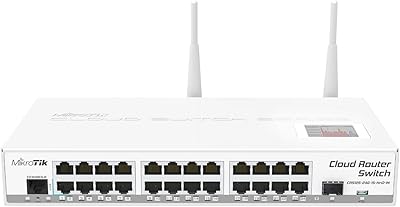
MikroTik CRS125-24G-1S-2HnD-IN Layer 3 Gigabit Switch
76%
91%
Value for Money
88%
Build Quality
89%
Port Density & Connectivity
53%
Wireless Performance
93%
Routing & Switching Capability
More
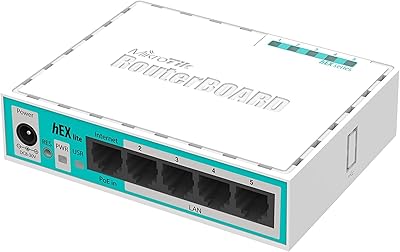
MikroTik RB750r2 hEX lite 5-Port Router
65%
93%
Value for Money
91%
Routing Feature Depth
41%
Ease of Setup
52%
Port Speed & Throughput
88%
Hardware Reliability
More
MightyWiFi Mightywifi Cloud Mobile WiFi Router
87%
89%
Battery Life
93%
Global Coverage
87%
Ease of Use
75%
Connectivity Reliability
91%
Data Management via App
More
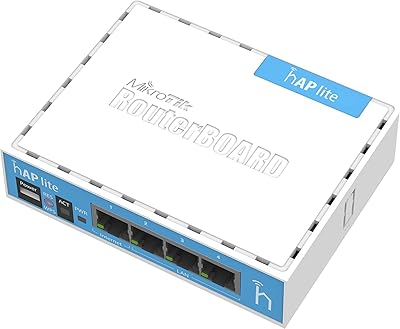
MikroTik RB941-2nD Wireless Access Point
71%
89%
Value for Money
38%
Setup & Ease of Use
61%
Wireless Performance
44%
Wired Throughput
78%
Build Quality
More
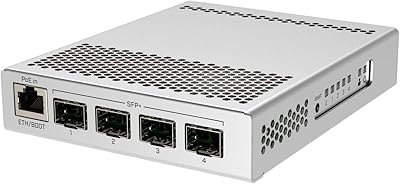
MikroTik CRS305-1G-4S+IN Network Switch
81%
93%
Build Quality
91%
10G Throughput Performance
96%
Noise & Thermal Management
88%
Value for Money
58%
Ease of Setup
More
MikroTik hEX S RB760iGS Gigabit Router
81%
93%
Value for Money
89%
Routing Performance
88%
VPN & IPsec Throughput
91%
Hardware Build & Reliability
87%
Port Density & Flexibility
More
HyperX Cloud Stinger 2 Core Gaming Headset
76%
83%
Comfort & Wearability
71%
Audio Quality
68%
Microphone Performance
61%
Build Quality
94%
Ease of Setup
More
MikroTik hEX RB750Gr3 5-Port Gigabit Router
79%
93%
Routing Performance
88%
VPN Throughput
96%
Stability & Uptime
91%
Value for Money
38%
Ease of Setup
More
WD My Cloud Home 8TB Personal Cloud Storage
62%
83%
Ease of Setup
51%
App Reliability
57%
Remote Access Performance
88%
Storage Capacity
31%
Data Redundancy & Safety
More
Intel Core i5-14600KF Desktop Processor
79%
88%
Gaming Performance
91%
Value for Money
84%
Multi-Core Throughput
78%
Overclocking Headroom
67%
Thermal Management
More

FAQ

Yes, comfortably. With 16GB of DDR4 RAM, the CCR2116 has more than enough memory to hold a full BGP table — currently around 900,000 to 1 million prefixes — along with additional routes for policy routing or VRF configurations. Memory exhaustion is not a realistic concern for standard ISP deployments on this hardware.

No, it does not. The MikroTik CCR2116-12G-4S+ Cloud Core Router is a purely wired appliance. Some online listings have incorrectly referenced Wi-Fi attributes like WPS and 802.11ac, but those do not apply to this device. If you need wireless access, you would connect a separate access point to one of the Ethernet ports.

It is a real adjustment. The configuration logic, interface naming conventions, and CLI structure in RouterOS differ substantially from Cisco IOS. Most engineers with a solid networking foundation get comfortable within a few weeks of hands-on use, but expect a learning curve upfront. The MikroTik community wiki and forums are genuinely useful resources once you know where to look.

Generally yes, though MikroTik officially recommends using their own transceivers for guaranteed compatibility. Many operators use third-party SFP+ modules without issues, but it is worth checking the MikroTik hardware compatibility list before purchasing transceivers in bulk, particularly for less common fiber types.

It is audible. This rack-mount router is designed for data center or server room use, not an open office floor. Under moderate to heavy load the fans ramp up noticeably, so if noise is a concern, plan to deploy it in a dedicated rack enclosure or equipment room rather than next to a desk.

No additional license purchase is required. The CCR2116 ships with RouterOS v7 included, and all routing features — BGP, OSPF, MPLS, VPN, and more — are available out of the box. MikroTik's licensing model on Cloud Core Router hardware does not impose per-feature fees the way some competing vendors do.

In practice, the CCR2116 handles dozens of BGP sessions without difficulty, and many ISP operators run it with far more. The 16-core CPU and large RAM pool give it substantial headroom. Exact limits depend on traffic volumes, prefix counts, and configuration complexity, but it is not a bottleneck for most small to mid-size ISP deployments.

If the chassis is populated with dual power supply units, it will continue operating normally on the remaining PSU. The dual PSU support is designed specifically for this kind of redundancy. However, it is worth noting that the second power supply is not always included by default, so confirm your configuration when ordering.

It is an excellent fit if you are serious about it. This rack-mount router gives you genuine carrier-grade routing capabilities — full BGP, MPLS, traffic shaping, firewall scripting — that most home lab setups never come close to. The main trade-off is the RouterOS learning investment and the physical size of the unit, which assumes you have a rack or at least rack-mount space available.

For raw routing performance and protocol coverage at this price point, the CCR2116 is hard to beat. Cisco ISR hardware in a similar range often comes with licensing fees, software subscription requirements, or feature restrictions that add significantly to the total cost of ownership. The trade-off is support: Cisco offers more robust vendor-backed support options, while MikroTik relies more heavily on community resources. For a team with RouterOS experience, the MikroTik option typically delivers more value per dollar.

Where to Buy