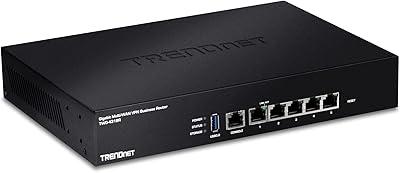
Cisco RVS4000 Gigabit Security Router
Overview
The Cisco RVS4000 Gigabit Security Router is a wired-only business networking device built for small offices that prioritize security over convenience. If you need Wi-Fi, stop here — this router has none. It was originally sold under the Linksys Business Series banner before Cisco absorbed that product line, which explains why you will see both names on packaging and documentation. That branding history aside, the RVS4000 occupies a clear niche: mid-range business networking hardware that punches above consumer-grade equipment without demanding enterprise-level budgets. It is an older device, no question, but its core security architecture remains relevant for offices that need dependable, locked-down wired connectivity.
Features & Benefits
The RVS4000 ships with four gigabit LAN ports that handle large file transfers across a local office network without the bottlenecks common to older 10/100 hardware. Beyond raw speed, the built-in IPSec VPN supports up to five simultaneous tunnels, letting remote staff connect securely without purchasing a separate appliance. The Stateful Packet Inspection firewall works alongside an Intrusion Detection System to actively monitor for suspicious traffic patterns — a meaningful step up from the basic NAT firewalls found on consumer routers. VLAN support allows network segmentation to isolate sensitive systems, and QoS controls let administrators prioritize voice or business-critical application traffic when bandwidth gets tight.
Best For
This wired security router is a strong fit for small office environments where Wi-Fi is handled by separate access points and the priority is reliable, locked-down wired connectivity. IT administrators who want VPN capability baked in — without the cost or complexity of a standalone appliance — will find the RVS4000 sits well within reach. It also suits businesses dealing with sensitive client or financial data, where an IDS and a proper firewall matter more than plug-and-play simplicity. One honest caveat: this is not a device for someone who expects a twenty-minute setup. It rewards users who are comfortable navigating Cisco-style configuration menus and understand basic network segmentation concepts.
User Feedback
Feedback on this Cisco business router splits fairly cleanly along technical skill lines. Experienced network administrators tend to rate it well, pointing to consistent VPN reliability and a build quality that feels genuinely business-grade rather than prosumer. On the other side, less technical buyers frequently complain about a management interface that feels dated and hard to navigate without prior Cisco exposure. A recurring concern involves firmware: updates have grown scarce, and long-term software support is uncertain for a product this age. VPN throughput under heavy encryption load also draws criticism — moderate tunnel usage works fine, but do not expect it to saturate a fast WAN line. Technically comfortable buyers get considerably more out of it than casual ones.
Pros
- Four gigabit LAN ports handle fast local file transfers without the slowdowns of older 10/100 hardware.
- Built-in IPSec VPN support for up to five tunnels eliminates the need for a separate VPN appliance.
- The hardware-level Intrusion Detection System actively monitors traffic, a real step above consumer-grade routers.
- Stateful Packet Inspection firewall provides meaningful protection against malicious inbound connections.
- VLAN support lets you segment your network to isolate sensitive systems from general office traffic.
- QoS controls allow administrators to prioritize bandwidth for voice calls or business-critical applications.
- Solid, business-grade build quality that holds up well in a small office environment over time.
- Competitively priced for the security feature set it delivers compared to enterprise alternatives.
- Web-based management interface gives experienced users granular control without requiring command-line access.
Cons
- No wireless capability whatsoever — buyers needing Wi-Fi must purchase and manage separate access points.
- Firmware updates have largely stopped, leaving potential security vulnerabilities without official patches.
- The management interface feels dated and is genuinely difficult to navigate without prior Cisco experience.
- VPN throughput degrades noticeably under heavy encryption load, which limits usability for bandwidth-intensive remote teams.
- The Linksys and Cisco dual branding on packaging and documentation creates unnecessary confusion at purchase.
- Long-term vendor support is uncertain for a product this age, making it a risky buy for future-proofing.
- Limited to five concurrent VPN tunnels, which may not scale even for modestly growing teams.
- Less technically experienced users frequently report a steep and frustrating initial configuration learning curve.
- Availability of compatible replacement parts or hardware support has diminished significantly over time.
Ratings
The scores below for the Cisco RVS4000 Gigabit Security Router were generated by our AI engine after analyzing verified purchase reviews from buyers worldwide, with spam, incentivized, and bot-flagged submissions actively filtered out before processing. Ratings reflect the honest distribution of real user experiences — the strengths that consistently earned praise and the pain points that drove frustration — weighted by review recency and verified buyer status. Both sides of the picture are represented transparently so you can make a confident, informed decision.
VPN Reliability
Network Security Features
Ease of Setup
Build Quality
Management Interface
Wired Throughput
Firmware & Long-Term Support
Value for Money
VLAN & Network Segmentation
QoS Performance
Compatibility
Physical Footprint
Documentation & Learning Resources
Suitable for:
The Cisco RVS4000 Gigabit Security Router is purpose-built for small businesses and office environments where wired reliability and network security matter more than ease of setup. IT administrators managing a handful of workstations, a NAS, or other wired infrastructure will find its combination of IPSec VPN, SPI firewall, and Intrusion Detection genuinely useful without needing to step up to costly enterprise hardware. It fits particularly well in deployments where wireless is already handled by dedicated access points, since the router itself is strictly wired — that separation of concerns is actually a clean architectural choice for offices that take security seriously. Businesses dealing with sensitive data, legal records, or financial information will appreciate having a hardware-level IDS watching inbound traffic. If your team includes someone who knows their way around a Cisco management interface, this router rewards that familiarity with solid, configurable control over how traffic moves through your network.
Not suitable for:
The Cisco RVS4000 Gigabit Security Router is a poor fit for anyone expecting a modern, easy-to-manage networking device straight out of the box. Home users or small business owners without IT experience will likely find the web interface confusing and the setup process frustrating compared to contemporary consumer routers. There is no Wi-Fi — full stop — so anyone needing an all-in-one wireless solution should look elsewhere immediately. The firmware situation is also a genuine concern: active updates have dried up, meaning known vulnerabilities may go unpatched, which is a real risk for security-conscious buyers. VPN throughput under heavy encryption load is limited, so if your team relies on high-bandwidth remote access tunnels throughout the workday, this router will likely become a bottleneck. Finally, buyers who want responsive vendor support or a product with a clear long-term software roadmap should consider a more current alternative.
Specifications
- LAN Ports: Four 10/100/1000 Gigabit Ethernet ports provide high-speed wired connections for local office devices.
- WAN Port: One Gigabit Ethernet WAN port connects the router to your internet service provider or modem.
- VPN Support: Built-in IPSec VPN supports up to five simultaneous encrypted tunnels for secure remote access.
- Firewall: Stateful Packet Inspection (SPI) firewall actively filters and blocks malicious inbound traffic at the hardware level.
- Intrusion Detection: An onboard Intrusion Detection System (IDS) monitors network traffic patterns and flags suspicious activity in real time.
- Wireless: This router has no wireless capability and operates exclusively over wired Ethernet connections.
- VLAN Support: VLAN segmentation allows administrators to logically separate network traffic between departments or device groups.
- QoS: Quality of Service controls let administrators prioritize bandwidth for specific applications or device types on the network.
- Management: A web-based graphical user interface provides remote and local configuration without requiring command-line access.
- Dimensions: The unit measures 1.61 x 6.69 x 6.69 inches, making it compact enough for desktop or rack-adjacent placement.
- Weight: At 11.3 ounces, the RVS4000 is lightweight and easy to reposition within an office setup.
- Color: The router ships in a standard black finish suited to professional office environments.
- Manufacturer: Manufactured by Cisco Systems, originally released under the Linksys Business Series product line before rebranding.
- Model Number: The official model identifier is RVS4000, used across Cisco documentation and firmware repositories.
- Connectivity Type: All connectivity is wired only via Ethernet; no wireless adapters or antennas are included or supported.
- In The Box: The package includes the router unit, a power adapter, and a work (Ethernet) cable along with mounting stands.
Related Reviews
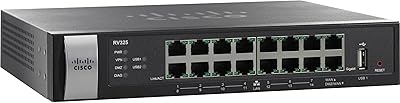
Cisco RV325 Dual WAN VPN Router
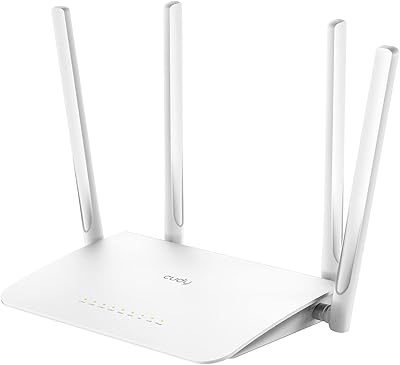
Cudy WR1300 AC1200 Dual-Band WiFi Router
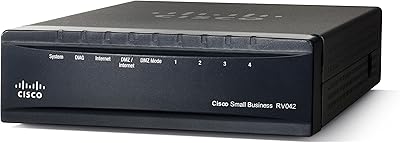
Cisco RV042G Dual WAN VPN Router
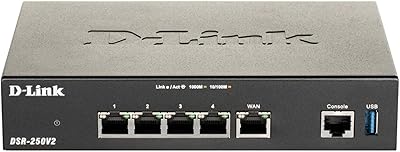
D-Link DSR-250V2 Gigabit VPN Router
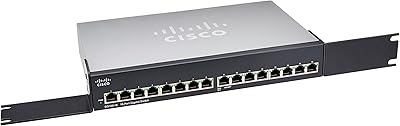
Cisco SG100-16 16-Port Gigabit Network Switch
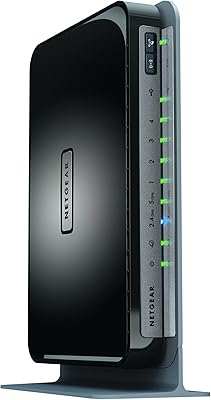
Netgear WNDR4300 N750 Dual Band Gigabit Router
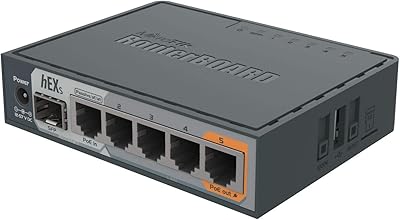
MikroTik hEX S RB760iGS Gigabit Router
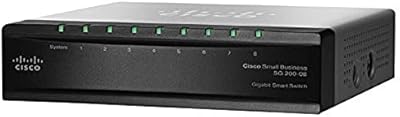
Cisco SG200-08 8-Port Gigabit Smart Switch
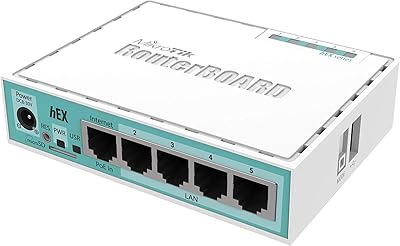
MikroTik hEX RB750Gr3 5-Port Gigabit Router