Overview

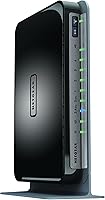
The Netgear WNDR4300 N750 Dual Band Gigabit Router arrived in 2012 as a solid mid-range option, and it has stuck around long enough to prove its reliability in real homes. It splits its wireless capacity across two bands — 300Mbps on 2.4GHz and 450Mbps on 5GHz — giving connected households a practical way to reduce congestion without spending on a high-end unit. What quietly sets this Netgear router apart at its price point is the USB sharing feature, which lets you plug in an external drive or printer and share it across the network without any extra hardware. For a home with a growing number of devices, that kind of built-in flexibility adds genuine everyday value.
Features & Benefits

Running two bands at once is more useful than it sounds. Bandwidth-hungry devices like laptops and streaming sticks can lock onto the 5GHz band while older smart home gadgets and phones idle quietly on 2.4GHz — no manual juggling required. All four LAN ports are gigabit-speed, which matters if you have a desktop or console that benefits from a wired connection. The ReadySHARE USB port handles a shared printer or external drive over the network, saving you the cost of a separate NAS device. Netgear's Genie app keeps things approachable with basic parental controls and device monitoring, and WPS support means family members can connect without hunting for a password. IPv6 is there if your ISP ever makes the switch.

Best For

The WNDR4300 fits well in medium to large homes where a single-band router leaves corners of the house underserved. If your household runs a mix of older 2.4GHz devices alongside newer phones and laptops, the dual-band setup handles that variety without constant configuration. It is also a practical pick for home office users who want a shared network printer accessible from any room — no USB cables stretching across a desk. Light to moderate gamers will appreciate that the gigabit wired ports keep latency low for a connected console or PC. Buyers upgrading from a basic single-band router will notice the improvement quickly, especially in homes where multiple people are streaming or working at the same time.

User Feedback

Owners of this dual-band router consistently mention how painless the initial setup is, and many report using it for years without a single reboot or call to their ISP. That kind of long-term reliability keeps it relevant even alongside newer options. On the downside, some users run into firmware update hiccups — a dropped connection here and there after months of uptime — and a handful note that USB file transfer speeds fall short when moving large media files around. Power users wanting granular QoS or VLAN controls will find the admin interface fairly limited. Still, for a household that just wants steady, no-fuss Wi-Fi without diving into advanced settings, the overall feedback is largely positive and the longevity stories are hard to ignore.

Pros

  • Simultaneous dual-band operation reduces network congestion without any manual configuration.
  • All four LAN ports run at gigabit speeds, keeping wired devices fast and lag-free.
  • Built-in USB sharing lets you add a network printer or external drive without extra hardware.
  • Setup is quick and approachable even for users who rarely touch router settings.
  • The Netgear Genie app provides easy parental controls and a clear view of connected devices.
  • IPv6 support means the hardware won't become obsolete when ISPs complete their transition.
  • Many owners report years of stable, uninterrupted service with minimal hands-on maintenance.
  • WPS button makes connecting new devices simple for less tech-savvy household members.
  • The WNDR4300 offers strong value for buyers upgrading from a basic single-band router.
  • Solid Wi-Fi range covers medium to large homes without requiring a range extender in most cases.

Cons

  • Based on 802.11n, so wireless throughput lags well behind modern 802.11ac or Wi-Fi 6 routers.
  • USB file transfer speeds through ReadySHARE are noticeably slow for large media libraries.
  • Firmware update process has caused dropped connections for a portion of long-term users.
  • Advanced network configuration options are limited compared to enthusiast-grade alternatives.
  • Only a single USB port is available, restricting simultaneous storage and printer sharing.
  • Some units develop intermittent drop issues after extended uptime, requiring periodic reboots.
  • The admin interface looks dated and lacks the polished experience of newer router dashboards.
  • Not well suited for households with true gigabit internet service, where wireless becomes the bottleneck.
  • No MU-MIMO support means devices are served one at a time wirelessly, which shows in busy households.
  • This dual-band router has no dedicated backhaul band, limiting its effectiveness compared to tri-band options.

Ratings

The scores below reflect an AI-powered analysis of thousands of verified global user reviews for the Netgear WNDR4300 N750 Dual Band Gigabit Router, with spam, bot-generated, and incentivized feedback actively filtered out before scoring. Each category captures both what real buyers consistently praised and the pain points that surfaced repeatedly across long-term ownership. Nothing has been softened — the numbers reflect the full picture.

Wi-Fi Range & Coverage
78%
22%
Buyers in medium to large homes consistently report that this dual-band router eliminates the dead zones that plagued their previous single-band devices. Living rooms, back bedrooms, and home offices one floor up all receive usable signal in most typical residential layouts.
In multi-story homes with thick concrete or brick walls, coverage noticeably drops off on upper floors, and some users find they need a range extender to fully address gaps. It is not a replacement for a mesh system in genuinely large or complex floor plans.
Setup & Ease of Use
86%
First-time router owners frequently call out how painless the initial configuration is — the Genie app walks you through each step visually, and most households are online within 20 minutes. The physical WPS button is a small but appreciated touch for getting phones and tablets connected quickly.
A handful of users find that the admin interface feels dated compared to newer routers with polished browser-based dashboards. Locating specific settings like port forwarding or DNS configuration requires some digging for less experienced users.
Connection Stability
74%
26%
For the majority of owners, the WNDR4300 runs for months without a single dropout or reboot, which is the core reliability story that has kept this router relevant for over a decade. Households with moderate device counts report consistently stable day-to-day performance.
A recurring complaint involves dropped connections after extended uptime — typically measured in weeks or months — that require a manual reboot to resolve. Firmware updates have also triggered temporary instability for a subset of users, which is frustrating when it disrupts work-from-home setups.
Wired (Ethernet) Performance
88%
All four LAN ports deliver true gigabit speeds, which means wired gaming consoles, desktop PCs, and network-attached media players all benefit from low latency and fast throughput. Users who hardwire their most demanding devices report zero complaints about the wired side of this router.
There is only one WAN port, which is standard, but the four LAN ports can fill quickly in a home with multiple wired devices. Users who need more wired connections will need to add an unmanaged switch, which adds cost and a piece of hardware to the setup.
USB Sharing (ReadySHARE)
57%
43%
The ability to plug in an external drive and have it show up as a network share for every computer in the house is genuinely useful for occasional file access and basic backup tasks. Shared USB printing works reliably once the ReadySHARE software is installed on each computer.
Transfer speeds through the USB port are sluggish enough to frustrate anyone moving large files — copying a full HD movie or a large photo archive over ReadySHARE takes noticeably longer than doing the same over a dedicated NAS. For heavy media server use, this limitation becomes a real daily annoyance.
Dual-Band Performance
76%
24%
Running both bands simultaneously means newer laptops and smartphones can take advantage of the less congested 5GHz network while older smart home devices or budget tablets stay on 2.4GHz without any manual intervention from the user. In households with 10 to 20 connected devices, this separation makes a tangible difference in perceived speed.
As an 802.11n router, the 5GHz band tops out well below what modern 802.11ac devices are capable of delivering. Homes with several simultaneous 4K streams or large video call setups will find the wireless ceiling limiting compared to any current mid-range router.
Value for Money
72%
28%
Buyers replacing a failed unit or sourcing the WNDR4300 at a reduced price point get solid performance-per-dollar for a household with modest internet speeds. The inclusion of USB sharing and gigabit ports at this tier still holds up reasonably well against basic modern alternatives.
At full retail pricing, newer 802.11ac routers offer meaningfully better wireless throughput for the same or less money, which makes the value equation harder to justify for a first-time purchase. The age of the hardware is a legitimate consideration when evaluating long-term investment.
Advanced Configuration
51%
49%
Standard features like port forwarding, basic QoS, and guest network setup are all accessible through the admin panel, covering what the average home user actually needs. The Genie app handles parental controls and device monitoring without requiring any command-line knowledge.
Power users who want VLAN support, detailed traffic shaping, or third-party firmware options like DD-WRT will find this router frustratingly limited. Community support for advanced customization is thin compared to more popular enthusiast-grade hardware from the same era.
Build Quality & Design
69%
31%
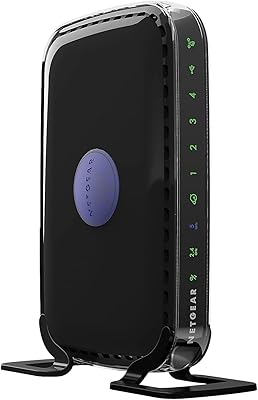
The vertical form factor is practical — it fits neatly on a shelf or beside a modem without occupying much horizontal space. The casing feels solid enough that long-term owners rarely report physical wear issues even after years of continuous use.
The plastic construction is functional rather than premium, and the overall design looks clearly dated next to modern routers with antenna arrays or sleeker enclosures. The external appearance is unlikely to matter to most buyers but is worth noting for those placing the unit in a visible spot.
Heat Management
66%
34%
Under normal household load, the router runs warm but not hot to the touch, and most owners report no heat-related shutdowns during regular use. Placing it in an open, ventilated spot as recommended keeps temperatures in a stable range.
In poorly ventilated spaces or during sustained heavy use, some users observe that the unit runs noticeably hot, which may contribute to the occasional stability issues reported after long uptime periods. Netgear does not include a fan, relying entirely on passive ventilation.
App & Software Experience
63%
37%
The Netgear Genie app simplifies tasks like checking which devices are connected, setting content filters for kids, and running a quick network diagnostic — all without opening a browser or typing in an IP address. For non-technical users, this layer of accessibility is genuinely helpful.
The app has not been updated to match the experience of modern router software, and some users report compatibility issues with current iOS and Android versions. The desktop version of Genie can feel clunky, and occasional connection errors between the app and the router have been reported.
Longevity & Reliability
82%
18%
This is one of the WNDR4300's most compelling real-world strengths — stories of five, six, and even seven years of continuous operation are common in long-form user reviews. For buyers who just need something that works without constant attention, that track record speaks for itself.
As the hardware ages, finding firmware support for newly discovered vulnerabilities becomes less certain, and Netgear has ended active development for this product line. Buyers should be aware that long-term security patching is no longer guaranteed.
IPv6 & Future Compatibility
71%
29%
Having IPv6 support baked in means the router does not become immediately obsolete as more ISPs complete their transition away from IPv4. For users whose providers have already rolled out IPv6, this works out of the box without any extra configuration.
Beyond IPv6, the hardware standard itself (802.11n) is now two generations behind, which limits how future-proof this router truly is in a practical sense. Any household planning a significant upgrade to their internet plan or device ecosystem will likely outgrow it within a few years.
Compatibility with ISPs & Modems
84%
The WNDR4300 works with virtually any broadband modem that has an Ethernet output, covering cable, DSL, and most fiber gateway setups without any special configuration. Users switching ISPs rarely need to reconfigure anything beyond the basic WAN settings.
The router does not include a built-in modem, which is a separate purchase for users coming from an all-in-one gateway device provided by their ISP. This is a standard design decision but catches some first-time buyers off guard when unboxing.

Suitable for:

The Netgear WNDR4300 N750 Dual Band Gigabit Router is a strong fit for households that need reliable whole-home coverage without the complexity or cost of a modern mesh system. If you live in a medium to large home where a single-band router has left certain rooms with weak signal, the simultaneous dual-band setup here makes a noticeable difference by spreading device load across two frequencies. Families with a mix of older smart home gadgets and newer laptops or phones will find that each type of device naturally settles onto the band that suits it best. Home office users who want a shared network printer accessible from any room — without running cables or buying extra hardware — get real practical value from the built-in USB sharing port. It also works well for light to moderate gamers who want the stability of a wired gigabit connection for their console or PC while keeping wireless available for everyone else in the house.

Not suitable for:

The Netgear WNDR4300 N750 Dual Band Gigabit Router is not the right choice for buyers who need cutting-edge wireless performance or the latest Wi-Fi standards. This is an 802.11n device, and if your ISP delivers genuinely fast gigabit internet speeds, the wireless side of this router will be the bottleneck — newer 802.11ac or Wi-Fi 6 routers would serve you far better in that scenario. Power users who want granular control over QoS, VLANs, or advanced traffic management will quickly hit the ceiling of what the Netgear Genie app and admin interface can offer. Anyone planning to use the USB port as a primary media server for large file transfers should temper expectations, as the ReadySHARE transfer speeds have disappointed users moving big libraries around the network. Finally, buyers in very large homes or multi-floor properties with thick walls may find that even this router's range falls short, and a mesh networking solution would be a more practical investment.
Specifications

  • Wi-Fi Standard: This router operates on the 802.11a/b/g/n standard across both bands, making it compatible with a wide range of devices manufactured over the past two decades.
  • Combined Speed: Maximum combined wireless throughput is rated at up to 750Mbps, split between 300Mbps on the 2.4GHz band and 450Mbps on the 5GHz band.
  • Frequency Bands: Simultaneous dual-band operation runs both 2.4GHz and 5GHz networks at the same time without requiring the user to manually switch between them.
  • LAN Ports: Four gigabit Ethernet LAN ports provide wired connectivity for desktops, consoles, smart TVs, or any device that benefits from a stable, high-speed wired connection.
  • WAN Port: One gigabit Ethernet WAN port connects to a broadband modem via Ethernet; no modem is included with the router.
  • USB Sharing: A single USB 2.0 port supports Netgear ReadySHARE, enabling networked access to an external hard drive or a shared USB printer from any device on the network.
  • RAM: The router is equipped with 128MB of DDR3 SDRAM, which handles routing tasks and connected device management during normal household use.
  • Flash Memory: 128MB of onboard flash memory stores the router firmware and configuration settings.
  • Processor: A single onboard processor manages all routing, wireless, and USB sharing functions simultaneously.
  • IPv6 Support: Full IPv6 compatibility is built in, allowing the router to operate on next-generation internet addressing without a hardware replacement.
  • WPS: A physical WPS button on the router allows supported devices to join the network quickly without manually entering a Wi-Fi password.
  • Management App: The Netgear Genie app provides a graphical dashboard for monitoring connected devices, setting parental controls, and running basic network diagnostics.
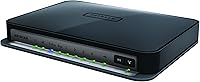
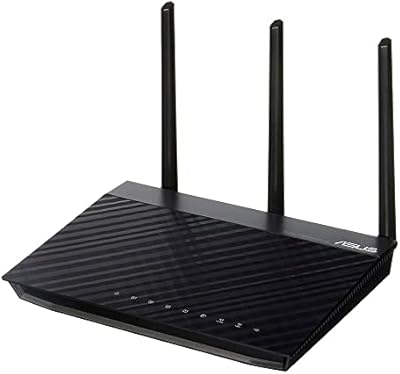
  • Dimensions: The router measures 5.86 x 2.99 x 9.21 inches, designed to stand vertically and fit on a shelf or desk without taking up excessive space.
  • Weight: At 15.8 ounces, the unit is lightweight enough to be repositioned easily when optimizing placement for whole-home coverage.
  • Color: The router ships in black with a matte finish that blends into most home or office environments without drawing attention.
  • OS Compatibility: The router is officially compatible with Windows 7 and Mac OS, though it functions as a standard router with any device regardless of operating system.
  • In Box Contents: The package includes the router, a power adapter, one Ethernet cable, a quick start guide, and a premium feature booklet.
  • Wireless Security: The router supports WPA and WPA2 wireless encryption standards to protect the network from unauthorized access.

Related Reviews
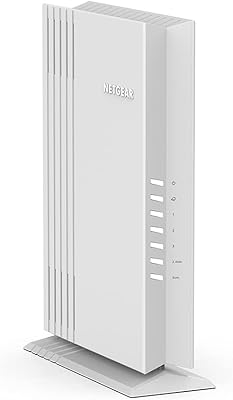
NETGEAR WAX202 WiFi 6 Dual-Band Router
84%
88%
WiFi Performance
93%
Setup & Installation
85%
App Usability
89%
Speed & Coverage
90%
Device Connectivity
More
NETGEAR R6250 AC1600 Dual Band Wi-Fi Router
73%
91%
Ease of Setup
74%
Wi-Fi Performance
61%
Wi-Fi Range & Coverage
82%
Connection Stability
69%
Multi-Device Handling
More
NETGEAR WNDR3400 N600 Dual Band Wi-Fi Router
82%
85%
Performance
91%
Ease of Setup
87%
Dual-Band Performance
72%
Connection Stability
80%
Parental Controls
More
NETGEAR Nighthawk C6900-100NAS Dual Band AC1900 Cable Modem Router
85%
91%
Wi-Fi Performance
89%
Gaming and Streaming Speed
87%
Setup and Installation
92%
Value for Money
80%
Reliability and Stability
More
TRENDnet TEW-829DRU AC3000 Tri-Band Wireless Gigabit Dual-WAN VPN SMB Router
84%
91%
Performance & Speed
88%
Dual-WAN Functionality
72%
Ease of Setup
89%
Network Stability
84%
Security Features (VPN)
More
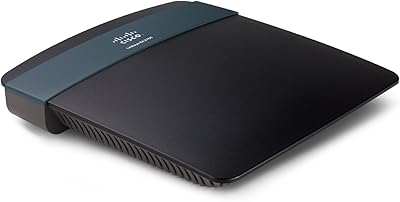
Linksys EA2700 Dual-Band Router
82%
84%
Wireless Performance
78%
Signal Coverage
88%
Setup & Installation
90%
Wired Connectivity
81%
Reliability
More
Asus RT-AC1200 Wireless Dual-Band Router
83%
85%
Wi-Fi Performance
91%
Ease of Setup
78%
Coverage Range
88%
Parental Controls
81%
Streaming & Gaming Performance
More
Linksys WRT1900AC Dual-Band Wi-Fi Router
77%
84%
Wireless Range
91%
Wired Performance
93%
Firmware Flexibility
58%
Stock Firmware Stability
88%
Build Quality
More
Cisco RV325 Dual Gigabit WAN VPN Router
84%
89%
Performance & Reliability
91%
VPN Functionality
88%
Ease of Setup
86%
Load Balancing Effectiveness
93%
Security & Encryption
More
ASUS RT-ACRH13 AC1300 Dual Band WiFi Router
86%
88%
WiFi Performance
91%
Setup and Installation
90%
Value for Money
83%
Signal Coverage
89%
Ease of Use (Mobile App)
More

FAQ

It works with any broadband provider — cable, DSL, or fiber — as long as you have a separate modem with an Ethernet output. The router simply connects to that modem via its WAN port, so provider compatibility is not an issue.

That depends on your expectations. If your internet plan tops out around 100–150Mbps and you mostly want reliable whole-home Wi-Fi for everyday browsing, streaming, and a few connected devices, it still does the job well. If you have a gigabit internet plan or a house full of 4K streaming devices and video calls happening simultaneously, a newer 802.11ac or Wi-Fi 6 router would serve you better.

Yes, plugging an external hard drive into the USB port activates Netgear ReadySHARE, which makes the drive accessible to any device on the network. Keep in mind that transfer speeds through this feature are modest — it works fine for occasional file access, but it is not fast enough to replace a proper NAS device if you are moving large video libraries around regularly.

It is quite approachable. The quick start guide walks you through the basics, and the Netgear Genie app gives you a visual interface rather than a raw admin page. Most users are up and running within 15 to 20 minutes. The WPS button also lets you connect phones and laptops quickly without typing in a password.

Both bands run simultaneously all the time. You can give them different network names so devices connect to the appropriate one, or use the same name and let devices negotiate automatically. Either way, you do not have to toggle between them manually.

It performs well in medium to large single-story homes, and many users report decent coverage on two floors. That said, thick concrete or brick walls can reduce range noticeably. If your home is particularly large or has challenging construction, you might need a range extender placed on the second floor to eliminate dead spots.

Yes, that is one of the more practical uses of the ReadySHARE USB port. Once a USB printer is plugged in, it shows up as a network printer for any computer connected to the router. Setup requires installing the ReadySHARE software on each computer that needs to print, but after that initial step it works without any cables between the computers and the printer.

For most users it runs for extended periods without any intervention. A subset of owners do report occasional dropped connections after very long uptime stretches — usually resolved with a quick reboot. Setting a scheduled weekly restart in the admin panel, which this router supports, is a simple precaution that keeps things running smoothly.

It supports WPA and WPA2 encryption, which are the standard protocols for keeping unauthorized users off your Wi-Fi. The Netgear Genie app also includes basic access controls and the ability to see every device connected to your network at a glance. It does not offer advanced features like a built-in VPN server or deep packet inspection, so if those are priorities, you would need to look at a more advanced device.

The WAN port is gigabit-capable, so the physical connection to your modem will not be the bottleneck. The limitation is on the wireless side — because this is an 802.11n router, the maximum wireless throughput across both bands combined is around 750Mbps under ideal conditions, with real-world speeds typically lower. For a true gigabit fiber plan, a modern 802.11ac router would allow you to actually experience those speeds over Wi-Fi.

Where to Buy