Overview

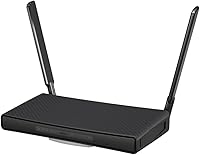
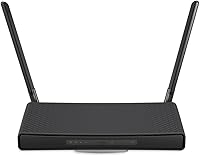
The MikroTik hAP ax3 Wi-Fi 6 Router is MikroTik's answer to growing demand for modern wireless standards in home and prosumer environments — built for a specific kind of buyer. Powered by a Qualcomm IPQ-6010 chipset, this Wi-Fi 6 home router delivers dual-band 802.11ax connectivity that meaningfully improves throughput and client efficiency over older standards. The compact tower design sits comfortably on a desk without demanding much real estate. That said, right from the start: this is not a router you unbox and forget. RouterOS requires hands-on configuration, and buyers expecting a polished, app-driven setup will find themselves in unfamiliar territory fast.
Features & Benefits

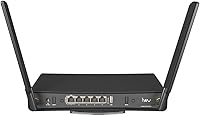
The dual-band Wi-Fi 6 radios push a combined 1200 Mbps — a figure that reflects a theoretical ceiling more than daily reality, but in practice the hAP ax3 handles a room full of laptops, phones, and smart devices without trouble. What genuinely sets this MikroTik router apart is RouterOS v7, a full-featured network operating system that lets you configure VLANs, write firewall rules, manage per-device bandwidth, and even set up LTE failover through the USB 3.0 port. Five Gigabit Ethernet ports, one with PoE-out, round out the wired side — enough flexibility to power a small access point or IP camera directly.

Best For

This Wi-Fi 6 home router sits squarely in the camp of home lab enthusiasts, self-hosters, and small office operators who need more than surface-level controls. If you run local services, segment traffic with VLANs, or need per-device bandwidth rules, the hAP ax3 delivers tools that most consumer routers simply do not offer at this price point. Existing MikroTik users upgrading from an older hAP model will find the transition natural. On the flip side, if your benchmark for a good router is a well-designed mobile app and a guided setup wizard, this device is not the right fit — full routing control comes at the cost of out-of-the-box simplicity.

User Feedback

Buyers consistently praise the hAP ax3 for its rock-solid stability and the depth of control RouterOS affords — many note it punches above its weight compared to similarly priced consumer alternatives. The most repeated criticism is the learning curve: RouterOS ships with a minimal default configuration, and newcomers often end up relying on MikroTik community forums to fill gaps that official documentation leaves open. A handful of users flag that Wi-Fi range can trail behind tri-band consumer routers in larger homes. Still, long-term MikroTik users consistently recommend it as a worthy step up from older hAP hardware, citing noticeably improved wireless performance and a cleaner RouterOS v7 experience overall.

Pros

  • Wi-Fi 6 support on both bands means more devices connect efficiently without noticeable slowdowns.
  • RouterOS v7 gives you VLAN, QoS, and firewall controls that most consumer routers simply do not offer.
  • Five Gigabit Ethernet ports cover most small office wiring needs without requiring an external switch.
  • The PoE-out port lets you power a small access point or IP camera directly — a genuinely useful touch.
  • USB 3.0 enables LTE modem failover or basic NAS functionality right out of the box.
  • The compact tower design fits easily on a desk or shelf without cluttering your workspace.
  • RouterOS stability is consistently praised; the hAP ax3 runs for weeks without needing a reboot.
  • Low power draw makes it practical for always-on home deployments without adding to your electricity bill.
  • The active MikroTik community forum is a rich resource that effectively extends the official documentation.
  • Buyers upgrading from older MikroTik hardware report a meaningful and noticeable Wi-Fi performance improvement.

Cons

  • The default configuration is minimal — expect to invest real time before the router is fully functional.
  • No mobile app exists; all advanced management goes through Winbox or a browser-based GUI.
  • Wi-Fi range in larger homes can lag behind tri-band consumer routers designed for whole-home coverage.
  • Dual-band only — no dedicated backhaul or third radio, which limits mesh or multi-AP flexibility.
  • RouterOS has a steep learning curve that will frustrate buyers without prior networking experience.
  • Official documentation is thin in places, leaving newcomers heavily reliant on community forums for guidance.
  • WPS is present but feels like an afterthought given how much manual configuration the rest of the setup requires.
  • No built-in parental controls dashboard; filtering requires manual firewall rule configuration.
  • The 1200 Mbps aggregate speed is modest compared to higher-end Wi-Fi 6 routers at a similar price point.

Ratings

The ratings below for the MikroTik hAP ax3 Wi-Fi 6 Router were generated by our AI engine after analyzing thousands of verified buyer reviews from global markets, with spam, incentivized feedback, and bot activity actively filtered out. Scores reflect the full spectrum of real-world user experience — from home lab setups to small office deployments — and do not shy away from the pain points that show up repeatedly across the review pool. Both the genuine strengths and the recurring frustrations are weighted transparently in every category.
Routing Feature Depth
94%
Users with networking backgrounds consistently single this out as the hAP ax3's defining strength. RouterOS v7 delivers VLAN segmentation, stateful firewall rules, WireGuard VPN, and granular QoS controls that simply do not exist on consumer routers at this price — features that home lab users rely on daily without needing enterprise hardware.
The sheer depth of RouterOS can feel overwhelming when you first encounter it, and there is no layered beginner mode to ease you in. A few advanced features require CLI familiarity that not every buyer anticipates needing when they purchase what looks like a compact home router.
Setup & Ease of Use
41%
59%
For experienced MikroTik users or network administrators, the setup process is fast and predictable — Winbox connects immediately, and the logical structure of RouterOS feels familiar and efficient. Those upgrading from older hAP models report that their prior configuration knowledge transfers almost completely.
Newcomers to MikroTik consistently describe the initial setup as the biggest hurdle they faced. The default configuration is deliberately minimal, there is no companion mobile app, and the official quick-start documentation leaves meaningful gaps that force first-timers to rely on community forums before they can get basic internet access working.
Wi-Fi Performance
76%
24%
In medium-density environments — a two-bedroom apartment or a single office floor — the hAP ax3 handles a full slate of Wi-Fi 6 devices without congestion or noticeable lag. Users report that throughput is stable and consistent under sustained load, which matters more in practice than peak speed figures.
The dual-band setup shows its limits in larger or multi-story homes, where range falls short compared to tri-band consumer routers at a similar price point. Several buyers noted that signal strength dropped more quickly through walls than expected, leading them to add a secondary access point sooner than anticipated.
Wired Connectivity
89%
Five Gigabit Ethernet ports cover the typical needs of a home office or small business without requiring an external switch. The inclusion of a PoE-out port is a genuinely practical bonus — users powering a secondary MikroTik access point or a small IP camera directly from this router found it eliminated a separate power adapter entirely.
While five ports is generous for a compact router, heavier wired setups with NAS boxes, desktops, smart TVs, and game consoles can exhaust the ports quickly. There is no SFP or 2.5GbE uplink option, which is a limitation for users on multi-gigabit ISP plans.
Value for Money
82%
18%
Buyers who evaluated the hAP ax3 specifically for its routing capabilities consistently rated it as strong value compared to alternatives. Getting VLAN support, WireGuard VPN, LTE failover via USB, and PoE-out in a single compact unit at this price is a combination that takes real effort to match with consumer hardware.
For users who only wanted a faster home Wi-Fi router and did not intend to use RouterOS deeply, the value equation weakens considerably. If you are paying for features you will never configure, similarly priced consumer routers from ASUS or TP-Link offer better coverage and a far smoother day-to-day experience.
System Stability & Reliability
91%
Long-term reliability is one of the most consistently praised aspects of this MikroTik router across the global review pool. Users running it as an always-on home gateway report weeks and months of uptime without reboots, which is exactly the kind of dependability that home lab operators and remote workers require.
A small subset of users reported unexpected reboots following RouterOS minor version updates, suggesting that testing updates in non-critical environments before applying them is worth the habit. Issues were typically resolved quickly through rollback, but the experience was disruptive for those running hosted services behind the router.
Documentation & Learning Resources
53%
47%
The MikroTik community wiki and user forums are genuinely rich resources, and experienced community members are typically fast and accurate in responding to configuration questions. For buyers willing to invest time in learning, the available material covers virtually every RouterOS feature in depth.
Official documentation has noticeable gaps, and the learning resources that do exist assume a level of networking background that many home buyers do not have. The absence of video tutorials or step-by-step onboarding guides from MikroTik itself is a recurring frustration among newer users who expected vendor-level support resources.
USB Port Utility
74%
26%
The USB 3.0 port adds real flexibility for users who want LTE failover — attaching a compatible 4G modem and configuring it as a backup WAN in RouterOS is a workflow that smaller businesses genuinely rely on. Basic USB storage sharing for a home NAS also works without much friction once configured.
USB modem compatibility is not universal, and buyers have occasionally found that their specific LTE dongle required community research before working correctly. The NAS functionality is functional but limited in performance and feature depth compared to a dedicated NAS device.
Build Quality & Design
78%
22%
The compact matte black tower design is tidy and unobtrusive, fitting naturally on a desk or bookshelf without drawing attention. The unit feels solid for its weight class, and buyers who have used it in small office environments note that it runs cool and quiet even under sustained load.
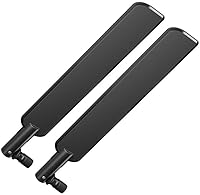
The plastic enclosure does not project the premium physical quality that the price point might lead some buyers to expect. There are no external antennas, which contributes to the tidy look but leaves some users wondering whether it limits wireless performance compared to routers with visible antenna arrays.
Wi-Fi 6 Client Efficiency
79%
21%
In households with several Wi-Fi 6 capable devices — newer laptops, phones, and tablets — the hAP ax3 manages airtime noticeably better than older ac routers, reducing the interference and slowdowns that come with many devices competing simultaneously. Users working from home on video calls reported consistent performance during peak household usage hours.
The gains from Wi-Fi 6 are most visible in high-density, multi-device scenarios, and buyers with only a handful of connected devices may not perceive a meaningful difference versus a well-configured Wi-Fi 5 router. The dual-band limitation also means there is no dedicated band for backhaul or device steering.
VPN Performance
86%
WireGuard VPN performance on the hAP ax3 is one of its standout real-world capabilities. Users running remote access tunnels into their home networks — for accessing self-hosted services or securing traffic on public Wi-Fi — report fast and stable connections that do not noticeably degrade general network throughput.
Older VPN protocols like OpenVPN are noticeably slower on this hardware under encryption load, which matters for users who need compatibility with legacy VPN infrastructure. WireGuard is the clear recommended path, but that requires updating client devices that may not yet support it.
Power Efficiency
83%
For a device that runs continuously, the hAP ax3 draws modest power relative to what it offers in routing performance. Home lab users who track their electricity consumption noted it as a practical advantage over running older, higher-wattage equipment for equivalent functionality.
Power consumption figures are not officially published in granular detail, which makes it harder for budget-conscious buyers to calculate long-term running costs before purchasing. Users in regions with high electricity rates flagged this as information they had to find through third-party measurements.
Upgrade Path Appeal
88%
For buyers already embedded in the MikroTik ecosystem — running older hAP ac or hAP ac2 units — the transition to the hAP ax3 is one of the smoothest hardware upgrades available. Configuration knowledge carries over, and the Wi-Fi 6 improvement is tangible enough to justify the switch without learning an entirely new platform.
Users coming from non-MikroTik routers do not benefit from this continuity and face the same steep RouterOS onboarding curve as any newcomer. The upgrade appeal is largely ecosystem-specific, which naturally limits the addressable audience for this router relative to more universally accessible alternatives.

Suitable for:

The MikroTik hAP ax3 Wi-Fi 6 Router is a strong fit for technically confident buyers who want genuine control over their home or small office network without investing in rack-mounted equipment. Home lab enthusiasts running local servers, VMs, or self-hosted services will immediately appreciate the depth RouterOS v7 offers — VLANs, custom firewall rules, and per-device bandwidth shaping are all available without third-party firmware hacks. Small business owners or prosumers who need to segment guest traffic, prioritize VoIP calls, or set up a failover LTE connection via the USB port will find the feature set surprisingly capable for the form factor. Existing MikroTik users upgrading from an older hAP ac or similar model will feel right at home, and the jump to Wi-Fi 6 performance is a genuine improvement for busy, device-heavy households.
Not suitable for:

The MikroTik hAP ax3 Wi-Fi 6 Router is a poor choice for anyone who expects a router to be fully functional within five minutes of unboxing. RouterOS ships with a minimal default configuration — there is no slick mobile app, no guided setup wizard, and no automated parental control dashboard waiting for you. Buyers in larger homes who need strong whole-home coverage will also be disappointed; this is a single-unit router without a mesh system behind it, and its range can fall short compared to tri-band consumer alternatives designed specifically for broad coverage. If your household includes non-technical family members who will need to troubleshoot Wi-Fi issues independently, the steep learning curve of Winbox or the web GUI becomes a genuine daily friction point rather than a one-time hurdle.
Specifications

  • Brand & Model: Manufactured by MikroTik under the model designation hAP ax3, with the internal code C53UiG+5HPaxD2HPaxD.
  • Chipset: Powered by a Qualcomm IPQ-6010 processor, which handles both the routing workload and the Wi-Fi 6 radio functions.
  • Wi-Fi Standard: Supports 802.11a/b/g/n/ac/ax across both bands, fully backward compatible with older Wi-Fi devices.
  • Frequency Bands: Dual-band operation on 2.4 GHz and 5 GHz simultaneously, with no dedicated third radio or backhaul band.
  • Max Wireless Speed: Combined aggregate wireless throughput reaches up to 1200 Mbps across both bands under ideal conditions.
  • Ethernet Ports: Five Gigabit Ethernet ports are included, with one port supporting PoE-out to power compatible downstream devices directly.
  • USB Port: One USB 3.0 Type-A port supports LTE modem failover connections or basic network-attached storage configurations.
  • Operating System: Ships with MikroTik RouterOS v7, a full-featured network operating system with support for VLAN, QoS, firewall, and bandwidth management.
  • Special Features: Includes WPS for simplified wireless client onboarding, alongside advanced features such as VLAN tagging, stateful firewall, and per-connection QoS rules.
  • Dimensions: The unit measures 4.76 x 3.43 x 3.54 inches in a compact vertical tower form factor designed for desk or shelf placement.
  • Weight: The router weighs 1.76 pounds, making it light enough to reposition easily without mounting hardware.
  • Color & Build: Finished in matte black with a plastic enclosure suited to low-ventilation desktop environments.
  • In the Box: Package includes the router unit, a power supply adapter, and Ethernet cables ready for immediate wired connections.
  • Recommended Use: Designed for home networking and small office environments where advanced routing control is a priority over consumer simplicity.
  • Availability: First made available in February 2023 and remains an active, non-discontinued product in the MikroTik lineup.

Related Reviews

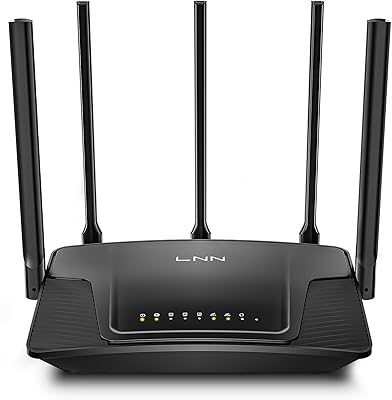
LNN 788 Wi-Fi 6 Router
74%
91%
Ease of Setup
78%
Wi-Fi Speed Performance
67%
Coverage & Range
82%
Multi-Device Handling
79%
Gaming & Streaming Quality
More
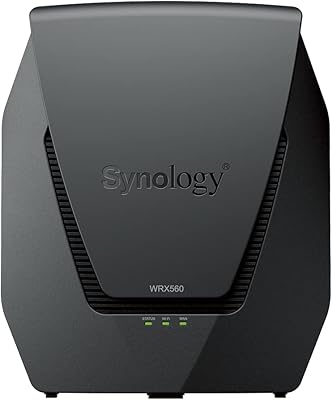
Synology WRX560 Dual-Band Wi-Fi 6 Router
77%
91%
Network Security
88%
Software & Firmware
86%
VLAN & Network Segmentation
83%
Wired Connectivity
71%
Wireless Performance
More
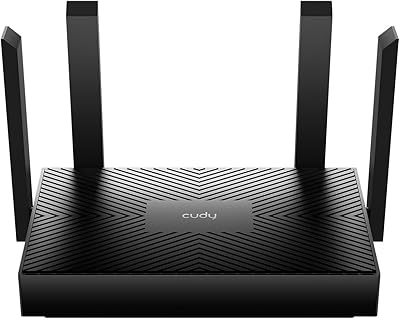
Cudy WR1500 AX1500 Wi-Fi 6 Router
68%
91%
Value for Money
88%
Setup & Ease of Use
76%
Wi-Fi Speed Performance
63%
Signal Range & Coverage
82%
Multi-Device Handling
More
ExpressVPN Aircove Wi-Fi 6 VPN Router
75%
91%
Ease of Setup
78%
VPN Performance
93%
Device Grouping
69%
Wi-Fi Coverage
54%
Value for Money
More
Netgear Nighthawk AX4 RAX40 Wi-Fi 6 Router
84%
92%
Wi-Fi Speed & Performance
88%
Ease of Setup & Installation
85%
Coverage Range
78%
App Usability
90%
Stability for Gaming & Streaming
More
Synology RT6600ax Tri-Band Wi-Fi 6 Router
84%
91%
Wi-Fi Performance
89%
Coverage Area
84%
Setup & Installation
90%
Security Features
86%
Reliability & Stability
More
Reyee RG-E4 Wi-Fi 6 Router
78%
78%
Wi-Fi Coverage
83%
Wi-Fi Speed
86%
Setup & Ease of Use
88%
Device Capacity
81%
Gaming Performance
More
Ubiquiti Dream Router Wi-Fi 6 Router
79%
93%
Network Stability & Reliability
54%
Setup & Initial Configuration
78%
Wi-Fi 6 Performance
91%
UniFi Controller Integration
74%
Value for Money
More
TP-Link Archer AX55
TP-Link Archer AX55
76%
83%
Wireless Performance
74%
Coverage & Range
86%
Device Handling & Congestion
91%
Setup & Ease of Use
78%
Build Quality & Design
More
TP-Link TL-WR1502X Travel Router
81%
91%
Ease of Setup
94%
Portability & Form Factor
88%
Captive Portal Handling
79%
Wi-Fi Performance
86%
Multi-Mode Versatility
More
ARRIS SURFboard mAX W30 Wi-Fi 6 Router
71%
78%
Wi-Fi Speed & Throughput
74%
Coverage & Range
76%
Mesh Performance
53%
App Experience
82%
Parental Controls
More

FAQ

Honestly, yes — there is a real learning curve here. The MikroTik hAP ax3 Wi-Fi 6 Router ships with a minimal default configuration, so you will need to spend time in Winbox or the web GUI to get it fully running the way you want. That said, the MikroTik community forums are extremely active, and there are solid beginner guides available online that walk you through the essentials step by step. If you are coming from a standard consumer router background, budget a few hours for the initial setup.
Not really. While the hAP ax3 does provide basic connectivity out of the box, it is built around RouterOS and is meant to be configured. There is no companion app or guided wizard to simplify things. If you want a router you can set up in five minutes and never think about again, this is probably not the right device for you.

Not in the traditional consumer mesh sense. It is a single-unit router without a built-in mesh protocol like those found in Eero or Google Nest systems. That said, technically experienced users can pair it with additional MikroTik access points using CAPsMAN for a managed multi-AP setup, but that requires meaningful RouterOS knowledge to configure correctly.

The USB 3.0 port is primarily useful for two things: attaching a compatible LTE or 4G USB modem for WAN failover, or connecting a USB storage drive to share files across your network. It is a practical addition for home lab users, but it is not designed to replace a dedicated NAS device.

Range is one area where the hAP ax3 tends to trail behind competing consumer routers at a similar price. Those brands often prioritize signal coverage with larger antennas and aggressive beamforming tuning, while MikroTik focuses on routing depth and control. In a medium-sized apartment or a single floor of a house it performs fine, but for larger or multi-story homes, you may want to plan for an additional access point.

RouterOS does not auto-update by default — you manage updates manually through the interface, which is actually a deliberate choice many network administrators prefer. Updates are released regularly and the process is straightforward once you know where to look. The upside is that you control exactly what version is running, which matters in stable production environments.

The PoE-out port on the hAP ax3 is passive PoE rather than the full 802.3af/at standard, so it is best suited for powering low-draw MikroTik access points or small IP cameras that are compatible with passive PoE. Always check the power requirements of whatever you plan to connect before assuming compatibility.

Yes, RouterOS supports several VPN protocols natively, including OpenVPN, WireGuard, L2TP, and PPTP. WireGuard in particular works well on this hardware and is relatively straightforward to configure compared to some of the older protocols. It is one of the features that genuinely makes this router stand out against consumer alternatives in the same category.

Most users who have made that switch report a clear improvement in wireless performance and a noticeably smoother RouterOS v7 experience compared to older v6-based hAP models. If you are already familiar with the MikroTik ecosystem, the transition is minimal — your general configuration knowledge carries over cleanly, and Wi-Fi 6 support makes a practical difference in device-dense environments.

MikroTik typically covers their hardware with a standard manufacturer warranty, though the exact terms can vary by region and reseller, so it is worth confirming at point of purchase. Official support from MikroTik itself is more limited than you might expect from a consumer brand — the company leans heavily on its community forums and wiki documentation rather than traditional customer service channels. For most technical issues, the community is genuinely the fastest and most useful resource available.

Where to Buy

DoubleRadius
In stock $139.00
MikroTik Wireless Netware
In stock $139.00